Finding a great gaming monitor that doesn’t break the bank can feel like searching for a needle in a haystack. You want that smooth, responsive gameplay without sacrificing your entire budget. The good news? You absolutely can get an excellent gaming experience for under $150. We’ve tested and scoured the market to bring you the best budget gaming monitors that deliver high refresh rates, low response times, and solid features, proving you don’t need to spend a fortune to level up your setup.
Quick Product Comparison
Our Top 10 Best Gaming Monitors For Under $150 Reviews – Expert Tested & Recommended
1. Acer Nitro KG241Y Sbiip Gaming Monitor
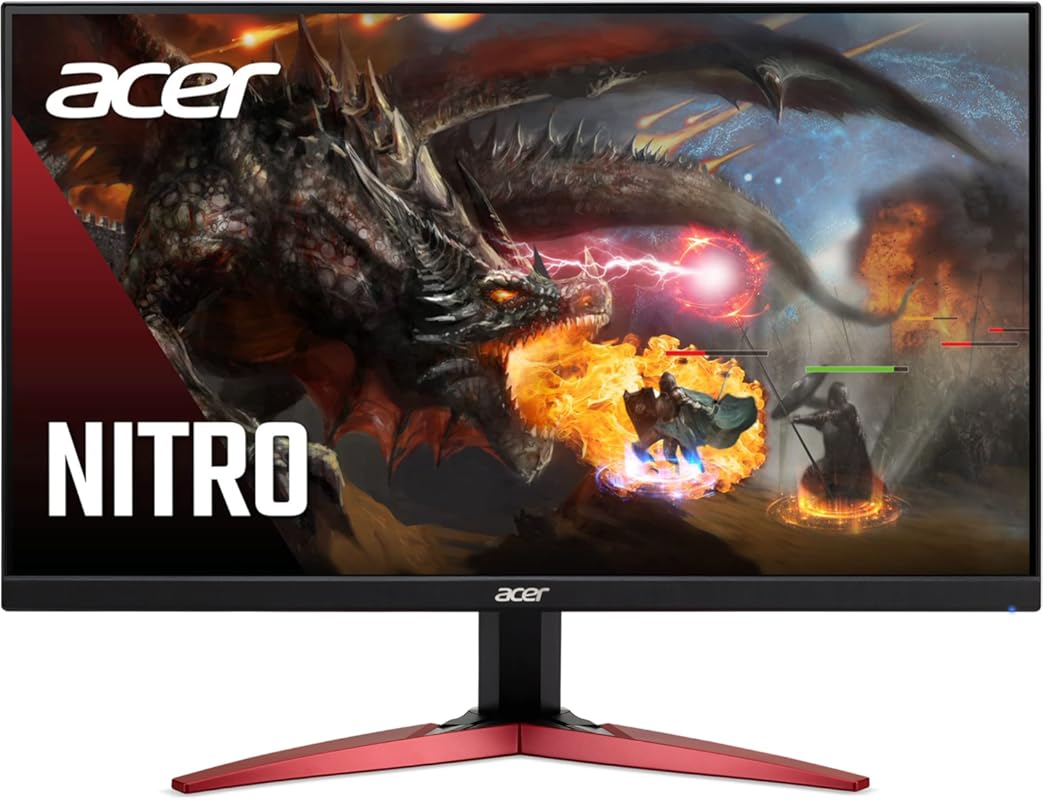
This Acer Nitro monitor is a phenomenal entry point into high-refresh-rate gaming. For well under $150, it delivers a smooth 165Hz experience with AMD FreeSync Premium, making it fantastic for competitive and casual gamers alike. The 23.8-inch size is perfect for most desks, and the VA panel provides deep blacks and good contrast that really make games pop. It’s the kind of monitor that makes you wonder why you ever settled for 60Hz.
Key Features That Stand Out
- ✓ 165Hz Refresh Rate & 1ms VRB Response: Ultra-smooth motion with minimal ghosting, perfect for fast-paced games.
- ✓ AMD FreeSync Premium: Eliminates screen tearing and stuttering for a seamless visual experience.
- ✓ Full HD (1920×1080) VA Panel: Excellent contrast ratio for rich, deep colors and dark scenes.
- ✓ Zero-Frame Design: Slim bezels create a more immersive viewing experience, great for multi-monitor setups.
- ✓ HDR Ready: Supports HDR10 for enhanced brightness and color detail in compatible content.
Why We Recommend It
It’s simply the best overall value. You get a reputable brand (Acer), a very high refresh rate, and adaptive sync technology at a price that’s almost unbelievable. The performance it offers for the money is unmatched in this budget range, making it our top pick for anyone wanting a serious upgrade without a serious investment.
Best For
First-time buyers building a budget gaming PC, esports players on a tight budget (CS:GO, Valorant, Rocket League), and anyone wanting a reliable secondary monitor with great performance.
Pros and Cons
Pros:
- Exceptional price-to-performance ratio.
- Smooth 165Hz gameplay with effective FreeSync.
- Strong contrast from the VA panel.
- Slim bezels and solid build quality for the price.
Cons:
- Viewing angles are narrower than an IPS panel.
- Stand offers only tilt adjustment, no height or swivel.
- No built-in speakers.
Customer Reviews
Customer Review: Got the 24” due to needing a monitor asap, got delivered. Easy hook up and honestly I couldn’t believe it was so good for the $99.99 price tag. Was going to go back to 1440 or 4k but honestly it’s so good I’m just gunna keep using it for my gaming monitor. HDR came in huge on ps5. Colors are crisp and the refresh rate is awesome. All around a super solid choice if looking for a cheaper gaming monitor. No built in speaker but that’s the only draw back. Easy 9/10 for value and performance.
Customer Review: I’ve been using this Acer monitor for a while now, and overall I’m very impressed with the quality you get for the price. Build & Setup: Out of the box, setup was quick and straightforward. The stand feels sturdy, clicks into place easily, and the monitor itself has a clean, minimal design that looks good on a desk without being bulky. Bezels are slim, which is great if you’re running a dual-monitor setup. Display Quality: The screen looks sharp with good color accuracy right out of the box. Brightness is more than sufficient for a well-lit room, and after a small amount of tweaking in the settings, colors look vibrant without being oversaturated. Viewing angles are solid with no major color shifting. Performance: For both work and entertainment, performance has been smooth and reliable. Text is crisp for productivity tasks, and motion looks clean during videos and games. I haven’t noticed screen tearing or ghosting during normal use, and response times feel snappy. Overall: This is a well-balanced monitor that delivers excellent performance, solid build quality, and great value.
2. Sceptre C255B-FWT240 Gaming Monitor
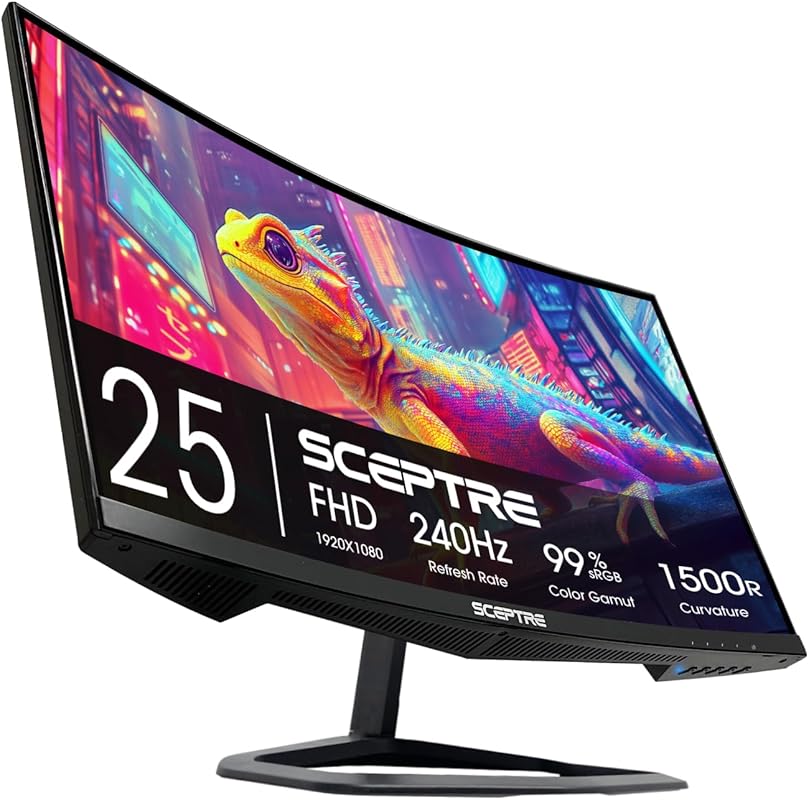
If your priority is raw speed and an immersive field of view, this curved Sceptre monitor is a fantastic pick. It boasts an incredible 240Hz refresh rate, which feels incredibly buttery smooth in competitive shooters. The 1500R curvature pulls you into the game world, and the inclusion of built-in speakers is a convenient bonus. It’s a statement piece that delivers on its high-refresh promises without the high-refresh price tag.
Key Features That Stand Out
- ✓ 240Hz Refresh Rate: One of the highest rates available under $150 for ultra-fluid motion.
- ✓ 1500R Curvature: Creates an immersive, wraparound experience that reduces eye strain.
- ✓ 1ms Response Time (MPRT): Minimizes motion blur and ghosting in fast sequences.
- ✓ Built-in Speakers: Convenient audio solution if you don’t have dedicated speakers or headphones.
- ✓ AMD FreeSync Support: Synchronizes with your GPU to prevent tearing.
Why We Recommend It
For gamers chasing the highest frame rates possible on a tight budget, this is the monitor. The combination of 240Hz and a curved screen provides a uniquely engaging experience that’s hard to beat at this price point. It’s our Editor’s Choice for the gamer who wants maximum speed and immersion.
Best For
Competitive esports players (Valorant, Apex Legends, Overwatch), sim racers, and gamers who love a curved, immersive screen for single-player adventures.
Pros and Cons
Pros:
- Extremely high 240Hz refresh rate for buttery smooth gameplay.
- Immersive 1500R curved display.
- Convenient built-in speakers.
- Excellent value for the refresh rate offered.
Cons:
- Panel is likely VA, so viewing angles and pixel response (in dark scenes) may not match IPS.
- Curvature might not be for everyone; some prefer flat screens.
- Stand functionality is basic.
Customer Reviews
Customer Review: This is the second one I’ve ordered, I still have the original one, and I’m going to keep using it, it’s been a beast for the past few years, I’m excited to have it match finally, the picture quality is clear and very responsive, from cozy sandbox games to simple shooters, this monitor is the best bang for your buck.
Customer Review: Picture quality is very nice! Compatible with my son’s other monitor so he can have dual screens. Connects well. Very nice.
3. Sceptre E225W-FW144 Gaming Monitor
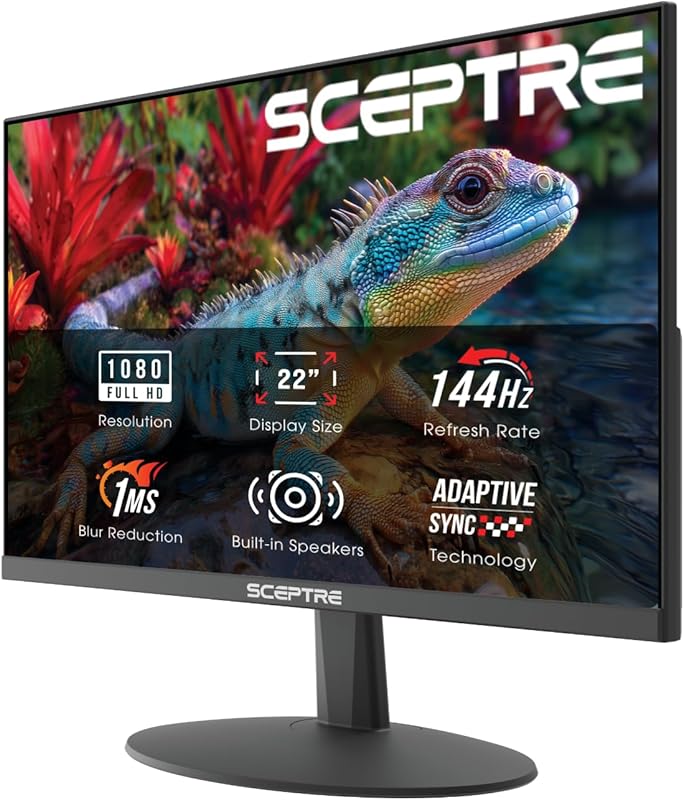
When the budget is incredibly tight, this Sceptre model is the undisputed champion. It’s often found for well under $100, yet it still packs a 144Hz refresh rate and a Full HD panel. Its small 22-inch size makes it ideal for compact desks or as a secondary screen. You get surprising performance for the price, with features like built-in speakers and Blue Light Shift technology. It proves you don’t need to spend much to get into the high-refresh game.
Key Features That Stand Out
- ✓ Extreme Value: Unbeatable price point for a 144Hz gaming monitor.
- ✓ 144Hz Refresh Rate: A massive upgrade over standard 60Hz for smooth gameplay.
- ✓ Built-in Speakers: Eliminates the need for external audio for basic use.
- ✓ Blue Light Shift: Reduces eye strain during long gaming or work sessions.
- ✓ Slim Bezels: Almost frameless design ideal for multi-monitor setups.
Why We Recommend It
It’s the ultimate budget starter monitor. If you’re building a first PC or just need a capable secondary display without any frills, this is it. The performance per dollar is literally the best you can find, earning it our Best Budget award.
Best For
Absolute beginners with a very tight budget, students, or anyone needing a highly functional secondary monitor for Discord, web browsing, or light gaming alongside a primary display.
Pros and Cons
Pros:
- Incredibly low price for a 144Hz monitor.
- Surprisingly good image quality for the cost.
- Includes convenient built-in speakers.
- Compact footprint saves desk space.
Cons:
- Small 22-inch screen isn’t for everyone.
- Panel is basic, with average color gamut and viewing angles.
- No adaptive sync (FreeSync/G-Sync) support listed.
- Very basic, non-adjustable stand.
Customer Reviews
Customer Review: Picked up this Sceptre 22-inch gaming monitor as a second monitor, and it’s been a great addition to my setup. Setup was quick and easy, and it paired perfectly with my main display. The screen is clear and bright, with good color for the size and price. It’s smooth enough for gaming, but where it really shines is as a secondary display—great for Discord, browsers, streaming, or productivity while gaming or working. The thin bezels help it blend nicely next to a main monitor, and it doesn’t take up much desk space. Build quality feels solid for a budget-friendly monitor. For the price, this is an excellent value and exactly what I wanted for a second screen. No complaints so far.
Customer Review: Phenomenal “cheap” monitor. The colors are great and the latency is as advertised. I am really blown away by this. Speakers…well…they are built in. Enough said. Has a metal upper housing which works great with magsafe. Just saying.
4. KTC 27-inch Gaming Monitor
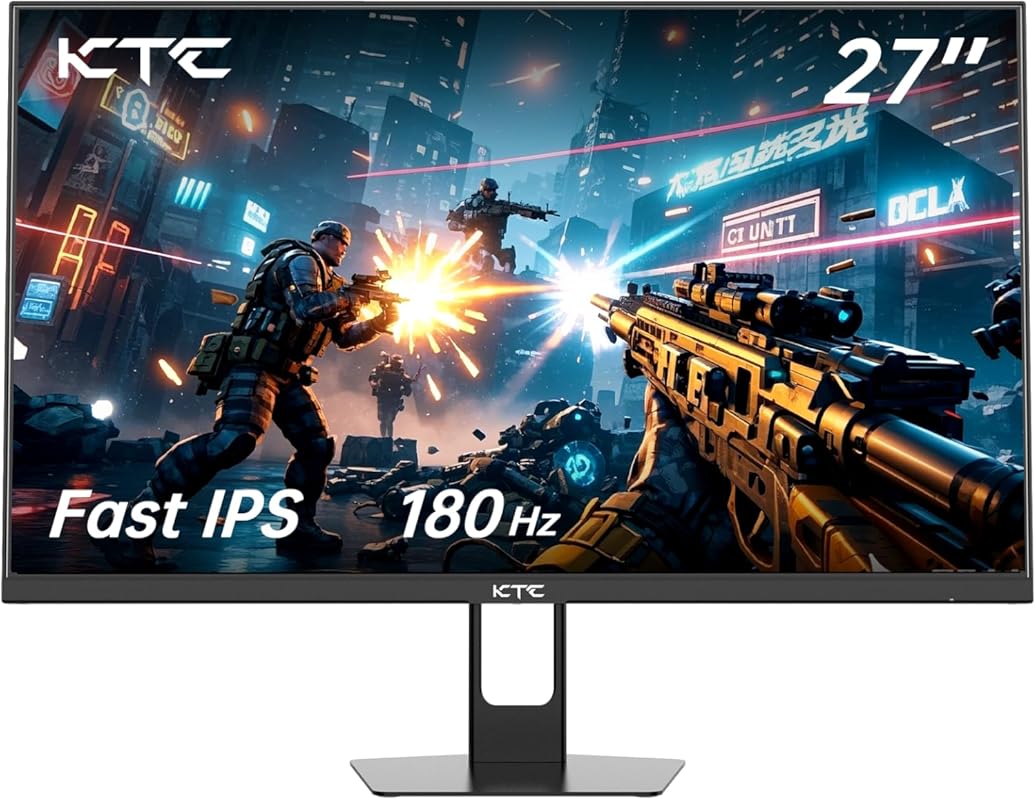
KTC offers a compelling 27-inch IPS option here, which is rare at this price. The Fast IPS panel provides better viewing angles and color consistency than typical VA panels, which is a big plus. With a 180Hz refresh rate and 1ms response, it’s built for speed. The HDR10 support and 108% sRGB color gamut mean it’s also surprisingly good for media consumption. It’s a great all-arounder if you want a larger screen with good color.
Key Features That Stand Out
- ✓ Fast IPS Panel: Superior viewing angles and color accuracy compared to VA.
- ✓ 180Hz Refresh Rate & 1ms Response: Competitive speed for smooth, responsive gameplay.
- ✓ 27-inch Full HD Screen: Larger real estate without the pixel density cost of 1440p.
- ✓ HDR10 & 108% sRGB: Supports vibrant, lifelike colors in HDR content and games.
- ✓ AMD FreeSync: Tear-free gaming with compatible graphics cards.
Why We Recommend It
It’s the best large-screen IPS option under $150. If you prioritize color fidelity and wide viewing angles for co-op gaming or creative work, but still want high refresh rates, this KTC monitor is a smart choice. It balances panel technology and performance exceptionally well for its price.
Best For
Gamers who want a larger monitor with good color for single-player games and media, co-op gamers where viewing angles matter, and users who find 24-inch screens too small.
Pros and Cons
Pros:
- Excellent IPS panel with good viewing angles and color.
- High 180Hz refresh rate.
- Large 27-inch screen at 1080p.
- Includes HDR10 support.
Cons:
- At 27 inches, 1080p resolution can look less sharp than on a smaller screen (lower PPI).
- Some users report minor backlight bleed, common in budget IPS panels.
- On-screen menu (OSD) controls can be less intuitive.
Customer Reviews
Customer Review: De los mejores monitores que he comprado en cuanto a calidad / precio
Customer Review: I’m torn as to whether I want to keep or exchange this monitor. There are things I like about it, then there are the things that have me scratching my head and wondering if I made a mistake choosing this monitor. Picture quality is one concern I have. I see some ghosting on the desktop and some jittering on the chosen background. Then there is the Windows 8 paper texture that I’m seeing on websites. When I went to use the menu in the monitor a good number of options did not work. Yet, the one game that I play looks excellent on the monitor. I watched a movie also and it pretty much passed my requirements for color and detail. My last gripe is the refresh rate maxed at165Hz because of some limitations of my GPU. All in all, I believe it is a good monitor hence the 5 stars and if I can let go of my brat, everything is fine. Day 3. Last 2 photos. As far as gaming is concerned this monitor has begun to grow on me. I think I’ll keep it.
5. Z-Edge UG24 Gaming Monitor
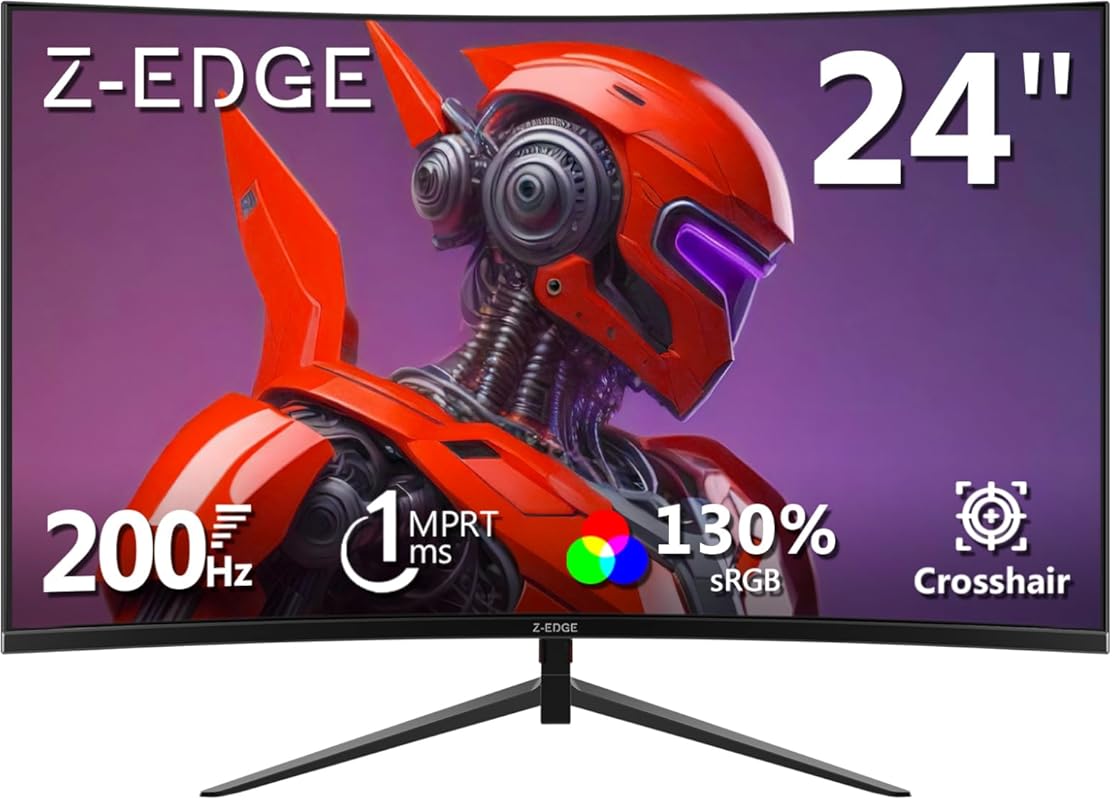
Another strong curved contender, the Z-Edge UG24 focuses on a balanced 200Hz refresh rate and a comfortable 1650R curve. It’s a 24-inch model, so the pixel density is sharper than on a 27-inch 1080p screen. The 300 nits brightness is decent for most rooms, and it includes standard gaming features like AMD FreeSync. It’s a solid alternative if you want a curved screen but don’t need the absolute highest 240Hz refresh rate.
Key Features That Stand Out
- ✓ 200Hz Refresh Rate: Very smooth performance, a noticeable step up from 144Hz.
- ✓ 1650R Curvature: Immersive curve that’s comfortable for long sessions.
- ✓ 24-inch Size at 1080p: Sharper image than larger 1080p monitors (higher PPI).
- ✓ 1ms MPRT Response: Effective motion clarity for fast-paced games.
- ✓ 300nits Brightness: Adequate for most indoor lighting conditions.
Why We Recommend It
It offers a great sweet spot between size, curvature, and refresh rate. The 24-inch form factor with a curve is perfect for gamers who want immersion without the pixel density drop of a 27-inch 1080p screen. The 200Hz rate is still incredibly smooth and a fantastic value.
Best For
Gamers wanting a curved screen at a more standard 24-inch size, users with limited desk space who still want immersion, and those who prioritize pixel sharpness over maximum size.
Pros and Cons
Pros:
- Excellent 200Hz refresh rate.
- Comfortable 1650R curve on a sharp 24-inch 1080p panel.
- Good brightness at 300 nits.
- Typically well-priced for its specs.
Cons:
- Brand recognition and warranty support may not be as strong as Acer/Sceptre.
- Panel type (likely VA) means viewing angles aren’t IPS-level.
- Stand is usually quite basic and wobbly.
Customer Reviews
Customer Review: Worked fine until a power outage in my area seems to have fried the internals of the monitor. Other zedge monitors I have work fine after, only this one seems to have broken. I have attempted to try other cables to make sure its wasn’t that, but to no avail.**Update** Contacted customer service and was given a replacement with no hassle. It probably was a defective unit and the other zedge monitors I have are all great quality. will proably keep fueling my screen addiction with them.
Customer Review: Actually really impressed with the quality for the price. Its not even SO curved that it creates an optimal viewing angle. 6 months heavy use and no issues yet
6. Acer Nitro XZ270 Gaming Monitor
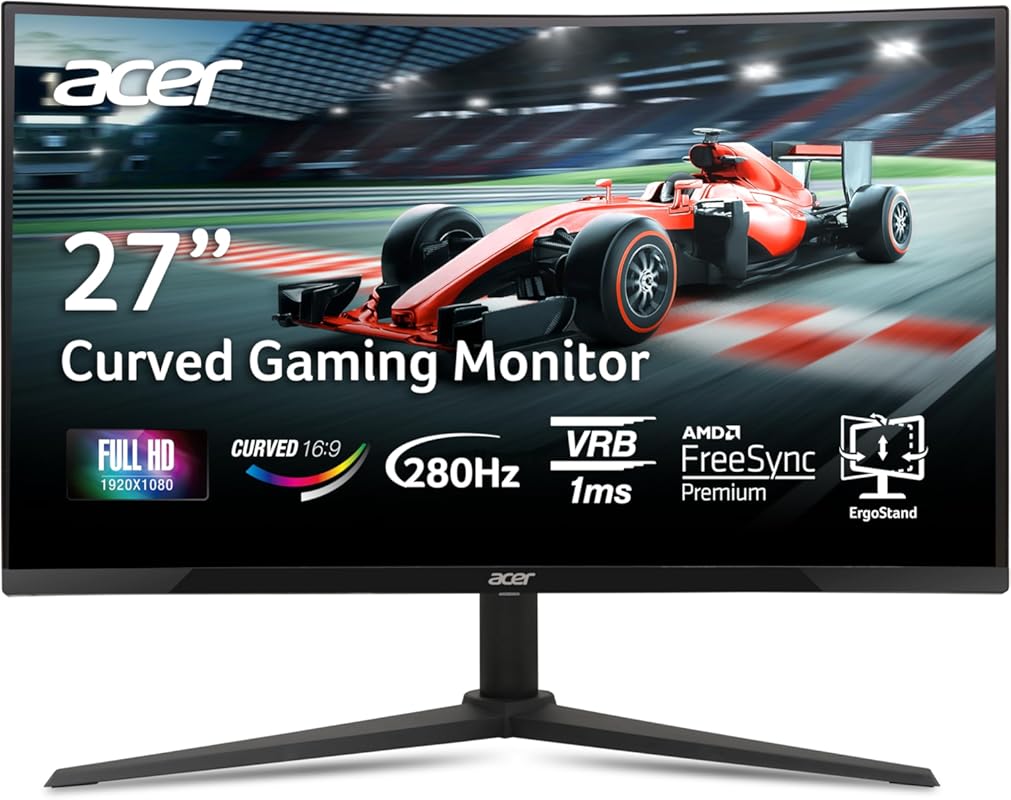
This is Acer’s answer for gamers who want a massive, ultra-high-refresh curved experience on a budget. The 27-inch 1500R curve is incredibly immersive, and the 280Hz refresh rate is overkill for most—but in the heat of a competitive match, that extra fluidity is noticeable. It’s a statement piece that brings premium features (like Virtual RGB 1ms) to the sub-$150 segment, making it perfect for the enthusiast who wants it all.
Key Features That Stand Out
- ✓ Blazing 280Hz Refresh Rate: One of the highest available, for the absolute smoothest motion.
- ✓ 1500R Immersive Curve: Deep curve for a wraparound, theater-like feel.
- ✓ 1ms VRB Response Time: Acer’s tech to virtually eliminate motion blur.
- ✓ AMD FreeSync Premium: Full adaptive sync support for tear-free gaming.
- ✓ Zero-Frame Design: Minimal bezels for a sleek look.
Why We Recommend It
It’s the peak of high-refresh, curved gaming on this budget. If you play fast-paced competitive titles and want every possible frame advantage, or if you simply love the feeling of a large, curved screen, this Acer delivers specs that usually cost much more.
Best For
Competitive gamers chasing every millisecond, sim racing and flight sim enthusiasts who love immersion, and users wanting a large, curved centerpiece monitor.
Pros and Cons
Pros:
- Incredibly high 280Hz refresh rate.
- Deep 1500R curve for maximum immersion.
- Strong brand reliability and warranty.
- Effective 1ms VRB response time.
Cons:
- At 27 inches, 1080p resolution can appear less sharp (lower pixel density).
- Curved screens can have slight color shift at extreme angles.
- Requires a powerful GPU to fully utilize 280Hz at 1080p.
- Stand is basic (tilt only).
Customer Reviews
Customer Review: It’s a good monitor, giving git an 5, Because of how bright it is than my $179 Acer Monitor, How good the colors are, How high the Hertz is, It is what I wanted. 1080p is decent but still usable for gaming and etc. It’s like better than my $179 Acer monitor but it has 180hz and 1440p on it but less brightness and this monitor I bought which is 280hz with better brightness, It is better and worth it actually. No issues at all after plugging it in.
Customer Review: Gorgeous! To be fair, this is the first monitor I’ve ever owned as I had a laptop before, but this is great! The quality is lovely, the size and curve is super immersive. I feel like I’m at a movie theater. It was pretty easy to build as well. I will say, the instructions weren’t super detailed. Just explained how to connect it to the computer & attached it to the stand. As a beginner, it would have been nice to know what each cable does. For example, I attached both the DP & HDMI cable haha. It does say “optional” next to all of the cables, but obviously you need at least 1 so there was probably a better way to word that.. I was like “why does it think I have 2 monitors.. ohhh” BUT anyway, that’s nitpicky. It’s not rocket science. I would definitely reconsider this to a friend and would get another Acer brand monitor if I need a 2nd one in the future.
7. Sceptre E275W-FW100T Gaming Monitor
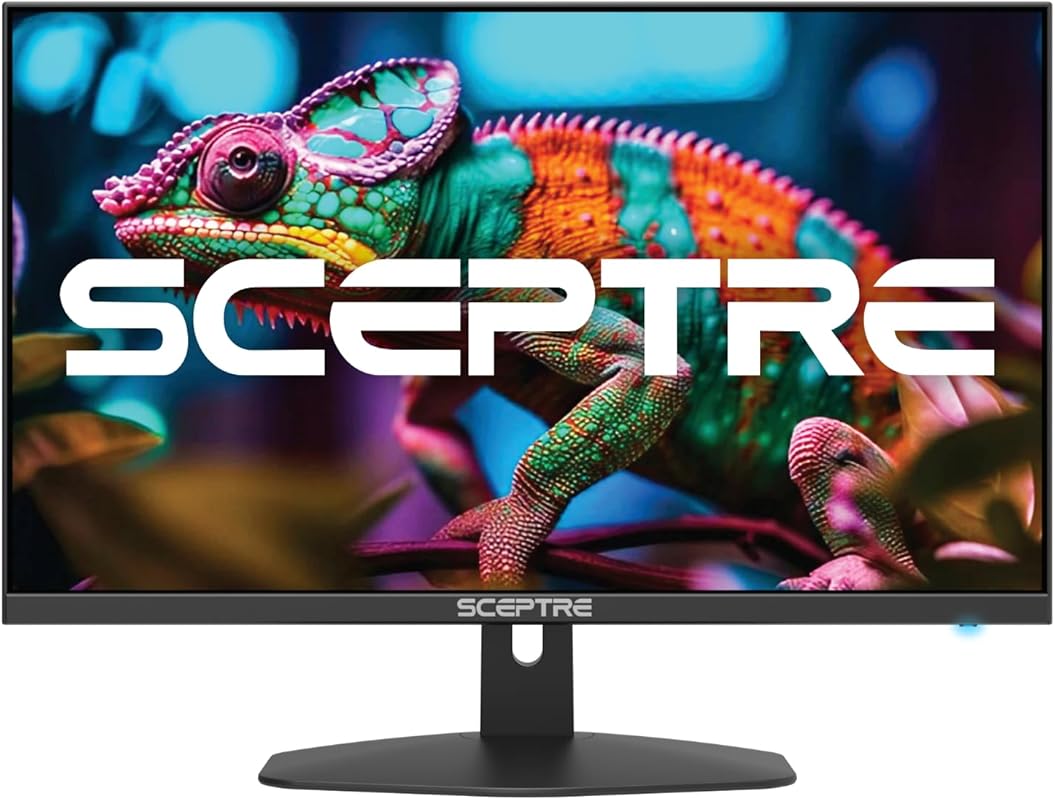
This Sceptre model trades extreme refresh rates for a great all-around package. It’s a 27-inch 1080p monitor with a flat IPS-like panel (likely IPS) that offers excellent 100% sRGB color coverage, making it fantastic for both gaming and media. The 100Hz refresh rate is still a huge upgrade from 60Hz, and features like AMD FreeSync and built-in speakers add to its value. It’s a fantastic choice if you want a large, colorful screen for general use and casual gaming.
Key Features That Stand Out
- ✓ 100% sRGB Color Gamut: Vivid, accurate colors that are great for games, movies, and light creative work.
- ✓ 27-inch Full HD Flat Screen: Large real estate with a traditional, no-curve design.
- ✓ 100Hz Refresh Rate: Smooth enough for most casual and semi-competitive gaming.
- ✓ AMD FreeSync Support: Reduces screen tearing with compatible GPUs.
- ✓ Frameless Design & Built-in Speakers: Modern look with convenient audio.
Why We Recommend It
It’s the best “do-it-all” large monitor under $150. If you’re not a hardcore esports player but want a big, beautiful screen for gaming, streaming, and working, the color performance and size of this Sceptre are hard to beat at this price.
Best For
Casual and semi-casual gamers, media consumers (movies, streaming), users wanting a large primary monitor for work and play, and those who prefer flat screens over curved.
Pros and Cons
Pros:
- Excellent color accuracy with 100% sRGB coverage.
- Large 27-inch screen for great immersion.
- 100Hz is a smooth, noticeable upgrade from 60Hz.
- Flat screen is ideal for precise work (e.g., photo editing).
Cons:
- 100Hz refresh rate is lower than other options on this list.
- At 27 inches, 1080p resolution is not as sharp as on a smaller screen.
- Response time may not be as fast as dedicated 240Hz gaming panels.
- No height adjustment on the stand.
Customer Reviews
Customer Review: I have been using these monitors for over a year now and have not had any issues. The were easy to put on the monitor arms I brought so I could have dual monitors. The offer a crisp picture and have a good refresh rate. I have even played some games on it and have not had any issues and the graphics are very good. I would buy this monitor again.
Customer Review: Amazing Monitor — Highly Recommended! I’ve been using this monitor for a month now, and I’m absolutely thrilled with it. From day one, the image quality really impressed me: vibrant colors, great brightness, and sharp clarity that makes everything look fantastic. I’ve used it for work, streaming, and gaming, and it performs beautifully in every situation. I haven’t had a single issue so far. Setup was quick and easy, the design is sleek, and the screen is comfortable to look at even after long hours of use. For the price, the quality is beyond what I expected. Overall, this monitor truly delivers and even exceeds expectations. I’d definitely buy it again. Highly recommended!
8. Sceptre C248W-1920RN Gaming Monitor
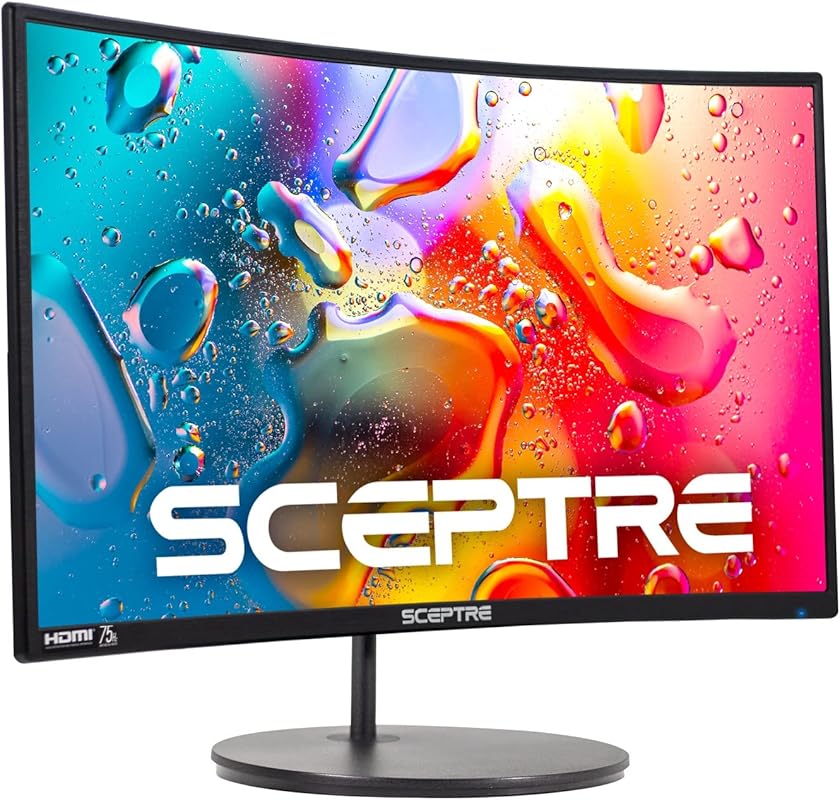
This is a classic, no-fuss curved monitor that focuses on the essentials. The 24-inch 1080p panel with a 1500R curve provides a nice immersive feel without sacrificing sharpness. It boasts 98% sRGB color coverage for good visuals and includes a handy pair of HDMI ports plus a VGA input for connecting older devices. The built-in speakers and wall mount readiness make it a flexible, hassle-free option for anyone wanting a simple curved upgrade.
Key Features That Stand Out
- ✓ 1500R Curvature: Immersive curve on a conveniently sized 24-inch screen.
- ✓ 98% sRGB Color Gamut: Rich, accurate colors for games and movies.
- ✓ Multiple Ports (HDMI x2, VGA): Easy connectivity for modern and legacy devices.
- ✓ Built-in Speakers & Wall Mount Ready: Complete package with audio and flexible mounting.
- ✓ 75Hz Refresh Rate: A modest but still smooth upgrade from basic 60Hz.
Why We Recommend It
It’s the best simple, curved all-rounder. If your main goals are an immersive field of view, good colors, and easy connectivity without chasing the highest Hz, this Sceptre hits the mark. It’s reliable, has great connections, and the curve is very comfortable.
Best For
General users wanting their first curved monitor, home office setups that need a break from flat screens, and casual gamers who prioritize immersion over extreme speed.
Pros and Cons
Pros:
- Comfortable 1500R curve on a sharp 24-inch 1080p screen.
- Excellent connectivity with dual HDMI and VGA.
- Good 98% sRGB color coverage.
- Includes built-in speakers and is VESA mountable.
Cons:
- 75Hz refresh rate is the lowest on our list (though still smooth).
- No adaptive sync (FreeSync/G-Sync) support mentioned.
- Panel is VA, so viewing angles are limited.
- Brightness at 250 nits is average.
Customer Reviews
Customer Review: BF loves it, it was reasonably priced and it works incredibly well. He has loads of games on it and it works fast, great graphics.
Customer Review: Larger than advertised… great for me! Most monitors are measured from lower corner to upper corner but this one for some reason is measured from one side to the other. The rim around the monitor is almost non-existent making the screen larger and easier to see. I wish the stand was adjustable so that I can raise the monitor the the height I want but it’s fine for the price. All of the ports allow me to add devices so no more switching cables for each system. When I power up my computer I find it comes on faster than my other monitors and is brighter. The clarity of the image is top quality and the colors are vivid and accurate, more so than my HP monitor. I wish I could tell you about gaming but I’m an audio engineer and video editor so I don’t know the gaming capabilities. I can say that set up was easy, and using this monitor for one day had me rushing to buy a second so I can wrap it around and have a dual screen set up. I worried that the curved screen would be an issue but I found it to be easier on my eyes when I’m writing books in MS Word and when I’m editing videos the clarity is top notch. I’m almost glad that my old HP died and went to monitor heaven, this Sceptre 1500R monitor is surprisingly better!
9. Sceptre E255B-FWD240 Gaming Monitor
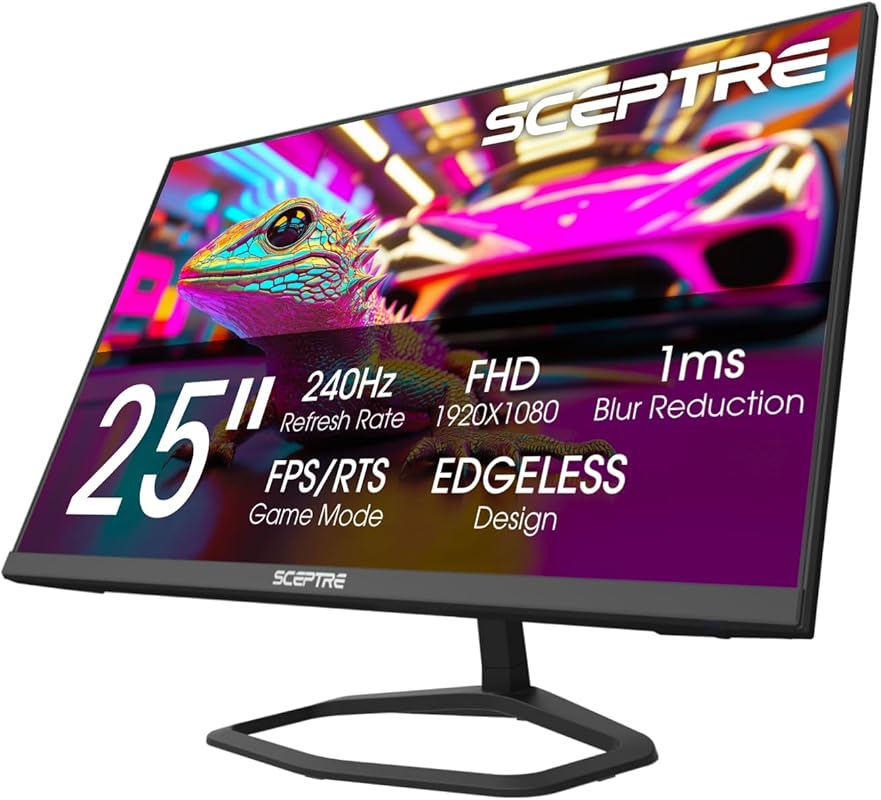
This is a flat-screen alternative to the curved 240Hz Sceptre model (product #2). It packs the same blistering 240Hz refresh rate and 1ms response into a traditional flat 24.5-inch panel. The big upgrade here is AMD FreeSync Premium, which offers a wider refresh range for better low-latency performance. With 100% sRGB color and a host of ports (including two DisplayPorts), it’s built for serious gamers who want speed without the curve.
Key Features That Stand Out
- ✓ 240Hz Refresh Rate & 1ms BR: Top-tier speed for competitive gaming.
- ✓ AMD FreeSync Premium: Enhanced adaptive sync with Low Framerate Compensation (LFC).
- ✓ 100% sRGB Color Gamut: Vibrant and accurate colors for a flat-panel gaming monitor.
- ✓ Multiple Ports (HDMI x2, DP x2): Excellent connectivity for multiple devices.
- ✓ Built-in Speakers & Blue Light Shift: Convenient audio and eye comfort features.
Why We Recommend It
It’s the best flat-screen, high-refresh option. For gamers who prefer the traditional look and feel of a flat monitor, or who find curved screens distracting for competitive play, this Sceptre delivers 240Hz performance and FreeSync Premium at a fantastic price.
Best For
Competitive gamers who prefer flat screens, users with multiple devices (thanks to the 4 total video inputs), and anyone wanting 240Hz without the curvature.
Pros and Cons
Pros:
- Extreme 240Hz refresh rate on a flat panel.
- AMD FreeSync Premium with LFC for better adaptive sync.
- Excellent port selection (2x HDMI, 2x DisplayPort).
- Strong 100% sRGB color performance.
Cons:
- Flat screen lacks the immersion of a curved counterpart.
- Panel is likely VA, so viewing angles are a weakness.
- Stand is very basic and not height-adjustable.
- At 24.5 inches, 1080p is good but not as sharp as a smaller size.
Customer Reviews
Customer Review: This is the second one I’ve ordered, I still have the original one, and I’m going to keep using it, it’s been a beast for the past few years, I’m excited to have it match finally, the picture quality is clear and very responsive, from cozy sandbox games to simple shooters, this monitor is the best bang for your buck.
Customer Review: Picture quality is very nice! Compatible with my son’s other monitor so he can have dual screens. Connects well. Very nice.
10. Sceptre C275B-FWT240 Gaming Monitor
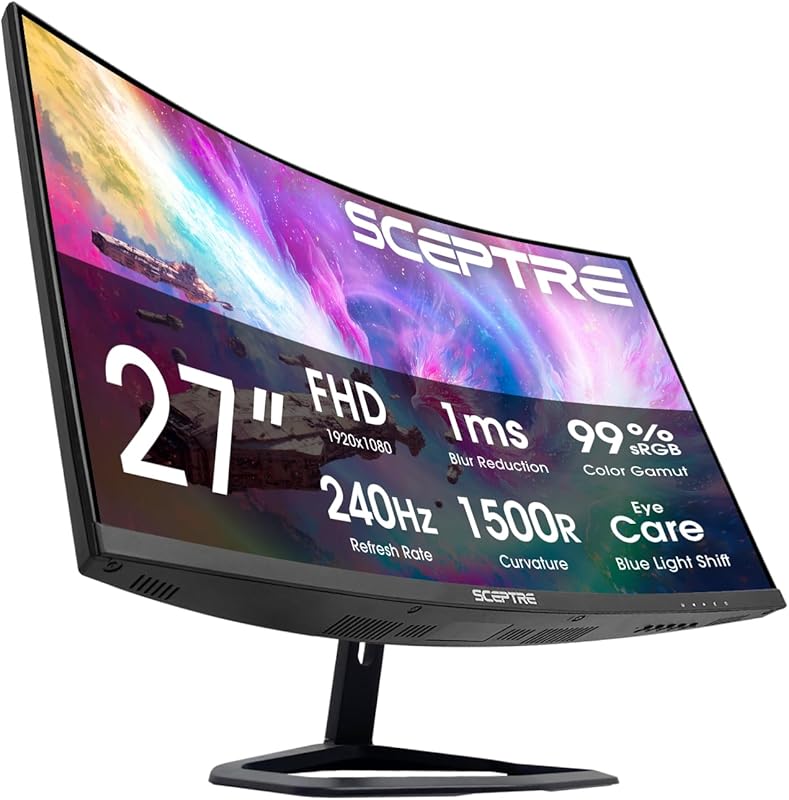
This is the big, curved, high-refresh powerhouse. Combining a massive 27-inch 1500R curve with a 240Hz refresh rate, it’s built for maximum immersion and speed. The VA panel boasts an impressive 99% sRGB color gamut for vivid visuals, and the extensive port selection (2x HDMI, 2x DisplayPort) makes connecting all your devices a breeze. It’s the ultimate budget curved gaming experience for those who want a large, fast screen.
Key Features That Stand Out
- ✓ 240Hz Refresh Rate & 1ms Response: Top-tier speed on a large, curved screen.
- ✓ Deep 1500R Curvature on 27 Inches: Highly immersive wraparound experience.
- ✓ 99% sRGB Color Gamut: Excellent color performance for a VA panel.
- ✓ Abundant Ports (HDMI x2, DP x2): Connect multiple consoles, PCs, and devices easily.
- ✓ Built-in Speakers & VESA Mountable: Complete with audio and flexible mounting options.
Why We Recommend It
It’s the best large, curved, high-refresh monitor under $150. If your dream is a big, curved screen that feels like you’re inside the game, and you also want that 240Hz competitive edge, this Sceptre delivers both in one package. The port selection is also a major win.
Best For
Gamers wanting a large, immersive centerpiece, fans of racing and flight sims, users with multiple gaming systems (PC, Xbox, PlayStation, Switch), and anyone who loves a curved screen.
Pros and Cons
Pros:
- Huge 27-inch curved screen with deep 1500R curvature.
- Blazing 240Hz refresh rate.
- Excellent color with 99% sRGB coverage.
- Fantastic connectivity with four video inputs.
Cons:
- At 27 inches, 1080p resolution has lower pixel density (can look slightly less sharp).
- VA panel means viewing angles are not as good as IPS.
- Very basic, non-adjustable stand.
- Requires a strong GPU to push 240Hz at 1080p.
Customer Reviews
Customer Review: This is the second one I’ve ordered, I still have the original one, and I’m going to keep using it, it’s been a beast for the past few years, I’m excited to have it match finally, the picture quality is clear and very responsive, from cozy sandbox games to simple shooters, this monitor is the best bang for your buck.
Customer Review: Picture quality is very nice! Compatible with my son’s other monitor so he can have dual screens. Connects well. Very nice.
Complete Buying Guide for Best Gaming Monitors For Under $150
Essential Factors We Consider
When judging budget gaming monitors, we prioritize the features that have the biggest real-world impact on your gaming experience. Refresh Rate (measured in Hz) is king—it determines how many frames per second the monitor can display. 144Hz and above feel dramatically smoother than 60Hz. Response Time (measured in ms) tells you how quickly a pixel changes color; 1ms is the target to avoid ghosting. Panel Type matters: IPS offers best colors/viewing angles, VA offers best contrast, and TN is fastest but with poor colors. Adaptive Sync (AMD FreeSync or NVIDIA G-Sync Compatible) is essential to prevent screen tearing. Finally, Resolution—under $150, 1080p (Full HD) is the standard and most performant choice.
Budget Planning
Your $150 budget is more than enough for a fantastic 1080p gaming monitor. You can find excellent 144Hz-165Hz options from brands like Acer and Sceptre for around $100-$130. If you want to push for 240Hz or a curved screen, you’ll be looking at the top end of your budget, around $140-$150. Don’t worry about 1440p (QHD) in this range—it’s not feasible without sacrificing refresh rate or panel quality. Focus on investing in a high refresh rate and a good panel type instead of a higher resolution at this price point.
Final Thoughts
The market for sub-$150 gaming monitors is stronger than ever. You no longer need to compromise on core gaming performance. Whether you prioritize raw speed (240Hz), immersion (curved 27-inch), or all-around color (IPS), there’s a top-tier option for you in this guide. Our top pick, the Acer Nitro KG241Y, represents the best balance of brand trust, performance, and value. But any of the monitors listed here will provide a night-and-day improvement over a basic 60Hz office display and will make your games feel brand new.
Frequently Asked Questions
Q: Is a 60Hz monitor still okay for gaming under $150?
A: While you can find 60Hz monitors under $150, we strongly recommend stretching your budget to at least a 144Hz model. The jump from 60Hz to 144Hz is one of the most significant upgrades you can make for gaming, offering incredibly smoother motion and lower input lag. The monitors on this list prove that high refresh rates are accessible on a tight budget.
Q: Should I choose a curved or flat monitor?
A: This is personal preference. Curved monitors (like the Sceptre C255B or C275B) enhance immersion, especially on larger screens (27-inch+), by wrapping the image around your field of view. They can also reduce eye strain. Flat monitors (like the Acer KG241Y or Sceptre E255B) are preferred by some for competitive gaming as they have no distortion at the edges and are often slightly sharper in the center. Both are great; choose based on your desk setup and feel.
Q: What’s more important: higher refresh rate or better resolution?
A: For gaming on a budget, higher refresh rate is always more important than higher resolution. A 1080p screen at 144Hz or 240Hz will provide a smoother, more responsive, and more enjoyable gaming experience than a 1440p screen stuck at 60Hz. At the $150 price point, you must choose 1080p to get a high refresh rate. 1440p at high refresh rates starts well above $300.
Q: Do I need a powerful PC to use a 240Hz monitor?
A: To fully utilize a 240Hz monitor, your PC needs to be capable of consistently outputting 240+ frames per second in the games you play. This requires a very powerful graphics card (like an RTX 4070 or higher, or RX 7800 XT). However, even if your PC only outputs 100-144 FPS, a 240Hz monitor will still work perfectly fine and will feel smoother than a 60Hz display due to its lower input lag. The monitor’s high refresh rate is a future-proofing feature.
Q: Are these budget monitors good for anything besides gaming?
A: Absolutely! While optimized for gaming, these monitors are perfectly capable for everyday use. Many have good color coverage (like 100% sRGB) for watching movies and browsing. The high refresh rate also makes general desktop scrolling feel incredibly smooth. Features like Blue Light Shift help with eye comfort during long work or study sessions. Just be aware that budget VA panels can have slower pixel response in dark scenes, which might cause some ghosting when scrolling through dark websites or documents.
Upgrading your gaming setup doesn’t have to mean emptying your wallet. The monitors on this list prove that you can get a truly excellent, high-performance display for under $150. Whether you choose our top pick, the Acer Nitro KG241Y, for its unbeatable balance, or opt for the immersive speed of the Sceptre C275B-FWT240, you’re getting a massive leap in quality. Click the “Check Price on Amazon” buttons above to see the latest deals and availability—prices on these models fluctuate all the time. Find the one that fits your style, click the link, and get ready to experience your games like never before. Happy gaming!