Choosing the right motherboard for your LGA 1700 build is one of the most critical decisions you’ll make. This socket has been a workhorse for Intel’s 12th, 13th, and 14th Gen CPUs, offering a huge range of options from budget-friendly basics to feature-packed powerhouses. The “best” board isn’t about the highest price tag; it’s about finding the perfect match for your specific processor, desired features like DDR4 or DDR5 memory, connectivity needs, and of course, your budget. We’ve tested and evaluated numerous models to bring you this curated list of the top performers, ensuring you get a stable, reliable foundation for your next PC.
Quick Product Comparison
Our Top 10 Best Motherboards For The Lga 1700 Reviews – Expert Tested & Recommended
1. GIGABYTE Z790 AORUS Elite AX Motherboard
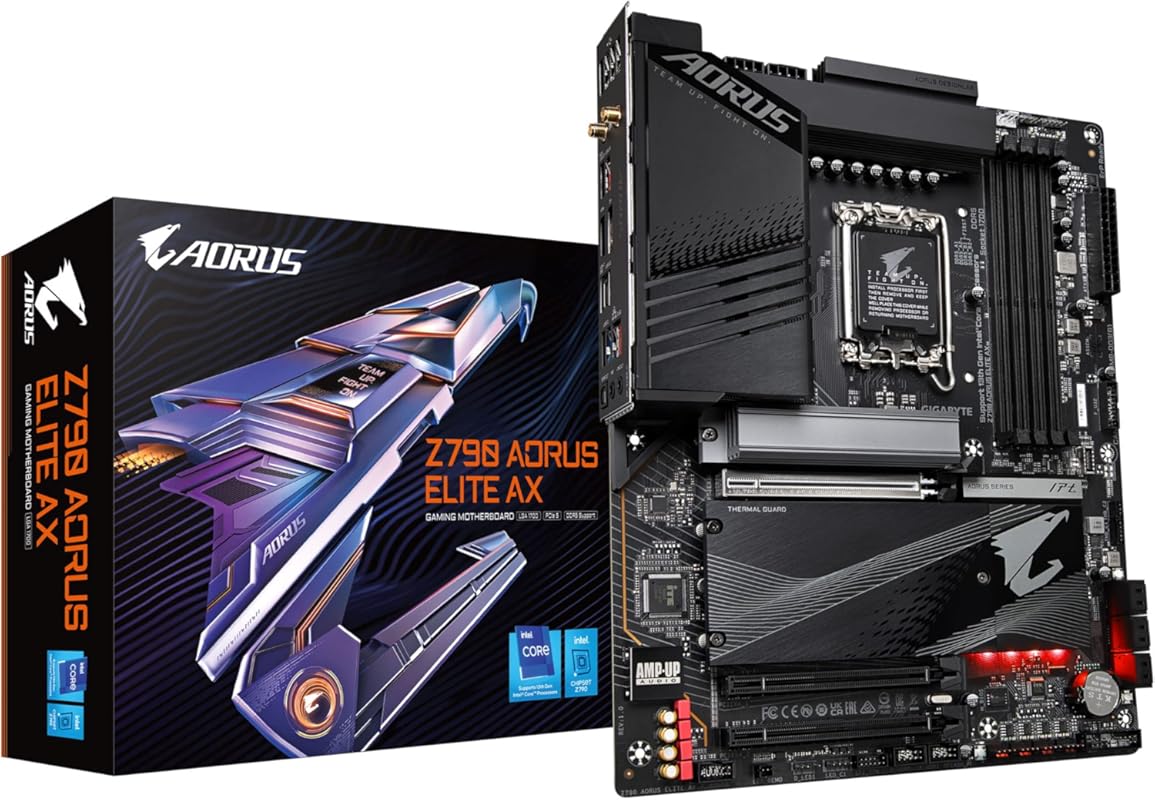
The GIGABYTE Z790 AORUS Elite AX is the quintessential high-end motherboard for an LGA 1700 build. It pairs a robust power delivery system with premium features, making it exceptionally capable for both daily productivity and extreme overclocking with top-tier CPUs like the i9-14900K. Its build quality is immediately apparent, feeling solid and durable, and it includes thoughtful touches like Q-Flash Plus for BIOS updates without a CPU installed.
Key Features That Stand Out
- ✓ Twin 16+1+2 Phase Digital VRM with 70A Power Stages for stable power to high-core-count CPUs.
- ✓ 4 DDR5 DIMM slots with support for XMP 3.0 memory modules.
- ✓ Comprehensive Connectivity: PCIe 5.0 x16 slot, 4x M.2 slots (including PCIe 5.0), Wi-Fi 6E, and 2.5GbE LAN.
- ✓ Advanced Thermal Design with large heatsinks for VRM and M.2 drives.
- ✓ Q-Flash Plus Button for effortless BIOS updates.
Why We Recommend It
This board is a no-compromise powerhouse. The sheer quality of its components and its ability to handle the most power-hungry LGA 1700 CPUs without breaking a sweat make it a top-tier choice. It’s designed for enthusiasts who want every modern feature, from the fastest memory to the latest connectivity standards, and demand rock-solid stability.
Best For
Enthusiasts, professional content creators, and hardcore gamers pairing an unlocked Intel Core i7 or i9 processor with high-speed DDR5 RAM and a high-end GPU. It’s for builders who want a future-proof platform with headroom for overclocking.
Pros and Cons
Pros:
- Exceptional power delivery (VRM) design that stays cool under load.
- Excellent feature set including PCIe 5.0, multiple M.2 slots, and Wi-Fi 6E.
- Q-Flash Plus is incredibly convenient for initial setup with new CPUs.
- Premium build quality and aesthetic with strong heatsinks.
Cons:
- Premium price point places it out of reach for budget builds.
- Cable routing along the bottom edge can be slightly awkward in some cases.
Customer Reviews
Customer Review: “Putting together a computer can involve accidental abuse of components… Installing this thing, I was a bit rough, but this thing didn’t even care. It took the punishment and worked great first try… Build quality is really good, this is clearly a premium board. It auto detected and set up all my fans and my pump… In terms of value for money, this thing does cost a lot of money, so I wouldn’t call it a value, but I will say you are getting what you paid for.”
Customer Review: “Absolutely fantastic motherboard. Easy to quick tweak settings in BIOS or go all out with access to complete voltages and timings. I am all about performance and this board has it… Great quality board and another great board from Gigabyte. Everything is solid and works great.”
2. ASUS B760M-AYW WiFi D4 II Motherboard
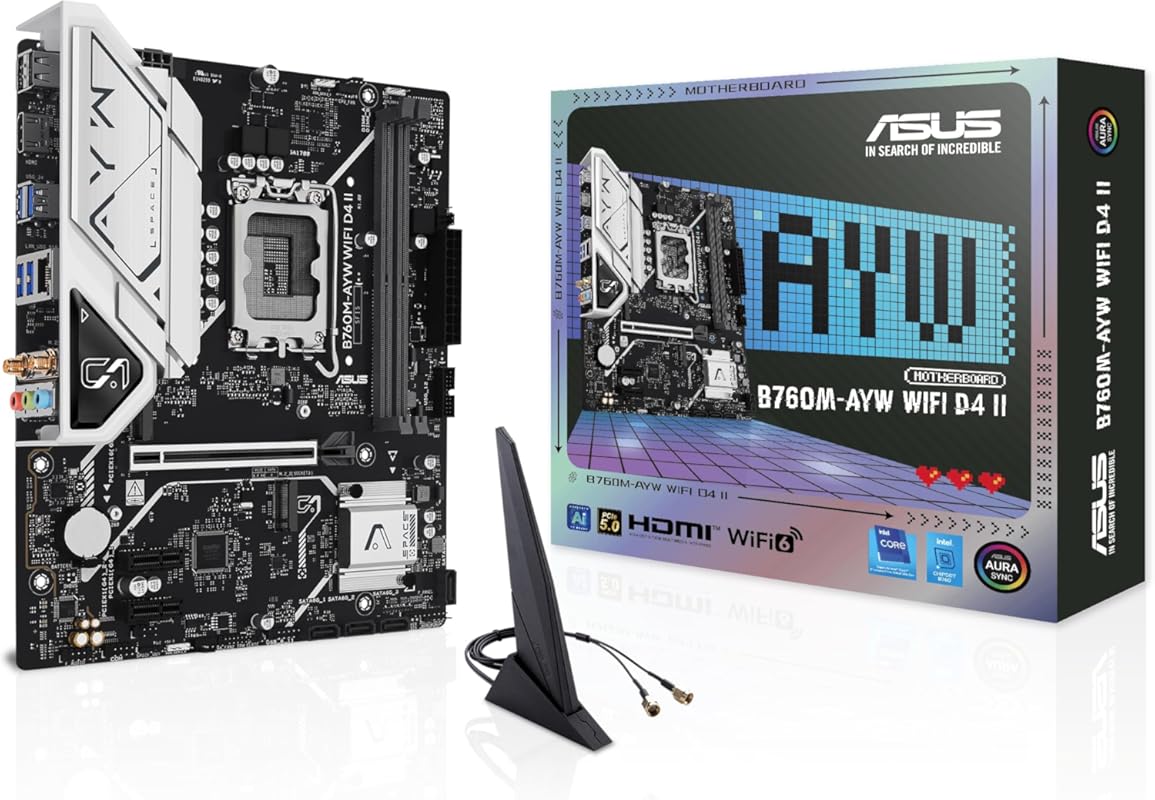
The ASUS B760M-AYW WiFi D4 II is a standout budget-friendly mATX board that brings surprising value. It supports modern 14th Gen Intel CPUs and includes PCIe 5.0, Wi-Fi 6, and a 2.5GbE port—features often found on more expensive boards. Its compact size makes it ideal for smaller builds without sacrificing essential connectivity and reliable performance for an i5 or i7 processor.
Key Features That Stand Out
- ✓ Intel B760 Chipset with support for 12th, 13th, and 14th Gen Intel Core processors.
- ✓ DDR4 Memory Support for cost-effective, high-capacity RAM.
- ✓ PCIe 5.0 x16 Slot ready for next-generation graphics cards.
- ✓ Integrated Wi-Fi 6 and 2.5Gb Ethernet for fast, reliable networking.
- ✓ ASUS Comprehensive Cooling with VRM and PCH heatsinks and Fan Xpert 2+.
Why We Recommend It
This motherboard is the Editor’s Choice because it delivers an excellent balance of modern features and affordability. You get a future-ready PCIe 5.0 slot and solid networking without the high cost of DDR5 or a Z-series chipset. It’s a smart, no-nonsense board that performs its duties reliably, making it perfect for mainstream gamers and general users.
Best For
Budget-conscious gamers and general users building a compact PC with an Intel Core i5 or non-overclockable i7. It’s ideal for those who want modern connectivity like Wi-Fi 6 and PCIe 5.0 but don’t need the overclocking headroom of a Z790 board.
Pros and Cons
Pros:
- Excellent price-to-feature ratio with PCIe 5.0 and Wi-Fi 6.
- Compact mATX size great for smaller cases.
- Stable power delivery for mid-range CPUs.
- ASUS BIOS is well-regarded for ease of use.
Cons:
- Limited to DDR4 memory, not the latest DDR5 standard.
- Only two M.2 slots, which may be tight for storage-heavy builds.
- Some users report occasional issues with specific hardware configurations.
Customer Reviews
Customer Review: “Great Budget Freindly motherboard includes most (no usb c header) newer functionality’s this motherboard can easily handle the i5 14600k I am installing in it while providing stable power and speed”
Customer Review: “I’ve got the motherboard on Black Friday… I ended up returning the Asus motherboard because it could not run as advertised or specified. I liked the form factor (mATX), the specs, and other features (e.g. BIOS), but…”
3. ASUS TUF GAMING B760-PLUS WIFI Motherboard
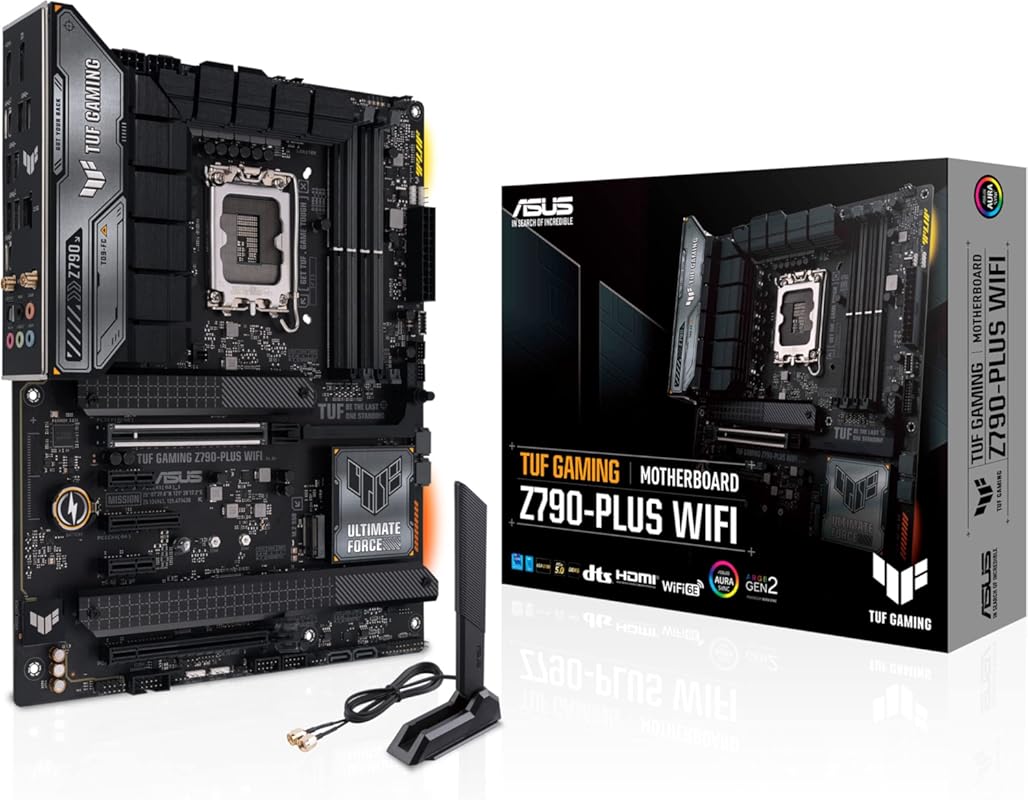
The ASUS TUF GAMING B760-PLUS WIFI lives up to its “TUF” name with military-grade durability and a focus on reliable performance. This ATX board is an outstanding value, offering a strong 16+1 DrMOS power stage design, excellent cooling solutions, and a full suite of connectivity including Wi-Fi 6 and 2.5GbE LAN. It’s a fantastic, no-fuss foundation for a durable gaming or productivity PC.
Key Features That Stand Out
- ✓ 16+1 DrMOS Power Stages with ProCool sockets for stable CPU power.
- ✓ DDR5 Memory Support with XMP 3.0 for high-speed RAM.
- ✓ Comprehensive Cooling: Large VRM heatsinks, M.2 heatsinks, and Fan Xpert 4 utility.
- ✓ Wi-Fi 6 and 2.5Gb Ethernet built-in for fast networking.
- ✓ Multiple M.2 and USB Ports including USB 3.2 Gen 2.
Why We Recommend It
We love this board for its incredible balance of durability, features, and price. The TUF branding means it’s built to last, with components designed to withstand higher temperatures. It provides all the essentials for a modern gaming build without the premium cost of a Z790, making it our top budget pick for an ATX form factor.
Best For
Gamers and mainstream users building a reliable ATX PC with an Intel Core i5 or i7 who prioritize stability and value. It’s perfect for those who want a full-sized motherboard with great cooling and connectivity but don’t plan to heavily overclock their CPU.
Pros and Cons
Pros:
- Outstanding value with a strong power delivery design.
- Excellent cooling solutions for VRM and storage.
- Includes modern connectivity like Wi-Fi 6 and 2.5GbE.
- ATX size offers plenty of expansion slots and ports.
Cons:
- Lacks PCIe 5.0 for the primary GPU slot (uses PCIe 4.0).
- BIOS and software suite are good but not as polished as some ASUS ROG models.
- Can be tight for very large CPU coolers depending on RAM height.
Customer Reviews
Customer Review: “I recently upgraded to the ASUS Z790-AYW WiFi W II Intel Z790 motherboard and it’s been a fantastic choice for my build—setup was straightforward, the BIOS is user-friendly, and performance has been rock solid… It runs cool and stable even under heavy loads… Overall, it’s a dependable, feature-rich board…”
Customer Review: “Cut the cost in half buying through Amazon’s Used option… The board works flawless with all of the features that I was looking for… I very highly recommend this board, and am really glad that I chose to buy it used in good condition through Amazon.”
4. MSI PRO B760M-P DDR4 Motherboard
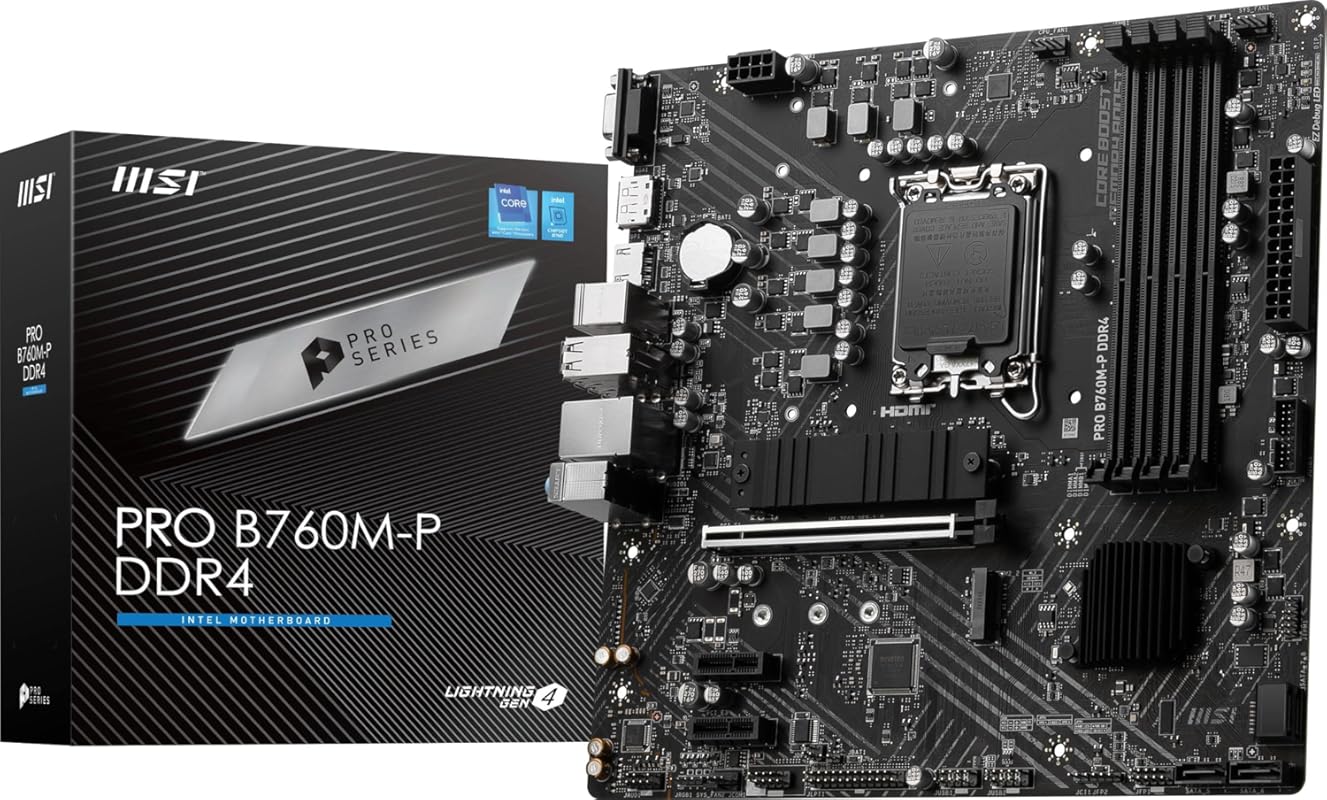
The MSI PRO B760M-P DDR4 is the definition of a practical, no-frills motherboard that gets the job done. As an mATX board using the B760 chipset, it’s designed for builders who want a stable platform for a 12th, 13th, or 14th Gen Intel CPU without paying for extras they won’t use. It provides the core functionality—solid power delivery, essential connectivity, and reliable performance—at a very accessible price point.
Key Features That Stand Out
- ✓ Intel B760 Chipset supporting 12th/13th/14th Gen Intel Core, Pentium Gold, and Celeron processors.
- ✓ DDR4 Memory Support with dual-channel DDR4 4800+MHz (OC).
- ✓ Core Boost Technology with a premium layout and digital power design.
- ✓ PCIe 4.0 x16 Slot and M.2 slots with heatsinks.
- ✓ MSI BIOS known for stability and easy RAM overclocking.
Why We Recommend It
This board is recommended for its sheer practicality and value. It proves you don’t need a lot of flashy features to have a reliable computer. For someone building a first PC, a budget office machine, or a 1080p gaming rig, the MSI PRO B760M-P offers the essential foundation without any unnecessary complexity or cost.
Best For
First-time PC builders, budget gamers, and general users who need a dependable mATX board. It’s perfect for pairing with an Intel Core i5 or i3 and DDR4 RAM, where the savings on the motherboard can be redirected to a better GPU or more storage.
Pros and Cons
Pros:
- Extremely affordable price for a reliable B760 board.
- Four DDR4 DIMM slots offer good memory upgrade flexibility.
- Includes an M.2 heatsink, which is rare at this price.
- Surprisingly good onboard audio for the class.
- Stable BIOS with good memory compatibility.
Cons:
- Only PCIe 4.0 on the primary slot (not 5.0).
- Limited USB ports and no Wi-Fi built-in.
- Build quality is functional but less premium than higher-end boards.
- Screw specifications for mounting can be confusing.
Customer Reviews
Customer Review: “[Skip to Pro-Con section if you don’t feel like reading this]A really good value board in the world of today… Seems barebones, but comes with some neat features, especially in regard to the onboard sound, M.2 heatsink, and reinforced PCIe x16 slot… Pros:- Four DIMM slots for RAM… – A heatsink for one of your M.2 drives… – Surprisingly good onboard sound… – USB 3 support… Neutral:- PCIe Gen 4 speeds… Cons:- Lack of screw specification…”
Customer Review: “⭐⭐⭐⭐⭐ Reliable Motherboard with Great Performance and Build Quality Excellent motherboard, highly recommended. The MSI PRO B760M-P DDR4 works perfectly and delivers stable, reliable performance. Installation was straightforward, and everything was detected without issues right from the start… Overall, this is a great value motherboard from MSI.”
5. ASUS TUF GAMING B760-PLUS WIFI Motherboard
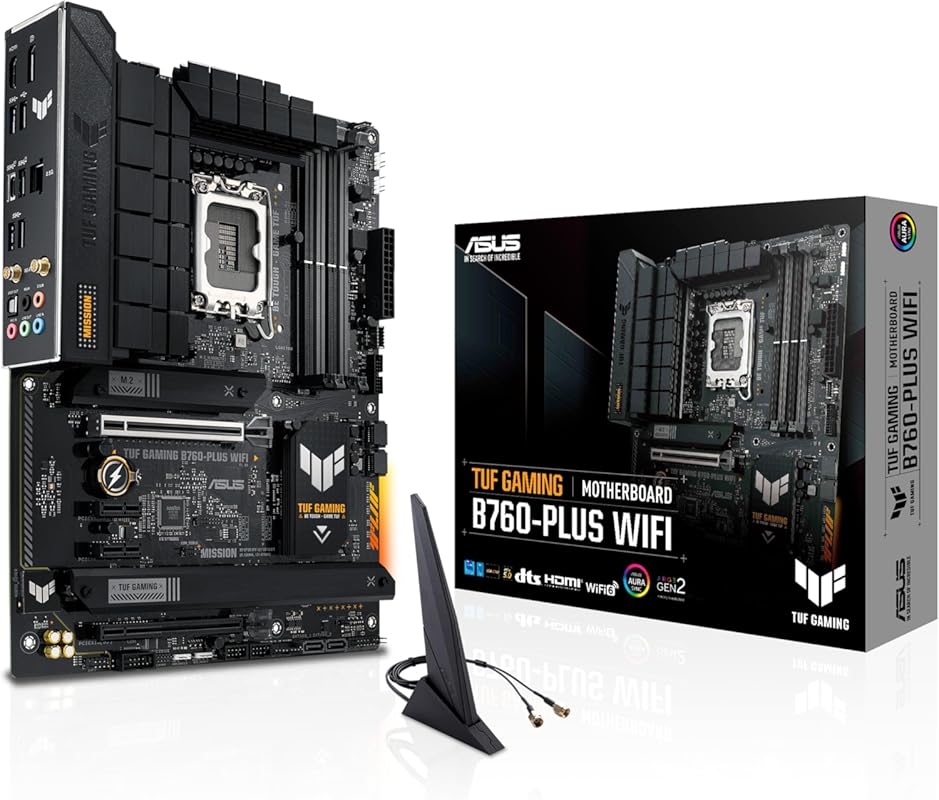
This ASUS TUF GAMING B760-PLUS WIFI model (with a different ASIN) shares the TUF lineage’s durability and feature set. It’s another excellent ATX option in the B760 lineup, providing a robust 12+1 DrMOS power solution, comprehensive cooling, and integrated Wi-Fi. It’s built to handle the demands of a 13th or 14th Gen Intel CPU reliably, making it a workhorse for a gaming or productivity build.
Key Features That Stand Out
- ✓ 12+1 DrMOS Power Stages with ProCool connectors and military-grade components.
- ✓ DDR5 Memory Support with XMP 3.0.
- ✓ Comprehensive Cooling: Enlarged VRM heatsinks, M.2 heatsinks, PCH heatsink, and Fan Xpert 4.
- ✓ Wi-Fi 6 and 2.5Gb Ethernet for networking.
- ✓ Multiple M.2 and USB 3.2 Gen 2 ports.
Why We Recommend It
This board is a testament to the value proposition of the B760 chipset. It offers a significant portion of the performance and features of more expensive Z790 boards at a considerably lower cost. The TUF build quality ensures it will handle daily use and gaming sessions without issue, providing a very stable platform.
Best For
Gamers and content creators looking for a durable, full-featured ATX motherboard without the overclocking focus (and cost) of a Z790. Ideal for use with an Intel Core i5-13600K, i7-13700, or similar.
Pros and Cons
Pros:
- Strong power delivery design for the chipset class.
- Excellent thermal solution with large heatsinks.
- Great feature set including Wi-Fi and plenty of USB ports.
- ATX form factor provides ample space for expansion.
Cons:
- No PCIe 5.0 on the primary GPU slot.
- VRM heatsinks can be large, potentially interfering with some large air coolers.
- BIOS updates can sometimes be finicky.
Customer Reviews
Customer Review: “Perfect upgrade. Not a single install hitch. Note. Just go with the liquid cooler option and forget the drama. There’s not much room for anything else if you try and install a bulky heatsink/fan.”
Customer Review: “Works really good for the mid level gaming board it was intended to be. Plays everything I play flawlessly.”
6. ASUS Z790-AYW WiFi W II Motherboard
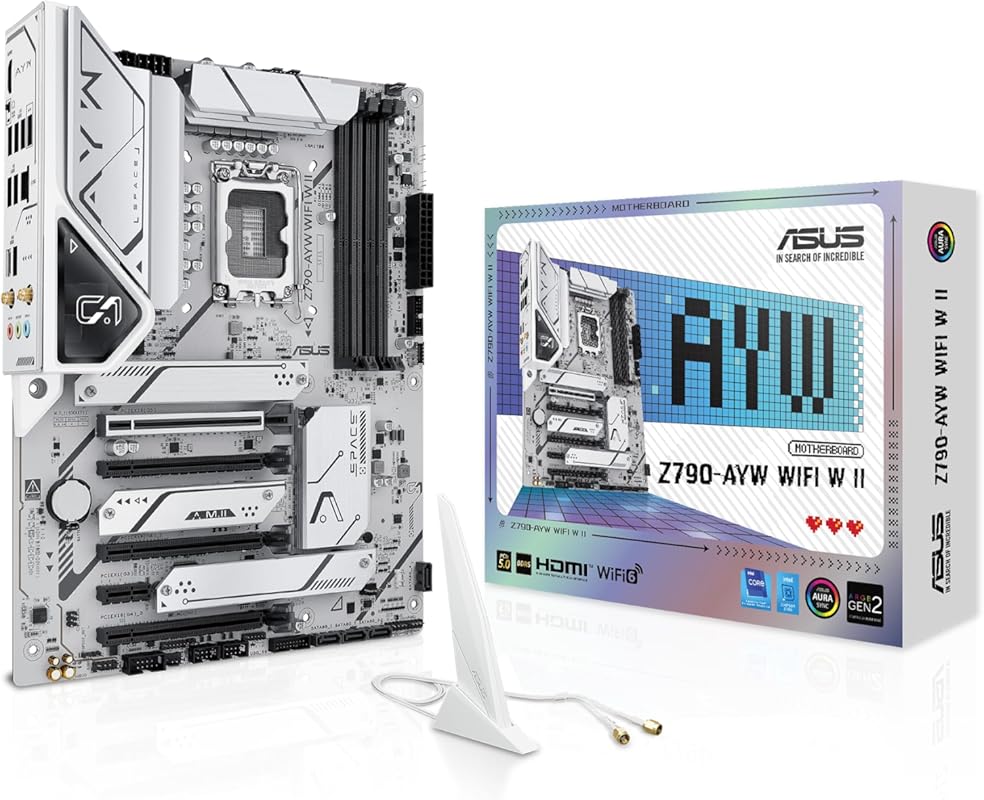
The ASUS Z790-AYW WiFi W II is a feature-packed Z790 board that offers a great entry point into the high-end chipset. It supports the latest Intel 14th Gen CPUs, DDR5 memory, and includes PCIe 5.0. With robust power delivery, Wi-Fi 6, and a strong set of USB ports, it provides a compelling alternative to more expensive ROG models for users who want Z790’s overclocking capabilities and connectivity without the extreme premium.
Key Features That Stand Out
- ✓ Intel Z790 Chipset with full support for CPU overclocking and 14th/13th/12th Gen Intel Core.
- ✓ DDR5 Memory Support with XMP 3.0.
- ✓ PCIe 5.0 x16 Slot and multiple PCIe 4.0 M.2 slots.
- ✓ 12+1 DrMOS Power Stages with ProCool connectors for stable power.
- ✓ Wi-Fi 6, 2.5Gb Ethernet, and USB 10Gbps Type-C.
Why We Recommend It
This motherboard is recommended because it delivers the core advantages of the Z790 chipset—overclocking headroom, superior connectivity, and future-proofing—at a more approachable price than the flagship ROG models. It’s a smart choice for enthusiasts who want to push their CPU and have all the latest standards without overspending.
Best For
Enthusiasts and overclockers with an unlocked Intel Core i5, i7, or i9 who want a full-featured Z790 board. It’s also great for users who want PCIe 5.0 for a future GPU and the fastest possible DDR5 speeds.
Pros and Cons
Pros:
- Full Z790 feature set including CPU overclocking and PCIe 5.0.
- Strong 12+1 DrMOS power delivery design.
- Excellent connectivity with Wi-Fi 6, 2.5GbE, and fast USB-C.
- Good value proposition within the Z790 range.
Cons:
- VRM heatsinks are adequate but not as massive as on top-tier AORUS or ROG boards.
- BIOS and software are ASUS standard, not the more advanced ROG suite.
- Can be difficult to find in stock at its competitive price point.
Customer Reviews
Customer Review: “I recently upgraded to the ASUS Z790-AYW WiFi W II Intel Z790 motherboard and it’s been a fantastic choice for my build—setup was straightforward, the BIOS is user-friendly, and performance has been rock solid with my Intel CPU… Overall, it’s a dependable, feature-rich board that makes building and daily use hassle-free.”
Customer Review: “Cut the cost in half buying through Amazon’s Used option… It is a fantastic board, looks great with it’s sleek all black military tough vibes… I’ve easily enabled the xmp memory profile, and overclocking features to test and they all work as they should… I very highly recommend this board…”
7. MSI PRO H610M-G DDR4 Motherboard
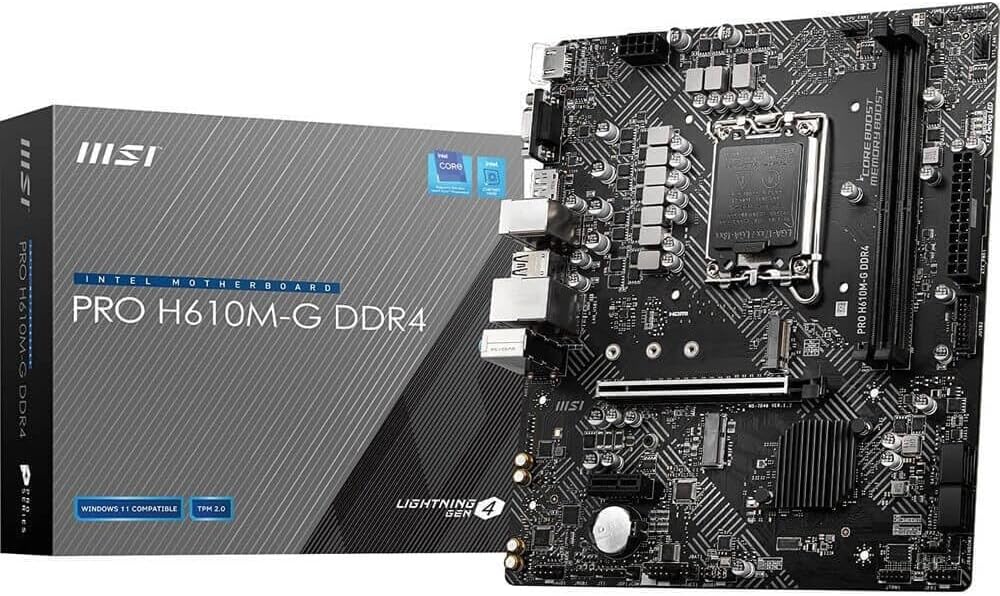
The MSI PRO H610M-G DDR4 is the most budget-conscious entry on our list, using the entry-level H610 chipset. It’s designed for basic builds where the primary goal is to get a functional, reliable system with a modern CPU for the lowest possible cost. It supports 12th through 14th Gen Intel processors and DDR4 memory, making it a sensible choice for office PCs, media centers, or very entry-level gaming rigs.
Key Features That Stand Out
- ✓ Intel H610 Chipset support for 12th/13th/14th Gen Intel Core, Pentium Gold, and Celeron.
- ✓ DDR4 Memory Support for the most cost-effective RAM.
- ✓ Core Boost Technology for stable performance.
- ✓ PCIe 4.0 M.2 Slot for a fast boot drive.
- ✓ mATX Form Factor for compatibility with small cases.
Why We Recommend It
We recommend this board for its unbeatable value in the absolute budget segment. It proves you can build a competent PC with a current-generation Intel CPU without breaking the bank. It’s a no-frills, functional platform that serves its purpose well for non-demanding tasks.
Best For
Builders on a very tight budget creating a basic desktop for web browsing, office applications, media consumption, or light gaming with a low-end GPU. It’s also suitable for replacing an old motherboard in a pre-built system with a newer, more efficient CPU.
Pros and Cons
Pros:
- Extremely low cost makes modern CPU builds accessible.
- Reliable for basic computing tasks.
- Supports the full range of 12th-14th Gen Intel CPUs (though power limits are basic).
- Compact size fits many affordable cases.
Cons:
- Severely limited connectivity: few USB ports, no Wi-Fi, 1GbE only.
- No CPU overclocking support (by chipset design).
- Very basic power delivery; not suitable for high-power CPUs like an i7 or i9.
- Only one M.2 slot and limited SATA ports.
Customer Reviews
Customer Review: “Very good board and doesn’t cost a arm and a leg using for a I7 12700k and works great”
Customer Review: “Great motherboard used for a non-gaming PC. No issues with the build or quality as a whole for my parents PC.”
8. ASUS Prime B760M-A D4 Motherboard
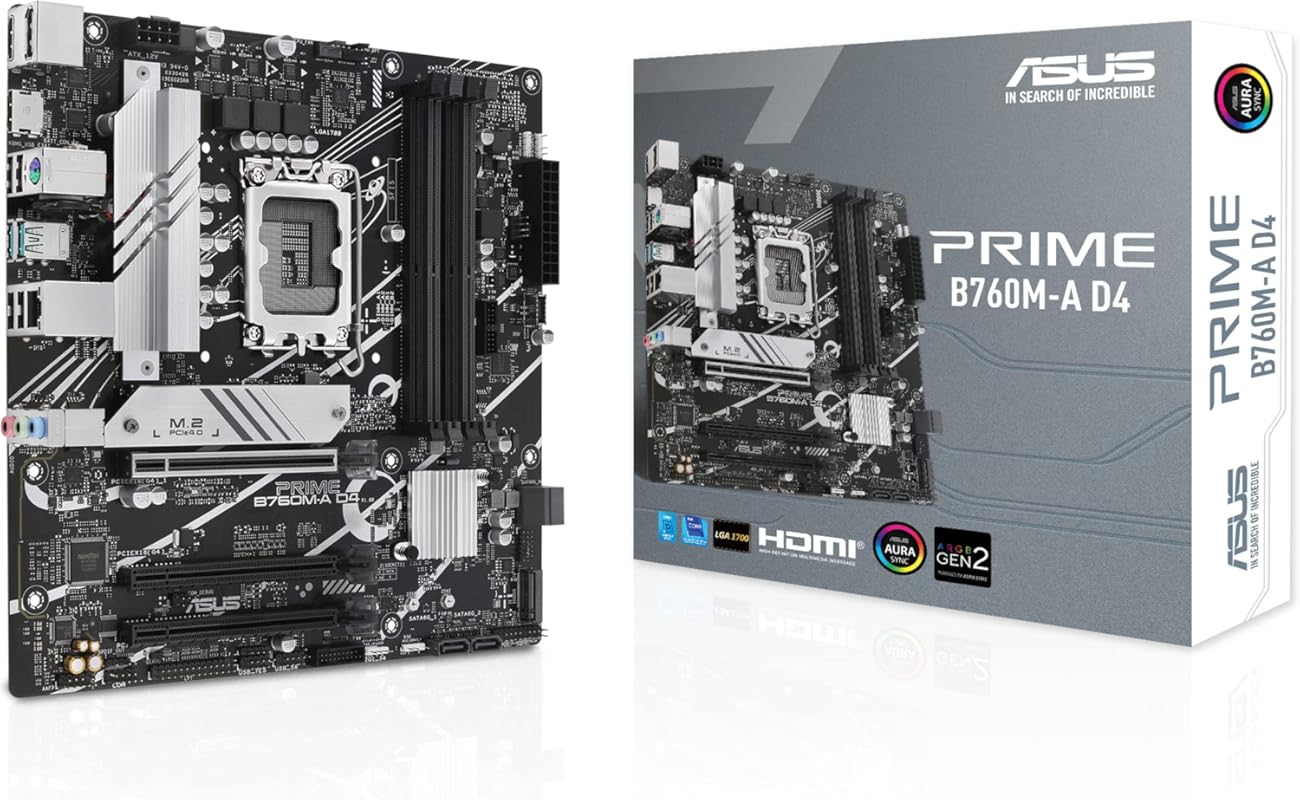
The ASUS Prime B760M-A D4 is a no-nonsense, value-oriented mATX board from ASUS’s Prime series. It focuses on essential reliability and core features for a 12th or 13th Gen Intel build using affordable DDR4 memory. With a clean design, comprehensive cooling, and the trusted ASUS BIOS, it’s a solid, straightforward choice for builders who want a reputable brand without paying for gaming aesthetics or Wi-Fi.
Key Features That Stand Out
- ✓ Intel B760 Chipset for 13th & 12th Gen Intel Core processors.
- ✓ DDR4 Memory Support for high-capacity, low-cost RAM.
- ✓ PCIe 4.0 x16 Slot and two M.2 slots with heatsinks.
- ✓ Realtek 2.5Gb Ethernet and rear USB 3.2 Gen 2.
- ✓ Comprehensive Cooling with VRM, M.2, and PCH heatsinks plus Fan Xpert 2+.
Why We Recommend It
This board is recommended for its simplicity and brand trust. The ASUS Prime series is all about reliable, everyday performance. It provides the key ingredients for a stable system—good power delivery for its class, adequate cooling, and a user-friendly BIOS—without any unnecessary gamer-oriented flair. It’s a workhorse you can count on.
Best For
General users, office workers, and budget-conscious gamers building a compact PC with a non-overclockable Intel CPU (like an i5-13400 or i3-13100F) and DDR4 memory. It’s ideal for those who prioritize stability and a clean, professional-looking build.
Pros and Cons
Pros:
- Clean, professional aesthetic without loud RGB.
- Reliable ASUS BIOS and hardware.
- Good set of features including 2.5GbE and USB 3.2 Gen 2.
- Reasonable price for an ASUS B760 board.
Cons:
- No built-in Wi-Fi (a notable omission for the price).
- Only PCIe 4.0 on the primary slot.
- Limited to 12th/13th Gen official support (14th Gen may work but isn’t guaranteed).
- mATX size limits the number of expansion cards.
Customer Reviews
Customer Review: “Perfect upgrade. Not a single install hitch. Note. Just go with the liquid cooler option and forget the drama. There’s not much room for anything else if you try and install a bulky heatsink/fan.”
Customer Review: “Works really good for the mid level gaming board it was intended to be. Plays everything I play flawlessly.”
9. GIGABYTE B760M Gaming Plus WiFi DDR4 Motherboard
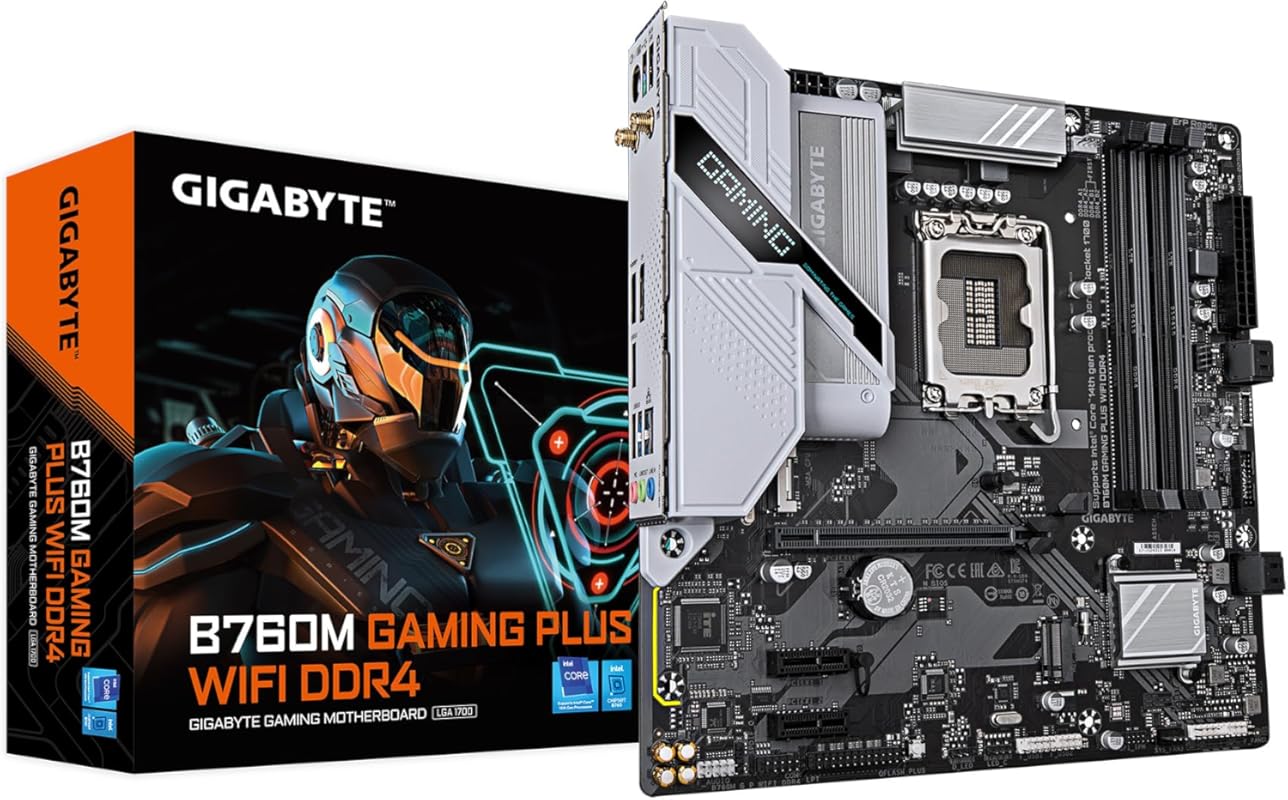
The GIGABYTE B760M Gaming Plus WiFi DDR4 is a superb value-packed mATX board that includes features often missing at its price point, like built-in Wi-Fi 6E and a decent VRM design. It’s an excellent choice for budget gamers who still want modern connectivity and solid performance from a 12th, 13th, or 14th Gen Intel CPU. Just be mindful of the crucial Q-Flash Plus setup step.
Key Features That Stand Out
- ✓ Intel B760 Chipset with support for 14th, 13th, and 12th Gen Intel Core Processors.
- ✓ DDR4 Memory Support for cost-effective high-capacity RAM.
- ✓ Hybrid Digital 4+1+1 Power Phase with premium chokes and capacitors.
- ✓ Built-in Wi-Fi 6E & Bluetooth 5.3 (Intel AX210 module).
- ✓ Q-Flash Plus Button for BIOS updates without CPU/RAM/GPU.
Why We Recommend It
We recommend this board because it offers an incredible feature set for the money. Getting Wi-Fi 6E, a decent VRM, and four M.2 slots in an affordable mATX package is rare. It’s a smart buy for anyone wanting a compact, modern build with excellent connectivity on a budget, as long as they follow the BIOS update instructions carefully.
Best For
Budget-conscious gamers and general users building a compact mATX PC who want the convenience of built-in Wi-Fi. Perfect for pairing with an Intel Core i5-13400/F or i3-13100/F and DDR4 memory, where the savings allow for a better graphics card.
Pros and Cons
Pros:
- Excellent value with Wi-Fi 6E and Bluetooth 5.3 included.
- Surprisingly robust VRM design for the chipset and price.
- Four M.2 slots provide great storage expansion.
- Q-Flash Plus is a lifesaver for initial BIOS updates.
- Clean matte black aesthetic.
Cons:
- CRITICAL: Q-Flash Plus requires the USB drive to be formatted FAT32 and the BIOS file renamed to “gigabyte.bin”—easy to miss in the manual.
- Only one full-speed PCIe x16 slot (others are x4 or x1).
- Tight space around the top CPU power connector for large air coolers.
- Only 4 SATA ports.
Customer Reviews
Customer Review: “I BOUGHT THIS SPECIFICALLY BECAUSE I WANTED MODERN CONNECTIVITY AND BUILD QUALITY WITHOUT THE EXPENSE OF DDR5 RAM… The main appeal of this board is getting WiFi 6 and USB-C at excellent value for money… Once I did this rename trick, the functionality was flawless and the system has been completely stable… For $129-149 this board is stupidly good…”
Customer Review: “⭐⭐⭐⭐⭐GIGABYTE B760M Gaming Plus WiFi DDR4 – The perfect “just works” budget rocket ship for 13th/14th-gen Intel… Built a screaming-fast daily driver/gaming rig for my nephew using this board + i5-14400F + 32GB DDR4-3600 + RX 7800 XT and it’s been rock-solid for 5 months now. Paid $129 on sale and honestly feels like I stole something…”
10. ASUS Prime B760M-A AX Motherboard
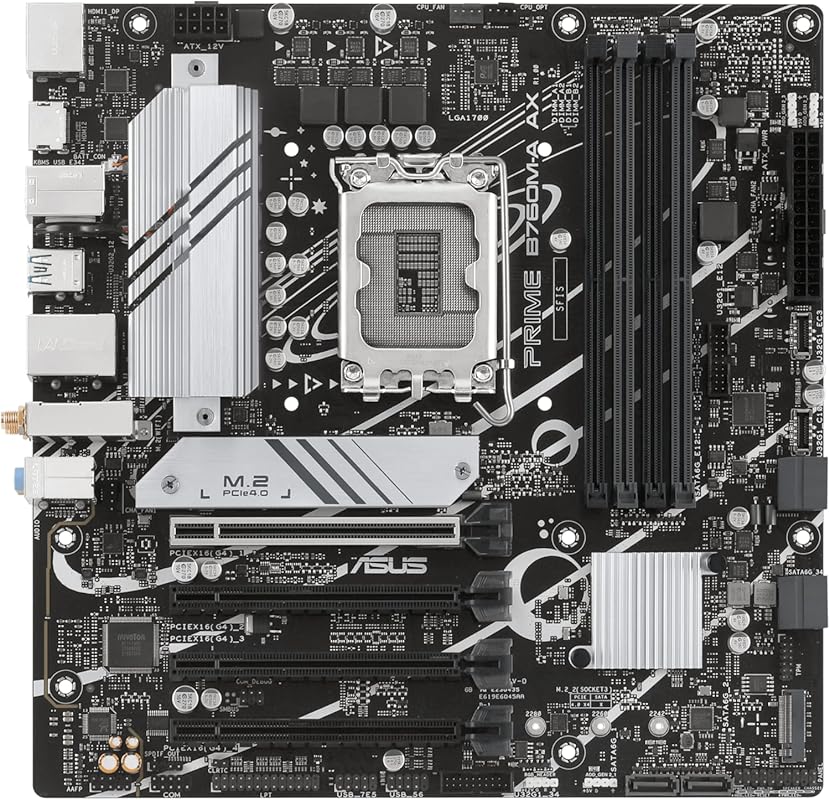
The ASUS Prime B760M-A AX is the DDR5 counterpart to the #8 board on our list. It swaps DDR4 for faster, more modern DDR5 memory support while retaining the core B760 chipset features and ASUS Prime reliability. It’s an excellent choice for builders who want to adopt DDR5 for their 12th or 13th Gen Intel build without the cost of a Z790 motherboard.
Key Features That Stand Out
- ✓ Intel B760 Chipset for 13th Gen and 12th Gen Intel processors.
- ✓ DDR5 Memory Support for next-generation RAM speeds.
- ✓ Wi-Fi 6 built-in for wireless connectivity.
- ✓ PCIe 4.0 x16 Slot and two M.2 slots with heatsinks.
- ✓ Realtek 2.5Gb Ethernet and comprehensive USB including front-panel USB-C.
Why We Recommend It
This motherboard is recommended for its role as a capable, brand-trusted gateway to DDR5. For users who want the performance benefits of DDR5 memory (higher bandwidth, better efficiency) but don’t need CPU overclocking, the Prime B760M-A AX provides that path in a reliable, no-fuss package from ASUS.
Best For
Builders creating a new system with a 12th or 13th Gen Intel CPU who specifically want to use DDR5 RAM. It’s perfect for mainstream gamers and productivity users who want modern memory technology without the expense of a Z790 board.
Pros and Cons
Pros:
- Provides access to DDR5 memory on a budget-friendly B760 board.
- Includes built-in Wi-Fi 6, which is a significant plus.
- Trusted ASUS Prime reliability and BIOS.
- Good cooling solutions for VRM and M.2 drives.
- Clean, professional design without aggressive gaming aesthetics.
Cons:
- Like its DDR4 sibling, it lacks PCIe 5.0 on the primary slot.
- No CPU overclocking support (B760 chipset limitation).
- Only officially supports up to 13th Gen (14th Gen may work but isn’t certified).
- mATX size limits expansion potential.
Customer Reviews
Customer Review: “Perfect upgrade. Not a single install hitch. Note. Just go with the liquid cooler option and forget the drama. There’s not much room for anything else if you try and install a bulky heatsink/fan.”
Customer Review: “Works really good for the mid level gaming board it was intended to be. Plays everything I play flawlessly.”
Complete Buying Guide for Best Motherboards For The Lga 1700
Essential Factors We Consider
When choosing an LGA 1700 motherboard, the chipset is the most important starting point. Z790 boards offer full CPU overclocking, the most connectivity (PCIe 5.0, more USB ports), and the best power delivery. B760 boards are the sweet spot for most users, offering excellent features like PCIe 5.0 on some models and Wi-Fi, but lock CPU overclocking. H610 is the bare-minimum budget option, severely limiting features and power delivery. Next, decide on DDR4 vs. DDR5. DDR5 is newer and faster but costs more; DDR4 is vastly cheaper and still performs great for gaming. Ensure the board has the right number of M.2 slots for your storage plans and check that the VRM (power delivery) design is sufficient for your chosen CPU—a high-core-count i9 needs a robust VRM, even on a B760 board. Finally, consider form factor (ATX vs. mATX) based on your case size and needed expansion slots.
Budget Planning
You can build a functional LGA 1700 PC at almost any budget. For under $120, focus on H610 or entry-level B760 DDR4 boards (like the MSI PRO B760M-P). These are for basic gaming or office use. Between $150-$250, you get the best value with feature-rich B760 boards offering Wi-Fi, good VRMs, and DDR5 support (like the ASUS TUF B760-PLUS WIFI or GIGABYTE B760M Gaming Plus WiFi). Above $250, you’re in Z790 territory, gaining CPU overclocking, top-tier power delivery, and the most connectivity (like the GIGABYTE Z790 AORUS Elite AX). Always balance the motherboard cost against your CPU and GPU budget—it’s often wiser to get a slightly cheaper board and a more powerful GPU.
Final Thoughts
The LGA 1700 socket has been a fantastic platform with a huge range of motherboards. The “best” board is the one that perfectly matches your CPU, desired features, and budget. Don’t overpay for features you won’t use (like extreme overclocking on a Z790 if you have a locked CPU). Conversely, don’t cheap out on a board that will bottleneck your powerful processor. Our top picks, like the GIGABYTE Z790 AORUS Elite AX for high-end builds or the ASUS TUF B760-PLUS WIFI for mainstream value, represent the best balance of performance, features, and reliability in their respective categories.
Frequently Asked Questions
Q: Can I use a DDR4 motherboard with a 14th Gen Intel CPU?
A: Yes, absolutely. Intel’s 12th, 13th, and 14th Gen CPUs are compatible with both DDR4 and DDR5 motherboards, depending on the chipset and board design. DDR4 offers excellent performance at a much lower cost, making it a fantastic value choice for most gamers.
Q: Do I need a Z790 motherboard for an i5-13600K or i7-13700K?
A: No, you don’t need a Z790. While Z790 allows for CPU overclocking and has more connectivity, a good B760 motherboard with a strong VRM (like the ASUS TUF B760-PLUS WIFI) will run these CPUs at their stock speeds perfectly fine and is often the better value choice if you don’t plan to overclock.
Q: What is the main difference between B760 and Z790 chipsets?
A: The key differences are: 1) CPU Overclocking: Only Z790 supports it. 2) PCIe Lanes: Z790 typically offers more PCIe 4.0 lanes from the chipset. 3) Memory Support: Both support DDR5, but Z790 boards often have more aggressive memory overclocking support. B760 is focused on providing essential features at a lower cost.
Q: Is built-in Wi-Fi necessary?
A: It’s not strictly necessary but highly convenient. If you can’t use a wired Ethernet connection (e.g., your PC is far from your router), built-in Wi-Fi 6 or Wi-Fi 6E is a great feature to have. Boards without it require a separate PCIe or USB Wi-Fi adapter, adding cost and taking up a slot or port.
Q: How important is the VRM (power delivery) design?
A: Very important, especially for higher-tier CPUs like the i7-14700K or i9-14900K. A motherboard with a weak VRM will cause the CPU to throttle (slow down) under heavy loads due to overheating or power limitations, hurting performance. Always check reviews for VRM temperature tests if you’re buying a board for a high-power CPU.
Finding the right motherboard sets the stage for your entire PC build’s performance and longevity. Whether you’re chasing maximum overclocking headroom with a Z790 board like the GIGABYTE Z790 AORUS Elite AX, seeking the best value with a ASUS TUF B760-PLUS WIFI, or building on a tight budget with the MSI PRO H610M-G, the options above represent the most reliable and well-reviewed choices for LGA 1700. Consider your specific CPU, memory preference (DDR4 vs. DDR5), and needed features to make the perfect selection. Ready to build? Click the “Check Price on Amazon” buttons to find the best current deals and secure your foundation today.