Everything About Types Of Computer Processors Explained Here
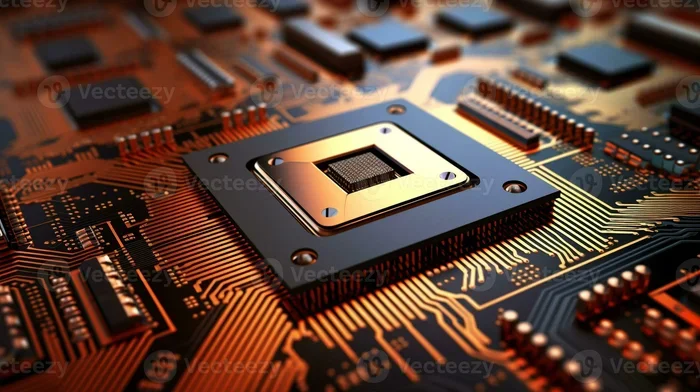
Computer processors, or CPUs, are the brain of every PC. This guide covers all types of computer processors, from Intel and AMD to budget and high-end chips. You will learn how to pick the right CPU based on your needs, budget, and usage.
When you buy a new computer, the processor is the first thing you should look at. The types of computer processors available today can feel overwhelming. Intel, AMD, and a few others all compete for your attention. Each brand offers chips for different budgets and needs. This guide breaks it all down in plain language.
Whether you are building a gaming PC or buying a laptop for work, understanding processors helps you make a smart choice. You will learn what each type does, how they compare, and how to pick the best one. Let us dive right in.
Key Takeaways
- Intel and AMD dominate the CPU market with different strengths for gaming, work, and everyday use.
- Processor cores and threads matter a lot for multitasking and heavy workloads.
- Clock speed and architecture determine how fast your CPU handles tasks.
- Matching your CPU to your use case saves money and boosts performance.
- Common mistakes like ignoring thermal limits can shorten your processor’s life.
- Future-proofing your build means choosing a CPU with room to grow.
📑 Table of Contents
- What Is A Computer Processor And Why It Matters
- Major Types Of Computer Processors By Brand
- Understanding Processor Cores And Threads
- How To Choose The Right Processor For Your Needs
- Processor Speed And Performance Explained
- Common Processor Mistakes To Avoid
- Final Thoughts On Types Of Computer Processors
What Is A Computer Processor And Why It Matters
The processor, also called the CPU, is the brain of your computer. It handles every task you give your PC. From opening a browser to editing a video, the CPU does the heavy lifting. Without it, nothing else works.
Think of the processor as a chef in a kitchen. The faster and more skilled the chef, the quicker the meals get ready. In the same way, a faster processor means your computer responds quickly. It runs programs smoother and handles more tasks at once.
Processors come in many shapes and sizes. Desktop CPUs differ from mobile ones. High-end chips cost more but deliver top performance. Budget chips save money but may struggle with heavy tasks. Knowing your needs is the first step.
How Processors Work
Every processor follows a simple cycle. It fetches instructions, decodes them, and executes them. This happens millions of times per second. The speed of this cycle depends on the CPU’s design and clock speed.
Modern processors use multiple cores. Each core can handle its own set of tasks. This is why a multi-core processor feels so much snappier. You can browse the web while streaming music and running a background app.
Major Types Of Computer Processors By Brand
Two brands lead the CPU market today: Intel and AMD. Both make excellent chips, but they target different users. Let us look at each brand and what they offer.
Intel Processors
Intel has been making processors for decades. Their chips are known for reliability and strong single-core performance. Many gamers and professionals prefer Intel CPUs for their consistency.
Intel offers several processor lines:
- Core i3 – Entry-level chips for basic tasks like browsing and office work.
- Core i5 – The sweet spot for most users. Great for gaming and everyday use.
- Core i7 – High-performance chips for content creators and power users.
- Core i9 – Top-tier processors for demanding workloads like 4K video editing.
Intel processors often run cooler and use less power. They also have strong integrated graphics in many models. This makes them a solid choice for budget-friendly PC builds.
AMD Processors
AMD has made huge strides in recent years. Their Ryzen lineup competes head-to-head with Intel. AMD chips often offer more cores at a lower price point.
AMD’s main processor lines include:
- Ryzen 3 – Solid budget chips for light computing tasks.
- Ryzen 5 – Excellent mid-range processors for gaming and productivity.
- Ryzen 7 – Powerful chips for multitasking and creative work.
- Ryzen 9 – Flagship CPUs with maximum cores and threads.
AMD processors shine in multi-threaded tasks. If you do video rendering or run many apps at once, AMD is worth considering. Their chips also tend to offer great value for money.
Understanding Processor Cores And Threads
You have probably heard the words “cores” and “threads” when shopping for a CPU. These terms matter a lot for performance. Let us break them down simply.
A core is like a mini-processor inside your CPU. More cores mean the chip can handle more tasks at the same time. A quad-core processor has four cores. An octa-core processor has eight. Each core works on its own instructions.
Threads are a bit different. A thread is a virtual version of a core. AMD uses a technology called Simultaneous Multithreading (SMT). Intel calls it Hyper-Threading. Both allow each core to handle two threads at once.
Here is a quick comparison:
- 4 cores / 8 threads – Great for everyday tasks and light gaming.
- 6 cores / 12 threads – A solid choice for most gamers and workers.
- 8 cores / 16 threads – Ideal for content creation and heavy multitasking.
- 12+ cores / 24+ threads – Built for professional workloads like 3D rendering.
If you only browse the web and check email, a lower core count works fine. But if you edit videos or run complex software, more cores make a big difference. Choosing the right processor core count is one of the most important decisions you will make.
Single-Core vs Multi-Core Performance
Some programs rely heavily on single-core speed. Games often fall into this category. That is why Intel chips, which tend to have strong single-core performance, are popular among gamers.
Other tasks benefit from multiple cores. Video editing, 3D modeling, and compiling code all use many cores. AMD chips with high core counts excel in these areas. Think about what you do most with your PC before deciding.
How To Choose The Right Processor For Your Needs
Picking a CPU can feel confusing with so many options. But it does not have to be. You just need to match the processor to your actual use case. Here is a simple guide to help you decide.
For Everyday Computing
If you use your PC for browsing, streaming, and light office work, you do not need a powerful chip. A budget processor like an Intel Core i3 or AMD Ryzen 3 handles these tasks easily. These CPUs are affordable and energy-efficient.
You will save money on the CPU and can spend more on other parts like a solid-state drive or extra RAM. A great PC build does not always need an expensive processor.
For Gaming
Gamers need a balance of strong single-core and multi-core performance. An Intel Core i5 or AMD Ryzen 5 is the go-to choice for most setups. These chips deliver smooth frame rates in today’s popular titles.
Pair your CPU with a good graphics card for the best experience. A weak processor can bottleneck a powerful GPU. This means your game runs slower than it should. Make sure your processor and GPU are well-matched.
Also, keep your PC cool. A processor that overheats will slow itself down to protect itself. If you notice your computer fan running constantly, it may be a sign your CPU is working too hard. You can read more about why your computer fan keeps running and what to do about it.
For Content Creation And Professional Work
Video editors, 3D artists, and programmers need serious processing power. Look for chips with at least 8 cores and high clock speeds. Intel Core i7 and AMD Ryzen 7 are excellent starting points.
For the most demanding work, consider an Intel Core i9 or AMD Ryzen 9. These chips handle heavy rendering and compilation tasks with ease. They are not cheap, but they save hours of waiting time.
For Business And Office Use
Business users often need reliability over raw speed. An Intel Core i5 or AMD Ryzen 5 provides plenty of power for spreadsheets, emails, and video calls. These chips are dependable and stay cool under regular workloads.
Processor Speed And Performance Explained
Processor speed is measured in gigahertz, or GHz. This number tells you how many billions of cycles the CPU can perform per second. A higher GHz number generally means a faster processor.
But GHz is not the whole story. Two processors with the same clock speed can perform very differently. This is because of architecture. Newer architectures are more efficient. They do more work per clock cycle.
Here are a few things that affect processor performance:
- Clock speed – Measured in GHz. Higher is generally faster.
- IPC (Instructions Per Cycle) – How much work each core does per cycle. Newer chips have higher IPC.
- Cache size – A small, fast memory built into the CPU. Larger cache helps with repetitive tasks.
- Thermal Design Power (TDP) – How much heat the CPU produces. Lower TDP means cooler and quieter operation.
When comparing processors, do not just look at the GHz number. Check benchmarks and real-world tests. These give you a much clearer picture of actual performance. A processor benchmark can help you compare chips side by side.
Processor Generations Explained
Both Intel and AMD release new processor generations regularly. Each generation brings improvements in speed, efficiency, and features. Intel uses numbers like 13th Gen or 14th Gen to identify their lineup.
AMD uses a similar system with their Ryzen naming. A Ryzen 7000 series chip is newer than a Ryzen 5000 series chip. Newer generations usually mean better performance and support for the latest technology.
However, you do not always need the newest generation. A previous-generation chip can still offer excellent value. If you are on a budget, last-gen processors are a smart choice. You get great performance at a lower price.
Common Processor Mistakes To Avoid
Many people make mistakes when choosing or using a CPU. These errors can cost you performance, money, or even damage your hardware. Here are the most common ones to watch out for.
Skipping the cooler: Every processor needs a cooler. Running a CPU without proper cooling causes overheating. This leads to slowdowns or even permanent damage. Invest in a decent CPU cooler, especially if you buy a high-performance chip.
Ignoring compatibility: Not every CPU works with every motherboard. You need to check the socket type and chipset. An incompatible CPU simply will not work. Always verify compatibility before buying.
Overpaying for specs you do not need: A top-tier processor is pointless if you only browse the web. Match your CPU to your real needs. There is no benefit in buying a 12-core processor if a 6-core chip handles your workload perfectly.
Neglecting thermal paste: Thermal paste helps transfer heat from the CPU to the cooler. Old or dried-out paste reduces cooling efficiency. Reapply thermal paste if your PC starts running hot or making loud fan noise. If your computer starts running slow and freezing, it could be a sign of thermal throttling. You can find helpful steps to fix a computer that is running slow and freezing and get it back to full speed.
Forgetting about power supply limits: A powerful CPU needs a strong power supply. If your PSU cannot deliver enough wattage, your system may be unstable. Always check the power requirements before building or upgrading.
Quick Tips For Processor Care
- Keep your PC clean and dust-free to maintain airflow.
- Monitor CPU temperatures using free software tools.
- Replace thermal paste every two to three years.
- Update your BIOS for the best CPU compatibility and performance.
- Do not overclock without proper cooling.
Final Thoughts On Types Of Computer Processors
Choosing the right types of computer processors does not have to be scary. Intel and AMD both offer excellent options for every budget. Understanding cores, clock speed, and architecture helps you make a confident decision.
Start by identifying what you need your PC to do. A casual user has very different needs than a video editor or a hardcore gamer. Match your processor to those needs and you will be happy with your choice.
Do not forget the supporting hardware. A good cooler, compatible motherboard, and adequate power supply all matter. They help your CPU run at its best for years to come.
Take your time, do your research, and enjoy the process of building or upgrading your PC. The right processor makes all the difference in the world.
Frequently Asked Questions
What are the main types of computer processors?
The two main types are Intel and AMD processors. Intel is known for strong single-core performance, while AMD excels in multi-core workloads. Both brands offer budget, mid-range, and high-end options.
How do I know which processor is right for me?
Think about what you use your PC for most. Casual users need a budget chip. Gamers and creators benefit from mid-range or high-end processors. Match the CPU to your actual workload to avoid overspending.
Does more cores always mean a faster processor?
Not always. More cores help with multitasking and heavy workloads like video editing. But for gaming and everyday tasks, single-core speed matters more. A balanced approach works best for most users.
What is the difference between Intel and AMD processors?
Intel processors often have stronger single-core performance and lower power use. AMD chips typically offer more cores at a competitive price. Both are excellent brands, and the best choice depends on your specific needs.
How often should I upgrade my processor?
There is no set schedule. Upgrade when your CPU can no longer handle your tasks smoothly. If your PC slows down during everyday use, it might be time for a new processor. You can also check how to check your laptop’s RAM to see if a memory upgrade might help first.
Can I upgrade my processor without buying a new motherboard?
It depends on your current setup. The new CPU must be compatible with your motherboard’s socket and chipset. Sometimes a BIOS update is needed. Always check compatibility before purchasing a new processor.