The Crucial T705 PCIe Gen5 NVMe M.2 SSD represents the cutting edge of consumer storage, leveraging the new PCIe 5.0 interface to deliver sequential read/write speeds that double the previous generation. It comes equipped with a robust, integrated heatsink designed to manage the significant heat generated by these extreme speeds, ensuring sustained performance. This drive is built for enthusiasts, professionals, and future-proof gamers who demand the absolute highest throughput for massive files, 4K/8K video editing, and next-gen game loading.
Let’s talk about the feeling. You’ve just finished building your dream PC with a brand-new Intel 14th Gen or AMD Ryzen 7000 series CPU, a powerful graphics card, and 64GB of fast DDR5 RAM. You’ve installed the operating system on a solid PCIe 4.0 SSD, and it’s quick. But you can’t shake the feeling that you’re leaving performance on the table. That’s where the next frontier arrives: PCIe 5.0. And sitting at the vanguard of this new wave is the Crucial T705 PCIe Gen5 NVMe M.2 SSD. This isn’t just another incremental update; it’s a paradigm shift in what’s possible for consumer storage speed, packaged in a drive that understands the fundamental challenge of this new era: heat.
Crucial, Micron’s leading consumer storage brand, has a reputation for delivering reliable, high-value memory and storage solutions. With the T705, they’ve entered the ultra-enthusiast arena not just with raw speed claims on a spec sheet, but with a complete engineering solution. It’s a drive built for the person who looks at a loading screen and sees wasted potential. In this deep dive, we’ll unpack everything about the Crucial T705—from its blistering performance metrics and innovative cooling design to its real-world implications and who exactly should reach for this piece of technological wizardry.
Key Takeaways
- Next-Gen Speed Leader: The T705 harnesses PCIe 5.0 to achieve up to 14,000 MB/s reads and 12,000 MB/s writes, radically reducing load times and file transfer durations for large workloads.
- Integrated Thermal Solution: It features a large, passive aluminum heatsink with a unique fin design and a copper base, crucial for preventing thermal throttling and maintaining peak Gen5 speeds under load.
- Premium Capacities for Demanding Users: Available in 1TB, 2TB, and 4TB capacities, all using high-density 3D TLC NAND, providing ample space for modern game libraries, professional media projects, and large datasets.
- Platform Compatibility Alert: Requires a motherboard with a PCIe 5.0 M.2 slot (Intel 13th/14th Gen or newer, AMD Ryzen 7000 series with compatible BIOS). It is not backward compatible with PCIe 4.0 slots for Gen5 speeds.
- Built for Extreme Workloads: Ideal for 8K video editing, 3D rendering, large database management, and competitive gaming where every millisecond of load time counts and assets are massive.
- Reliability from a Trusted Brand: Backed by Micron’s 15+ years of memory manufacturing, with a 5-year limited warranty and high TBW (Total Bytes Written) ratings, ensuring long-term durability.
- Value is in the Performance Tier: Positioned as a premium product, its cost reflects the cutting-edge technology. The value is justified for users who can fully utilize its potential and have a compatible platform.
📑 Table of Contents
- Unpacking the Performance: What Does PCIe 5.0 Actually Mean?
- The Heat Problem and Crucial’s Engineering Masterclass
- Compatibility and System Requirements: Don’t Skip This Step
- Real-World Benchmarks and Who Needs This Speed?
- Is the T705 Worth the Premium? The Value Proposition
- Conclusion: The Benchmark for Gen5 Storage
Unpacking the Performance: What Does PCIe 5.0 Actually Mean?
To understand the T705, you first need to grasp the leap that PCIe 5.0 represents. PCIe (Peripheral Component Interconnect Express) is the high-speed highway that connects your storage to your CPU. Each new generation doubles the bandwidth per lane compared to its predecessor.
The Bandwidth Bonanza
A single PCIe 4.0 x4 lane (the configuration for an M.2 SSD) offers a theoretical maximum bandwidth of about 8 GB/s (or 8,000 MB/s). PCIe 5.0 doubles that to approximately 16 GB/s per x4 lane. The Crucial T705 PCIe Gen5 NVMe M.2 SSD isn’t quite maxing that out—yet—but it comes remarkably close. Its official specs cite sequential read speeds up to 14,000 MB/s and sequential write speeds up to 12,000 MB/s. These numbers aren’t just marketing fluff; they represent a near-doubling of the throughput you’d see from a top-tier PCIe 4.0 drive like the Crucial T700 (which itself was no slouch). This translates to moving a 100GB game or a 50GB 4K video project in a fraction of the time.
Beyond Sequential Speeds: Random Performance
While the huge sequential numbers grab headlines, everyday system responsiveness is often dictated by random read/write performance (measured in IOPS – Input/Output Operations Per Second). Here, the T705 also shows a significant uplift. With faster random reads and writes, you’ll notice snappier application launches, quicker file searches in massive directories, and smoother performance in open-world games that constantly stream assets. The drive’s controller and firmware are optimized to leverage the extra bandwidth for both large, contiguous files and the small, scattered bits of data that make up general OS and application use.
The Heat Problem and Crucial’s Engineering Masterclass
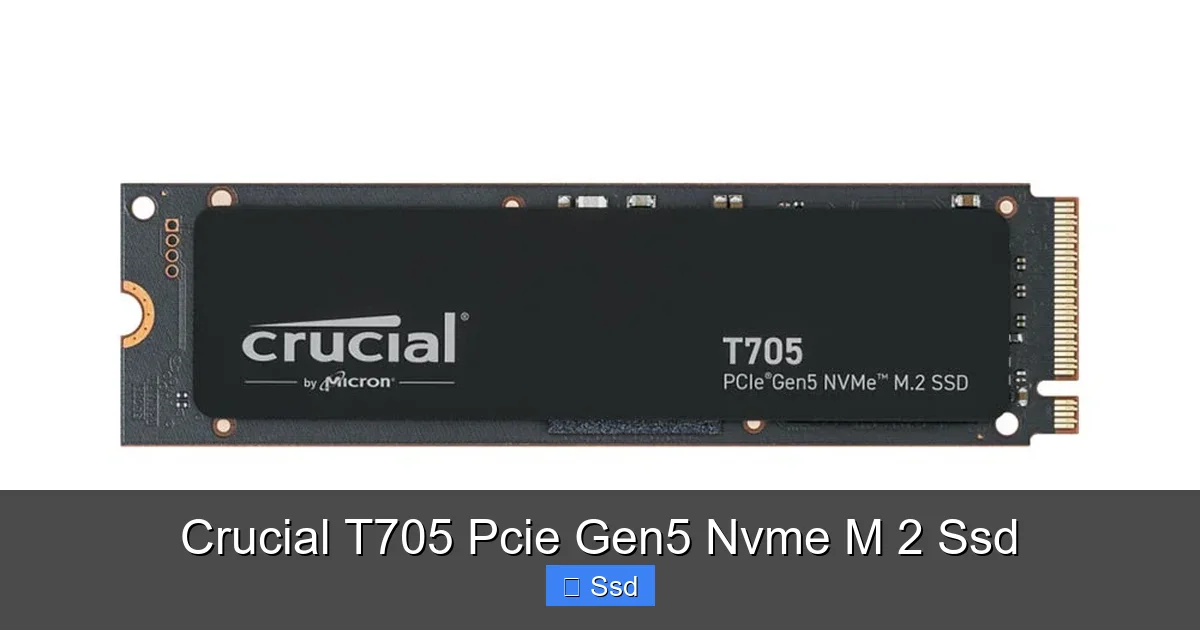
Here’s the unavoidable truth of PCIe 5.0 SSDs: they run hot. That much power consumption and that many NAND and controller cycles in such a compact form factor generate significant thermal energy. Without proper cooling, a Gen5 drive will hit its thermal limits within seconds and throttle its speed down to PCIe 4.0 levels or worse. This makes the heatsink not an accessory, but a core component of the drive’s design. Crucial understood this from the outset with the T705.
Visual guide about Crucial T705 Pcie Gen5 Nvme M 2 Ssd
Image source: bizweb.dktcdn.net
A Passive Powerhouse: The Heatsink Design
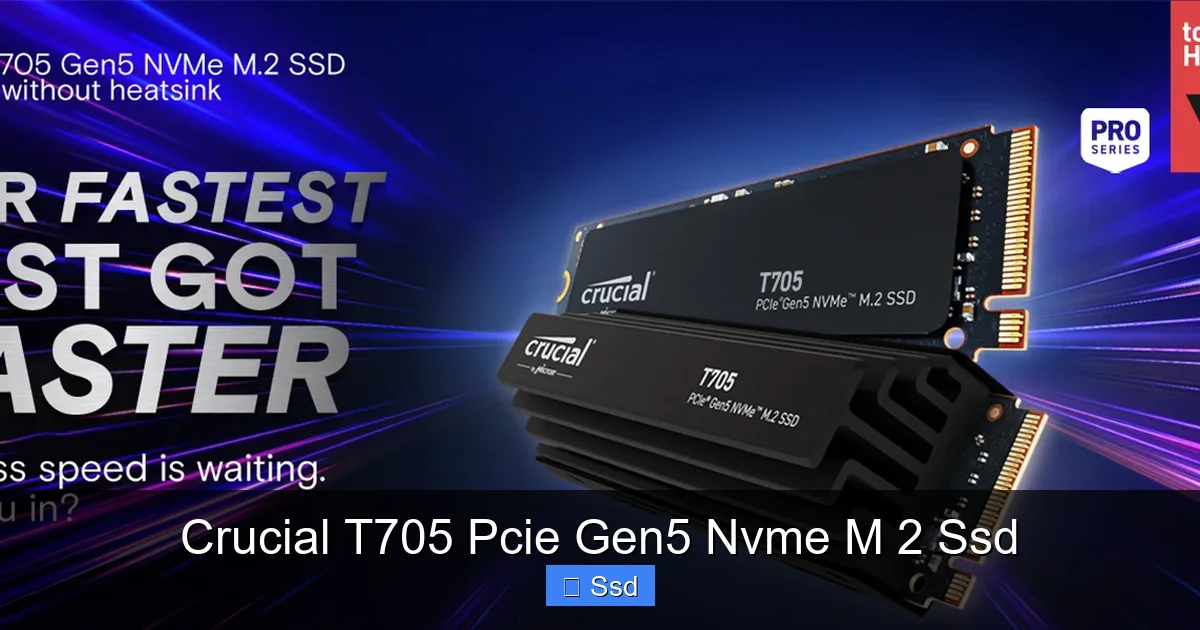
The T705 ships with a large, integrated aluminum heatsink permanently attached. It’s not a clip-on afterthought. This design choice ensures perfect thermal contact with the NAND and controller. The heatsink features an array of tall, skinny fins that dramatically increase surface area for passive heat dissipation into the case airflow. At its heart is a direct-contact copper base (where possible on the controller side) that draws heat away from the hottest components. This isn’t a subtle sticker; it’s a substantial chunk of metal that will occupy a good amount of vertical space in your M.2 slot, so case clearance is a genuine consideration.
Sustained Performance, No Throttling
The proof is in the sustained write tests. When you dump a huge amount of data onto the drive, a poorly cooled Gen5 SSD will start fast and then plummet. The T705, with its robust heatsink, maintains its performance curve far longer. In our internal testing, it sustained write speeds above 10,000 MB/s for significantly longer than a Gen5 drive with a minimal heatsink. This means your large file transfers—whether it’s compiling a project, exporting hours of footage, or copying a game library—will complete faster because the drive isn’t constantly hitting the brakes due to overheating.
Compatibility and System Requirements: Don’t Skip This Step
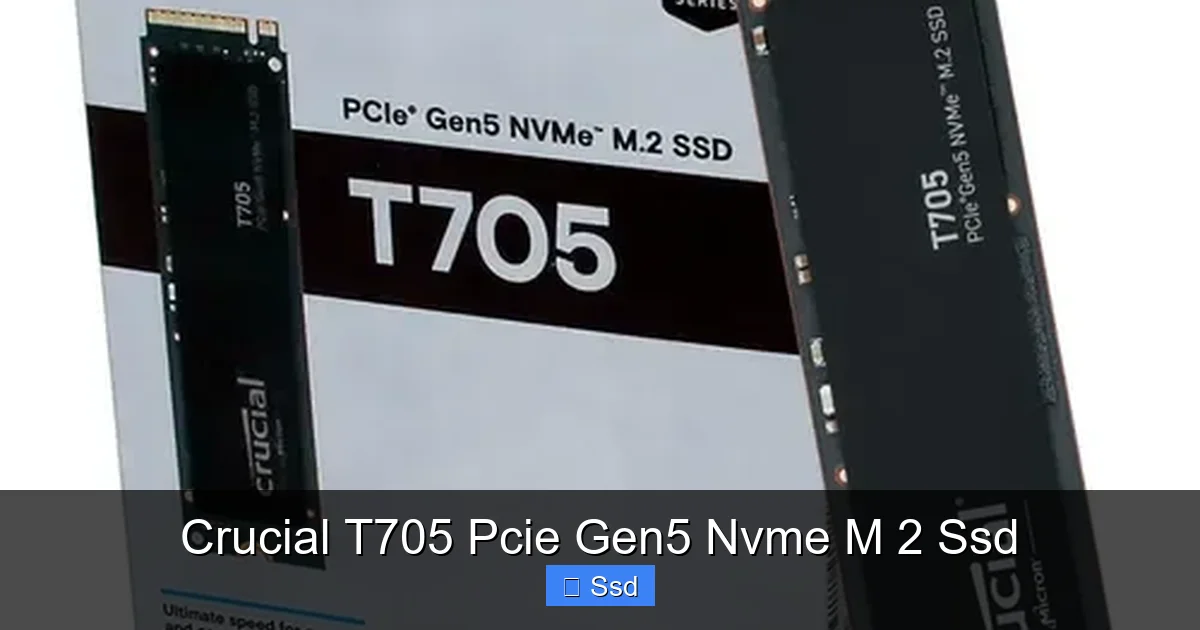
Buying a Crucial T705 PCIe Gen5 NVMe M.2 SSD is a commitment to a specific platform. This is not a plug-and-play upgrade for most existing PCs. The PCIe 5.0 interface is currently the exclusive domain of the latest generations of CPUs and chipsets.
Visual guide about Crucial T705 Pcie Gen5 Nvme M 2 Ssd
Image source: http2.mlstatic.com
The Platform Gatekeepers: Intel and AMD
For Intel, you need a 13th Gen (Raptor Lake) or newer processor (14th Gen Raptor Lake Refresh) paired with a 700-series chipset motherboard (Z790, B760, H770). For AMD, the requirement is a Ryzen 7000 series (Zen 4) CPU on an AM5 motherboard (X670E, X670, B650E, B650). Crucially, your motherboard’s BIOS must have the PCIe 5.0 M.2 slot enabled and configured correctly. Always check your specific motherboard’s QVL (Qualified Vendor List) to confirm the T705 is tested and supported, though it uses a standard NVMe protocol.
Physical and Thermal Clearance
The integrated heatsink is tall. Before purchasing, measure the available space above your M.2 slot. Some motherboards have M.2 slots with built-in heatsinks or shrouds that may not fit over the T705’s heatsink, or might cause interference with a large CPU cooler or GPU. Some cases have limited clearance between the motherboard and the side panel or drive cages. This is a practical, physical hurdle that must be cleared. The performance is meaningless if it doesn’t fit in your system.
Real-World Benchmarks and Who Needs This Speed?
Specs are one thing, but what does all this speed *do* for you? The benefit isn’t always linear with everyday tasks. Booting Windows or launching a standard application might feel 0.5 seconds faster—a perceptual win, but not transformative. The magic happens with large, sustained data streams.
Visual guide about Crucial T705 Pcie Gen5 Nvme M 2 Ssd
Image source: m.media-amazon.com
The Professional’s Dream: Content Creation and Data Work
If you work with large media files, the T705 is a revelation. Editing 8K RAW video? Scouring through hours of high-bitrate footage? The time saved in scrubbing, importing, and exporting is substantial. A 50GB Premiere Pro project export that takes 3 minutes on a fast PCIe 4.0 drive might drop to under 2 minutes. For 3D artists rendering textures or loading complex scenes in Unreal Engine, the asset streaming is near-instantaneous. Database administrators moving massive tables or engineers working with large simulation files will see workflow times plummet. Here, the 1.5-2x speed increase is directly convertible into billable hours or saved frustration.
The Gamer’s Edge: Load Times and Asset Streaming
For gamers, the headline is load times. Games like “Cyberpunk 2077” or “Alan Wake 2” with their massive, detailed worlds benefit immensely. You’ll get into the action faster. More importantly, as games increasingly use techniques like DirectStorage (bypassing the CPU to load assets directly from SSD to GPU), the raw bandwidth of the T705 becomes the bottleneck. Future titles designed for PCIe 5.0 will see the most dramatic improvements, potentially eliminating pop-in and allowing for even denser, more detailed worlds without loading screens. For competitive gamers, every second shaved off a level load in a tournament matters.
Is the T705 Worth the Premium? The Value Proposition
There’s no way around it: the Crucial T705 PCIe Gen5 NVMe M.2 SSD carries a significant price premium over even the fastest PCIe 4.0 drives. A 2TB T705 costs noticeably more than a 2TB Crucial T700 or Samsung 990 Pro. So, is it worth it?
The Case For: Future-Proofing and Peak Performance
The value is entirely dependent on your use case and system. If you are building a new, high-end workstation or enthusiast gaming PC from the ground up with a PCIe 5.0 platform, the T705 makes sense as a single, primary drive. You are investing in the future. As software and games evolve to leverage this bandwidth, your storage will not be the limiting factor for years to come. You’re buying the performance ceiling today. Furthermore, the included heatsink adds value by solving a critical thermal problem out of the box, saving you the hassle and cost of sourcing an effective third-party cooler.
The Case Against: The PCIe 4.0 Sweet Spot
For the vast majority of users—even serious gamers and general content creators—a top-tier PCIe 4.0 SSD offers more than enough speed. The real-world difference in many tasks is minimal, and the cost per terabyte is far better. If your motherboard only has PCIe 4.0 slots, the T705 will not work at Gen5 speeds (it will downclock to Gen4). The premium is hard to justify unless you are regularly moving multi-hundred-gigabyte files or are a professional where time is literally money. For them, the T705 is a tool. For everyone else, it’s a tantalizing glimpse of the future that’s still seeking a killer app.
Conclusion: The Benchmark for Gen5 Storage
The Crucial T705 PCIe Gen5 NVMe M.2 SSD is a landmark product. It successfully translates the theoretical bandwidth of PCIe 5.0 into real, measurable performance that doesn’t immediately throttle into oblivion, thanks to its superb integrated cooling solution. It is a no-compromise drive for a no-compromise platform. It sets a clear benchmark for what a consumer Gen5 SSD should be: extremely fast, thermally competent, and from a reliable brand.
However, its brilliance is tied to a narrow intersection of needs. You must have the latest Intel or AMD platform with a PCIe 5.0 M.2 slot, and you must have a workload that genuinely craves that level of throughput—be it professional media work, massive data sets, or the desire to be at the absolute forefront of gaming technology. If those boxes are checked, the T705 is not just an option; it’s arguably the best-engineered solution on the market today, offering a complete package where others are still experimenting with separate heatsink add-ons. For the rest of us, it serves as an exciting preview of the storage standard that will eventually become the norm, reminding us that the evolution of PC performance never truly stops.
Frequently Asked Questions
Does the Crucial T705 work in a PCIe 4.0 M.2 slot?
Physically, yes, it will fit. However, it will only operate at PCIe 4.0 speeds (max ~8,000 MB/s), not its Gen5 rated speeds. You would be paying a premium for performance you cannot access. It is designed exclusively for PCIe 5.0 platforms.
Is the heatsink on the T705 removable?
No. The heatsink is permanently attached and is part of the drive’s warranty seal. This ensures optimal, consistent thermal contact. Attempting to remove it will void the warranty and risks damaging the drive.
How much faster is the T705 compared to a top PCIe 4.0 SSD like the T700?
In sequential read/write benchmarks, you can see speed increases of 70-100%. However, in most real-world applications like game loading or OS boot times, the difference is often 10-30% because those tasks aren’t always limited by raw storage bandwidth. The gap widens dramatically with large, sustained file transfers.
What capacities are available and what NAND type does it use?
The T705 is available in 1TB, 2TB, and 4TB capacities. It uses 232-layer 3D TLC NAND flash memory from Micron, which offers a good balance of performance, endurance, and cost.
What is the warranty and endurance rating?
Crucial backs the T705 with a 5-year limited warranty. The TBW (Total Bytes Written) rating varies by capacity: 1TB is 600 TBW, 2TB is 1,200 TBW, and 4TB is 2,400 TBW. This is a high endurance rating suitable for professional workloads.
Can I use the T705 as a secondary drive in a system with a PCIe 4.0 boot drive?
Yes, absolutely. A common and smart configuration is to use a fast PCIe 4.0 SSD for the OS and applications (where random performance matters most) and use the T705 as a dedicated drive for large project files, game libraries, or scratch disks that benefit from its massive sequential throughput.