A SaaS environment is the entire cloud-based ecosystem where software is hosted, managed, and delivered to users over the internet on a subscription basis. Instead of installing software on individual computers, users access applications via a web browser from any device. This model shifts the responsibility of maintenance, security, and updates from the user to the service provider, offering unprecedented flexibility, scalability, and cost-efficiency for businesses of all sizes.
Key Takeaways
- Core Definition: A SaaS environment is a complete, remotely hosted software ecosystem accessed via the internet, eliminating local installation and management.
- Provider Responsibility: The SaaS vendor manages everything—servers, databases, security, updates, and infrastructure—freeing the customer from IT overhead.
- Subscription Model: Users pay a recurring fee (monthly/annual) for access, converting large capital expenses into predictable operational costs.
- Universal Access: Applications are available from any device with an internet connection and a browser, enabling true remote and hybrid work.
- Automatic Updates: New features, security patches, and improvements are deployed centrally by the provider, ensuring all users are on the latest version instantly.
- Scalability on Demand: Resources can be scaled up or down instantly based on user count or usage needs, offering unmatched flexibility compared to on-premise software.
- Multi-Tenancy: A single, shared application instance serves all customers (tenants) with isolated data, improving efficiency and reducing costs for the provider.
📑 Table of Contents
- What Exactly Is a SaaS Environment? Beyond the Buzzword
- The Anatomy of a Modern SaaS Environment: How It’s Built
- The Transformative Benefits of Operating in a SaaS Environment
- Navigating the Challenges and Considerations of a SaaS Environment
- SaaS vs. On-Premise vs. PaaS vs. IaaS: Clearing the Cloud Confusion
- The Future of the SaaS Environment: Trends Shaping Tomorrow
- Conclusion: Embracing the SaaS-Powered World
What Exactly Is a SaaS Environment? Beyond the Buzzword
You’ve heard the term “SaaS” thrown around in boardrooms, tech blogs, and startup pitches. It stands for Software as a Service. But what does that really mean in practice? When we talk about a “SaaS environment,” we’re describing the entire, interconnected digital space where this software lives and operates. Think of it not just as an application like Google Workspace or Salesforce, but as the full, managed ecosystem that delivers that application to you.
Imagine the traditional way of getting software: you’d buy a box with a CD (or download an installer), install it on your office computer or local server, and your IT team would be responsible for keeping it running, secure, and updated. A SaaS environment flips this model completely. The software doesn’t live on your machine; it lives on the provider’s powerful, remote servers (the “cloud”). You simply log in through a web browser like Chrome or Safari, and the application is there, fully functional. The “environment” encompasses the application itself, the underlying cloud infrastructure, the security protocols, the data centers, the networking, and the management platforms that make this seamless access possible. It’s a complete, outsourced IT solution for a specific software need.
The Anatomy of a Modern SaaS Environment: How It’s Built
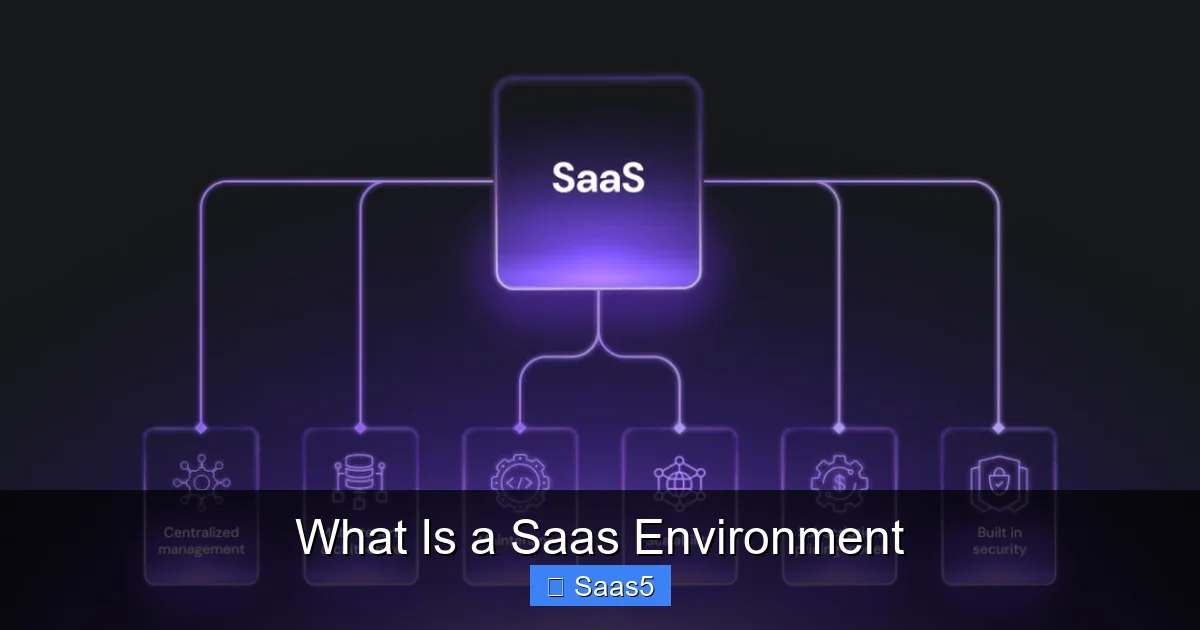
To truly grasp the concept, it helps to peek under the hood. A robust SaaS environment isn’t magic; it’s a sophisticated architecture built on several key technological pillars. Understanding these components explains why SaaS is so reliable, scalable, and different from old-school software.
Visual guide about What Is a Saas Environment
Image source: hostinger.com
The Foundation: Cloud Infrastructure (IaaS & PaaS)
At the very bottom lies the cloud infrastructure. Most SaaS providers don’t own and operate their own massive data centers from scratch. Instead, they leverage Infrastructure as a Service (IaaS) from giants like Amazon Web Services (AWS), Microsoft Azure, or Google Cloud Platform. This gives them virtualized computing power, storage, and networking on demand. On top of that, they often use Platform as a Service (PaaS) tools, which provide databases, development frameworks, and middleware, allowing their engineers to build and deploy the SaaS application faster without managing the underlying OS or servers.
The Heart: The Multi-Tenant Application Architecture
This is the defining technical characteristic of a true SaaS environment. In a multi-tenant architecture, a single instance of the software application and its underlying code serve all customers (tenants). Think of it like a large apartment building (the application) with many secured, separate apartments (each tenant’s data and configuration). Tenants share the common walls and infrastructure (the codebase, server resources), which makes the system incredibly efficient and cost-effective for the provider. Your company’s data is logically isolated and completely invisible to other tenants, ensuring privacy and security. This is opposed to a single-tenant model, where each customer gets a completely separate instance of the software, which is more customizable but far less efficient.
The Delivery Mechanism: APIs and Web Interfaces
Access is everything. The primary gateway to a SaaS environment is a user-friendly web interface. But its real power for businesses comes from Application Programming Interfaces (APIs). APIs are like a set of rules and tools that allow different software systems to talk to each other. Your SaaS application’s API lets you connect it to your other business systems—like your Customer Relationship Management (CRM), Enterprise Resource Planning (ERP), or custom internal tools. This enables automated workflows, data synchronization, and creates a unified digital ecosystem for your business.
The Transformative Benefits of Operating in a SaaS Environment
Why has SaaS become the default choice for new business software? The benefits of operating within a managed SaaS environment are profound and touch every part of an organization, from the CFO’s office to the frontline employee.
Visual guide about What Is a Saas Environment
Image source: cdn.prod.website-files.com
1. Drastic Reduction in Upfront Costs (No More Capex)
Forget the six-figure check for software licenses and the budget for new servers. The SaaS model operates on a subscription basis, meaning you pay a predictable monthly or annual fee per user. This converts a massive capital expenditure (Capex) into a manageable operational expense (Opex). You only pay for what you use, when you use it. This is a game-changer for startups and SMBs that can now access enterprise-grade tools without enterprise-grade bank accounts.
2. Unmatched Scalability and Elasticity
Need to add 50 new employees next quarter? Your sales team just doubled? In a traditional on-premise setup, you’d need to buy, install, and configure more software licenses and possibly more server hardware. In a SaaS environment, scaling is often as simple as changing your subscription plan. The provider’s infrastructure is built to handle massive scale, so adding users or data storage is instantaneous and handled on their end. This “elasticity” also works in reverse; if you downsize, you can reduce your subscription and costs immediately, without being stuck with unused assets.
3. Automatic Updates and Innovation
Remember the dread of a major software update? The weeks of planning, testing, downtime, and user retraining? In a SaaS environment, updates happen on the provider’s side, typically during off-peak hours. You wake up the next day and new features, performance improvements, and critical security patches are already there. Your team is always using the latest, most secure version of the software without lifting a finger. This means you benefit from the provider’s continuous innovation cycle, not a stagnant version you bought years ago.
4. Anywhere, Anytime Access and Enhanced Collaboration
Because the application is delivered via the web, access is device-agnostic and location-agnostic. An employee can log in from their laptop at a coffee shop, a tablet at a client site, or even a smartphone in an airport. This has been fundamental to the rise of remote and hybrid work models. Furthermore, because everyone is accessing the same central data in real-time, collaboration improves dramatically. A sales team updating a CRM record is instantly visible to marketing and support, breaking down data silos.
Navigating the Challenges and Considerations of a SaaS Environment
While the benefits are compelling, a SaaS environment is not a silver bullet. Businesses must understand and plan for its unique set of challenges and strategic considerations to avoid pitfalls.
Visual guide about What Is a Saas Environment
Image source: bettercloud.com
Vendor Lock-In and Data Portability
This is a major concern. When your critical business data and processes are deeply embedded in a SaaS application, switching providers can be difficult and costly. Data formats may be proprietary, and complex integrations might not translate to a new system. Before committing, you must scrutinize the provider’s Service Level Agreement (SLA) and data export policies. Ensure you can extract your data in a common, usable format (like CSV or JSON) if you decide to leave. Ask: “How easy is it to get my data out?”
Security and Compliance: Shared Responsibility
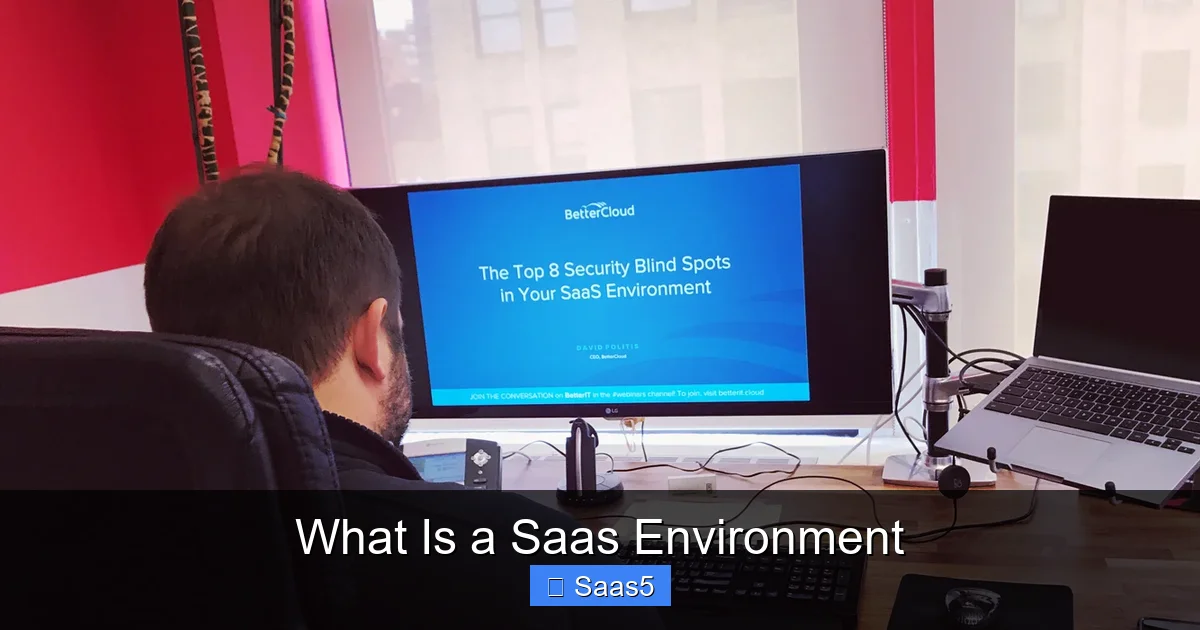
There’s a common misconception that “cloud means secure.” While reputable SaaS providers invest billions in security—often far more than any individual company could—security is a shared responsibility model. The provider secures the infrastructure and the application. You are responsible for securing your access (using strong passwords, multi-factor authentication), managing user permissions (who can see what data), and ensuring your own devices are secure. You must also verify the provider’s compliance certifications (like SOC 2, ISO 27001, GDPR, HIPAA) match your industry’s regulatory requirements.
Customization vs. Configuration Limits
SaaS applications are built for the masses. While they offer extensive configuration options (changing settings, workflows, and fields), deep code-level customization is often limited or impossible. You typically cannot modify the core software code. This is a trade-off: you get simplicity and easy upgrades (because you haven’t broken the core code), but you may not get a perfectly tailored fit for every unique business process. Businesses with very niche or complex requirements must evaluate if a SaaS tool’s configuration capabilities are sufficient or if they need a more customizable solution.
Performance and Internet Dependency
Your access to the application is 100% dependent on your internet connection and the provider’s network uptime. While major providers have excellent uptime records (often 99.9%+), outages do happen. Your business processes that rely on that SaaS tool will halt during such an outage. You need a reliable business-grade internet connection and potentially a failover plan (like a mobile hotspot) for critical operations. Latency (the time it takes for data to travel) can also be an issue if your provider’s data centers are geographically far from your users.
SaaS vs. On-Premise vs. PaaS vs. IaaS: Clearing the Cloud Confusion
The “as-a-Service” landscape can be confusing. Where does a SaaS environment fit? Let’s quickly compare it to the other main cloud models.
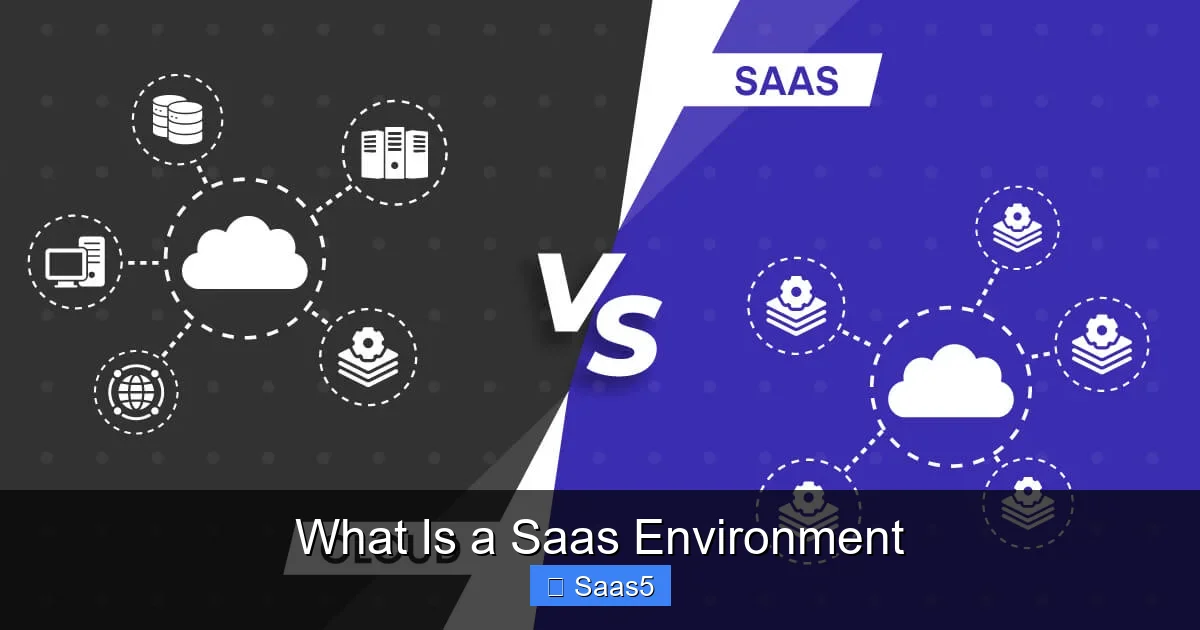
- SaaS (Software as a Service): The complete, ready-to-use application. You just use it. Examples: Google Workspace, Slack, Zoom, Salesforce. You manage: Your data, users, and settings.
- PaaS (Platform as a Service): A development platform and environment. You build and deploy your own applications on it. Examples: Heroku, Google App Engine. You manage: Your applications and data.
- IaaS (Infrastructure as a Service): Raw computing resources (virtual machines, storage, networks). You build everything above it. Examples: AWS EC2, Azure Virtual Machines. You manage: OS, middleware, runtime, applications, and data.
- On-Premise: You own and manage everything—hardware, software, security, updates—on your own premises. This is the traditional model.
A SaaS environment is the most abstracted and managed layer, offering the least control but also the least operational burden. It’s the end-user’s dream and the IT manager’s dream for reducing daily firefighting.
The Future of the SaaS Environment: Trends Shaping Tomorrow
The SaaS model continues to evolve. The future of the SaaS environment is being shaped by several powerful trends:
- AI and Embedded Intelligence: SaaS applications are increasingly embedding AI and machine learning capabilities directly into their workflows. Think of Salesforce’s Einstein, Microsoft 365’s Copilot, or Grammarly’s writing suggestions. This turns passive tools into proactive assistants, automating tasks and providing predictive insights.
- Composable Architecture and Low-Code: Businesses want to assemble their own unique software stacks from best-of-breed SaaS apps. This “composable enterprise” relies on strong APIs and integration platforms (like Zapier, MuleSoft). Coupled with low-code/no-code platforms (like Airtable, Bubble), it allows business users to build custom applications on top of the SaaS environment without needing a developer.
- Vertical SaaS: Instead of horizontal tools for everyone (like generic CRM), we’re seeing a rise in Vertical SaaS—applications built for the specific needs of a single industry (e.g., SaaS for dentistry, SaaS for construction, SaaS for agriculture). These come with pre-built industry data models, workflows, and compliance features.
- Enhanced Security and Zero Trust: As reliance on SaaS grows, so do attack surfaces. The future SaaS environment will see wider adoption of Zero Trust security models (never trust, always verify), advanced encryption, and deeper integration with corporate identity providers (like Okta, Azure AD) for seamless and secure single sign-on (SSO).
- Sustainability and Green Computing: The massive data centers powering SaaS are under pressure to reduce their carbon footprint. Providers are investing in renewable energy and more efficient hardware. For customers, choosing a green SaaS provider is becoming an ESG (Environmental, Social, and Governance) consideration.
Conclusion: Embracing the SaaS-Powered World
So, what is a SaaS environment? At its heart, it’s a fundamental shift in how we consume and manage business technology. It’s the move from buying a product to buying a service; from a static asset to a dynamic, evolving platform. It represents a transfer of the complex, costly burden of IT infrastructure and maintenance to specialized providers, allowing businesses to focus their resources, energy, and capital on their core competencies—their products, their customers, and their innovation.
The SaaS environment is not without its complexities—vendor lock-in, security diligence, and integration challenges are real. However, for the overwhelming majority of businesses, the benefits of cost efficiency, relentless innovation, universal access, and elastic scalability far outweigh the risks when approached with eyes wide open. It has democratized access to powerful software, fueled the startup economy, and enabled the agile, remote-first way we work today. As AI, composability, and vertical specialization deepen, the SaaS environment will only become more intelligent, interconnected, and indispensable. Understanding this ecosystem is no longer just for IT professionals; it’s a fundamental business literacy for anyone navigating the modern digital economy.
Frequently Asked Questions
Is a SaaS environment secure enough for my business data?
Reputable SaaS providers invest heavily in enterprise-grade security, often exceeding what individual companies can implement. However, security is a shared responsibility. You must use strong passwords, enable multi-factor authentication, manage user access carefully, and ensure your own devices are secure. Always verify the provider’s compliance certifications (like SOC 2, ISO 27001) align with your industry’s regulations.
Can I customize a SaaS application to fit my unique business processes?
Customization in SaaS is typically limited to configuration—changing settings, workflows, and fields within the application’s framework. Deep, code-level modifications are usually not possible to preserve the integrity of the shared, multi-tenant architecture and ensure smooth automatic updates. For highly specialized needs, you may need to look for a vertical SaaS solution or explore integrating multiple best-of-breed SaaS tools via APIs.
What happens if the SaaS provider has an outage or goes out of business?
Outages are rare but possible with any internet-dependent service. Check the provider’s Service Level Agreement (SLA) for guaranteed uptime and compensation credits. If a provider goes out of business, a key concern is data access. A trustworthy provider will have a data exit plan, allowing you to export your data in a standard format. Always understand your data portability rights before signing a contract.
How does pricing work in a SaaS environment?
SaaS pricing is almost always subscription-based, charged per user per month (or annually, often at a discount). Plans are usually tiered (Basic, Pro, Enterprise) with increasing features, storage, and support. Some may charge based on usage metrics (e.g., API calls, data volume). This converts large upfront costs into predictable, operational expenses that scale with your business.
What is the difference between SaaS and cloud computing?
“Cloud computing” is the broad umbrella term for delivering computing services (servers, storage, databases, networking, software) over the internet. SaaS is a subset of cloud computing. Specifically, it’s the layer where fully functional software applications are delivered. Other subsets include IaaS (raw infrastructure) and PaaS (development platforms). All SaaS is cloud-based, but not all cloud computing is SaaS.
Can I integrate a SaaS application with my other business systems?
Yes, integration is a key strength of modern SaaS environments. Most offer open APIs (Application Programming Interfaces) that allow them to connect with other SaaS tools (like connecting a CRM to an email marketing tool) and on-premise legacy systems. You can use native integrations, third-party platforms like Zapier or Make, or custom development to create automated workflows and a unified data ecosystem across your business.