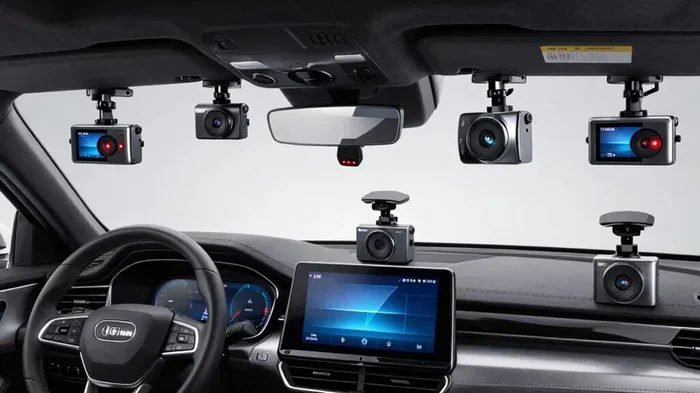
Are Driver Facing Cameras Legal
Are driver facing cameras legal? The answer depends on where you drive and who owns the vehicle. Most states allow them, but privacy laws and consent rules vary. This guide breaks down the legal landscape so you can make smart choices.
Are driver facing cameras legal? This question pops up everywhere, from trucking fleets to daily commuters. People want better safety, clearer insurance claims, and honest driving records. At the same time, they worry about privacy, consent, and workplace rules. The good news is that most places allow these cameras. The tricky part is understanding the details. Laws change by state, by vehicle type, and by how the footage is used.
If you are thinking about installing an inward-facing camera, you need clear answers. You also need to know where video ends and audio begins. You should understand company policies, data storage, and driver consent. This guide walks you through the legal landscape in plain language. You will learn what is allowed, what requires notice, and how to stay on the right side of the rules.
Key Takeaways
- Federal law does not ban driver-facing cameras. State and local rules fill the gap.
- Consent matters. Some states require notice or permission for video recording.
- Company policies override personal preferences. Fleet owners can require cameras for safety and insurance.
- Audio recording has stricter rules. Many states treat sound differently than video.
- Privacy expectations change by location. Commercial trucks, personal cars, and work vehicles face different standards.
- Data handling is key. How footage is stored and shared affects legality and trust.
- Check local laws before installing. Rules shift by state, city, and vehicle type.
📑 Table of Contents
Are Driver Facing Cameras Legal Under Federal Law
There is no single federal law that bans driver-facing cameras. The federal government leaves most privacy and recording rules to the states. That means the baseline is simple. In many places, you can install a camera that points at the driver. You just need to follow state law, company policy, and basic privacy norms.
Federal rules do touch transportation safety. Trucking companies use inward-facing cameras for training and accident review. These systems often pair with event data recorders. The goal is safer driving, not spying. Still, federal guidance does not erase state privacy laws. You still need to check local rules before you mount a lens.
What Federal Rules Do Not Cover
Federal law does not set a national consent standard for video in vehicles. It also does not decide how long a company can keep footage. Those choices usually sit with state law and internal policy. If you want a smooth setup, read the fine print in your state and your employee handbook.
Why Safety Drives Adoption
Safety is the main reason fleets adopt driver-facing systems. A camera can show fatigue, distraction, and harsh braking. It can also clear up false claims after a crash. Many insurers like documented events. That incentive pushes more vehicles to add inward-facing lenses every year.
State Privacy Laws and Consent Rules
This is where things get specific. Some states care a lot about recording people without clear notice. Others are more relaxed about video in work vehicles. A few states treat audio and video differently. Audio often faces stricter consent rules than video. If your camera records sound, you need to check those rules carefully.
A good starting point is to ask two questions. First, does the state require notice for video recording? Second, does the state require consent for audio? If the answer to either is yes, you need a sign, a policy, or a setting that turns off sound. When in doubt, choose clear notice and written consent. That approach builds trust and reduces risk.
Video Versus Audio
Video usually gets more flexibility than audio. Many people accept a camera that watches the driver area. They may not accept a microphone that captures private conversations. If your device records both, separate the settings if possible. Turn off audio unless you have a clear legal and policy reason to keep it on.
Notice and Consent Best Practices
Clear notice works well in almost every setting. A simple sticker, a policy memo, or an onboarding briefing can help. Written consent is even better for work vehicles. Drivers should know what the camera sees, what it saves, and who can view it. Transparency lowers pushback and keeps things legal.
If you want a broader view of how recording rules vary by location, you can read about related topics such as are red light cameras legal in New Jersey and are dash cameras legal in New York. Those articles show how local rules shape camera use in different settings.
Commercial Fleets, Trucking, and Company Policy
Work vehicles follow a different playbook. Employers often install driver-facing cameras to improve training and reduce risk. They may use the footage for coaching, not punishment. That distinction matters. A coaching culture gets better results than a blame culture. Drivers are more likely to accept cameras when they see real safety benefits.
Fleet managers also care about insurance and liability. A clear video record can protect the driver and the company. It can show what happened before a near miss or crash. It can also reveal patterns like phone use, yawning, or harsh steering. Those insights help teams fix problems early.
Common Fleet Use Cases
- Safety coaching: Review risky habits and celebrate good driving.
- Incident review: Check the moments before a collision or sudden stop.
- Training: Use real examples in driver education sessions.
- Insurance support: Provide documented events during claims.
- Compliance: Pair cameras with logbooks and other safety tools.
Policy Tips for Employers
Write a simple, clear policy. Say what the camera records, when it records, and who can view footage. Explain how long you keep files. State whether audio is on or off. Describe how the footage supports safety, not harassment. When drivers understand the purpose, adoption gets easier.
Some organizations also look at integrated safety systems. For example, you may explore how Detroit Assurance driver facing camera setups fit into broader fleet safety tools. You can also review discussions about inward facing cameras in trucks to understand common installation choices.
Personal Vehicles and Owner Consent
Personal cars sit in a different zone. If you own the vehicle, you usually control the camera. You can point it inward for your own records. You can use it for insurance, family safety, or trip review. The main limits still come from state privacy and audio rules. If you lend the car often, tell borrowers about the camera. That keeps relationships smooth.
Rentals and car shares add another layer. Those companies set their own rules. Some use cameras for safety and fraud prevention. Others avoid them to protect customer comfort. If you rent often, check the terms before you drive off. If you run a car share, write a clear policy and post notice where drivers can see it.
Family and Shared Use
Families sometimes add driver-facing cameras for new drivers. A teen seat area camera can encourage focus and reduce risk. It can also help parents coach without hovering. The key is honest conversation. Tell everyone in the house what the camera does and why it is there. That simple step prevents surprises.
Borrowed Cars and House Rules
If friends or relatives borrow your car, a quick heads-up helps. You do not need a long speech. A short note on the key ring or a line in the glove box works. People appreciate clarity. They also drive more comfortably when they know the rules.
Audio Recording, Storage, and Data Privacy
Audio is the sensitive part. Video shows movement. Audio captures words. Many states regulate sound recording more tightly than video. Some require one-party consent. Others require all-party consent. If your camera records audio, you must know which rule applies where you drive.
Storage matters too. Footage should live in a secure place with limited access. Set clear retention periods. Keep files only as long as you need them. Delete old clips on a schedule. These habits reduce privacy risk and make your system easier to manage.
Secure Storage Basics
- Limit access: Only authorized people should view footage.
- Encrypt files: Protect data in transit and at rest.
- Set retention rules: Delete clips after a set period unless needed for an incident.
- Log access: Track who viewed what and when.
- Separate personal data: Avoid mixing driver footage with unrelated personal information.
Why Data Handling Affects Legality
Good data habits support legal compliance. They also protect trust. If a driver or passenger worries about random sharing, they will resist the system. If they know footage is secure and short-lived, they relax. A careful policy is often as important as the camera itself.
You can also learn from related privacy discussions, such as is it legal to have cameras in patient rooms and are daycares required to have cameras. Those topics show how notice, consent, and purpose shape camera rules in sensitive spaces.
Common Concerns, Myths, and Practical Tips
People often fear constant surveillance. In practice, most systems do not stream live video to a boss all day. They record events or short clips. Many use triggers like hard braking, collisions, or manual buttons. That design limits exposure and focuses on safety moments. Understanding the trigger logic helps drivers feel more comfortable.
Another myth is that any camera automatically violates privacy. That is not true in most vehicle settings. Context matters. A work truck with clear notice is different from a hidden lens in a private space. Purpose matters too. Safety, training, and incident review are common and accepted reasons.
Quick Tips
- Start with a clear purpose. Safety and training work better than vague monitoring.
- Use visible cameras. Hidden setups create distrust and legal risk.
- Separate audio unless needed. Video alone often meets safety goals.
- Post notice. Signs and policies reduce confusion.
- Train users. Show drivers how triggers work and what gets saved.
- Review footage fairly. Use clips for coaching, not public shaming.
Common Mistakes
- Ignoring audio laws. Sound rules can be stricter than video rules.
- Vague policies. Unclear rules create pushback and confusion.
- Over-retention. Keeping footage too long increases risk.
- Secret setups. Hidden cameras damage trust and may break rules.
- One-size-fits-all. Personal cars, fleets, and rentals need different approaches.
Expert Insights
Experts usually suggest a balanced approach. Pick a system that records what you need and nothing more. Keep the setup visible. Explain the why behind the camera. Use footage to improve behavior, not to punish every mistake. That mindset turns a camera into a safety tool instead of a conflict source.
If you are comparing systems, think about triggers, storage, and access control. A good setup matches your goal. A simple collision-based recorder differs from a full-time inward feed. Choose the level of detail that fits your need. More recording is not always better. Better recording is better.
You may also want to compare inward and outward views. For example, some fleets pair driver-facing lenses with outside views to understand the full event. If you are curious about external traffic cameras and how they fit into road safety, you can read what are the cameras on traffic lights for and what are the cameras on top of traffic lights. These resources show how different cameras serve different purposes.
Key Takeaways
Key Takeaways
- Know your state rules. Video and audio laws vary widely.
- Use clear notice. Visible cameras and written policies build trust.
- Separate audio unless necessary. Sound often needs extra care.
- Match the system to the goal. Safety coaching works better than constant monitoring.
- Protect stored footage. Limit access, encrypt files, and set retention rules.
- Tailor the approach. Personal cars, fleets, and rentals need different policies.
- Keep the purpose positive. Frame cameras as safety tools, not punishment devices.
So, are driver facing cameras legal in most places? Usually yes, with important conditions. Video is often allowed when the purpose is clear and notice is given. Audio needs more caution. Company vehicles add policy layers. Personal vehicles add consent and relationship considerations. If you check state law, write a clear policy, and handle data carefully, you can use these cameras responsibly.
The best path is simple. Define your goal. Pick the right system. Tell people what to expect. Store footage securely. Review it fairly. That approach keeps you compliant, improves safety, and reduces friction. When drivers understand the purpose, the camera becomes a partner in better driving, not a source of stress.
Frequently Asked Questions
Are driver facing cameras legal in every state?
Most states allow them, but local privacy and recording laws vary. Some states require notice or restrict audio. Always check the rules where you drive before installing one.
Can my employer require a driver-facing camera in my work vehicle?
Usually yes, especially if the vehicle belongs to the company. Employers often set safety policies that include cameras. Clear notice and a written policy make the requirement easier to accept.
Do driver-facing cameras record sound?
Some do, but many systems let you turn audio off. Sound recording can trigger stricter consent rules than video. If you do not need audio, disabling it reduces legal risk.
Do I need consent to record the driver in a personal car?
If you own the car and the camera is for your own use, you usually have broad flexibility. State privacy and audio laws still apply. Tell regular borrowers about the camera to keep things smooth.
How long can a company keep driver-facing footage?
That depends on company policy and local law. Many organizations keep clips only as long as needed for safety review or claims. Shorter retention usually lowers privacy risk.
What is the safest way to install a driver-facing camera?
Use a visible camera, post clear notice, and explain the purpose. Turn off audio unless you have a strong reason to keep it on. Store footage securely and limit who can view it.