16 Gb Ram Laptop for Gaming
A 16 GB RAM laptop for gaming delivers the perfect balance of speed, multitasking power, and affordability. With 16 GB of system memory, you can run modern games at high settings while streaming or browsing without lag. This guide covers why 16 GB is ideal, how it boosts performance, and what to look for when buying.
Let’s talk about something that really matters if you love playing games on a laptop: 16 GB RAM. When you are in the middle of a intense battle or exploring a huge open world, the last thing you want is your game to stutter or freeze. That is where the right amount of memory comes in. A 16 GB RAM laptop for gaming gives you the power to run today’s demanding titles without a hitch. It also lets you keep Discord, Spotify, and a browser open in the background while you play.
In this guide, we will walk through everything you need to know about 16 GB of RAM for a gaming laptop. We will cover why it is the best choice, how it affects your gameplay, and what to look for when you shop. Whether you are a casual player or a hardcore gamer, this guide has you covered.
Key Takeaways
- 16 GB RAM hits the sweet spot: It handles modern games and multitasking without breaking the bank.
- Dual channel memory matters: Pairing RAM sticks improves speed and frame rates in demanding games.
- 16 GB outperforms 8 GB significantly: You get smoother gameplay and faster load times.
- DDR4 and DDR5 both work well: DDR5 offers future-proof speed, but DDR4 still delivers great gaming performance.
- Check laptop deals regularly: Prices fluctuate, and you can find excellent 16 GB RAM laptop deals year-round.
- Upgrading is often possible: Many laptops let you add more RAM later if your needs grow.
📑 Table of Contents
Why 16 GB RAM Is the Sweet Spot for Gaming
When it comes to gaming laptops, memory plays a huge role. Too little RAM, and your games will struggle. Too much, and you waste money. 16 GB of RAM sits right in the middle, offering the best value for most gamers. Here is why it works so well.
Modern Games Demand More Memory
Today’s video games are not like they were five years ago. Games like Cyberpunk 2077, Hogwarts Legacy, and Alan Wake 2 use a lot of system memory. These titles list 16 GB as the recommended requirement. If you try running them on 8 GB, you will face stuttering, long loading screens, and even crashes. With 16 GB, your gaming laptop has enough headroom to load textures, assets, and world data quickly and smoothly.
Multitasking Without the Lag
Gaming is not just about the game itself. Most of us run other apps while we play. You might have Discord open for voice chat, Spotify streaming music, a web browser with walkthroughs, and maybe even OBS for recording your gameplay. All of these apps use memory. With 16 GB of system memory, you can run all of them at once without your game dropping frames. This makes for a much more enjoyable experience overall.
Affordability Meets Performance
One of the biggest reasons 16 GB RAM is so popular is the price. Laptops with 16 GB of memory are now very affordable. You do not need to spend a fortune to get a machine that can handle modern games. In fact, many budget gaming laptops come with 16 GB of RAM already installed. This makes it the most practical choice for most people.
How 16 GB RAM Boosts Your Gaming Performance
Understanding how memory affects your gameplay helps you appreciate why 16 GB is so important. Let us break down the key areas where 16 GB of RAM makes a real difference.
Faster Load Times
More RAM means your laptop can store more game data in memory instead of pulling it from the storage drive. This leads to faster load times when you start a game or move between areas. You spend less time staring at loading screens and more time playing.
Smoother Frame Rates
While your graphics card handles rendering, your RAM feeds it the data it needs. If your memory is too low, the data flow gets bottlenecked. With 16 GB of RAM, data moves quickly to your GPU, which helps keep your frame rate stable. This is especially noticeable in open-world games with large environments.
Better Multitasking During Gameplay
As we mentioned earlier, running multiple apps while gaming is common. 16 GB of system memory gives you plenty of room for this. You can stream, chat, browse, and game all at once. This is a huge advantage if you like to share your gameplay or stay connected with friends while you play.
Future-Proofing Your Setup
Games keep getting bigger and more demanding. Buying a laptop with 16 GB of RAM today means it will still perform well for years to come. You are making a smart long-term investment in your gaming setup.
16 GB RAM vs Other RAM Sizes for Gaming
Not sure if 16 GB is right for you? Let us compare it to other common options so you can make an informed choice.
| RAM Size | Gaming Performance | Multitasking | Price Range | Best For |
|---|---|---|---|---|
| 8 GB | Low to medium settings | Limited | Lowest | Casual gaming, older titles |
| 16 GB | High settings, smooth gameplay | Excellent | Mid-range | Most gamers, modern titles |
| 32 GB | Ultra settings, future-proof | Outstanding | Higher | Hardcore gamers, content creators |
| 64 GB | Overkill for gaming | Extreme | Very high | Video editing, 3D rendering |
As you can see, 16 GB of RAM offers the best balance. It gives you excellent gaming performance at a reasonable price. If you are a content creator or work with heavy applications, you might want to look at 32 GB options. But for pure gaming, 16 GB is the way to go.
If you are curious about how much RAM you actually need, check out our guide on what is a good RAM size for a laptop to help you decide.
Best 16 GB RAM Gaming Laptops to Consider
Now that you know why 16 GB RAM is the right choice, let us look at some popular options. There are many great laptops on the market that come with 16 GB of memory built in.
Lenovo Legion Series
Lenovo Legion laptops are well known for their strong performance and good value. Many models in the Legion lineup come with 16 GB of DDR4 or DDR5 RAM. They also feature powerful processors and dedicated graphics cards, making them a solid choice for gamers on any budget.
HP Omen Series
The HP Omen line offers sleek designs and powerful internals. Several models ship with 16 GB of RAM and include features like high refresh rate displays, which make your games look and feel smoother. If you want a stylish laptop that also performs well, the Omen series is worth a look.
Acer Aspire 5 with 16 GB RAM
If you are on a tighter budget, the Acer Aspire 5 is a popular pick. It offers 16 GB of RAM at a very competitive price. While it may not have the flashiest design, it delivers solid gaming performance for the cost. Many users praise this laptop for its value and reliability.
Want to find the best prices? Check out our 16 GB RAM laptop deals page for the latest offers and discounts.
What to Look for When Buying
When shopping for a 16 GB RAM gaming laptop, keep these things in mind:
- RAM type: DDR4 is common and affordable. DDR5 is faster and more future-proof but may cost a bit more.
- Dual channel setup: Two 8 GB sticks work better than one 16 GB stick. Dual channel memory improves performance in games.
- Upgradeability: Check if the laptop lets you add more RAM later. Some models have open slots, while others have soldered memory.
- Processor and GPU pairing: 16 GB of RAM works best when paired with a strong CPU and GPU. Make sure the rest of the laptop can keep up.
Tips for Getting the Most Out of Your 16 GB RAM Laptop
Buying a laptop with 16 GB of RAM is only half the battle. Here are some tips to make sure you get the best performance possible.
Keep Your Drivers Updated
Graphics card drivers and chipset drivers get regular updates. These updates often include performance improvements for new games. Make it a habit to check for updates before you play a new title.
Close Unnecessary Background Apps
Even with 16 GB of memory, running too many background apps can slow things down. Close programs you are not using while gaming. This frees up memory and helps your laptop focus on the game.
Enable XMP or DOCP Profiles
If your laptop supports it, enabling XMP (Intel) or DOCP (AMD) profiles in the BIOS can boost your RAM speed. This simple step can improve frame rates and reduce stuttering in some games.
Use a Fast Storage Drive
RAM works hand in hand with your storage drive. An SSD loads game data much faster than an HDD. Pairing 16 GB of RAM with a fast SSD gives you the best overall performance.
Monitor Your Memory Usage
Keep an eye on how much memory your system is using. You can check this in Task Manager on Windows. If you are regularly using more than 12 GB while gaming, you might benefit from upgrading to 32 GB in the future.
Common Mistakes to Avoid When Choosing a Gaming Laptop
Buying a gaming laptop can be tricky. Here are some common mistakes people make, and how to avoid them.
Mistake 1: Focusing only on the GPU. Many buyers put all their attention on the graphics card and forget about RAM. But system memory is just as important for smooth gameplay. Always check that your laptop has at least 16 GB of RAM.
Mistake 2: Ignoring the RAM speed. Not all 16 GB RAM is the same. Faster RAM speeds can improve performance, especially in games that are CPU-bound. Look for laptops with RAM speeds of 3200 MHz or higher.
Mistake 3: Buying a laptop that cannot be upgraded. Some laptops have all their RAM soldered to the motherboard. If you buy one of these and later need more memory, you cannot upgrade. Always check if the laptop has upgradeable RAM slots.
Mistake 4: Overlooking the display. A great GPU and plenty of RAM mean nothing if your display cannot keep up. Look for a laptop with a high refresh rate screen, ideally 120 Hz or higher, to match your gaming performance.
Final Thoughts
A 16 GB RAM laptop for gaming is hands down one of the best investments you can make as a gamer. It gives you the performance you need for modern titles, the multitasking ability to run other apps while you play, and the future-proofing to keep up with upcoming games. At this point in time, 16 GB is the gold standard for gaming laptops, and it shows no signs of slowing down.
Whether you are picking up a Lenovo Legion, an HP Omen, or an Acer Aspire 5 with 16 GB of RAM, you are making a smart choice. Just remember to look for dual channel memory, a fast SSD, and a powerful processor to get the most out of your setup.
Ready to shop? Visit our 16 GB RAM gaming laptop page to explore the latest options and find the perfect laptop for your needs. Happy gaming!
Frequently Asked Questions
Is 16 GB RAM enough for gaming in 2024?
Yes, absolutely. 16 GB of RAM is the recommended amount for most modern games in 2024. It handles high settings and smooth multitasking without any issues. Only very demanding titles or heavy multitasking might push you toward 32 GB.
Can I upgrade my laptop RAM to 16 GB?
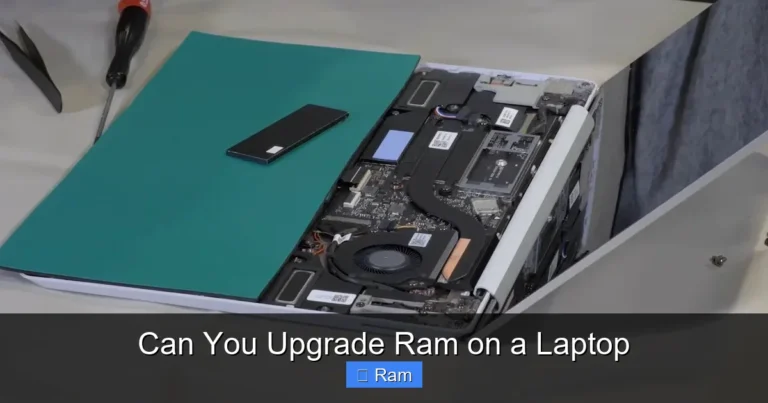
Many laptops allow RAM upgrades. Check if your laptop has an open RAM slot or if the current memory is removable. If it does, you can add an 8 GB or 16 GB stick to reach 16 GB total. Some slim laptops have soldered RAM, which cannot be upgraded.
Does RAM speed matter for gaming?
Yes, RAM speed can affect gaming performance, especially in CPU-heavy games. Faster RAM speeds like 3200 MHz or 3600 MHz can improve frame rates slightly. However, the difference is usually small compared to the jump from 8 GB to 16 GB of memory.
What is the difference between DDR4 and DDR5 RAM for gaming?
DDR5 is the newer standard and offers higher speeds and better efficiency. DDR4 is still very capable and more affordable. For gaming, both work well. If you want future-proofing, look for a laptop with DDR5 RAM. If you want value, DDR4 is a great choice.
Do I need 16 GB RAM if I only play casual games?
If you mainly play casual or older games, 8 GB might be enough. But if you want to play modern titles, stream, or run other apps while gaming, 16 GB of RAM is a much better choice. It gives you room to grow and ensures a smoother experience.
Can I use a 16 GB RAM laptop for things other than gaming?
Absolutely. 16 GB of system memory is great for work, school, video editing, photo editing, and more. It handles multitasking with ease and makes your laptop feel fast for almost any task you throw at it.