8 Gb Ram Windows Laptop
An 8 gb ram windows laptop strikes the perfect balance between performance and affordability for most users. Whether you browse, stream, work from home, or play casual games, 8 gb ram delivers smooth multitasking without breaking the bank. This guide breaks down everything you need to know about choosing the right 8 gb ram windows laptop for your needs.
An 8 gb ram windows laptop remains one of the most popular choices for students, professionals, and casual users alike. It offers enough memory to handle web browsing, office applications, video streaming, and even light gaming without breaking the bank. If you have been searching for a reliable machine that balances price and performance, you are in the right place.
In this guide, we will walk you through everything you need to know about 8 gb ram laptops running Windows. We will cover what makes a good choice, which brands to consider, and how to avoid common pitfalls. By the end, you will feel confident making your decision.
Key Takeaways
- 8 GB RAM is the sweet spot: It handles everyday tasks, light gaming, and productivity work with ease.
- Windows 11 runs well on 8 GB: Microsoft’s latest OS is optimized for this amount of memory.
- Budget-friendly options exist: You can find solid 8 GB laptops without spending a fortune.
- Upgrade potential matters: Some laptops let you add more RAM later for future-proofing.
- DDR4 vs DDR5 makes a difference: Newer RAM types offer better speed and efficiency.
- Check the full spec: RAM alone doesn’t define performance — processor and storage matter too.
📑 Table of Contents
- Why 8 GB RAM Still Matters for Windows Laptops
- Top Features to Look for in an 8 GB RAM Windows Laptop
- Best 8 GB RAM Windows Laptops to Consider
- 8 GB RAM vs Other Configurations: How Do They Compare?
- Windows 11 and 8 GB RAM: What to Expect
- Common Mistakes to Avoid When Buying an 8 GB RAM Laptop
- Quick Tips for Getting the Most Out of Your 8 GB RAM Laptop
- Final Thoughts: Is an 8 GB RAM Windows Laptop Right for You?
Why 8 GB RAM Still Matters for Windows Laptops
Memory is the backbone of any laptop’s performance. 8 GB RAM has been the standard for years, and for good reason. It gives your system enough room to run multiple apps at once without slowing down. Windows 11, the current operating system from Microsoft, is designed to work efficiently with this amount of memory.
Think of RAM as your laptop’s short-term memory. When you open a browser with ten tabs, a Word document, and Spotify playing in the background, your laptop relies on RAM to keep everything running smoothly. With only 4 GB, things start to lag. With 8 GB, you barely notice any slowdown.
Many people wonder whether 8 GB is still enough in 2024. The answer depends on what you do. For office work, studying, streaming, and casual use, 8 GB is more than sufficient. If you edit 4K video or run heavy 3D modeling software, you might want to look at 16 GB options instead.
Who Benefits Most from 8 GB RAM?
- Students: Taking notes, writing papers, and researching online all run smoothly.
- Remote workers: Video calls, email, and cloud apps perform well with 8 GB.
- Casual gamers: Titles like Minecraft, Among Us, and indie games run great.
- Media consumers: Streaming Netflix, YouTube, and Spotify is effortless.
- Budget buyers: You get solid performance without overspending.
Top Features to Look for in an 8 GB RAM Windows Laptop
Not all laptops with 8 gb ram are created equal. Several other components work together to determine overall performance. Here is what you should pay attention to when shopping.
Processor (CPU)
The processor is the brain of your laptop. Pairing 8 GB RAM with a strong CPU makes a huge difference. Intel Core i5 and AMD Ryzen 5 processors are excellent choices for most users. If you find a laptop with an Intel Core i3 or AMD Ryzen 3, it will still work but may feel slower during heavy tasks.
Storage Type and Capacity
Storage affects how fast your laptop boots up and loads apps. SSD (Solid State Drive) is a must-have. Avoid laptops that only offer HDD storage. A 256 GB SSD is the minimum you should consider. For more space, look for 512 GB or 1 TB options. Some laptops combine a small SSD with a larger HDD, which can work but is not ideal.
Display Quality
A good display makes everything more enjoyable. Look for at least a 1080p (Full HD) screen. If you plan to watch movies or work on creative projects, an IPS panel offers better viewing angles and color accuracy. Touchscreen options are nice but not essential for everyone.
Battery Life
Nobody wants a laptop that dies after two hours. Aim for at least 6-8 hours of real-world battery life. Brands like Lenovo, HP, and Acer often offer solid battery performance in their budget and mid-range lines.
Best 8 GB RAM Windows Laptops to Consider
The market is full of options, which can make choosing difficult. Below are some of the best categories and brands that offer reliable 8 gb ram windows laptop models.
HP Laptops with 8 GB RAM
HP has long been a trusted name in the laptop world. Their HP laptop windows 11 8 gb ram models are popular for a reason. The HP Pavilion and HP Victus lines offer solid build quality, good displays, and reliable performance. These machines are great for students and office workers who need a dependable daily driver.
One major advantage of HP laptops is their customer support. If something goes wrong, you can easily reach their service centers. Many models also come with backlit keyboards, which is a nice touch for late-night work sessions.
Acer Aspire Series
The Acer Aspire line is known for offering great value. You can often find 8 gb ram models in the Aspire 5 series at very competitive prices. These laptops come with AMD Ryzen or Intel processors, SSD storage, and decent displays. They are perfect for anyone who wants a no-fuss machine that gets the job done.
If you are on a tight budget, the Acer Aspire 5 is one of the first names that comes up in the 8gb ram laptop windows 11 search results. And for good reason — it consistently delivers solid performance at a low price point.
Lenovo IdeaPad and ThinkPad Lines
Lenovo offers two very different laptop lines. The IdeaPad series targets budget and mainstream users, while the ThinkPad line is built for business professionals. Both offer 8 gb ram options that run Windows smoothly. ThinkPads are especially known for their durable keyboards and excellent build quality.
8 GB RAM vs Other Configurations: How Do They Compare?
Understanding how 8 GB stacks up against other memory configurations helps you make a smarter purchase. Here is a quick comparison.
| RAM Amount | Best For | Price Range | Multitasking |
|---|---|---|---|
| 4 GB | Basic browsing, light tasks | Very low | Limited |
| 8 GB | Everyday use, office work, casual gaming | Affordable | Good |
| 16 GB | Gaming, video editing, heavy multitasking | Moderate | Excellent |
| 32 GB | Professional workstations, 3D rendering | High | Outstanding |
As you can see, 8 GB RAM covers the widest range of use cases. Most people will never need more than 8 GB for their daily tasks. If you are a student or a working professional, this is the configuration that gives you the best bang for your buck.
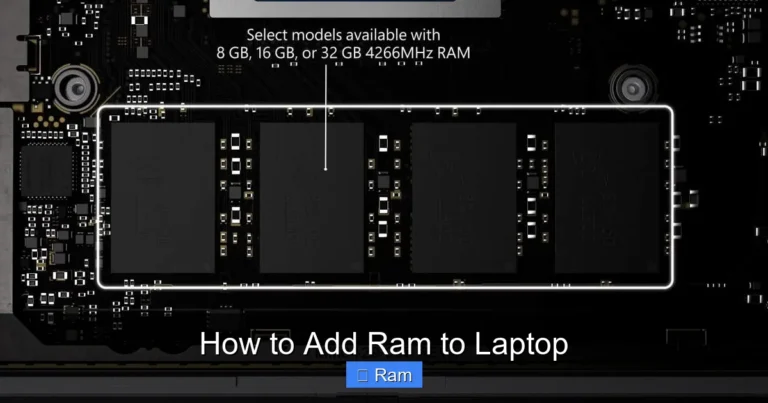
Upgrading later is also an option on many laptops. Some models have an extra RAM slot so you can add another 8 GB stick down the road. This makes 8 gb ram a smart starting point that grows with your needs.
Can You Upgrade 8 GB RAM Later?
Yes, on many laptops. However, some modern ultrabooks have soldered RAM that cannot be upgraded. Before buying, check the specifications or the manufacturer’s website to confirm whether the RAM is upgradeable. This small step can save you money and headaches later.
Windows 11 and 8 GB RAM: What to Expect
Microsoft’s Windows 11 has specific system requirements, and 8 GB RAM meets them comfortably. The operating system uses about 3-4 GB of memory at idle, leaving plenty of room for your apps. You will experience smooth animations, fast boot times, and responsive performance.
One thing to keep in mind is that Windows 11 receives regular updates. These updates sometimes increase memory usage over time. With 8 GB, you should still be fine, but if you notice slowdowns after a major update, closing unused apps can help.
Windows 11 also introduces features like Snap Layouts and Widgets, which rely on having enough memory to run smoothly. With 8 GB RAM, these features work without any issues for most users.
Common Mistakes to Avoid When Buying an 8 GB RAM Laptop
Shopping for a laptop can be tricky, especially with so many options available. Here are some mistakes you should avoid.
Ignoring the Storage Type
Some sellers focus on RAM and forget to mention the storage type. Always confirm that the laptop has an SSD. A laptop with 8 GB RAM but an HDD will feel sluggish no matter how much memory it has.
Overlooking the Processor
RAM is only one piece of the puzzle. A weak processor paired with 8 GB RAM will still result in a slow experience. Always check the CPU before making a decision.
Falling for Fake “Upgrades”
Some sellers advertise laptops with “8 GB RAM” but actually have 4 GB soldered plus a 4 GB swap file. This is not the same as having a true 8 GB configuration. Read the fine print carefully.
Skipping the Battery Check
A powerful laptop with great RAM means nothing if the battery dies in an hour. Always check real-world battery reviews before buying.
Quick Tips for Getting the Most Out of Your 8 GB RAM Laptop
- Close unused apps: This frees up memory for the apps you are actively using.
- Disable startup programs: Fewer background apps means more available RAM.
- Keep Windows updated: Updates often include performance improvements for memory management.
- Use SSD storage: This complements your RAM and speeds up everything.
- Restart regularly: A fresh restart clears out temporary memory usage.
- Use lightweight browsers: Browsers like Edge or Brave use less RAM than some alternatives.
Final Thoughts: Is an 8 GB RAM Windows Laptop Right for You?
The short answer is yes — for most people, an 8 gb ram windows laptop is the perfect choice. It handles everyday tasks with ease, runs Windows 11 smoothly, and comes in a wide range of prices to fit any budget. Whether you are a student, a remote worker, or someone who just needs a reliable computer, 8 GB of RAM gives you everything you need.
Remember to look at the full picture when shopping. Check the processor, storage type, display quality, and battery life alongside the RAM. A well-rounded laptop with 8 GB RAM will serve you well for years to come.
If you are ready to buy, start by comparing models from HP, Acer, and Lenovo. These brands offer some of the best 8 gb ram laptops on the market today. You do not need to spend a fortune to get a machine that performs beautifully.
Take your time, read reviews, and choose the laptop that fits your lifestyle. The right 8 gb ram windows laptop is out there waiting for you.
Frequently Asked Questions
Is 8 GB RAM enough for Windows 11?
Yes, 8 GB RAM is the recommended minimum for Windows 11. It handles everyday tasks smoothly and leaves enough memory for multitasking. Most users will find this amount more than sufficient for their daily needs.
Can I upgrade 8 GB RAM to 16 GB later?
It depends on your laptop model. Some laptops have an extra RAM slot that allows upgrades, while others have soldered memory. Check your laptop’s specifications or the manufacturer’s website to confirm upgrade options before purchasing.
What is the price range for an 8 GB RAM Windows laptop?
You can find solid 8 GB RAM laptops starting around $300-$400 for budget models. Mid-range options with better processors and displays typically cost between $500-$800. Premium brands may charge more, but 8 GB RAM is standard across most price points.
Is 8 GB RAM good for gaming?
8 GB RAM is sufficient for casual and mid-range gaming. Popular titles like Minecraft, Fortnite (on lower settings), and indie games run well with 8 GB. For demanding AAA games at high settings, 16 GB RAM is recommended.
Does 8 GB RAM slow down over time?
Not significantly for most users. However, as software and operating systems receive updates, they may use slightly more memory. With 8 GB, you should still have enough headroom for several years of regular use.
Which brands offer the best 8 GB RAM Windows laptops?
HP, Acer, Lenovo, and ASUS are among the top brands offering reliable 8 GB RAM laptops. Each brand has different strengths — HP for support, Acer for value, Lenovo for build quality, and ASUS for innovative designs. Choose based on your specific needs and budget.