Laptops with 16 Gb Ram
A laptop with 16 GB RAM is the sweet spot for most users, offering smooth multitasking, fast performance, and enough memory for gaming, creative work, and daily tasks. Whether you are a student, professional, or gamer, this amount of memory delivers a responsive experience without overspending. In this guide, we break down everything you need to know about 16 GB RAM laptops so you can make a smart, confident choice.
Key Takeaways
- 16 GB RAM is the standard: It balances performance and price for most users, handling multitasking, gaming, and creative apps with ease.
- DDR4 vs DDR5 matters: Newer DDR5 memory offers faster speeds and better efficiency, but DDR4 remains solid for most tasks.
- Dual-channel boosts speed: Two RAM sticks in dual-channel mode significantly improves performance over a single stick.
- Gaming benefits most: Modern games increasingly recommend 16 GB as the minimum for smooth gameplay at medium to high settings.
- Upgradeability varies: Some laptops allow RAM upgrades, while others have soldered memory, so check specs before buying.
- Brand reliability counts: Lenovo, HP, Acer, and ASUS all offer strong 16 GB RAM options across different budgets.
- Future-proof your purchase: Choosing 16 GB now ensures your laptop stays relevant for several more years as software demands grow.
📑 Table of Contents
- Laptops with 16 Gb Ram: The Ultimate Guide to Choosing the Right One
- Why 16 GB RAM Is the Sweet Spot for Most Users
- DDR4 vs DDR5: Understanding the Memory Types
- Top Brands Offering Great 16 GB RAM Laptops
- How to Choose the Best Laptop with 16 GB RAM
- Gaming Performance with 16 GB RAM
- Upgradeability and Future-Proofing Your 16 GB RAM Laptop
- Common Mistakes to Avoid When Buying a 16 GB RAM Laptop
- Expert Insights: Making the Most of Your 16 GB RAM Laptop
- Key Takeaways
- Conclusion
Laptops with 16 Gb Ram: The Ultimate Guide to Choosing the Right One
The laptop with 16 GB RAM has become the gold standard for modern computing. If you have been shopping for a new laptop, you have probably noticed that 16 GB of memory shows up again and again. That is no accident. This amount of RAM hits the sweet spot between price and performance, making it the most popular choice for students, professionals, gamers, and casual users alike.
In this guide, we will walk you through everything about 16 GB RAM laptops. We will explain why this memory size matters, who benefits most, and how to pick the right model for your needs. By the end, you will know exactly what to look for and feel confident about your purchase.
Why 16 GB RAM Is the Sweet Spot for Most Users
Let us start with the basics. RAM, or Random Access Memory, is your laptop short-term memory. It holds the data your active apps and processes need to run smoothly. The more RAM you have, the more tasks your laptop can juggle at the same time without slowing down.
So why is 16 GB of RAM considered the sweet spot? Here is a quick look at how different amounts compare:
- 8 GB RAM: Good for basic tasks like web browsing, email, and document editing. It starts to struggle with heavier workloads.
- 16 GB RAM: Perfect for multitasking, mainstream gaming, photo editing, and most professional software.
- 32 GB RAM: Ideal for heavy video editing, 3D rendering, software development, and hardcore gaming.
- 64 GB RAM: Overkill for most users. Needed only for specialized professional workloads.
As you can see, 16 GB RAM covers a huge range of needs. It gives you room to breathe without paying for memory you may never fully use. This makes it the most practical and cost-effective choice for the majority of laptop buyers.
Who Benefits Most from 16 GB RAM?
Almost everyone gains from a laptop with 16 GB RAM, but some user groups see the biggest improvements:
- Students: Running multiple browser tabs, note-taking apps, and presentation software simultaneously becomes effortless.
- Remote workers: Video calls, spreadsheets, and project tools all run smoothly without lag or crashes.
- Gamers: Most modern games recommend or require 16 GB for optimal performance at medium to high settings.
- Creative professionals: Photo editors, graphic designers, and light video editors get the speed they need.
- Casual users: Even if you just browse the web and watch movies, 16 GB ensures your laptop stays fast over time.
DDR4 vs DDR5: Understanding the Memory Types
When shopping for a 16 GB RAM laptop, you will quickly run into two types of memory: DDR4 and DDR5. Both can offer 16 GB, but they perform differently. Understanding the difference helps you make a better decision.
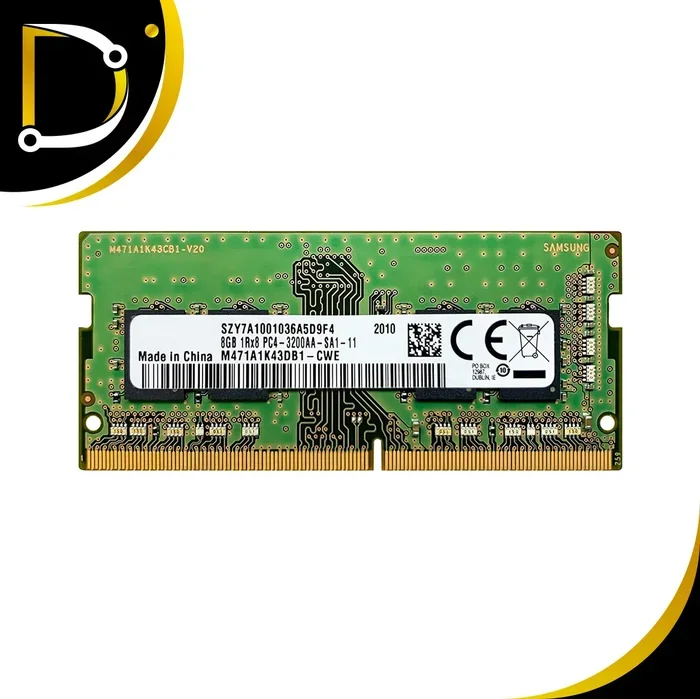
DDR4 has been the standard for several years. It is reliable, widely available, and still very capable for most tasks. DDR4 memory typically runs at speeds between 2666 MHz and 3200 MHz. For everyday use and even gaming, DDR4 performs well and costs less.
DDR5 is the newer generation. It offers faster speeds, usually starting at 4800 MHz and going well beyond. DDR5 also uses less power, which can slightly improve battery life. If you want the latest technology and the best possible performance, DDR5 is the way to go.
Quick Comparison: DDR4 vs DDR5 at 16 GB
| Feature | DDR4 16 GB | DDR5 16 GB |
|---|---|---|
| Speed Range | 2666 – 3200 MHz | 4800 – 5600 MHz |
| Power Usage | Standard | Lower (more efficient) |
| Price | More affordable | Slightly more expensive |
| Best For | Budget and mid-range laptops | High-performance and future-ready laptops |
| Availability | Widely available | Growing rapidly |
Both options are solid. If you are on a budget or do not need the absolute fastest speeds, a 16 GB DDR4 laptop serves you well. If you want top-tier performance and plan to keep your laptop for several years, spending a bit more on DDR5 16 GB makes sense.
Top Brands Offering Great 16 GB RAM Laptops
Not all laptops are created equal, even when they share the same 16 GB RAM specification. Brand quality, build, cooling, and support all play a role. Here is a look at some of the best brands that consistently deliver strong 16 GB memory laptops.
Lenovo Laptops with 16 GB RAM
Lenovo has built a strong reputation for reliable business and consumer machines. The Lenovo laptop with 16 GB RAM lineup includes models that balance performance with durability. ThinkPad series laptops, in particular, are known for their keyboard quality and long-term reliability. Lenovo also offers affordable options, making 16 GB RAM accessible at different price points.
HP Laptops with 16 GB RAM
HP covers a wide range of buyers. From the Spectre series for premium users to the Pavilion line for budget-conscious shoppers, there is an HP laptop with 16 GB RAM for almost everyone. Gaming fans will appreciate the Omen series, which pairs 16 GB memory with dedicated graphics cards for a smooth gaming experience.
Acer Aspire 5 with 16 GB RAM
The Acer Aspire 5 has become one of the most recommended laptops for value. Multiple variants now come with 16 GB RAM, including models featuring Ryzen processors and Radeon graphics. The Acer Aspire 5 laptop with 16 GB RAM offers excellent performance for its price, making it a top pick for students and everyday users.
ASUS and Other Brands
ASUS also deserves mention. Their VivoBook and ZenBook lines frequently feature 16 GB RAM configurations. Brands like Dell and MSI round out the market with strong options as well. The key is to compare specific models based on your priorities.
How to Choose the Best Laptop with 16 GB RAM
With so many options available, choosing the right 16 GB RAM laptop can feel overwhelming. Let us simplify the process by breaking down the most important factors to consider.
Processor Pairing Matters
RAM does not work alone. It pairs with your processor, and the combination determines overall performance. For the best experience with 16 GB memory, consider these processor pairings:
- Intel Core i5: A great match for most users. Handles multitasking, office work, and light gaming with ease.
- Intel Core i7: Perfect for demanding tasks like video editing, heavy multitasking, and serious gaming.
- AMD Ryzen 5: Strong competitor to the Intel i5. Offers excellent value and solid performance.
- AMD Ryzen 7: Ideal for creative professionals and gamers who need maximum power.
A common pairing you will see is the laptop with 16GB RAM and i7 processor. This combo delivers fast, responsive performance for nearly any task you throw at it.
Storage: SSD vs HDD
Storage speed directly impacts how quickly your laptop boots, launches apps, and transfers files. Here is what you need to know:
- SSD (Solid State Drive): Much faster. A 512 GB SSD is the modern standard and works perfectly with 16 GB RAM.
- HDD (Hard Disk Drive): Slower and outdated for most uses. Some budget laptops still pair an HDD with 16 GB RAM, but we recommend avoiding this setup.
Many laptops now offer 16 GB RAM with 512 GB SSD configurations, which is a fantastic all-around setup. If you need more space, look for models with 1 TB SSDs or those that allow additional storage drives.
Display and Build Quality
Do not overlook the screen and build. A laptop with 16 GB RAM should also feel good to use every day. Look for these features:
- Full HD (1080p) display: Minimum standard for sharp text and clear images.
- 14-inch to 16-inch screen: Good balance between portability and screen real estate.
- Backlit keyboard: Very helpful for working in low light.
- Lightweight design: If you carry your laptop daily, aim for under 4 pounds.
Gaming Performance with 16 GB RAM
Gaming is one of the most demanding tasks a laptop handles, and 16 GB RAM has become the standard for modern games. Titles like Hogwarts Legacy, Cyberpunk 2077, and Alan Wake 2 all recommend or require 16 GB of memory for smooth gameplay.
A gaming laptop with 16 GB RAM provides a strong foundation. However, RAM is just one piece of the puzzle. Your graphics card (GPU) has the biggest impact on gaming performance. The RAM ensures the game and background tasks run without stalling.
Best Budget 16 GB RAM Gaming Laptops
You do not need to spend a fortune to get a capable gaming machine. Some excellent budget options include:
- Acer Aspire 5 with Ryzen and Radeon: A budget-friendly option that handles many games at medium settings.
- HP Gaming Laptops under $800: HP offers solid entry-level gaming machines with 16 GB RAM and dedicated GPUs.
- Lenovo IdeaPad Gaming: Lenovo’s budget gaming line pairs 16 GB memory with Ryzen processors for good value.
For those looking at mid-range options, a 16 GB RAM gaming laptop under $900 can deliver impressive performance at 1080p with medium to high settings in most titles.
Tips to Maximize Gaming Performance
- Close background apps before gaming to free up memory.
- Use dual-channel RAM (two sticks instead of one) for better performance.
- Keep your laptop drivers updated, especially your GPU drivers.
- Consider a cooling pad to prevent thermal throttling during long sessions.
Upgradeability and Future-Proofing Your 16 GB RAM Laptop
One of the smartest things about choosing a laptop with 16 GB RAM is that it gives you room to grow. Software demands increase over time, and having 16 GB now means your laptop will stay relevant for several years.
But what if your needs change? Can you upgrade? The answer depends on your specific model.
Can You Add More RAM?
- Upgradeable laptops: Many models have open RAM slots. You can add a second 16 GB stick to reach 32 GB total. This is common in business laptops and many consumer models.
- Soldered RAM: Some thin and lightweight laptops have memory permanently attached to the motherboard. In these cases, you cannot upgrade. This is common in ultrabooks and MacBooks.
Before buying, always check whether the laptop allows memory upgrades. A model with 16 GB RAM and an extra slot gives you the flexibility to scale up later if needed.
Quick Tips for Future-Proofing
- Choose DDR5 if your budget allows, as it will remain relevant longer.
- Opt for a laptop with at least one free RAM slot.
- Pick an SSD over an HDD for better long-term speed.
- Consider a laptop with a good cooling system, as sustained performance matters over the years.
Common Mistakes to Avoid When Buying a 16 GB RAM Laptop
Even with a clear understanding of what you want, it is easy to make costly mistakes. Here are common pitfalls buyers face when shopping for a 16 GB RAM laptop.
Mistake 1: Ignoring the RAM Type
Some buyers focus only on the amount of RAM and forget whether it is DDR4 or DDR5. While both offer 16 GB, DDR5 delivers noticeably better performance and efficiency. Always check the memory type before purchasing.
Mistake 2: Overlooking Dual-Channel Configuration
A single 16 GB stick is not the same as two 8 GB sticks running in dual-channel mode. Dual-channel memory provides significantly better performance, especially for gaming and creative tasks. When possible, choose a laptop with two sticks rather than one.
Mistake 3: Prioritizing RAM Over Other Components
Having 16 GB of RAM is great, but it does not make up for a weak processor or poor graphics card. Make sure all components work together. A balanced system with a good CPU, sufficient RAM, and a capable GPU will always outperform a system with great RAM but weak elsewhere.
Mistake 4: Buying Without Checking Upgrade Options
Today’s needs may not match tomorrow’s. Always verify whether your chosen laptop allows RAM upgrades. Paying a little more upfront for an upgradeable model can save you from buying a new machine later.
Expert Insights: Making the Most of Your 16 GB RAM Laptop
We asked experienced tech professionals for their thoughts on getting the best performance from a laptop with 16 GB RAM. Here is what they recommend:
Keep your RAM clean: Uninstall unused software and disable unnecessary startup programs. This frees up memory for the tasks that matter most.
Monitor your usage: Use Task Manager (Windows) or Activity Monitor (Mac) to see how much RAM your apps are consuming. This helps you identify bottlenecks.
Consider your workload trajectory: If you plan to take on more demanding projects in the future, starting with 16 GB gives you a strong base. Pair it with an upgradeable design so you can scale when needed.
Key Takeaways
- 16 GB RAM is the standard: It balances performance and price for most users, handling multitasking, gaming, and creative apps with ease.
- DDR4 vs DDR5 matters: Newer DDR5 memory offers faster speeds and better efficiency, but DDR4 remains solid for most tasks.
- Dual-channel boosts speed: Two RAM sticks in dual-channel mode significantly improves performance over a single stick.
- Gaming benefits most: Modern games increasingly recommend 16 GB as the minimum for smooth gameplay at medium to high settings.
- Upgradeability varies: Some laptops allow RAM upgrades, while others have soldered memory, so check specs before buying.
- Brand reliability counts: Lenovo, HP, Acer, and ASUS all offer strong 16 GB RAM options across different budgets.
- Future-proof your purchase: Choosing 16 GB now ensures your laptop stays relevant for several more years as software demands grow.
Conclusion
A laptop with 16 GB RAM remains the best all-around choice for the widest range of users. It delivers the performance you need for work, play, and everything in between, without the premium price tag that comes with 32 GB or higher configurations. Whether you choose a budget Acer Aspire 5, a reliable Lenovo ThinkPad, or a powerful gaming machine, you are making a smart investment.
Remember to balance RAM with other components like your processor, storage, and graphics card. Choose DDR5 when possible for longer-lasting performance. And always check whether your laptop allows future upgrades so you can adapt as your needs evolve.
With the right 16 GB RAM laptop in your hands, you will enjoy faster multitasking, smoother gaming, and a responsive experience that lasts for years. Take your time, compare models, and pick the one that fits your life best. Your perfect laptop is out there waiting for you.
Frequently Asked Questions
Is 16 GB RAM enough for gaming in 2024?
Yes, 16 GB of RAM is currently the recommended standard for most modern games. Titles like Hogwarts Legacy and Cyberpunk 2077 require or recommend this amount. Combined with a decent graphics card, 16 GB delivers smooth gameplay at medium to high settings for the vast majority of games.
Can I upgrade from 8 GB to 16 GB RAM in my laptop?
It depends on your laptop model. Many laptops have accessible RAM slots that allow upgrades. However, some thin and lightweight models have soldered memory that cannot be replaced. Check your laptop specifications before purchasing additional RAM to confirm upgradeability.
What is the difference between DDR4 16 GB and DDR5 16 GB RAM?
DDR5 offers faster speeds (typically 4800 MHz or higher) compared to DDR4 (2666-3200 MHz). DDR5 also uses less power, improving battery life slightly. While both provide 16 GB of memory, DDR5 delivers better overall performance and is more future-proof.
Is a laptop with 16 GB RAM and 512 GB SSD good for everyday use?
Absolutely. A configuration with 16 GB RAM and a 512 GB SSD is excellent for everyday tasks like web browsing, document editing, video streaming, and light photo editing. The SSD ensures fast boot times and quick app launches, while 16 GB RAM handles multitasking with ease.
Does dual-channel RAM make a big difference with 16 GB?
Yes, running two 8 GB sticks in dual-channel mode provides noticeably better performance compared to a single 16 GB stick. This is especially true for gaming and memory-intensive tasks. Dual-channel configuration can improve frame rates and application loading speeds.
How long will 16 GB RAM last before I need to upgrade?
For most users, 16 GB RAM will comfortably last 4 to 6 years. As software and operating systems evolve, memory demands gradually increase. If you stay on top of updates and use your laptop for standard tasks, 16 GB should remain sufficient for the foreseeable future.