What Is Good Ram on a Laptop
Good RAM on a laptop means having enough memory to handle your daily tasks without slowdowns or freezing. For most users, 8GB is the sweet spot, while power users and gamers should aim for 16GB or more to keep everything running smoothly.
Key Takeaways
- 8GB is the baseline: For everyday tasks like browsing, streaming, and office work, 8GB of RAM is considered good for a laptop in 2024.
- 16GB is ideal for multitaskers: If you run multiple apps, browser tabs, and creative software simultaneously, 16GB provides a noticeably smoother experience.
- 32GB is for power users: Video editors, 3D modelers, and hardcore gamers benefit from 32GB or more for demanding workloads.
- RAM speed matters too: Beyond capacity, RAM frequency (measured in MHz) affects how quickly your laptop processes data.
- Not all laptops allow upgrades: Many modern ultrabooks have soldered RAM, so choosing the right amount at purchase is critical.
- DDR4 vs DDR5: DDR5 is the newer standard offering better speeds, but DDR4 remains perfectly good and more affordable for most users.
- Dual-channel configuration: Using two RAM sticks instead of one doubles the bandwidth, significantly boosting performance.
📑 Table of Contents
- Understanding What Makes Good RAM on a Laptop
- How Much RAM Do You Actually Need?
- RAM Speed and Type: Beyond Just Capacity
- How to Check Your Current Laptop RAM
- Can You Upgrade RAM on a Laptop?
- Good RAM Recommendations by Use Case
- Common Myths About Laptop RAM
- Tips for Getting the Best RAM Performance
- Conclusion
Understanding What Makes Good RAM on a Laptop
Have you ever wondered why your laptop slows down when you open too many browser tabs or try to run several programs at once? The answer almost always comes down to one thing: RAM. Random Access Memory is the short-term memory your laptop uses to store data it needs right now. Without enough of it, even the fastest processor in the world will struggle to keep up. Understanding what is good RAM on a laptop can save you from frustrating lag and help you make smarter buying decisions.
Think of RAM like a desk where you do your work. A bigger desk lets you spread out more papers, books, and tools at the same time. A smaller desk forces you to constantly shuffle things around, which slows you down. Your laptop works the same way. More RAM means more space for active programs, files, and processes to live while you use them.
In this guide, we will break down everything you need to know about laptop RAM. We will cover how much you need for different tasks, what speed and type matter, and how to figure out if your current setup is holding you back. By the end, you will know exactly what counts as good RAM for your specific needs.
How Much RAM Do You Actually Need?
This is the most common question people ask, and the answer depends entirely on what you do with your laptop. There is no single number that works for everyone. Let us walk through the most common scenarios so you can find your sweet spot.
4GB: The Bare Minimum
Four gigabytes of RAM used to be plenty. These days, it is the absolute floor. A laptop with 4GB can handle basic web browsing, simple document editing, and light media playback. However, modern web browsers alone can eat up most of that memory. If you open more than a handful of tabs, you will notice your system slowing down quickly. For anyone doing more than the most basic tasks, 4GB is simply not good RAM on a laptop anymore.
8GB: The Sweet Spot for Most Users
Eight gigabytes is widely considered the standard for a good laptop experience in 2024. With 8GB, you can comfortably browse the web with multiple tabs open, stream videos, work on documents, use email, and run light photo editing software. Most students, office workers, and casual users will find that 8GB handles everything they throw at it without breaking a sweat. If you are wondering is 4GB RAM good for a laptop, the short answer is that it falls short for modern multitasking, making 8GB the much better choice.
16GB: For Serious Multitaskers and Creators
If you regularly run demanding applications like video editing software, large spreadsheets, virtual machines, or modern games, 16GB is where you want to be. This amount of RAM lets you keep dozens of browser tabs open while running creative apps in the background. Content creators, software developers, and business professionals who juggle multiple heavy programs will appreciate the headroom that 16GB provides. Many experts now recommend 16GB as the new baseline for anyone who wants their laptop to stay relevant for years to come.
32GB and Beyond: Power Users and Enthusiasts
For professional video editors working with 4K or 8K footage, 3D animators, data scientists running complex simulations, and hardcore gamers who want maximum performance, 32GB or even 64GB may be necessary. These workloads process enormous amounts of data in real time, and having plenty of RAM prevents bottlenecks. For the average user, 32GB is overkill. But for professionals whose time is money, investing in more RAM pays for itself quickly.
RAM Speed and Type: Beyond Just Capacity
Capacity is only part of the story. The speed and generation of your RAM also play a huge role in overall performance. Two laptops with the same amount of RAM can perform very differently depending on these factors.
DDR4 vs DDR5: What Is the Difference?
DDR4 has been the dominant RAM standard for years. It is reliable, affordable, and fast enough for most tasks. DDR5 is the newer generation, offering higher bandwidth, better power efficiency, and faster base speeds. If you are buying a new laptop, DDR5 is the future-proof choice. However, DDR4 remains a perfectly good option, especially if you are on a budget. The real-world difference between DDR4 and DDR5 is noticeable in demanding tasks like gaming and video rendering, but for everyday use, both deliver a solid experience.
Understanding RAM Frequency
RAM frequency, measured in megahertz (MHz), tells you how fast the memory can read and write data. Higher frequency means faster performance. Most DDR4 laptop RAM runs at 2666MHz or 3200MHz, while DDR5 typically starts at 4800MHz and goes up from there. When shopping for a laptop or upgrading your RAM, look for higher frequency numbers. The difference is especially visible in tasks that move large amounts of data, like gaming, video editing, and running virtual machines.
Dual-Channel vs Single-Channel
Here is a tip many people overlook. Running two RAM sticks of the same size in dual-channel mode effectively doubles the communication bandwidth between the memory and the processor. For example, two 8GB sticks in dual-channel perform noticeably better than a single 16GB stick. If your laptop has two RAM slots, always populate both with matching sticks for the best performance. This is one of the easiest ways to get more speed without spending extra money.
How to Check Your Current Laptop RAM
Before you decide whether you need more RAM, it helps to know what you currently have. Checking your existing RAM is simple and takes just a few minutes.
On Windows
Press Ctrl + Shift + Esc to open Task Manager. Click on the Performance tab and then select Memory. Here you will see how much RAM you have, how much is currently in use, and what speed and form factor your memory uses. You can also find this information by right-clicking on This PC or My Computer and selecting Properties, which shows your installed memory at a glance.
On macOS
Click the Apple logo in the top left corner and select About This Mac. The Overview tab displays your total RAM, memory type, and speed. For more detailed information, click System Report and navigate to the Memory section, which shows the size, type, and speed of each individual RAM stick installed.
Using System Information Tools
For even more detail, free tools like CPU-Z or Speccy provide comprehensive breakdowns of your RAM configuration. These tools tell you the manufacturer, part number, timing, and whether you are running in dual-channel mode. This information is especially useful if you plan to upgrade and need to match your existing memory specifications.
Can You Upgrade RAM on a Laptop?
This is where things get tricky. Not all laptops let you upgrade their RAM, and it is important to know this before you buy.
Soldered RAM: The New Normal
Many modern ultrabooks and thin laptops have their RAM soldered directly onto the motherboard. This design choice allows for thinner and lighter laptops but means you cannot upgrade the memory after purchase. Apple MacBook models, many Dell XPS laptops, and various Lenovo Yoga devices use soldered RAM. If you own one of these, you need to choose your RAM configuration carefully at the time of purchase because that is what you will be stuck with forever.
Upgradeable RAM: Still Available
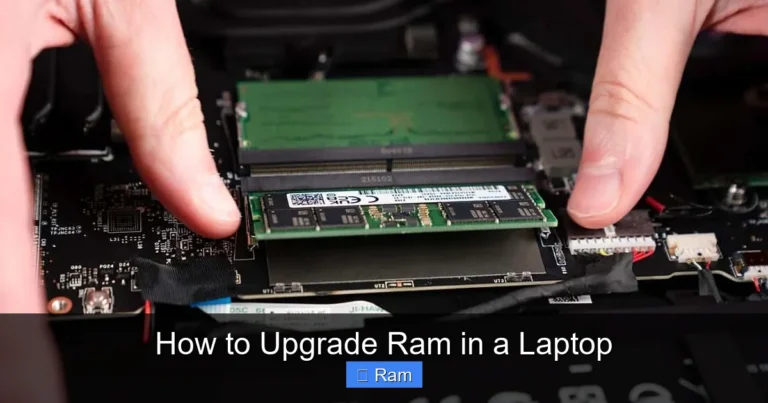
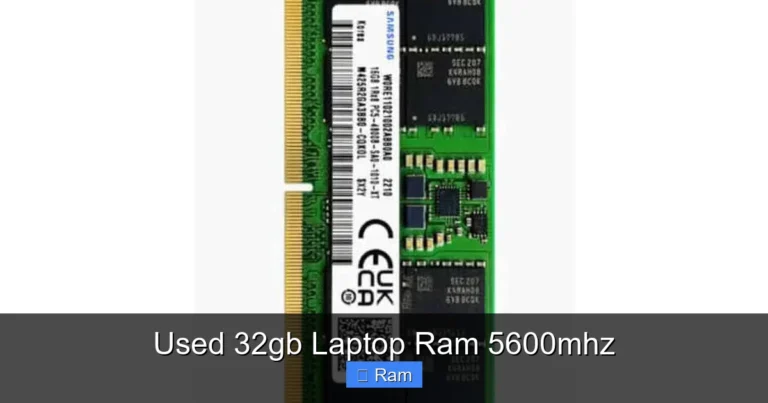
Many laptops, especially gaming laptops, business laptops, and budget models, still feature accessible RAM slots. These typically use SO-DIMM sticks, which are smaller versions of desktop RAM. If your laptop has an upgrade slot, adding more RAM is usually straightforward. You can find detailed guides on how to upgrade RAM on a laptop that walk you through the entire process step by step.
How to Know Before You Buy
Before purchasing a laptop, check the manufacturer’s specifications carefully. Look for terms like “user-upgradeable,” “SO-DIMM slots,” or “soldered memory.” Reviews and teardown videos from tech channels also reveal whether a laptop’s RAM can be upgraded. If future-proofing matters to you, prioritize laptops with upgradeable memory so you can add more RAM down the road without replacing the entire machine.
Good RAM Recommendations by Use Case
Let us put it all together with specific recommendations based on how you use your laptop.
Students and Casual Users
If your main activities include writing papers, browsing the web, streaming Netflix, and using social media, 8GB of DDR4 RAM at 2666MHz or higher is more than enough. This configuration keeps your laptop responsive without breaking the bank. Look for laptops with at least one open upgrade slot so you can add more memory later if your needs grow.
Business Professionals
Professionals who work with large Excel files, run multiple business applications, participate in video conferences, and manage complex projects should aim for 16GB. This ensures smooth multitasking throughout the workday. DDR4 at 3200MHz or DDR5 at 4800MHz provides excellent performance for productivity workloads.
Gamers
Modern games are memory-hungry. For a good gaming experience, 16GB is the minimum, with 32GB being ideal for future-proofing. Pair this with high-frequency DDR5 RAM if your budget allows. Games like Cyberpunk 2077, Hogwarts Legacy, and Starfield benefit significantly from faster memory speeds and larger capacities.
Content Creators
Video editors, graphic designers, and 3D artists should start at 16GB but strongly consider 32GB or more. Applications like Adobe Premiere Pro, After Effects, Blender, and DaVinci Resolve consume RAM rapidly, especially when working with high-resolution footage. Fast DDR5 memory in dual-channel configuration will dramatically reduce render times and improve playback smoothness.
Common Myths About Laptop RAM
There are several misconceptions about RAM that lead people to make poor decisions. Let us clear up the most common ones.
More RAM Always Means Faster Performance
This is only true up to a point. If you already have enough RAM for your tasks, adding more will not make your laptop faster. Going from 8GB to 64GB when you only browse the web and check email will yield zero noticeable improvement. The key is matching your RAM to your actual workload.
RAM Is the Only Factor in Speed
RAM works alongside your processor, storage drive, and graphics card. A laptop with tons of RAM but a slow hard drive and an underpowered CPU will still feel sluggish. For the best experience, make sure your entire system is balanced. An SSD, for example, makes a bigger difference in everyday responsiveness than doubling your RAM from 8GB to 16GB.
You Need the Fastest RAM Available
Unless you are building a high-end gaming rig or running professional workloads, you do not need the fastest RAM on the market. The difference between 3200MHz and 5600MHz DDR5 is barely noticeable in everyday tasks. Save your money and invest in more capacity rather than chasing extreme speeds.
Tips for Getting the Best RAM Performance
Once you have good RAM installed, a few simple practices can help you get the most out of it.
- Close unused programs: Every open application consumes RAM. Close programs you are not actively using to free up memory for the tasks that matter.
- Manage browser tabs: Web browsers are notorious memory hogs. Use tab management extensions or bookmark tabs you want to revisit later instead of keeping them open.
- Disable startup programs: Many applications launch automatically when your computer boots, eating up RAM before you even start working. Disable unnecessary startup programs in your system settings.
- Keep your system updated: Operating system updates often include memory management improvements that help your laptop use RAM more efficiently.
- Consider a clean install: If your laptop has slowed down over time, a fresh operating system install can clear out accumulated bloat and restore snappy performance.
Conclusion
So, what is good RAM on a laptop? The answer depends on your needs, but 8GB remains the baseline for comfortable everyday use, 16GB is the ideal target for most power users, and 32GB or more serves professionals and enthusiasts with demanding workloads. Beyond capacity, pay attention to RAM speed, generation, and dual-channel configuration to maximize performance.
The most important takeaway is this: plan ahead. If you are buying a new laptop with soldered RAM, choose more than you think you need today because you cannot upgrade later. If your laptop supports upgrades, start with a solid baseline and add more as your needs evolve. Good RAM is the foundation of a fast, responsive laptop experience, and investing in the right amount will keep your machine running smoothly for years to come.
Frequently Asked Questions
Is 8GB RAM good for a laptop in 2024?
Yes, 8GB is considered good for everyday tasks like web browsing, office work, and streaming. It handles most common activities smoothly, though heavy multitasking and creative work may benefit from 16GB.
Can I upgrade the RAM on my laptop?
It depends on your laptop model. Many ultrabooks have soldered RAM that cannot be upgraded, while gaming and business laptops often have accessible SO-DIMM slots. Check your manufacturer’s specifications before assuming an upgrade is possible.
What is the difference between DDR4 and DDR5 RAM?
DDR5 is the newer standard offering higher bandwidth, faster base speeds, and better power efficiency compared to DDR4. DDR4 remains a solid and more affordable choice, while DDR5 is ideal for future-proofing a new laptop purchase.
How do I check how much RAM my laptop has?
On Windows, open Task Manager and go to the Performance tab, then click Memory. On macOS, click the Apple logo, select About This Mac, and view the memory information on the Overview tab.
Is 16GB RAM enough for gaming?
Yes, 16GB is sufficient for most modern games and provides a smooth gaming experience. Some demanding titles and future games may benefit from 32GB, but 16GB remains the sweet spot for the majority of gamers.
Does RAM speed really make a difference?
RAM speed does make a difference, especially in gaming, video editing, and other data-intensive tasks. However, for everyday browsing and office work, the difference between moderate and high-frequency RAM is minimal and often unnoticeable.