Windows 11 16gb Ram Laptop
A Windows 11 16gb Ram laptop delivers a powerful balance of speed, multitasking ability, and future-ready performance. With 16GB of memory, your system handles heavy apps, gaming, and creative work without breaking a sweat. This guide covers everything you need to know about choosing, using, and getting the most from a 16GB RAM laptop running Windows 11.
A Windows 11 16gb Ram laptop hits the sweet spot between performance and price. Whether you are working from home, gaming after hours, or running creative software, having enough memory makes a huge difference. Windows 11 itself recommends at least 4GB of RAM, but real-world use demands much more. That is where 16GB steps in and changes the game entirely.
In this guide, we will walk you through everything you need to know. From understanding what RAM actually does to picking the right laptop with 16GB RAM and Windows 11, you will find clear answers here. We also share practical tips to get the best performance out of your machine. Let us dive in.
Key Takeaways
- Smooth Multitasking: 16GB RAM keeps Windows 11 running fast even with many apps open.
- Future-Proof Investment: 16GB meets Windows 11 requirements and handles upcoming software updates.
- Better Gaming and Creative Work: Memory-heavy tasks like video editing and gaming run much smoother with 16GB.
- Upgrade Friendly: Many laptops let you add or swap RAM sticks for a performance boost.
- Know Your Needs: Not everyone needs 16GB, but it is the sweet spot for most users today.
📑 Table of Contents
What Does 16GB RAM Mean on a Windows 11 Laptop?
RAM stands for Random Access Memory. Think of it as your laptop’s short-term workspace. When you open apps, browse tabs, or play games, they all live in RAM. The more RAM you have, the more things your laptop can handle at once without slowing down.
With 16GB of RAM, your Windows 11 laptop can comfortably run multiple programs at the same time. You might have a web browser with 20 tabs open, a video call running, and music streaming in the background. All of that runs smoothly without lag or stutter.
How Windows 11 Uses Memory
Windows 11 is more demanding than older versions. It uses more memory for animations, security features, and background services. Here is how memory gets used on a typical setup:
- Windows 11 System Processes: About 2.5GB to 4GB
- Browser with Multiple Tabs: 1GB to 3GB
- Productivity Apps (Word, Excel): 500MB to 1.5GB each
- Background Services: 1GB to 2GB
- Remaining Headroom: Plenty for gaming or creative apps
With 16GB, you never have to worry about running out of headroom. Your system stays responsive and fast.
Why Choose a Windows 11 16GB RAM Laptop?
You might wonder why 16GB is the go-to choice for most buyers. Let us look at the real reasons this combination works so well.
1. Multitasking Without Limits
Modern work means juggling many things at once. You might be editing a spreadsheet while joining a video meeting and referencing a document. A Windows 11 laptop with 16GB RAM handles all of this effortlessly. You will notice fewer delays and smoother switching between apps.
2. Gaming Performance Boost
Gaming on a laptop needs both speed and memory. Many modern games recommend 16GB of RAM for the best experience. With this amount, you get higher frame rates, faster loading times, and fewer crashes. Pair your 16GB RAM laptop with a solid SSD and a good processor, and you are set for hours of fun.
3. Creative and Professional Work
If you edit photos, create videos, or work with 3D models, memory is critical. Applications like Adobe Premiere Pro, Photoshop, and Blender eat up RAM fast. Having 16GB means your creative software runs without constant freezing or saving delays. It is a serious upgrade for anyone who creates content.
4. Future-Proofing Your Purchase
Software keeps growing in size and demands. A laptop with 16GB of RAM today will still perform well in a few years. You avoid the frustration of slow downs as apps and operating systems get updated. This makes 16GB RAM Windows 11 laptops a smart long-term investment.
Key Specifications to Look For
Not all 16GB RAM laptops are the same. When shopping, pay attention to these important specs.
RAM Type and Speed
Most modern laptops use DDR4 or DDR5 memory. DDR5 is newer and faster, but DDR4 still works great for everyday tasks. Check the RAM speed in MHz — higher numbers mean faster data transfer. For a Windows 11 16gb RAM laptop, look for DDR4 at 3200MHz or DDR5 at 4800MHz and above.
Storage Pairing
RAM works hand in hand with storage. A laptop with 16GB RAM and 512GB SSD offers a great balance of speed and space. The SSD ensures fast boot times and quick app launches, while the RAM keeps everything running smoothly. If you need more room, look for 16GB RAM with 1TB SSD options.
Processor Compatibility
The processor and RAM work together. An Intel Core i5 or i7 paired with 16GB of RAM gives excellent performance. AMD Ryzen 5 and Ryzen 7 chips also pair beautifully with 16GB sticks. When shopping for a laptop with 16GB RAM and an i7 processor, you are getting a machine built for heavy workloads.
Display Size and Portability
Memory performance does not depend on screen size, but usability does. A 14-inch laptop with 16GB RAM is perfect for travelers who need power on the go. Larger 15 or 16-inch models offer better visuals for gaming and media work. Choose based on how and where you use your laptop most.
Is 16GB RAM Enough for Windows 11?
This is one of the most common questions we get. The short answer is yes — for most users, 16GB is more than enough. Let us break down different user types to show you exactly what to expect.
For Everyday Users
If your days involve browsing, streaming, emails, and light document work, 16GB gives you plenty of room. You will never experience slowdowns from memory limits. Everything runs fast and responsive.
For Students
Students who run research tools, video calls, and multiple browser tabs benefit greatly from 16GB. It handles note-taking apps, PDF readers, and educational software without any issues. A Windows 11 16gb RAM laptop is an ideal school companion.
For Professionals
Engineers, designers, and data analysts need every bit of memory they can get. 16GB handles CAD software, large datasets, and virtual machines with ease. It keeps your workflow uninterrupted and productive.
For Gamers
Most modern games run beautifully with 16GB of RAM. You will notice smoother gameplay and fewer texture pop-in issues. For competitive gaming, this amount provides a solid foundation without overspending.
How to Get the Most From Your 16GB RAM Laptop
Buying the right laptop is only half the battle. Here are practical tips to keep your machine running at its best.
Keep Windows 11 Updated
Microsoft regularly releases updates that improve memory management. Keeping your system updated ensures you get the latest performance boosts. Go to Settings > Windows Update and check for updates often.
Close Unused Apps and Tabs
Even with 16GB, leaving too many apps open can slow things down. Get in the habit of closing programs you are not using. Your browser is often the biggest memory hog — keep your tab count reasonable.
Use the Task Manager
Windows 11’s Task Manager shows you exactly how much RAM each app uses. Press Ctrl + Shift + Esc to open it. Click the Memory column to sort apps by usage. This helps you spot memory-heavy programs and close them when needed.
Consider Dual Channel Setup
Many laptops use two RAM sticks instead of one. This is called dual channel memory, and it doubles the data pathway. A 16GB RAM laptop with two 8GB sticks performs better than one with a single 16GB stick. Check your laptop specs to see if it supports dual channel.
Upgrade When Needed
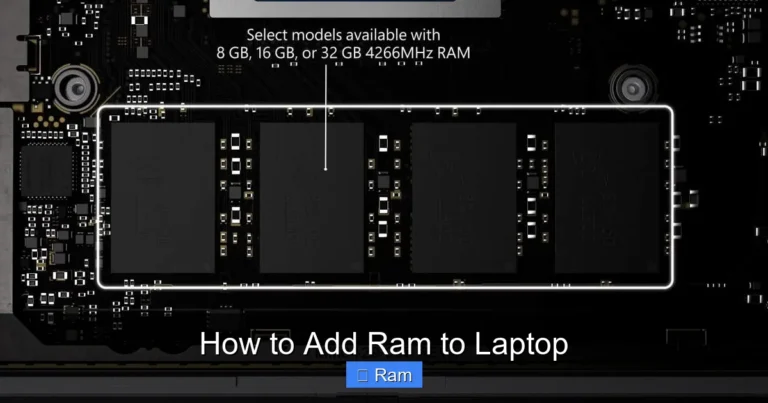
Some laptops let you add more RAM later. If you find 16GB limiting, you can upgrade to 32GB down the road. Check your laptop’s manual or manufacturer website for upgrade options. This flexibility saves money now and extends your laptop’s useful life.
Common Mistakes to Avoid
Buying a laptop is exciting, but mistakes can cost you. Here are common pitfalls to watch out for.
- Skipping RAM Type: Not all RAM is the same. Make sure your laptop supports the RAM type you buy — DDR4 or DDR5.
- Ignoring Storage: RAM alone does not make a fast laptop. Pair your memory with an SSD for the best results.
- Overlooking Upgradeability: Some laptops have soldered RAM that cannot be upgraded. Always check before you buy.
- Buying More Than You Need: If you only browse and stream, 8GB might be enough. Save money by matching RAM to your actual needs.
Where to Find the Best Deals
If you are ready to buy, there are many places to find a Windows 11 16gb RAM laptop at a great price. Check online retailers, manufacturer websites, and seasonal sale events. Look for bundle deals that include accessories like sleeves or mice. Reading reviews from real users helps you avoid disappointing purchases. Compare prices across platforms to make sure you get the best value.
Remember, the best deal is not always the cheapest. Focus on overall value — build quality, warranty, customer support, and performance. A well-chosen 16GB RAM laptop will serve you well for years.
Final Thoughts
A Windows 11 16gb RAM laptop offers the perfect blend of power, value, and future-readiness. It handles everyday tasks with ease and tackles demanding workloads without breaking a sweat. Whether you are a student, professional, gamer, or creative, 16GB of memory gives you the headroom to do your best work.
Take time to research your options. Check specs, read reviews, and compare models. With the right laptop, you will enjoy a smooth, fast, and reliable experience every single day. Start your search today and find the perfect machine for your needs.
Frequently Asked Questions
Do I really need 16GB RAM for Windows 11?
Windows 11 can run on 4GB of RAM, but that is not enough for comfortable use. 16GB gives you smooth multitasking, fast app switching, and room for future software updates. For most users, it is the ideal amount of memory.
Can I upgrade my laptop RAM to 16GB?
Many laptops allow RAM upgrades, but it depends on the model. Check if your laptop has an accessible RAM slot and what type of memory it supports. Some laptops have soldered RAM that cannot be upgraded, so always verify before purchasing.
Is 16GB RAM enough for gaming on Windows 11?
Yes, 16GB is the recommended amount for most modern games. You will get good frame rates, fast loading times, and smooth gameplay. For very demanding titles, 32GB may help, but 16GB handles the vast majority of games perfectly.
What is the difference between 8GB and 16GB RAM?
8GB handles basic tasks like browsing and document editing. 16GB doubles your capacity, allowing heavier multitasking, gaming, and creative work. The difference is most noticeable when running multiple apps at the same time.
Does RAM speed matter on a Windows 11 laptop?
Yes, faster RAM speeds improve data transfer rates, which can boost overall performance. However, the difference is most noticeable in specific tasks like video editing and gaming. For general use, the amount of RAM matters more than the speed.
Should I choose a laptop with 16GB RAM and an SSD?
Absolutely. RAM and SSD work together to make your laptop fast. The SSD handles quick boot times and app launches, while RAM keeps everything running smoothly. A laptop with both will feel noticeably faster than one with just one of these upgrades.