2280 Nvme M 2 Ssd
The 2280 NVMe M 2 SSD is a small but powerful storage drive that fits most modern computers. It delivers blazing fast speeds through the PCIe interface, making it perfect for gaming, work, and everyday use. This guide covers everything you need to know about sizes, speeds, compatibility, and the best ways to choose the right one for your needs.
If you have been shopping for a new storage drive, you have probably seen the term 2280 nvme m 2 ssd thrown around a lot. It might look like a confusing mix of letters and numbers, but it is actually quite simple once you break it down. This type of drive is one of the most popular storage solutions in modern computers today.
A 2280 NVMe M 2 SSD is a small, flat storage device that connects directly to your motherboard. It is much faster than a traditional hard drive and even faster than older SATA SSDs. Whether you are building a new PC or upgrading an existing one, understanding this drive format can save you time, money, and a lot of frustration.
In this guide, we will walk you through everything you need to know. We will cover what the numbers mean, how the drive works, why it is so fast, and how to pick the right one for your setup. By the end, you will feel confident choosing the perfect M 2 NVMe SSD for your needs.
Key Takeaways
- What it is: The 2280 NVMe M 2 SSD is a compact solid state drive that uses the NVMe protocol for ultra fast data transfer.
- Size matters: The “2280” refers to the physical dimensions (22mm x 80mm), which is the most common M 2 form factor.
- Speed advantage: NVMe drives are significantly faster than traditional SATA SSDs, with read speeds often exceeding 3,000 MB/s.
- Compatibility: Most modern laptops and desktops support M 2 slots, but you should verify your motherboard or device specs first.
- Capacity options: You can find 2280 NVMe M 2 SSDs in sizes ranging from 250GB to 4TB to fit any budget or need.
- Easy upgrade: Installing a 2280 NVMe M 2 SSD is one of the simplest and most impactful upgrades you can make to an older computer.
📑 Table of Contents
What Is a 2280 NVMe M 2 SSD?
The name “2280 NVMe M 2 SSD” tells you a lot about the drive if you know what to look for. Let us break it down piece by piece so it makes complete sense.
Understanding the “2280” Part
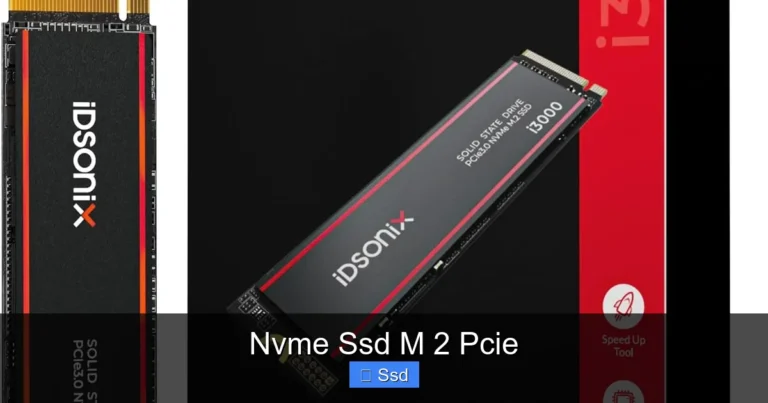
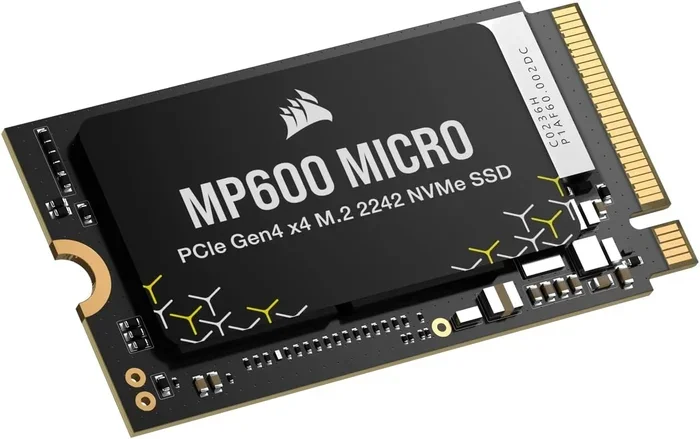
The number 2280 refers to the physical size of the drive. It measures 22 millimeters wide and 80 millimeters long. This is the most common size for M 2 solid state drives. Other sizes exist, like 2230 or 2242, but the 2280 format is the standard for most desktop and laptop PCs.
Because of its compact size, the 2280 M 2 SSD fits into a dedicated slot on your motherboard without taking up much space. This is especially important in thin laptops and small form factor desktops where every millimeter counts.
What Does NVMe Mean?
NVMe stands for Non-Volatile Memory Express. It is a communication protocol designed specifically for flash storage. Unlike older protocols like AHCI, which was built for spinning hard drives, NVMe takes full advantage of modern NAND flash technology.
In simple terms, NVMe allows your SSD M 2 drive to communicate with your computer much faster. It uses the PCIe (Peripheral Component Interconnect Express) bus instead of the older SATA connection. This is the main reason why NVMe M 2 SSD drives are so much quicker than their SATA counterparts.
M 2 Form Factor Explained
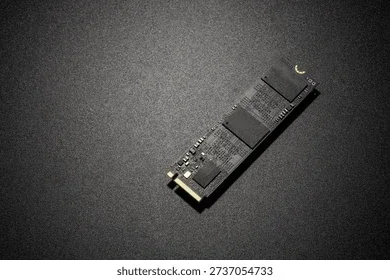
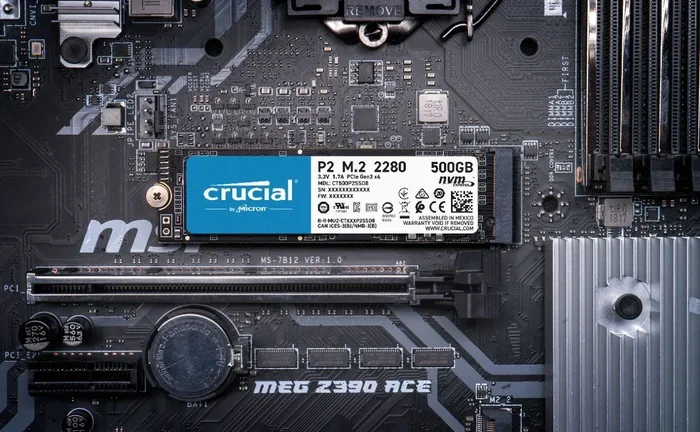
The “M 2” part refers to the shape and connector of the drive. M 2 is a specification for internally mounted computer expansion cards. The drives plug directly into the motherboard and are held in place by a small screw. There is no cables to manage, which makes installation very clean and simple.
Many people confuse M 2 with just the physical shape, but M 2 actually covers both SATA and NVMe drives. The key difference is the interface. A 2280 NVMe M 2 SSD uses the PCIe interface, while some M 2 drives use SATA. Always double check which type your system supports before buying.
How Fast Is a 2280 NVMe M 2 SSD?
Speed is the biggest reason most people choose a 2280 NVMe M 2 SSD. These drives are incredibly fast compared to traditional storage.
A typical SATA SSD maxes out around 550 MB/s. A NVMe M 2 SSD can reach speeds of 3,500 MB/s or even higher on a PCIe Gen 4 connection. That means your operating system boots in seconds, games load almost instantly, and large files copy in a fraction of the time.
Here is a quick look at the speed differences:
- Traditional Hard Drive (HDD): Around 100 to 150 MB/s
- SATA SSD: Up to 550 MB/s
- NVMe M 2 SSD (Gen 3): Up to 3,500 MB/s
- NVMe M 2 SSD (Gen 4): Up to 7,000 MB/s
- NVMe M 2 SSD (Gen 5): Up to 14,000 MB/s
As you can see, the jump from a hard drive to a 2280 NVMe M 2 SSD is massive. Even upgrading from a SATA SSD to an NVMe drive gives you a noticeable boost in everyday tasks.
Real World Speed Examples
In practical terms, a 2280 NVMe M 2 SSD makes a real difference. Windows boots in about 10 to 15 seconds. Adobe Premiere Pro can open large video projects much faster. And if you are a gamer, your favorite titles will load in seconds instead of minutes.
These speeds also help with multitasking. If you have many applications open at once, the drive can handle the data demands without slowing down. For content creators, professionals, and students, this kind of performance is a game changer.
Why Choose a 2280 NVMe M 2 SSD?
There are many reasons to choose a 2280 NVMe M 2 SSD for your storage needs. Let us look at the biggest advantages.
Compact Size
The small footprint of a 2280 M 2 SSD is a major benefit. It takes up less space than a traditional 2.5-inch drive. This is perfect for slim laptops, mini PCs, and compact desktops where space is limited.
No Cables Needed
Unlike 2.5-inch SSDs or hard drives, M 2 drives do not need SATA cables or power connectors. They plug directly into the motherboard slot. This means less clutter inside your case and easier installation.
Lower Power Consumption
NVMe M 2 SSD drives use less power than traditional hard drives. This can lead to slightly better battery life on laptops and less heat generated overall. Lower heat means a quieter system and longer component life.
Great for Gaming and Work
If you game or do creative work, a 2280 NVMe M 2 SSD is almost a must. Games installed on NVMe drives load faster. Video editing software can preview footage in real time. The speed improvement touches almost everything you do on your computer.
How to Choose the Right 2280 NVMe M 2 SSD
Not all 2280 NVMe M 2 SSDs are the same. Here are the key factors to consider before you buy.
Check Your Motherboard Compatibility
Before purchasing any drive, check if your motherboard has an M 2 slot that supports NVMe. Some older boards only support M 2 SATA drives. You can usually find this information in your motherboard manual or on the manufacturer’s website.
Also check which PCIe generation your M 2 slot supports. A PCIe Gen 4 slot will work with Gen 3 drives but will limit the speed. If you want the fastest possible performance, make sure your board supports PCIe Gen 4 or Gen 5.
Capacity Options
2280 NVMe M 2 SSDs come in a wide range of capacities:
- 250GB to 500GB: Great for an operating system and a few games or apps
- 1TB: A sweet spot for most users who need speed and plenty of space
- 2TB: Ideal for gamers and professionals with large file libraries
- 4TB: Best for those who need maximum storage without sacrificing speed
If you want the best value, a 1TB NVMe M 2 SSD is usually the most popular choice. It gives you enough room for your system, applications, and a solid game library.
Brand and Reliability
Stick with reputable brands when buying a 2280 NVMe M 2 SSD. Companies like Samsung, Crucial, Kingston, WD, and Corsair have established track records. Look for drives with good warranty periods and positive user reviews. A reliable M 2 PCIe NVMe SSD will last for years without issues.
Price vs Performance
You do not need to spend a fortune to get excellent performance. Many affordable SSD NVMe M 2 drives offer speeds that are more than enough for everyday use. Compare prices across different retailers and look for deals during sales events. A good M 2 NVMe SSD 1TB can often be found for under $70.
How to Install a 2280 NVMe M 2 SSD
Installing a 2280 NVMe M 2 SSD is one of the easiest PC upgrades you can do. You do not need to be a tech expert to get it done.
- Find the M 2 slot: Locate the M 2 connector on your motherboard. It is usually labeled and looks like a small slot with a screw hole.
- Remove the screw: Unscrew the retention screw from the slot. Keep it safe.
- Insert the drive: Align the M 2 SSD with the slot at a 30-degree angle. Gently push it down until it sits flat.
- Secure the drive: Use the screw to fasten the drive in place. Do not overtighten.
- Boot and format: Start your PC, enter BIOS to confirm the drive is detected, then format it through Windows Disk Management.
If you are using an older system without an M 2 slot, you can use an M 2 NVMe SSD enclosure to connect the drive externally via USB. This is a great way to get the speed of an NVMe drive on any computer.
Common Mistakes to Avoid
Here are some mistakes people make when buying or installing a 2280 NVMe M 2 SSD:
- Buying the wrong type: Make sure you buy an NVMe drive, not a SATA M 2 drive. They look similar but use different interfaces.
- Ignoring PCIe generation: A Gen 5 drive in a Gen 3 slot will still work but will not reach its full speed potential.
- Forgetting to update BIOS: Some older motherboards need a BIOS update to properly recognize NVMe drives.
- Not checking clearance: Some M 2 slots are located near heat sources. Large heatsinks on the drive might cause fitment issues.
- Skipping the backup: Always back up your data before installing a new drive or cloning your system.
Avoiding these simple mistakes will save you time and ensure a smooth setup with your new 2280 NVMe M 2 SSD.
The Future of M 2 NVMe Storage
The 2280 NVMe M 2 SSD format continues to evolve. PCIe Gen 5 drives are already on the market and offer even faster speeds. As technology advances, we can expect even more improvements in both performance and affordability.
New technologies like PCIe Gen 6 are on the horizon. These will push speeds even higher, making M 2 NVMe SSD drives even more impressive. For now, a current generation NVMe drive is more than enough for most users and will serve you well for years to come.
If you are still using a traditional hard drive or an older SATA SSD, upgrading to a 2280 NVMe M 2 SSD is one of the best investments you can make. The speed difference is dramatic, the installation is simple, and the cost has come down significantly in recent years.
Conclusion
The 2280 NVMe M 2 SSD is a compact, incredibly fast, and versatile storage solution for modern computers. Whether you are a gamer, a professional, or just someone who wants a faster PC, this drive format delivers outstanding value. Its small size, lack of cables, and blazing speeds make it the go-to choice for anyone upgrading their storage.
Remember to check your motherboard compatibility, choose the right capacity for your needs, and stick with trusted brands. With the right 2280 NVMe M 2 SSD, you will notice an immediate improvement in how your computer performs every single day.
Do not let your old slow drive hold you back any longer. Make the switch to an NVMe M 2 SSD and experience the difference for yourself. Your computer will thank you.
Frequently Asked Questions
Is a 2280 NVMe M 2 SSD the same as an M 2 SATA SSD?
No, they are different. Both use the same physical size (2280), but they use different interfaces. An NVMe drive uses the PCIe bus and is much faster. An M 2 SATA SSD uses the older SATA protocol and is slower. Always check which type your system supports before buying.
Can I use a 2280 NVMe M 2 SSD in any laptop?
Most modern laptops support M 2 NVMe SSDs, but not all of them. Check your laptop’s specifications or manual to confirm it has an M 2 slot that supports NVMe. Some older or budget laptops only have M 2 SATA slots or no M 2 slot at all.
What is the difference between PCIe Gen 3 and Gen 4 for a 2280 NVMe M 2 SSD?
PCIe Gen 4 is twice as fast as Gen 3. A Gen 3 NVMe drive typically reaches around 3,500 MB/s, while a Gen 4 drive can hit 7,000 MB/s or more. However, a Gen 4 drive will still work in a Gen 3 slot, just at reduced speeds.
How much does a 2280 NVMe M 2 SSD cost?
Prices vary by capacity and brand. A 1TB NVMe M 2 SSD typically costs between $50 and $80. 2TB models range from $90 to $140. 4TB options are available for $200 and above. Prices continue to drop as the technology becomes more widespread.
Do I need a heatsink for my 2280 NVMe M 2 SSD?
It depends on your use case. For everyday tasks, most M 2 NVMe SSDs do not need a heatsink. However, if you do heavy workloads like video editing or sustained file transfers, a heatsink can help maintain performance by preventing thermal throttling.
Can I clone my old drive to a new 2280 NVMe M 2 SSD?
Yes, you can clone your existing drive to a new 2280 NVMe M 2 SSD. Use a cloning tool like Macrium Reflect or Clonezilla to copy everything over. This lets you keep your operating system, programs, and files without reinstalling everything from scratch.