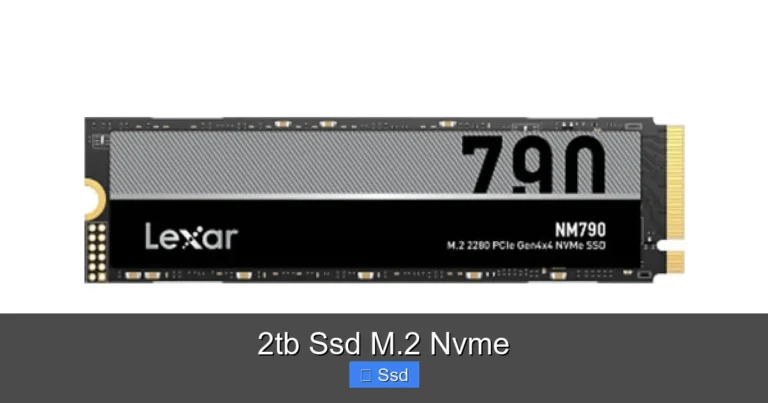
2tb Gen 4 Nvme Ssd

A 2tb Gen 4 NVMe SSD delivers ultra-fast storage with read speeds up to 7,000 MB/s, making it perfect for gaming, creative work, and everyday computing. This guide covers what a 2tb gen 4 nvme ssd is, how it compares to older drives, top models to buy, and simple tips to get the most from your investment.
If you have been shopping for a new solid-state drive lately, you have probably seen the term 2tb gen 4 nvme ssd everywhere. And for good reason. These drives are incredibly fast, spacious, and more affordable than they were just a year ago. Whether you are a gamer who wants near-instant load times, a video editor working with huge files, or someone who simply wants a zippy PC, a 2TB Gen 4 NVMe drive can transform your experience.
But what exactly makes a 2TB Gen 4 NVMe SSD so special? How does it compare to the drives you may already own? And which model should you pick? In this guide, we break it all down in plain, simple language. By the end, you will know exactly what to look for and why this type of storage might be the best upgrade you make this year.
The world of PC storage has changed a lot in recent years. Hard disk drives feel painfully slow by comparison, and even older SSDs cannot keep up with modern demands. A 2TB NVMe M.2 SSD in the Gen 4 category sits right at the sweet spot of speed, capacity, and price. It is not just a storage upgrade. It is a total system upgrade.
Key Takeaways
- Speed matters: A 2tb gen 4 nvme ssd offers double the bandwidth of Gen 3, giving you much faster file transfers and boot times.
- Capacity meets performance: With 2TB of space, you get room for large game libraries, video projects, and massive datasets without slowing down.
- Not all Gen 4 drives are equal: Different brands and models vary in price, endurance, and real-world performance.
- Compatibility is key: Make sure your motherboard supports PCIe Gen 4 before buying a 2TB NVMe drive.
- Price has dropped: 2TB Gen 4 NVMe SSDs are more affordable now than ever, offering great value for the speed boost.
- Proper setup makes a difference: Installing and configuring your drive correctly ensures you unlock its full potential.
📑 Table of Contents
- What Is a 2TB Gen 4 NVMe SSD?
- How Fast Is a Gen 4 NVMe SSD in Real Life?
- Top 2TB Gen 4 NVMe SSDs Worth Looking At
- Who Needs a 2TB Gen 4 NVMe SSD?
- How to Choose the Right 2TB Gen 4 NVMe SSD
- Common Mistakes to Avoid When Buying a 2TB Gen 4 NVMe SSD
- Expert Insights: What the Numbers Mean for You
- Conclusion
What Is a 2TB Gen 4 NVMe SSD?
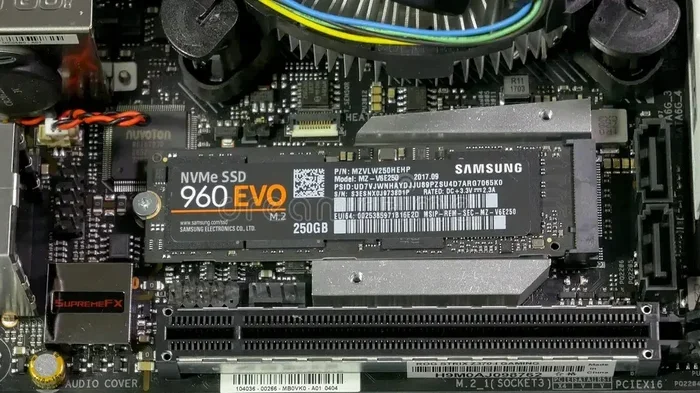
Let us start with the basics. NVMe stands for Non-Volatile Memory Express. It is a communication protocol designed specifically for flash storage. Unlike older SATA SSDs, which use a cable-based connection, NVMe drives plug directly into your motherboard through the M.2 slot. This direct connection removes bottlenecks and allows much faster data transfer.
The “Gen 4” part refers to the PCIe generation. PCIe stands for Peripheral Component Interconnect Express. Each new generation doubles the available bandwidth. Gen 4 NVMe SSDs use the PCIe 4.0 interface, which offers up to 64 gigabytes per second of bandwidth. That is twice as much as Gen 3 drives. The result? Blazing read speeds that regularly hit 7,000 MB/s and write speeds around 5,000 MB/s or higher.
A 2TB capacity means you get 2,000 gigabytes of space. That is enough to store an enormous game library, hundreds of hours of 4K video footage, thousands of photos, and all your everyday files. Combined with Gen 4 speeds, this capacity gives you the best of both worlds: plenty of room and lightning-fast access.
How NVMe Differs from SATA SSDs
To really appreciate a 2TB Gen 4 NVMe SSD, it helps to understand how it differs from a standard SATA SSD. SATA SSDs max out at about 550 MB/s. That is fast compared to old hard drives, but it is nothing compared to NVMe. A Gen 4 NVMe drive is roughly 12 to 13 times faster in read speeds.
Here is a quick comparison:
- SATA SSD: Up to 550 MB/s read, 250 MB/s write. Uses a 2.5-inch form factor or M.2 SATA slot.
- NVMe Gen 3 SSD: Up to 3,500 MB/s read. Uses M.2 slot with PCIe 3.0.
- NVMe Gen 4 SSD: Up to 7,000 MB/s read. Uses M.2 slot with PCIe 4.0.
- NVMe Gen 5 SSD: Up to 14,000 MB/s read. Uses M.2 slot with PCIe 5.0.
As you can see, the jump from SATA to NVMe Gen 4 is massive. If you are still using an older drive, upgrading to a 2TB NVMe M.2 SSD will feel like switching from a bicycle to a sports car.
How Fast Is a Gen 4 NVMe SSD in Real Life?
Benchmarks are one thing, but real-world speed is what matters most. A 2tb gen 4 nvme ssd shines in everyday tasks that you actually notice.
Boot times drop to just a few seconds. Your operating system launches instantly. Apps open without any waiting. Game load times shrink dramatically. For example, a game that takes two minutes to load on a SATA SSD might load in just 15 to 20 seconds on a Gen 4 NVMe drive.
File transfers are another area where Gen 4 really stands out. Moving a 50GB folder of video files from one drive to another takes just a few minutes instead of the long wait you would endure on an older drive. Large project files, RAW photo libraries, and massive spreadsheets all open and save much faster.
What Affects Real-World Speed?
Not every Gen 4 NVMe drive hits its maximum advertised speeds in daily use. Several factors play a role:
- Your motherboard: It must have a PCIe Gen 4 M.2 slot. If you plug a Gen 4 drive into a Gen 3 slot, it will run at Gen 3 speeds.
- Queue depth and workload: Heavy multitasking with many simultaneous read and write operations can push speeds higher, but light tasks may not reach the top numbers.
- Drive temperature: Gen 4 NVMe drives can get hot under sustained workloads. Many models include heatsinks or recommend adding one.
- NAND type: Drives using TLC (Triple-Level Cell) NAND tend to be faster and more durable than QLC (Quad-Level Cell) NAND.
Keep these factors in mind when shopping. A 2TB NVMe M.2 SSD with a good heatsink and TLC NAND will give you the best real-world experience.
Top 2TB Gen 4 NVMe SSDs Worth Looking At
The market for Gen 4 NVMe drives has exploded. Many brands now offer 2TB models at competitive prices. Here are some of the most popular and well-reviewed options you should consider.
Crucial T705: This drive is one of the top performers in the Gen 4 space. It delivers excellent read and write speeds and comes with a generous endurance rating. If you want a reliable, no-nonsense 2TB PCIe Gen 4 NVMe M.2 SSD, the Crucial T705 is a strong contender.
Crucial P3 Plus: A more budget-friendly option from Crucial. The Crucial P3 Plus NVMe SSD review highlights its solid performance for everyday use and gaming. It is a great entry point into the Gen 4 world without breaking the bank.
Samsung 980 Pro: Samsung has long been a trusted name in SSDs. The 980 Pro offers consistent speeds, a five-year warranty, and excellent reliability. It is a premium choice for those who want the best of the best.
WD Black SN850X: Western Digital’s Black series is aimed at enthusiasts. The SN850X delivers strong sustained performance and works beautifully in gaming rigs. It is a popular choice among PC builders.
When comparing these drives, look at sequential read/write speeds, random 4K performance, endurance (TBW rating), and warranty length. Each of these factors tells you something different about the drive’s real-world behavior.
Who Needs a 2TB Gen 4 NVMe SSD?
A 2TB Gen 4 NVMe SSD is not for everyone. But if you fall into any of these categories, it could be a game-changer for your setup.
Gamers
Modern games are huge. AAA titles regularly exceed 100GB each. A 2TB drive gives you room for a large library without constantly deleting and reinstalling games. Plus, Gen 4 speeds mean faster load screens and smoother open-world exploration with minimal pop-in.
Content Creators
Video editors, photographers, and graphic designers work with massive files daily. A 2TB NVMe drive provides the speed needed to scrub through timelines smoothly, export projects quickly, and store raw footage without bottlenecks.
PC Builders and Upgraders
If you are building a new PC or upgrading an older one, a Gen 4 NVMe SSD is one of the most impactful upgrades you can make. It costs less than it used to and delivers a noticeable difference in everyday responsiveness.
Professionals Who Work with Data
Engineers, scientists, and analysts who handle large datasets benefit enormously from the fast read/write speeds. Compiling code, running simulations, and processing data all happen much faster on a Gen 4 drive.
How to Choose the Right 2TB Gen 4 NVMe SSD
Not all 2TB NVMe M.2 SSD drives are created equal. Here are the key factors to consider before you buy.
1. Check Your Motherboard Compatibility. This is the most important step. Open your PC case or check your motherboard manual. Look for an M.2 slot that supports PCIe Gen 4. If your board only has Gen 3 slots, a Gen 4 drive will still work but will run at Gen 3 speeds. Some motherboards support both Gen 3 and Gen 4 on the same slot, but you need to check the manual.
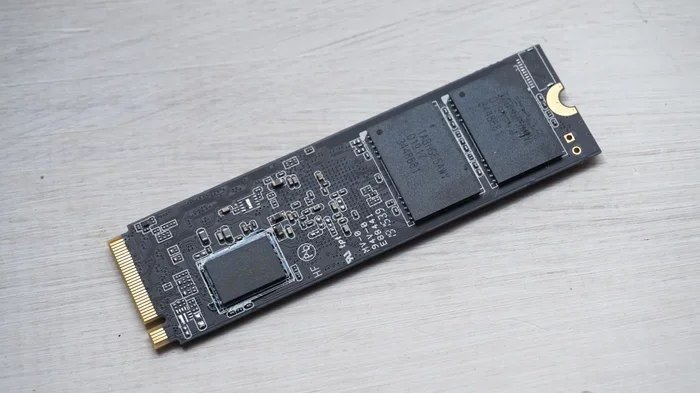
2. Consider the Form Factor. Most 2TB Gen 4 NVMe drives use the M.2 2280 form factor. This is the standard size for desktop and laptop M.2 slots. Make sure your system supports this size before purchasing.
3. Look at Endurance Ratings. Endurance is measured in terabytes written (TBW). A higher TBW means the drive can handle more data over its lifetime. For a 2TB drive, a TBW rating of 1,200 or higher is excellent. This matters if you do a lot of heavy writing, like video editing or running servers.
4. Check for a Heatsink. Gen 4 NVMe drives generate more heat than older drives. Some models come with a built-in heatsink. Others require you to buy one separately. If your PC case has limited airflow, a heatsink is a must to prevent thermal throttling.
5. Compare Prices Across Brands. Prices for 2TB Gen 4 NVMe SSDs have come down significantly. You can find solid options in the $120 to $180 range. Premium models with extra features like heatsinks or higher endurance may cost a bit more. Shop around and read reviews before deciding.
Quick Tips for Getting the Most Out of Your Drive
- Enable NVMe mode in your BIOS/UEFI settings.
- Update your motherboard firmware to the latest version for the best compatibility.
- Use a heatsink or thermal pad to keep temperatures in check.
- Enable the TRIM command in your operating system to maintain performance over time.
- Avoid filling the drive past 80% capacity for optimal speed.
Common Mistakes to Avoid When Buying a 2TB Gen 4 NVMe SSD
Even experienced PC users sometimes make mistakes when buying or installing a Gen 4 NVMe drive. Here are a few to watch out for.
Skipping Motherboard Compatibility Checks. This is the number one mistake. Buying a Gen 4 drive only to find out your motherboard does not support it is frustrating. Always double-check before purchasing.
Ignoring Thermals. Gen 4 NVMe drives run hotter than Gen 3 or SATA drives. Without proper cooling, they can throttle and lose speed. Do not skip the heatsink.
Confusing Gen 4 with Gen 5. Some newer drives use PCIe Gen 5, which is even faster. But Gen 5 requires a Gen 5 motherboard. Do not pay extra for Gen 5 if your system does not support it.
Not Checking the Warranty. A good 2TB Gen 4 NVMe SSD should come with at least a three-year warranty. Premium models often offer five years. Longer warranties usually reflect better confidence in the drive’s durability.
Overlooking Random Read/Write Speeds. Sequential speeds get all the attention, but random 4K speeds affect how your PC feels during daily use. A drive with great sequential but poor random speeds will still feel sluggish when opening small apps or booting up.
Expert Insights: What the Numbers Mean for You
Let us put the numbers into perspective. A typical 2tb gen 4 nvme ssd can read at 6,500 to 7,400 MB/s and write at 5,000 to 6,500 MB/s. To put that in context, a standard SATA SSD reads at around 550 MB/s. That means a Gen 4 NVMe drive is roughly 12 times faster for sequential reads.
For the average user, this translates to a much snappier PC. Boot times drop from 30 to 45 seconds on a SATA SSD to around 8 to 12 seconds on a Gen 4 NVMe drive. Games load noticeably faster. Video exports finish quicker. The difference is real and immediate.
For professionals, the speed gains are even more significant. Video editors can scrub through 4K footage without stuttering. Data scientists can process large datasets in a fraction of the time. Engineers can compile large codebases in seconds instead of minutes.
The 2TB capacity also plays a big role. With games and media files growing larger every year, having 2TB of fast storage means fewer compromises. You do not have to constantly manage your storage or delete favorite games to make room for new ones.
If you are coming from a 2TB SSD M.2 NVMe that is Gen 3, the upgrade to Gen 4 will feel like a meaningful step forward. The speed difference is especially noticeable during large file transfers, booting, and launching heavy applications.
One thing to keep in mind: the full benefits of a Gen 4 NVMe SSD are best realized when paired with a compatible system. If your CPU, motherboard, and RAM are all up to date, the drive will perform at its best. Older systems may see smaller gains, though the speed improvement over SATA is still dramatic regardless of the rest of your hardware.
When you compare options like the Crucial T705 2TB PCIe Gen5 NVMe M.2 SSD, you can see how the Gen 4 models still hold their own in terms of value. Gen 5 is the future, but Gen 4 offers the best balance of speed, price, and availability right now.
For those wondering about longevity, modern NVMe drives are built to last. The endurance ratings on most 2TB models are more than enough for typical home and office use. Even heavy workloads like daily video rendering are well within the limits of quality Gen 4 drives.
Looking ahead, the 2TB NVMe M.2 SSD category continues to grow. More brands are entering the market, prices are dropping, and performance is improving. Now is a great time to invest in one of these drives.
Conclusion
A 2TB Gen 4 NVMe SSD is one of the best upgrades you can make to any modern PC. It combines generous storage capacity with blazing-fast speeds that make everything from booting your computer to loading games feel instant. Whether you are a gamer, a creator, or a professional who works with large files, this type of drive delivers real, noticeable improvements.
The key is to choose a model that fits your needs and budget. Check your motherboard compatibility, consider endurance and thermals, and pick a reputable brand with solid reviews. With the right drive, you will wonder how you ever managed without it.
Do not wait for prices to drop further. The market for 2TB Gen 4 NVMe SSDs is more competitive than ever, and the technology is mature and reliable. Make the upgrade today and experience the difference that fast, spacious NVMe storage can make in your daily computing life.
Frequently Asked Questions
What is the difference between a 2TB Gen 3 and Gen 4 NVMe SSD?
The main difference is speed. Gen 4 NVMe SSDs offer roughly double the bandwidth of Gen 3, with read speeds up to 7,000 MB/s compared to Gen 3’s 3,500 MB/s. For most everyday tasks, the jump is very noticeable, especially during large file transfers and game loading.
Do I need a special motherboard for a 2TB Gen 4 NVMe SSD?
Yes, your motherboard needs an M.2 slot that supports PCIe Gen 4. Most motherboards made after 2020 include at least one Gen 4 M.2 slot. Check your motherboard manual or specifications to confirm before buying.
Is a 2TB Gen 4 NVMe SSD worth the price?
Absolutely. Prices have dropped significantly, and the combination of 2TB capacity and Gen 4 speeds offers excellent value. The performance boost over older SATA or Gen 3 drives is dramatic, making it one of the most worthwhile PC upgrades available.
Can I use a 2TB Gen 4 NVMe SSD in a laptop?
Yes, as long as your laptop has an M.2 slot that supports PCIe Gen 4. Many modern laptops do. Check your laptop’s specifications or consult the manufacturer to confirm compatibility.
Does a Gen 4 NVMe SSD need a heatsink?
It is highly recommended. Gen 4 NVMe SSDs run hotter than older drives, and sustained high temperatures can cause the drive to slow down. Many models come with a heatsink included, and adding one to your setup is inexpensive and easy.
How long does a 2TB Gen 4 NVMe SSD last?
Most quality 2TB Gen 4 NVMe SSDs have endurance ratings of 1,200 TBW or higher, which translates to many years of normal use. For the average user, a drive like this can last five to seven years or more before showing signs of wear.