Cheapest Nvme M 2 Ssd
Looking for a cheapest NVMe M 2 SSD that still delivers fast speeds? You can find solid budget NVMe drives starting around $30 for 500GB. This guide breaks down the best low-cost options, key specs to compare, and tips to avoid common pitfalls when buying a budget M 2 SSD.
If you are building or upgrading a PC on a budget, finding the cheapest NVMe M 2 SSD can feel overwhelming. There are so many options, prices, and brands floating around that it is easy to second-guess every choice. But here is the good news. You do not need to spend a fortune to get a fast and reliable solid state drive.
A budget M 2 SSD can breathe new life into an older laptop, give your desktop a serious speed boost, or serve as a boot drive that makes everything feel snappy. In this guide, we walk you through the cheapest NVMe options available, what to look for, and how to pick the right one for your needs. Whether you are a student, a gamer, or just someone who wants a faster computer, this guide has you covered.
Key Takeaways
- Budget NVMe SSDs start as low as $30: You can upgrade your storage without breaking the bank.
- PCIe Gen3 drives offer the best value: They are significantly cheaper than Gen4 and still very fast for most users.
- 512GB and 1TB sizes hit the sweet spot: They balance price and capacity for everyday use and gaming.
- Watch out for fake or slow drives: Stick with trusted brands like Kingston, Crucial, and WD Blue.
- M 2 2280 is the most common form factor: Make sure your motherboard supports this size before buying.
- NVMe is much faster than SATA: Even a budget NVMe drive will outperform most SATA SSDs.
📑 Table of Contents
- Why Choose an NVMe M 2 SSD Over Other Drives?
- What Makes an SSD “Cheap”?
- Best Cheap NVMe M 2 SSDs You Can Buy Right Now
- What to Watch Out for When Buying a Budget NVMe SSD
- How to Install Your New Budget NVMe SSD
- Is It Worth Buying the Absolute Cheapest NVMe SSD?
- Quick Tips for Getting the Best Deal
- Final Thoughts
Why Choose an NVMe M 2 SSD Over Other Drives?
Before we dive into the cheapest options, let us talk about why NVMe M 2 SSDs are worth your time. Unlike traditional hard drives, a solid state drive has no moving parts. This means faster load times, quieter operation, and better durability.
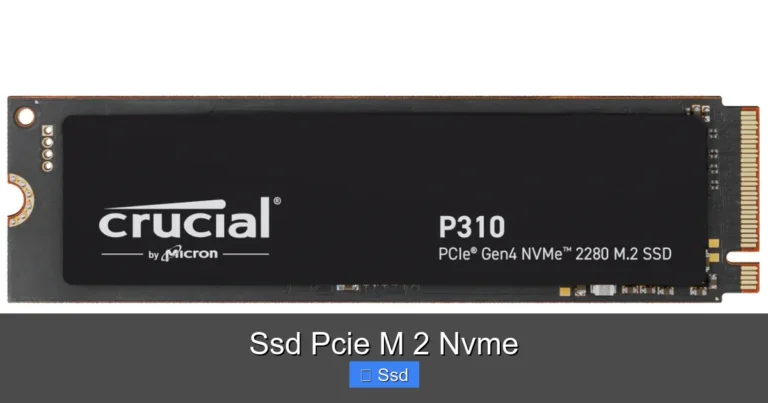
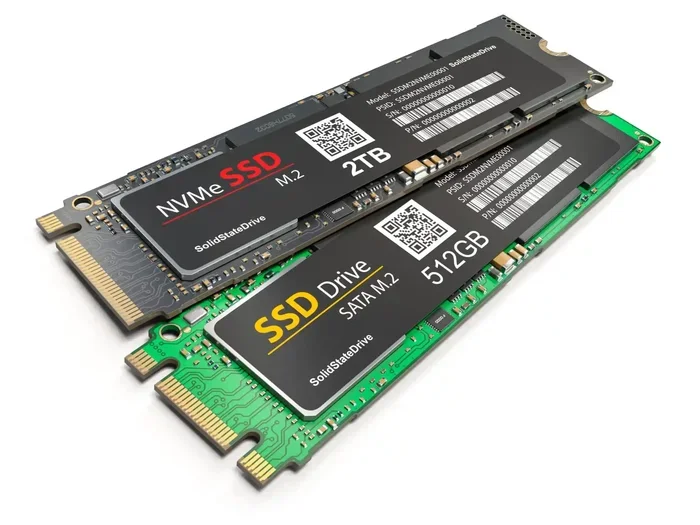
But what makes NVMe different from a regular SATA SSD? NVMe stands for Non-Volatile Memory Express. It is a protocol designed specifically for flash storage. It uses the PCIe interface, which is much faster than the SATA connection used by older SSDs. Even the cheapest NVMe M 2 SSD will blow most SATA drives out of the water in terms of speed.
Here is a quick comparison:
- SATA SSD: Max speed around 550 MB/s
- Budget NVMe M 2 SSD: Speeds from 1,500 to 3,500 MB/s
- High-end NVMe M 2 SSD: Speeds over 7,000 MB/s
As you can see, even the most affordable NVMe drive offers a huge upgrade over SATA. If your motherboard supports M 2 slots, there is really no reason to buy a slower drive anymore.
What Makes an SSD “Cheap”?
Not all budget SSDs are created equal. When we say cheapest NVMe M 2 SSD, we mean drives that offer solid performance at a low price point. But several factors determine whether a drive is truly a good deal.
PCIe Generation Matters
The PCIe generation is one of the biggest factors in price. PCIe Gen3 NVMe SSDs are the most affordable. They still offer excellent speeds for everyday tasks, gaming, and general use. PCIe Gen4 drives cost a bit more, and PCIe Gen5 drives are the most expensive right now.
For most people looking for a cheap NVMe M 2 SSD, a Gen3 drive is more than enough. You will get speeds that are 5 to 10 times faster than a traditional hard drive. Unless you are doing heavy video editing or working with massive datasets, Gen3 is the sweet spot for value.
Capacity and Price Per Gigabyte
Another thing to consider is how much storage you need. A 512GB NVMe M 2 SSD is often the most affordable per gigabyte. A 1TB M 2 NVMe SSD costs a bit more but gives you double the space. If you need even more, a 2TB NVMe M 2 SSD is available at reasonable prices too.
Here is a rough idea of what you can expect to pay:
- 512GB: Around $25 to $40
- 1TB: Around $40 to $65
- 2TB: Around $70 to $100
These prices change often, so keep an eye out for sales. The 1TB size is usually the best value for most users. It gives you enough room for your operating system, apps, and several games without costing too much.
Best Cheap NVMe M 2 SSDs You Can Buy Right Now
So which drives actually deliver good value? Here are some of the most popular budget-friendly options that we recommend.
Kingston NV2 1TB
The Kingston NV2 is one of the most popular budget NVMe drives on the market. It uses a Phison E controller and offers PCIe Gen3 speeds. It is a great cheap NVMe M 2 SSD for everyday use and gaming. You can often find the 1TB version for under $45, making it one of the most affordable options out there.
Many users choose this drive as a boot drive or a secondary storage drive. It is reliable, fast enough for most tasks, and backed by Kingston’s solid reputation.
Crucial P3 1TB
The Crucial P3 is another excellent choice for anyone searching for a budget M 2 SSD. It also uses PCIe Gen3 and delivers speeds up to 3,500 MB/s. Crucial is a well-known brand in the storage world, and the P3 series offers great performance at a low price.
The 1TB model is widely available and often priced competitively. It is a solid pick for students, office workers, and casual gamers who want a fast solid state drive without spending extra money.
WD Blue SN580 1TB
Western Digital’s WD Blue SN580 is a reliable and affordable NVMe drive. It is designed for everyday computing and offers consistent performance. WD Blue is a trusted name, and their NVMe drives are often found at competitive prices.
This drive is a good choice if you want a low cost NVMe option from a big brand. It works well as a primary drive or as a storage upgrade for laptops and desktops.
What to Watch Out for When Buying a Budget NVMe SSD
Saving money is great, but you do not want to end up with a drive that fails or performs poorly. Here are some common mistakes and things to watch for.
Avoid No-Name Brands
The internet is full of ultra-cheap SSDs from brands you have never heard of. These drives often use low-quality NAND flash and unreliable controllers. They may show inflated speeds in marketing but perform much slower in real-world use. Stick with well-known brands like Kingston, Crucial, WD, Samsung, and Intel.
Also, be careful of drives that look like knockoffs. Some sellers repackage older or lower-tier chips and sell them at a discount. Always buy from reputable retailers or directly from the manufacturer.
Check Your Motherboard Compatibility
Before you buy any M 2 NVMe SSD, make sure your motherboard has an M 2 slot. Most modern motherboards do, but some older or budget boards may only support SATA M 2 drives. An NVMe drive will not work in a SATA-only M 2 slot.
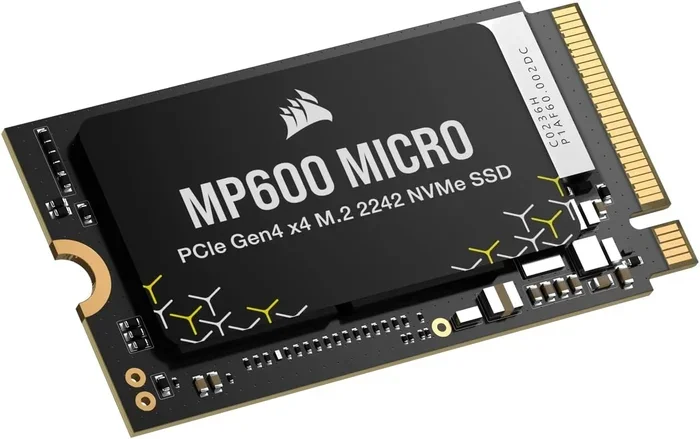
Also, check the physical size. The M 2 2280 format is the most common. This means the drive is 22mm wide and 80mm long. Some laptops and compact boards only support shorter sizes, so double-check your manual or specs.
Do Not Ignore DRAM Cache
Some budget NVMe SSDs do not have a DRAM cache. This is a small amount of memory that helps the drive manage data more efficiently. Drives without DRAM can still work fine for most users, but they may slow down during heavy workloads. For a cheap NVMe M 2 SSD used as a boot or game drive, this usually does not matter much.
How to Install Your New Budget NVMe SSD
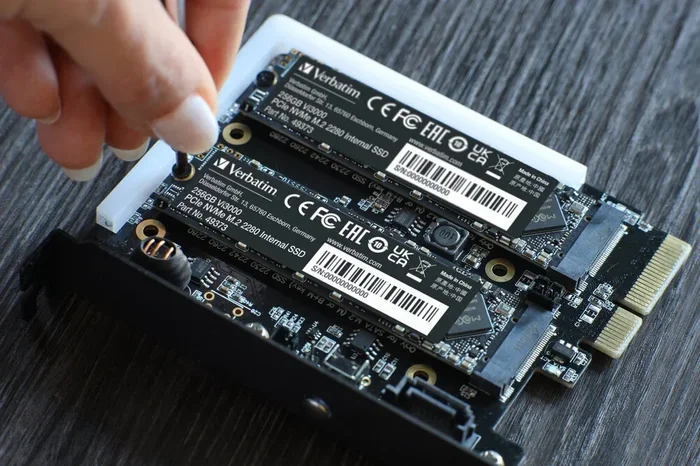
Installing an M 2 NVMe SSD is one of the easiest PC upgrades you can do. You do not need any special tools or technical skills. Here is a quick overview of the process.
- Turn off your PC and unplug it from the wall.
- Open your case and locate the M 2 slot on your motherboard.
- Remove the heatsink or retention bracket if needed.
- Insert the SSD at a 30-degree angle into the slot.
- Press it down gently and secure it with the screw.
- Close your case and boot up your PC.
If you are using the drive as a boot drive, you will need to install your operating system on it. You can do this using a USB installer or by cloning your existing drive. If you are adding it as a secondary drive, your PC should detect it automatically after installation.
For those who want a portable option, you can also use an M 2 NVMe enclosure to turn your internal SSD into an external drive. This is great for backing up data or transferring files between computers.
Is It Worth Buying the Absolute Cheapest NVMe SSD?
The cheapest NVMe M 2 SSD can be a great value, but there is a line between cheap and too good to be true. A drive that costs $15 for 1TB sounds amazing, but it might use recycled or degraded NAND flash. These drives can fail quickly or lose data over time.
Our advice? Set a realistic budget and stick with trusted brands. Spending an extra $10 to $15 more on a reputable drive can save you from data loss and frustration down the road. A budget NVMe SSD from Kingston, Crucial, or WD Blue will give you the best balance of price, speed, and reliability.
Also, keep in mind that prices change frequently. If you are not in a rush, wait for a sale or a deal. Holiday shopping events like Black Friday and Amazon Prime Day often bring significant discounts on affordable NVMe M 2 SSDs.
Quick Tips for Getting the Best Deal
- Compare prices across multiple retailers: Amazon, Newegg, and B&H often have different prices for the same drive.
- Look for combo deals: Some retailers bundle an NVMe SSD with a motherboard or laptop at a discount.
- Check refurbished options: Many manufacturers sell certified refurbished drives with warranties.
- Read user reviews: Real-world performance often differs from marketing claims.
- Prioritize 1TB over 512GB: The price difference is small, and 1TB gives you much more breathing room.
Final Thoughts
Finding the cheapest NVMe M 2 SSD does not mean you have to compromise on quality or performance. There are plenty of excellent budget options that deliver fast speeds, reliable storage, and great value. Whether you pick the Kingston NV2, the Crucial P3, or the WD Blue SN580, you will get a significant speed upgrade over any traditional hard drive or SATA SSD.
The key is to do your research, stick with trusted brands, and know what your motherboard supports. With the right budget M 2 SSD, you can transform an old or slow computer into a fast and responsive machine. So go ahead, upgrade your storage, and enjoy the speed that only a solid state drive can deliver.
Frequently Asked Questions
What is the cheapest NVMe M 2 SSD available?
The Kingston NV2 and Crucial P3 are among the most affordable options, with 1TB models often available for under $45. These drives use PCIe Gen3 and offer solid speeds for everyday use and gaming at a very low price point.
Is a budget NVMe M 2 SSD good for gaming?
Yes, even the cheapest NVMe M 2 SSD is more than fast enough for gaming. Game load times will be significantly shorter compared to a hard drive or SATA SSD. The slight speed difference between budget and premium NVMe drives has minimal impact on gaming performance.
Can I use a cheap NVMe SSD as my boot drive?
Absolutely. Budget NVMe drives like the Kingston NV2 or Crucial P3 work perfectly as boot drives. They will make your operating system load faster and your overall system feel much more responsive.
How do I know if my motherboard supports NVMe M 2 SSDs?
Check your motherboard manual or specs online. Look for an M 2 slot that supports PCIe NVMe. Most modern motherboards from 2018 onward support NVMe M 2 drives, but some budget boards only support SATA M 2 drives.
What is the difference between PCIe Gen3 and Gen4 NVMe SSDs?
PCIe Gen4 is about twice as fast as Gen3, but it also costs more. For most users, a Gen3 drive is more than enough. The cheapest NVMe M 2 SSDs use Gen3, and they still offer speeds that are 5 to 10 times faster than a traditional hard drive.
Should I buy a 512GB or 1TB budget NVMe SSD?
We recommend 1TB whenever possible. The price difference between 512GB and 1TB is usually small, but 1TB gives you double the storage. This is especially important if you plan to install games or store large files on the drive.