Wd_black Sn850 Nvme Ssd
The WD Black SN850 NVMe SSD delivers blazing PCIe Gen4 speeds with up to 7,000 MB/s reads and 5,300 MB/s writes. This solid state drive is a top choice for gaming PCs, content creators, and anyone needing a fast boot drive. We cover real-world performance, capacities, and how it stacks up against the competition.
The WD Black SN850 NVMe SSD has earned a strong reputation in the storage world. It combines fast PCIe Gen4 speeds with a sleek design and reliable performance. Whether you are building a new gaming rig or upgrading an existing system, this drive promises to deliver.
But how does it actually perform in real-world use? And is it worth your money compared to other options on the market? We put this solid state drive through its paces to find out everything you need to know before buying.
The WD Black SN850 uses the NVMe protocol over a PCIe Gen4 x4 connection. This means it bypasses the bottlenecks of older SATA drives. The result is dramatically faster boot times, quicker file transfers, and smoother multitasking. For gamers and creators, this kind of speed makes a real difference every single day.
Key Takeaways
- Blazing Speeds: The WD Black SN850 offers sequential read speeds up to 7,000 MB/s and write speeds up to 5,300 MB/s on PCIe Gen4.
- Multiple Capacities: Available in 500GB, 1TB, 2TB, and 4TB options to fit any budget and workload.
- Great for Gaming: Near-instant game loads and smooth performance make it ideal for PC gaming setups.
- DRAM Cache Included: The SSD includes a DRAM cache for consistent random read and write performance.
- Competitive Pricing: The SN850 is priced competitively against rivals like the Crucial P3 Plus and Samsung 970 EVO Plus.
- M.2 2280 Form Factor: This compact M.2 NVMe drive fits most modern desktops and laptops with an M.2 slot.
- Solid Endurance: Higher capacities offer excellent TBW ratings, making it reliable for long-term use.
📑 Table of Contents
- WD Black SN850 NVMe SSD Overview
- Performance Benchmarks and Real-World Speeds
- Capacities and Pricing
- WD Black SN850 for Gaming
- Endurance and Reliability
- How the WD Black SN850 Compares to Competitors
- Installation and Compatibility
- Pros and Cons of the WD Black SN850
- Who Should Buy the WD Black SN850?
- Final Verdict
WD Black SN850 NVMe SSD Overview
The WD Black SN850 is part of Western Digital’s high-performance Black lineup. It is designed for users who demand the best from their storage. The drive uses a PCIe Gen4 NVMe interface, which is currently the sweet spot between speed and affordability.
Unlike older SATA SSDs, the SN850 takes full advantage of the PCIe bus. This allows it to reach read speeds of up to 7,000 MB/s. Write speeds climb to 5,300 MB/s on the 1TB model. These numbers are impressive and translate to tangible benefits in everyday use.
Form Factor and Build Quality
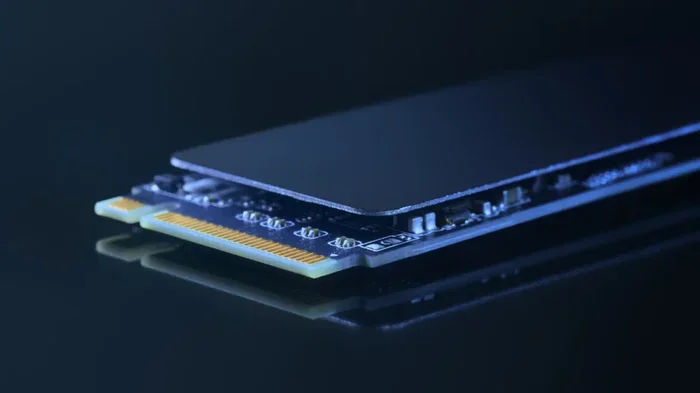
The SN850 uses the standard M.2 2280 form factor. This means it is 22mm wide and 80mm long. It fits into any motherboard with an M.2 slot that supports PCIe NVMe drives. The aluminum heatsink design helps manage thermals under heavy workloads.
Build quality is excellent. The drive feels solid and well-constructed. The heatsink is a nice touch, especially for users who run demanding workloads for long periods. It also comes with a warranty that gives users peace of mind.
Performance Benchmarks and Real-World Speeds
Understanding how the WD Black SN850 performs in real scenarios matters more than raw numbers alone. Let us break down what you can expect.
Sequential Read and Write Speeds
Sequential speeds measure how fast the drive handles large file transfers. The SN850 delivers up to 7,000 MB/s in sequential reads. Sequential writes reach up to 5,300 MB/s on the 1TB model. These speeds are significantly faster than any SATA SSD.
In practical terms, this means copying a 50GB game file takes just seconds. Large video projects load quickly. You will notice the difference the moment you start using this drive as your primary boot drive.
Random Read and Write Performance
Random speeds matter for everyday tasks like opening apps, loading operating systems, and multitasking. The SN850 includes a DRAM cache, which helps maintain consistent random performance. This is important because drives without DRAM can slow down when handling lots of small files.
For PC gaming, random read speeds directly affect how quickly games load. The SN850 handles this with ease. You will experience shorter load screens and faster level transitions.
Capacities and Pricing
The WD Black SN850 comes in several capacity options. This makes it accessible for different budgets and use cases.
| Capacity | Sequential Read | Sequential Write | Approx. Price (USD) |
|---|---|---|---|
| 500GB | 7,000 MB/s | 5,300 MB/s | $60-$75 |
| 1TB | 7,000 MB/s | 5,300 MB/s | $90-$110 |
| 2TB | 7,000 MB/s | 5,300 MB/s | $170-$200 |
| 4TB | 7,000 MB/s | 5,300 MB/s | $320-$380 |
The 1TB model is the most popular choice for most users. It offers enough space for a Windows installation, several games, and essential applications. If you need more room, the 2TB option provides excellent value for content creators and power users.
For comparison, the Crucial P3 Plus NVMe SSD offers similar PCIe Gen4 speeds at a slightly lower price point. However, the Crucial P3 Plus uses a QLC NAND configuration, which can affect sustained write performance. The SN850 uses TLC NAND, which tends to be more consistent under heavy workloads.
WD Black SN850 for Gaming
Gaming performance is where NVMe SSDs really shine. The WD Black SN850 is an excellent choice for gamers who want the fastest possible load times.
Modern games are becoming more storage-hungry. Titles like Call of Duty and Cyberpunk 2077 benefit enormously from fast sequential reads. The SN850’s 7,000 MB/s read speed means these games load in a fraction of the time compared to a SATA SSD.
Here are some practical gaming benefits of the SN850:
- Faster game installs and updates: Large game files copy quickly thanks to high sequential write speeds.
- Shorter load screens: Games open levels and maps almost instantly.
- Smoother open-world streaming: The drive streams textures and assets quickly, reducing pop-in.
- Fast system boot times: Windows loads in seconds on the SN850.
- Better multitasking: Switching between games and applications feels seamless.
If you are building a gaming PC, the SN850 should be at the top of your storage list. It pairs perfectly with a high-end GPU and fast processor. The combination creates a system that feels incredibly responsive.
Endurance and Reliability
Endurance is a key factor when choosing any solid state drive. The WD Black SN850 offers solid TBW (terabytes written) ratings across its capacity range.
- 500GB model: 300 TBW warranty
- 1TB model: 600 TBW warranty
- 2TB model: 1,200 TBW warranty
- 4TB model: 2,400 TBW warranty
These numbers mean the drive can handle a lot of data writing over its lifetime. For most users, the endurance is more than sufficient. Even heavy gamers who install and uninstall games frequently will find the SN850 lasts for years.
The drive also features Western Digital’s nCache 2.0 technology. This helps maintain consistent performance even when the drive is nearly full. It also improves the overall lifespan of the NAND flash memory.
How the WD Black SN850 Compares to Competitors
It is always smart to compare before you buy. Here is how the SN850 stacks up against other popular NVMe drives.
SN850 vs. Crucial P3 Plus
The Crucial P3 Plus offers similar PCIe Gen4 speeds but uses QLC NAND. This means it may slow down during sustained writes. The SN850’s TLC NAND provides more consistent performance over time. The Crucial P3 Plus is slightly cheaper, making it a good budget option.
SN850 vs. Samsung 970 EVO Plus
The Samsung 970 EVO Plus is a PCIe Gen3 drive, so it cannot match the SN850’s raw speeds. However, the Samsung drive is still excellent for general use. The SN850 wins on pure performance, but the Samsung model may cost less depending on the capacity.
SN850 vs. Corsair MP600 Core XT
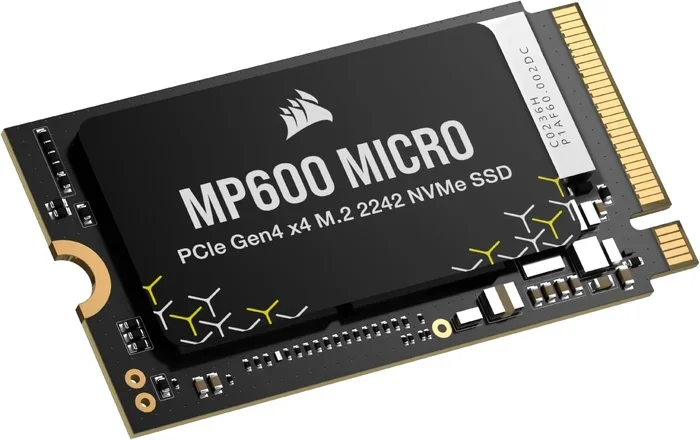
The Corsair MP600 Core XT also uses PCIe Gen4 and delivers competitive speeds. Both drives offer similar read and write numbers. The choice often comes down to brand preference, heatsink design, and price at the time of purchase.
Installation and Compatibility
Installing the WD Black SN850 is straightforward. The M.2 2280 form factor fits most modern motherboards. You simply insert it into the M.2 slot and secure it with a screw.
Here are some quick installation tips:
- Make sure your motherboard supports PCIe NVMe M.2 SSDs.
- Check if your M.2 slot supports PCIe Gen4 for full speed.
- Use the included M.2 screw to secure the drive.
- Enable NVMe mode in your BIOS if it is not already active.
- Install your operating system or clone your existing drive to the SN850.
If you are using the SN850 in a laptop, make sure your system has an M.2 slot that supports NVMe. Some laptops only support SATA M.2 drives, so double-check your specs before buying.
For users who want to protect the drive outside of their system, an NVMe M.2 enclosure is a great accessory. It lets you use the SN850 as portable storage or connect it to systems without an internal M.2 slot.
Pros and Cons of the WD Black SN850
Pros
- Excellent sequential read and write speeds
- Includes DRAM cache for consistent performance
- TLC NAND for better endurance than QLC alternatives
- M.2 2280 form factor fits most modern systems
- Built-in heatsink for thermal management
- Strong TBW ratings across all capacities
- Great for gaming, content creation, and general use
Cons
- Slightly more expensive than QLC-based Gen4 drives
- Heatsink can be bulky in some compact cases
- 500GB model has lower endurance than larger capacities
- PCIe Gen4 requires a compatible motherboard for full speeds
Who Should Buy the WD Black SN850?
The WD Black SN850 is ideal for several types of users. If you are a PC gamer who wants the fastest load times possible, this drive is a great fit. Content creators who work with large video and photo files will also benefit from the fast sequential speeds.
Professionals who need a reliable boot drive for workstations will appreciate the consistency and endurance. Even general users who want a noticeable speed boost over an older SATA SSD will be impressed by the SN850.
However, if you only need basic storage and do not care about speed, a SATA SSD or a more budget-friendly option like the 512GB NVMe M.2 SSD might be a better fit. The SN850 is designed for users who want the best performance available.
Final Verdict
The WD Black SN850 NVMe SSD is an outstanding storage solution. It combines top-tier PCIe Gen4 speeds with solid endurance and a competitive price. The 7,000 MB/s read and 5,300 MB/s write speeds make it one of the fastest consumer SSDs available.
For gaming, content creation, and everyday computing, the SN850 delivers a fantastic experience. It is reliable, fast, and built to last. If you are looking for a high-performance M.2 NVMe drive, the WD Black SN850 should be at the top of your list.
While there are other great options like the NVMe vs SATA comparison that help you understand the technology, the SN850 proves that PCIe Gen4 is worth the investment. It is a drive that will serve you well for years to come.
Frequently Asked Questions
Is the WD Black SN850 worth buying in 2024?
Yes, the WD Black SN850 remains an excellent choice in 2024. Its PCIe Gen4 speeds, TLC NAND, and DRAM cache make it a reliable and fast storage option. While newer Gen5 drives are available, the SN850 offers the best balance of speed, price, and endurance for most users.
How does the WD Black SN850 compare to SATA SSDs?
The SN850 is dramatically faster than any SATA SSD. SATA drives max out around 550 MB/s, while the SN850 reaches 7,000 MB/s reads. This means boot times, game loads, and file transfers are much quicker on the NVMe drive.
Can I use the WD Black SN850 in a laptop?
Yes, the SN850 uses the M.2 2280 form factor, which is common in laptops. Just make sure your laptop has an M.2 slot that supports PCIe NVMe drives. Check your laptop’s specifications before purchasing to confirm compatibility.
Does the WD Black SN850 need a heatsink?
The SN850 comes with a built-in aluminum heatsink, so it does not need an additional one in most cases. However, if you are using it in a very compact case or running sustained heavy workloads, an aftermarket M.2 heatsink can provide extra thermal protection.
What is the warranty on the WD Black SN850?
Western Digital provides a 5-year limited warranty on the SN850. The drive also comes with TBW ratings that guarantee a certain amount of data writing over its lifespan. This warranty gives users confidence in the drive’s long-term reliability.
Is the WD Black SN850 good for video editing?
Absolutely. Video editing involves working with large files that benefit from fast sequential read and write speeds. The SN850’s 7,000 MB/s reads and 5,300 MB/s writes make it an excellent choice for video editors who need quick file transfers and smooth playback.