Crucial T705 2tb Pcie Gen5 Nvme M 2 Ssd
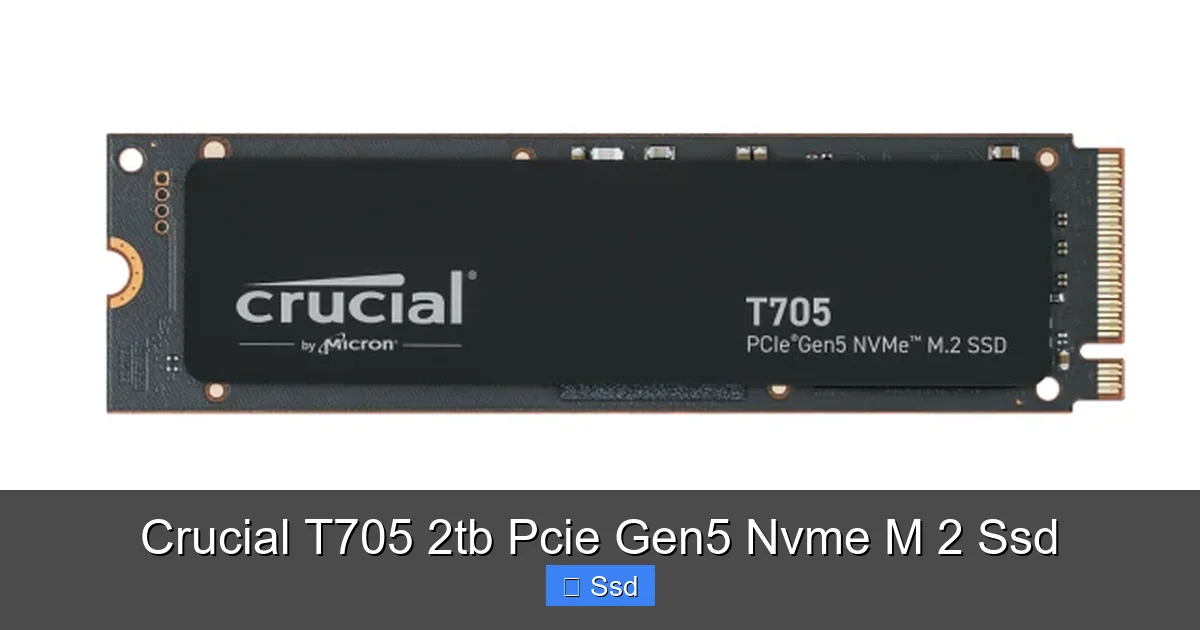
The Crucial T705 2tb Pcie Gen5 Nvme M 2 Ssd is Micron’s flagship consumer Gen5 drive, delivering up to 14,000 MB/s read speeds. Its most critical feature is the robust, integrated aluminum heatsink, which is essential for managing the significant heat generated by these next-gen drives. This 2TB model offers a fantastic capacity for gamers, content creators, and power users who refuse to compromise on storage performance.
Let’s talk about speed. Real, earth-shattering, “did-my-computer-just-break-the-sound-barrier” speed. For years, we’ve been riding the incredible wave of PCIe 4.0 NVMe SSDs. They’re fast, they’re affordable, and they’ve become the standard for any decent PC build. But the tech world never sleeps. The next leap is here, and it’s called PCIe 5.0. Enter the Crucial T705 2tb Pcie Gen5 Nvme M 2 Ssd, a drive that isn’t just an incremental update—it’s a declaration that the future of storage is now, and it’s incredibly hot. Literally.
Building a PC with a Crucial T705 2tb Pcie Gen5 Nvme M 2 Ssd means you’re not just buying storage; you’re investing in a performance cornerstone for a top-tier machine. This isn’t about saving a few seconds on boot times anymore. This is about shaving critical milliseconds off game level loads, zipping through 8K video timelines without a stutter, and moving terabytes of project files in the time it takes to grab a coffee. But with great power comes… well, a great need for cooling. That’s where the T705’s most important design choice comes into play. Let’s dive deep into what makes this drive a powerhouse and a practical reality for your next-gen build.
Key Takeaways
- True PCIe Gen5 Performance: Achieves sequential read speeds up to 14,000 MB/s and writes up to 12,000 MB/s, doubling the bandwidth of Gen4 drives for massive file transfers and asset loading.
- Integrated Heatsink is Non-Negotiable: The drive comes with a large, high-quality aluminum heatsink pre-installed, which is mandatory for sustaining Gen5 speeds and preventing dangerous thermal throttling.
- Built for High-End Systems: Requires a motherboard with an M.2 slot supporting PCIe 5.0 x4. It’s designed for Intel 13th/14th Gen and AMD Ryzen 7000 series platforms and newer.
- Capacity & Endurance Balance: The 2TB capacity provides ample space for modern game libraries and 4K/8K video projects, with a competitive TBW (Total Bytes Written) rating for long-term reliability.
- Target Audience: Enthusiasts & Pros: Not for average users. Best suited for competitive gamers seeking fastest load times, professional video editors, 3D animators, and data scientists working with massive datasets.
- Micron-Backed Reliability: Backed by Micron’s decades of memory manufacturing expertise, a 5-year limited warranty, and essential software like Crucial Storage Executive for drive monitoring.
[FEATURED_IMAGE_PLACEHOLDER]
📑 Table of Contents
- Understanding the PCIe Gen5 Revolution
- Deep Dive: Crucial T705 2TB Specs & Architecture
- Thermal Performance: Why the Heatsink Wins
- Real-World Performance: Gaming & Creative Workloads
- Compatibility & Setup: What You Need to Know
- Who Is This For? Value Proposition & Alternatives
- Final Thoughts: The State of Gen5 Storage
Understanding the PCIe Gen5 Revolution
Before we dissect the T705, we need to understand what PCIe 5.0 actually brings to the table. Think of a PCIe lane as a highway. PCIe 4.0 was a 16-lane superhighway with a speed limit of about 2 GB/s per lane. PCIe 5.0? It’s the same number of lanes, but the speed limit is doubled to around 4 GB/s per lane. For an NVMe SSD that uses 4 lanes (x4), that theoretical maximum jumps from ~8 GB/s to a staggering ~16 GB/s.
The Bandwidth Bonanza
The Crucial T705 2tb Pcie Gen5 Nvme M 2 Ssd harnesses this new bandwidth to achieve its headline-grabbing numbers: up to 14,000 MB/s read and 12,000 MB/s write. To put that in perspective, a top-tier PCIe 4.0 drive like the Crucial P5 Plus might hit around 6,600 MB/s. We’re not talking about a 10% or 20% improvement; we’re talking about doubling the available pipe. This massive bandwidth isn’t just for bragging rights on a benchmark. It translates to tangible benefits:
- Asset Loading: Open-world games with massive, detailed textures (think *Cyberpunk 2077* with Ray Tracing Ultra) can stream assets from storage directly into memory, reducing pop-in and load times between areas.
- Content Creation: Scrubbing through multiple 8K video streams, loading complex 3D scenes with high-poly models, or applying filters to giant Photoshop files becomes noticeably smoother because the data can be fed to the CPU/GPU faster.
- File Transfers: Moving a 100GB game folder or a terabyte of raw footage from one drive to another now takes a fraction of the time, a huge quality-of-life boost for anyone working with large files.
The Heat Problem: Gen5’s Achilles’ Heel
Here’s the unavoidable truth: all that speed generates a lot of heat. The electrical components on a Gen5 SSD, especially the controller, work much harder and can run significantly hotter than their Gen4 predecessors. Without proper cooling, a Crucial T705 2tb Pcie Gen5 Nvme M 2 Ssd or any Gen5 drive will hit its thermal limits within seconds under heavy load. When that happens, it “thermal throttles”—it deliberately slows itself down to cool off. You’re paying for a race car but only getting to drive it in the school zone because it overheats. This is not a minor issue; it’s the single biggest barrier to real-world Gen5 performance.
Deep Dive: Crucial T705 2TB Specs & Architecture
The Crucial T705 2tb Pcie Gen5 Nvme M 2 Ssd is built from the ground up for this new era. Let’s break down the components that make it tick.
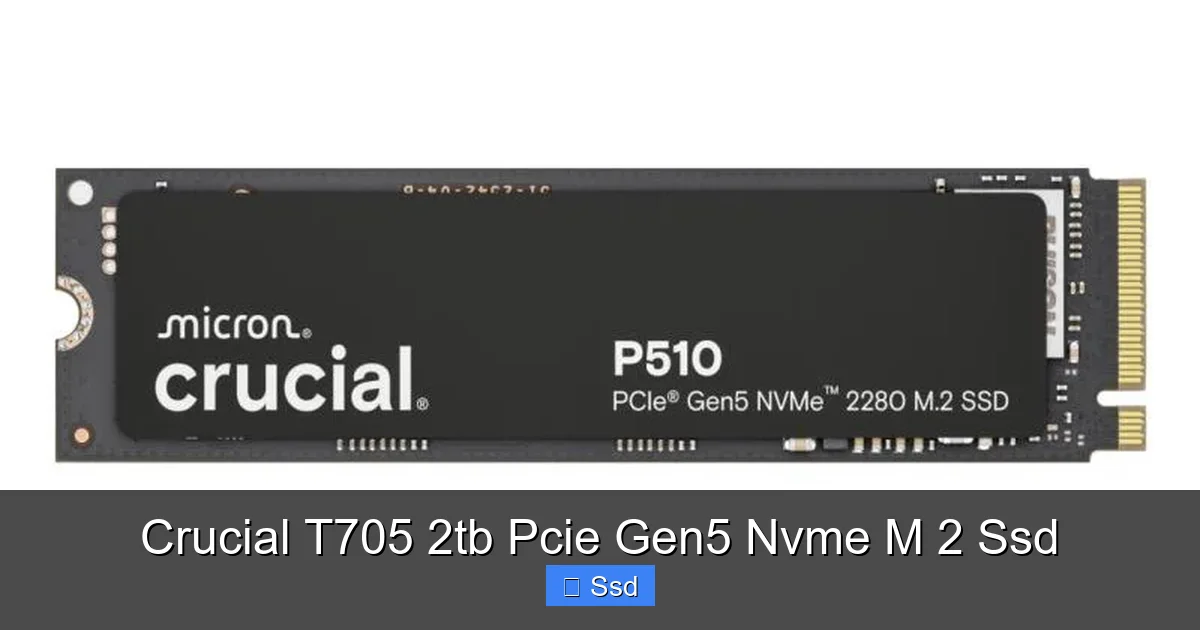
Visual guide about Crucial T705 2tb Pcie Gen5 Nvme M 2 Ssd
Image source: acadia-info.com
The Brains: Micron’s Own 232-Layer TLC NAND
Micron, Crucial’s parent company, is one of the world’s three leading memory manufacturers. They produce their own NAND flash memory. The T705 uses Micron’s advanced 232-layer TLC (3-bit per cell) NAND. This is cutting-edge stuff. More layers mean higher density, which helps keep costs per gigabyte more manageable in a high-capacity 2TB drive. TLC offers a great balance of performance, endurance, and cost compared to slower QLC or more expensive, less dense MLC. For the vast majority of users, including professionals, this TLC is the sweet spot.
The Muscle: Phison PS5026-E26 Controller
The heart of any NVMe SSD is its controller, and the T705 uses the formidable Phison PS5026-E26. This is a purpose-built Gen5 controller designed to handle the insane bandwidth and the associated thermal output. It features multiple ARM CPU cores and a sophisticated architecture to manage the massive data streams, error correction, and wear leveling without breaking a sweat—provided it stays cool. This controller is what enables those 14,000/12,000 MB/s numbers.
The Body: The Essential Integrated Heatsink
This is the defining feature of the Crucial T705 2tb Pcie Gen5 Nvme M 2 Ssd. Unlike many Gen4 drives where a heatsink is an optional accessory, for Gen5, it’s part of the core product. Crucial engineers designed a large, chunky aluminum heatsink that is permanently affixed to the drive. The design includes:
- Massive Surface Area: The fins and base provide a huge surface area to dissipate heat away from the controller and NAND.
- Direct-Contact Base: The bottom of the heatsink makes direct contact with the controller and memory chips via a thermal pad (or sometimes direct contact), efficiently pulling heat into the aluminum mass.
- Passive Cooling: It relies entirely on your PC case’s airflow. No fans, no noise. It’s a testament to the idea that for sustained Gen5 performance, you need serious passive mass.
Important Note: There is also a “Crucial T705” version without a heatsink sold in some markets for OEM/system integrator use. For a self-built PC, you must purchase the version with the heatsink (often labeled “with Heatsink” or “CRUCIAL T705 2TB HEATSINK”). Buying the naked drive and expecting your motherboard’s tiny M.2 shield to cool it is a recipe for instant thermal throttling.
The Numbers: Capacity, Speed, and Endurance
The 2TB capacity is the sweet spot for this class of drive. Here are the official specs for the Crucial T705 2tb Pcie Gen5 Nvme M 2 Ssd:
- Interface: PCIe 5.0 x4, NVMe 2.0 compliant
- Sequential Read: Up to 14,000 MB/s
- Sequential Write: Up to 12,000 MB/s
- Random Read/Write (IOPS): Up to 1.5M / 1.3M
- Endurance (TBW): 1,200 TBW (Terabytes Written)
- Warranty: 5-year limited warranty
- Form Factor: M.2 2280 (22mm wide, 80mm long)
- Heatsink Dimensions: Significantly thicker than a standard M.2 drive, so check your motherboard’s M.2 slot clearance, especially with the next-gen Intel 600/700 series or AMD X670E/B650E boards which often have larger shields.
The 1,200 TBW endurance rating for 2TB means you can write 1.2 petabytes of data to the drive over its warranty period before the warranty is void. That’s an enormous amount, equivalent to writing the entire contents of a 2TB drive 600 times. For a power user, this is more than adequate.
Thermal Performance: Why the Heatsink Wins
Let’s get practical. A Crucial T705 2tb Pcie Gen5 Nvme M 2 Ssd without its heatsink is a completely different product. We need to look at real-world thermal behavior.
Visual guide about Crucial T705 2tb Pcie Gen5 Nvme M 2 Ssd
Image source: m.media-amazon.com
Throttling in Action
In independent tests, a naked Gen5 drive (using the same E26 controller) can see its temperature spike past 100°C (212°F) in under 30 seconds of a sustained write workload. At that point, the controller throttles speeds dramatically, often dropping down to PCIe 3.0 or even 2.0 speeds to cool off. The sustained performance becomes worse than a good Gen4 drive. You paid a premium for Gen5 and got Gen2 performance. The integrated heatsink on the T705 changes this equation entirely.
Sustained Performance with Cooling
With its chunky aluminum heatsink installed in a well-ventilated case, the Crucial T705 2tb Pcie Gen5 Nvme M 2 Ssd maintains temperatures typically between 60-75°C under the heaviest, unrealistic benchmark loads. In more typical gaming and creative workloads, it often sits in the 50-65°C range. This allows the controller to stay in its optimal performance window for the entire duration of the task. The drive can sustain its near-peak sequential and random speeds for minutes on end, which is exactly what you need for large file copies or rendering scenes. The heatsink isn’t a luxury; it’s the performance-enabling core component.
Real-World Performance: Gaming & Creative Workloads
Synthetic benchmarks like CrystalDiskMark are great for seeing peak numbers, but they don’t tell the whole story. How does the Crucial T705 2tb Pcie Gen5 Nvme M 2 Ssd feel in actual use?
The Gaming Experience
For gamers, the most noticeable Gen5 benefit is in open-world games with seamless loading. Titles like *Red Dead Redemption 2*, *Elden Ring*, or *Starfield* constantly stream terrain, textures, and objects from storage as you move. A faster SSD reduces the “pop-in” of objects and shortens the brief pauses when entering a new, dense area. While the difference between a top Gen4 and Gen5 drive might be measured in 1-2 seconds for a full level load, that split-second advantage can matter in competitive gaming or simply for a smoother, more immersive experience. The T705’s high random read IOPS (1.5M) are what make this streaming so efficient. Your game’s engine is asking for thousands of small files at once—that’s random read performance, and Gen5 excels here.
The Creative Professional’s Tool
This is where the Crucial T705 2tb Pcie Gen5 Nvme M 2 Ssd truly shines. If you work with high-resolution video (4K, 6K, 8K), 3D animation, or large photo libraries, your storage is often the bottleneck. When you scrub through a timeline in DaVinci Resolve or Adobe Premiere Pro, the software is constantly reading small chunks of video files. A faster SSD means smoother playback without rendering. Loading a complex project in Blender with hundreds of high-poly textures? Gen5 cuts that wait. Compressing a massive folder of RAW photos for a client? The sustained write speed of the T705 makes the export phase significantly faster. The 2TB capacity also means you can keep your active project and your operating system on the same ultra-fast drive without running out of space.
Compatibility & Setup: What You Need to Know
You can’t just drop a Crucial T705 2tb Pcie Gen5 Nvme M 2 Ssd into any old PC. Here’s your compatibility checklist.
Visual guide about Crucial T705 2tb Pcie Gen5 Nvme M 2 Ssd
Image source: hardwareinside.de
Motherboard Requirements: PCIe 5.0 is Mandatory
This is the big one. Your motherboard must have an M.2 slot that explicitly supports PCIe 5.0. Currently, this means:
- Intel: 13th Gen (Raptor Lake) and 14th Gen (Raptor Lake Refresh) Core processors on Z790, B760, H770, and newer chipsets. Not all M.2 slots on these boards are Gen5; often only the top slot is.
- AMD: Ryzen 7000 series (Zen 4) and newer processors on X670E, B650E, and X670 chipsets. Again, typically only one or two of the M.2 slots support Gen5.
If you have an Intel 12th Gen board, an AMD X570/B550 board, or anything older, you only have PCIe 4.0. The T705 will work in these slots (it’s backward compatible), but it will be severely limited to Gen4 speeds (~7,000 MB/s max). You would be wasting your money.
Physical Clearance: Check Your Heatsink Fit
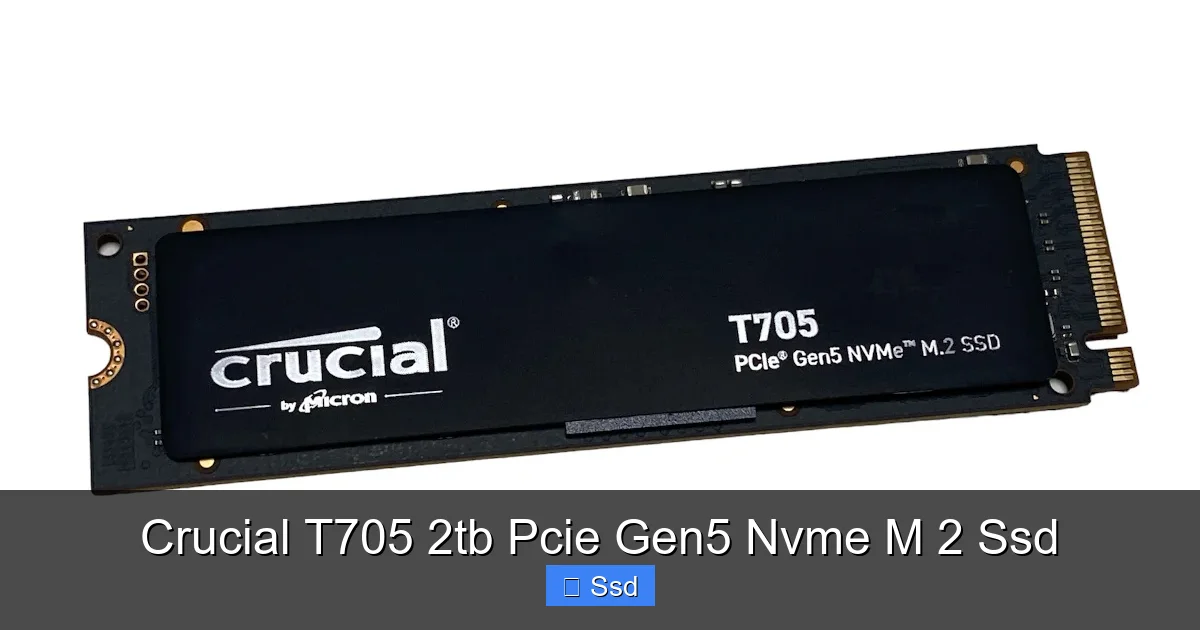
The integrated heatsink on the T705 is tall and wide. Before buying, you must:
- Check your motherboard’s QVL (Qualified Vendor List) for the exact model number of the T705 (often CT2T705SSD5) to confirm compatibility.
- Look at pictures of your motherboard’s M.2 slot. Does it have a large, pre-installed metal shield/backplate? The T705 heatsink might not fit underneath it. You may need to remove the motherboard’s shield entirely, which is usually fine.
- Check clearance with your CPU cooler. A large air cooler or an AIO pump might overhang the top M.2 slot. Ensure there’s enough room for the T705’s heatsink body.
Installation & Software
Installation is straightforward: screw the drive into the M.2 slot. Because it has a heatsink, you likely won’t use the motherboard’s included M.2 screw (the heatsink has its own). Use the screw that came with the T705. Ensure your case has good airflow across the motherboard area. The heatsink needs moving air to be effective.
After installing, download the Crucial Storage Executive software. This free tool is invaluable. It lets you:
- Monitor drive health, temperature, and available lifespan.
- Check the firmware version and update if necessary (firmware can improve performance and stability).
- Enable “Data Integrity” features for extra protection.
You’ll also need to initialize and format the drive in your operating system (Windows Disk Management or macOS Disk Utility) before use.
Who Is This For? Value Proposition & Alternatives
The Crucial T705 2tb Pcie Gen5 Nvme M 2 Ssd sits at the premium end of the market. Its price reflects its cutting-edge status. So, is it worth it for you?
The Ideal User Profile
- The High-End Enthusiast Builder: You’re building a no-compromise PC with a 14th Gen i9 or Ryzen 9 7950X3D, a top-tier GPU, and you want every component to be the best. The T705 is a statement piece that completes the build.
- The Professional Creator: You earn your living with a computer. Waiting for files to load or projects to save is lost time and money. The speed gains in your workflow directly impact your bottom line. The 2TB capacity is perfect for active projects.
- The Competitive Esports Player/Streamer: Every millisecond of load time counts. Faster asset streaming can mean getting into the action a split second before an opponent. For streamers, having game assets on a separate ultra-fast drive from your streaming/recording drive is optimal.
When You Might Look Elsewhere
- The Mainstream Gamer: If you have a PCIe 4.0 motherboard, a fantastic drive like the Crucial P5 Plus (Gen4) offers phenomenal performance for gaming at a much lower price. The real-world gaming difference is often minimal.
- The Budget-Conscious User: You can get a high-quality 2TB Gen4 drive for significantly less money. That cost savings could go towards a better GPU or more RAM, which will likely yield a bigger performance boost for gaming.
- The Capacity-First User: If you need 4TB or 8TB of fast storage for a massive media library, Gen5 drives at those capacities are extremely expensive and rare. A large, high-end Gen4 drive or even a SATA SSD for bulk storage is a smarter economic choice.
The Verdict on Value: You are paying a substantial premium for the “Gen5” badge and the necessary cooling solution. The performance delta over a top Gen4 drive in many tasks is real but not always massive. The value is in the future-proofing and the extreme use cases where every GB/s counts.
Final Thoughts: The State of Gen5 Storage
The Crucial T705 2tb Pcie Gen5 Nvme M 2 Ssd is a brilliant, if niche, flagship product. It successfully solves the primary problem of Gen5 storage: heat. By integrating a robust, effective heatsink, Crucial ensures you actually get the performance you paid for. The drive itself uses top-tier components from Micron and Phison, delivering on the speed promises.
However, it’s crucial to view it in context. PCIe 5.0 for consumer SSDs is still in its infancy. The full ecosystem—motherboards, CPUs, and, most importantly, games and applications optimized to leverage the extra bandwidth—is still catching up. Right now, the benefits are most keenly felt in professional, data-heavy workflows. For gaming, it’s a very nice bonus but not a game-changer over a fast Gen4 drive.
If you are building a brand-new, high-end system on an Intel 13th/14th Gen or AMD Ryzen 7000 platform, and your budget allows for a premium storage component, the Crucial T705 2tb Pcie Gen5 Nvme M 2 Ssd is an outstanding, worry-free choice. Its integrated cooling takes the guesswork out of Gen5. Just ensure your motherboard has a compatible M.2 slot with enough physical clearance. For everyone else, the still-incredible performance of PCIe 4.0 remains the smarter, more cost-effective buy. The future is fast, and the T705 is a perfectly engineered key to that future—for those who are ready to turn the key.
Frequently Asked Questions
Do I absolutely need the heatsink version of the Crucial T705?
Yes, absolutely. For a PCIe Gen5 SSD like the T705, the heatsink is not optional—it is essential. Without it, the drive will thermal throttle almost immediately under load, reducing its performance to that of a much slower Gen3 or Gen4 drive. The integrated heatsink is engineered specifically to manage the high heat output of Gen5 components.
Is the performance jump from a Gen4 to Gen5 SSD noticeable in games?
The difference is measurable but often subtle in most current games. You may see 1-3 second faster level loads in some titles, and open-world games with heavy asset streaming can feel slightly smoother. The most dramatic improvements are seen in professional applications involving large, sustained file transfers or when working with high-resolution video and 3D assets.
Will the Crucial T705 work in my older PCIe 4.0 motherboard?
Yes, it is backward compatible and will work in a PCIe 4.0 M.2 slot. However, it will be limited to the maximum speed of PCIe 4.0 (around 7,000 MB/s), wasting its full Gen5 potential. You would be paying a premium for performance you cannot access. It’s only worth buying if you have a motherboard with a native PCIe 5.0 M.2 slot.
Can I use the Crucial T705 in a PlayStation 5 for extra storage?
No. The PlayStation 5 requires a PCIe 4.0 x4 SSD that meets very specific speed and cooling criteria. While the T705 is physically compatible (M.2 2280), its PCIe 5.0 interface is not supported by the PS5, and its large integrated heatsink will almost certainly not fit inside the console’s narrow M.2 slot enclosure. Use it for a high-end PC only.
What is the warranty and expected lifespan of the 2TB T705?
The Crucial T705 comes with a 5-year limited warranty. Its endurance rating is 1,200 TBW (Terabytes Written) for the 2TB model. This means you can write 1,200 terabytes of data to the drive before the warranty is voided. For a high-end user, this is a very high and reliable number, equating to writing approximately 657 GB per day for 5 years.
How do I monitor the health and temperature of my T705?
Use the official Crucial Storage Executive software, available for Windows and macOS. This free utility provides a clear dashboard showing the drive’s temperature, remaining lifespan (percentage), SMART data, and allows for firmware updates. It’s the recommended way to keep an eye on your drive’s health.