What Is Alt Gr
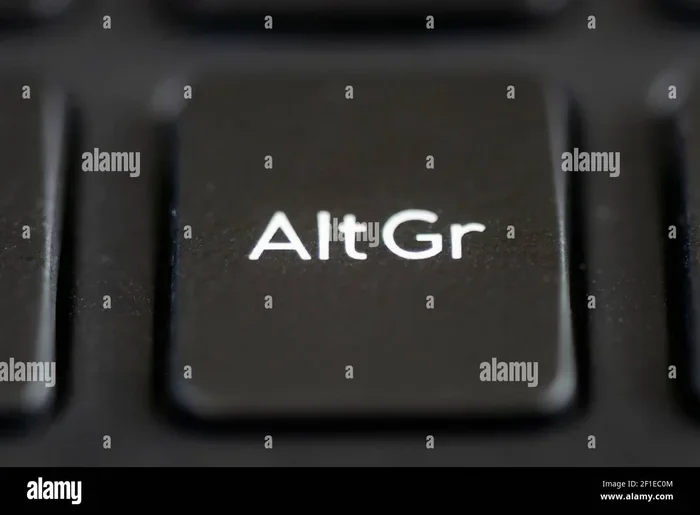
The Alt Gr key is a modifier key found on many laptop and desktop keyboards that lets you access a third level of characters on each key. It stands for Alternate Graphic and is especially common on international and European keyboard layouts. You use it by holding the key down while pressing another key to type symbols, accented letters, and special characters. Understanding how Alt Gr works can make typing on your laptop much faster and more efficient.
If you have ever looked closely at your laptop keyboard and wondered about that small key tucked between the right Ctrl and the spacebar, you have found the Alt Gr key. It is a tiny but powerful key that unlocks a whole world of characters you never knew existed on your keyboard. Whether you are typing in a second language, inserting currency symbols, or just trying to figure out how to type an @ symbol on a non-US keyboard, the Alt Gr key is your secret weapon.
Many laptop users go their entire lives without ever pressing this key. But for anyone who works with foreign languages, special characters, or technical symbols, it is an absolute game-changer. In this guide, we will break down exactly what the Alt Gr key is, how it works, and why it matters for your daily typing.
## What Is Alt Gr?
The Alt Gr key is short for Alternate Graphic. It is a modifier key found on many keyboards, especially those designed for European and international markets. On a standard US keyboard, you might not see this key at all. But on most laptops sold in Europe, Latin America, and other regions, the Alt Gr key is a permanent fixture.
The purpose of the Alt Gr key is simple but important. It gives you access to a third level of characters on each key. Think of your keyboard as having three layers. The first layer is the primary characters you see printed on the keys. The second layer is accessed by holding the Shift key. The third layer is the one you unlock with Alt Gr.
For example, on many European keyboards, the number 2 key has a double quote (“) as its primary character and an at sign (@) when you hold Shift. But when you press Alt Gr plus 2, you get the euro symbol (€). That is the power of the third layer.
### How Alt Gr Differs from the Regular Alt Key
It is easy to confuse Alt Gr with the regular Alt key on the left side of your keyboard. They look similar, and both are modifier keys. But they do very different things.
The regular Alt key sends a standard scan code to your computer. It is used for shortcuts like Alt plus F4 to close a window. The Alt Gr key, on the other hand, sends a different scan code that tells your operating system to switch to the third character layer. In fact, on some systems, the Alt Gr key is recognized as Ctrl plus Alt combined into a single key press.
This distinction matters when you are troubleshooting keyboard issues or setting up custom shortcuts. If you remap the regular Alt key, it will not affect Alt Gr, and vice versa.
## Where Is the Alt Gr Key on Your Laptop?
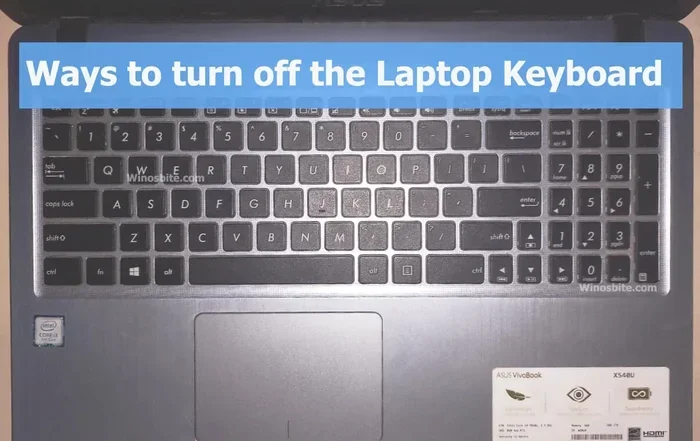
The location of the Alt Gr key can vary depending on your laptop brand and model. On most keyboards, you will find it to the right of the spacebar, sitting right next to the right Ctrl key. It is usually smaller than the regular Alt key and sometimes labeled as AltGr, Alt Graph, or simply Alt with a small Gr beneath it.
Some laptop keyboards, especially compact or US models, do not have a dedicated Alt Gr key at all. In these cases, the right Alt key often doubles as the Alt Gr key. When you press the right Alt, it functions just like Alt Gr and gives you access to the third character layer.
### Finding Alt Gr on Popular Laptop Brands
Different laptop manufacturers place the Alt Gr key in slightly different spots. Here is a quick look at where to find it on common brands.
- Dell laptops: The Alt Gr key is usually located to the right of the spacebar, next to the right Ctrl.
- HP laptops: Similar placement, right next to the spacebar on the bottom row.
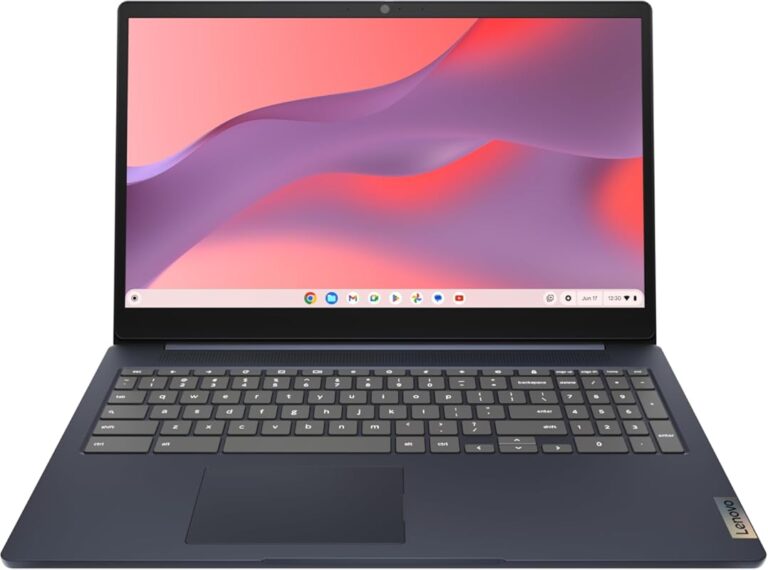
- Lenovo laptops: Often has Alt Gr next to the right Ctrl, though some compact models may not include it.
- Acer laptops: Standard placement, but some budget models may omit the dedicated key.
If you cannot find a dedicated Alt Gr key on your laptop, check if your right Alt key serves this purpose. You can test this by pressing right Alt plus a number key and seeing if a special character appears.
## How to Use the Alt Gr Key
Using the Alt Gr key is straightforward. You simply hold it down and press another key to access the character printed above or below the main symbol on that key. Let us walk through some common examples.
On a typical European keyboard layout, here are a few useful Alt Gr combinations:
- Alt Gr + 2 produces the @ symbol
- Alt Gr + E produces the € symbol
- Alt Gr + C produces the ç symbol
- Alt Gr + left bracket ([) produces the { symbol
- Alt Gr + right bracket (]) produces the } symbol
- Alt Gr + period (.) produces the > symbol on some layouts
These combinations are not just random. They follow a logical pattern based on the keyboard layout your operating system is using. If you switch your keyboard layout from US English to, say, German or French, the Alt Gr combinations will change to match the characters you need for that language.
### Practical Examples of Alt Gr in Daily Use
The Alt Gr key comes in handy more often than you might think. If you work with spreadsheets, you might need the euro symbol or the pipe symbol (|). If you write in a language that uses accented characters, Alt Gr makes typing those letters quick and easy.
For instance, on a French keyboard layout, pressing Alt Gr plus a vowel gives you characters like é, è, or ê. On a German layout, Alt Gr plus S gives you the ß character. These are characters you simply cannot type without the Alt Gr key or a workaround.
## Alt Gr and Keyboard Layouts
The Alt Gr key is closely tied to your keyboard layout. Your keyboard layout determines which characters appear on each key and what the Alt Gr combinations produce. Switching your layout changes everything about how the Alt Gr key behaves.
Most operating systems support multiple keyboard layouts. On Windows, you can switch between layouts using the language bar in your taskbar. On macOS, you can use the Input menu in the menu bar. On Linux, the process depends on your desktop environment but is usually found in your settings.
### Common Keyboard Layouts That Use Alt Gr
Several keyboard layouts rely heavily on the Alt Gr key. Here are some of the most common ones.
- US International: This layout adds Alt Gr combinations for accented characters and special symbols, making it useful for multilingual typing.
- UK English: Uses Alt Gr for the hash symbol (#) and other characters not found on the US layout.
- German (QWERTZ): Heavily uses Alt Gr for characters like ß, ä, ö, and ü.
- French (AZERTY): Relies on Alt Gr for accented vowels and the guillemet symbols (« and »).
- Spanish (QWERTY): Uses Alt Gr for the inverted question mark and exclamation mark at times.
Each layout is designed to make typing in that language as natural as possible. The Alt Gr key is the bridge that connects the physical keys on your laptop to the characters you need.
## Alt Gr vs. Other Modifier Keys on Laptops
To truly understand Alt Gr, it helps to compare it with the other modifier keys on your laptop. Modifier keys change the function of other keys when pressed together. The most common modifier keys are Shift, Ctrl, Alt, Fn, and Alt Gr.
Each modifier key has its own role. The Shift key capitalizes letters and accesses the second character layer. The Ctrl key is used for system shortcuts and commands. The Fn key on laptops adjusts hardware functions like brightness and volume. And the Alt Gr key opens the third character layer for special symbols.
### Why Alt Gr Matters for Laptop Users
If you have ever struggled to type a symbol on your laptop, you know how frustrating it can be. Without the Alt Gr key, you might need to open a character map, use an on-screen keyboard, or memorize complex key sequences. The Alt Gr key simplifies all of that.
It is especially valuable for professionals who work with multiple languages, programmers who need special syntax characters, and anyone who regularly types currency symbols or math notation. Knowing where the Alt Gr key is and how to use it can save you significant time and frustration.
## Troubleshooting Alt Gr Issues on Laptops
Sometimes the Alt Gr key stops working as expected. This can happen after a Windows update, a keyboard driver change, or a layout switch. If your Alt Gr key is not producing the right characters, there are a few things you can try.
First, check your keyboard layout. Make sure you have not accidentally switched to a layout that does not use Alt Gr the way you expect. On Windows, go to Settings, then Time and Language, then Language, and verify your keyboard layout.
Second, try updating your keyboard drivers. Open Device Manager, expand the Keyboards section, right-click your keyboard, and select Update Driver. Sometimes a simple driver refresh fixes the issue.
Third, check if the Alt Gr key is being intercepted by a third-party app. Some keyboard remapping tools or productivity software can interfere with Alt Gr functionality. Temporarily disabling these tools can help you identify the culprit.
### Quick Tips for Alt Gr Users
Here are some quick tips to get the most out of your Alt Gr key.
- Memorize a few key combinations: You do not need to memorize all of them. Just learn the ones you use most often.
- Use the On-Screen Keyboard: If you are unsure what a combination produces, the on-screen keyboard in Windows shows you the third-level characters.
- Check your layout before switching: If Alt Gr suddenly stops working, a layout change is often the cause.
- Consider the US International layout: If you want Alt Gr functionality on a US keyboard, this layout is a great option.
## Alt Gr on Laptops Without a Dedicated Key
Not every laptop has a dedicated Alt Gr key. Compact laptops, Chromebooks, and some US-market models may leave it out entirely. But you are not out of luck. There are workarounds that let you access the same characters.
The most common workaround is to use the right Alt key as Alt Gr. On many laptops, the right Alt key is functionally identical to Alt Gr. Simply hold it and press the desired key.
Another option is to use the Menu key (sometimes called the Application key) in combination with other keys. Some systems allow you to access special characters through this key. You can also use the character map tool built into your operating system to find and insert any character you need.
### What Is the Laptop Mouse Called?
While we are on the topic of laptop input devices, it is worth noting that the small pointing device on your laptop is commonly called a trackpad or touchpad. Understanding your laptop’s input devices, including the Alt Gr key and the trackpad, helps you get the most out of your machine.
## Final Thoughts on Alt Gr
The Alt Gr key may be small, but its impact on your productivity is significant. It opens up a whole layer of characters that would otherwise be hidden behind complex workarounds. Whether you are typing in a foreign language, inserting technical symbols, or just trying to find that one special character, Alt Gr is there to help.
Take a few minutes to explore the Alt Gr combinations on your keyboard. You might be surprised by how many useful characters are just one key away. Once you get comfortable with it, you will wonder how you ever typed without it.
Key Takeaways
- Alt Gr opens a third character level: It gives you access to symbols and letters not printed on your keys.
- It is essential on international keyboards: European and non-US layouts rely heavily on the Alt Gr key.
- It works as a modifier key: You hold it while pressing another key to produce special characters.
- Laptops without Alt Gr can use alternatives: The Menu key or key combinations can replicate its functions.
- Knowing Alt Gr boosts productivity: It helps you type foreign languages, math symbols, and currency signs quickly.
- It differs from the regular Alt key: Alt Gr sends a different scan code and activates a different character set.
Frequently Asked Questions
What does Alt Gr stand for?
Alt Gr stands for Alternate Graphic. It is a modifier key that gives you access to a third layer of characters on your keyboard, allowing you to type symbols and letters not printed directly on the keys.
Is Alt Gr the same as the right Alt key?
On most laptops, the right Alt key functions as the Alt Gr key. They send the same scan code to your computer and activate the same third character layer. However, on some systems, they are treated as separate keys.
Why is my Alt Gr key not working?
Your Alt Gr key may not be working because of a keyboard layout change, a driver issue, or interference from third-party software. Check your layout settings, update your keyboard drivers, and review any keyboard remapping tools you may have installed.
Can I use Alt Gr on a US keyboard?
Yes, you can. By switching your keyboard layout to US International or another layout that supports Alt Gr, you can use the Alt Gr key on a US keyboard. The right Alt key will act as Alt Gr in these layouts.
What are some common Alt Gr shortcuts?
Common Alt Gr shortcuts include Alt Gr plus 2 for @, Alt Gr plus E for €, and Alt Gr plus left bracket for {. The exact combinations depend on your keyboard layout and operating system.
Do all laptops have an Alt Gr key?
No, not all laptops have a dedicated Alt Gr key. Compact laptops and some US-market models may omit it. In these cases, the right Alt key usually serves the same function, or you can use alternative methods to access special characters.
=== CONCLUSION ===
The Alt Gr key is one of those small but mighty features on your laptop keyboard that can make a big difference in your daily work. It gives you access to a whole world of special characters, symbols, and accented letters that would otherwise be difficult or impossible to type. Whether you are a multilingual professional, a programmer, or just someone who needs to type the occasional currency symbol, understanding how Alt Gr works is a valuable skill. Now that you know what the Alt Gr key does and how to use it, you can type faster, work more efficiently, and get the most out of your laptop keyboard.