What Is Data Communications
Data communications is the process of sending and receiving digital information between devices. It forms the backbone of modern technology, enabling everything from email to video calls. Understanding how data moves across networks helps you make smarter choices about technology. This guide breaks down the core concepts, types, and real-world applications in simple terms.
Have you ever wondered how a text message reaches your phone in seconds or how a video call connects two people across the globe? The answer lies in data communications. This fascinating field is the foundation of our connected world. Every time you send an email, stream a movie, or browse a website, data communications are at work behind the scenes.
At its core, data communications is simply the exchange of digital information between two or more devices. But beneath that simple definition is a complex and elegant system of signals, protocols, and networks. Whether you are a tech beginner or someone looking to deepen your understanding, this guide covers everything you need to know. We will walk through the basics, explore different types, and look at how this technology shapes your daily life.
Key Takeaways
- Data communications involves transferring digital information between devices using wired or wireless methods.
- Protocols like TCP/IP and HTTP ensure data is sent accurately and reaches the right destination.
- Wired and wireless communication each have unique advantages depending on your needs.
- Bandwidth, latency, and packet switching are essential concepts that affect communication speed and quality.
- Data communications powers everyday tools like email, streaming, and cloud-based platforms.
- Investing in quality networking hardware can significantly improve your communication setup.
📑 Table of Contents
- What Is Data Communications?
- How Data Communications Works
- Types of Data Communications
- Communication Protocols and Standards
- Key Concepts in Data Communications
- Real-World Applications of Data Communications
- Common Challenges in Data Communications
- Tips to Improve Your Data Communication Setup
- Conclusion
What Is Data Communications?
Data communications refers to the transmission of digital data between two or more points. These points can be computers, smartphones, servers, or any device capable of sending or receiving information. The data travels through various mediums, such as cables, radio waves, or fiber optics, to reach its destination.
The process involves several key steps. First, the sender encodes the information into a digital format. Then, the data travels through a communication channel. Finally, the receiver decodes the signal back into usable information. This entire process happens in milliseconds, which is why we barely notice it happening.
Think of it like sending a letter. You write your message (encode it), put it in an envelope (package it), and drop it in a mailbox (send it through a channel). The postal service delivers it (routes it through a network), and the recipient opens it (decodes it). Data communications works the same way, just much faster and digitally.
Why Data Communications Matters
We live in an era where staying connected is essential. Businesses rely on data communications to operate. Schools use it for remote learning. Healthcare providers share patient records instantly across cities. Without this technology, modern life as we know it would grind to a halt.
Understanding how data moves helps you troubleshoot problems. It also helps you choose the right tools and services. For example, knowing the difference between wired and wireless communication can guide your decision when setting up a home office.
How Data Communications Works
The process of data communications follows a structured model. The most widely used framework is the OSI model, which stands for Open Systems Interconnection. It breaks communication into seven layers, each handling a specific task. While the full model is detailed, here are the key layers you should know about.
The physical layer deals with the actual hardware. This includes cables, switches, and network cards. It is where raw data signals travel. The data link layer organizes bits into frames and handles error detection. The network layer routes data between different devices across networks. The transport layer ensures complete data delivery. And the application layer is what you interact with directly, like your email or web browser.
Each layer works together seamlessly. When you click a link on a webpage, all seven layers activate in a fraction of a second. This coordinated effort is what makes data communications feel instant and effortless.
Key Components of Data Communication
Every data communications system has essential components. Let us look at each one.
- Sender: The device that initiates the data transfer. This could be your laptop, phone, or any sending device.
- Receiver: The device that receives the data. It could be another computer, a server, or a smartphone.
- Medium: The path the data travels through. This includes copper cables, fiber optic cables, or wireless signals.
- Protocol: A set of rules that governs how data is formatted and transmitted. Protocols ensure both devices understand each other.
- Encoder/Decoder: Devices that convert data into transmittable signals and back again.
These components work together to create a reliable communication system. If any one of them fails, the data transfer can be disrupted. That is why understanding each piece matters.
Types of Data Communications
Data communications comes in several forms. Each type serves different purposes and works best in specific scenarios. Let us explore the main categories.
Wired Communication
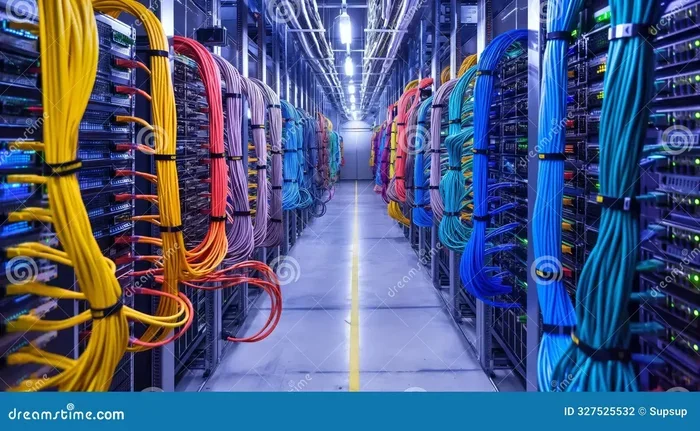
Wired communication uses physical cables to transfer data. This method is known for its reliability and speed. Common types include Ethernet cables, fiber optic cables, and coaxial cables.
Ethernet cables are the most common in homes and offices. They connect devices directly to a router or switch. Fiber optic cables use light signals to transmit data at incredibly high speeds. They are the backbone of internet infrastructure worldwide. Coaxial cables, often used for cable television, also support data transfer.
The main advantage of wired communication is stability. Signals do not suffer from interference as easily as wireless ones. However, wired setups require physical connections, which limits mobility.
Wireless Communication
Wireless communication transfers data without physical cables. It uses radio waves, microwaves, or infrared signals. Wi-Fi, Bluetooth, and cellular networks are all examples of wireless data communications.
Wi-Fi is the most common form of wireless data transfer in homes and businesses. Bluetooth connects devices over short distances, perfect for headphones and peripherals. Cellular networks like 4G and 5G enable mobile data on the go.
Wireless communication offers freedom and convenience. You can connect from anywhere within range. The trade-off is that wireless signals can be affected by walls, distance, and interference from other devices.
Simplex, Half-Duplex, and Full-Duplex
Data communication can also be categorized by direction. Simplex communication flows in one direction only, like a radio broadcast. Half-duplex allows communication in both directions, but not at the same time. Think of a walkie-talkie. Full-duplex supports two-way communication simultaneously, like a phone call.
Most modern data communications systems use full-duplex. This allows for faster and more natural exchanges of information.
Communication Protocols and Standards
Protocols are the rules that govern data communications. Without them, devices would not know how to interpret incoming signals. Think of protocols as a shared language that all devices agree to speak.
TCP/IP
TCP/IP is the foundation of the internet. It stands for Transmission Control Protocol over Internet Protocol. TCP breaks data into packets, sends them across the network, and reassembles them at the destination. IP handles addressing and routing, ensuring each packet reaches the correct device.
HTTP and HTTPS
HTTP stands for HyperText Transfer Protocol. It is the protocol your browser uses to load websites. HTTPS adds a layer of security through encryption. This protects your data during transmission. Every time you visit a site with a padlock icon, HTTPS is working.
FTP and SMTP
FTP, or File Transfer Protocol, is used to transfer files between computers. SMTP, or Simple Mail Transfer Protocol, handles sending emails. Both are essential data communication protocols that power everyday digital activities.
These protocols work silently in the background. You rarely think about them, but they make everything possible. When you send a file or receive an email, multiple protocols coordinate to deliver your data accurately.
Key Concepts in Data Communications
Several important concepts define how well data communications perform. Understanding these helps you evaluate network quality and troubleshoot issues.
Bandwidth
Bandwidth refers to the maximum amount of data that can be transmitted in a given time. It is usually measured in bits per second (bps). Higher bandwidth means faster data transfer. If you have ever noticed a slow internet connection, low bandwidth might be the cause.
Latency
Latency is the delay between sending and receiving data. It is often called ping in gaming contexts. Low latency means real-time communication feels smooth. High latency causes delays and lag. For video calls and online gaming, low latency is critical.
Packet Switching
In data communications, data is broken into small packets. Each packet takes the best available route to reach its destination. Packet switching makes networks efficient and resilient. If one route is congested, packets can take an alternate path.
Data Encoding
Data encoding converts information into signals suitable for transmission. Different encoding methods affect speed and reliability. Modern systems use advanced encoding techniques to maximize throughput and minimize errors.
Real-World Applications of Data Communications
Data communications is everywhere in modern life. Here are some of the most common applications you encounter every day.
- Email and Messaging: Every email you send travels through data communication networks. Instant messaging apps rely on the same principle.
- Video Conferencing: Tools like Zoom and Microsoft Teams use real-time data communication to connect people face-to-face from anywhere.
- Cloud Computing: Cloud platforms depend heavily on data communication to deliver services. For example, using a SaaS environment requires constant data exchange between your device and remote servers.
- Streaming Services: Netflix, Spotify, and YouTube all stream content through data communication networks. The quality of your stream depends on your connection speed.
- Web Development Tools: Platforms like Webflow rely on data communication to let designers build and publish websites directly in a browser.
- Online Gaming: Multiplayer games require constant data exchange between players. Fast communication means smoother gameplay.
These applications show how deeply data communications is woven into our routines. From work to entertainment, almost every digital activity depends on it.
Common Challenges in Data Communications
While data communications technology has come a long way, challenges remain. Understanding these helps you anticipate and solve problems.
Signal Interference
Wireless signals can be disrupted by physical obstacles, other electronic devices, and even weather conditions. This interference can slow down or interrupt your connection. Using wired connections where possible reduces this risk.
Security Threats
Data traveling across networks can be intercepted. Hackers may attempt to steal sensitive information during transmission. Encryption protocols like HTTPS and VPNs help protect data integrity and privacy.
Network Congestion
When too many devices share the same network, congestion occurs. Data packets slow down or get dropped. This is common in busy office environments or during peak usage hours at home.
Hardware Limitations
Old or low-quality networking equipment can bottleneck your communication speed. Investing in modern routers, switches, and cables makes a noticeable difference. If you are looking to improve your setup, consider what best investment for lifespan of PC strategies might also apply to your networking gear.
Tips to Improve Your Data Communication Setup
Want better performance from your data communication systems? Here are some practical tips.
- Use wired connections when possible. Ethernet cables provide more stable and faster connections than Wi-Fi.
- Upgrade your router regularly. Modern routers support faster speeds and handle more devices efficiently.
- Place your router centrally. This reduces dead zones and improves wireless coverage throughout your space.
- Use a VPN for sensitive data. A virtual private network encrypts your data during transmission, adding a layer of security.
- Monitor your bandwidth usage. Identify devices or applications that consume excessive bandwidth and adjust accordingly.
- Keep firmware updated. Router and device manufacturers release updates that improve performance and fix security vulnerabilities.
Small changes can lead to significant improvements. Start with one or two tips and build from there.
Conclusion
Data communications is the invisible engine that powers our digital world. From the moment you send a text to the time you stream your favorite show, data is moving, encoding, routing, and decoding at incredible speeds. Understanding the basics helps you appreciate the technology around you and make better decisions about how you connect.
The field continues to evolve. New protocols, faster networks, and smarter devices are constantly emerging. But the core principles remain the same. Data travels from sender to receiver through carefully managed channels, following established rules to ensure accuracy and speed.
Whether you are setting up a home network, building a business infrastructure, or simply curious about how the internet works, data communications knowledge gives you a strong foundation. Apply the tips in this guide, stay curious, and keep exploring the technology that connects us all.
Frequently Asked Questions
What is the difference between data communication and data transmission?
Data transmission refers to the actual movement of data from one point to another. Data communication is broader, encompassing the entire process including protocols, devices, and rules that govern how data is exchanged between systems.
What are the most common data communication protocols?
The most common protocols include TCP/IP, HTTP/HTTPS, FTP, and SMTP. Each serves a specific purpose, from web browsing to email delivery. Together, they form the backbone of modern digital communication.
Is wired or wireless data communication better?
It depends on your needs. Wired communication offers more stability and speed. Wireless communication provides convenience and mobility. Many users benefit from a combination of both in their setup.
How does bandwidth affect data communication?
Bandwidth determines the maximum data transfer rate of a connection. Higher bandwidth allows faster downloads, smoother streaming, and better performance for multiple devices simultaneously.
Can data communication be secure?
Yes, data communication can be made secure through encryption, VPNs, and secure protocols like HTTPS. These measures protect data from interception during transmission.
What role does data communication play in cloud computing?
Data communication is essential for cloud computing. It enables the continuous exchange of data between your device and remote servers, making cloud storage, SaaS platforms, and online applications possible.