What Is the Key Distinguishing Feature of a Microprocessor
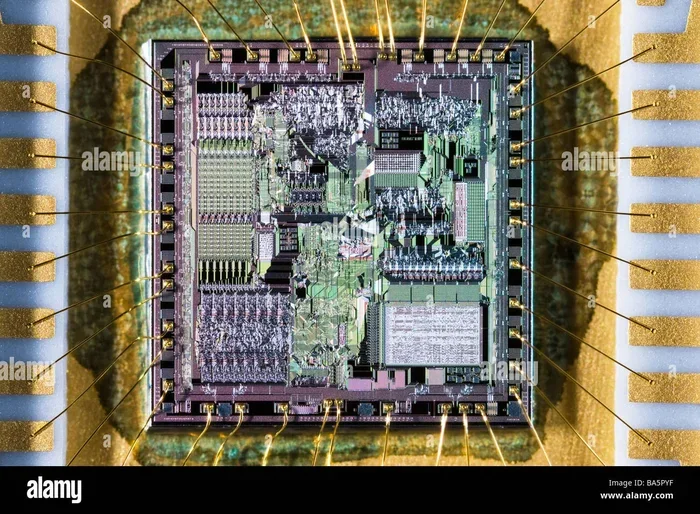
The key distinguishing feature of a microprocessor is its ability to execute instructions through the fetch-decode-execute cycle, making it the brain of every computer. Unlike other chips, a microprocessor integrates the central processing unit onto a single semiconductor chip, handling everything from basic calculations to complex tasks. Understanding this core feature helps you choose the right processor for your needs and appreciate how modern technology works.
When you think about what makes a computer tick, the microprocessor is the star of the show. It is the tiny chip that powers everything from your laptop to your smartphone. But what exactly sets a microprocessor apart from other electronic components? The answer lies in one fundamental feature: its ability to process instructions all on its own, right inside a single chip.
Many people confuse a microprocessor with other parts like memory or storage. But here is the thing — a microprocessor is the brain. It takes in data, follows instructions, and produces results at incredible speed. In this article, we will break down exactly what makes a microprocessor unique, why that matters, and how it affects your everyday devices.
Key Takeaways
- Single-Chip Integration: A microprocessor combines the CPU onto one chip, setting it apart from older multi-chip designs.
- Fetch-Decode-Execute Cycle: This is the core process that defines how a microprocessor operates and distinguishes it from other components.
- Clock Speed Matters: The clock speed determines how fast the microprocessor processes instructions per second.
- Transistor Count Drives Power: More transistors generally mean better performance and efficiency in modern chips.
- Instruction Set Architecture: The ISA defines what a microprocessor can do and how software communicates with it.
- Multi-Core Evolution: Modern microprocessors pack multiple cores onto a single chip for parallel processing.
📑 Table of Contents
- What Exactly Is a Microprocessor?
- The Key Distinguishing Feature: The Fetch-Decode-Execute Cycle
- Inside the Microprocessor: Key Components
- Clock Speed: The Heartbeat of a Microprocessor
- How Transistor Count Shapes Microprocessor Performance
- Instruction Set Architecture: The Language of a Microprocessor
- Microprocessor vs. Other Processing Components
- How to Choose the Right Microprocessor
- The Future of Microprocessors
- Conclusion
What Exactly Is a Microprocessor?
A microprocessor is a small chip that acts as the central processing unit, or CPU, of a computer. Unlike early computers that used multiple separate boards to handle processing, a microprocessor packs everything onto one piece of silicon. This integration is what makes it so powerful and compact.
The term “microprocessor” comes from its ability to process data on a microscopic scale. These chips are built using millions — sometimes billions — of tiny transistors. Each transistor acts as a switch, turning signals on and off to represent data as ones and zeros. This binary system is the foundation of all computing.
Today, you find microprocessors in almost every device you own. From the laptop you work on to the smart thermostat in your home, these chips are everywhere. They handle tasks ranging from simple calculations to running complex software applications. Without them, modern technology as we know it simply would not exist.
The Role of the Microprocessor in Modern Devices
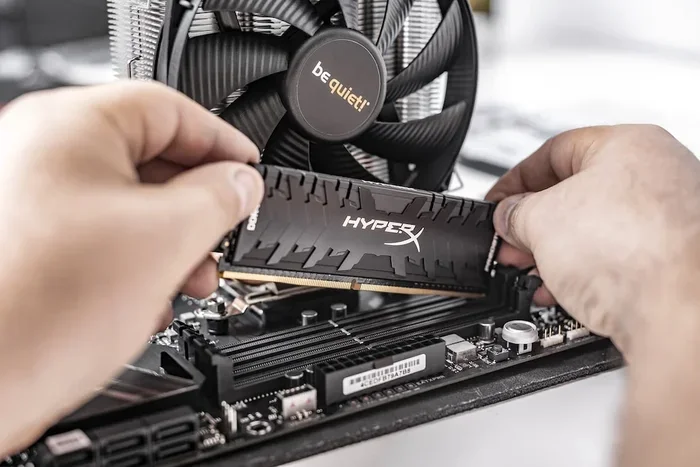
Your laptop relies on a microprocessor to run programs, manage files, and connect to the internet. The chip works closely with other components like the RAM. For example, the RAM of a laptop stores temporary data that the microprocessor needs to access quickly. Without a fast processor, even the best memory modules would not deliver smooth performance.
Similarly, the microprocessor determines what kind of tasks your device can handle efficiently. A basic chip handles web browsing and document editing. A high-end processor runs video editing software, 3D rendering, and demanding games. The chip you choose shapes your entire computing experience.
The Key Distinguishing Feature: The Fetch-Decode-Execute Cycle
So, what makes a microprocessor truly unique? The answer is the fetch-decode-execute cycle. This is the fundamental process that sets a microprocessor apart from every other electronic component. No other chip performs this continuous loop of fetching instructions, decoding them, and carrying them out at lightning speed.
Here is how it works in simple terms. First, the microprocessor fetches an instruction from memory. Next, it decodes that instruction to understand what needs to be done. Finally, it executes the instruction and produces a result. This cycle repeats billions of times per second, giving you the seamless experience you expect from your devices.
This three-step process is built into every microprocessor design. Whether you are using an Intel chip, an AMD processor, or an ARM-based chip, they all rely on this same core mechanism. It is the universal language of computing, and it is what makes a microprocessor a microprocessor.
Why This Feature Sets Microprocessors Apart
Other components in your computer do specific jobs. Memory stores data. Storage keeps files safe. A graphics card renders images. But only the microprocessor can interpret and carry out instructions on its own. This general-purpose capability is what makes it so versatile and essential.
Think of it this way. A calculator can only do math. But a microprocessor can run a calculator, a web browser, a video game, and a word processor — all at the same time. That flexibility comes from its ability to process any instruction thrown at it through the fetch-decode-execute cycle.
Inside the Microprocessor: Key Components
To truly understand the distinguishing feature of a microprocessor, you need to know what is inside the chip. Several key components work together to make the fetch-decode-execute cycle possible. Each part plays a specific role in keeping the processor running smoothly.
The Arithmetic Logic Unit (ALU)
The ALU is the mathematical brain of the microprocessor. It handles all arithmetic operations like addition and subtraction, as well as logic operations like comparisons. When your processor needs to calculate a sum or evaluate a condition, the ALU is the part that does the heavy lifting.
Without the ALU, a microprocessor could not perform the basic computations that make computing useful. It is one of the reasons why the microprocessor stands out as a complete processing solution on a single chip.
The Control Unit (CU)
The Control Unit acts as the manager of the microprocessor. It directs traffic inside the chip, coordinating how data moves between the ALU, registers, and memory. The CU is what keeps the fetch-decode-execute cycle running in perfect order, cycle after cycle.
Think of the Control Unit as the conductor of an orchestra. It does not make the music itself, but it ensures every instrument plays at the right time. Similarly, the CU ensures every part of the microprocessor works together seamlessly.
Registers and the Register File
Registers are tiny, ultra-fast storage locations inside the microprocessor. They hold data that the chip is currently working on. Because registers sit right inside the processor, they are much faster than regular memory. This speed is critical for keeping the fetch-decode-execute cycle moving without delays.
The register file is a collection of these registers, organized for quick access. Modern microprocessors can have dozens of registers, each serving a specific purpose. This internal storage is one reason why microprocessors can handle complex tasks so efficiently.
Clock Speed: The Heartbeat of a Microprocessor
Another important aspect of a microprocessor is its clock speed. This is measured in gigahertz, or GHz, and it determines how many cycles the processor can complete per second. A higher clock speed generally means faster performance, but it is not the whole story.
The clock acts like a metronome for the microprocessor. It sends out a steady pulse that synchronizes all the operations inside the chip. Every fetch, decode, and execute step happens in time with this pulse. Faster clocks mean more instructions processed per second, which translates to snappier performance in your daily tasks.
However, clock speed alone does not define a good processor. Architecture, core count, and cache size all play a role. A chip with a lower clock speed but a smarter design can sometimes outperform a faster chip. This is why understanding the full picture matters when comparing processors.
Clock Speed vs. Instructions Per Clock
Modern microprocessors can complete more than one operation per clock cycle. This is called Instructions Per Clock, or IPC. A processor with a high IPC can do more work at the same clock speed compared to one with a lower IPC. This is why newer chips often feel faster even if their clock speeds are similar to older models.
When shopping for a laptop or desktop, look at both the clock speed and the IPC. Together, they give you a much better picture of real-world performance than either metric alone. This is especially true for tasks like video editing, programming, and gaming, where every bit of processing power counts.
How Transistor Count Shapes Microprocessor Performance
The number of transistors on a microprocessor is a strong indicator of its capability. More transistors generally mean more processing power, better efficiency, and more features packed into a single chip. This trend has held steady for decades, driven by what is known as Moore’s Law.
Moore’s Law, named after Intel co-founder Gordon Moore, predicts that the number of transistors on a chip doubles roughly every two years. While this trend has slowed in recent years, it still holds true for the most part. Modern flagship processors now pack over 10 billion transistors onto a single die.
These transistors enable advanced features like multi-core designs, integrated graphics, and power-saving modes. Each transistor is incredibly small — often measured in nanometers. The smaller the transistors, the more you can fit on a chip, and the more powerful and efficient the processor becomes.
The Rise of Multi-Core Processors
Early microprocessors had just a single core, meaning they could handle one task at a time. Today, most processors are multi-core, with two, four, eight, or even more cores on a single chip. Each core can handle its own tasks independently, allowing for true parallel processing.
This is a huge advantage for multitasking. You can browse the web while streaming video and running a background download, all without noticeable slowdown. The microprocessor divides the workload across its cores, making everything feel smoother and faster.
When choosing a processor, consider how many cores you need. For basic tasks like browsing and email, a dual-core chip works fine. For video editing, 3D modeling, or heavy multitasking, a six-core or eight-core processor will serve you much better.
Instruction Set Architecture: The Language of a Microprocessor
Every microprocessor understands a specific set of instructions called its Instruction Set Architecture, or ISA. The ISA defines what the processor can do and how software talks to it. It is essentially the language that bridges your programs and the hardware underneath.
There are two main types of ISAs used today: CISC and RISC. CISC, or Complex Instruction Set Computing, uses a large set of complex instructions. Intel and AMD processors typically use CISC. RISC, or Reduced Instruction Set Computing, uses simpler instructions that execute faster. ARM processors, found in many smartphones and tablets, use RISC.
The ISA is a key part of what makes each microprocessor family unique. It affects compatibility, performance, and power efficiency. When you buy software, it is compiled to work with a specific ISA. This is why some apps run on ARM but not on x86, and vice versa.
Why ISA Matters for Users
Understanding ISA helps you make sense of processor compatibility. If you are buying a laptop, check whether the software you need is built for the processor’s ISA. Most Windows applications are designed for x86 CISC processors, while many mobile apps target ARM RISC chips.
The ISA also influences how efficiently a processor uses power. RISC designs tend to be more energy-efficient, which is why ARM chips dominate the mobile market. CISC chips, while more power-hungry, offer raw performance that suits demanding desktop workloads. Both architectures have their strengths, and the best choice depends on your needs.
Microprocessor vs. Other Processing Components
To truly appreciate the distinguishing feature of a microprocessor, it helps to compare it with other processing components. This comparison highlights why the microprocessor holds such a central role in computing.
| Feature | Microprocessor | Microcontroller | GPU |
|---|---|---|---|
| Primary Role | General-purpose processing | Embedded control tasks | Graphics and parallel computing |
| Instruction Cycle | Fetch-decode-execute | Fetch-decode-execute | Parallel processing of graphics |
| Integration | CPU on a single chip | CPU, memory, and I/O on one chip | Dedicated parallel processing cores |
| Use Cases | Laptops, desktops, servers | IoT devices, appliances, cars | Gaming, AI, video rendering |
| Complexity | High | Moderate | Very high for parallel tasks |
The table above shows that while a microcontroller and a GPU have their own strengths, only the microprocessor combines full general-purpose computing power on a single chip. The fetch-decode-execute cycle is its signature feature, and it is what makes it the go-to choice for most computing devices.
For example, the RAM in a laptop works alongside the microprocessor to deliver smooth performance. The processor handles the thinking, while the memory handles the temporary storage. Together, they create the responsive experience you feel every time you open an app or switch between tasks.
How to Choose the Right Microprocessor
Choosing the right microprocessor depends on what you plan to do with your device. Different tasks demand different levels of processing power. Here are some practical tips to help you make the right choice.
For everyday tasks like browsing, email, and document editing, a mid-range processor is more than enough. Look for a chip with at least four cores and a decent clock speed. These processors handle light workloads efficiently while keeping power consumption low.
For creative work like video editing, photo manipulation, or 3D modeling, you need a more powerful chip. Choose a processor with six or more cores and a high clock speed. More cores mean faster rendering, and a higher clock speed means quicker response times. Also, consider the amount of RAM for a laptop — pairing a strong processor with ample memory makes a huge difference.
For gaming and heavy multitasking, look for a high-end processor with at least eight cores and a boost clock above 4 GHz. These chips deliver the raw power needed for demanding games and resource-heavy applications. Make sure your laptop or desktop has sufficient cooling to keep the processor running at peak performance.
Quick Tips for Processor Shopping
- Check the generation: Newer processor generations usually offer better performance and efficiency.
- Look at benchmark scores: Real-world benchmarks give you a clearer picture than specs alone.
- Consider power consumption: A more efficient processor runs cooler and lasts longer on battery.
- Match the processor to your RAM: A balanced system with a good processor and good RAM for a laptop delivers the best experience.
- Read reviews: Real-world tests from trusted sources help you avoid overpaying for specs you do not need.
The Future of Microprocessors
The world of microprocessors is constantly evolving. Chipmakers are pushing the boundaries of transistor density, power efficiency, and processing power. New materials, architectures, and designs are reshaping what these tiny chips can do.
One exciting trend is the rise of system-on-chip designs. These integrate the microprocessor, graphics unit, memory controller, and other components onto a single piece of silicon. This approach reduces latency, improves efficiency, and saves space. You see this design in modern smartphones and increasingly in laptops and desktops.
Artificial intelligence is also changing the game. Modern processors include dedicated AI engines that accelerate machine learning tasks. These specialized units work alongside the traditional CPU cores to deliver smarter, faster performance. As AI becomes more integrated into everyday software, the role of the microprocessor will only grow more important.
Another trend is the move toward even smaller transistor sizes. Chips built at 3 nanometers and below promise significant improvements in speed and efficiency. While these advances take time to reach mainstream devices, they point to a future where microprocessors become even more powerful and capable.
Conclusion
The key distinguishing feature of a microprocessor is its ability to execute the fetch-decode-execute cycle on a single integrated chip. This unique capability sets it apart from all other electronic components and makes it the central brain of every modern computer. From the ALU and Control Unit to clock speed and transistor count, every part of the microprocessor works together to deliver the processing power you rely on every day.
Whether you are shopping for a new laptop, building a desktop, or simply curious about how your devices work, understanding this core feature gives you valuable insight. The microprocessor is not just a piece of hardware — it is the engine that drives the digital world. By choosing the right processor and pairing it with the right components, you can build a system that delivers exactly the performance you need.
Take what you have learned here and apply it to your next tech purchase. Look beyond the numbers and understand what really makes a processor tick. The fetch-decode-execute cycle is the heartbeat of computing, and now you know exactly why it matters.
Frequently Asked Questions
What makes a microprocessor different from a regular processor?
A microprocessor is a processor that fits entirely on a single chip. Older processors used multiple separate boards and chips. The integration of the CPU onto one semiconductor chip is what makes a microprocessor unique and compact.
Why is the fetch-decode-execute cycle called the key distinguishing feature?
This cycle is the fundamental process that every microprocessor uses to run instructions. No other component in a computer performs this specific three-step loop continuously. It is the defining characteristic that separates a microprocessor from memory, storage, and other chips.
Does a higher clock speed always mean a better microprocessor?
Not always. Clock speed is just one factor. Architecture, core count, IPC, and cache size all contribute to real-world performance. A chip with a lower clock speed but a smarter design can outperform a faster chip in many tasks.
Can a microprocessor be used for gaming?
Yes, absolutely. The microprocessor handles game logic, physics calculations, and AI behavior. While the GPU renders graphics, the processor manages everything else. A strong multi-core microprocessor is essential for a smooth gaming experience.
How does the microprocessor interact with the RAM?
The microprocessor fetches instructions and data from memory, processes them, and writes results back. The RAM acts as a fast temporary storage that the processor can access quickly. Together, they form the core of a responsive computing system.
Are microprocessors only found in computers?
No, microprocessors are everywhere. They power smartphones, smart TVs, cars, medical devices, and even household appliances. Any device that needs to process instructions uses a microprocessor of some kind, though the complexity varies widely.