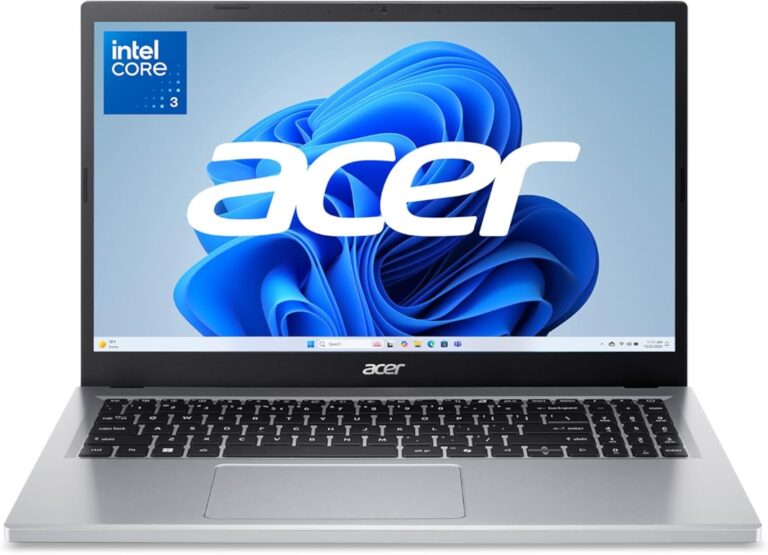
What Is the Purpose of Microsoft Windows
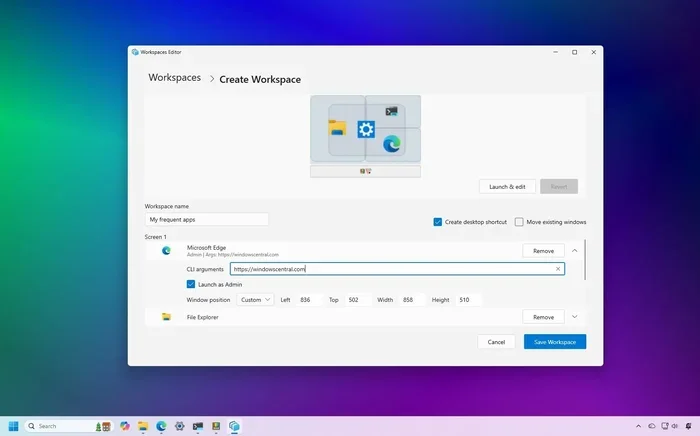
The purpose of Microsoft Windows is to serve as a user-friendly operating system that bridges people and their computers. It manages hardware resources, runs applications, and provides a graphical interface that makes computing accessible to billions. Windows also acts as a platform for software development, gaming, and productivity, making it the backbone of personal computing.
Microsoft Windows is more than just a program you see when you turn on your computer. It is the operating system that makes everything work. From the moment you click your mouse to the moment you shut down your device, Windows is running in the background, managing tasks you never even think about.
But what exactly is the purpose of Microsoft Windows? Why do so many people around the world rely on it every single day? In this article, we will break down everything you need to know. We will explore what Windows does, why it matters, and how it has shaped the way we use computers.
Whether you are a student, a professional, or just someone who likes to browse the web, understanding the role of Windows in your daily life can help you get more out of your device. Let us dive in.
Key Takeaways
- Windows serves as the core operating system that manages all computer hardware and software resources.
- It provides a graphical user interface that makes computers easy to use for people of all skill levels.
- Windows enables application compatibility, allowing millions of programs to run on a single platform.
- It handles system resource management, including memory, processing power, and file organization.
- Windows supports gaming, productivity, and creative work, making it a versatile platform for everyday users.
- The operating system has evolved significantly over decades, adapting to new technologies and user needs.
- Windows remains the most widely used desktop OS globally, powering hundreds of millions of PCs.
📑 Table of Contents
- What Is Microsoft Windows?
- The Core Purpose of Microsoft Windows
- How Windows Supports Applications and Software
- Windows as a Gaming Platform
- The Purpose of Windows in Business and Productivity
- How Windows Has Evolved Over the Years
- Common Misconceptions About Windows
- Quick Tips for Getting the Most Out of Windows
- Conclusion
What Is Microsoft Windows?
At its core, Microsoft Windows is a desktop operating system developed by Microsoft Corporation. It is the software that sits between you and your computer hardware. Without an operating system like Windows, your PC would just be a box of metal and plastic with no way to interact with it.
Think of Windows as the translator between you and your computer. When you click an icon, type on your keyboard, or drag a file from one folder to another, Windows interprets those actions and tells your hardware what to do. It handles all the behind-the-scenes work so you do not have to.
A Brief History of Windows
Microsoft released the first version of Windows in 1985. It was a simple graphical layer built on top of the older MS-DOS system. Back then, computers were mostly text-based and intimidating for everyday users. Windows changed that by introducing visual elements like windows, icons, and menus.
Over the decades, Microsoft has released many versions of Windows. Each new version brought improvements in speed, security, and design. From Windows 95 to Windows 11, the platform has continuously evolved to meet the needs of a changing world. Today, Windows powers millions of PCs across homes, offices, and schools worldwide.
The Core Purpose of Microsoft Windows
The main purpose of Microsoft Windows is to provide a platform where users can interact with their computer hardware and software. But this simple idea breaks down into several important functions that make computing possible.
Managing Hardware and Software
One of the most important jobs of Windows is managing your computer’s hardware. Your processor, memory, storage drive, graphics card, and other components all need to work together. Windows acts as the middleman that coordinates everything.
When you open a program, Windows allocates the necessary system resources like RAM and processing power. It also manages device drivers, which are small programs that let Windows communicate with specific hardware components. Without this coordination, your computer would not know how to use its own parts.
For example, when you plug in a USB drive, Windows recognizes the device and makes it accessible. When you connect to Wi-Fi, Windows manages the network connection. These tasks happen automatically because of the operating system’s resource management capabilities.
Providing a User-Friendly Interface
Before Windows, using a computer required typing complex commands. The graphical user interface (GUI) that Windows introduced changed everything. It allowed people to interact with their computers using visual elements like buttons, menus, and windows.
Today, the Windows interface includes a desktop, a taskbar, a Start menu, and a file explorer. These elements make it easy to find and open programs, organize files, and customize your experience. The user interface is designed to be intuitive, so even people with no technical background can use a computer confidently.
Windows also supports touchscreen input, voice commands, and accessibility features. This makes it inclusive for users with different needs and preferences. The goal has always been the same: make computing accessible to everyone.
How Windows Supports Applications and Software
Another key purpose of Microsoft Windows is providing a platform for applications. Windows supports a vast ecosystem of software programs. From word processors to video editors, the application compatibility of Windows is one of its greatest strengths.
Running Everyday Programs
Most people use Windows to run productivity software like Microsoft Office, web browsers, email clients, and media players. The operating system ensures these programs have the resources they need to run smoothly.
Windows also handles file management through its built-in File Explorer. You can organize documents, photos, and videos into folders, move files between drives, and search for specific items quickly. This kind of system management is something we rely on every day, often without realizing it.
Supporting Developers and Creators
Windows is also a software platform for developers. Many programmers build applications specifically for the Windows environment. The operating system provides tools like the Windows API and Visual Studio that make it easier to create, test, and distribute software.
For designers and creative professionals, Windows offers support for design tools and mockup software. A mockup is a visual representation of a design concept, and Windows provides the environment needed to create and view these mockups effectively. This makes Windows a valuable tool for creative workflows.
The Windows ecosystem also supports open-source software, giving developers the flexibility to build and share tools freely. This openness has contributed to Windows becoming the most popular PC operating system in the world.
Windows as a Gaming Platform
Few things have put Windows in the spotlight more than gaming. Microsoft Windows has been the go-to platform for PC gaming for decades. The vast majority of PC games are developed for Windows first, making it the preferred choice for gamers worldwide.
Windows supports powerful graphics cards and advanced system resources management, which are essential for running modern games at high settings. Features like DirectX allow games to take full advantage of your hardware, delivering smooth performance and stunning visuals.
The Windows gaming ecosystem includes platforms like Steam, the Xbox Game Pass, and the Microsoft Store. These services give gamers access to thousands of titles. Whether you are a casual player or a hardcore enthusiast, Windows provides the computing platform you need for an excellent gaming experience.
How Windows Handles Gaming Performance
Windows manages the allocation of processing power and memory to ensure games run without lag. It also handles graphics rendering, audio output, and input from peripherals like keyboards and controllers. The Windows environment is optimized to balance performance across all these tasks simultaneously.
Regular Windows updates also improve gaming performance by fixing bugs and optimizing system behavior. Microsoft continues to invest in making Windows a better platform for gamers with each new version of the operating system.
The Purpose of Windows in Business and Productivity
Microsoft Windows plays a huge role in the business world. Many companies rely on Windows as their primary operating system for daily operations. From small startups to large enterprises, Windows provides the tools needed to stay productive.
Enterprise Software Compatibility
Many business applications are built specifically for Windows. Accounting software, customer relationship management tools, and project management platforms often run best on the Windows environment. This application compatibility is a major reason businesses choose Windows over other operating systems.
Windows also supports remote work tools like video conferencing software, cloud storage clients, and collaboration platforms. The system management capabilities of Windows help IT departments deploy and maintain software across many computers at once.
Security and Updates
Security is a major concern for businesses, and Windows addresses this with regular updates and built-in protection tools. Windows Defender provides real-time antivirus protection, while Windows Update ensures your system stays patched against the latest threats.
For businesses that need extra security, Windows offers features like BitLocker encryption and Group Policy management. These tools help protect sensitive data and maintain compliance with industry regulations.
How Windows Has Evolved Over the Years
The purpose of Microsoft Windows has stayed consistent, but the platform itself has changed dramatically. Each new version of Windows has brought new features, better performance, and improved security.
Early versions of Windows focused on basic file management and running simple applications. Modern versions like Windows 10 and Windows 11 offer advanced features like virtual desktops, Cortana integration, and touchscreen support. The operating system functions have expanded far beyond what the original Windows could do.
Today, Windows also integrates with cloud services like OneDrive, making it easier to access files from any device. The Windows ecosystem continues to grow, incorporating new technologies like artificial intelligence and machine learning into the user experience.
Common Misconceptions About Windows
There are several myths about Microsoft Windows that are worth addressing. Let us clear up some of the most common ones.
- Myth: Windows is only for beginners. The truth is, Windows is used by professionals in every industry, from engineering to graphic design.
- Myth: Windows is not secure. While no operating system is completely immune to threats, Windows has strong built-in security features and regular updates.
- Myth: Windows is slow and bloated. Modern versions of Windows are optimized for performance and run well on a wide range of hardware.
- Myth: Windows is losing relevance. Windows still powers the majority of desktop computers worldwide and continues to innovate with each release.
Understanding these misconceptions helps you appreciate the true purpose of Microsoft Windows and the value it brings to users of all levels.
Quick Tips for Getting the Most Out of Windows
Want to make the most of your Windows experience? Here are some practical tips to keep your system running smoothly.
- Keep Windows updated. Regular updates improve security, fix bugs, and boost performance.
- Manage your startup programs. Too many programs launching at startup can slow down your PC. Use the Task Manager to disable unnecessary ones.
- Use Storage Sense. This built-in feature automatically frees up space by deleting temporary files and recycling old ones.
- Customize your Start menu. Pin your most-used apps for quick access and organize your tiles for a cleaner workspace.
- Check your system resources regularly. Use the Task Manager to monitor CPU, memory, and disk usage. This helps you identify performance issues early.
These simple steps can help you maintain a fast, secure, and efficient Windows experience. They also help you understand how the operating system works behind the scenes.
Conclusion
The purpose of Microsoft Windows goes far beyond being a pretty interface on your screen. It is the foundation that makes modern computing possible. From managing hardware and running applications to supporting gaming and business workflows, Windows serves as the computing platform that connects users to their digital world.
Over the years, Windows has proven itself as a versatile, reliable, and accessible operating system. Whether you are browsing the web, creating documents, playing games, or building software, Windows provides the tools and environment you need to succeed.
Understanding what Windows does and why it matters helps you use your computer more effectively. It also gives you a deeper appreciation for the technology that powers so much of our daily lives. As Windows continues to evolve, one thing remains certain: it will keep serving as the backbone of personal computing for years to come.
So the next time you open your laptop and see the Windows desktop, remember all the work happening behind the scenes. It is a powerful software platform that makes your digital life easier, more productive, and more connected.
Frequently Asked Questions
What is the main purpose of Microsoft Windows?
The main purpose of Microsoft Windows is to serve as an operating system that manages computer hardware and software, provides a user-friendly interface, and supports a wide range of applications for productivity, gaming, and creative work.
Why is Windows the most popular desktop operating system?
Windows is popular because of its broad application compatibility, user-friendly interface, and strong support for gaming and business software. It runs on millions of PCs worldwide, making it the most accessible desktop operating system for everyday users.
How does Windows manage system resources?
Windows manages system resources like RAM, processing power, and storage by allocating them to running programs and hardware devices. It uses device drivers and built-in tools like Task Manager to monitor and optimize system resources in real time.
Is Windows still relevant for modern computing?
Yes, Windows remains highly relevant. It continues to evolve with new versions like Windows 11, incorporating modern features like cloud integration, touchscreen support, and AI-powered tools. The Windows ecosystem stays competitive by adapting to new technologies and user needs.
Can Windows be used for professional work?
Absolutely. Windows supports a wide range of professional applications including Microsoft Office, design tools, development environments, and enterprise software. Its application compatibility and system management features make it a reliable choice for business and professional use.
How has the purpose of Windows changed over time?
While the core purpose of Windows has remained the same, its capabilities have expanded significantly. Early versions focused on basic file management and simple applications. Modern versions now support advanced gaming, cloud services, touchscreen input, and AI features, making Windows a versatile software platform for all types of users.