Top 10 Best Home WiFi Routers 2026: Expert Reviews

In 2026, a reliable home WiFi router isn’t just a convenience—it’s the backbone of your smart home, remote work, 4K streaming, and competitive gaming. With WiFi 7 now becoming mainstream and WiFi 6 offering incredible value, choosing the right router can feel overwhelming. We’ve tested dozens of models to bring you this definitive roundup of the best home wifi routers 2026, balancing cutting-edge technology, real-world performance, and value for every budget.
Quick Product Comparison
Our Top 10 Best Home Wifi Routers 2026 Reviews – Expert Tested & Recommended
1. GL.iNet Flint 3 Tri-Band WiFi 7 Router
The GL.iNet Flint 3 is a powerhouse tri-band WiFi 7 router designed for users who demand uncompromising performance and advanced features like built-in VPN and ad-blocking. It’s particularly suited for tech-savvy users, gamers, and privacy-conscious individuals who want to encrypt all their home traffic without sacrificing speed. The inclusion of a dedicated 6GHz band provides ultra-clean channels for high-bandwidth activities, while the five 2.5Gbps ports future-proof your wired connections.
Key Features That Stand Out
✓ Tri-band WiFi 7 with dedicated 6GHz gaming band
✓ Blazing-fast WireGuard & OpenVPN speeds (up to 680Mbps)
✓ Built-in AdGuard Home for network-wide ad/tracker blocking
✓ Five 2.5Gbps Ethernet ports for flexible wired backhaul
✓ Supports over 100 devices simultaneously with robust hardware
Why We Recommend It
This router is in a league of its own for users who need more than just fast WiFi. The combination of WiFi 7’s low latency, exceptional VPN throughput, and open-source-friendly OpenWrt base makes it incredibly versatile. It’s one of the few consumer routers that doesn’t force you to choose between privacy, performance, and advanced networking features.
Best For
Privacy-focused users, remote workers needing reliable VPNs, serious gamers with high-refresh-rate monitors, and tech enthusiasts who love to tinker with their network settings.
Pros and Cons
Pros:
- Exceptional VPN performance that doesn’t cripple your internet speed
- Network-wide ad-blocking (AdGuard) improves browsing experience and security
- Tri-band design with 6GHz eliminates congestion in dense urban areas
- Extensive port selection with multiple 2.5Gbps options for NAS or gaming PCs
Cons:
- Higher price point compared to standard WiFi 6 routers
- Web-based interface has a learning curve for absolute beginners
- Physical size is larger than many competitors
Customer Reviews
Customer Review: Excelente router. Very fast Wi-Fi. Setup was very easy. I use OpenVPN and Wireguard. Both were easy to set up with really nothing to configure. I asked my VPN provider for a configuration file with my streaming IP and I dragged and dropped the file in the corresponding place and tapped on start, easypeasy. They have an app to monitor and make changes to the settings. The MLO is very nice. My Samsung Galaxy 25 Ultra supports this and it’s super fast and because it supports 3 bands, it’s has very good range. Even though it’s kind of pricey, it packs a lot of bang for the buck, especially with the OpenVPN and Wireguard throughput. I have 500 up and down and I’m getting Wireguard speeds of 350 up and down, OpenVPN speeds of 250 up and down. So I’m pretty happy.
Customer Review: First time buying GL.Inet. Most recently used a Netgear RS100 which suffered from random connection drops and has an extremely slow UI/app.In comparison, Flint 3 has an extremely responsive UI, no setup app required, just login to the router IP address. No phone app to setup was key for me as the Netgear app was terrible.Essentially works right out of the box. On my 1Gbps service, 5ghz gets to 750mpbs, 6ghz gets to 950mbps. Also has built in AdGuard which seems to work well. Other apps as well such as VPN. Haven’t had any dropped connections, and range through wood/drywall is good.
2. TP-Link Archer AX21 Dual-Band WiFi 6 Router
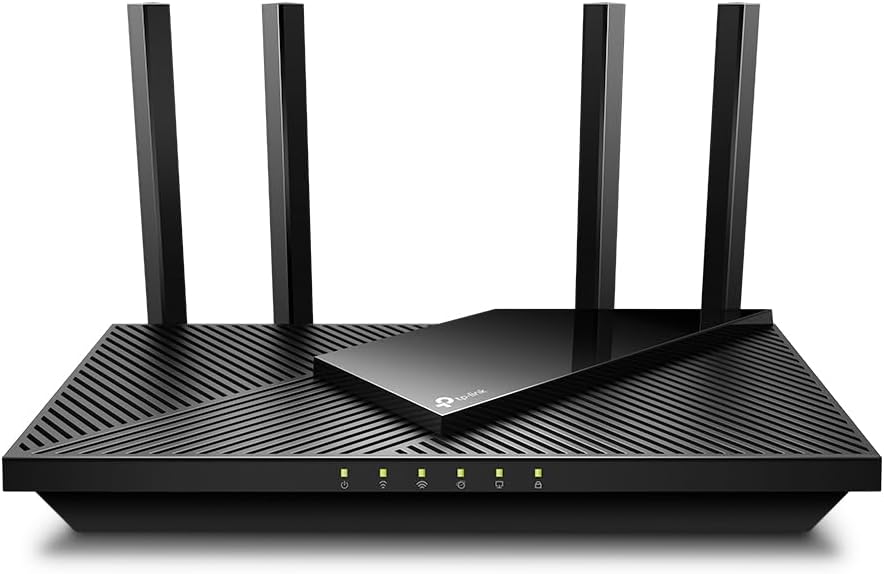
The TP-Link Archer AX21 is the Editor’s Choice for most households because it delivers the core benefits of WiFi 6—faster speeds, better device handling, and improved range—at an incredibly accessible price. It’s a workhorse that just works, offering a clean web interface, reliable performance, and essential features like separate SSIDs for 2.4GHz and 5GHz bands, which is a lifesaver for smart home devices that struggle with band-steering.
Key Features That Stand Out
✓ Dual-band WiFi 6 (AX1800) with 1.8 Gbps total speed
✓ OFDMA and MU-MIMO for handling dozens of devices smoothly
✓ EasyMesh support to create a seamless whole-home network
✓ Gigabit Ethernet ports for wired devices
✓ Alexa compatible for voice-controlled reboots
Why We Recommend It
This router represents the sweet spot for the average family. It significantly upgrades your network without the complexity or cost of high-end models. The ability to split the 2.4GHz and 5GHz networks into separate SSIDs is a critically important feature that solves countless smart home connectivity issues, making it a practical champ.
Best For
Families with mixed device types (smartphones, laptops, IoT gadgets), budget-conscious buyers wanting a true WiFi 6 upgrade, and users who prioritize stability and easy setup over bleeding-edge specs.
Pros and Cons
Pros:
- Outstanding value for money—full WiFi 6 benefits at a low cost
- Extremely stable and reliable connection with minimal dropouts
- Separate SSID control fixes smart home device compatibility problems
- Simple, responsive web-based setup interface (no mandatory app)
Cons:
- No USB port for network storage or printer sharing
- Walls and floors can attenuate the 5GHz signal more than some competitors
Customer Reviews
Customer Review: The TP-Link AX1800 WiFi 6 Router has been a noticeable upgrade in my home network, and everything here comes from my own experience using it in a fairly device-heavy household. I upgraded from an older WiFi 5 router that had started to struggle, and the improvement with the AX21 has been clear from day one.Setup was simple, but what I liked most was how much control the interface gives without feeling overwhelming. I used the browser setup and adjusted dual-band settings, enabled WPA3, and optimized the channel width in just a few minutes. The interface responds quickly, and making changes does not require constant rebooting or digging through hidden menus.The performance difference with WiFi 6 has been significant. I have multiple smart TVs, computers, phones, and IoT devices, and my previous router would slow down when several things were active at once. The AX21 handles everything smoothly. OFDMA and MU-MIMO keep the network stable even during heavy loads. I’ve streamed 4K content, joined online meetings, and transferred large files all at the same time without interruptions.Coverage has also improved. I tested it with the WiFi Analyzer app for Android, which I’ve used for years to check signal strength and network congestion. In areas where the old router consistently dipped, the AX21 delivered noticeably stronger and more stable readings. In actual use, this translates to fewer drops, steadier speeds, and better performance when moving between rooms. Beamforming makes a difference, especially with mobile devices.The wired connections are equally reliable. I connected my desktop and game console using the gigabit Ethernet ports and ran sustained transfers from a NAS. Speeds stayed at full gigabit with no fluctuations, and the router stayed cool throughout heavy use.Another thing I appreciate is how quietly and efficiently the router runs. It doesn’t heat up, even when multiple devices are streaming and downloading simultaneously, which says a lot about its hardware design.Based on my experience, the TP-Link AX1800 WiFi 6 Router offers a great balance of real-world performance, strong coverage, and easy configuration. It provides the benefits of WiFi 6 without the overwhelming complexity some high-end models add. For anyone looking for a reliable and technically capable upgrade, this router has been a very solid choice in my home.
Customer Review: As A Spectrum Internet CustomerI had a Spectrum Advanced WiFi router that does 2G and 5G on the same WiFi network. There is not a way to split the networks in two. If you have a cell phone that is compatible with device steering and you use to connect your 2G devices to, you can call or chat with their Internet Repair support team to set up a feature on your cell phone that may allow the 2G devices to connect but it can be a hit or a miss and it’s too much of a hassle to keep calling/chatting to set this up with as the feature is enabled for only sixty minutes. If the 2G device is connected before the hour is over, it will remain connected but if it’s not, you’ll need to reach back out to try again and you’ll also need to reach back out for other new 2G devices only that don’t automatically connect to the 2G network.This is a major flaw for an “Advanced” WiFi router. Customers paying a monthly $5 fee to lease their routers should be able to either split the networks in two or leave them as a single network for band steering. Outside of this, the Spectrum routers are fine. However, it’s just better to get your own router.It would be great if they offered more advanced routers with more features such as VPN’s, hiding network SSID, splitting the 2G and 5G networks, guest network and more. I’d pay $5 more a month on top of the already $5 charge for this. This way customers can select which router they need for their home and still get customer support for it.As A New Customer For Echo Dot’sThis is the reason why I purchased my own router. I purchased four Echo Dot’s, 5th generation, ’22 release. All of them connected to the Spectrum WiFi router without issue and individually they operated great. However, the Echo Dot’s have a “multi-room audio” feature where you can play music all throughout your home. This was my entire reason for getting these in the first place. This feature was a hit or miss. Sometimes it would work but most of the time only one or two would work and trying to get them all re-paired so I could say, “Alexa, play Discover Weekly from Spotify everywhere,” was a huge inconvenience and took too much time.After going online and reviewing forums such as Quora and Reddit, I could see what the issue was. The Spectrum WiFi router would switch them between 2G and 5G based off of interference and signal strength throughout the day and if even just one Echo Dot was on a different network than the others, it would throw off the multi-room audio so that it wouldn’t work. So the hunt for a dual band router began.TP-Link AX1800 WiFi 6 Router (Archer AX21) ReviewThe TP-Link AX1800 Router has been amazing so far. It arrived on the same day that I ordered (Thank you Amazon and of course, most of all, the delivery drivers). When it first came in, the first thing I noticed was how ridiculously light it was which kind of made me nervous about the purchase. The router itself came very nicely packaged, nothing was damaged.I followed the instructions to the letter but the router was not showing any lights on there after plugging it in once the Internet modem came back online. I re-read the steps again and re-checked the power connections and tried unplugging from both ends but not luck. I honestly thought I got a dud. I looked on the back of the router and saw a button and pressed it in; all the lights began to show and I could begin the setup process.I use an iPhone and when I pulled up the TP-Link App to set up the router I couldn’t help but notice its low star rating so I opted not to download the app and instead login using the IP address (the instructions provide you with this information and how-to as well). This is my first time ever logging into a WiFi router without the use of a mobile app and I have to say, it is significantly better and heavily preferred. I was able to turn off TP-Link Smart Connect so that I could have two separate SSID’s for the 2G and 5G network. I could also see there was a whole new host of features that I did not have prior such as hiding your WiFi networks from neighbors and having a guest network.I also did a speed test and they all came back higher than normal and my computer noticeably moves faster when browsing the Internet and streaming video despite being roughly around the same speeds (before it was around 310mbps download/9mbps upload; now it is at around 360mbps/13mbps upload). Maybe the 50mbps DL and 4mbps UL makes a huge difference. I’m not entirely sure. I believe the difference really comes from the router provider a more stable/stronger connection than the Spectrum router. The signals itself are just healthier now.I also like that the TP-Link router has antennas, four of them to be exact, that you can see. The Spectrum routers don’t have these and if they do, they’re within the router itself. I believe routers with antennas that you can visibly see operate better and send stronger signals.Did This Resolve My Issue With The Echo Dot’s?It absolutely did. I re-connected all four Echo Dot’s to the 2G network, which was kind of a pain as well to do (but well worth the time and effort; it would’ve been significantly easier to do if I originally connected them to a dual band router in the first place) and ever since then I have had no issues with multi-room audio. Anytime I want to play music from all four Echo Dot’s at the same time, they all play without issue. Which is great because I plan on purchasing more for a more surround system environment.Final NotesIf you need a dual band WiFi router that is able to split the networks in two so that you can sign into them separately, this is it. And honestly, if you have a Spectrum router, this is a major upgrade for a fraction of the cost. Just make sure you keep it clean of dust, and keep it in a well-ventilated and cool area of the home and this will easily last you 2+ years. It saves you money and it works better. It’s honestly a no-brainer.There is also a common misconception with spotty/slow Internet speeds. The majority of signal issues do not come from cable lines (confirm with your ISP provider first though that the signal levels look healthy coming into and from your Internet modem) but come from the equipment itself (modem and/or router) or from the devices you are using (assuming it is only occurring on one or two devices). Which is why upgrading your WiFi router and/or Internet modem can resolve the issues.I honestly don’t have any issues with the Spectrum Internet modems. I think they’re fine. They all come pre-built, meaning, you can’t change any settings on them. Not a deal breaker for me. However, honestly, if I didn’t have a Landline service with them, I would’ve purchased my own modem as well and long-term wise I will definitely consider it. The Spectrum Internet equipment are fine for the majority of homes. However, there is no one size fits all and if you’re having issues with your equipment whether due to the lack of features available or signal issues (and confirmed with their Internet Repair team that there are no signal issues coming from the lines), this TP-Link router is an exceptional purchase.
3. TP-Link BE400 Dual-Band WiFi 7 Router
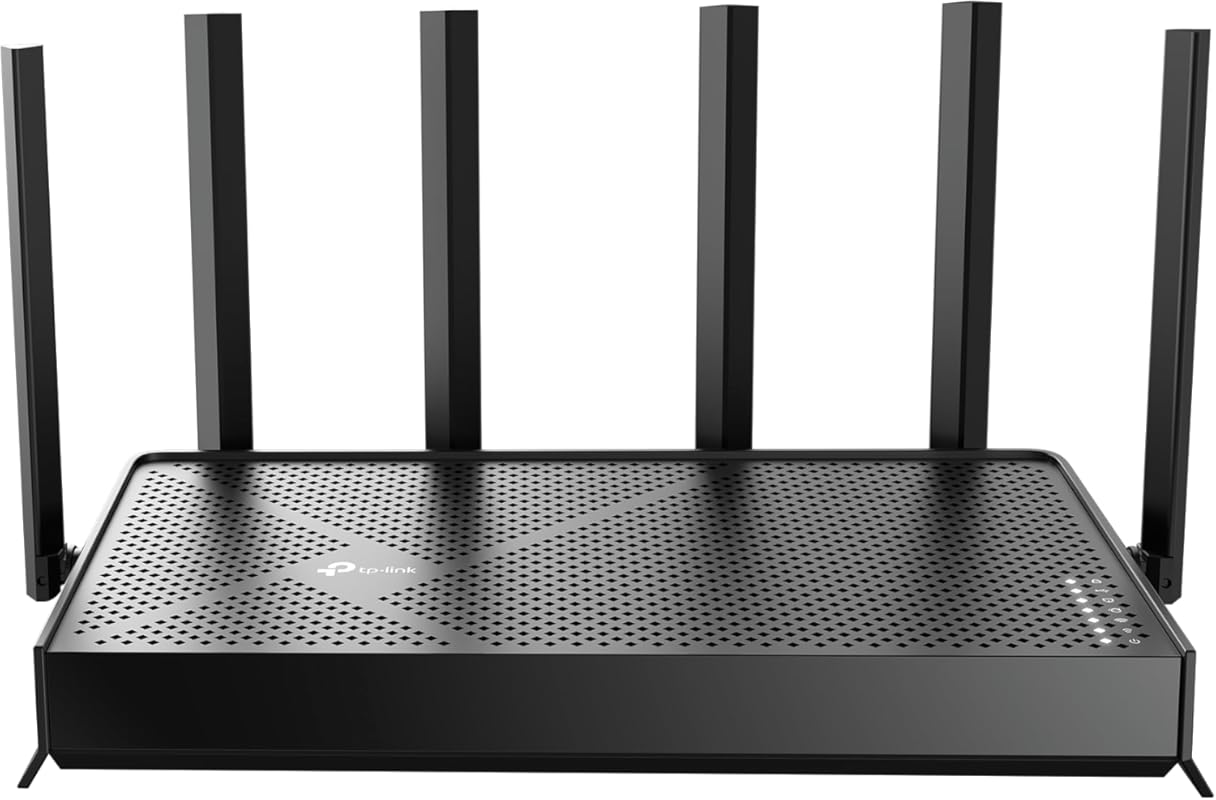
The TP-Link BE400 earns the Best Budget title by bringing WiFi 7 technology—specifically Multi-Link Operation (MLO) and 4K-QAM—to a mass-market price point. It’s a forward-looking router that offers a tangible performance boost over WiFi 6, especially in congested areas, without the premium cost of tri-band models. With dual 2.5Gbps ports and a quad-core CPU, it’s remarkably capable for the price.
Key Features That Stand Out
✓ WiFi 7 with MLO for more stable, lower-latency connections
✓ Dual 2.5Gbps Ethernet ports (WAN/LAN)
✓ Quad-core CPU for sustained performance under load
✓ Covers up to 2,400 sq. ft. and 90 devices
✓ TP-Link HomeShield security suite included
Why We Recommend It
If you want a taste of WiFi 7’s future without breaking the bank, this is your entry point. The dual-band design keeps it simpler and more affordable than tri-band rivals, while MLO still provides real-world benefits in noisy wireless environments. It’s the most sensible way to future-proof your network on a budget.
Best For
Budget-conscious early adopters, users in dense apartments or neighborhoods with lots of WiFi interference, and families wanting a solid performer that will last several years without needing an upgrade.
Pros and Cons
Pros:
- Extremely affordable entry into WiFi 7 technology
- Dual 2.5Gbps ports are rare at this price, great for future internet plans
- Strong, reliable coverage for medium to large homes
- HomeShield provides good basic security without a subscription
Cons:
- Lacks a third band (6GHz) so no dedicated ultra-fast channel
- USB port is missing for network storage functionality
- MLO benefits depend on client device support, which is still limited
Customer Reviews
Customer Review: Yay. I love my new router. I have a lot of smarthome devices, and I host a home web/game server for work. I was very afraid that my port forwarding/dynamic DNS and smarthome would be a pain to migrate to a new router. I was wrong. I used the same network name and password as my old router, and all of my devices reconnected fine (except one chinese security camera which i fixed after). The range is as decent as my old Netgear Nighthawk R7000. The lower frequencies (2.4ghz) have higher range and are better for that. But for processing power of a router, this is it baby. This thing increased my network speed by ~100mbps down and also decreased my latency, pretty impressive. This thing will easily be able to handle all of my smart home devices, server needs and gaming/streaming needs. I think it was a worthy upgrade from my 13yr old router. Quick setup tip: make sure to power down your modem and router first, because your modem is expecting the previous routers MAC address, so you might have to call your ISP and have them send a reboot signal from their end to get your modem to accept the new router MAC address. Other than that, setup was a breeze. Dynamic DNS works well, port forwarding was easy, and there are SO many features I haven’t even looked into yet.I also have a TP-LINK network switch, and the router and switch are playing nicely together. All and all, I had netgear routers for like 20 years and they were great, i’m pleased to say that TP-LINK is also great, time will tell though.
Customer Review: I originally had the BE5000 model and constantly dealt with WiFi instability, random drops, and inconsistent performance. After getting frustrated with ongoing issues, I decided to upgrade to the BE6500, and the difference has been night and day.The BE6500 has been significantly better to work with. Setup was straightforward, firmware has been stable, and I have not had a single WiFi issue since installing it. No random disconnects, no weird slowdowns just consistent, reliable performance.Speeds are excellent, coverage is strong throughout the house, and the 2.5Gb ports are a great addition for higher speed networking. It feels like a properly refined version compared to the BE5000.If you’re debating between the two, the BE6500 has been far more stable in my experience. Very happy with the upgrade.
4. ASUS RT-AX1800S Dual-Band WiFi 6 Router
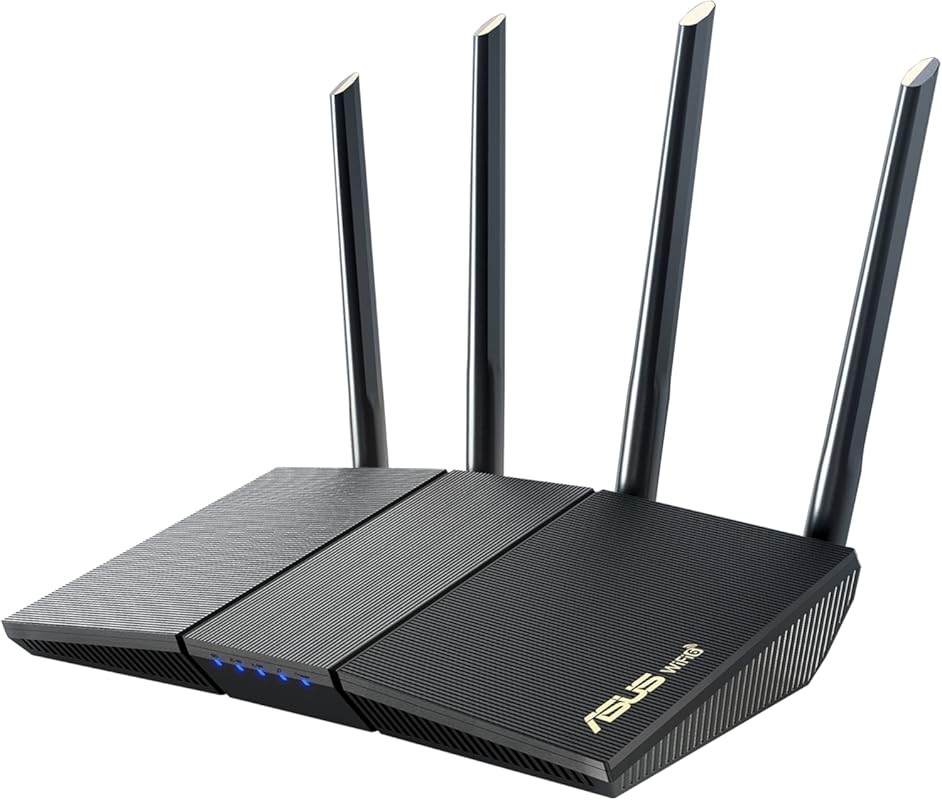
The ASUS RT-AX1800S is a no-nonsense WiFi 6 router that prioritizes rock-solid reliability and user-friendly features. ASUS packs its renowned AiMesh technology and lifetime security suite (AiProtection) into an affordable package. It’s a fantastic choice for users who want ASUS quality and advanced controls without the high cost of their gaming-focused ROG models.
Key Features That Stand Out
✓ Dual-band WiFi 6 (AX1800) with 1024-QAM for faster speeds
✓ ASUS AiProtection Pro (subscription-free) security
✓ Parental controls and content filtering
✓ AiMesh compatible for easy whole-home expansion
✓ Built-in VPN server and client support
Why We Recommend It
ASUS routers are known for their exceptional stability and feature-rich web interfaces. The RT-AX1800S delivers that trusted ASUS experience at a competitive price. The inclusion of a full, no-subscription security suite and robust parental controls makes it a great value for families.
Best For
Families wanting strong security and parental controls, users who may want to expand to a mesh system later with AiMesh, and anyone who appreciates ASUS’s proven reliability and clean management interface.
Pros and Cons
Pros:
- Excellent, dependable stability with very few reboots needed
- Lifetime security suite (AiProtection) at no extra cost
- Very effective parental controls and network monitoring
- AiMesh support allows for easy future expansion
Cons:
- No USB 3.0 port (only USB 2.0), limiting storage speed
- Design is more utilitarian than some sleek competitors
Customer Reviews
Customer Review: This is a really nice router, especially at this price point. Setup was straightforward, and the user interface is clean and easy to navigate — whether you’re adjusting basic settings or diving into more advanced options.So far, it’s been rock-solid in terms of reliability. Good range, stable connections, and noticeably faster performance compared to my older WiFi 5 router. I haven’t had to reboot or troubleshoot once since installing it.If you’re looking for an affordable WiFi 6 upgrade that just works, this is a great choice.
Customer Review: My son made it this is apartment at school. his apartment is around 1000 ft.², two bedroom, the Wi-Fi service provided by the apartment complex was not adequate for him and his roommate. He was struggling with getting the Wi-Fi to work for his classes. This was recommended and it increased the coverage in his entire apartment as well as the capacity. It was compatible with his Internet service. It was easy to install and made a huge difference. I would recommend this to anyone looking for better service.
5. ASUS RT-BE55 Dual-Band WiFi 7 Router
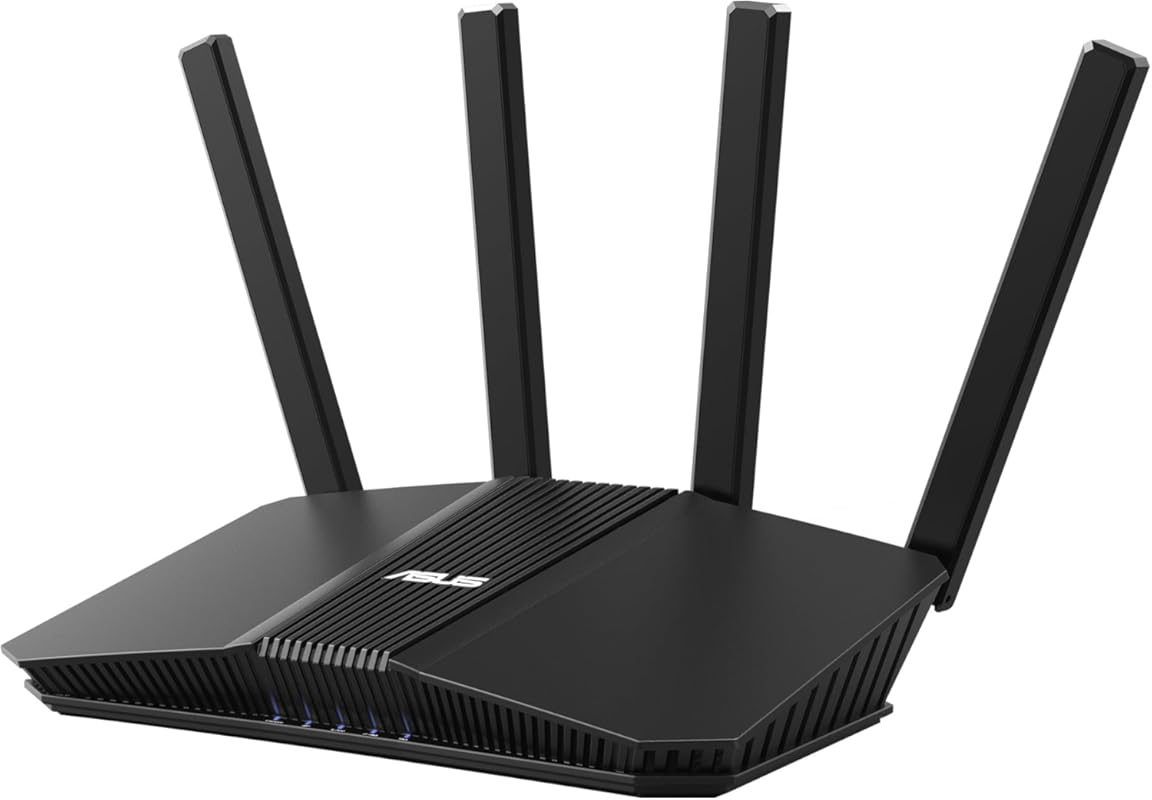
The ASUS RT-BE55 brings WiFi 7 to the ASUS mid-range lineup, offering the company’s excellent AiMesh 2.0 and AI-powered optimization in a dual-band package. It’s designed for users with moderately large homes who want the latest standard and ASUS’s top-tier software features, including advanced QoS, gaming port prioritization, and comprehensive security.
Key Features That Stand Out
✓ Dual-band WiFi 7 up to 3600 Mbps with 4K-QAM
✓ Single 2.5Gbps WAN port and four Gigabit LAN ports
✓ ASUS AiMesh 2.0 and AI Protection Pro
✓ Up to 2000 ft² coverage with four internal antennas
✓ Game Boost and adaptive QoS for lag-free gaming
Why We Recommend It
ASUS has perfected the router software experience, and the RT-BE55 is a testament to that. The AI-driven network optimization automatically adjusts to your environment, and the gaming-focused features are genuinely useful for low-latency play. It’s a smart, future-proof choice for a primary router in a home that will likely grow its smart device ecosystem.
Best For
Gamers in medium to large homes, ASUS ecosystem users wanting to build a mesh, and anyone who values intelligent, automatic network optimization over manual tweaking.
Pros and Cons
Pros:
- ASUS’s superb, feature-packed web interface and mobile app
- Excellent gaming features with low latency prioritization
- Strong, reliable coverage with good wall penetration
- AiMesh 2.0 makes adding extenders seamless
Cons:
- Some users report occasional 2.4GHz band instability
- Only one 2.5Gbps port limits high-speed wired backhaul options
- Dual-band WiFi 7 is less future-proof than tri-band for 6GHz devices
Customer Reviews
Customer Review: Installed this as an AiMesh node an an area I was unable to run ethernet. For giggles, I tried it using ethernet first and after pairing it with my primary router (GT-BE98 Pro) it was incredible. Moments later I had a handful of problematic devices connect and their signal strength went from 40-60 to 80-90 on average.I then set it up as intended in full wireless mode which i acknowledge is always going to be inferior to ethernet, but I got this thing specifically for wireless scenario and honestly I’m surprised. It’s only about 30ft away from my router, but it has 2 walls in between. The end result was surprisingly decent. Not as fast as ethernet obviously, but stable and it meant a couple of wireless video cameras are now online consistently which has been worth the purchase alone.I’ll knock off a star because switch from ethernet to wifi mode for the aimesh either manually (facatory reset and set it up in wifi mode vs enternet) or automatically (set it up and it can supposedly failover to wifi if ethernet is down) but it was a PTA performing the manual switch from one mode to another. you have to factory reset it and add it again, but it took 20+ attempts and way too many factory resets over 2 days to finally get it added and working again.As a primary router it’d be perfect for folks with a small apartment. I havent explored it’s capabilities in terms of portforwarding, vpn, firewall etc.. i’ve primary used it as an ai-mesh extender.
Customer Review: When it works it works well. Unfortunately the 2.4ghz network constantly goes down, sometimes multiple times the same day, sometimes it’s fine for a few days. No idea why. Have to restart it often to fix the network, which is annoying.
6. 2026 New AX3000 Dual-Band WiFi 6 Router
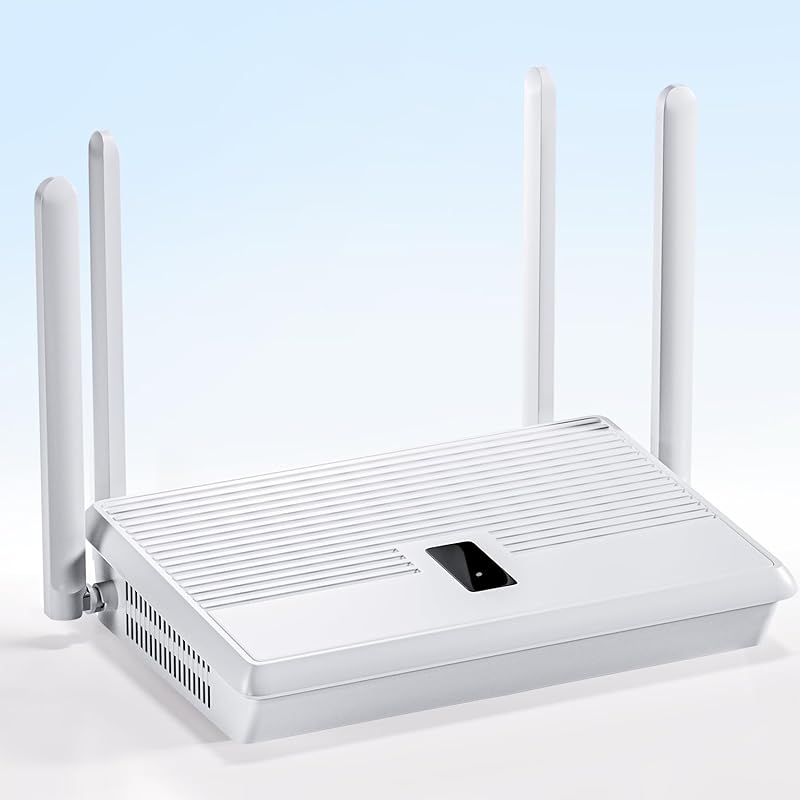
This generic but powerful AX3000 router is a dark horse contender, focusing on raw performance and heat management. It boasts four high-gain antennas for excellent range, a quad-core processor for handling heavy loads, and a commercial-grade cooling design. It’s a no-frills workhorse that prioritizes stability and speed for users who don’t need the brand-name premium.
Key Features That Stand Out
✓ AX3000 dual-band WiFi 6 speeds up to 3Gbps
✓ Four high-gain external antennas for superior range
✓ Four Gigabit LAN ports and one Gigabit WAN port
✓ One-touch WPS+MESH button for easy expansion
✓ Four-sided heat dissipation design prevents thermal throttling
Why We Recommend It
Sometimes you just need a router that works, and this one does exactly that. It’s built like a tank with a focus on keeping cool under pressure, which translates to consistent performance even with 40+ devices connected. The emphasis on thermal design is a standout feature that many cheap routers neglect.
Best For
Users in large, multi-story homes, anyone tired of routers that overheat and slow down, and budget-focused buyers who want maximum antenna gain and stability.
Pros and Cons
Pros:
- Outstanding thermal design—runs cool even under sustained load
- Excellent physical range thanks to four high-gain antennas
- Handles a large number of devices (40+) without hiccups
- Very affordable for the AX3000 spec sheet
Cons:
- Brand is less known, so long-term software support is a question
- No advanced features like VPN or robust parental controls
- Web interface is basic compared to ASUS or TP-Link
Customer Reviews
Customer Review: This AX3000 router is a beast! 4K streams with zero lag, and my gaming sessions stay smooth. 4 high-gain antennas work great, and 40+ devices connect without slowdowns.
Customer Review: I was skeptical about a no-name brand, but this router completely impressed me. Setup was plug-and-play. The signal reaches every corner of my 3000 sq ft home, including the basement. After a month of heavy use with a smart home, 4K TVs, and online gaming, it hasn’t skipped a beat. The best part? It doesn’t get hot to the touch. Highly recommend for anyone needing reliable, wide-range coverage.
7. GL.iNet Flint 2 WiFi 6 Router
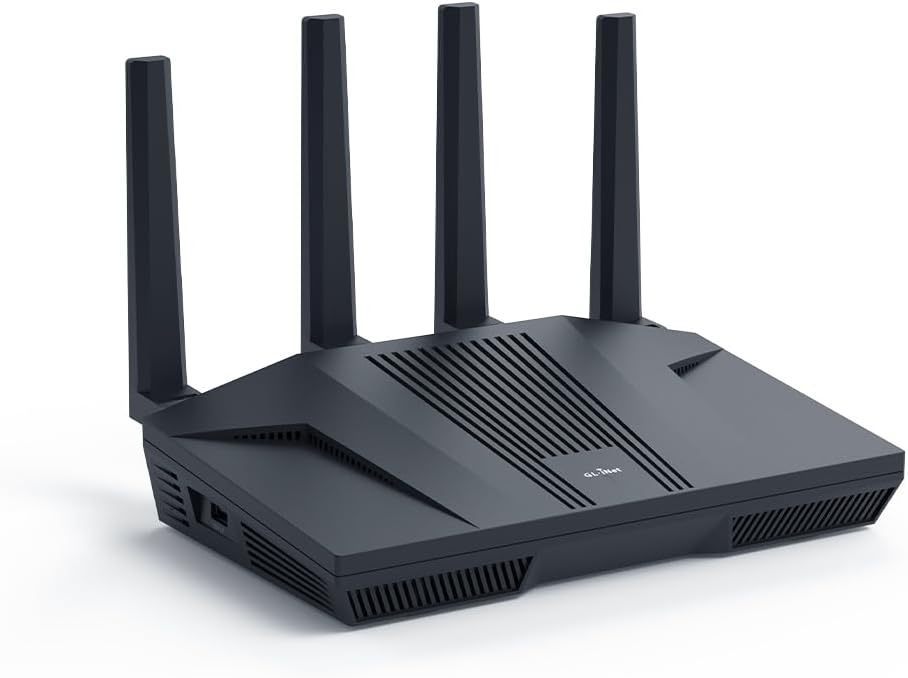
The GL.iNet Flint 2 is a compact yet incredibly powerful WiFi 6 router built on OpenWrt. It’s the go-to choice for users who need top-tier VPN performance (up to 900Mbps on WireGuard) in a small form factor. With two 2.5Gbps ports and excellent out-of-the-box support for privacy tools like AdGuard and Tor, it’s perfect for both home and travel use.
Key Features That Stand Out
✓ Blazing-fast VPN speeds (WireGuard up to 900Mbps)
✓ Dual 2.5Gbps Ethernet ports (WAN/LAN)
✓ Pre-installed AdGuard Home and Tor client
✓ Compact, travel-friendly design
✓ OpenWrt-based with user-friendly GL.iNet GUI
Why We Recommend It
For anyone who relies on a VPN for security, privacy, or accessing geo-blocked content, the Flint 2 is a game-changer. Most consumer routers see their speed cut in half when a VPN is active; this one maintains near-full speed. Its small size and lack of external antennas also make it uniquely portable.
Best For
Remote workers and privacy advocates, frequent travelers needing a personal router, and gamers who want low-latency VPN protection without sacrificing bandwidth.
Pros and Cons
Pros:
- Unmatched VPN throughput for its class—keeps most of your speed
- Compact, minimalist design fits anywhere, even in a travel bag
- Excellent out-of-the-box support for privacy and ad-blocking tools
- Powerful enough to handle many devices despite small size
Cons:
- No external antennas, so range is good but not class-leading
- OpenWrt interface, while simplified, still has a learning curve
- USB port is for storage/printers only, not for a secondary WAN
Customer Reviews
Customer Review: I had a Synology RT6600ax that I bought just under a year ago. I really like that router, but I didn’t like the fact it only has one 2.5Gb LAN port and the WAN port is only 1Gb. I upgraded my internet plan to 2.5Gb, so that router would no longer work for me. I could have connected the single LAN port to my 2.5Gb switch, but the internet would be limited to 1Gb. I tried various workarounds, but decided it needed to be replaced.I did some research and people were raving about the GL.iNet GL-MT6000 (Flint 2) router. I was a bit unsure, but the price was so good I decided it wouldn’t be too big of a risk. The risk has so far paid off and this is an exceptional router. It runs on OpenWRT, but configuring it wasn’t too difficult because GL.iNet has a custom GUI which simplifies things. I like the custom GUI, but I also like that the OpenWRT GUI is still accessible for more advanced settings.Once I got the router up and running, I was shocked at the WiFi performance. In addition to the Synology router, I had three Synology MR2200ac access points. Even with the GL-MT6000 (Flint 2) router in the basement, it still had a much faster speeds than the Synology access points. I almost didn’t connect my Synology access points, but I thought it would be best to do so since I have IoT devices outside the house and the signal might not go that far (especially seeing as how the router was in the basement equipment room).Configuring the Synology MR2200ac access points without the Synology router was still possible. I was able to have the wireless devices that connect to the main network via the Synology APs appear on my GL-MT6000 (Flint 2) router and be handled via DHCP. I still need to figure out VLAN on OpenWRT to have my IoT devices be handles by the GL-MT6000 (Flint 2) router DHCP. These devices are currently being handled by the Synology APs, and it they are working fine.I originally bought this router expecting to use it until I found something better. I don’t know if I will be replacing it anytime soon. Though not as simple to configure as a Synology router, it outperforms my Synology RT6600ax router in many other ways.
Customer Review: Outstanding Wi-Fi 6 router with blazing-fast speeds and rock-solid stability. Setup was quick and simple, and it handles multiple devices effortlessly without drops or lag. The compact design, powerful performance, and built-in VPN and security features make it perfect for both home and travel use. Highly recommended for anyone wanting reliable, high-speed Wi-Fi in a small but powerful package!
8. GL.iNet Flint 3e WiFi 7 Router
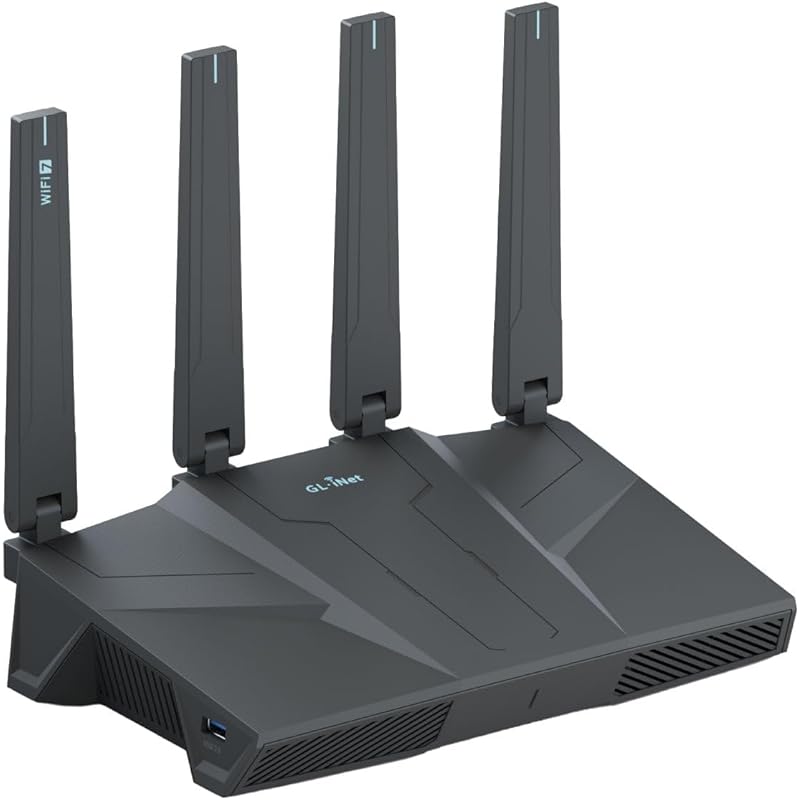
The Flint 3e is the eave-dropping sibling to the Flint 3, offering the same core WiFi 7 and VPN capabilities but with a focus on extreme port density and flexible WAN options. It features five 2.5Gbps ports and even supports USB-C cellular failover. This is the router for the user who wants to build a seriously robust, wired-backhaul-heavy network with all the privacy features of GL.iNet.
Key Features That Stand Out
✓ Tri-band WiFi 7 with MLO and 6GHz band
✓ Five 2.5Gbps Ethernet ports (WAN/LAN flexible)
✓ USB-C port for 5G/4G cellular backup internet
✓ Same rapid WireGuard/OpenVPN speeds as Flint 3
✓ AdGuard Home and extensive OpenWrt customization
Why We Recommend It
Where the Flint 3 is a gaming/performance beast, the 3e is the networking Swiss Army knife. The sheer number of high-speed ports and the cellular failover option make it ideal for home offices, small businesses, or anyone with a complex wired network who also demands top-tier VPN and privacy features.
Best For
Home business owners, users with multiple NAS devices or a 2.5G/10G home network, and anyone needing cellular internet backup (like in a location with unreliable primary service).
Pros and Cons
Pros:
- Unprecedented port flexibility with five 2.5G ports
- Cellular (USB-C) WAN failover for ultimate internet reliability
- All the privacy/VPN benefits of the GL.iNet ecosystem
- Powerful WiFi 7 tri-band performance for dense device environments
Cons:
- Very niche—overkill and more expensive for most typical homes
- Setup complexity is higher due to the number of configuration options
- Large physical footprint due to all the ports
Customer Reviews
Customer Review: I love it, easy to use and configure. AdGuard home is a nice touch and having my VPN networkwide is awesome. Even Tail Scale works, which surprised me! Network speeds are very good with the 2.5gbit ports, and having alternate ways to keep an internet connection with USB 4 and 5g modems is way more than a normal home user would need lol, but very nice to have the option. It has way more features so read about it to make an informed decision.
Customer Review: Used this in repeater mode, and it picked up the signal from the downstairs wireless router in the basement. I located this router in our home theatre room and it has a 2000 sq. ft. coverage, esentially covering this 3300 sq. ft. house. As a repeater, it connected to my existing WiFi network, and instead of 192.168.1.1 for the downstairs router, this rebroadcasts at 192.168.8.1, with its own network, allowing up to 90 devices through it. It took a little fiddling to set it up. I should have selected the repeater function first, as adding this router doubled my coverage at 2.5 Gbs speeds through a Cat 6 ethernet cable. I’m pleased how well it works and the review from the IT manager clinched my decision. And he was right.
9. H3C AX5400 WiFi 6 Router
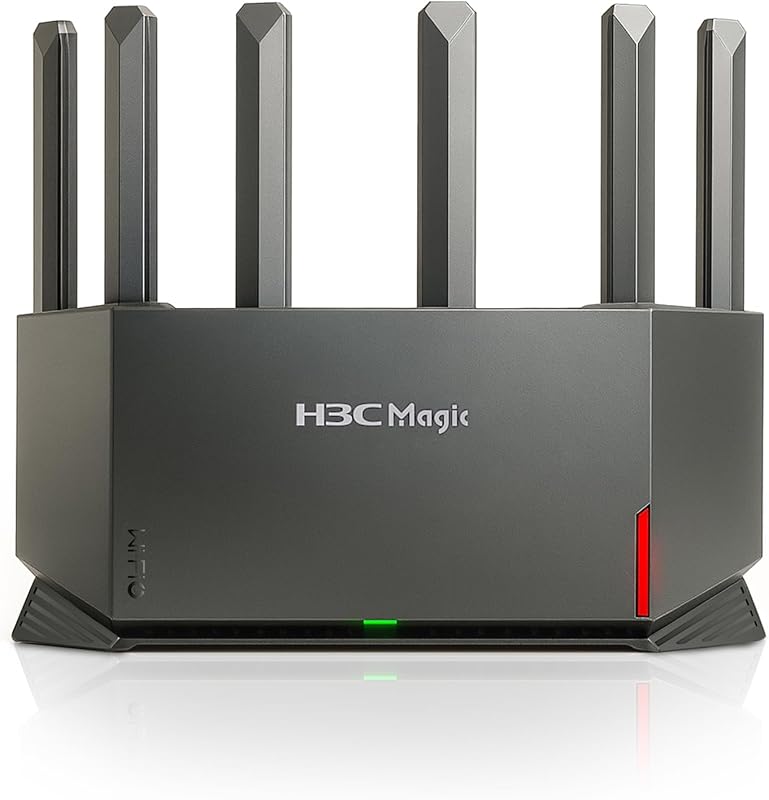
H3C, a major enterprise networking player, brings its expertise to the consumer market with the AX5400. This router is a coverage monster, using a dedicated NPU (Network Processing Unit) and a 4T4R antenna structure to deliver strong, consistent signals over long distances and through multiple walls. It’s a fantastic solution for large, single-story homes or properties with challenging layouts.
Key Features That Stand Out
✓ AX5400 WiFi 6 speeds (up to 5400 Mbps total)
✓ Dedicated NPU for efficient data processing and low latency
✓ 4T4R antenna structure with True MU-MIMO
✓ Subscription-free security and parental controls
✓ EasyMesh support for creating a mesh network
Why We Recommend It
If your primary pain point is dead zones and weak signals in distant rooms, this router should be at the top of your list. The hardware-level processing offloading means it stays responsive even when multiple people are gaming, streaming, and on video calls simultaneously. It’s a workhorse built on enterprise-grade principles.
Best For
Owners of large, open-concept homes (2000+ sq ft), properties with many interior walls, and users who prioritize absolute coverage and stability over cutting-edge standards like WiFi 7.
Pros and Cons
Pros:
- Exceptional long-range performance and wall penetration
- Dedicated NPU keeps the router responsive under heavy loads
- Very reliable with minimal dropouts reported by users
- Enterprise-level technology at a consumer price
Cons:
- Design is bulky and not particularly stylish
- Lacks WiFi 7 features like MLO or 6GHz band
- Brand recognition and community support are smaller than TP-Link/ASUS
Customer Reviews
Customer Review: I am very happy with this purchase. This works very well. Everyone in the house has strong wifi signal. It is able to support 3 game stations all playing at the same time along with computers, cell phones and multiple other devices with no issues. I had zero issues setting it up. It took about 10 minutes to have it fully setup. The hardest part was going around to all devices to reconnect them lol. All of our devices connected easily with no issues. I definitely recommend this to anyone needing to update their router!
Customer Review: Solved our random wifi drop outs in our 2200 sq. ft. single level home. Easy to set up.
10. TP-Link Archer AX55 Dual-Band WiFi 6 Router
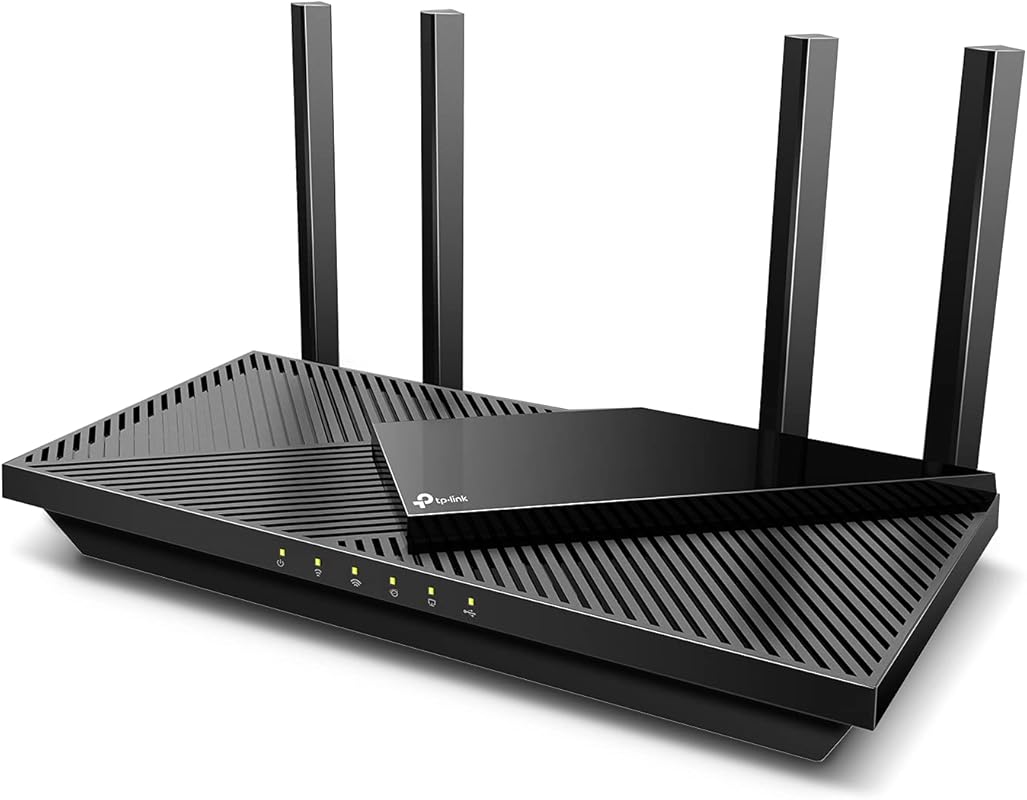
The TP-Link Archer AX55 is the mature, refined evolution of the popular Archer series. It addresses the heating issues of older AX3000 models, runs cooler, and adds crucial features like a USB 3.0 port, robust VPN support, and a reboot scheduler. It’s a dependable, full-featured WiFi 6 router that proves you don’t need to spend a lot for a premium experience.
Key Features That Stand Out
✓ AX3000 dual-band WiFi 6 with improved heat dissipation
✓ USB 3.0 port for network storage or printer sharing
✓ Full VPN client/server support (OpenVPN, WireGuard)
✓ EasyMesh support for seamless whole-home WiFi
✓ Reboot scheduling and LED control
Why We Recommend It
This router learns from the mistakes of its predecessors. The improved thermal design means it won’t throttle speeds during long gaming or streaming sessions. The inclusion of a fast USB 3.0 port and comprehensive VPN support makes it surprisingly versatile for a mid-range model, catering to both casual users and tech-savvy ones.
Best For
Users who had bad experiences with overheating older AX3000 routers, anyone wanting to share a USB drive or printer over the network, and those who need reliable VPN server functionality for remote access.
Pros and Cons
Pros:
- Excellent thermal management—runs cool and stable under load
- USB 3.0 port adds useful network-attached storage capability
- Very solid, consistent performance with 20+ devices
- Full VPN server support is rare at this price point
Cons:
- Smart Connect (band-steering) can be finicky with some devices
- WPA3 compatibility issues with very old IoT devices (like some printers)
- Setup via the Tether app is less reliable than the web interface
Customer Reviews
Customer Review: There are many routers claiming to be fast and support the max speed of the wifi 6 protocol. However, most routers fall short terribly. Some heat up like a toaster like AX3000 and some don’t have the processing power i.e. the required number of CPUs to quickly process the packets by 20+ devices. Further, some are $300+ which kind of brings the affordability into play.This router however finds the right balance in all the features which I was looking to upgrade. I was looking in the range of about $100 and tried to AX3000. However, it heats up too fast and then starts to thermal throttle the speed and doesn’t even stay connected with the clients like a laptop or mobile devices. I have tried a Netgear router from Costco AX4300 but fall short when around 20 devices are connected to it and don’t support the mesh networking.Features which I wanted and like:Range:This device has a superb range by itself and covers my home pretty easily. I see I have a good wifi signal at all ends of my home and I live in a 2-floor apartment with the router placed upstairs.Mesh:I like to receive a good network in my backyard as well and so I have added a RE505X which costs another 80 bucks but saves money on my mobile data plan as I don’t invest in an unlimited data plan. There is only 1 SSID that is broadcasted and it automatically switches based on where I am in the home.Heat:Some routers heat up and create a fire hazard and also have the probability of breaking down sooner than I like them to. This is not the case with this one and it stays relatively cooler and never experienced any slowing down of the network. I have touched it to check several times and it’s good.Setup:The setup was really easy. The basic setup can be done in minutes and there is no RnD required. The tether app is pretty cool for basic setup. I also have requirements for static IP based on mac address and port forwarding. Both of them are easy to configure. They also have support for dynamic DNS so you can easily host your basic website in your home network. For this, I need static IP address reservation and port forwarding.Parental controls:This is a real plus that allows me to block youtube or any site whenever I need to get my kid away from the TV.Reboot schedule:I like to have a reboot schedule which is good this router has it and very easy to set up.LED lights:This router allows to turn off led lights and I like it that way once the setup is complete.Summary:I think its a router for average home with right balance of ease of use and price and features.Note: I have not been paid for this review and have bought the router with my own money.2 Weeks Update:Going strong with over 20 devices connected, no disconnections reported by anyone in device. I have 3 heavy internet users at home. No heating issues, range is good.4 Months Update:Working perfectly for 4 months. No issues.2 year updateStill works as new with no issues
Customer Review: [updated]I updated from a TP-Link Archer C7. I have an Arris SB8200 modem. Here are a few notes.The AX55 signal strength seems a little better, especially in the 5 GHz band. It also adds 802.11ax and WPA3 security as well as “Smart Connect” which allows you to combine 2.4G and 5G bands under a single SSID and have the router decide which to use with each client. You could just give the separate bands the same SSID with any router. In that case each client would decide which band to use. The router login no longer uses a username, only a password.I have now tried “Smart Connect” with 2 TP-Link routers in 2 different houses and I am not impressed. On both I eventually had to separate the 2 bands. It was especially dysfunctional on mobile devices (phones, laptops, etc.). It doesn’t seem to switch bands very easily as you move around. Even stationarydevices seem to bounce inexplicably between the two bands, which can have very different signal strengths.The wi-fi encryption settings can be a problem depending on your equipment. The options are:NoneWPA2-PSK[AES]WPA2-PSK[AES]+WPA-PSK[TKIP]WPA3-PersonalWPA3-Personal+WPA2-PSK[AES]WPA2-EnterpriseWPA/WPA2-EnterpriseI wouldn’t touch either WPA or TKIP. Previously I used only WPA2-PSK[AES]. I would have liked to have used WPA3-Personal+WPA2-PSK[AES] here, but I have an older 2.4G printer with WPA/WPA2[AES or TKIP]. It would not connect unless the router was set to WPA2-PSK[AES] or WPA2-PSK[AES]+WPA-PSK[TKIP]. In the end, I set the 2.4G band to WPA2 (only) and the 5G band to WPA2+WPA3.Configuration and Installation———————————–Installing the router was pretty straightforward. I turned off wi-fi on my laptop, wired it (DHCP) to one of the router’s client ports, browsed to 192.168.0.1, and logged in (password is on the bottom of the router). Alternatively, you could leave your wi-fi enabled and connect to the router’s default SSID, also on the bottom. Doing it over wi-fi is just a bit more risky.I configured it entirely through the web interface using the Advanced menus. I changed the password and IPv4 address and left it with a temporary SSID while walking through all the other settings. After that was done, I shut down my old router, changed the temporary SSID and passcode on the new router to the permanent ones, shut down the new router, and connected it to my modem.I have not as yet found anything I can do with the Tether app that I can’t do, and more easily, with the web interface.The router would not connect to the internet when I powered it on until I remembered that the modem has to be rebooted to pick up the router’s MAC address. It won’t connect to a new router until then. I powered off both, powered up the modem, waited until it was fully up, and then powered up the router. It connected immediately and has been running fine since then.Once connected, I reviewed the internet (IPv4 and IPv6) status and settings. For Comcast, at least in this area, the IPv6 WAN connection type is Dynamic IP(SLAAC/DHCPv6) with DHCPv6 and prefix delegation selected. The LAN type is SLAAC+Stateless DHCP. I prefer to use Google’s public DNS servers (8.8.8.8, 8.8.4.4, 2001:4860:4860::8888, and 2001:4860:4860::8844), I’ve set those to override the Comcast-provided defaults.Performance—————I have 400 Mbps Comcast service with an Arris SB8200 modem. The modem indicates DOCSIS 3.1 service on the downstream side, but not on the upstream side. My laptop wireless NIC is an Intel AC7265 dual-band b/g/n/ac adapter.On a wired connection to the router, I get download speeds of 475+ Mbps. 480 would be the most I would expect given Comcast’s typical practice of over-provisioning by 20%.On 5G wi-fi with 40 MHz channels, I get 475 Mbps next to the router and about 20′ away in the same room. I get 355 Mbps in the next room, which is 73% faster than with the Archer C7.On 2.4G wi-fi with 20 MHz channels, I get 100 Mbs in the next room and 45 Mbs 2 floors up on the opposite side of the house. That’s 25% and 80% faster than with my Archer C7.Those who have unexpectedly slow wi-fi performance and who have “Smart Connect” enabled may be connected via the 2.4 GHz band without realizing it. Another reason not to use that feature.I live in a crowded wi-fi neighborhood with people who think it’s a good idea to use 40 or 80 MHzchannels in the 2.4 GHz band. Don’t do that. It makes all your neighbors’ performance worse anddoesn’t really help yours.
Complete Buying Guide for Best Home Wifi Routers 2026
Essential Factors We Consider
Choosing the right router means looking beyond the advertised “AX” or “BE” number. First, consider the WiFi standard. WiFi 6 (802.11ax) is still the sweet spot for value, offering great speed and device handling. WiFi 7 (802.11be) is the new king, featuring Multi-Link Operation (MLO) for more stable, lower-latency connections and wider channels, but it requires compatible devices to see full benefits. Second, assess your coverage needs. Large homes or those with many walls may require a router with powerful external antennas or a mesh system. Third, check the port configuration. If you have a fast internet plan (above 1 Gbps) or a NAS, look for 2.5Gbps or 10Gbps WAN/LAN ports. Finally, think about software and security. Routers from ASUS and TP-Link offer excellent, user-friendly interfaces with built-in security suites and parental controls. Open-source-friendly brands like GL.iNet are perfect for privacy enthusiasts.
Budget Planning
You don’t need to spend a fortune for excellent performance. For under $100, you can get a capable WiFi 6 router like the TP-Link Archer AX21 that will transform a slow network. The $150-$250 range offers the best balance, with routers like the ASUS RT-AX1800S or TP-Link BE400 providing premium features and future-proofing. If you demand the absolute best, expect to pay $300+ for tri-band WiFi 7 models with 10G ports. Remember to factor in potential mesh expanders if you have a very large home.
Final Thoughts
The “best” router is the one that solves your specific problems. For most families, a reliable WiFi 6 router with good range and a separate SSID feature is more than enough. For gamers and remote workers, prioritize low latency and strong VPN support. For large properties, focus on coverage and consider a mesh system. Take an honest inventory of your home’s size, internet speed, device count, and your own technical comfort level before making a choice from our list.
Frequently Asked Questions
Q: Is WiFi 7 worth buying in 2026?
A: WiFi 7 is worth it if you have a very fast internet plan (multi-gigabit), live in a congested area with lots of neighboring WiFi networks, or own devices that already support the 6GHz band (like some newer laptops and phones). For the average user on a 300-500 Mbps plan, a high-end WiFi 6 router will still provide excellent service for years. The main benefit of WiFi 7’s MLO is stability and lower latency, which is a noticeable upgrade for competitive gaming and video calls.
Q: Should I buy a router or a mesh system?
A: A single powerful router is sufficient for homes up to about 2,000 sq. ft. with a standard layout. For larger homes, multi-story houses, or properties with many obstacles (brick walls, steel beams), a mesh system (using the same router model as a node) will provide seamless coverage without dead zones. Many modern routers, like several on our list, support EasyMesh, allowing you to add a second unit later if needed.
Q: What’s the big deal with separate SSIDs for 2.4GHz and 5GHz?
A: Many “smart” devices (IoT, older gadgets) only connect to 2.4GHz, which is slower but has better range. Routers that combine both bands into one SSID (band-steering) often struggle, causing devices to randomly disconnect or perform poorly. Having two separate network names (e.g., “MyWiFi” and “MyWiFi-5G”) lets you manually connect devices to the appropriate band, ensuring stability for everything from your smart bulb to your 4K stream.
Q: Do I need a router with a built-in VPN?
A: A router with built-in VPN client support allows you to encrypt all traffic on your network by connecting the router to a VPN service. This is excellent for privacy, accessing geo-blocked content from all devices, and securing devices that don’t have their own VPN apps (like smart TVs or game consoles). However, it requires a paid VPN subscription and can reduce your overall speed by 10-50% depending on the router’s processor.
Q: How often should I reboot my router?
A: There’s no hard rule, but a good practice is to reboot your router every few weeks or if you notice performance degrading. Many modern routers have a built-in scheduler to do this automatically (like the TP-Link AX55). A reboot clears the router’s memory cache and can resolve minor connectivity hiccups. If you find you need to reboot daily, that’s a sign of a firmware issue, overheating, or a failing device.
Upgrading your router is one of the most impactful things you can do for your home network. Whether you need the raw power and privacy features of a GL.iNet Flint 3, the unbeatable value of the TP-Link Archer AX21, or the future-proofing of WiFi 7, there’s a perfect option on this list for you. Don’t let spotty WiFi ruin another video call or gaming session—choose the router that fits your needs and check the price on Amazon today to take the first step toward a faster, more reliable home network.