Instagram Dm Encryption Rollback Confirmed And What To Do

Instagram DM encryption rollback is confirmed, and it means your direct messages may no longer have end-to-end protection by default. This change has sparked privacy concerns among users. In this guide, we break down exactly what’s been confirmed and the simple steps you can take to secure your conversations.
Instagram DM encryption rollback has become a hot topic in the tech world. Users who relied on end-to-end protection for their direct messages are now questioning their privacy. This rollback means that default DM chats may no longer be fully encrypted. The shift has left many wondering what exactly changed and how to stay safe. In this article, we cover everything that is confirmed and give you clear steps to protect your messages. Whether you use Instagram for personal chats or business communication, understanding this change is essential.
The term Instagram DM encryption rollback refers to Meta’s decision to move away from default end-to-end encryption in direct messages. Previously, many users assumed their DMs were automatically secure. Now, that assumption no longer holds true. The company has adjusted its privacy settings, and the impact is real. Let’s dive into the details so you can take control of your digital privacy.
Key Takeaways
- Rollback Confirmed: Instagram has rolled back default end-to-end encryption for DMs, meaning messages may be readable by Meta.
- Privacy at Risk: Without encryption, your DM content could be used for ad targeting or accessed by third parties.
- Check Settings: You can still enable private messaging mode to restore some protection.
- Two-Factor Auth: Enabling 2FA adds a critical layer of security to your account.
- Use a VPN: A VPN hides your IP address and encrypts your traffic, adding a privacy buffer.
- Stay Updated: Monitor Meta’s announcements for future changes to DM encryption policies.
📑 Table of Contents
What Is The Instagram DM Encryption Rollback?
Understanding Default Encryption Changes
End-to-end encryption means only you and the person you message can read the content. No one in between, not even the app maker, can access the messages. Instagram’s DM encryption rollback removes this default protection for many conversations. Now, Meta can potentially scan message content for policy violations or ad targeting. This does not mean every DM is monitored all the time, but the technical ability exists. The rollback is part of a broader shift in how social media platforms handle private data.
When encryption is off by default, your messages travel through Meta’s servers in a readable format. This makes it easier for automated systems to detect spam, bullying, or illegal content. It also means that law enforcement requests can be fulfilled more easily. For privacy-conscious users, this is a significant change. The Instagram DM encryption rollback affects millions of people who use the app daily.
Why Did Meta Make This Move?
Meta has cited several reasons for the Instagram DM encryption rollback. The company wants to improve safety on its platform. Without access to message content, detecting harmful behavior becomes harder. Meta argues that scanning messages helps identify child exploitation, terrorism, and coordinated spam. They also point to regulatory pressures in various countries. Governments around the world are pushing for backdoor access to encrypted communications. Meta’s decision aligns with these demands. Additionally, the company sees value in using message data to refine its ad ecosystem. More data means better targeting, which drives revenue. Whatever the reasons, the privacy trade-off is clear.
What’s Confirmed About The Rollback
Official Statements From Meta
Meta has confirmed that the Instagram DM encryption rollback is rolling out gradually. Not all users will see the change at the same time. The company states that users will receive in-app notifications when their settings change. These notifications explain how to adjust privacy preferences. Meta emphasizes that they are not reading every message manually. Instead, automated systems process data at scale. The company also mentions that users can opt into private messaging mode, which restores some level of encryption. However, this mode is not the default anymore. Users must actively choose it.
In official blog posts, Meta has used phrases like “improving user safety” and “combating harmful content.” They stress that transparency reports will show how often message data is accessed. Critics argue that these reports lack detail. The confirmation is clear: default encryption is gone for many. Users should not assume their DMs are private by default.
User Reports And Experiences
Many Instagram users have noticed changes in their DM privacy settings. Some report seeing new prompts asking them to choose a messaging mode. Others have found that their messages are now subject to content review. Online forums are filled with discussions about the Instagram DM encryption rollback. Privacy advocates warn that this sets a dangerous precedent. They point out that encrypted messaging is a fundamental right in many countries. Some users have switched to alternative apps that still offer true end-to-end encryption. The community response shows a growing awareness of digital privacy.
How The Rollback Affects Your Privacy
End-To-End Encryption Gone
The biggest impact of the Instagram DM encryption rollback is the loss of default end-to-end encryption. When encryption is active, your messages are scrambled. Only the sender and receiver hold the keys to unscramble them. Without it, Meta can see the content. This means your personal conversations, shared photos, and links are no longer shielded from the platform. Even if Meta promises not to read your messages, the data is accessible. Data breaches, insider threats, and government requests all become risks. For sensitive conversations, this is a serious concern.
Consider this scenario: you share a medical detail or a financial worry in a DM. With encryption off, that information could be used to build a profile about you. Advertisers might target you based on those details. The Instagram DM encryption rollback removes the safety net that many users took for granted.
Who Can Now See Your DMs?
Without default encryption, several parties can potentially access your DMs. First, Meta’s automated systems can scan the content. Second, human reviewers may examine messages flagged by algorithms. Third, law enforcement agencies can request data through legal channels. Fourth, third-party apps connected to your Instagram account might gain access. Each of these access points represents a privacy risk. The Instagram DM encryption rollback expands the circle of entities that can see your messages.
| Party | Access Level | Purpose |
|---|---|---|
| Meta Automated Systems | Full message content | Spam detection, content policy enforcement |
| Human Reviewers | Flagged messages only | Safety investigations, appeals |
| Law Enforcement | Via legal request | Crime investigation, compliance |
| Third-Party Apps | Depends on permissions | Analytics, integrations |
What To Do Immediately
Check Your DM Privacy Settings
The first step is to review your Instagram DM settings. Open the app and go to your profile. Tap the menu icon and select Settings and privacy. Look for the Messages or Private Messages section. You may find an option to switch to a more private mode. Enabling this can restore some encryption-like protections. It is not perfect, but it reduces the exposure. The Instagram DM encryption rollback makes this check essential for every user.
Here is a quick checklist to follow:
- Open Instagram and go to your profile.
- Tap the three horizontal lines in the top right.
- Select Settings and privacy.
- Navigate to Messages or Private Messages.
- Choose the most private option available.
- Review who can message you and restrict strangers.
Enable Two-Factor Authentication
Two-factor authentication (2FA) adds a second layer of security. Even if someone gains access to your password, they still need a code from your phone. This is crucial after the Instagram DM encryption rollback. With less encryption, your account becomes a bigger target. Hackers may try to intercept messages or impersonate you. 2FA makes it much harder for them. Go to Settings and privacy, then Account security, and turn on two-factor authentication. Use an authenticator app instead of SMS for stronger protection.
Use A VPN For Extra Protection
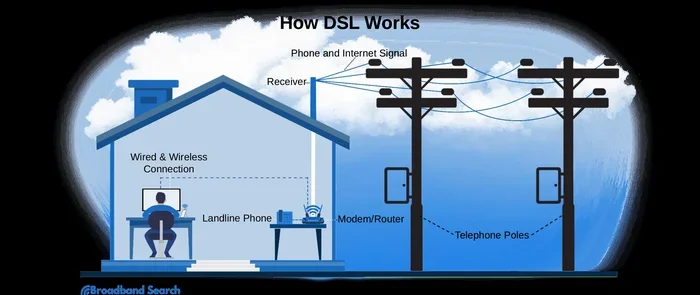
A Virtual Private Network encrypts your internet traffic between your device and the VPN server. This means your ISP and anyone on the same network cannot see what you are doing on Instagram. While a VPN does not encrypt your DMs within the app itself, it adds a strong privacy buffer. It hides your IP address and location. When using Instagram on public Wi-Fi, a VPN is especially important. The Instagram DM encryption rollback makes this extra layer valuable. Choose a reputable VPN provider with a strict no-logs policy.
Keep Your Device Running Smoothly
Privacy tools like VPNs and security apps can sometimes slow down your device. If you notice performance issues after adjusting your settings, you may need to troubleshoot. How to fix computer running slow and freezing offers practical steps to restore speed. A sluggish device can also make it harder to manage your privacy settings quickly. Keeping your system responsive ensures you can act fast when needed.
Tips For Securing Your Instagram Account
Strong Passwords And Login Alerts
Use a unique, complex password for your Instagram account. Avoid reusing passwords from other sites. Enable login alerts so you get notified when someone logs in from a new device. This helps you catch unauthorized access early. The Instagram DM encryption rollback increases the value of your account data. Strong passwords and alerts are your first line of defense.
Using A Laptop? Ensure Your Mouse Works Smoothly
Many users manage their DMs on a laptop. A responsive wireless mouse makes navigation easier and faster. If your mouse is acting up, setting it up correctly can save frustration. Check out how to connect a wireless mouse to your laptop for a step-by-step guide. Smooth device control helps you stay on top of privacy settings without delay.
Understand What RAM Does And Keep It Optimized
Encryption and security apps use system memory. Understanding what RAM does in a laptop helps you appreciate why your device might slow down when running privacy tools. More RAM allows your system to handle multiple security tasks without lag. Consider closing unused apps while managing your Instagram privacy settings. A well-optimized device responds faster and keeps your privacy workflow seamless.
The Bigger Picture: Social Media Encryption Wars
What Other Apps Are Doing
Instagram is not alone in this shift. WhatsApp, also owned by Meta, has long offered end-to-end encryption by default. However, even WhatsApp faces pressure to introduce backdoors. Other messaging apps like Signal and Telegram have different approaches. Signal prioritizes privacy with always-on encryption. Telegram offers encrypted secret chats as an optional feature. The Instagram DM encryption rollback reflects a broader trend where platforms balance user safety with monetization. Users are now more aware of the encryption choices made by their favorite apps.
Why This Matters For Digital Privacy
Encryption is a cornerstone of digital privacy. When platforms remove default encryption, they shift the balance of power. Users lose control over their personal data. The Instagram DM encryption rollback is a reminder that privacy is not guaranteed. It must be actively managed. Every time a platform changes its encryption policy, it affects millions of people. Staying informed and taking action is the best way to protect yourself. Use privacy-focused tools, read privacy policies, and support organizations that advocate for strong encryption.
Conclusion
The Instagram DM encryption rollback is a significant development for anyone who values private communication. Meta’s decision to move away from default end-to-end encryption changes the way you should think about your DMs. You are no longer protected by default, but you are not powerless. By checking your settings, enabling two-factor authentication, using a VPN, and staying informed, you can reclaim a layer of privacy. The steps outlined in this article give you practical control. Share this guide with friends and family who use Instagram. Privacy is a shared responsibility, and awareness is the first step toward safer digital habits.
Frequently Asked Questions
What exactly changed with the Instagram DM encryption rollback?
Instagram no longer uses end-to-end encryption by default for direct messages. This means Meta can potentially access and scan your DM content for policy violations or ad targeting. Users must now manually enable private messaging mode to restore stronger protections.
Is my Instagram DM completely unencrypted now?
Not entirely. You can still switch to a private messaging mode that offers encryption-like protections. However, the default setting has changed, and without adjustment, your messages are more exposed than before the rollback.
How can I check if my DMs are still encrypted?
Go to your Instagram settings, then Settings and privacy, and look for the Messages or Private Messages section. If you see options for private messaging or encryption, you can enable them. The absence of these options means your DMs are using the new default, less-secure mode.
Will using a VPN protect my Instagram DMs?
A VPN encrypts your internet traffic between your device and the VPN server, but it does not encrypt the content of your DMs inside the Instagram app. It does, however, hide your IP address and add a valuable privacy buffer, especially on public networks.
Why did Meta roll back Instagram DM encryption?
Meta cites the need to detect harmful content, spam, and illegal activity more effectively. The company also faces regulatory pressure from governments seeking access to encrypted communications. Additionally, message data can be used to refine ad targeting, which supports their business model.
What should I do right now to protect my Instagram DMs?
Check your DM privacy settings and enable the most private mode available. Turn on two-factor authentication, use a VPN when on public Wi-Fi, and consider using a dedicated messaging app with strong default encryption for sensitive conversations.