The Kingston NV2 1TB NVMe SSD is a compelling entry-level drive that delivers a massive speed boost over old SATA SSDs and hard drives at an incredibly accessible price. It’s a perfect, no-fuss upgrade for older systems, budget builds, and secondary storage where maximum performance isn’t the critical factor, but reliability and value are. While it uses a DRAM-less design, its real-world speeds are more than sufficient for everyday computing, gaming, and light creative work.
Key Takeaways
- Excellent Value Proposition: The NV2’s primary strength is its incredibly low cost per gigabyte, making high-capacity NVMe storage accessible to nearly everyone.
- Significant Speed Upgrade: With sequential reads up to 3,500 MB/s, it’s 5-7x faster than SATA SSDs and dozens of times faster than hard drives, transforming system responsiveness.
- DRAM-Less Architecture: It uses Host Memory Buffer (HMB) technology, borrowing a small portion of your system RAM instead of having its own DRAM cache, which saves cost but can impact sustained heavy workloads.
- Ideal for Mainstream & Upgrade Scenarios: Perfect for boot drives, game libraries, and general use in laptops, desktops, and PS5s where peak, sustained performance isn’t the sole requirement.
- Reliable from a Trusted Brand: Backed by Kingston’s reputation, a 5-year limited warranty, and a solid TBW (Total Bytes Written) endurance rating for its class.
- Not for Professional Workloads: Content creators dealing with massive, sustained file transfers or professionals needing the absolute highest, consistent throughput should look at drives with DRAM caches.
- Easy Installation: As a standard M.2 2280 form factor NVMe drive, it’s a simple plug-and-play upgrade for any compatible motherboard or laptop with an M.2 slot.
📑 Table of Contents
- Introduction: The New Standard in Affordable Speed
- Under the Hood: Architecture & Technical Breakdown
- Real-World Performance: Benchmarks & What They Mean For You
- Features, Warranty & The Kingston Trust
- Who Is This Drive For? Ideal Use Cases & Buyers
- Who Should Look Elsewhere? Limitations & Alternatives
- Installation & Setup: A Simple Guide
Introduction: The New Standard in Affordable Speed
Remember the days of waiting for your computer to boot, watching the spinning beachball of death as a program loaded, or hearing the gritty grind of a hard drive seeking data? Those days are officially over, and the Kingston NV2 1TB NVMe SSD is one of the most effective tools to make that happen without breaking the bank. In the ever-evolving world of storage, the term “NVMe” used to signal a premium price tag. But Kingston, a titan in memory and storage, has been on a mission to democratize this blistering-fast technology. The NV2 series is the latest result of that effort, offering a clean, no-nonsense pathway to NVMe performance for the masses.
So, what exactly is the Kingston NV2 1TB? It’s a 1-terabyte solid-state drive that fits into the tiny, gumstick-sized M.2 slot on your motherboard. It communicates via the PCIe 4.0 interface (though it’s fully backward compatible with PCIe 3.0), bypassing the old SATA bus entirely. This allows it to achieve read speeds that would make a SATA SSD blush. But speed isn’t the whole story. In this deep dive, we’ll unpack everything you need to know about this drive—from its internal architecture and real-world benchmarks to who exactly should buy one and who should look elsewhere. By the end, you’ll know if this is the perfect storage upgrade for your machine.
Under the Hood: Architecture & Technical Breakdown
To understand the value of the NV2, you need to peek inside its casing. The technical choices Kingston made here directly explain its price point and its ideal use cases. It’s a masterclass in strategic cost-saving without sacrificing the core experience for most users.
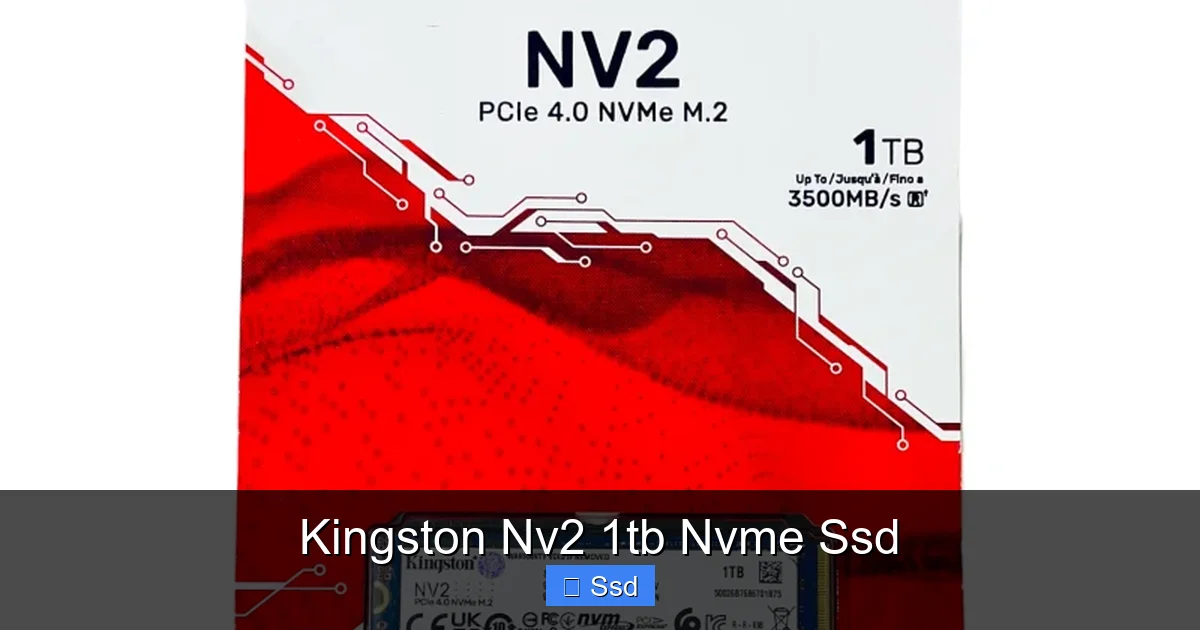
Visual guide about Kingston Nv2 1tb Nvme Ssd
Image source: topneteletronicos.com.br
The DRAM-Less Design & HMB Technology
This is the single most important technical aspect of the Kingston NV2. Traditional SSDs, especially higher-end ones, include a dedicated, fast DRAM chip on the PCB. This DRAM acts like a super-fast map or address book, storing a table of where every piece of your data is physically located on the NAND flash memory chips. When your system requests a file, the SSD’s controller consults this DRAM cache instantly, leading to incredibly high and consistent performance, especially with many small files or during sustained writes.
The NV2, however, does not have this dedicated DRAM cache. To manage this, it relies on a feature called Host Memory Buffer (HMB). Essentially, it borrows a small slice—up to 64MB—of your computer’s own system RAM (the same RAM your games and applications use) to serve as that temporary map. This saves significant cost and space on the SSD’s circuit board. For the vast majority of everyday tasks—booting your OS, launching games, loading applications, opening documents—this HMB implementation is perfectly efficient and you will not notice a difference compared to a drive with a DRAM cache in real-world use.
Where the lack of a dedicated DRAM can become apparent is during sustained, heavy write workloads. Imagine you’re a video editor continuously dumping 100GB of 4K footage onto the drive, or a data analyst writing massive log files. Without its own dedicated map, the drive has to compete with your system RAM for that resource, and performance can gradually taper off. For this reason, the NV2 is categorized as a client/consumer-grade drive, not a prosumer or enterprise workhorse.
NAND Flash & Controller
The Kingston NV2 uses 176-layer TLC NAND flash memory. TLC (Triple-Level Cell) stores 3 bits of data per memory cell. It’s the industry standard for consumer SSDs, offering a great balance of performance, endurance, and cost. The specific 176-layer technology is a modern, high-density type from a major manufacturer (likely Micron, with whom Kingston has a close partnership), which contributes to the drive’s competitive pricing and efficiency.
The controller—the SSD’s brain—isn’t publicly specified by Kingston, but it’s a custom or semi-custom solution optimized for this DRAM-less, cost-effective architecture. It’s designed to be smart about managing the HMB and the NAND to deliver the advertised speeds in typical consumer scenarios.
Real-World Performance: Benchmarks & What They Mean For You
Spec sheet numbers are fun, but they don’t tell the whole story. Let’s translate the Kingston NV2 1TB’s rated speeds—up to 3,500 MB/s read and up to 2,800 MB/s write—into what you’ll actually feel when using your computer.
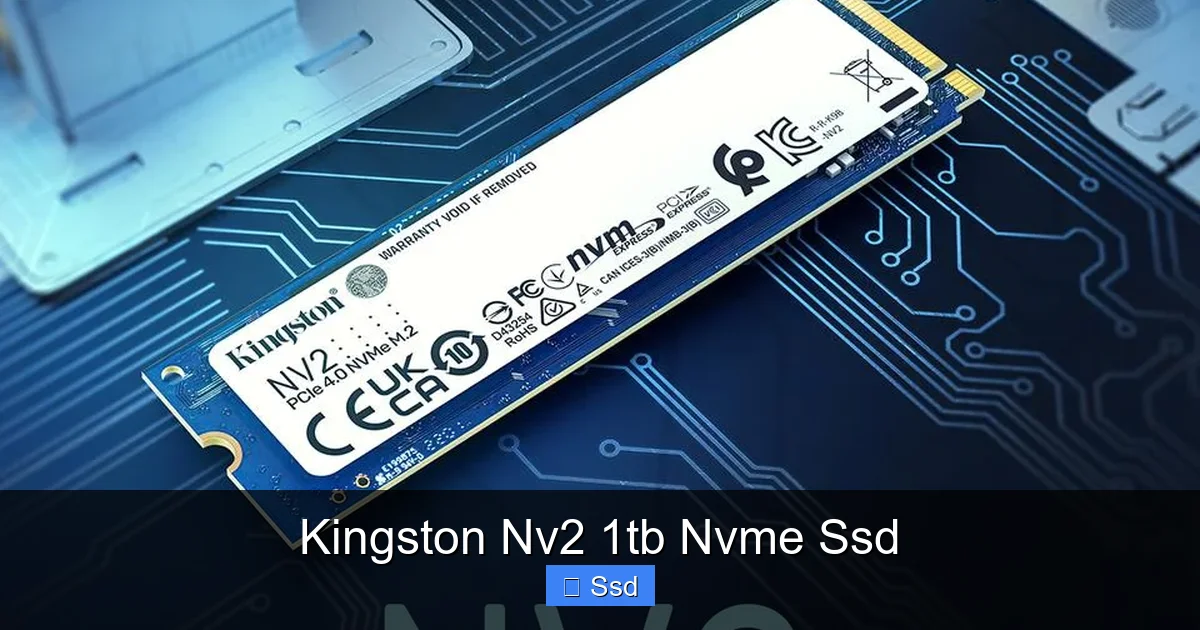
Visual guide about Kingston Nv2 1tb Nvme Ssd
Image source: convergent.com.my
Boot Times & Application Launches
This is where the NV2 shines brightest. Replacing an old hard drive or even a SATA SSD with the NV2 will feel like a revelation. A Windows 11 boot that took 30-40 seconds on a HDD might now be in the 8-12 second range. Launching heavyweight applications like Adobe Photoshop, Visual Studio, or a modern AAA game will see load screens cut by half or more. The difference between a SATA SSD (max ~550 MB/s) and the NV2 here is noticeable but not as earth-shattering as the jump from a HDD. You’re trading seconds for fractions of a second, but those fractions add up to a smoother, less frustrating daily experience.
Game Loading & File Transfers
For gamers, the NV2 is a fantastic upgrade. Game level load times in titles like Cyberpunk 2077, Red Dead Redemption 2, or Call of Duty will see significant reductions. It won’t magically increase your FPS, but it will get you into the action faster. When transferring large files—say, a 50GB game install or a folder of photos—you’ll see the sequential write speed in action. Expect to see write speeds hovering in the 2,000-2,600 MB/s range for large, contiguous files, which is a massive improvement over SATA.
Where you’ll see the limitations of the DRAM-less design is in a “dirty” test: transferring a massive folder of thousands of small files (like a complete project directory with many assets). Here, speeds can drop more noticeably as the drive’s controller works harder without its dedicated map. For most users, this is an edge case, but it’s a data point for power users to consider.
Benchmark Context: How Does It Stack Up?
Compared to other popular budget NVMe drives like the Crucial P3 or WD Blue SN570, the NV2 is very much in the same performance tier. It trades blows with them in most benchmarks. Against a DRAM-equipped drive like the Kingston KC3000 or Samsung 980 Pro, the gap in sustained write performance and 4K random read/write speeds (crucial for OS and application responsiveness) is clear. But again, for booting Windows, loading games, and general use, that gap is imperceptible to human perception. You are paying a fraction of the price for 90% of the perceived performance in daily tasks.
Features, Warranty & The Kingston Trust
Performance is one thing, but long-term reliability and support are equally critical when choosing storage. Here, Kingston’s legacy provides a strong safety net.
Visual guide about Kingston Nv2 1tb Nvme Ssd
Image source: bestcell.com.ec
5-Year Limited Warranty & TBW Endurance
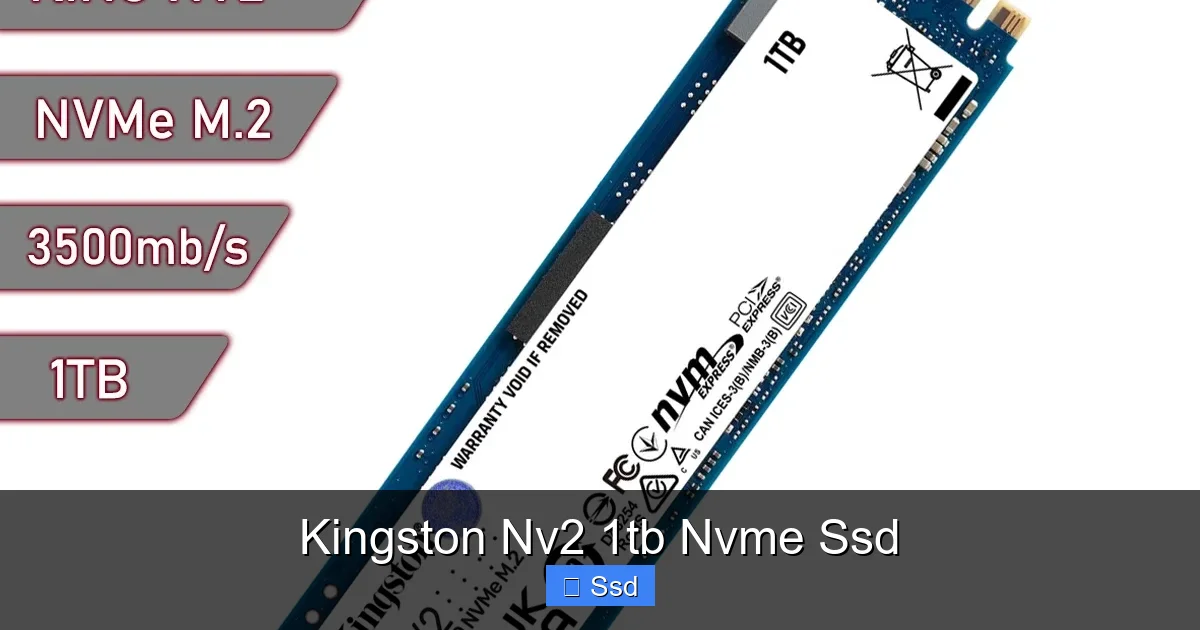
The Kingston NV2 1TB comes with a 5-year limited warranty. This is excellent for a drive in its price segment and speaks to Kingston’s confidence in their components and validation process. More importantly, it has a Total Bytes Written (TBW) rating of 600 TB. This means you can write 600 terabytes of data to the drive before its warranty is voided (though it will likely keep working). To put that in perspective: 600 TB is the equivalent of writing ~164 GB, every single day, for 10 years. For a boot drive, game library, or general use laptop, this is a more than generous, practically unlimited endurance rating. You will almost certainly upgrade your whole system long before you wear this drive out.
Form Factor & Compatibility
It’s a standard M.2 2280 form factor (22mm wide, 80mm long). This is the most common size for NVMe SSDs and will fit in the vast majority of desktop motherboards and laptops that have an M.2 slot. It uses the M-keyed socket, which is standard for PCIe NVMe drives. Crucially, it does not have a heatsink pre-installed. For most desktop cases with airflow, this is fine. For a compact laptop or a motherboard with a tiny M.2 heatsink that doesn’t fit, you might need to consider an aftermarket low-profile heatsink, but for the majority of users, it’s not necessary.
Software & Data Migration
Kingston provides a free utility called Kingston SSD Manager. It’s a no-fuss dashboard that lets you monitor drive health, temperature, and remaining lifespan. It can also perform secure erases and firmware updates. While not as polished as Samsung’s Magician, it gets the job done. For migrating your old drive’s data to the new NV2, Kingston also offers a downloadable Acronis True Image HD license (availability may vary by region), which is a full-featured cloning tool. This makes the upgrade process straightforward even for novice users.
Who Is This Drive For? Ideal Use Cases & Buyers
Now for the most important question: should you buy the Kingston NV2 1TB? The answer is a resounding “yes” for a huge segment of the market.
The Perfect Upgrade for Older Systems
If you have a desktop or laptop from the last 5-7 years that still has a spinning hard drive or an early SATA SSD, this is the single best upgrade you can make for general responsiveness. Your entire system will feel newer, snappier, and quieter. It’s the ultimate “new computer” feeling without the new computer price.
Budget PC Builders & Gamers
Building a gaming PC on a $600-$800 budget? The NV2 is a hero. It allows you to allocate more of your budget to a better GPU or CPU while still getting a fast NVMe boot and game drive. For a secondary game library drive after installing your primary titles on a faster PCIe 4.0 drive, the NV2 is also a stellar, cost-effective choice.
Laptop Upgraders & PS5 Storage
Many modern laptops have a single M.2 slot. Replacing a meager 256GB or 512GB factory SSD with a 1TB NV2 is a common and highly recommended upgrade. Just check your laptop’s service manual for compatibility. It’s also a certified drive for the PlayStation 5’s internal expansion slot. While the PS5 can utilize faster PCIe 4.0 drives, the NV2’s speeds are more than sufficient for game loading, and its 1TB capacity is a sweet spot for expanding your console library affordably.
The “Good Enough” Primary Drive
For the average user—browsing, office work, streaming, casual gaming, light photo editing—the NV2 is an absolutely fantastic primary drive. You will be happy with its performance every day. The DRAM-less architecture’s minor limitations simply won’t manifest in your workflow.
Who Should Look Elsewhere? Limitations & Alternatives
For all its strengths, the NV2 isn’t the universal champion. Certain users and workloads are better served by spending a bit more.
Professional Content Creators & Power Users
If your livelihood depends on moving huge files—video editors working with 8K RAW, 3D artists rendering massive scenes, data scientists with enormous datasets—the sustained write performance of a DRAM-less drive can be a bottleneck. Drives like the Kingston KC3000, Samsung 990 Pro, or WD Black SN850X with their DRAM caches and higher-end controllers will maintain their peak speeds far longer under these intense, continuous loads. The extra cost is an investment in productivity and time saved.
Enthusiasts Seeking Peak PCIe 4.0 Performance
If you have a Ryzen 3000/5000/7000 or Intel 11th/12th/13th Gen system and you want the absolute fastest storage possible for bragging rights and the tiniest edge in competitive gaming (level load times), look at top-tier PCIe 4.0 drives. The NV2, while fast, is positioned in the mainstream tier of PCIe 4.0, not the enthusiast tier. It’s a value play, not a performance crown contender.
Users with Heavy Mixed Workloads
If your daily routine involves constantly shifting between a game, a video render, a massive software compile, and a browser with 100 tabs, a drive with a DRAM cache might offer slightly more consistent overall multitasking performance. The HMB system can get busy if your system RAM is already heavily utilized.
Installation & Setup: A Simple Guide
Physically installing the Kingston NV2 is one of the easiest upgrades in modern PC building. Here’s a quick, safe guide.
Step 1: Prepare. Ensure your motherboard’s BIOS/UEFI is updated to the latest version. This ensures best NVMe compatibility and stability. Back up any important data from your old drive.
Step 2: Power Down & Open. Shut down your computer completely, unplug the power cable, and open the case. For a laptop, consult the manual and ensure it’s powered off and unplugged.
Step 3: Locate the M.2 Slot. Find the M.2 slot on your motherboard. It’s a small, horizontal slot, often with a mounting screw nearby. If your motherboard has multiple M.2 slots, check the manual to see which one shares lanes with other ports (like SATA ports) and choose accordingly. For a single-slot laptop, this is straightforward.
Step 4: Install. Gently insert the NV2 into the slot at a ~30-degree angle. The notch on the drive’s connector should align with the key in the slot. Press it down flat and secure it with the provided screw. Do not overtighten.
Step 5: Initial Setup in OS. Power on your PC. Enter your BIOS/UEFI to confirm the drive is detected. Then boot into your operating system (Windows). Open “Disk Management.” You’ll see your new 1TB drive as “unallocated.” Right-click it and choose “New Simple Volume.” Follow the wizard to format it (use NTFS for Windows, APFS for macOS) and assign a drive letter. You’re now ready to use your lightning-fast new storage!
Frequently Asked Questions
Is the Kingston NV2 1TB a good boot drive?
Yes, absolutely. It’s an excellent boot drive for most users. It will make your operating system feel incredibly fast and responsive. While high-end drives with DRAM caches may have a slight edge in extreme multitasking, the NV2 provides a phenomenal day-to-day boot and application launch experience for its price.
Does the NV2 need a heatsink?
Not necessarily. The NV2 is designed to operate within safe thermal limits without a heatsink under typical consumer workloads. Modern motherboards often have M.2 slot shields that act as basic heatsinks. If you are doing sustained, heavy writes (like constant 4K video rendering) in a poorly ventilated case, a heatsink can help maintain peak speeds, but for gaming, general use, and booting, it’s not required.
Will the Kingston NV2 work in my PS5?
Yes, it is fully compatible. The PS5 requires a PCIe 4.0 NVMe M.2 SSD with a minimum read speed of 5,500 MB/s. The NV2’s rated speed is 3,500 MB/s, which is below Sony’s official recommended minimum for optimal performance. It will work and be faster than the internal PS5 SSD in some scenarios, but for the best PS5 experience, you should choose a drive rated at 5,500 MB/s or higher.
What’s the difference between the NV2 and the more expensive Kingston KC3000?
The KC3000 is Kingston’s high-performance flagship. Key differences: the KC3000 has a dedicated DRAM cache, uses a more powerful controller, achieves much higher sustained write speeds (especially with large files), and has a higher TBW rating (1,200TB vs 600TB for NV2 1TB). The NV2 uses HMB (no DRAM) and is built for exceptional value, while the KC3000 is built for maximum performance and professional workloads.
Is a DRAM-less SSD like the NV2 bad for gaming?
No, it’s not “bad” for gaming. For the vast majority of gamers, the primary benefit of an NVMe SSD over a SATA SSD is faster level load times. The NV2 delivers this benefit spectacularly. The lack of DRAM cache does not impact in-game FPS or graphics. It only potentially affects the speed of installing games or transferring large game files, which is a minor inconvenience compared to the huge load time improvements.
Should I buy the 1TB NV2 or a larger capacity like 2TB?
The 1TB capacity offers the best value-per-dollar for the NV2 series. It’s the sweet spot for a primary boot and game drive. Choose the 2TB if you have a very large modern game library (many AAA titles now exceed 100GB), work with large media files, or simply want to never worry about storage space for years. The performance is identical across capacities; only the price per gigabyte changes slightly.