A 1TB SSD paired with 32GB of RAM represents the current sweet spot for high-performance laptops, targeting power users, professionals, and serious enthusiasts. This combination eliminates storage bottlenecks with a fast, spacious SSD and provides massive multitasking headroom with ample RAM. It’s ideal for demanding tasks like 4K video editing, 3D rendering, running virtual machines, and modern gaming, while also offering excellent future-proofing. However, for general web browsing and office work, these specs are significant overkill, so assessing your actual needs is crucial before investing.
Key Takeaways
- Performance Sweet Spot: 32GB RAM is now the recommended baseline for professional creative work and development, while a 1TB NVMe SSD offers enough speed and space for an extensive OS, applications, and project files without constant management.
- Target Audience: This spec combo is built for video editors, 3D artists, software developers, data scientists, engineers using CAD, and hardcore gamers who mod or stream. It’s overkill for casual users.
- Cost vs. Benefit: Laptops with these specs command a premium. The investment is justified only if your workflow consistently utilizes the resources; otherwise, you’re paying for unused capability.
- Future-Proofing Value: As software and games become more demanding, 32GB RAM and 1TB storage will remain viable for 4-5+ years, protecting your purchase against rapid obsolescence.
- Not All SSDs & RAM Are Equal: Pay attention to RAM speed (DDR4 vs. DDR5) and SSD type (PCIe 3.0 vs. 4.0 vs. 5.0). These factors impact real-world performance beyond just capacity.
- Upgradeability is Key: Many modern laptops solder RAM and storage. Check if your chosen model allows future upgrades to 32GB or more storage; this extends its usable lifespan significantly.
- Thermals & Power: These high-performance components generate more heat and drain batteries faster. Expect thicker, heavier laptops with robust cooling systems and shorter unplugged runtime compared to ultrabooks.
📑 Table of Contents
- Why These Specs Matter: The 1TB SSD and 32GB RAM Duo
- Who Exactly Needs a 1TB SSD 32GB RAM Laptop?
- Performance Breakdown: What This Combo Actually Buys You
- Choosing the Right 1TB SSD 32GB RAM Laptop: Critical Factors
- Future-Proofing: Will This Laptop Last 5 Years?
- Debunking Myths: Is More Always Better?
- Top Contenders & Buying Recommendations (2024)
Why These Specs Matter: The 1TB SSD and 32GB RAM Duo
When you’re shopping for a new laptop, the specification sheet can look like alphabet soup. But two numbers stand out for their direct impact on daily performance: storage capacity and memory (RAM). The pairing of a 1TB Solid State Drive (SSD) with 32 Gigabytes (GB) of RAM isn’t just a random high-end configuration; it’s a deliberate engineering solution for a specific class of user. Think of it this way: your RAM is your immediate workspace—the desk where you spread out all your current projects. Your SSD is your filing cabinet and library, holding everything you need quick access to. A 1TB SSD gives you a massive, fast library. 32GB of RAM gives you an enormous, clutter-free desk. Together, they create an environment where you never have to pause to clean up, wait for files to load, or close apps to open new ones. For the right person, this combination transforms computing from a series of waits into a seamless flow of productivity.
The Storage Revolution: Why 1TB NVMe SSD is the New Baseline
Gone are the days of spinning hard drives. Today, an SSD is non-negotiable for any serious machine. But not all SSDs are created equal. A 1TB capacity is significant because it moves you out of the “constant storage anxiety” zone. A 512GB SSD fills up alarmingly fast once you install the modern operating system (which can take 30-50GB), a full suite of creative apps like Adobe Creative Cloud (another 20-30GB), and a healthy game library (modern AAA titles can exceed 150GB each). With 1TB, you have breathing room for multiple large projects, a vast media library, and virtual machines without living on the edge of “disk full” errors.
The speed comes from the interface. Look for NVMe (Non-Volatile Memory Express) SSDs, which use the PCIe bus. A PCIe 4.0 NVMe drive can read data at up to 7,000 MB/s, compared to a SATA SSD’s ceiling of ~550 MB/s. This speed is critical for loading giant project files in seconds, booting your OS in under 10 seconds, and scrubbing through high-resolution video timelines without stutter. For a content creator, that time saved per load adds up to hours per week.
Memory Multitasking: The Case for 32GB RAM
RAM is where your active data lives. When you open a browser with 20 tabs, a word processor, a spreadsheet, and a design app, all that data lives in RAM. If RAM fills up, your system starts using the much slower SSD as “virtual memory,” causing dramatic slowdowns—the spinning beach ball of death. 16GB has been the standard for years, but modern workflows have outpaced it. A single Chrome window with a few tabs can easily use 4-8GB. A video editing application like DaVinci Resolve with a 4K timeline can consume 12-20GB on its own. Add a few background services, a communication app, and you’re already pushing 16GB to its limit.
32GB provides a comfortable, future-proof buffer. It allows for true multitasking: you can have your editing software, multiple reference documents in PDF and browser, a music or podcast playing, and a chat app all open with zero slowdown. For developers, it means running a local server, a database, a container (like Docker), an IDE, and a browser simultaneously. For engineers, it means keeping massive CAD assemblies and simulation software responsive. The difference between 16GB and 32GB isn’t just about doing more; it’s about maintaining peak performance while doing the complex tasks you actually need to do.
Who Exactly Needs a 1TB SSD 32GB RAM Laptop?
This is the most important question. Buying this specification without a clear need is like buying a semi-truck to drive to the grocery store—impressive, but wildly impractical and costly. Let’s break down the profiles for whom this is a perfect fit, and those who should look elsewhere.
The Power User & Professional Creative
This is the primary audience. If your income or academic success depends on manipulating large files, this is your machine. Video Editors: Working with 4K, 6K, or even 8K footage in ProRes or RAW formats requires immense RAM to hold the timeline, effects, and source files. The 1TB SSD allows you to keep multiple active projects and a large media cache on the fastest drive. 3D Artists & Animators: Software like Blender, Maya, or Cinema 4D churns through polygons, textures, and simulation data. Complex scenes can easily devour 32GB, and rendering assets benefit from the SSD’s speed for texture swapping. Photographers: Editing high-resolution photo stacks (e.g., focus stacking with 100MP files) or working with thousands of assets in Lightroom Classic benefits enormously from the RAM and fast scratch disk space. Music Producers: Running a Digital Audio Workstation (DAW) with dozens of virtual instruments, high-quality sample libraries, and multiple tracks loads samples into RAM. 32GB ensures you don’t have to freeze tracks to conserve resources.
The Developer, Data Scientist, & Engineer
Code might be text, but the environments we build and test are not. Software Developers: Running a local development stack (e.g., Node.js, PostgreSQL, Redis), a containerized environment with multiple services, an IDE like VS Code or IntelliJ, and a browser with dozens of tabs for documentation is a RAM-hungry process. Virtual machines for testing different OS environments are a given, and each VM can be allocated 4-8GB of RAM. 32GB makes this comfortable. Data Scientists & Analysts: Working with large datasets in Python (Pandas), R, or Jupyter Notebooks often requires loading significant portions of data into memory for manipulation and modeling. A 1TB SSD is crucial for storing datasets and model files. CAD Engineers & Architects: Complex assemblies in SolidWorks, AutoCAD, or Revit can be memory-intensive. Loading large architectural models or mechanical assemblies benefits from the immediate access provided by ample RAM, while project files and component libraries need the 1TB space.
The Enthusiast Gamer & Streamer
For pure gaming, 32GB is becoming the new recommended target, not for the game itself (which may use 8-12GB), but for the ecosystem around it. A streamer running OBS, a game, Discord, a browser for alerts/chat, and perhaps Spotify can easily exceed 16GB. The 1TB SSD is now a practical minimum; modern games like *Cyberpunk 2077*, *Alan Wake 2*, or *Call of Duty* with all DLC and high-res texture packs can occupy 200-300GB each. A 1TB drive allows for a healthy library of 3-4 large games plus the OS and other software without constant uninstalling/reinstalling. For modders, especially for games like *Skyrim* or *Minecraft* with extensive modpacks, the RAM is used by the game and mod loading systems, while the SSD ensures fast world and texture loading.
Who Should Probably Look Elsewhere?
If your computing life consists of web browsing (a few tabs), email, Microsoft Office/Google Workspace, video streaming, and light photo viewing, a 1TB/32GB machine is massive overkill. You could be perfectly happy and save considerable money with a 512GB SSD and 16GB RAM configuration. The performance difference you’d notice in those tasks would be negligible, as they don’t stress the system. Similarly, if you need extreme portability, battery life, and a lightweight form factor, these high-performance specs often come in thicker, heavier laptops with fans that spin up under load, which may not align with your on-the-go needs.
Performance Breakdown: What This Combo Actually Buys You
Let’s move from theory to tangible, real-world benefits. What does this hardware translate to in your daily workflow?
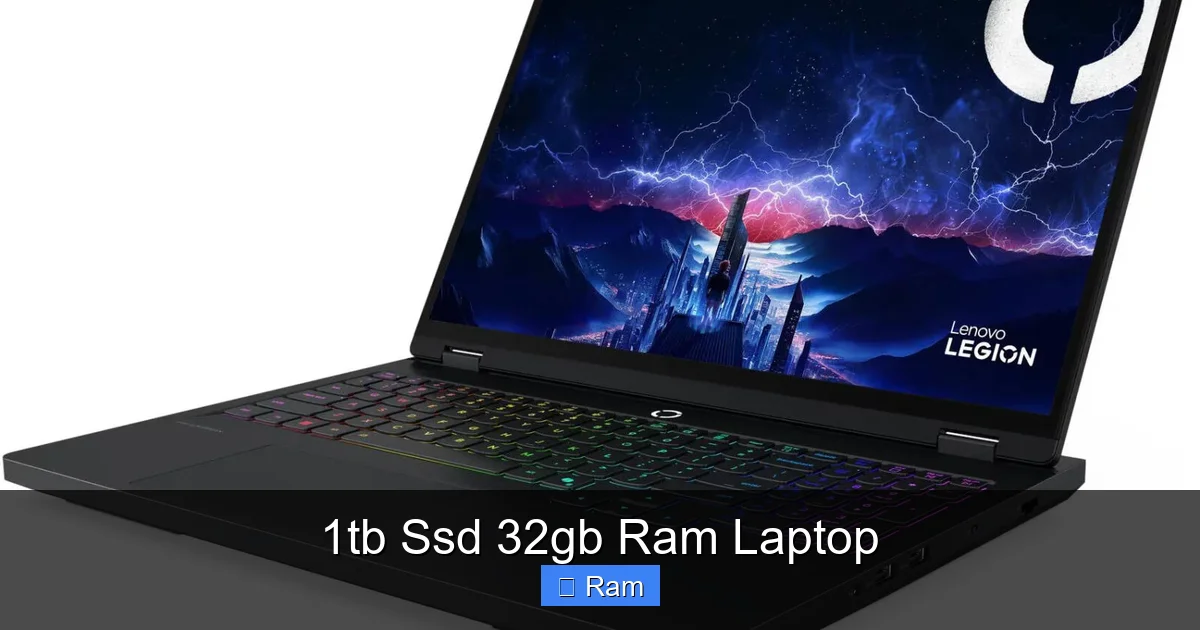
Visual guide about 1tb Ssd 32gb Ram Laptop
Image source: microless.com
Unparalleled Multitasking Fluidity
This is the most immediate and noticeable benefit. With 32GB RAM, the concept of “closing apps to free up memory” vanishes. You can have your primary application open alongside a mountain of supporting materials. Imagine editing a video in Premiere Pro, with the full project bin, multiple reference videos playing in separate browser windows, a PDF of the script, a music playlist, and Slack all running simultaneously. On a 16GB system, you might see slowdowns, audio glitches in the preview, or be forced to render frequently. On a 32GB system, it all hums along. The system rarely, if ever, touches the SSD for virtual memory, keeping everything in the blisteringly fast RAM pool. You switch contexts instantly. This fluidity reduces cognitive load—you don’t have to think about your computer’s resources; you just work.
Blistering File Operations and Load Times
The 1TB NVMe SSD is the workhorse here. Project Loading: Opening a complex 50GB project file in DaVinci Resolve or a massive Unreal Engine scene goes from a minute-plus wait to 10-20 seconds. File Transfers: Moving large folders of raw footage or game installations between drives (or to an external drive) happens at multi-gigabyte per second speeds. System Responsiveness: The entire operating system feels snappier. Launching applications, searching files, updating software—all these background and foreground tasks happen in the blink of an eye because there’s no mechanical or SATA bottleneck. For a professional billing by the hour, shaving 30 seconds off every major file operation adds up to meaningful time recovered over a week or month.
Handling the “Impossible” Projects
Some projects are simply not feasible on lower-spec machines. This includes: working with 8K video footage without proxy generation; running multiple virtual machines (e.g., a Windows VM for testing inside a Linux host, plus a macOS VM) for development or security work; processing massive datasets in memory (e.g., a 20GB CSV file in Python); or simulating complex fluid dynamics or structural loads in engineering software. The 32GB RAM provides the canvas, and the 1TB SSD provides the rapid access to the tools and source materials. It allows you to take on larger-scope projects without architectural compromises like proxy workflows, which add steps and potential points of failure to your pipeline.
Choosing the Right 1TB SSD 32GB RAM Laptop: Critical Factors
Not all laptops with these specs are equal. The brand, model, and specific component choices make a colossal difference in actual user experience. Here’s your checklist.
Visual guide about 1tb Ssd 32gb Ram Laptop
Image source: picclickimg.com
The CPU: The Brain Must Match
Pairing 32GB RAM and a 1TB SSD with a weak processor is a recipe for imbalance. You need a CPU that can feed that RAM and SSD with data. Look for current-generation Intel Core i7/i9 (13th/14th Gen) or AMD Ryzen 7/9 (7000/8000 series) processors. For creative work, higher core counts (8+ cores) are beneficial for rendering and exporting. For gaming, high single-core clock speed is paramount. Don’t neglect the CPU; it’s the conductor of the entire orchestra. A last-gen CPU might save money but will hold back the potential of your fast storage and memory in CPU-intensive tasks.
GPU: Integrated vs. Dedicated
This is a major fork in the road. Many business laptops (Dell Latitude, Lenovo ThinkPad P-series) offer 32GB RAM and 1TB SSDs with only integrated graphics (Intel Iris Xe, AMD Radeon Graphics). This is fine for coding, document work, and light photo editing. But for 3D work, video effects, gaming, or any GPU-accelerated task, you need a dedicated graphics card from NVIDIA (RTX series) or AMD (Radeon RX series). The GPU has its own high-speed memory (VRAM), but it also relies on system RAM for many tasks. Ensure the GPU matches your workload: an RTX 4060 is great for 1080p/1440p gaming and light creative work, while an RTX 4080/4090 or professional NVIDIA RTX Ada (for workstations) is needed for 4K editing, heavy 3D, and AI workloads.
Display & Build Quality: The Interface to Your Work
All that power is wasted on a poor screen. For creative work, prioritize high color accuracy (look for 100% sRGB or DCI-P3 coverage, factory calibration), high resolution (QHD/4K for detail work), and brightness (400+ nits). Matte finishes reduce glare. For gaming, focus on high refresh rate (144Hz, 240Hz) and low response times. Build quality is about longevity. Metal chassis (aluminum, magnesium alloy) are more durable and help with heat dissipation than all-plastic bodies. Keyboard travel and trackpad precision matter for long typing sessions. Don’t let the specs on the sticker overshadow the physical experience of using the machine every day.
Thermal Design & Power Management
High-performance components in a confined laptop space create heat. A poorly cooled laptop will throttle—it will automatically reduce CPU/GPU speed to prevent overheating, nullifying your performance investment. Research reviews that specifically test thermals and fan noise. Look for laptops with vapor chambers, multiple heat pipes, and large fans. A thicker “desktop replacement” laptop will almost always cool better than an ultra-thin one with the same specs. Also, understand the power story: these laptops have short battery lives (often 3-5 hours under real use) because 32GB of RAM and a high-power CPU/GPU are energy hogs. They are designed to be plugged in for peak performance.
Future-Proofing: Will This Laptop Last 5 Years?
Spending on a high-end laptop is an investment. The true value is in how long it remains useful and relevant. The 1TB/32GB combo is a strong foundation for future-proofing, but it’s not the whole story.
The RAM Ceiling: Soldered vs. Upgradeable
This is the single most critical future-proofing factor. Most modern performance laptops solder the RAM directly to the motherboard. If you buy a model with 32GB soldered, that is your absolute, permanent maximum. You cannot upgrade in 3 years when 64GB becomes the new norm for your work. However, some business-class and workstation laptops (like certain Lenovo ThinkPads, Dell Precision, and older MSI models) still have user-accessible SO-DIMM slots. Buying a model with 2x16GB sticks in slots means you could, in theory, replace them with 2x32GB sticks later for 64GB total, massively extending the laptop’s life for memory-bound tasks. Always check the service manual or spec sheet for “user-upgradeable memory” before purchasing. This decision is arguably more important than the initial RAM amount.
Storage: The M.2 Slot Advantage
Similarly, check the storage configuration. Does it have one or two M.2 NVMe slots? A laptop with a single 1TB drive leaves you with no option but to replace it to add capacity. A laptop with two slots (even if one is empty) allows you to add a second 2TB or 4TB SSD later, keeping your OS and apps on the fast first drive and storing projects on the second. This is a huge advantage for longevity. Also, ensure the SSD itself is a standard M.2 2280 form factor and not a proprietary, hard-to-find module. Standard drives are cheaper and easier to replace.
CPU and GPU: The Irreplaceable Core
You cannot upgrade the CPU or GPU in a laptop. This is why choosing the best you can afford within your budget is so important. A powerful CPU today will still be competent in 4-5 years for many tasks, especially if it has a high core count. A mid-range GPU, however, may struggle with future games at high settings or new GPU-accelerated features in creative software. There’s no upgrade path here, so you’re buying the graphical horsepower you’ll have for the entire lifespan of the laptop. Research the generational leap—sometimes buying last year’s model at a discount offers 90% of the performance for 70% of the price, which is a smarter long-term play.
Debunking Myths: Is More Always Better?
With such a powerful spec, some misconceptions circulate. Let’s set the record straight.
Myth 1: “32GB RAM is only for servers and workstations.”
False. While it was once a server-level spec, the demands of modern software—especially web browsers with hundreds of tabs, virtualized environments, and creative applications—have pushed the consumer/prosumer baseline upward. 32GB is now the recommended target for anyone doing “prosumer” level work. It’s about maintaining responsiveness, not just about raw capacity.
Myth 2: “A 1TB SSD is unnecessary; cloud storage is cheaper.”
This confuses storage with backup. Cloud storage is for backup, archiving, and sharing. Your active workspace must be on a local, fast SSD. Relying on cloud storage for project files means constant downloading/uploading, latency, and subscription fees. A 1TB local SSD is your primary, high-speed workspace. Use cloud storage as a secondary, off-site backup. The two serve different, complementary purposes.
Myth 3: “My 16GB RAM laptop is fine, so I don’t need 32GB.”
Ask yourself: do you regularly see your RAM usage approach 90-100% in Task Manager or Activity Monitor? Do you experience slowdowns when you have many apps open? If you’re a casual user, 16GB is likely fine. But if you’re a professional who can’t afford a stall during a render or a code compile, that 16GB ceiling is a hard limit that disrupts your flow. 32GB provides headroom for the unexpected and the future.
Myth 4: “All SSDs feel the same speed.”
Absolutely not. The difference between a PCIe 3.0 x4 SSD (~3,500 MB/s) and a PCIe 4.0 x4 SSD (~7,000 MB/s) is noticeable when moving huge files or loading massive game worlds. For general OS and app loading, the difference is less perceptible, but for professional media work, the sequential and especially the random read/write speeds of a Gen4 drive make a tangible difference in timeline scrubbing and asset loading. Always check the specific model’s benchmark reviews.
Top Contenders & Buying Recommendations (2024)
While specific models change quarterly, here are the categories and brands to target based on your primary use case:
For Creatives & Professionals: Workstation & Premium Performance Laptops
- Dell XPS 15/17: The classic premium choice. Excellent build, stunning displays (including OLED options), and powerful specs. Often configures with up to 64GB RAM and 2TB SSDs. Great balance of power and portability.
- Apple MacBook Pro 14″ or 16″ (M3 Pro/Max): The ARM-based Apple Silicon Macs offer incredible performance per watt, phenomenal battery life, and industry-leading displays. The M3 Pro chip typically starts with 18GB unified memory, but the M3 Max can be configured with 36GB or more. Their SSD speeds are also top-tier. A Mac with 32GB+ memory and 1TB+ SSD is a formidable creative machine.
- Lenovo ThinkPad P-series (P1 Gen 6, P16 Gen 2): Mobile workstations with professional NVIDIA RTX GPUs (with ECC memory support), superb keyboards, and often better upgradeability (RAM slots, multiple storage bays). Built for engineers and scientists who need certified drivers for CAD/CAE software.
- ASUS ProArt Studiobook: Designed specifically for creators, often featuring unique OLED displays with Calman certification, powerful H-series Intel/AMD CPUs, and RTX graphics. Focus on color-accurate workflows.
For Gamers & Streamers: High-Performance Gaming Laptops
- Alienware m16/m18: Legendary gaming designs with excellent thermal management, high-refresh-rate displays, and configurations up to 64GB RAM and 4TB storage. The larger m18 offers more cooling headroom.
- Razer Blade 16: The “MacBook of gaming laptops” for its premium unibody aluminum build. Offers a unique dual-mode mini-LED display (4K 120Hz or 1080p 240Hz). Configurations can reach 32GB RAM and 2TB SSD.
- MSI GT77/GE77 Raider: Desktop-replacement beasts with full-power HX-series CPUs and top-tier RTX 4090 GPUs. They are thick, heavy, and loud, but offer near-desktop performance and often have multiple storage and RAM slots for future upgrades.
- Lenovo Legion Pro 7i/7: Often provide the best price-to-performance ratio with clean designs, excellent keyboards, and strong thermals. Easily configurable to 32GB RAM and 1TB+ SSD.
The Smart Buyer’s Checklist Before You Click Buy
- Confirm RAM is Soldered or Slotted: This defines your upgrade path. Search “[Model Name] upgradeable RAM” or check the technical specifications PDF.
- Check the SSD Specs: Is it PCIe 4.0? What’s the model? (e.g., Samsung 990 Pro, WD Black SN850X, Crucial T500). Avoid proprietary, single-source SSDs if you want easy future replacement.
- Review Display Specs: For creative work: 100% DCI-P3, Delta E < 2, 400+ nits. For gaming: Refresh rate (Hz), response time (ms), panel type (IPS, OLED, mini-LED).
- Read Thermal Reviews: Search for “[Model Name] thermal review” or “temperature test.” A laptop that throttles after 5 minutes of load is not a 32GB/1TB machine; it’s a frustrated user.
- Inspect Port Selection: Ensure you have the ports you need: Thunderbolt 4/USB4 for fast docks/external SSDs, HDMI 2.1 for external monitors, sufficient USB-A ports, and an SD card reader for photographers.
- Consider the Weight & Battery: A 1TB/32GB gaming laptop will weigh 5-6+ lbs and have 2-4 hours of battery. A thin-and-light with these specs (like an XPS) might be 4-5 lbs with 5-6 hours. Know the trade-off.
Frequently Asked Questions
Is 32GB RAM overkill for gaming in 2024?
For the latest AAA games at high settings, 16GB is still the official recommended spec. However, 32GB is increasingly beneficial for the gaming ecosystem—streaming with OBS, running Discord, having a browser with guides and Discord open, and playing mod-heavy games. It prevents the occasional stutter caused by RAM saturation and provides clear headroom for future games.
Can I upgrade the RAM or SSD myself later?
It depends entirely on the laptop model. Many modern ultrabooks and gaming laptops solder both components to the motherboard, making upgrades impossible. Some business laptops and larger gaming laptops still have accessible RAM slots and extra M.2 bays. Always verify the upgradeability in the official service manual or through trusted teardown reviews before buying, as this is your main path to extending the laptop’s lifespan.
Should I get more RAM (64GB) or a larger SSD (2TB) with my budget?
Prioritize based on your bottleneck. If your work involves massive datasets, huge video projects, or multiple VMs, more RAM (64GB) will provide a more noticeable performance boost than extra storage you might not immediately fill. If you have a large existing game/media library or work with enormous single files (like raw 8K video), the larger 2TB SSD prevents constant storage management. For most, 32GB/1TB is the balanced sweet spot; upgrade one dimension only if you have a proven, specific need.
Does a 1TB SSD 32GB RAM laptop have bad battery life?
Generally, yes, compared to low-power ultrabooks. The components (especially high-performance CPUs and GPUs) are designed for maximum performance, not efficiency. Under a mixed workload (browsing, video, some app use), you can expect 4-7 hours on a typical high-performance laptop. For light tasks, some modern CPUs with hybrid architectures can extend this. But if you need all-day battery life away from an outlet, this class of laptop is not the optimal choice.
Is it better to get a laptop with these specs or a desktop with the same specs?
For pure, maximum performance per dollar and easy upgradeability, a desktop is always superior. A desktop with 32GB RAM and a 1TB SSD will have better cooling, allow for higher-wattage CPUs/GPUs, and let you swap parts for years. A laptop’s value is in its portability and integrated design. If you need to work or game on the go, or have limited space, the laptop is the only option. If you have a fixed desk and want ultimate power and longevity, a desktop is smarter.
What’s the real-world difference between a PCIe 3.0 and PCIe 4.0 SSD?
In everyday tasks like booting Windows, launching applications, and loading most games, the difference is often negligible (1-3 seconds) because the operations are not sequential. The difference becomes clear with large, sequential file transfers (moving a 100GB folder) and in professional applications that stream large assets—like scrubbing through 8K video timelines, loading massive textures in 3D apps, or opening huge project files. For these prosumer/professional tasks, a PCIe 4.0 SSD provides a noticeably smoother, more responsive experience.