Used 32gb Laptop Ram 5600mhz
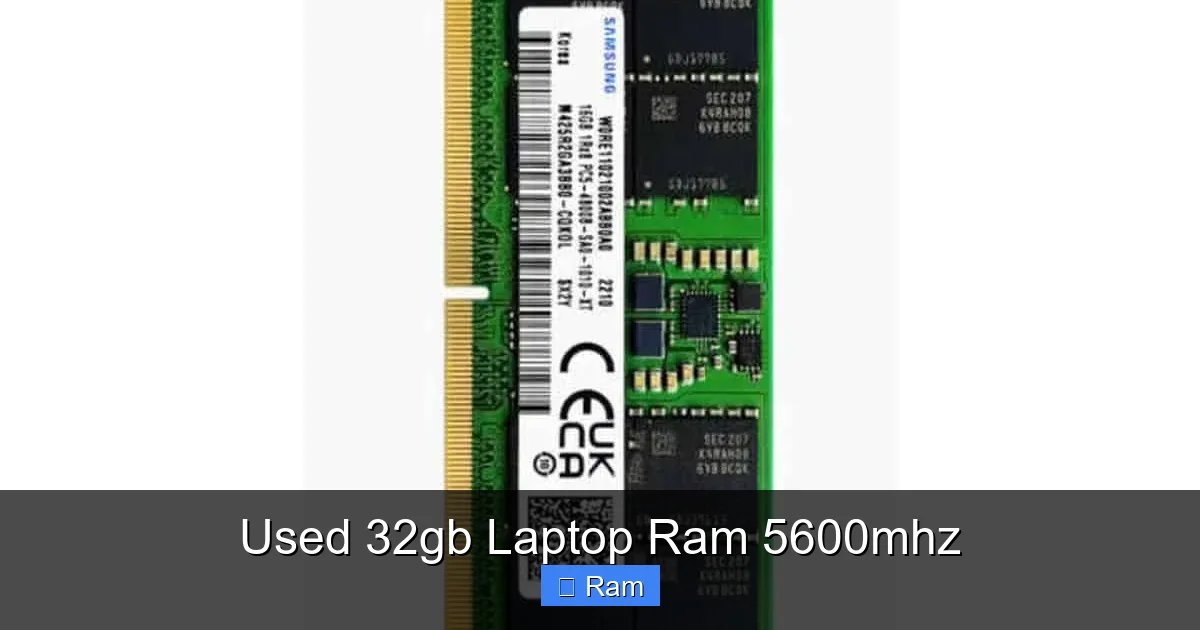
Upgrading with used 32GB laptop RAM at 5600MHz offers a massive performance boost for demanding tasks at a fraction of the new cost. This high-capacity, high-speed kit is ideal for professionals and enthusiasts, but carries risks like no warranty and potential compatibility issues. Success hinges on meticulous seller vetting and thorough testing before committing to the purchase.
Let’s be real: upgrading your laptop’s RAM is one of the most impactful, cost-effective ways to breathe new life into a machine. But when you see listings for “used 32gb laptop ram 5600mhz,” it can feel like striking gold or stepping into a minefield. That number—32GB at 5600MHz—represents a seriously powerful configuration, especially for a laptop. It promises the smoothness of massive capacity with the blistering speed of top-tier DDR5. But “used” adds a whole layer of “buyer beware.” So, how do you navigate this market? How do you snag a bargain without getting stuck with a faulty stick that turns your laptop into a paperweight? This guide will walk you through everything. We’ll decode what those specs really mean, weigh the juicy benefits against the sobering risks, and give you a step-by-step playbook for vetting, buying, and installing used high-performance RAM safely. Think of this as your friendly, no-nonsense manual to making a smart, powerful upgrade.
Key Takeaways
- Compatibility is King: Your laptop’s motherboard must support 32GB capacity per slot and 5600MHz speed (often via XMP/EXPO profiles). Always verify with manufacturer specs or tools like CPU-Z before buying.
- Massive Performance Potential: 32GB at 5600MHz eliminates bottlenecks in heavy multitasking, 4K video editing, 3D rendering, and modern gaming, providing a smoother, faster experience than slower or lower-capacity kits.
- The “No Warranty” Risk is Real: Used RAM typically has no return policy. A faulty module can cause crashes, blue screens, and data corruption, making pre-purchase seller reputation and return guarantees critical.
- Testing is Non-Negotiable: You must run extended memory tests (like MemTest86) for several hours after installation to uncover latent errors that only appear under load. Never skip this step.
- Seller Trust Trumps Price: A slightly higher price from a reputable seller who tests modules and offers a short return window is far safer than the cheapest auction from an unknown source with no comeback.
- DDR5 is a Generational Leap: 5600MHz is a DDR5 speed. Ensure your laptop actually uses DDR5 (not DDR4), as they are physically incompatible. Mixing used and new RAM can also cause instability.
- Consider New Budget Alternatives: For many, a new, slower-speed 32GB DDR5 kit (e.g., 4800MHz) from a reputable brand with a warranty may offer better long-term value and peace of mind than a used high-speed kit.
📑 Table of Contents
- Decoding the Specs: What “32GB 5600MHz” Actually Means for Your Laptop
- Why Consider Used 32GB 5600MHz RAM? The Alluring Benefits
- The Dark Side: Risks and Drawbacks You Must Accept
- How to Choose the Right Used 32GB 5600MHz RAM: A Buyer’s Checklist
- Installing Used RAM Safely: A Step-by-Step Guide
- Alternatives to Used 32GB 5600MHz RAM: Is There a Safer Path?
Decoding the Specs: What “32GB 5600MHz” Actually Means for Your Laptop
Before we talk used vs. new, we need to be crystal clear on what we’re even looking at. The phrase “32gb laptop ram 5600mhz” is packed with technical meaning. Breaking it down saves you from making a catastrophic compatibility error.
The “32GB” Capacity: More Room for Big Jobs
32GB of RAM is no longer the domain of just workstation monsters. For a modern laptop, it’s the sweet spot for serious power users. If you’re editing 4K video in DaVinci Resolve, working with huge Photoshop files, keeping 50+ Chrome tabs open while running a virtual machine, or playing the latest AAA games at high settings, 8GB is a joke and 16GB is often the new minimum. 32GB gives you headroom. It means your system isn’t constantly shuffling data to the slow SSD because the RAM is full. This “swapping” is a primary cause of lag. With 32GB, you can have your entire workflow—applications, files, browser—resident in fast memory, leading to instant responsiveness. For a professional or an enthusiast who does anything more than web browsing and office apps, 32GB is a transformative amount.
The “5600MHz” Speed: Understanding DDR5 and Bandwidth
This is where it gets interesting. 5600MHz is the data rate, measured in megatransfers per second (MT/s). But crucially, this speed is almost exclusively a DDR5 specification. DDR4, the previous generation, typically maxes out around 3200-4266MHz in laptops. If your laptop is even a few years old, it likely uses DDR4. Physically, DDR5 and DDR4 RAM modules are not compatible—the pins are in different places. So, step one: confirm your laptop uses DDR5 memory. You can do this by checking your laptop’s exact model specifications on the manufacturer’s website or by using a system information tool like CPU-Z (look at the “Memory” and “SPD” tabs).
Why does 5600MHz matter? Higher MHz means greater bandwidth—more data can move between the RAM and the CPU per second. For integrated graphics (like AMD’s Ryzen APUs or Intel’s Iris Xe), faster RAM provides a huge performance boost because the iGPU shares system memory. For CPU-bound tasks like simulation, compilation, and certain games, faster RAM can shave off seconds. However, the real-world difference between, say, 4800MHz and 5600MHz isn’t always massive for every task. The jump from DDR4 to DDR5, and from 16GB to 32GB, is often more noticeable than the jump from 5200MHz to 5600MHz. But 5600MHz sits at the high end of the mainstream DDR5 spectrum, offering excellent future-proofing.
The Hidden Specs: Timings and Voltage
Speed isn’t the whole story. You also have timings (like CL40, CL46) and voltage (usually 1.1V for DDR5). Timings measure latency—the delay between a command and its execution. Lower numbers are better. A kit rated 5600MHz CL40 is slightly better than 5600MHz CL46. For most users, the MHz rating is the primary marketing point, but tighter timings on a used kit can be a subtle bonus. Voltage is important for stability. DDR5 standard is 1.1V, but some high-performance kits run at 1.25V or 1.35V. Ensure your laptop’s BIOS can supply that voltage, though most modern laptops handle standard DDR5 voltages fine.
Why Consider Used 32GB 5600MHz RAM? The Alluring Benefits
So, why would anyone take the risk on used parts? The answer is a compelling mix of economics and performance availability.
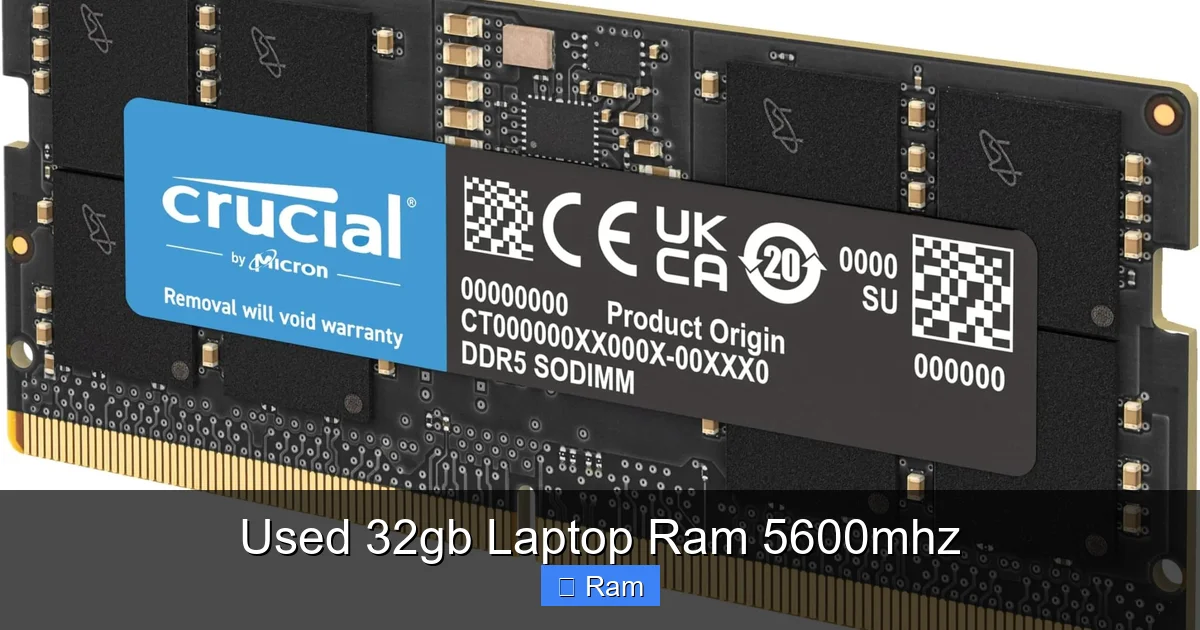
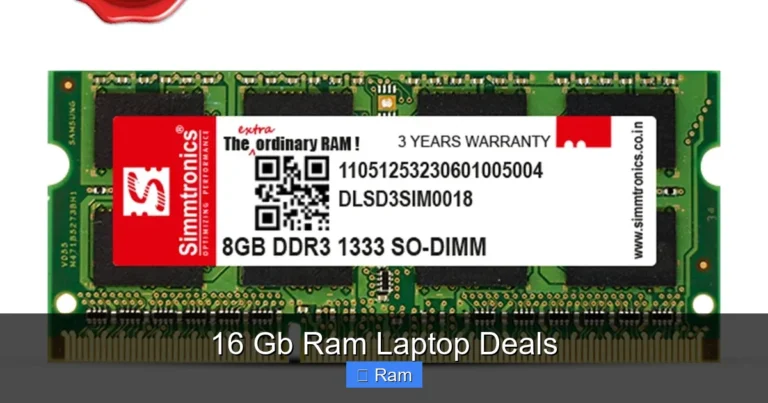
Visual guide about Used 32gb Laptop Ram 5600mhz
Image source: m.media-amazon.com
The Price-to-Performance Powerhouse
This is the biggest draw. A new, name-brand 32GB (2x16GB) DDR5-5600 laptop RAM kit can cost anywhere from $120 to $200+, depending on the brand and timings. A used equivalent from a reputable seller on eBay or a refurbished parts store might be $60-$100. That’s a 40-60% saving. For a component that offers such a dramatic performance uplift, that discount is huge. It makes the dream of 32GB at high speed accessible on a budget, especially for a laptop where upgrades are often limited to RAM and storage.
Access to “Enthusiast” Tier Kits
Some of the best-performing 5600MHz kits—with tight timings and excellent binning—are from gaming or overclocking brands (G.Skill Trident Z, Corsair Dominator, etc.). These are expensive new. The used market is where you might find someone who upgraded their laptop, sold their old kit, and is offering a high-quality component for a song. You can get performance that would cost a premium new, for a used price.
Environmental and Sustainable Choice
There’s an undeniable eco-angle. Buying used extends the life of functional electronics, reducing e-waste. For the environmentally conscious, choosing a used high-performance component over a new one is a small but meaningful way to reduce your tech footprint.
Ideal for Specific, Demanding Use Cases
The combination of 32GB capacity and 5600MHz speed is a perfect match for:
- Content Creation: Video editors, 3D artists, and photographers dealing with massive assets.
- Software Development & Data Science: Running multiple VMs, containers, and large datasets locally.
- High-End Gaming on APUs: For laptops with powerful integrated graphics (like AMD Ryzen 7 6800H/7735HS or newer), fast RAM is critical.
- Future-Proofing: Buying a kit that will still be “fast enough” for 3-5 years, even as software demands grow.
The Dark Side: Risks and Drawbacks You Must Accept
If it sounds too good to be true, it probably is. The used RAM market has pitfalls that can turn a cheap upgrade into a costly headache.
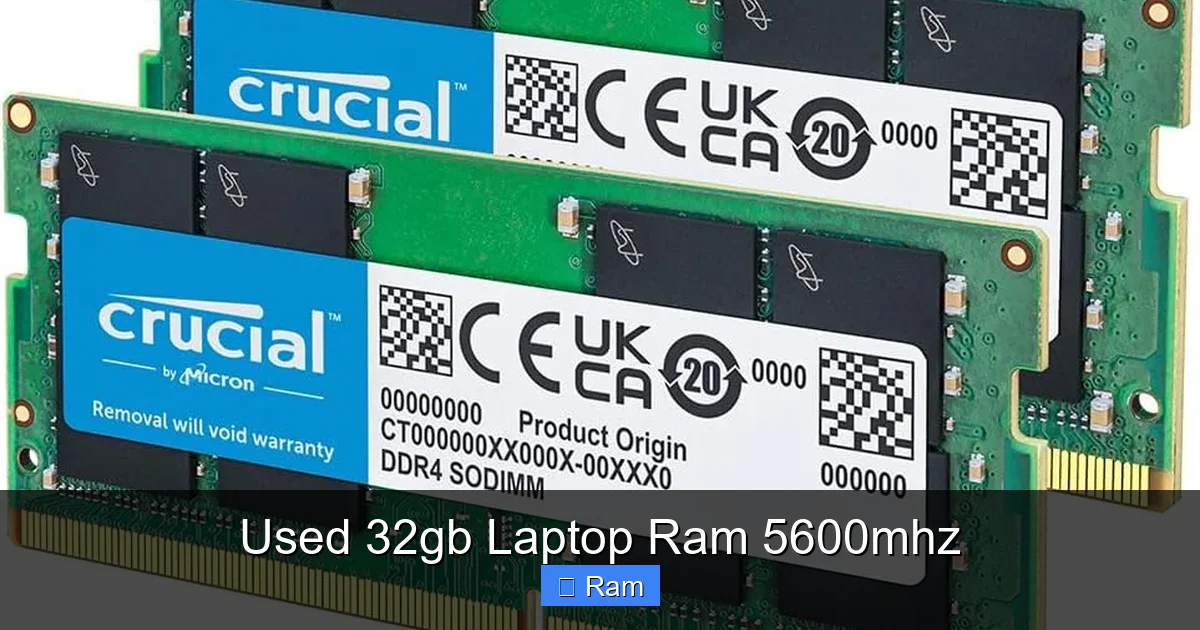
Visual guide about Used 32gb Laptop Ram 5600mhz
Image source: m.media-amazon.com
Zero Manufacturer Warranty
This is the single biggest risk. New RAM comes with a lifetime or limited lifetime warranty from the manufacturer. Used RAM comes with nothing. If it fails in 30 days, you’re at the mercy of the seller’s return policy, which may be “no returns.” A faulty RAM module doesn’t just stop working; it can cause subtle corruption (file errors, random crashes), boot failures, or the infamous “blue screen of death.” Diagnosing RAM as the culprit can take hours of troubleshooting. You’re accepting all the risk.
Unknown History and Wear
Where did this RAM come from? Was it pulled from a gaming laptop that was overclocked and pushed to its limits 24/7? Was it in a corporate lease machine that was on constantly? While DRAM cells themselves have an extremely long lifespan (often cited as 10+ years), the spd chip (the small chip on the module that stores the profile data) or other components can degrade. Heat is the enemy. A module exposed to sustained high temperatures in a poorly cooled laptop might have a shorter remaining life. You have no idea what it’s been through.
Compatibility Quirks and “Bin” Issues
RAM modules are “binned” based on their performance. A used 5600MHz CL40 kit might have been sold because it couldn’t reliably run at 6000MHz. That’s fine for you. But sometimes, a kit sold as 5600MHz might only be stable at 4800MHz on a particular motherboard due to the memory controller (in your CPU) not being as robust. You might not get the advertised speed. There’s also the risk of mixing mismatched modules (even same model, different revision) causing instability, which is why buying a matched kit (two sticks sold together) is essential.
The Seller Lottery
You’re relying entirely on the seller’s honesty and competence. Did they actually test the RAM? Did they handle it with static precautions? Are they simply clearing out broken parts? A seller with a long, positive history and who explicitly states “tested fully with MemTest86” is a far safer bet than a random person with a one-off listing. Scams exist, where sellers will ship a lower-capacity or slower-speed module than advertised.
How to Choose the Right Used 32GB 5600MHz RAM: A Buyer’s Checklist
Don’t just click “Buy It Now.” Follow this checklist to separate the gems from the garbage.
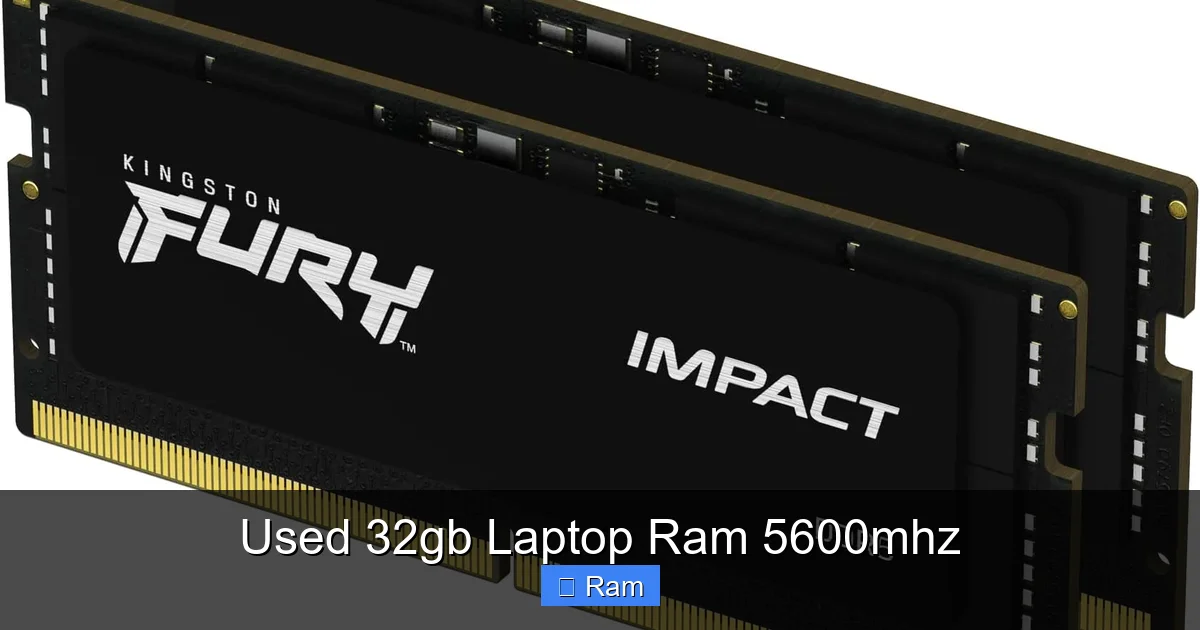
Visual guide about Used 32gb Laptop Ram 5600mhz
Image source: m.media-amazon.com
Step 1: Absolute Compatibility Verification
This is non-negotiable. You must confirm three things:
- Form Factor: Your laptop uses SO-DIMMs (the small laptop-sized modules), not full-size desktop DIMMs.
- Generation: It must be DDR5. Check your laptop’s manual or use CPU-Z.
- Maximum Supported Speed & Capacity: Find your laptop’s exact model number (e.g., Dell XPS 15 9520, Lenovo Legion 5 Pro 16ACH6H). Go to the manufacturer’s support page, find the “Tech Specs” or “Memory” section. It will list the maximum supported RAM (e.g., “up to 64GB”) and the supported speeds (e.g., “DDR5-4800”). If it says max 4800MHz, buying 5600MHz RAM is a gamble. It might downclock to 4800MHz and work fine, or it might not boot. Some gaming laptops with Intel 12th/13th Gen or AMD Ryzen 6000/7000 series CPUs often support higher speeds via XMP/EXPO, but this must be explicitly stated or found in forums for your specific model.
Step 2: Vet the Seller Relentlessly
Look for:
- Feedback Score & History: 99%+ positive with hundreds of sales in computer parts is good. Read recent feedback.
- Listing Detail: Does the seller provide clear, high-quality photos of the actual RAM sticks? Can you see the labels? Do they state the exact make, model, and part number (e.g., “CMK32GX5M2B5600C40”)? Generic photos are a red flag.
- Testing Claims: Look for phrases like “fully tested with MemTest86,” “working perfectly,” or “pulled from working system.” Vague terms like “tested and works” are less reassuring.
- Return Policy: Even a 7-day return window for defective items is a major plus. “No returns” should make you very cautious.
- Communication: Does the seller answer questions promptly and knowledgeably?
Step 3: Understand What You’re Buying
Know the common brands and what their part numbers mean.
- G.Skill: Ripjaws S5, Trident Z5. Part number like F5-5600J4040C32GX2-RS indicates 5600MHz, CL40, 32GB kit.
- Corsair: Vengeance, Dominator. Part like CMK32GX5M2B5600C40.
- TeamGroup: T-Force Delta, Vulcan.
- Kingston Fury: Beast, Renegade.
A known brand is preferable to a no-name generic stick. Search the exact part number online to see its new price, reviews, and common issues.
Step 4: Ask the Right Questions
Before bidding/buying, message the seller:
- “Can you confirm the exact part number on the labels of both sticks?”
- “Was this pulled from a working laptop? Do you have the laptop model?”
- “Did you test it with MemTest86 for at least 4 passes? Any errors?”
- “What is your return policy if it doesn’t work in my system?”
Their answers (or lack thereof) are a huge indicator of legitimacy.
Installing Used RAM Safely: A Step-by-Step Guide
You’ve bought the RAM. Now, the critical installation and verification phase. Rushing this ruins the whole point.
Preparation is 90% of the Success
Before you touch anything:
- Gather Tools: A small Phillips-head screwdriver (#0 or #1). Possibly a plastic spudger or pry tool. A static-free workspace (wood table, not carpet).
- Power Down Completely: Shut down the laptop. Unplug the charger. For extra safety, disconnect the internal battery if you’re comfortable (this varies by laptop; some require full bottom panel removal).
- Discharge Static: Touch a grounded metal object (like a plugged-in but switched-off desktop PC case) or wear an anti-static wrist strap. Never handle RAM modules while static-charged.
The Physical Installation
1. Access the RAM Bay: Most laptops have a bottom panel secured by screws. Remove them and gently pry off the panel. Some ultrabooks have the RAM soldered, so this step is impossible. Double-check your laptop’s service manual (iFixit is a great resource) beforehand.
2. Remove Old RAM: The modules are held by small metal clips on each side. Gently pry the clips outward (away from the module) with your fingernails or a tool. The module will pop up at an angle. Pull it out straight, holding it by the edges.
3. Install New RAM: Align the notch on the new module with the slot key. Insert it at the same angle as the old one came out, firmly but not violently. Press down evenly on both ends until the clips snap back into place with a satisfying click. You should hear/feel a firm lock.
4. Reassemble: Replace the bottom panel and screws. Don’t overtighten.
The Critical Post-Installation Test
This is where you find out if you have gold or garbage. Do not skip.
- First Boot: Power on. Does it POST (power-on self-test)? Does it show the correct amount of RAM (32GB) in the BIOS/UEFI screen or initial splash screen? If it fails to boot, try reseating the modules. If it still fails, one or both sticks may be DOA (dead on arrival) or incompatible.
- Enter BIOS: If it boots, enter the BIOS (usually F2, Del, F10 during startup). Check that the RAM is running at the correct speed (5600MHz) and voltage. Some laptops require you to enable XMP/EXPO profiles in BIOS for the rated speed. If the speed is lower (e.g., 4800MHz), it’s downclocking due to compatibility, which is often stable but not ideal.
- Boot into OS: Let it load Windows/macOS/Linux. Open Task Manager (Ctrl+Shift+Esc) > Performance > Memory. Confirm it shows 32GB total and the correct speed (e.g., 5600MHz).
- Run MemTest86: This is the gold standard. Download the free MemTest86, create a bootable USB drive, and boot from it. Let it run for at least 4 full passes, preferably 8-12 hours overnight. Any red errors mean the RAM is faulty. Zero errors = success. A single error can cause a crash eventually.
If the test fails, you must contact the seller immediately, citing the MemTest86 results. If they have a return policy, initiate it. If not, you’ve learned a costly lesson about seller vetting.
Alternatives to Used 32GB 5600MHz RAM: Is There a Safer Path?
Given the risks, let’s explore other routes to a major RAM upgrade.
Buy New, But Slightly Slower
A brand-new 32GB (2x16GB) DDR5-4800 CL40 kit from a reputable brand like Crucial, TeamGroup, or even G.Skill’s value line costs often only $20-$40 more than a used 5600MHz kit from a risky seller. You get a full warranty, known-good parts, and guaranteed compatibility (if you buy from a vendor with a compatibility checker). The performance difference between 4800MHz and 5600MHz in most productivity tasks is often 5-15%, which may not be worth the risk of used. For integrated graphics, the gap is larger, but a new 4800MHz kit is still a massive upgrade over old, slow RAM.
Consider a Single 32GB Stick (If You Have a Free Slot)
Do you already have 16GB (1x16GB) in your laptop? Instead of buying a used 2x16GB kit, you could buy one new 32GB DDR5 module and add it to the existing stick. This gives you 48GB total. The performance is slightly less optimal than a matched 2x32GB kit (due to single-channel mode on the unmatched part), but the capacity is huge. A new 32GB DDR5 stick might be a similar price to a used 2x16GB kit, and you only need to buy one. But caution: mixing different brands, speeds, and timings can cause instability. It’s generally safer to use identical matched pairs.
Prioritize Other Upgrades
Is RAM truly your bottleneck? Use Task Manager to check your RAM usage during typical work. If it’s consistently below 80%, a RAM upgrade won’t help. Instead, consider:
- A Faster NVMe SSD: Replacing a SATA SSD or a slow NVMe drive with a modern PCIe 4.0 drive can feel like a bigger jump in system responsiveness than RAM speed.
- Thermal Repaste: On an older laptop, new thermal paste on the CPU/GPU can reduce throttling and maintain higher boost clocks, improving performance across the board.
- A Clean OS Install: Sometimes, a fresh Windows install on the new SSD removes software bloat and restores snappiness.
The “Wait and Save” Approach
DDR5 prices are steadily dropping. The price premium for 5600MHz over 4800MHz is shrinking. If your current 16GB setup is “fine” but not great, maybe the smartest move is to save the $80 you’d spend on used risky RAM and put it towards a guaranteed-new 32GB 5600MHz kit in 6-12 months when prices are even lower and you can afford the peace of mind.
Frequently Asked Questions
Is used 5600MHz laptop RAM compatible with my older DDR4 laptop?
No. DDR5 RAM (5600MHz) is physically and electrically incompatible with DDR4 slots. They have different pin counts and notch positions. You must use DDR4 RAM in a DDR4 laptop. Attempting to insert DDR5 will cause physical damage.
How much faster is 5600MHz RAM vs. 4800MHz in real-world use?
The difference is often subtle for general productivity and gaming, typically in the 5-15% range. The jump is more noticeable in specific scenarios like integrated graphics performance (where faster RAM can mean 10-20% more FPS) or highly memory-bandwidth-sensitive scientific applications. For most users, the capacity increase from 16GB to 32GB will feel more dramatic than the speed increase from 4800MHz to 5600MHz.
What is the expected lifespan of used laptop RAM?
DRAM chips themselves have an extremely long lifespan, often rated for 10+ years of constant operation. The failure points are usually the SPD chip (which stores the profile) or physical damage from improper handling/installation. A used module from a well-maintained system could easily last the remaining life of your laptop. The main risk is immediate failure or latent defects, not gradual wear-out.
Where is the safest place to buy used laptop RAM?
The safest options are reputable refurbished electronics companies that offer a warranty (e.g., some sellers on eBay with 1-year warranties, or companies like Back Market for full systems). On peer-to-peer marketplaces, prioritize sellers with thousands of positive ratings in computer parts who explicitly state they tested the RAM and offer at least a 7-day return. Avoid random Craigslist/Facebook Marketplace listings where you can’t verify the part beforehand.
Can I mix my old 16GB 3200MHz RAM with a new/used 32GB 5600MHz stick?
Technically, you can physically mix them, but it’s not recommended. The system will run all modules at the speed of the slowest stick (3200MHz) and with the timings of the slowest. You’ll also lose the performance benefit of dual-channel mode on the mismatched capacity, potentially causing instability. For best results, always use a matched kit (two identical sticks) for dual-channel performance.
What test software should I use to verify used RAM is working?
MemTest86 (the free version) is the industry standard for thorough RAM testing. It boots from a USB drive and tests the memory outside of the operating system, which is more rigorous. Run it for a minimum of 4 passes, but ideally overnight (8-12 passes) to catch intermittent errors. Windows Memory Diagnostic is built-in but less thorough. For a quick check, you can use the built-in Windows memory test, but it’s not a substitute for MemTest86 when buying used parts.