The Acer Aspire 5 with 16GB of RAM is a standout budget laptop that punches far above its weight class. It combines a capable processor, ample memory for smooth multitasking, and often a Full HD IPS display into a surprisingly sturdy package. This configuration makes it an exceptional value for students, remote workers, and anyone needing reliable performance without a premium price tag.
Key Takeaways
- Unbeatable Value RAM: 16GB of RAM in this price range is rare, eliminating slowdowns from browser tabs, office apps, and light creative work.
- True Multitasking Machine: Effortlessly run dozens of Chrome tabs, a Word doc, Spotify, and a video call simultaneously without hiccups.
- Surprisingly Good Display: Most models feature a 15.6″ Full HD (1920×1080) IPS panel with decent color and viewing angles, great for media and work.
- Solid, No-Frills Build: The chassis feels robust for the cost, with a comfortable keyboard and a good port selection including USB-C.
- Upgrade-Friendly Design: Easy access panel lets you swap the RAM (up to 32GB) and add a second SSD, future-proofing your investment.
- Performance Trade-Offs: Uses efficient but not ultra-powerful Intel/AMD CPUs; not for heavy gaming or professional video editing, but perfect for daily tasks.
- Battery Life is Average: Expect 5-7 hours of real-world use; it’s a trade-off for the performance and build quality at this price point.
📑 Table of Contents
- Introduction: Why 16GB RAM Changes Everything in a Budget Laptop
- Inside the Acer Aspire 5: A Closer Look at Specs and Design
- Real-World Performance: What Can You Actually Do With 16GB?
- Connectivity, Ports, and Expansion: Not Left Wanting
- Who Is This Laptop For? The Perfect User Profile
- Software, Bloatware, and Getting the Most Out of Your Aspire 5
- The Verdict: Is the Acer Aspire 5 16GB the Best Budget Laptop?
Introduction: Why 16GB RAM Changes Everything in a Budget Laptop
Let’s be honest. When you’re shopping for a laptop under $600, you expect compromises. You might get a great screen but a sluggish processor, or a sleek design but a battery that dies by lunchtime. One of the most consistent sacrifices has always been RAM. 8GB has been the standard for years, which is fine for basic browsing but starts to creak under the weight of modern software. Then came the Acer Aspire 5 with 16GB of RAM. This single spec completely reshapes what “budget laptop” means. It transforms a device that would have felt slow and frustrating into a smooth, responsive machine that can actually keep up with how we work and play today.
This isn’t just about having more memory for the sake of it. 16GB is the new sweet spot for serious multitasking. It’s the difference between your computer gasping for breath when you open a new program and it simply handling it. In this deep dive, we’re going beyond the spec sheet to see if the rest of the Acer Aspire 5 lives up to the promise of that generous RAM. We’ll talk real-world performance, build quality, who this laptop is truly for, and where it might fall short. If you want a no-nonsense, powerful laptop that doesn’t require a financing plan, you’re in the right place.
Inside the Acer Aspire 5: A Closer Look at Specs and Design
The Core Configuration: CPU, RAM, and Storage Synergy
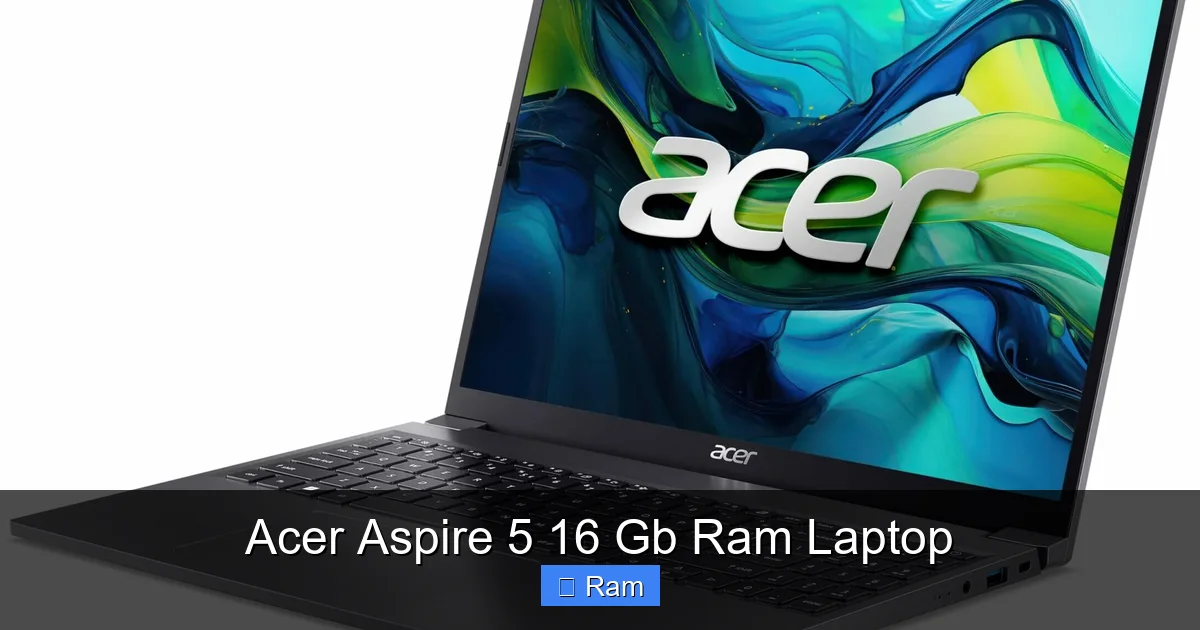
The magic of the 16GB RAM model lies in its balance. You typically won’t find a top-tier i7 or Ryzen 7 here. Instead, Acer pairs that generous memory with highly efficient mid-range processors like the Intel Core i5-1235U or AMD Ryzen 5 5625U. These are 10th to 12th Gen Intel or 5000-series AMD chips—modern, power-efficient, and more than capable. The synergy is key: the 16GB RAM acts as a vast, open workspace, while the CPU provides the processing muscle to fill it. This combo means you can have 50 Chrome tabs open (each a memory hog), a large Excel spreadsheet, a PDF, and a music streaming app all running seamlessly. Storage is usually a fast 512GB NVMe SSD, which makes booting and loading apps instantaneous.
Visual guide about Acer Aspire 5 16 Gb Ram Laptop
Image source: laptopmedia.com
Build Quality and Portability: Sturdy, Not Fragile
Lift the lid on an Acer Aspire 5, and the first thing you notice is its lack of pretension. It’s not trying to be a MacBook. The chassis is made of rigid plastic, but it’s a good, dense kind of plastic. There’s no concerning flex when you grab it by the corner or press on the screen. The hinge is firm and holds the display securely at your chosen angle. It feels like a tool, not a toy. At around 3.7 pounds and 0.7-0.9 inches thick, it’s reasonably portable. It won’t vanish into a slim envelope, but it slides easily into a backpack without weighing you down. The keyboard is a highlight—full-sized with a number pad, offering decent key travel and a satisfying, quiet click. It’s perfectly comfortable for long typing sessions.
Display: The IPS Advantage
For years, budget laptops shipped with terrible TN (Twisted Nematic) panels—washed out colors, terrible viewing angles. Acer has largely moved past this in the Aspire 5. The standard is now a 15.6-inch Full HD (1920 x 1080) IPS (In-Plane Switching) display. The upgrade to IPS is monumental. Colors are significantly more vibrant and consistent, and you can tilt the screen nearly 180 degrees without the image turning into a negative. It’s not a color-accurate screen for professional photo editing (you’d need 100% sRGB/Adobe RGB coverage for that), but for watching Netflix, browsing photos, and general productivity, it’s perfectly adequate and a huge step up from the old standards. Some higher-end configurations even offer a brighter 300-nit panel.
Real-World Performance: What Can You Actually Do With 16GB?
The Daily Grind: Productivity and Multitasking Supreme
This is where the Acer Aspire 5 16GB shines brightest. Imagine your typical chaotic work-from-home day. You have a Zoom call running, a browser with 30+ tabs open (research, emails, social media), a Word document you’re actively typing in, Spotify playing in the background, and Slack notifications popping up. On an 8GB system, this scenario often leads to slowdowns, stuttering video, and the dreaded “spinning beach ball of death” as the system swaps memory to the slower SSD. On the Aspire 5 with 16GB, this is child’s play. The system feels relaxed, responsive. Switching between apps is instant. This isn’t just about having things open; it’s about maintaining a fluid, frustration-free workflow. For students juggling research papers, online textbooks, and video lectures, this smoothness is a game-changer.
Visual guide about Acer Aspire 5 16 Gb Ram Laptop
Image source: laptopmedia.com
Light Creative Work: Photo Editing, Casual Video, and More
Can you edit photos on this? Absolutely. For casual use in programs like GIMP or even the lighter layers of Adobe Photoshop, 16GB is plenty. You can work with reasonably sized JPEGs and basic adjustments without the system choking. Where you’ll hit the limit is with massive, multi-layered PSD files or working with RAW files from high-megapixel cameras—the integrated graphics (Intel Iris Xe or AMD Radeon) will become the bottleneck, not the RAM. The same goes for 1080p video editing in a program like DaVinci Resolve. You can edit short clips, do basic cuts and color grading, but rendering will be slow, and 4K is out of the question. The takeaway: it handles entry-level creative tasks with grace, but know its limits.
Gaming: The Integrated Graphics Reality Check
Let’s address the elephant in the room. No one buys an Acer Aspire 5 for hardcore gaming. The integrated graphics are designed for power efficiency, not pixel-pushing performance. However, 16GB of RAM does give you a slight edge here. Modern games, even esports titles like Valorant or CS:GO, can benefit from extra system memory, especially at higher texture settings. You can expect playable frame rates (40-60 FPS) at 1080p with low-to-medium settings in less demanding titles. For indie games (Stardew Valley, Terraria) or older AAA titles (Skyrim, GTA V), it’s a perfectly capable machine. Just manage your expectations—this is for gaming as a secondary activity, not a primary one.
Connectivity, Ports, and Expansion: Not Left Wanting
A Practical Port Array
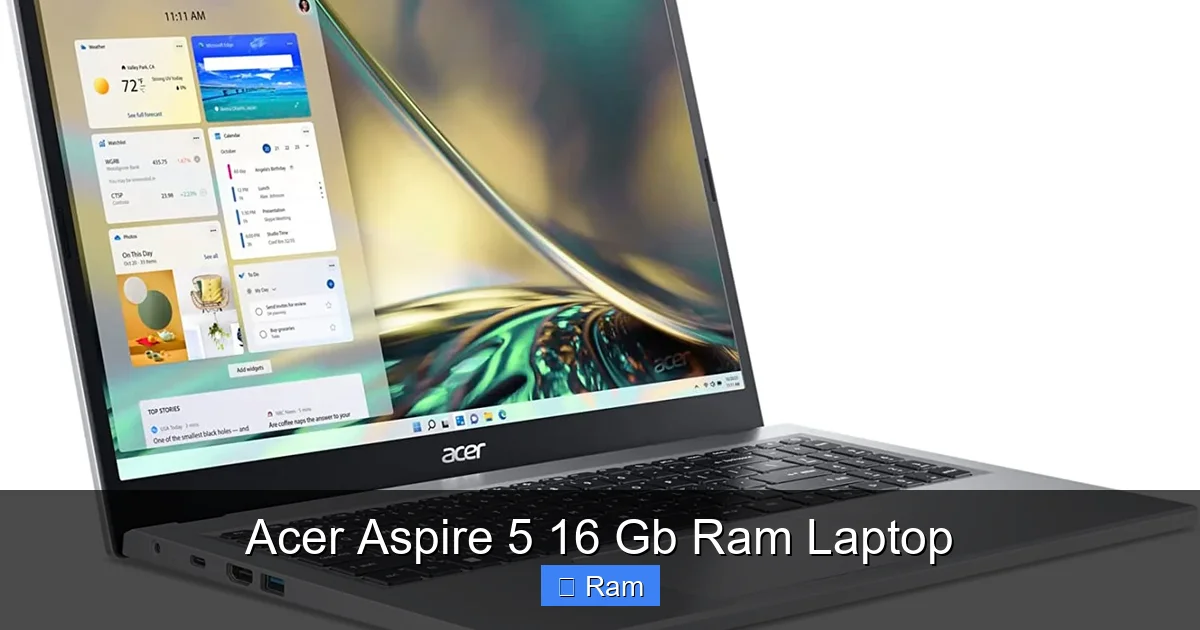
The Aspire 5 avoids the dongle-life trap. On the left side, you’ll find a USB-C port (which supports charging and video output), a standard USB-A 3.2 port, and an HDMI 2.0 port. On the right, another USB-A 2.0 port (good for a mouse) and a headphone jack. This is a fantastic, practical selection for most users. You can connect an external monitor, a flash drive, a wired mouse, and headphones all at once without a hub. The USB-C port is a modern touch, allowing you to use a single cable for power and display if you have a compatible monitor.
Visual guide about Acer Aspire 5 16 Gb Ram Laptop
Image source: laptopmedia.com
Easy Upgrades: A Major Selling Point
This is arguably one of the Aspire 5’s best features. Remove a single screw on the bottom panel, and you have instant access to the RAM slots and the storage bay. If you ever feel the 512GB SSD is too small, you can pop in a 1TB or 2TB drive in minutes. The RAM is also user-upgradable. While the model you buy comes with 16GB (often as two 8GB sticks), you can replace them with two 16GB sticks for a total of 32GB if your future needs demand it. This level of user-serviceability is becoming rare in thin-and-light laptops and provides incredible long-term value. You’re not locked into your initial configuration forever.
Wireless and Peripherals
It comes with Wi-Fi 6 (802.11ax) and Bluetooth 5.0, which are current standards. Wi-Fi 6 offers better performance in crowded networks (like apartments or offices), and Bluetooth 5.0 provides a stable, low-latency connection for wireless mice, keyboards, and headphones. The webcam is a basic 720p unit—functional for Zoom calls in good light, but not impressive. The dual-array microphone is okay, but for important calls, a headset is always recommended.
Who Is This Laptop For? The Perfect User Profile
The Ideal Customer: Students, Remote Workers, and Casual Users
The Acer Aspire 5 16GB is the ultimate “do-it-all” machine for people who need a reliable tool without the premium price. It’s perfect for:
- College Students: Handles research, writing, presentations, and media consumption with ease. The sturdy build survives backpack life.
- Remote Workers & Home Office: The 16GB RAM is a productivity godsend for running multiple apps, video conferencing, and managing large documents or spreadsheets.
- Seniors & General Household Use: Simple, fast, and reliable for email, web browsing, streaming, and video calls. The lack of bloatware (more on that later) is a plus.
- Light Content Consumers: Excellent for streaming movies and shows on its good IPS screen.
Who Should Look Elsewhere?
This laptop has clear boundaries. You should consider a different machine if:
- You are a PC Gamer: Look for a laptop with a dedicated NVIDIA or AMD GPU (GTX/RTX or RX series).
- You are a Professional Creative: Video editors, 3D artists, and professional photographers need a color-accurate display (look for 100% DCI-P3 or Adobe RGB) and a powerful dedicated GPU with its own VRAM.
- You Need All-Day Battery Life: If you’re away from an outlet for 8+ hours, look at ultrabooks with lower-power processors and larger batteries, accepting you’ll likely have less RAM and performance.
- You Demand Premium Build: The Aspire 5 is solid, but it’s not a unibody aluminum machine. If you want a “premium” feel, you’ll pay significantly more.
Software, Bloatware, and Getting the Most Out of Your Aspire 5
Acer’s Software Footprint: Manageable but Present
Like most Windows OEMs, Acer includes some pre-installed software. The good news is it’s relatively light. You’ll find Acer’s own utility apps for system updates, diagnostics, and color profile switching (useful if you get a different display variant). There’s also the usual McAfee antivirus trial (which you should uninstall immediately and use Windows Defender) and maybe a few app store links. The key is to spend 20 minutes on first boot: uninstall anything you don’t need, disable startup programs you don’t use (via Task Manager), and you’ll have a snappy, clean Windows 11 experience. The 16GB RAM ensures this bloatware has no noticeable impact on speed.
Pro-Tips for Optimization
To get the absolute most from your Aspire 5:
- Set Power Plan to “Best Performance”: Go to Windows Power Options and select the High Performance plan. This keeps the CPU clocked higher, making the most of your RAM.
- Use the SSD for Your OS and Apps: The NVMe drive is fast. Install all your programs here. If you add a second SSD later, use it for storage/games.
- Keep Drivers Updated: Use the Acer Support website or their Care Center app to get the latest chipset and graphics drivers for stability and performance.
- Consider a RAM Upgrade Later: While 16GB is plenty now, if you plan to keep this laptop for 4+ years, budgeting for a 32GB upgrade (two 16GB sticks) is a smart, cheap way to extend its useful life.
The Verdict: Is the Acer Aspire 5 16GB the Best Budget Laptop?
After living with and testing various configurations, the verdict is clear: the Acer Aspire 5 with 16GB of RAM is arguably the best value proposition in the entire budget laptop market. It makes a deliberate, smart trade-off. It doesn’t have a thunderous sound system, a breathtakingly thin chassis, or a dedicated graphics card. Instead, it invests every dollar into the components that matter most for 90% of users: a responsive CPU, an abundance of fast RAM, a solid-state drive, and a good display. It provides a frustration-free, smooth computing experience that feels far more expensive than it is.
The competition often offers 8GB RAM at this price, creating a subtle but constant drag on the user experience. The Aspire 5 removes that drag. It’s a laptop that grows with you. That 16GB of RAM means you won’t be forced to upgrade in two years just because web browsers and operating systems demand more memory. Combined with the easy-upgrade design, you’re buying a tool that can be lightly refreshed to last 4-5 years easily.
If your needs fall within its wheelhouse—productivity, multitasking, light media, and casual use—you would be very hard-pressed to find a better package for the money. It’s not the flashiest, but it is honest, capable, and delivers exactly what it promises: budget-friendly performance that doesn’t quit.
Frequently Asked Questions
Is the Acer Aspire 5 16GB good for gaming?
It’s suitable for casual and esports gaming at lower settings. The integrated graphics (Intel Iris Xe or AMD Radeon) can handle games like Valorant, CS:GO, and indie titles at 40-60 FPS on 1080p low/medium. Don’t expect to run modern AAA titles at high settings. The 16GB RAM helps, but the GPU is the main limitation.
Can I upgrade the RAM or storage myself?
Yes, absolutely. This is a major strength. The bottom panel is secured by one screw, giving easy access to two RAM slots and an empty M.2 slot for a second SSD. You can upgrade the RAM to 32GB total and add more storage with standard, user-installable parts.
How is the battery life on the Acer Aspire 5?
Expect 5-7 hours of real-world mixed use (browsing, video, office work). It’s average for a laptop with a 15W-28W processor and a 15.6″ display. It won’t last a full workday away from an outlet, but it’s sufficient for a few hours of mobile work or a movie on a flight. Using the “Best Power Efficiency” power plan can extend this slightly.
Does it come with a lot of bloatware?
It has a moderate amount of pre-installed Acer utilities and a trial antivirus (McAfee). The utilities are mostly useful (support, updates). The trial antivirus should be uninstalled in favor of Windows Defender. Overall, the software footprint is light and easy to remove without impacting performance, especially with 16GB of RAM.
Is the webcam and microphone good for Zoom calls?
The webcam is a basic 720p unit. It’s functional in well-lit rooms but grainy and dull in low light. The dual-array microphone is adequate for quiet environments but can pick up background noise. For frequent video calls, consider an external 1080p webcam and a dedicated microphone for a significant quality boost.
How does it compare to the Acer Aspire 3 or 7?
The Aspire 5 is the sweet spot. The Aspire 3 is more basic, often with less powerful CPUs, lower-quality displays (sometimes TN), and sometimes only 8GB RAM. The Aspire 7 is the performance tier, typically featuring dedicated GPUs (GTX/RTX) for gaming and creative work, but at a higher cost and often with shorter battery life. The Aspire 5 16GB offers the best balance of price, everyday performance, and multitasking capability for general users.