Ir Illuminator for Security Camera
Looking to see clearly after dark? An IR illuminator for security camera can turn a blurry night scene into crisp, reliable footage. This guide breaks down how IR lights work, which models fit different setups, and easy steps to install them—so you can protect your property 24/7.
Key Takeaways
- What it does: An IR illuminator adds invisible light that lets night‑vision cameras capture clear images in total darkness.
- Types matter: Choose between point‑source, flood, and hybrid illuminators based on coverage area and camera specs.
- Power options: PoE, AC adapters, and solar‑powered units each have pros and cons for different installations.
- Installation tips: Proper mounting height, angle, and distance prevent hotspots and glare.
- Compatibility: Verify wavelength (850 nm vs 940 nm) and IR cut filter settings to match your camera.
- Legal considerations: Avoid over‑illuminating public spaces to stay within privacy regulations.
- Maintenance: Clean lenses and check LED output regularly for consistent performance.
📑 Table of Contents
- Introduction: Why Night Vision Needs a Boost
- How IR Illuminators Work
- Types of IR Illuminators
- Powering Your IR Illuminator
- Choosing the Right IR Illuminator for Your Camera
- Installation Guide: Step‑by‑Step
- Maintaining Your IR Illuminator
- Choosing the Best IR Illuminator for Different Scenarios
- Cost vs. Performance: What to Expect
- Conclusion
Introduction: Why Night Vision Needs a Boost
Imagine a security camera that works like a night‑owl, but without the glow you can see. That’s the promise of an IR illuminator for security camera. While many cameras come with built‑in infrared LEDs, they often fall short in large areas such as parking lots, warehouses, or back‑yard perimeters. Adding an external IR illuminator fills those gaps, delivering the extra light needed for crystal‑clear black‑and‑white video.
In this friendly guide, we’ll walk through the basics of infrared lighting, explore the different types of illuminators, and give you step‑by‑step tips for choosing and installing the right one for your setup. By the end, you’ll feel confident that your security system can see everything—no matter how dark it gets.
How IR Illuminators Work
Infrared Light Basics
Infrared (IR) light sits just beyond the visible spectrum, at wavelengths longer than 700 nm. Most security cameras are equipped with an IR cut filter that blocks this light during the day and removes it at night to let the camera’s sensor pick up the invisible glow.
Visual guide about Ir Illuminator for Security Camera
Image source: img.alicdn.com
Why Cameras Need Extra IR
Built‑in IR LEDs are typically limited to 10‑30 feet. Larger zones need more power, and that’s where an IR illuminator for security camera steps in. It projects a stronger beam, extending the effective range to 100 feet or more, depending on the model.
Wavelength Choices: 850 nm vs 940 nm
Most illuminators emit either 850 nm (near‑infrared) or 940 nm (far‑infrared). The 850 nm light appears faintly red to the human eye—great for deterrence—while 940 nm is completely invisible, offering true stealth. Choose based on whether you want a visible warning or a covert watch.
Types of IR Illuminators
Point‑Source (Spot) Illuminators
These focus the IR beam into a narrow cone, ideal for long‑range monitoring of a specific entry point or gate. Spot illuminators can reach up to 150 feet, but the coverage width is limited.
Visual guide about Ir Illuminator for Security Camera
Image source: trampoline.turbowarp.org
Flood (Wide‑Angle) Illuminators
Flood lights spread IR across a broad area, perfect for parking lots, warehouses, or back‑yard perimeters. While the range is shorter (typically 50‑80 feet), the uniform illumination eliminates dark spots.
Hybrid Illuminators
Hybrid units combine spot and flood patterns, offering both distance and coverage. They are versatile for mixed environments—think a storefront with a street‑side entrance and an interior lobby.
Smart / Motion‑Activated Illuminators
Some modern IR illuminators include built‑in motion sensors. They stay off until movement is detected, conserving power and extending LED life. These are especially handy for solar‑powered setups.
Powering Your IR Illuminator
PoE (Power over Ethernet)
PoE delivers both data and power through a single Ethernet cable, simplifying installation. If your camera already uses PoE, adding a PoE‑compatible IR illuminator keeps wiring tidy.
Visual guide about Ir Illuminator for Security Camera
Image source: i.pinimg.com
AC Adapter
Traditional AC adapters are reliable and provide consistent power, but they require a nearby outlet and an extra cable run. Choose this for permanent indoor installations where wiring is not an issue.
Solar‑Powered Options
Solar units pair a small solar panel with a battery, making them perfect for remote or outdoor locations without easy access to electricity. Pair them with motion‑activated control to stretch battery life.
Battery‑Operated Models
Battery‑only illuminators are rare but useful for temporary setups like construction sites. Expect limited runtime—usually a few nights—so have spare batteries ready.
Choosing the Right IR Illuminator for Your Camera
Match Wavelength and Camera Sensitivity
Check your camera’s specification sheet. Most night‑vision cameras are tuned to 850 nm or 940 nm. Using the wrong wavelength can reduce image quality or cause a washed‑out look.
Consider Coverage Area
Measure the distance you need to illuminate. For a parking lot, a flood illuminator with 80‑foot radius works well. For a single gate, a spot illuminator with 120‑foot reach is better.
Check IR Cut Filter Settings
Some cameras have an adjustable IR cut filter that toggles between day and night modes. Ensure the filter fully opens at night; otherwise the extra IR light will be blocked.
Power Compatibility
If you already have a PoE network, pick a PoE‑compatible unit. Otherwise, an AC adapter or solar model may be more practical.
Durability and Weather Rating
Outdoor units should have at least an IP65 rating to resist rain and dust. Look for UV‑resistant housing if the device will sit in direct sunlight.
Installation Guide: Step‑by‑Step
1. Plan the Placement
- Identify dark zones and measure distance to the camera.
- Mark a mounting height 8‑12 feet above ground for optimal spread.
- Avoid placing the illuminator directly in front of the camera lens to prevent glare.
2. Mount the Bracket
Use the supplied mounting brackets and stainless‑steel screws. For metal poles, a clamp‑on mount works best. Tighten securely but don’t overtighten to avoid cracking the housing.
3. Run Power and Connect
For PoE, plug the Ethernet cable into the PoE injector or switch, then into the illuminator. For AC, route the power cord to the nearest outlet and use a weather‑proof conduit if outdoors.
4. Align the Beam
Turn on the illuminator and watch the IR glow (if 850 nm). Adjust the tilt and pan until the illuminated area matches the camera’s field of view. Use a handheld IR viewer or a smartphone camera with night‑vision mode to see the IR pattern.
5. Test the System
Record a short video at night. Verify that the image is sharp, without hotspots or overexposure. If you see bright blobs, increase the distance or lower the illuminator’s intensity (many units have a dimming knob).
6. Secure and Seal
Apply silicone sealant around cable entry points to keep moisture out. For solar models, ensure the panel faces true south (in the northern hemisphere) for maximum sun exposure.
Maintaining Your IR Illuminator
Regular Cleaning
Dust and spider webs can block IR output. Clean the lens with a soft microfiber cloth and a mild alcohol wipe once a month.
Check LED Output
LEDs lose brightness over time. Use an IR light meter (or a camera’s night‑vision preview) to compare output yearly. Replace the unit when brightness drops below 70% of original.
Software Updates
Some smart illuminators have firmware that can be updated via a web interface. Keep them current for improved motion detection and power management.
Seasonal Adjustments
In winter, longer nights may require higher intensity or additional units. In summer, you might dim the lights to avoid glare from reflective surfaces.
Choosing the Best IR Illuminator for Different Scenarios
Home Front Door
A compact 850 nm spot illuminator mounted near the entry door provides a clear view of visitors while also acting as a deterrent.
Warehouse Aisles
Install several flood‑type units along the ceiling, spaced 30 feet apart. Connect them to a PoE switch for centralized power and control.
Parking Lot Surveillance
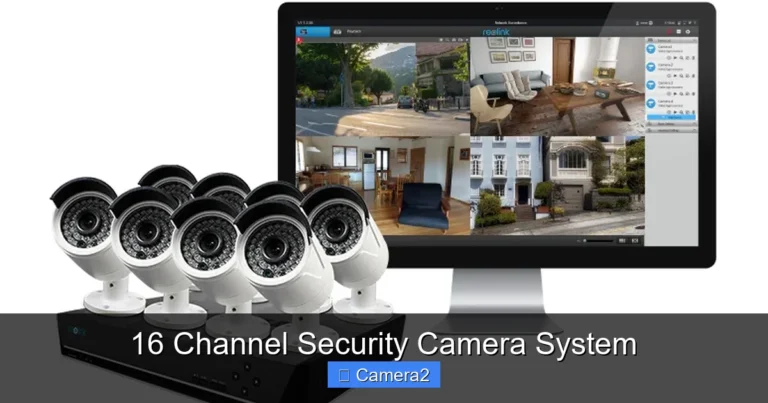
Combine a high‑output flood illuminator with motion‑activated dimming. Pair it with a 16 channel security camera system to monitor multiple zones simultaneously.
Remote Cabin or Barn
A solar‑powered hybrid illuminator with a built‑in battery will keep the area lit through the night without any wiring.
Commercial Building Facade
For large facades, a series of spot illuminators positioned at each corner can create a seamless IR “wall,” ensuring the entire surface is covered. This approach is often used in commercial security camera installation Latexo projects.
Cost vs. Performance: What to Expect
Entry‑level flood illuminators start around $30 and provide basic coverage for small yards. Mid‑range hybrid models range $70‑$150, offering better range and smart features. High‑end units with PoE, solar panels, and advanced motion detection can cost $200‑$400 but deliver the most reliable, low‑maintenance performance.
When budgeting, consider the total cost of ownership: power consumption, potential wiring upgrades, and replacement cycles. A slightly pricier, energy‑efficient unit often saves money over time.
Conclusion
Adding an IR illuminator for security camera transforms a dim, grainy night feed into a reliable, detailed record of activity. By understanding wavelengths, selecting the right type, powering it wisely, and following a simple installation routine, you can extend your surveillance reach without breaking the bank. Whether you’re protecting a home driveway, a sprawling parking lot, or a commercial storefront, the right IR illuminator ensures that darkness never hides a threat.
Frequently Asked Questions
What is the difference between 850 nm and 940 nm IR illuminators?
850 nm emits a faint red glow visible to the human eye, which can deter intruders. 940 nm is completely invisible, offering stealthier monitoring but slightly lower illumination efficiency.
Can I use an IR illuminator with any night‑vision camera?
Most night‑vision cameras work with both 850 nm and 940 nm light, but check the camera’s specifications to ensure compatibility and optimal image quality.
Do I need a separate power source for the IR illuminator?
It depends on the model. PoE units draw power through the Ethernet cable, AC adapters need a wall outlet, and solar models have built‑in batteries and panels.
How far can an IR illuminator illuminate effectively?
Spot illuminators can reach 120‑150 feet, while flood units typically cover 50‑80 feet. The exact range varies with LED power, lens quality, and environmental conditions.
Will an IR illuminator cause glare on my camera lens?
If the illuminator is aimed directly at the lens, it can create hotspots. Position it slightly off‑axis and use adjustable brackets to avoid glare.
Are there any legal restrictions on using IR illuminators?
Generally, IR light is considered non‑intrusive, but over‑illuminating public spaces may violate local privacy laws. Keep the beam focused on your property and avoid shining into neighbors’ windows.