The Best Nvme M 2 Ssd
The best NVMe M.2 SSD delivers blazing fast speeds, reliable performance, and great value for your money. Whether you are a gamer, creator, or everyday user, picking the right NVMe M.2 SSD can transform your experience. In this guide, we break down the top options, compare them side by side, and help you make a confident choice.
Key Takeaways
- Speed Matters: PCIe Gen4 and Gen5 NVMe M.2 SSDs offer incredible read and write speeds for demanding tasks.
- Capacity Options: Choose from 1TB, 2TB, and even 4TB models depending on your storage needs.
- Brand Reliability: Trusted brands like Samsung, Crucial, and Corsair lead the market with proven performance.
- Enclosure Options: You can use an NVMe M.2 enclosure for portable external storage on the go.
- Value Picks Exist: You do not need to spend a fortune to get excellent performance from a solid NVMe M.2 SSD.
📑 Table of Contents
- Why the NVMe M.2 SSD Is the Best Upgrade for Your PC
- What to Look for When Buying an NVMe M.2 SSD
- Top NVMe M.2 SSD Picks for 2024
- NVMe M.2 SSD vs SATA SSD: What Is the Difference?
- How to Install an NVMe M.2 SSD
- Common Mistakes to Avoid When Choosing an NVMe M.2 SSD
- Quick Tips for Getting the Most Out of Your NVMe M.2 SSD
- The Verdict: Which NVMe M.2 SSD Should You Buy?
Why the NVMe M.2 SSD Is the Best Upgrade for Your PC
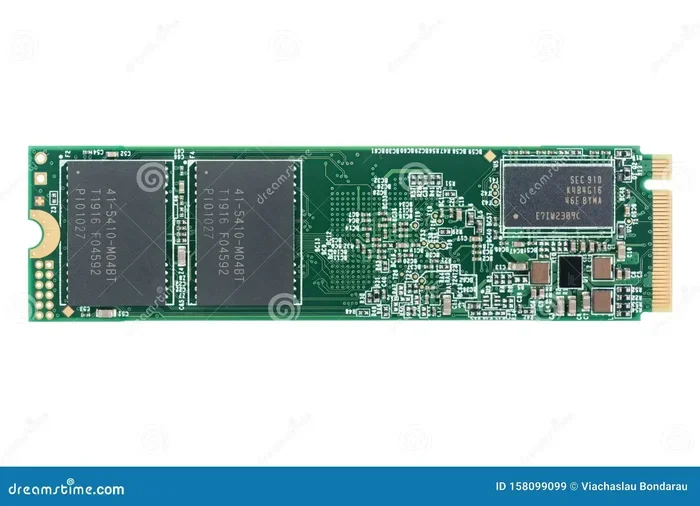
If you have been feeling like your computer is slowing down, an NVMe M.2 SSD might be exactly what you need. These tiny drives pack a massive punch. They are way faster than old hard drives and even faster than standard SATA SSDs. The M.2 form factor means they fit directly onto your motherboard without extra cables. This makes installation simple and clean.
But what makes an NVMe M.2 SSD so special? It all comes down to the technology behind it. NVMe stands for Non-Volatile Memory Express. This is a protocol designed specifically for flash storage. It uses the PCIe interface to transfer data at mind-blowing speeds. A typical SATA SSD maxes out around 550 MB/s. A top-tier NVMe M.2 SSD can hit 7,000 MB/s or more. That is a huge difference when you are copying large files or loading heavy games.
Whether you are building a new PC or upgrading an old one, choosing the right internal SSD is one of the best decisions you can make. Let us dive into what you should look for and which options stand out in 2024 and beyond.
What to Look for When Buying an NVMe M.2 SSD
Read and Write Speeds
Speed is the number one reason people upgrade to an NVMe M.2 SSD. The read speed determines how fast you can pull data off the drive. The write speed determines how fast you can save data to it. For gaming, look for sequential read speeds of at least 5,000 MB/s. For video editing or working with large datasets, you want even higher numbers. A PCIe Gen4 NVMe M.2 SSD typically delivers speeds between 5,000 and 7,000 MB/s. The newer PCIe Gen5 NVMe M.2 SSD options push past 10,000 MB/s.
Capacity Options
Capacity is another important factor. A 1TB NVMe M.2 SSD works great for most users. It gives you enough room for your operating system, favorite apps, and a handful of games. If you store lots of games or large video files, consider a 2TB NVMe M.2 SSD or even a 4TB NVMe M.2 SSD. Prices have dropped significantly over the past year, making larger capacities more affordable than ever.
Thermal Management
Fast drives generate heat. Many NVMe M.2 SSDs come with built-in heatsinks. Some do not. If your motherboard has a M.2 heatsink already, you may not need a drive with one. But if you are pushing the drive hard with sustained workloads, thermal management matters. A drive that gets too hot can slow down. This is called thermal throttling. Look for models that handle heat well for consistent performance.
Price and Value
You do not have to break the bank to get a great NVMe M.2 SSD. There are excellent budget options that deliver strong performance for everyday use. The key is finding the sweet spot between speed, capacity, and cost. A 512GB NVMe M.2 SSD can be a great entry point if you are on a tight budget. But for most users, a 1TB NVMe M.2 SSD offers the best overall value.
Top NVMe M.2 SSD Picks for 2024
Corsair MP600 Core XT
The Corsair MP600 Core XT is one of the most popular choices right now. It uses the PCIe Gen4 interface and delivers read speeds up to 6,600 MB/s. It comes in 1TB, 2TB, and 4TB capacities. The drive runs cool thanks to a built-in aluminum heatsink. It is a fantastic option for gamers and creators who want reliable performance without spending a premium. If you want to learn more about this drive, check out our detailed review of the Corsair MP600 Core XT M.2 NVMe SSD.
Crucial T705
The Crucial T705 is a PCIe Gen5 powerhouse. It offers sequential read speeds up to 12,400 MB/s. This makes it one of the fastest consumer SSDs on the market. It is available in 1TB, 2TB, and 4TB options. The T705 is perfect for users who want the absolute best performance and do not mind paying a premium for it. We have a full breakdown of the Crucial T705 PCIe Gen5 NVMe M.2 SSD if you want more details.
Samsung 970 EVO Plus
The Samsung 970 EVO Plus is a well-known name in the storage world. It uses PCIe Gen3 but still delivers excellent real-world performance. Read speeds reach 3,500 MB/s and write speeds hit 3,200 MB/s. This drive is a proven workhorse that handles everyday tasks and gaming with ease. It is a great choice if you want a reliable drive from a brand with a strong reputation. For more on this model, see our review of the Samsung 970 EVO Plus NVMe M.2 SSD.
Budget-Friendly 1TB Options
If you are watching your budget, there are solid 1TB NVMe M.2 SSD options that punch above their weight. Drives like the Crucial P310 and Kingston NV2 offer great value for casual users and gamers. They may not match the top-tier Gen5 speeds, but they are more than fast enough for everyday use. A 1TB M.2 NVMe SSD in this range typically costs between $50 and $80, making it one of the best upgrades you can make to any PC.
NVMe M.2 SSD vs SATA SSD: What Is the Difference?
Many people wonder whether they should choose an NVMe M.2 SSD or a traditional SATA SSD. The answer depends on your needs and budget. Here is a quick comparison:
- Speed: NVMe M.2 SSDs are significantly faster. They use the PCIe lane for data transfer, while SATA SSDs use the older SATA III interface.
- Form Factor: NVMe M.2 drives are small and compact. They plug directly into the motherboard. SATA SSDs are typically 2.5-inch drives that need a mounting bracket.
- Price: NVMe M.2 SSDs used to cost more, but prices have dropped. Now the gap is small, especially for common capacities like 1TB and 2TB.
- Compatibility: Not all older PCs support NVMe. Check your motherboard manual to make sure it has an M.2 slot that supports NVMe.
For most users in 2024, an NVMe M.2 SSD is the clear winner. The speed advantage alone makes it worth the upgrade. You will notice faster boot times, quicker game loading, and snappier file transfers.
How to Install an NVMe M.2 SSD
Installing an NVMe M.2 SSD is one of the easiest PC upgrades you can do. You do not need to be a tech expert. Here is a simple step-by-step guide:
- Find the M.2 slot on your motherboard. It looks like a small slot with a screw hole nearby.
- Remove the small screw that holds the retention bracket in place.
- Insert the NVMe M.2 SSD at a 30-degree angle into the slot.
- Press the drive down gently until it sits flat.
- Secure it with the retention screw.
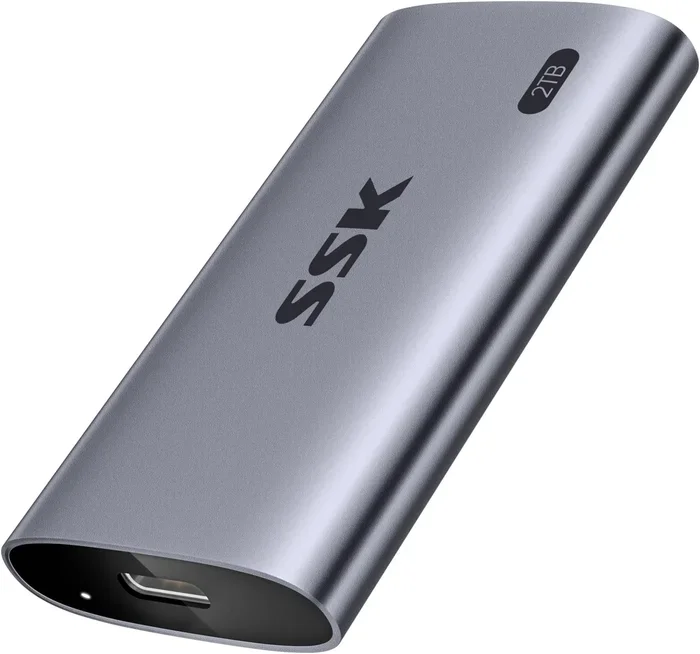
That is it. No cables, no extra adapters. Your PC should recognize the drive right away. If you want to use an NVMe M.2 SSD externally, you can grab an NVMe M.2 enclosure. These small cases turn your internal drive into a portable external drive. The Ugreen M.2 NVMe SATA SSD enclosure is a popular and affordable option that works great for this purpose.
Common Mistakes to Avoid When Choosing an NVMe M.2 SSD
Not all NVMe M.2 SSDs are created equal. Here are some mistakes to watch out for:
- Buying the wrong form factor: M.2 SSDs come in different key types (B-key and M-key). Make sure your motherboard supports the M-key NVMe drives.
- Ignoring heatsinks: A drive without proper cooling can throttle under heavy load. Always check if your setup needs a heatsink.
- Overlooking warranty: Good brands offer warranties of 3 to 5 years. This tells you they trust their own product quality.
- Choosing capacity too small: A 256GB drive fills up fast. We recommend at least 1TB for a comfortable experience.
- Forgetting about endurance: Look at the TBW (terabytes written) rating. Higher TBW means the drive will last longer under heavy use.
Quick Tips for Getting the Most Out of Your NVMe M.2 SSD
- Keep your drive’s firmware updated for the best performance and stability.
- Enable the correct mode in your BIOS (usually NVMe or PCIe mode, not IDE or AHCI).
- Use the drive as your primary boot drive for the fastest system responsiveness.
- If you are using it in a laptop, make sure the chassis allows for proper airflow around the M.2 slot.
- Consider an enclosure if you want to use your NVMe M.2 SSD as a portable external drive for backing up important files.
The Verdict: Which NVMe M.2 SSD Should You Buy?
The best NVMe M.2 SSD depends on your specific needs and budget. If you want top-tier speed and do not mind spending more, the Crucial T705 is hard to beat. If you want a balanced mix of performance and value, the Corsair MP600 Core XT is an excellent choice. For those on a tighter budget, a 1TB NVMe M.2 SSD from Crucial or Kingston delivers solid performance at an affordable price.
No matter which one you pick, upgrading to an NVMe M.2 SSD is one of the most impactful changes you can make to your PC. You will feel the difference the moment you boot up or launch your favorite game. The speed, the responsiveness, the ease of use. It is a upgrade that truly transforms your daily computing experience.
Take a look at your current setup. Do you really need more speed? Do you need more storage? If the answer is yes, now is the perfect time to grab one of the best NVMe M.2 SSDs on the market. Your PC will thank you.
Frequently Asked Questions
What is the fastest NVMe M.2 SSD available?
The Crucial T705 is currently one of the fastest NVMe M.2 SSDs on the market. It uses the PCIe Gen5 interface and delivers read speeds up to 12,400 MB/s. For most users, a Gen4 drive like the Corsair MP600 Core XT provides more than enough speed.
Do I need a special motherboard for an NVMe M.2 SSD?
Yes, you need a motherboard with an M.2 slot that supports NVMe. Most modern motherboards made after 2018 include at least one M.2 slot with NVMe support. Check your motherboard manual to confirm the slot supports PCIe NVMe drives, not just SATA M.2 drives.
Can I use an NVMe M.2 SSD as an external drive?
Absolutely. You can place your NVMe M.2 SSD inside an NVMe M.2 enclosure to use it as an external drive. This is great for portable storage, backing up files, or transferring large amounts of data between computers.
How much does a good NVMe M.2 SSD cost?
Prices vary by capacity and brand. A solid 1TB NVMe M.2 SSD typically costs between $50 and $90. A 2TB model ranges from $90 to $150. The fastest Gen5 drives can cost more, but they offer the absolute best performance for enthusiasts.
Is a 1TB NVMe M.2 SSD enough for gaming?
Yes, a 1TB NVMe M.2 SSD is plenty for most gamers. It can hold your operating system, several AAA games, and plenty of apps. If you have a large game library, consider a 2TB model to avoid running out of space too quickly.
What is the difference between PCIe Gen4 and PCIe Gen5 NVMe M.2 SSDs?
PCIe Gen5 is the newer standard and offers roughly double the bandwidth of Gen4. This translates to higher read and write speeds. However, Gen4 drives still deliver excellent real-world performance and are more affordable. For most users, a Gen4 drive is more than sufficient.
=== CONCLUSION ===
Choosing the best NVMe M.2 SSD does not have to be overwhelming. With so many great options available, you can find a drive that fits your budget and performance needs. Whether you go with the blazing fast Crucial T705, the well-rounded Corsair MP600 Core XT, or a budget-friendly 1TB model, you will love the speed and responsiveness an NVMe M.2 SSD brings to your PC.
Start by assessing your needs. Think about how much storage you need and what speeds matter most to you. Then pick a drive from a trusted brand. Upgrade today and experience the difference that a top-tier NVMe M.2 SSD can make.