Top 10 Best CPU Coolers for Gaming: Ultimate Guide
Choosing the best CPU cooler for gaming is one of the most critical decisions for any PC builder. It’s the unsung hero that keeps your high-performance processor from thermal throttling during those marathon gaming sessions or intense rendering workloads. A great cooler ensures stable clocks, quieter operation, and a longer lifespan for your expensive CPU. Whether you prefer the reliability of a classic air cooler or the aggressive cooling potential of an All-In-One (AIO) liquid cooler, the right choice balances performance, noise, budget, and case compatibility. We’ve tested and researched to bring you this definitive list of top-tier coolers that deliver exceptional gaming performance.
Quick Product Comparison
Our Top 10 Best Cpu Cooler For Gaming Reviews – Expert Tested & Recommended
1. Cooler Master Hyper 212 Black CPU Air Cooler
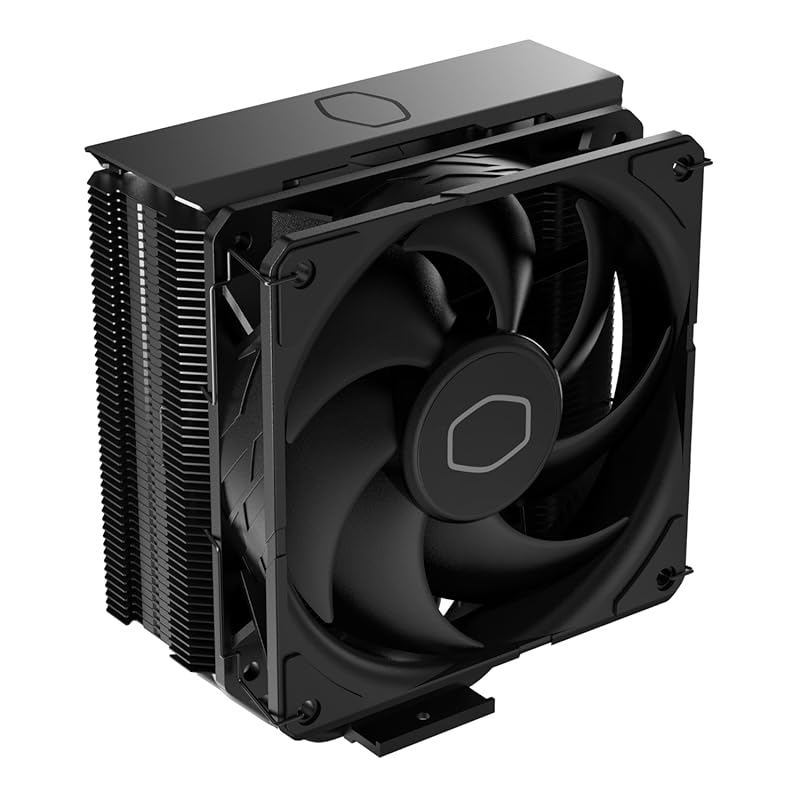
The Cooler Master Hyper 212 Black is the quintessential budget air cooler that punches way above its weight class. It’s the trusted workhorse for mainstream gamers, offering reliable cooling for mid-range to high-end CPUs like the Ryzen 7 and Core i7 without breaking the bank. Its updated black aesthetic fits modern builds better than the older silver model, and the proven design with four direct-contact heat pipes and a 120mm SickleFlow PWM fan delivers a great balance of performance and quiet operation.
Key Features That Stand Out
- ✓ Proven 4 Heat Pipe Design: Direct-contact copper base with four 6mm heat pipes efficiently transfers heat away from the CPU.
- ✓ Updated SickleFlow 120 PWM Fan: Offers excellent airflow with a quiet PWM curve, ramping from 690 to 2,500 RPM.
- ✓ Universal Socket Support: Compatible with modern AMD AM5/AM4 and Intel LGA 1851/1700/1200 sockets out of the box.
- ✓ Easy Installation: The updated mounting system is straightforward and reliable, with clear instructions.
- ✓ Low-Profile Options: While the standard version is tall, the low-profile variant (Hyper 212 Slim) is available for compact cases.
Why We Recommend It
This cooler is the definition of “no-nonsense” cooling. It’s not the absolute best, but it’s consistently good, widely available, and incredibly affordable. For a first-time builder or someone upgrading from a stock cooler, the Hyper 212 Black provides a noticeable temperature drop and quieter operation with minimal hassle. Its legacy is built on millions of satisfied users, and this black edition modernizes the look for today’s RGB-filled rigs.
Best For
Gamers and builders on a tight budget who want a massive upgrade over stock cooling for CPUs up to ~125W TDP. Perfect for AM4/AM5 Ryzen 5/7 and Intel Core i5/i7 processors in mid-tower cases.
Pros and Cons
Pros:
- Extremely affordable for the performance offered.
- Reliable, well-understood design with excellent longevity.
- Good balance of cooling and noise levels for most use cases.
- Wide socket compatibility ensures it fits nearly any modern build.
Cons:
- Can struggle with the very highest-end CPUs (e.g., Ryzen 9/Intel i9) under heavy overclocking.
- Tall design (158mm) may not fit in smaller cases.
- Installation can be slightly fiddly in tight spaces around RAM.
Customer Reviews
Customer Review: “This fan was selected for use in my new desktop computer, and my experience with it thus far has been positive. It looks good, with attractive color accents that enhance the overall appearance of my new desktop. Beyond aesthetics, the fan exhibits a robust and sturdy construction, instilling confidence in its long-term durability. Most importantly, it performs well, and moves a lot of air, which is crucial for maintaining optimal system performance.”
Customer Review: “I purchased the Hyper 212 Black edition because the standard Evo clashed with the darker theme of my case. For starters, shipping was quick. I was running the Corsair H60 sealed water cooling system but it was a few years old and I started to get a bit concerned with it leaking on my 1080ti… It was even if not better than my water cooler. Installation was pretty cut and dry… Overall, I definitely recommend this cooler if you want a budget air cooler and you can support the size of radiator.”
2. Thermalright Peerless Assassin 120 SE CPU Cooler
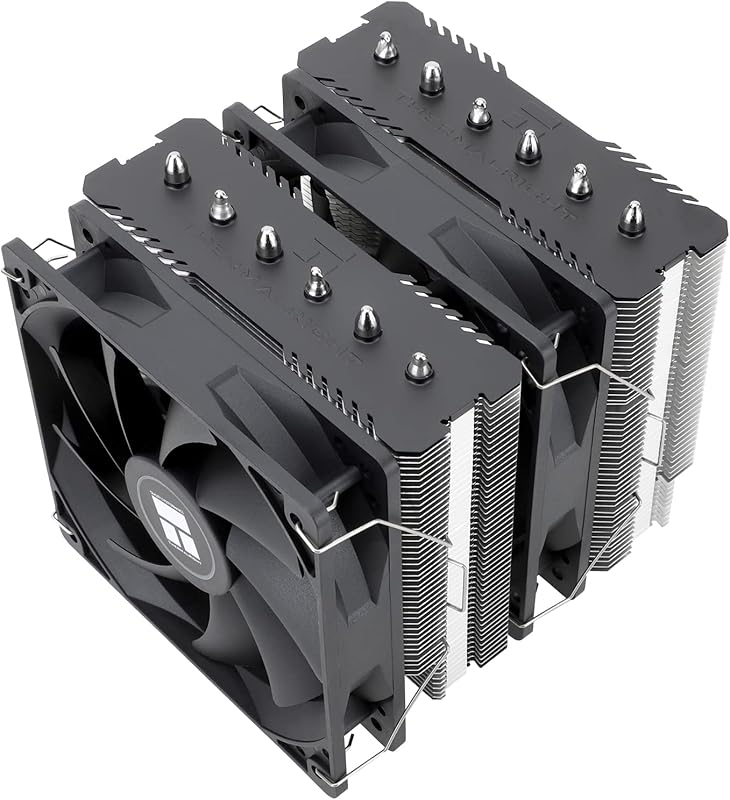
The Thermalright Peerless Assassin 120 SE has taken the budget air cooling world by storm, and for good reason. It’s a dual-tower, six-heat-pipe monster that competes with coolers costing twice as much. Using Thermalright’s AGHP (Asymmetric Gravity Heat Pipe) technology, it maximizes heat dissipation regardless of orientation. Paired with two TL-C12C PWM fans, it delivers near-liquid-cooler performance for high-end CPUs at an air-cooler price, making it our Editor’s Choice for value seekers.
Key Features That Stand Out
- ✓ Dual-Tower Heatsink with 6x AGHP Heat Pipes: Superior thermal mass and heat pipe efficiency for excellent cooling.
- ✓ Dual 120mm TL-C12C PWM Fans: Provide strong, quiet airflow and are easily daisy-chained for clean cable management.
- ✓ Wide Socket Compatibility: Supports modern Intel (LGA 1700/1851) and AMD (AM4/AM5) without extra kits.
- ✓ Excellent RAM Clearance: The offset design provides good clearance for most RAM modules.
- ✓ Top-Tier Build Quality: Solid fins, robust mounting brackets, and a premium feel for the price.
Why We Recommend It
This cooler represents the absolute peak of value in air cooling. For the same price as many single-tower coolers, you get a dual-tower design that can handle a Ryzen 9 or Core i9 at reasonable overclocks. The performance is astonishing, often beating more expensive competitors. If you want the best air cooling performance per dollar, the Peerless Assassin 120 SE is almost unbeatable.
Best For
Enthusiasts on a budget who demand flagship-level air cooling performance. Ideal for high-TDP CPUs (up to ~250W) in cases with at least 155mm of CPU cooler clearance. Perfect for overclockers and those who prefer air cooling’s reliability over AIOs.
Pros and Cons
Pros:
- Unmatched price-to-performance ratio in the air cooler market.
- Exceptional cooling for high-end CPUs, rivaling 240mm AIOs.
- Very quiet operation thanks to efficient fans and large surface area.
- Great RAM and PCIe clearance thanks to the offset design.
Cons:
- At 155mm tall, it requires a case with good clearance.
- The dual fans mean two cables to manage (though they can be linked).
- Aesthetics are functional but not as flashy as some RGB competitors.
Customer Reviews
Customer Review: “I have purchased 2 of these so far for different builds. They work and look great. Great build quality and good thermals. Granted, I hardly ever max out one of my CPUs, but it keeps my 12900k cool without issue. My other CPU is less powerful but it gets ran at 100% regularly and also doesn’t have cooling problems. As long as this fits in your case, I’d recommend it to anyone looking for a solid, but still budget friendly, air cooler.”
Customer Review: “I recently installed the Peerless Assassin 120 SE ARGB in my build and I’m extremely pleased with the results. A few highlight points: With 6 heat-pipes and a dual-tower heatsink, this cooler handles high thermal loads surprisingly well for the price. It supports both Intel and AMD sockets out of the box. It is impressively quiet. The ARGB lighting is a nice bonus… In terms of value vs performance, this cooler really stands out.”
3. CORSAIR iCUE Link Titan 240 RX RGB Cooler
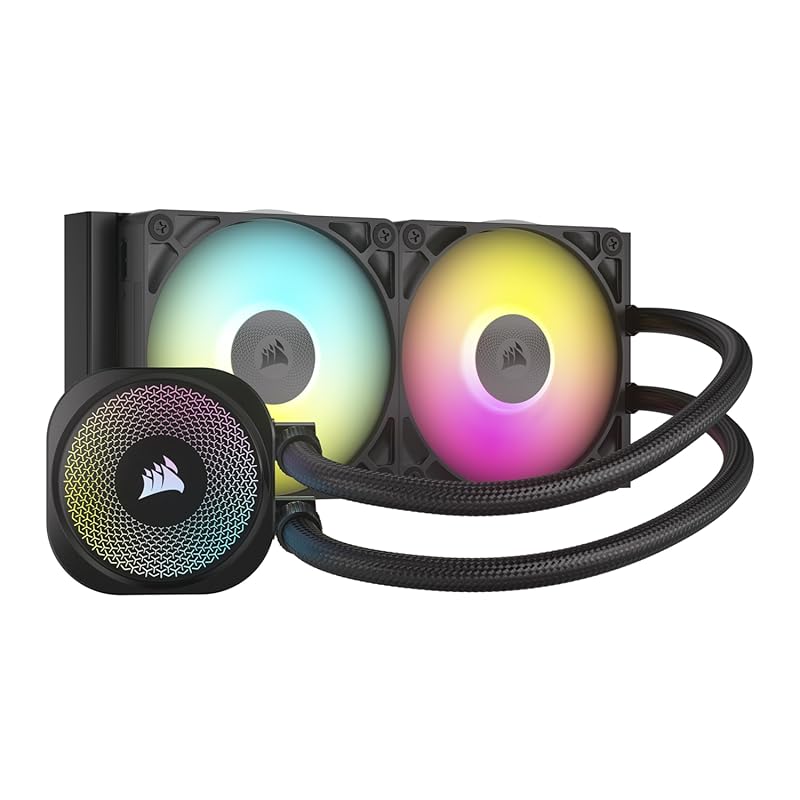
Corsair’s iCUE Link Titan 240 RX brings the company’s sleek, ecosystem-friendly design to a more accessible 240mm AIO form factor. It uses the new iCUE LINK system, which uses a single universal cable to daisy-chain the pump and fans, drastically reducing cable clutter. The FlowDrive cooling engine and a 240mm radiator with two RX120 RGB fans provide solid performance for mainstream to high-end CPUs, all wrapped in customizable, vibrant RGB lighting that syncs with the rest of your Corsair gear.
Key Features That Stand Out
- ✓ iCUE LINK System: Revolutionary single-cable daisy-chaining for the pump and fans, creating an incredibly clean build.
- ✓ FlowDrive Cooling Engine: Three-phase motor pump with a precision cold plate for efficient, quiet cooling.
- ✓ Dual RX120 RGB Fans: High static pressure fans with vibrant, customizable ARGB lighting.
- ✓ Broad Compatibility: Supports modern Intel (LGA 1851/1700) and AMD (AM5/AM4) sockets.
- ✓ Simple Installation: Straightforward mounting process with all necessary hardware included.
Why We Recommend It
This is the best budget AIO for gamers who want premium features without the premium price tag of a 360mm model. The iCUE LINK system is a game-changer for cable management, making it ideal for builders who hate messy wires. It offers excellent cooling for most gaming CPUs, and the RGB integration with Corsair’s ecosystem is seamless. You get a taste of Corsair’s high-end engineering at a more reasonable cost.
Best For
Gamers building in a mid-tower case who want the clean aesthetics and solid performance of a 240mm AIO, especially those already invested in the Corsair iCUE ecosystem for unified lighting control.
Pros and Cons
Pros:
- Revolutionary iCUE LINK cable management is incredibly clean.
- Strong cooling performance for a 240mm radiator.
- Vibrant, well-diffused RGB lighting that syncs with other iCUE devices.
- Quiet pump and fan operation under normal loads.
- Easy software control via iCUE.
Cons:
- Requires an available USB 2.0 header on the motherboard for the hub.
- iCUE software can be heavy and occasionally buggy for some users.
- Performance ceiling is lower than a 280mm or 360mm AIO for extreme CPUs.
Customer Reviews
Customer Review: “I installed the Corsair Titan 420 RX RGB in my build and the performance has been outstanding. The 420mm radiator combined with the three RX140 RGB fans keeps my CPU extremely cool, even under heavy gaming and high workloads. I noticed a clear drop in temperatures compared to my previous cooler. The FlowDrive cooling engine is very quiet. The RGB lighting looks premium and vibrant. The included System Hub makes cable management and control through iCUE much easier. Everything feels high-quality and well-designed.”
Customer Review: “I picked up the Corsair iCUE Link Titan 360 RX to cool my new build, and I’ve been really impressed so far. This is Corsair’s latest 360mm AIO with their new iCUE Link ecosystem, and I wasn’t sure what to expect—but everything just worked. The iCUE Link system made cable management much cleaner than my last setup, and it booted right up without any firmware hassles or fan curve weirdness. Extremely quiet – even under load, the system stays silent. Cool and stable – CPU temps have been consistently healthy. Clean build – the iCUE Link cables cut down on clutter. Looks great – RGB is tasteful and well diffused.”
4. Minorsonic 360mm AIO CPU Cooler
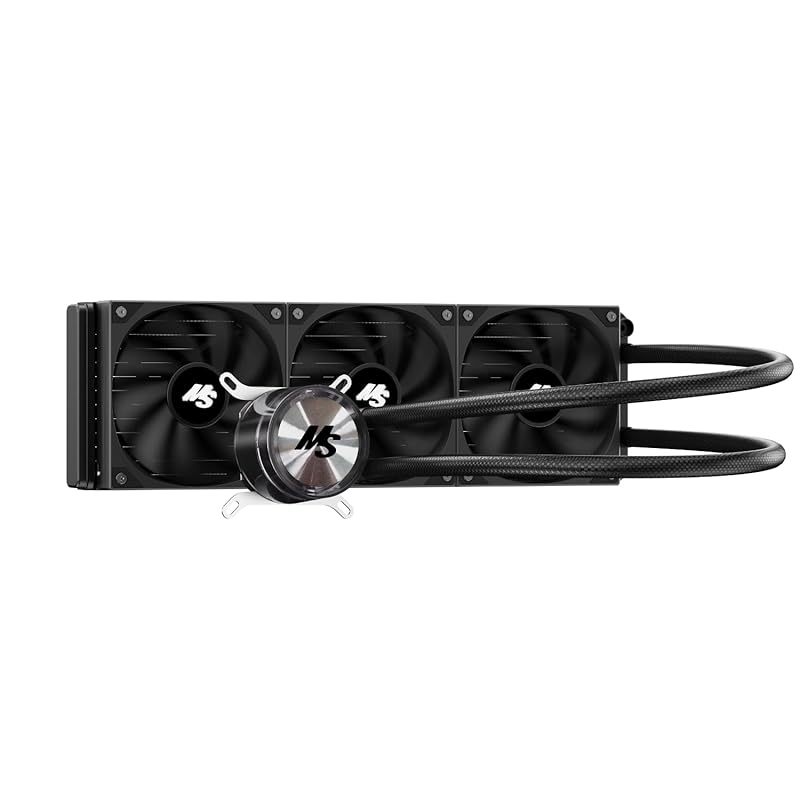
The Minorsonic 360mm AIO is a value-packed liquid cooler that brings 360mm radiator performance to a budget price point. It’s a no-frills, all-black design focused purely on cooling power and quiet operation. With three 120mm PWM fans and a ceramic-bearing pump designed for longevity, it’s an excellent choice for cooling high-end CPUs like the Ryzen 9 or Core i9 without the premium brand cost. It’s the practical pick for those who want maximum thermal headroom in a large case.
Key Features That Stand Out
- ✓ 360mm Radiator: Massive surface area for exceptional heat dissipation, ideal for overclocked high-TDP CPUs.
- ✓ Three 120mm PWM Fans: Auto-adjust speed up to 1600 RPM for a strong balance of airflow and low noise.
- ✓ Ceramic Bearing Pump: Designed for ultra-long lifespan and quiet operation at 3000 RPM.
- ✓ Universal Socket Support: Compatible with Intel LGA 1851/1700 and AMD AM5/AM4.
- ✓ All-Black Aesthetic: Fits seamlessly into any build without flashy RGB.
Why We Recommend It
When you need raw cooling power for a monster CPU but don’t want to spend a fortune on a branded 360mm AIO, the Minorsonic steps up. The 360mm radiator is its biggest advantage, offering thermal performance that can rival more expensive models. It’s a workhorse—simple, effective, and focused on the task at hand. For a case that can accommodate it, this is one of the best ways to keep a hot CPU ice-cold on a budget.
Best For
Owners of high-end, high-heat CPUs (e.g., Ryzen 9 7950X3D, Core i9-14900K) who are building in a full-tower or large mid-tower with excellent radiator support and want maximum cooling without the luxury tax.
Pros and Cons
Pros:
- Outstanding cooling performance thanks to the large 360mm radiator.
- Extremely competitive price for a 360mm AIO.
- Quiet pump and fan operation for its cooling capacity.
- No-nonsense, all-black design fits any theme.
- Good universal socket compatibility.
Cons:
- Requires a very large case with top or front 360mm radiator mounts.
- Some user reports of fan bearing noise developing over time (quality control can vary).
- No RGB lighting for those who want flashy effects.
- Brand recognition and warranty support may not match major players.
Customer Reviews
Customer Review: “The aio works great no temp throttling at all. ALTHOUGH one of the fans bearings has gone out within 2 months of being installed in the new build. Now I have to try to find a matching fan to replace it with. Seller is awesome they reached out to me and made it right.”
Customer Review: “I’m actually very impressed with this AIO. I bought it for $42.50. I use it on a 9850x3d test bench. It keeps everything cool even when pushing frequency well above 5.6ghz. It’s very simple, sturdy, and quiet. I love that it is all black, only has 2 wires, and doesn’t have RGB. Great value for the money.”
5. CORSAIR iCUE Link Titan 360 RX RGB Cooler
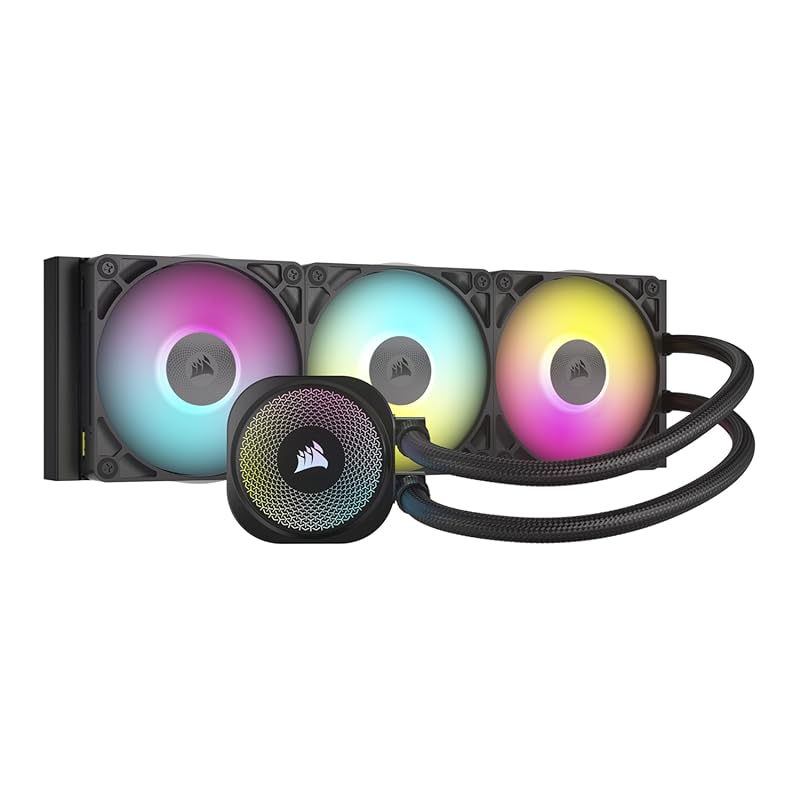
The big brother to the Titan 240, the CORSAIR iCUE Link Titan 360 RX is for enthusiasts who demand the ultimate in cooling performance and aesthetics. The 360mm radiator paired with three RX120 RGB fans provides immense thermal headroom, easily handling the most extreme overclocks on CPUs like the Intel Core i9 or AMD Ryzen 9. It shares the brilliant iCUE LINK system for near-zero cable management, making it the centerpiece of a high-end, clean-looking Corsair-powered build.
Key Features That Stand Out
- ✓ Massive 360mm Radiator: Top-tier cooling capacity for extreme CPUs and overclocking.
- ✓ iCUE LINK System: Single-cable daisy-chaining for pump and fans, creating an ultra-clean internal view.
- ✓ Three RX120 RGB Fans: High static pressure, vibrant ARGB lighting that syncs with iCUE.
- ✓ FlowDrive Cooling Engine: Powerful, quiet three-phase pump with precision cold plate.
- ✓ Premium Build Quality: Feels solid and high-end, with excellent tubing and fittings.
Why We Recommend It
This is Corsair’s statement piece for the enthusiast market. If you’re pairing a flagship CPU with a high-end motherboard and GPU, skimping on cooling is a mistake. The Titan 360 RX delivers the cooling performance needed to sustain high boost clocks while adding stunning RGB aesthetics and the convenience of the iCUE LINK system. It’s the complete package for a no-compromise, high-budget gaming rig.
Best For
High-end gaming and content creation PCs with top-tier CPUs (e.g., i9-14900K, Ryzen 9 7950X3D) in full-tower cases. Ideal for overclockers and builders who prioritize both maximum thermals and a pristine, RGB-synced aesthetic within the Corsair ecosystem.
Pros and Cons
Pros:
- Outstanding, top-tier cooling performance for the most demanding CPUs.
- iCUE LINK cable management is revolutionary and makes builds look incredible.
- Beautiful, bright, and customizable RGB lighting.
- Very quiet operation for its massive cooling capacity.
- Excellent software control and monitoring via iCUE.
Cons:
- Requires a very large case with 360mm radiator support.
- Premium price point.
- iCUE software dependency for full control (though basic PWM works without it).
- Needs a USB 2.0 header for the iCUE LINK hub.
Customer Reviews
Customer Review: “I installed the Corsair Titan 420 RX RGB in my build and the performance has been outstanding. The 420mm radiator combined with the three RX140 RGB fans keeps my CPU extremely cool, even under heavy gaming and high workloads. I noticed a clear drop in temperatures compared to my previous cooler. The FlowDrive cooling engine is very quiet. Even during intense gaming sessions, noise levels stay low, which is a huge plus for me. The RGB lighting looks premium and vibrant. The included System Hub makes cable management and control through iCUE much easier. Everything feels high-quality and well-designed. Installation was straightforward, but keep in mind this is a large 420mm AIO, so you need a compatible full tower or spacious case.✅ Excellent thermal performance✅ Very quiet operation✅ Beautiful, customizable RGB⚠️ Requires a large caseHighly recommended for high-performance CPUs and premium builds.”
Customer Review: “I picked up the Corsair iCUE Link Titan 360 RX to cool my new build, and I’ve been really impressed so far. This is Corsair’s latest 360mm AIO with their new iCUE Link ecosystem, and I wasn’t sure what to expect—but everything just worked. Usage: I installed it with no issues on an Intel [insert your CPU model] inside a mid-tower case. The iCUE Link system made cable management much cleaner than my last setup, and it booted right up without any firmware hassles or fan curve weirdness. Pros: Extremely quiet – even under load, the system stays silent. Cool and stable – CPU temps have been consistently healthy so far. Clean build – the iCUE Link cables cut down on clutter. Looks great – RGB is tasteful and well diffused. No setup issues – everything worked out of the box for me. Cons: You’ll need an available USB 2.0 header for the hub. iCUE software still isn’t perfect, but it’s stable enough for me. Tips: Update iCUE before installation if you haven’t used it in a while. Try mounting the pump head upright—the Corsair logo looks better aligned that way. Don’t forget to enable custom fan curves in iCUE if you want to fine-tune your setup later. Verdict: If you’re looking for a premium AIO that’s quiet, cools well, and makes your build look clean and modern, this cooler nails it. Setup was smoother than expected, and performance has been solid. Highly recommended if you’re building in the Corsair ecosystem or just want less cable clutter.”
6. be quiet! Dark Rock Pro 5 CPU Cooler
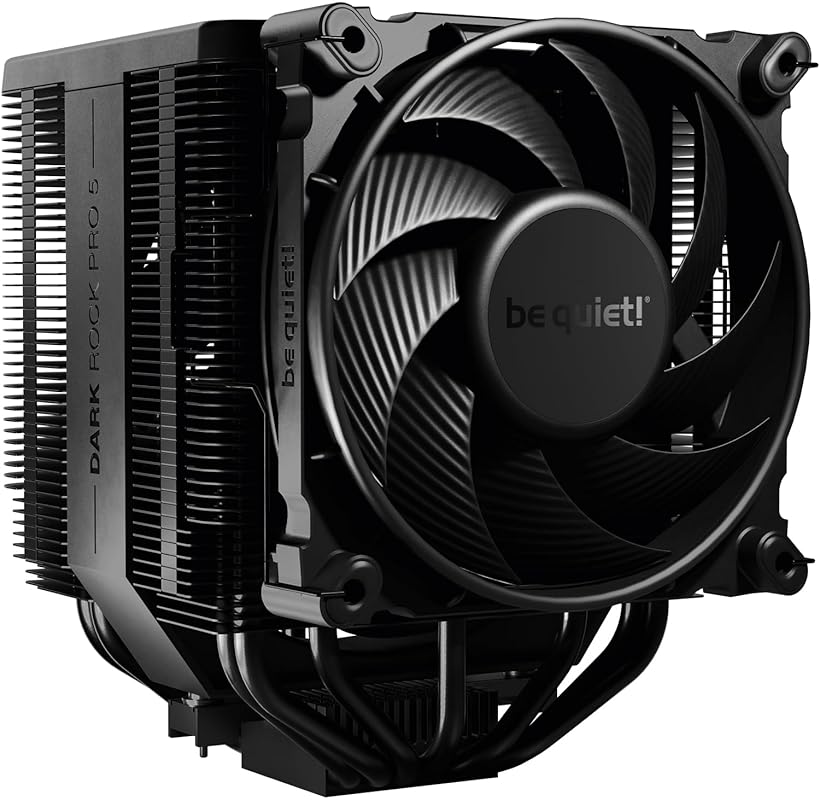
As the name suggests, the be quiet! Dark Rock Pro 5 is all about delivering premium cooling in near silence. This massive single-tower air cooler features seven copper heat pipes and two Silent Wings PWM 2 fans, which are among the best in the industry for low noise and high airflow. The included Speed Switch lets you toggle between Quiet and Performance modes on the fly. It’s a top-tier air cooler for users who prioritize a silent system without sacrificing an ounce of cooling performance.
Key Features That Stand Out
- ✓ 7 Copper Heat Pipes: Massive heat pipe count in a single-tower design for exceptional thermal transfer.
- ✓ Dual Silent Wings PWM 2 Fans: Renowned for their fluid-dynamic bearings, 6-pole motors, and whisper-quiet operation.
- ✓ Speed Switch: Hardware switch on the fan hub to instantly choose between Quiet (max 1500 RPM) and Performance (max 2000 RPM) modes.
- ✓ Excellent Build Quality: Dense aluminum fins, robust mounting system, and includes high-quality thermal paste.
- ✓ Great RAM Clearance: Design allows for installation with most standard-height RAM modules.
Why We Recommend It
The Dark Rock Pro 5 is the benchmark for silent, high-performance air cooling. If you’re tired of the whine of cheap fans or the pump noise of some AIOs, this cooler is your sanctuary. It consistently competes with and often beats dual-tower rivals in temperature tests while being significantly quieter. be quiet! has perfected the art of noise-to-performance, and the Dark Rock Pro 5 is their masterpiece for enthusiasts.
Best For
Silent PC enthusiasts, content creators, and gamers who want the absolute quietest high-performance cooling for CPUs up to ~250W. Perfect for builds where noise is a primary concern, such as home theater PCs or quiet workstations that also game.
Pros and Cons
Pros:
- Exceptionally quiet operation, especially in Quiet mode.
- Top-tier single-tower cooling performance, rivaling some dual-towers.
- Superb build quality and premium materials.
- Convenient hardware speed switch for on-the-fly fan curve changes.
- Excellent RAM clearance for its size.
Cons:
- Very tall (168mm), requiring a case with excellent clearance.
- Single-tower design may eventually hit a ceiling with the very highest-end CPUs under extreme overclocking vs. a 280mm+ AIO.
- Premium price for an air cooler.
- No RGB lighting (though some see this as a pro).
Customer Reviews
Customer Review: “Running the Dark Rock Pro 5 paired with an Intel Core Ultra 9 285K. After nearly 10 years on AIOs—cycling through 3–4 units due to pump failures or leaks—I decided to switch back to air cooling, and I’m glad I did. This cooler outperforms my previous 240mm AIO in every way: lower temps, quieter operation, and far less hassle. With a minor undervolt, temps stay under 78°C during stress testing and idle around 38°C, evenly across all cores. Under normal use and gaming sessions, it doesn’t break 60°C. If a fan ever fails, it’s a quick swap—not a full teardown like with an AIO. Build quality is excellent, and it looks great in the case. Installation was smooth, and it fits perfectly on LGA1851. If you want reliable, top-tier air cooling with better thermals and long-term peace of mind, this is the one to get.”
Customer Review: “This is a beefy CPU cooler coming in at 168mm tall. The installation process is easy and simple, a screwdriver is supplied in the box along with thermal paste. Mounting this on my Gigabyte B850M AORUS ELITE WIFI6E ICE was not an issue at all. The mounting kit is one of the best I have used. Once installed, it quiet and provides great airflow in my A3-case. The Dark Rock Pro 5 will fit into a Lian Li A3 case with no problems as seen in the pictures. Overall, I am very satisfied with the cooling and performace of the CPU cooler. I’m using it on a AMD 9800x3d CPU and it easily keeps it under 62C on average gaming. I don’t rely on stress test because they do not represent real word usage. When I am idle my CPU hovers between 29 – 35C. Playing GPU intensive games with my 9070XT dumping some heat out pushes the CPU to around 68C to 72C in long game play sessions.”
7. Minorsonic 360mm AIO CPU Cooler
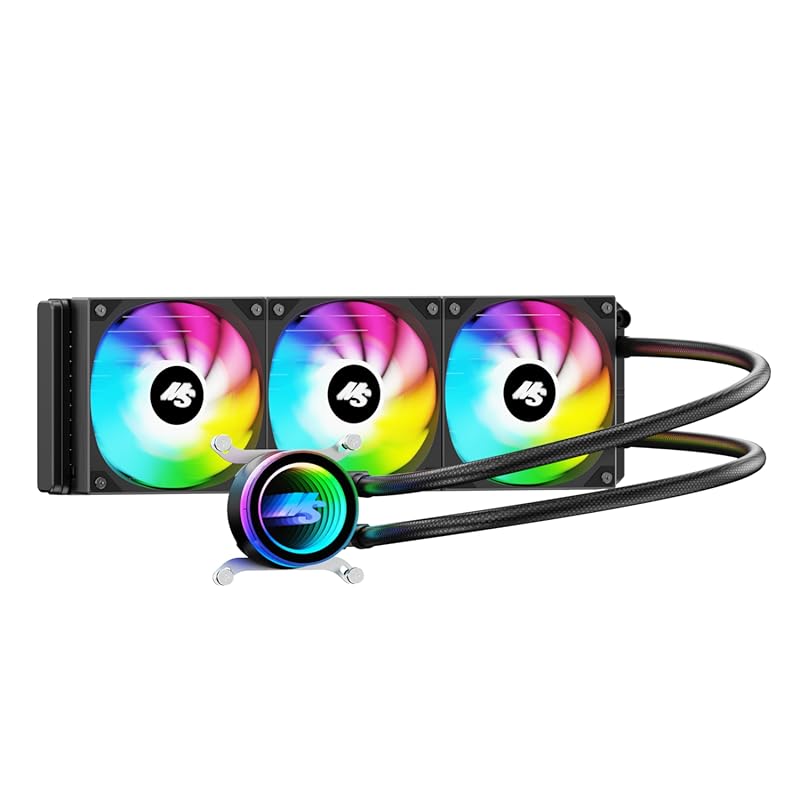
This is a variant of the Minorsonic 360mm AIO, focusing on a high-speed ceramic bearing pump and ARGB PWM fans. It shares the same core cooling philosophy: a large 360mm radiator for maximum heat dissipation at a competitive price. The key differentiator is the emphasis on the pump’s ceramic bearings for longevity and the inclusion of addressable RGB fans for those who want lighting effects. It’s another strong contender in the value-focused 360mm AIO space.
Key Features That Stand Out
- ✓ 360mm Radiator: Provides immense surface area for cooling high-TDP processors.
- ✓ High-Speed Ceramic Bearing Pump: Runs at 3000 RPM for strong coolant flow with designed ultra-long lifespan.
- ✓ 3-Phase Motor: Minimizes vibration and noise from the pump unit.
- ✓ 3x PWM ARGB Fans: Smart fan control with addressable RGB lighting for customization.
- ✓ Universal Compatibility: Supports Intel LGA 1851/1700 and AMD AM5/AM4.
Why We Recommend It
If you like the Minorsonic 360mm formula but want RGB lighting and a focus on pump durability, this is the version to consider. The ceramic bearing pump is a nice specification for long-term reliability. The performance will be very similar to the non-RGB model, but the lighting adds a cosmetic touch for themed builds. It remains an outstanding value proposition for a 360mm AIO.
Best For
Gamers and creators with high-end CPUs who want the cooling power of a 360mm AIO and also want addressable RGB fan lighting, all while staying within a reasonable budget. Requires a large case with 360mm radiator support.
Pros and Cons
Pros:
- Excellent 360mm radiator cooling performance for the price.
- Ceramic bearing pump is designed for longevity and quiet operation.
- ARGB fans allow for customizable lighting effects.
- Smart PWM control balances noise and cooling.
- Great price-to-performance ratio.
Cons:
- Requires a large case with 360mm radiator mounting.
- Quality control on fans/pump can be inconsistent (some user reports of early failure).
- Brand support and warranty may not be as robust as major manufacturers.
- Software for ARGB control might require a separate ARGB hub or motherboard header.
Customer Reviews
Customer Review: “The aio works great no temp throttling at all. ALTHOUGH one of the fans bearings has gone out within 2 months of being installed in the new build. Now I have to try to find a matching fan to replace it with. Seller is awesome they reached out to me and made it right.”
Customer Review: “I’m actually very impressed with this AIO. I bought it for $42.50. I use it on a 9850x3d test bench. It keeps everything cool even when pushing frequency well above 5.6ghz. It’s very simple, sturdy, and quiet. I love that it is all black, only has 2 wires, and doesn’t have RGB. Great value for the money.”
8. SK700V AM5 CPU Cooler
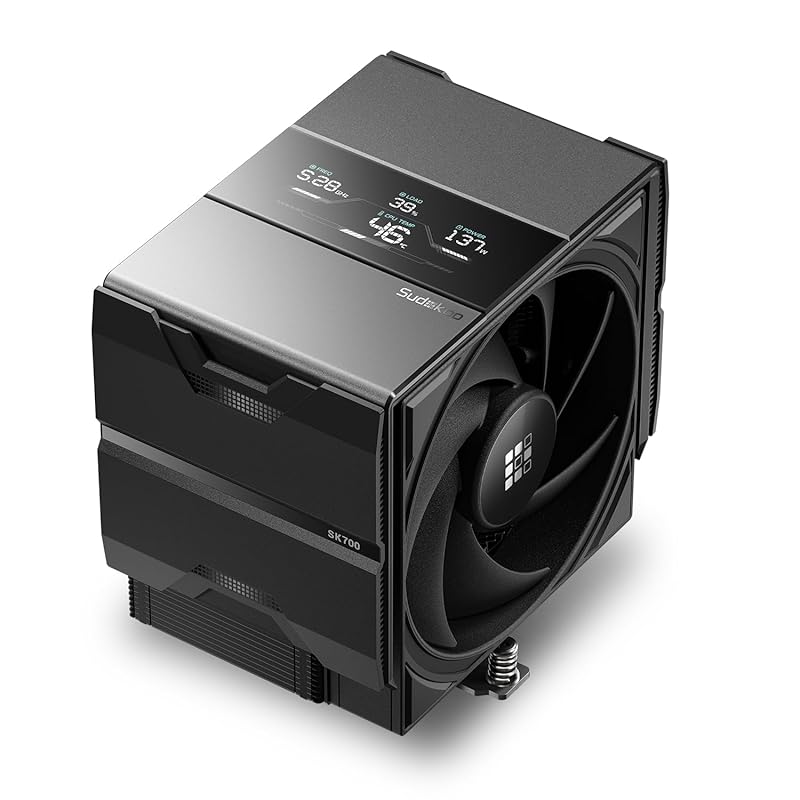
The SK700V is a unique and feature-packed air cooler designed exclusively for the new AMD AM5 platform. It stands out with its integrated digital display that shows real-time CPU temperature, frequency, and load—a fantastic feature for monitoring at a glance. It uses a 7-heatpipe design and a 120mm FDB PWM fan for solid cooling, but its real genius is in the AM5-specific mounting. The included contact frame prevents CPU bending, a known concern with the new socket’s retention mechanism, and offers a tool-free L-rail lock mount for easy installation.
Key Features That Stand Out
- ✓ Real-Time Digital Display: Shows CPU temp (°C/°F), load, and frequency directly on the cooler.
- ✓ AM5-Specific Anti-Bend Design: The robust mounting frame provides even pressure to prevent AM5 CPU socket bending.
- ✓ 7 Heat Pipes & 120mm FDB Fan: Proven cooling design with a fluid dynamic bearing fan for quiet operation.
- ✓ L-Rail Lock Mount: Tool-free, slide-and-lock mechanism makes installation incredibly easy.
- ✓ 5-Year Warranty: Shows the manufacturer’s confidence in long-term durability.
Why We Recommend It
For AM5 builders, the SK700V solves two major pain points: CPU socket bending anxiety and the desire for at-a-glance system monitoring. The anti-bend mount is a genuinely thoughtful piece of engineering that provides peace of mind. The digital display is not just a gimmick; it’s highly functional. While its raw cooling performance might match other good 120mm coolers, its combination of AM5-optimized hardware and unique features makes it a compelling, worry-free choice for Ryzen 7000 series owners.
Best For
AMD Ryzen 7000/8000 series (AM5) builders who want a stress-free, feature-rich air cooler. Particularly ideal for those concerned about AM5 socket integrity and those who appreciate real-time temperature monitoring without looking at software.
Pros and Cons
Pros:
- Integrated digital display for real-time CPU stats is very useful.
- AM5-specific mount effectively prevents CPU socket bending.
- Extremely easy, tool-free L-rail installation.
- Good cooling performance for a single 120mm fan cooler.
- Excellent RAM clearance.
- Long 5-year warranty.
Cons:
- Exclusive to AM5 socket—no Intel compatibility at all.
- Cooling performance, while good, won’t match larger dual-tower or 240mm AIO coolers.
- Premium price charged for the unique features.
- Display may be hard to read in some case orientations.
Customer Reviews
Customer Review: “Awesome cooler from new brand Sudokoo. I saw from creators on YouTube that the SK700V made its debut at Computex 25 and it caught my interest. The only place I was able to find reviews for this cooler (that weren’t just a regurgitation of specs) was Amazon, so I’m thankful for the reviews before me and hope mine is helpful as well. I have nothing but good things to say about this cooler. It certainly does its job and does it well. My 9600X idles right at 35°C and never went above 60°C under heavy load on multiple benchmark apps. This cooler is extremely easy to install and I was grateful for all the included kit. It comes with a torx Allen key so you can take off the stock CPU retention mechanism and comes with a long screwdriver to install the tower. I was impressed that the included screw driver was magnetized and it came in handy when I used it during the rest of the PC building process. The design of how the fan mounts by sliding on rails is fantastic. It’s very easy to take on and off and is much better than those metal clips that come on most coolers. The fan is pretty quiet: I didn’t note any louder than average noise during my testing. The included AM5 contact frame fits the CPU like a glove and holds it securely with 8 screws. I like the tight fit as it keeps a potential thermal paste spillage from getting in the CPU socket. I couldn’t find an answer for this before I bought it, so for those who are wondering, the cooler DOES come with thermal paste. I couldn’t see that advertised in the listing, so ordered a gram of some Thermal Grizzly paste instead. The included paste comes with a spatula and is more than a gram, but it is completely unmarked. Sudokoo also includes a grease-cleaning wipe in case you’re replacing your existing cooler. My project was a new build, so I didn’t need it. I also really appreciated that the sticker that covers the cold plate isn’t clear. It is a bright pink and yellow that catches the eye and reminds you to take it off before installation. The LCD screen is bright enough to see even with my Fractal Torrent’s tinted glass panels. I appreciate being able to see my CPU’s temp and freq. with a quick glance. Overall, I’m extremely pleased with this cooler and would not hesitate to buy it again if I’m building another AMD machine.”
Customer Review: “It’s able to cool my 5800x3d no problem, around 70C is where it’s tops up at. For the price, it is expensive, but damn does it look nice! I don’t really hear it when it’s working so it must be quiet. Small enough to not block my ram slots. It’s not cheap, but it’s fancy, reliable, is literally a huge chunk of metal! Get it if you want SOME aesthetics with your cooling.”
9. NZXT Kraken Core 240 RGB AIO CPU Cooler
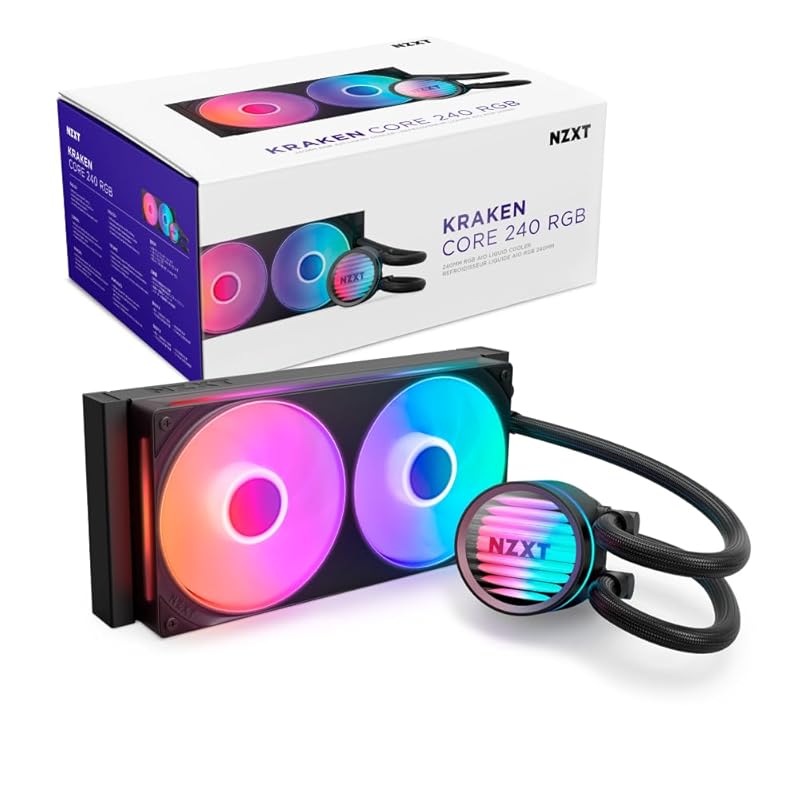
NZXT’s Kraken Core 240 RGB is a streamlined, no-fuss AIO that focuses on core performance and clean integration. It ditches the standalone controller of higher-end Kraken models for simpler motherboard-connected RGB, making installation faster. The 240mm radiator and two high-static-pressure fans provide reliable cooling for most gaming CPUs. Its minimalist pump head design with NZXT’s signature logo is subtle and sleek, fitting well in builds that prefer understated aesthetics over flashy RGB displays.
Key Features That Stand Out
- ✓ Simple Connectivity: Connects directly to motherboard fan and RGB headers; no external controller needed.
- ✓ Powerful 3,100 RPM Pump: Keeps coolant flowing efficiently for strong cooling performance.
- ✓ Optimized Fan Blades: High static pressure fans push air effectively through the radiator fins quietly.
- ✓ Universal Socket Support: Compatible with modern Intel (LGA 1851/1700/1200/115X) and AMD (AM5/AM4).
- ✓ Clean, Minimalist Design: Pump head features a simple, elegant look without an LCD screen.
Why We Recommend It
If you want a reliable 240mm AIO from a reputable brand without the complexity and cost of a model with an LCD screen or external controller, the Kraken Core 240 is perfect. It gets the fundamentals right: good cooling, quiet operation, and clean RGB that syncs with your motherboard. NZXT’s build quality is evident, and it’s a fantastic “set it and forget it” cooler for gamers who want solid liquid cooling without the bells and whistles.
Best For
Gamers building a mid-tower PC who want a straightforward, high-quality 240mm AIO. Ideal for CPUs up to ~150W TDP (like Ryzen 7 or Core i7) and for users who prefer motherboard-controlled RGB over proprietary software ecosystems.
Pros and Cons
Pros:
- Simple, hassle-free installation and setup.
- Reliable cooling performance from a trusted brand.
- Clean, minimalist aesthetics that fit many build themes.
- Quiet pump and fan operation.
- Good compatibility with most mid-tower cases.
Cons:
- No standalone software control for advanced fan curves or lighting (relies on motherboard software).
- Cooling performance is good but not class-leading for the radiator size.
- Some user reports of LED light bleed from fan corners (minor aesthetic issue).
- Pump noise can be faintly audible in very quiet environments.
Customer Reviews
Customer Review: “The media could not be loaded. Product works great and looks okay but the 3 set fan has an opening small at the top and the led light gets out and flickers . That gets annoying after some time. I’m not talking about the intentional frosted part either.”
Customer Review: “正直ファンなんて何でもいいだろ派だったが、最近9800X3Dに換装したところうちの貧弱クーラーではCPU負荷が高くて有名な■■■■の高負荷シーンで一瞬で90℃近くまで上昇し慌ててブーストクロックを切るはめに。(切っていてもパフォーマンス自体は十分発揮してくれていた。)最近は空冷でも高性能な物がたくさんあるようでThermalrightの「Phantom Spirit 120 EVO」と迷ったがこの機会に初めて水冷クーラーに手を伸すことにした。空冷に比べて設置はえらい面倒だったが(ついでにケースファンも総入れ替えしたため一苦労)結果的に大満足。■■■■で一瞬で90℃近くまで上昇していたのが同じシーンで60℃を超えない程度にまでなった。まさかこんなに差が出るとは・・・以前使用していた5700Xも空冷で十分と言われている低発熱CPUだったが高負荷時にはそれなりに発熱していたしケースファンも唸っていたから低発熱CPUであっても水冷を選ぶメリットは十分あるのだなと考えを改めさせられた。また、Phantom Spirit 120 EVOのレビューを見る限り恐らくあちらを選んでいても十分冷却してくれていたのだろうが、物理的に高さがあるダブルタワーのヒートシンクを入れてしまうとグラボデザインがほぼ完全に隠れてしまうからその面でもこちらを選んで正解だった。水冷クーラーを敬遠していた理由の一つが液漏れの恐さだが、そんなに簡単に液漏れするなら誰も買わなくなっているだろうからと今回は信じてみることにする。(ヘッドとチューブを繋ぐエルボー部分をぐりぐり動かすのは割と恐怖がある)”
10. Thermalright Aqua Elite 120 V3 AIO CPU Cooler
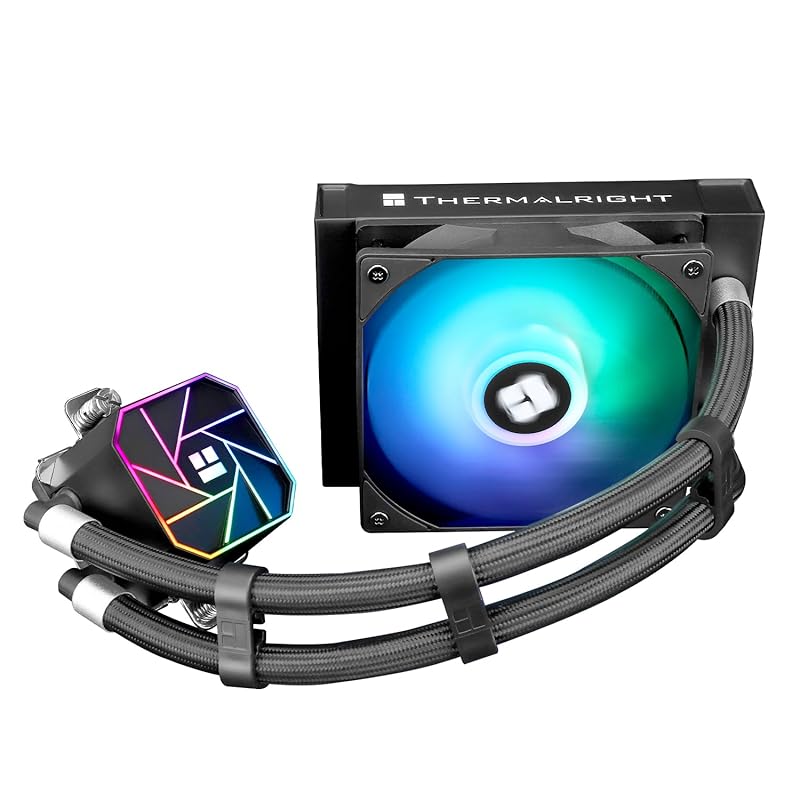
The Thermalright Aqua Elite 120 V3 is a compact, budget-friendly 120mm AIO designed for smaller builds or as a simple upgrade over stock cooling. It uses a fourth-generation pump head and a 120mm aluminum fin radiator. The key selling point is its ARGB PWM fans that sync with 5V 3-pin motherboard headers for cohesive lighting. It’s a basic, no-nonsense liquid cooler for mainstream CPUs where case space is limited and a small radiator is sufficient.
Key Features That Stand Out
- ✓ Compact 120mm Form Factor: Fits in nearly any case, including small form factor (SFF) builds.
- ✓ Fourth-Gen Pump Head: Improved design for efficient coolant flow and quiet operation.
- ✓ Dual TL-C12B-S V2 PWM Fans (ARGB): Provide airflow and sync with motherboard for customizable lighting.
- ✓ Universal Socket Support: Works with a wide range of Intel (LGA 1150-1200) and AMD (AM4-AM5) sockets.
- ✓ Simple, Clean Look: Black radiator and fans with subtle ARGB elements.
Why We Recommend It
This is the go-to choice when you need a liquid cooler for a small case or a low-to-mid-range CPU. A 120mm AIO often performs similarly to a good mid-range air cooler but with a smaller footprint and the aesthetic of an AIO. Thermalright brings their cooling expertise to this entry-level segment, offering reliable performance and ARGB lighting for those who want a touch of color. It’s a practical, space-saving solution.
Best For
Builders with compact cases (like mini-ITX) where a larger air cooler won’t fit, or users with mid-range CPUs (e.g., Ryzen 5, Core i5) who want the look and slight performance edge of a basic AIO. Also good for budget builds wanting ARGB lighting.
Pros and Cons
Pros:
- Extremely compact size fits almost any case.
- Affordable entry point into AIO cooling.
- Includes ARGB fans for basic lighting synchronization.
- Simple installation and broad socket compatibility.
- Quieter than many stock CPU coolers.
Cons:
- Cooling performance is limited by the small 120mm radiator; not for high-TDP CPUs.
- May not offer a significant temperature advantage over a good low-profile air cooler.
- Pump noise can be more noticeable than larger AIOs due to smaller radiator and higher fan speeds.
- Long-term reliability of budget AIOs can be a concern compared to air coolers.
Customer Reviews
Customer Review: “This aio works great. I installed it on a 5600x. Temps are great. The fans are quiet. The argb works well with my motherboard software. Installation was easy. The only thing I don’t like is the fans are not the best. I had to replace them with my own because they were a little loud at higher rpms. But for the price I can’t complain.”
Customer Review: “For the price, this is a solid 120mm AIO. I used it to replace the stock cooler on a Ryzen 5 7600. Temperatures dropped significantly and it’s much quieter. The RGB syncs fine with my ASUS motherboard. The mounting hardware was straightforward. It’s not going to cool an i9, but for a 65W TDP CPU it’s perfect. The pump is a bit audible at idle in a silent room, but during gaming I don’t notice it. Good value.”
Complete Buying Guide for Best Cpu Cooler For Gaming
Essential Factors We Consider
Selecting the right CPU cooler involves balancing several key factors. First, CPU TDP and Heat Output: High-end CPUs (e.g., Intel i9, AMD Ryzen 9) generate significant heat and require robust cooling like a dual-tower air cooler or a 280mm/360mm AIO. Mid-range CPUs (i5/Ryzen 5) are perfectly served by a single-tower air cooler or a 240mm AIO. Second, Case Compatibility: Measure your case’s CPU cooler clearance (for air coolers) and radiator support (for AIOs) in mm or inches. A tall dual-tower or a 360mm radiator won’t fit in a compact mid-tower. Third, Noise Levels: Check fan and pump specs (dBA). Air coolers with large heatsinks and low-RPM fans are often quieter than small AIOs under load. Fourth, Socket Compatibility: Ensure the cooler supports your motherboard’s socket (AM5, AM4, LGA 1700, LGA 1851). Most modern coolers support multiple sockets, but always verify. Finally, Aesthetics and Features: Do you want RGB? An LCD screen? A specific color theme? Features like digital displays (SK700V) or tool-free mounts (be quiet!) add convenience.
Budget Planning
Your budget directly dictates your options. Under $40: You’re in the realm of excellent single-tower air coolers like the Hyper 212 Black or Thermalright Peerless Assassin 120 SE (which often dips into this range). These cool most CPUs up to ~150W. $40-$80: This is the sweet spot for high-performance air cooling (dual-towers like the Peerless Assassin) and entry-to-mid-level 240mm AIOs (like the Corsair Titan 240). $80-$150: You can get top-tier dual-tower air coolers (be quiet! Dark Rock Pro 5) or premium 280mm/360mm AIOs with advanced features (Corsair Titan 360). Over $150: You’re looking at the best 360mm+ AIOs with extensive RGB and software control. Remember to factor in the cost of high-quality thermal paste if not included.
Final Thoughts
There is no single “best” CPU cooler for everyone. The best air cooler offers unrivalled reliability and often better noise levels, while the best AIO can provide superior cooling for the hottest CPUs and a different aesthetic. For most gamers, a high-quality air cooler like the Thermalright Peerless Assassin 120 SE provides the best blend of performance, value, and peace of mind. If your case supports it and you have a very hot CPU, a 360mm AIO like the Corsair iCUE Link Titan 360 RX offers the ultimate thermal headroom. Prioritize your CPU’s needs, your case’s limits, and your personal preference for noise vs. looks. Any cooler on this list will be a massive upgrade over a stock Intel or AMD cooler.
Frequently Asked Questions
Q: Should I get an air cooler or an AIO (liquid cooler) for gaming?
A: For most gamers, a high-end air cooler is the smarter choice. It’s more reliable (no pump to fail, no risk of leaks), often quieter, and costs less for similar performance on mid-to-high-end CPUs. AIOs shine when you have an extremely hot CPU (like an overclocked i9 or Ryzen 9) and a case that can fit a 280mm or 360mm radiator, where they can pull ahead. They also offer a different aesthetic. If you prioritize simplicity and longevity, go air. If you need max cooling in a large case and like the look, go AIO.
Q: How do I know if a cooler will fit in my PC case?
A: You must check two specifications: 1) CPU Cooler Height/Length (for air coolers): Find your case’s “CPU Cooler Clearance” in the specs and compare it to the cooler’s dimensions. The Peerless Assassin, for example, is 155mm tall. 2) Radiator Support (for AIOs): Check which radiator sizes (120mm, 240mm, 280mm, 360mm) your case supports and in which locations (top, front, side). A 360mm AIO needs a case that explicitly lists 360mm radiator compatibility in your desired mount position.
Q: Are expensive CPU coolers worth it?
A: Yes, but with diminishing returns. Moving from a $20 stock cooler to a $40-$60 air cooler (like the Hyper 212 or Peerless Assassin) is the biggest and most worthwhile jump, drastically lowering temperatures and noise. Spending $100+ on an air cooler or AIO gets you incremental gains, quieter operation, better build quality, and more features (RGB, displays). It’s worth it for enthusiasts with high-end CPUs or those who value premium aesthetics and acoustics, but not strictly necessary for a great gaming experience with a mid-range CPU.
Q: Do I need to reapply thermal paste when installing a new cooler?
A: Almost always, yes. A new cooler should come with a pre-applied thermal pad or a small tube of paste. You should always clean off any old thermal paste from the CPU and cooler base with isopropyl alcohol (90%+) and apply a fresh, pea-sized dot (or follow the manufacturer’s instructions) of new thermal paste before mounting. This ensures optimal heat transfer. The SK700V and be quiet! coolers include thermal paste; others may include a small amount or a pad.
Q: How often should I clean my CPU cooler?
A: Every 6-12 months, depending on your environment. Dust buildup on fins and fan blades acts as an insulator, raising temperatures. Power off your PC, use compressed air to blow dust out of the heatsink fins and off the fans. For AIOs, also check the radiator fins. A can of compressed air and a soft brush are sufficient. Regular cleaning maintains peak performance and extends the cooler’s life.
Choosing the best CPU cooler for your gaming PC doesn’t have to be overwhelming. Whether you opt for the unbeatable value of the Thermalright Peerless Assassin 120 SE, the silent prowess of the be quiet! Dark Rock Pro 5, or the clean power of a Corsair iCUE Link AIO, you’re making a smart investment in your system’s stability, noise levels, and longevity. Use our comparison table to narrow down your choices based on your budget and case, then dive into the reviews to find your perfect match. Your CPU—and your ears—will thank you during those long gaming sessions.
Ready to upgrade your cooling? Click the “Check Price on Amazon” buttons above to see the latest deals and availability for each cooler. Prices and stock change frequently, so act fast if you see a good offer on the model that fits your build!