Do Laptops Have Vga Ports
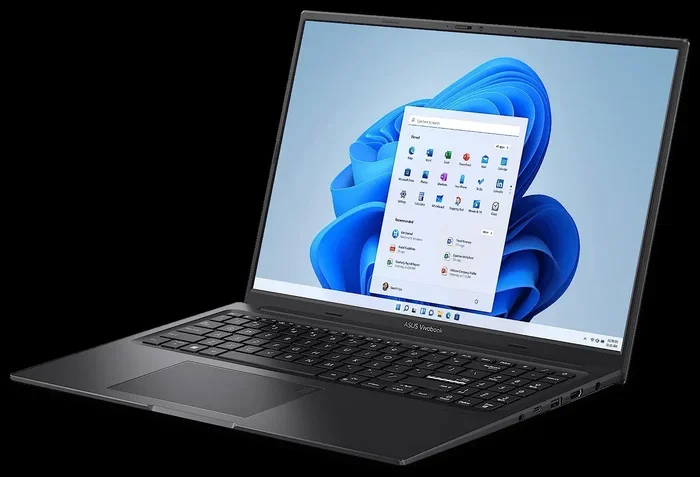
Do Laptops Have Vga Ports is a common question as many older devices still use this legacy connection. Most modern laptops have dropped VGA ports in favor of HDMI, USB-C, and DisplayPort options. However, some business and older models still include them. You can always use an adapter to connect a VGA cable to newer laptops. Understanding your laptop’s port options helps you avoid frustrating connection problems.
Key Takeaways
- Most modern laptops do not include VGA ports and have shifted to newer connection standards like HDMI and USB-C.
- Older laptop models and business-grade laptops are more likely to still have a VGA port built in.
- Adapters and docking stations make it easy to connect VGA monitors to laptops without native VGA support.
- VGA cables carry only video signals and do not transmit audio, unlike HDMI and DisplayPort.
- Checking your laptop’s specifications before purchasing cables or adapters saves time and money.
📑 Table of Contents
- Do Laptops Have Vga Ports
- What Is A VGA Port And How Does It Work
- Why Most Modern Laptops Removed VGA Ports
- Which Laptops Still Have VGA Ports
- How To Connect A VGA Monitor To A Modern Laptop
- VGA Versus Modern Port Options
- Common Problems With VGA Connections And How To Fix Them
- Do All Monitors Support VGA Input
- Tips For Buying The Right VGA Adapter
- The Future Of VGA Ports On Laptops
- Conclusion
Do Laptops Have Vga Ports
Many people wonder whether their laptop still has a VGA port. This question comes up often when someone tries to connect an older monitor, projector, or display to their computer. Do Laptops Have Vga Ports is a question that does not have a simple yes or no answer. It depends on the laptop model, the year it was made, and the brand. Some laptops still include VGA ports, while most newer ones have moved on to better options.
The VGA port has been around for a long time. It was the standard way to connect a computer to a monitor for many years. VGA stands for Video Graphics Array. This connection type uses an analog signal to send video from your laptop to a display. While it still works, the technology is now considered older compared to digital alternatives. Let us explore this topic in detail so you know exactly what to expect.
What Is A VGA Port And How Does It Work
A VGA port is a rectangular connector with a blue tint. It has 15 pins arranged in three rows. The port sends an analog video signal from your computer to a display device. This type of connection was introduced by IBM in 1987 and became the standard for computer displays. Many people recognize the VGA cable because it has been so common over the years.
How VGA Connections Transmit Video
VGA cables carry video signals using an analog method. This means the signal is converted from digital data in your laptop into an analog waveform. The display device then converts it back to digital. This process can sometimes cause a slight loss in image quality. The signal may also be more prone to interference compared to digital connections.
VGA ports only handle video. They do not carry audio signals. This is a big difference from modern ports like HDMI and DisplayPort. If you need both video and sound through one cable, VGA will not work for that purpose. You would need a separate audio connection or a different type of cable altogether.
Why Most Modern Laptops Removed VGA Ports
The laptop industry has changed a lot over the past decade. Manufacturers have been removing older ports to make laptops thinner and lighter. VGA ports take up physical space on the motherboard. They also add bulk to the laptop design. Removing them allows for sleeker, more portable devices.
The Shift To Digital Connections
Digital connections like HDMI, DisplayPort, and USB-C offer much better performance. They provide sharper image quality and support higher resolutions. These ports also carry audio signals, which makes them more versatile. Do Laptops Have Vga Ports less often now because digital alternatives simply do a better job.
USB-C and Thunderbolt ports have become the new standard. They can carry video, audio, data, and power through a single cable. This makes them far more convenient than VGA. As a result, laptop makers have phased out VGA in favor of these newer technologies.
Consumer Demand For Portability
Consumers want thin and light laptops. Every extra port adds weight and thickness. VGA connectors are relatively large compared to modern alternatives. Removing them helps manufacturers hit the slim designs that buyers now expect. This trend toward portability has driven the removal of many legacy ports, including VGA.
Which Laptops Still Have VGA Ports
Not all laptops have abandoned VGA. Some models still include this port, especially certain business and enterprise laptops. If you need a VGA connection, you have options. Let us look at the types of laptops that may still have a VGA port.
Business And Enterprise Laptops
Many business-class laptops are designed with compatibility in mind. Companies often use older projectors and monitors in conference rooms. These devices usually have VGA inputs. Because of this, laptop makers sometimes keep VGA ports on models meant for corporate environments. Brands like Dell, Lenovo, and HP have offered VGA ports on certain business lines.
Older Laptop Models
Laptops made before 2015 are much more likely to have VGA ports. If you are using an older machine, check the sides of the laptop for a blue, rectangular connector. Many budget laptops from that era also included VGA as a standard feature. The port was so common that it was almost expected on every computer.
Budget And Education-Focused Laptops
Some budget laptops and education-focused devices still include VGA ports. These laptops are often used in schools where older projectors are still in place. Schools and institutions may not have upgraded their display equipment yet. As a result, laptop makers keep VGA on models targeted at these markets.
How To Connect A VGA Monitor To A Modern Laptop
If your laptop does not have a VGA port, you are not out of luck. There are several ways to connect a VGA monitor to a modern laptop. You just need the right adapter or cable. Let us walk through the most common methods.
Using An HDMI To VGA Adapter
An HDMI to VGA adapter is one of the easiest solutions. These adapters convert the digital HDMI signal to an analog VGA signal. You plug the adapter into your laptop’s HDMI port and then connect a VGA cable to the adapter. This method works well for most laptops that still have an HDMI port.
Keep in mind that some adapters also include a 3.5mm audio jack. This lets you carry audio through a separate cable. Since VGA does not carry sound, this is a helpful feature if you need audio from your laptop.
Using A USB-C To VGA Adapter
Many newer laptops only have USB-C ports. A USB-C to VGA adapter solves this problem. These adapters take the digital signal from USB-C and convert it to VGA. They are compact and easy to carry. You can find them at most electronics stores or online.
Some USB-C docks also include VGA outputs. A docking station gives you multiple port options in one device. This is a great solution if you frequently connect to different types of displays. It is worth noting that connecting external devices to your laptop is similar to how you would How Do You Connect A Bluetooth Mouse To A Laptop in terms of checking compatibility first.
Using A DisplayPort To VGA Adapter
If your laptop has a DisplayPort, you can use a DisplayPort to VGA adapter. These adapters work just like the HDMI and USB-C versions. They convert the digital signal to analog for VGA displays. DisplayPort to VGA adapters are widely available and affordable.
VGA Versus Modern Port Options
VGA is not the only option for connecting a laptop to a display. Let us compare VGA to the modern alternatives. This comparison helps you understand why most laptops have moved away from VGA.
VGA vs HDMI
HDMI carries both video and audio through a single cable. VGA only carries video. HDMI also supports much higher resolutions. Modern HDMI versions can handle 4K and even 8K resolution. VGA is limited to lower resolutions and does not support high-definition content as well.
VGA vs DisplayPort
DisplayPort offers excellent video quality and supports high refresh rates. It is a digital connection, which means no signal loss. VGA uses an analog signal, which can degrade over distance. DisplayPort also supports daisy-chaining multiple monitors from a single port.
VGA vs USB-C
USB-C is the most versatile option available today. It can carry video, audio, data, and power. A single USB-C cable can charge your laptop and connect it to a display. VGA can only handle video. USB-C also supports the latest display technologies like Thunderbolt.
Common Problems With VGA Connections And How To Fix Them
Even when VGA works, it can come with frustrating issues. Understanding these problems helps you troubleshoot effectively.
No Signal Or Blank Screen
A blank screen is one of the most common VGA problems. This usually happens when the cable is not seated properly. Try unplugging the VGA cable from both ends and plugging it back in. Make sure the pins inside the connector are clean and not bent. Also check that your laptop is set to output video to the external display in its display settings.
Fuzzy Or Blurry Image Quality
VGA uses an analog signal, which can result in a fuzzy image. This is especially true over long cable runs. If your image looks blurry, try using a shorter VGA cable. You can also adjust the resolution settings on your laptop. Lowering the resolution sometimes improves the sharpness of a VGA connection.
No Audio Through VGA
Remember that VGA does not carry audio. If you are getting sound issues, it is because VGA simply does not support audio. You need to connect audio separately or use a cable that also has an audio output. An HDMI to VGA adapter with a built-in audio jack can solve this problem.
Sometimes laptop hardware issues can also affect port functionality. If you are having trouble with your laptop’s ports, you might also want to check how to manage other laptop hardware features, much like How Do You Unlock The Mouse On A Laptop addresses specific laptop input device issues.
Do All Monitors Support VGA Input
Not all monitors support VGA input. Many modern monitors have moved to HDMI, DisplayPort, or USB-C inputs only. Some monitors include a VGA port alongside newer options. Before buying a VGA cable, check the back of your monitor for the VGA connector.
Monitors that only have digital inputs will not work with a VGA cable directly. You would need a converter in that case. Always check your monitor’s specifications to see what input options it supports. This simple step saves a lot of frustration and wasted money.
Tips For Buying The Right VGA Adapter
Not all VGA adapters are created equal. Here are some tips to help you choose the right one for your needs.
- Check your laptop’s available ports before buying an adapter. Know whether you have HDMI, USB-C, or DisplayPort.
- Buy from a reputable brand to ensure signal quality and durability. Cheap adapters can cause image problems.
- Look for adapters with audio support if you need sound. Some HDMI to VGA adapters include a 3.5mm audio output.
- Consider a docking station if you use VGA frequently. A dock gives you multiple port options in one device.
- Measure the cable length you need. Longer VGA cables can cause signal degradation. Keep cables as short as possible for best results.
The Future Of VGA Ports On Laptops
The VGA port is a legacy technology. It has served computers well for over three decades. However, its days are clearly numbered. As laptops continue to get thinner and more powerful, older ports like VGA will continue to disappear. The industry has already shifted almost entirely to digital connections.
That said, VGA is not going away overnight. Many businesses and institutions still rely on VGA-equipped projectors and monitors. Adapters and converters keep the technology relevant for now. If you still need VGA, there are plenty of options to make it work with modern laptops.
When shopping for a new laptop, consider your connectivity needs. If you must use VGA regularly, look for models that still include the port or support adapters easily. Understanding what ports your laptop has helps you make the right choice for your setup.
Conclusion
Do Laptops Have Vga Ports is a question with no single answer. It depends on your laptop’s age, model, and brand. Most modern laptops have removed VGA in favor of HDMI, USB-C, and DisplayPort. However, some business laptops and older models still include this legacy port. You can always use an adapter to connect a VGA monitor to a laptop without a native VGA port. Understanding your options helps you stay connected no matter what laptop you use. Take a moment to check your laptop’s ports and invest in the right adapter if you need one. It is a simple step that saves a lot of hassle down the road.
Frequently Asked Questions
Do Laptops Have Vga Ports On All Models?
No, not all laptops have VGA ports. Most modern laptops have removed VGA in favor of HDMI, USB-C, and DisplayPort. Only older models, certain business laptops, and budget education-focused devices are likely to still include a VGA port. Always check your laptop’s specifications before assuming it has one.
Can I Connect A VGA Monitor To A Laptop Without A VGA Port?
Yes, you can use an adapter to connect a VGA monitor to a laptop without a native VGA port. HDMI to VGA, USB-C to VGA, and DisplayPort to VGA adapters are widely available and affordable. These adapters convert the digital signal from your laptop to an analog signal that VGA monitors can read.
Does VGA Carry Audio As Well As Video?
No, VGA only carries video signals. It does not transmit audio. If you need sound along with video, you will need a separate audio connection or an adapter that includes an audio output jack. Modern ports like HDMI and DisplayPort handle both video and audio through a single cable.
Why Are VGA Ports Disappearing From Laptops?
VGA ports are disappearing because they are an older analog technology. Manufacturers want to make laptops thinner and lighter, which means removing bulky legacy ports. Digital alternatives like HDMI, USB-C, and DisplayPort offer better image quality, support higher resolutions, and carry audio. These modern ports are more versatile and efficient than VGA.
What Resolution Can VGA Support?
VGA was originally designed for 640×480 resolution. Over time, it has been extended to support higher resolutions up to 2048×1536. However, image quality degrades at higher resolutions due to the analog signal nature of VGA. For the best results with modern displays, digital connections like HDMI or DisplayPort are recommended.
Are VGA Adapters Expensive?
No, VGA adapters are generally very affordable. Basic HDMI to VGA and USB-C to VGA adapters can be found for under $15 to $30. More advanced adapters with audio support or docking stations that include VGA outputs may cost more. Shopping around online usually gives you the best prices on these accessories.