Gaming Pc Build Under 700
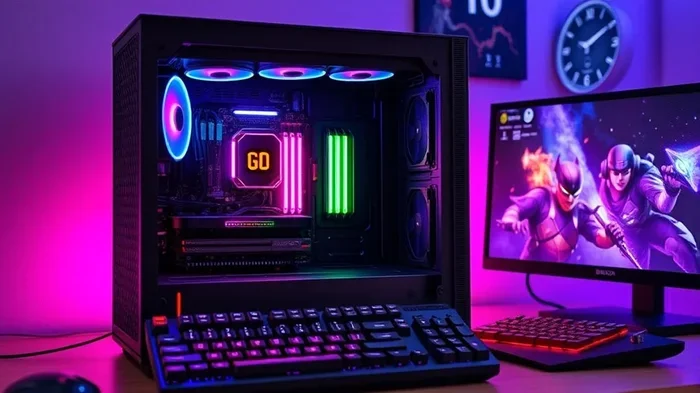
Building a gaming pc under 700 is one of the smartest moves you can make for serious gaming without breaking the bank. This guide walks you through every component, from the CPU and GPU to the motherboard and storage, so you can create a powerful setup that delivers smooth gameplay at 1080p and even 1440p. Whether you are a first-time builder or a seasoned enthusiast, you will find actionable tips, component picks, and budget-friendly alternatives that make pc gaming on a budget a reality.
Let us talk about something that excites every gamer on a budget: building a gaming pc under 700. Whether you are saving up from a part-time job or just want to get the most out of your money, a sub-700 dollar build can deliver an incredible experience. You will be surprised at what you can accomplish when every dollar counts.
The truth is, you do not need to spend thousands to enjoy modern games. A well-planned budget gaming pc can run today’s AAA titles at smooth frame rates. The key is knowing which components matter most and where you can save without sacrificing performance. That is exactly what this guide is here to help you with.
In this article, we will break down every part of a gaming pc build under 700. From the processor and graphics card to the case and cooling solution, we cover it all. You will also find practical tips, common mistakes to avoid, and answers to frequently asked questions. By the end, you will feel confident enough to start building your own rig.
Key Takeaways
- Affordable Performance: You can build a capable gaming pc under 700 that handles modern titles at high settings without overspending.
- Smart Component Choices: Prioritizing the GPU and CPU gives you the best bang for your buck in a budget build.
- No Compromise on Quality: A tight budget does not mean sacrificing reliability, speed, or gaming experience.
- Future-Proofing: Choosing the right motherboard and RAM ensures your build stays relevant for years.
- Accessories Matter: Adding a quality headset, keyboard, and mouse completes the experience without blowing the budget.
- DIY Saves Money: Building your own PC costs significantly less than buying a prebuilt gaming pc at the same price point.
📑 Table of Contents
Why Build a Gaming Pc Under 700?
There has never been a better time to build a budget gaming pc. Prices for components have become more accessible, and the used market offers incredible deals. A gaming pc build under 700 gives you a machine that can handle most modern games at 1080p with high settings. That is more than enough for the vast majority of gamers.
One of the biggest advantages of building your own PC is control. You choose every part. You decide how much RAM you need. You pick the storage that fits your games and your wallet. When you buy a prebuilt gaming pc, you often pay a premium for assembly and branding. Building it yourself puts that money back into components.
Cost vs. Performance Ratio
A gaming pc under 700 offers an outstanding cost-to-performance ratio. You are not cutting corners on essential parts. Instead, you are making strategic choices that maximize every dollar. For example, spending a bit more on the graphics card and choosing a solid but affordable CPU gives you the best overall experience.
Compare this to a gaming pc under 500 build, where you might need to make more compromises. At the 700 dollar mark, you have enough room to grab a capable GPU and still have funds left for a decent CPU, motherboard, and storage. This balance is what makes a 700 dollar build so attractive.
Who Is This Build For?
This build is perfect for students, casual gamers, and anyone who wants a reliable machine without a huge investment. It also works great as a first build for beginners learning the ropes. If you have ever looked up best buy build a pc guides, you know that starting with a manageable budget is the smartest approach.
Best Components for a Gaming Pc Under 700
Every great build starts with the right parts. Let us go through each component and talk about the best options for a gaming pc under 700. I will give you specific picks and explain why they work so well together.
Processor (CPU)
The CPU is the brain of your gaming pc. For a budget build under 700 dollars, you want a processor that balances single-core performance with multi-threaded tasks. The AMD Ryzen 5 5600 or Intel Core i5-12400F are excellent choices. Both deliver smooth gaming performance without costing a fortune.
Here are some quick tips for choosing your CPU:
- Look for at least 6 cores and 12 threads for modern gaming.
- Check compatibility with your motherboard socket before buying.
- Consider the included cooler to save money on a separate one.
- AMD processors often offer better value in the budget range.
Graphics Card (GPU)
The GPU is the most important part for gaming. In a gaming pc build under 700, you want to allocate a significant portion of your budget here. The NVIDIA GTX 1660 Super or AMD Radeon RX 6600 are fantastic options that deliver great 1080p performance.
If you stretch slightly over 700 dollars, the RTX 3060 becomes a strong contender. These cards handle modern titles at high settings with ease. For those who want even more options, check out our guide on best gaming pc under 1000 for slightly higher-tier builds.
Motherboard
You do not need an expensive motherboard for a budget build. A solid B550 or B660 board from brands like MSI or Gigabyte will serve you perfectly. Look for features like enough PCIe slots, USB ports, and a reliable VRM to keep your components running smoothly.
Do not overlook the motherboard when planning your affordable gaming setup. It connects everything together, and a good budget board ensures stability and room for future upgrades.
RAM
16GB of DDR4 RAM is the sweet spot for a gaming pc under 700. It handles modern games beautifully and leaves room for multitasking. Look for a 2x8GB kit running at 3200MHz for the best performance.
Some people wonder if 8GB is enough. While it can work for older or less demanding games, 16GB is the standard today. Investing in enough RAM upfront saves you from upgrading later.
Storage
An SSD is a must for any modern gaming pc build. A 500GB NVMe SSD gives you fast boot times and quick game loading. If you need more space, a 1TB SSD or a combination of a smaller SSD for your operating system and a larger HDD for storage works great.
SSDs make a noticeable difference in everyday use. Your games load faster, your system feels snappier, and you avoid the frustration of slow hard drives. This is one area where you should never cut corners.
Power Supply (PSU)
A reliable 550W to 650W power supply is perfect for a budget build. Look for units with an 80 Plus Bronze rating or higher. Brands like EVGA, Corsair, and Thermaltake offer solid options at affordable prices.
Never cheap out on the PSU. A failing power supply can damage your entire gaming pc. Spending a little extra on a reputable brand protects all your other investments.
Case
Your case does more than look good. It provides airflow, cable management, and room for your components. For a gaming pc under 700, a mid-tower case with good ventilation is ideal. Many budget cases come with built-in fans, which saves you money.
When choosing a case, make sure it supports your motherboard size (ATX or Micro-ATX) and has enough clearance for your GPU. A clean, well-ventilated case keeps temperatures down and extends the life of your components.
Sample Build: Gaming Pc Under 700
Let us put it all together with a sample gaming pc build under 700. This build is designed to deliver excellent 1080p gaming performance while staying within budget.
| Component | Pick | Est. Price |
|---|---|---|
| CPU | AMD Ryzen 5 5600 | $130 |
| GPU | NVIDIA GTX 1660 Super | $230 |
| Motherboard | MSI B550M PRO-VDH | $80 |
| RAM | 16GB DDR4 3200MHz (2x8GB) | $45 |
| Storage | 500GB NVMe SSD | $35 |
| PSU | EVGA 600W 80+ Bronze | $50 |
| Case | Cooler Master MasterBox Q300L | $50 |
| Total | $620 |
This build leaves you about 80 dollars for extras like a gaming headset, operating system, or thermal paste. You can also check out our best budget build gaming pc guide for additional component ideas and configurations.
The beauty of this build is its balance. The Ryzen 5 5600 pairs perfectly with the GTX 1660 Super. You get smooth frame rates in popular titles like Fortnite, Valorant, and GTA V. Even more demanding games run well at medium to high settings.
Tips for Maximizing Your Budget Build
Building a gaming pc under 700 requires some smart decisions. Here are practical tips to help you get the most out of every dollar.
Buy During Sales and Holidays
Timing your purchase can save you a lot of money. Black Friday, Amazon Prime Day, and seasonal sales often bring deep discounts on pc components. Patience pays off when you are on a budget. Signing up for price alerts on sites like CamelCamelCamel can help you catch the best deals.
Consider Used or Refurbished Parts
Do not overlook the used market. Many gamers sell barely-used components at a fraction of the original price. Websites and local shops often have great deals on gaming pc components. Just make sure to buy from reputable sellers and check the condition before purchasing.
Prioritize the GPU and CPU
These two components have the biggest impact on gaming performance. Allocate more of your budget to the graphics card and processor. You can always save on the case or storage and upgrade later. A best entry level gaming pc follows this same principle of prioritizing performance parts.
Do Not Forget the Extras
A great build needs the right peripherals to truly shine. A comfortable mouse, a responsive keyboard, and a quality headset complete the experience. Our best accessories for gaming pc guide covers affordable options that pair perfectly with a budget build.
Keep It Clean and Cool
Proper cable management and regular cleaning keep your gaming pc running smoothly. Dust buildup causes overheating, which leads to throttling and poor performance. A can of compressed air and a few minutes of your time every few months goes a long way.
Common Mistakes to Avoid When Building a Budget Gaming Pc
Even experienced builders make mistakes. Here are some common pitfalls to watch out for when putting together a gaming pc under 700.
First, do not skimp on the power supply. A cheap, low-quality PSU can fry your components and turn your build into a nightmare. Always choose a reputable brand with proper wattage and efficiency ratings.
Second, do not forget to check compatibility. Make sure your motherboard supports your CPU socket. Confirm your case fits your GPU length. These small checks save you from costly returns and frustration.
Third, do not ignore thermals. Budget builds can run hot if you do not pay attention to cooling. Even a basic aftermarket cooler makes a big difference compared to the stock one. Good airflow in your case also matters more than you might think.
Finally, do not rush the build. Take your time. Read tutorials. Watch build guides. A gaming pc build under 700 does not have to be intimidating. With a little patience and preparation, you will have a machine you can be proud of.
Can You Game on a 700 Dollar Pc?
Absolutely. A well-built gaming pc under 700 handles modern games with ease at 1080p resolution. Titles like League of Legends, Minecraft, and Rocket League run at maximum settings. More demanding games like Cyberpunk 2077 and Elden Ring perform well on medium to high settings, delivering smooth and enjoyable gameplay.
If you want to push higher settings or play at 1440p, you might need to adjust your expectations slightly. But for the vast majority of gamers, 1080p high settings is more than enough. This is where a gaming pc under 700 truly shines.
For those wondering about laptops, a gaming laptop under 700 is also possible, though desktops generally offer better performance per dollar. Check out our guide on best pc laptops under 700 if a portable option interests you.
How to Upgrade Your Budget Gaming Pc Over Time
One of the best things about building your own PC is the ability to upgrade. Start with a solid foundation and improve parts over time. Maybe you add more storage next year. Perhaps you swap in a better GPU when prices drop. A gaming pc under 700 is not a dead end. It is a starting point.
The motherboard you choose matters a lot for future upgrades. A B550 or B660 board gives you room to upgrade to a better CPU later without replacing the entire platform. This kind of forward thinking makes a budget build even more valuable.
Upgrading your RAM to 32GB or adding a second SSD are also affordable improvements that boost performance. These small upgrades keep your affordable gaming setup competitive for years to come.
Final Thoughts
Building a gaming pc under 700 is one of the most rewarding things a gamer can do. You learn valuable skills. You save money compared to buying a prebuilt gaming pc. And you end up with a machine tailored exactly to your needs and preferences.
The components we covered in this guide form a solid foundation for an enjoyable gaming experience. Every part plays a role, from the CPU and GPU to the case and power supply. With smart choices and a bit of patience, you can build a rig that punches well above its price tag.
Remember, the best gaming pc build under 700 is the one that meets your specific needs. Use this guide as a starting point, adjust based on availability and sales, and most importantly, have fun with the process. Happy building!
Frequently Asked Questions
Can I build a gaming pc under 700 dollars and still play the latest games?
Yes, absolutely. A gaming pc under 700 can handle the latest titles at 1080p with high settings. Games like Fortnite, Valorant, and even demanding titles like Elden Ring run smoothly on a well-built budget rig. The key is choosing the right GPU and CPU combination.
What is the most important part of a budget gaming pc build?
The graphics card and processor matter the most for gaming performance. Allocating a larger share of your budget to the GPU and CPU gives you the best experience. A solid motherboard and 16GB of RAM round out the essentials nicely.
Should I buy new or used parts for a gaming pc under 700?
Both options work well. Used parts can save you significant money, especially on GPUs and CPUs. Just make sure to buy from reputable sellers. New parts come with warranties and peace of mind, which is worth the extra cost for some components like the power supply.
Do I need an expensive case for a budget gaming pc?
No. A budget mid-tower case with good airflow is all you need. The case does not directly affect performance, but it does impact thermals and build quality. Many affordable cases under 50 dollars offer excellent ventilation and cable management.
How long does it take to build a gaming pc under 700?
For a first-time builder, expect to spend about 2 to 3 hours on assembly. Experienced builders can finish in under an hour. The process involves installing the CPU, RAM, GPU, storage, and connecting all the cables. Plenty of video tutorials make the process easy to follow.
Can I upgrade a 700 dollar gaming pc later?
Absolutely. Starting with a budget gaming pc gives you flexibility to upgrade over time. You can swap out the GPU, add more RAM, or install a larger SSD as your needs grow. Choosing a motherboard with upgrade potential is key to future-proofing your build.