How Many Cctv Cameras Do I Need

Choosing the right number of CCTV cameras is less about buying the most and more about covering the right spots. This guide walks you through assessing risk, mapping blind spots, and scaling your system so you get maximum protection without overspending.
Key Takeaways
- Start with a risk assessment: Identify high‑value areas and potential entry points before buying any camera.
- Use a floor‑plan map: Sketch your space and plot camera locations to visualize coverage.
- One camera can cover multiple zones: Wide‑angle lenses and strategic placement reduce the total count.
- Consider future expansion: Choose a system that lets you add cameras easily as needs change.
- Lighting matters: Infrared or low‑light cameras can replace extra units in dark corners.
- Budget vs. features: Higher resolution may let you use fewer cameras while keeping detail.
- Test before you install: Walk the area with a phone camera to spot blind spots and adjust plans.
📑 Table of Contents
Introduction
Imagine you’re setting up a new security system for your home or office. You walk into a store, stare at rows of sleek CCTV cameras, and wonder: “How many do I actually need?” The answer isn’t a simple number—it depends on the size of the property, the layout, and what you’re trying to protect.
In this article we’ll break the decision down into easy steps. You’ll learn how to assess risk, map out blind spots, choose the right lens, and scale your system for the future. By the end, you’ll have a clear picture of the exact camera count that gives you peace of mind without breaking the bank.
1. Assess Your Security Goals
Identify What You’re Protecting
The first question to ask yourself is what you want to protect. Is it valuable inventory, a front door, a loading dock, or a backyard pool? Different assets demand different coverage.
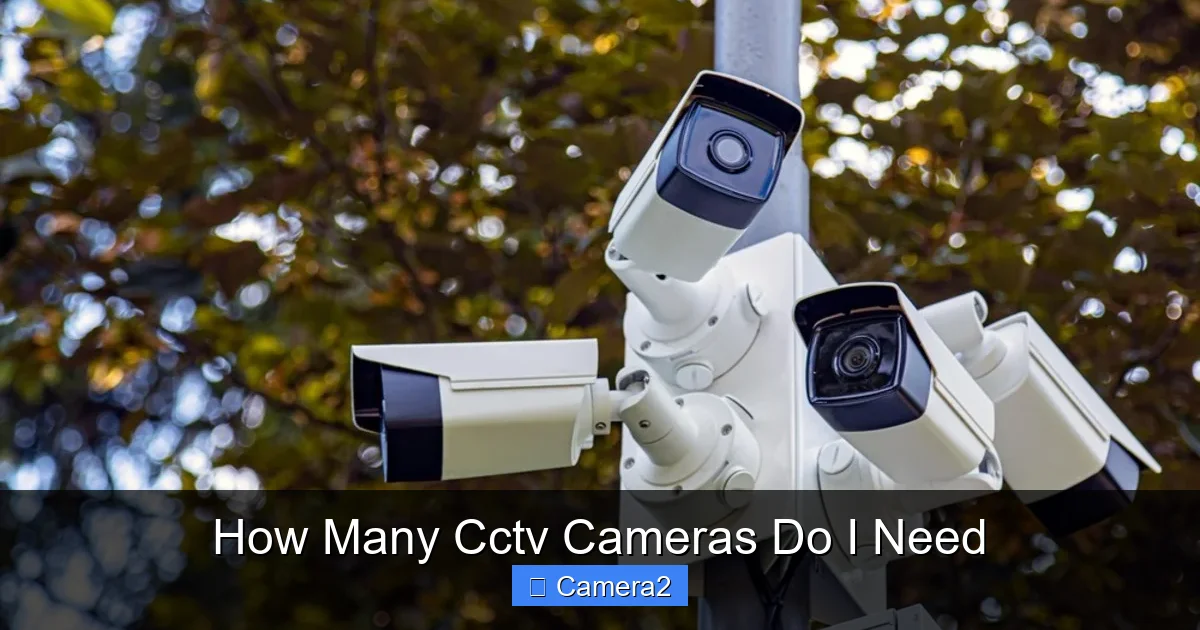
Visual guide about How Many Cctv Cameras Do I Need
Image source: safeguardsystems.co.uk
- High‑value items: Safes, servers, or expensive equipment need close‑up, high‑resolution views.
- Entry points: Doors, windows, and garages are common breach spots.
- Public areas: Hallways, lobbies, and parking lots help deter vandalism and give you evidence if something happens.
Consider the Threat Level
Residential neighborhoods may only need a few cameras to monitor the front door and driveway, while a retail store with a large showroom and back‑room storage will need a more comprehensive layout. Write down the “risk level” for each zone (low, medium, high) – this will guide how many cameras each area deserves.
2. Map Your Space and Spot Blind Spots
Create a Simple Floor Plan
Grab a sheet of paper or use a free online tool and sketch the perimeter of your property. Mark doors, windows, stairways, and any obstacles like columns or large furniture. This visual will become the foundation for camera placement.
Visual guide about How Many Cctv Cameras Do I Need
Image source: img.xjishu.com
Identify Blind Spots
Walk the space with your phone camera turned on. Look for areas that are out of view from the main entrance or where lighting is poor. These are the spots you’ll need to cover with additional cameras or special lenses.
Use Overlap Wisely
Two cameras should overlap by about 20‑30 % of their field of view. Overlap ensures you don’t miss an event when a person moves from one zone to another, and it helps with motion‑triggered recording accuracy.
3. Choose the Right Camera Types
Fixed vs. PTZ Cameras
Fixed cameras have a set viewing angle. They’re cheap and perfect for covering a single zone like a doorway. PTZ (Pan‑Tilt‑Zoom) cameras can swivel and zoom, letting one unit watch a large area such as a parking lot. One PTZ can often replace three or four fixed cameras, but they are pricier.
Visual guide about How Many Cctv Cameras Do I Need
Image source: ent-pic-me-copy.oss-cn-hangzhou.aliyuncs.com
Lens Choice: Wide‑Angle vs. Telephoto
A 2.8 mm lens gives a wide field (up to 120°) and works well for hallways or open yards. A 12 mm lens narrows the view and captures detail from far away—ideal for a gate or distant driveway. Picking the right lens can reduce the total camera count.
Resolution Matters
Higher resolution (4K or 1080p) lets you zoom in on footage without losing detail. If you invest in 4K, you may need fewer cameras because each can cover more ground while still providing clear images of faces or license plates.
Night Vision and Lighting
Infrared (IR) cameras work in total darkness, while color‑night cameras need some ambient light. If a zone is permanently dark, an IR camera can replace a second unit that would otherwise be needed for a well‑lit area.
4. Calculate a Baseline Camera Count
Rule of Thumb for Different Spaces
| Space Type | Typical Camera Count |
|---|---|
| Small Apartment (1‑2 BR) | 2‑3 cameras (front door, living room, backyard) |
| Medium Home (3‑4 BR) | 4‑6 cameras (front door, garage, driveway, backyard, hallway, garage interior) |
| Large Home or Small Business | 7‑12 cameras (multiple entry points, interior hallways, parking area, storage) |
| Retail Store (200‑500 sq ft) | 6‑10 cameras (entrance, checkout, aisles, stockroom, exterior) |
| Warehouse (1000+ sq ft) | 10‑20 cameras (loading dock, perimeter, aisles, high‑value storage) |
Step‑by‑Step Example
Let’s say you have a 2,500 sq ft house with these zones:
- Front door
- Back door
- Two‑car garage
- Driveway
- Backyard
- Main hallway
- Staircase
Using a mix of fixed 2.8 mm cameras for doors and a single PTZ for the driveway and backyard, you’d need 5 cameras instead of 7. This example shows how lens choice and PTZ technology can cut the count.
5. Factor in Future Expansion
Scalable Systems
Choose a NVR (Network Video Recorder) or DVR (Digital Video Recorder) that supports more channels than you initially need. For example, a 16‑channel NVR lets you start with 6 cameras and add up to 10 later without swapping hardware.
Wireless vs. Wired
Wireless cameras are easier to add later, but they rely on strong Wi‑Fi. If you anticipate growth, run Ethernet conduits during construction; you can later attach PoE (Power over Ethernet) cameras without pulling new cables.
Integration with Other Systems
Smart locks, alarm panels, and lighting can all trigger camera recordings. When you plan for expansion, think about how many inputs your central hub can manage.
6. Budget, Installation, and Maintenance
Cost Breakdown
- Cameras: $50‑$300 each depending on features.
- Recorder: $150‑$500 for a 8‑16 channel NVR.
- Installation: DIY can save $200‑$500; professional install adds $100‑$200 per camera.
- Monthly storage: Cloud plans range $5‑$15 per camera.
DIY Tips
Mount cameras at 7‑8 ft height for optimal angle. Use a level and drill pilot holes to avoid cracking walls. Test each unit with the app before finalizing placement.
Maintenance Checklist
- Clean lenses quarterly (dust reduces image quality).
- Check firmware updates twice a year.
- Verify motion detection zones after furniture rearrangement.
Practical Example: A Small Retail Store
John owns a boutique that sells jewelry. He wants to protect the storefront, the cash register, and the back‑room storage.
- Front door: Fixed 4K camera with a 3 mm lens.
- Cash register: Fixed 2.8 mm camera with IR for night shifts.
- Back‑room: PTZ camera covering both the storage area and the side entrance.
- Exterior parking: Weather‑proof PTZ covering the lot.
With just 4 cameras, John gets full coverage. He chose a 16‑channel NVR, so if he expands to a second floor later, he can add more cameras without new equipment.
Conclusion
There’s no one‑size‑fits‑all answer to “how many CCTV cameras do I need.” The magic lies in understanding your space, identifying high‑risk zones, and selecting the right camera types. Start with a risk assessment, map out blind spots, choose lenses wisely, and plan for future growth. By following these steps, you’ll end up with a tailored system that protects what matters most—without buying more cameras than necessary.
Related Topics
Curious about security in other environments? Learn if parking garages typically have cameras, discover whether all elevators are monitored, or explore how to capture action with multiple angles in live sports video using two cameras.
Frequently Asked Questions
How many cameras do I need for a small apartment?
Usually 2‑3 cameras are enough: one at the front door, one covering the living area, and one for the backyard or balcony if you have one.
Can one PTZ camera replace several fixed cameras?
Yes. A PTZ camera can monitor a large area by rotating and zooming, often covering the space of three to four fixed units, though it costs more upfront.
Do I need night‑vision cameras for indoor use?
If you have rooms with little to no light (like a basement or garage), infrared night‑vision cameras are advisable. In well‑lit interiors, standard color cameras work fine.
What is the ideal overlap between camera fields of view?
Aim for about 20‑30 % overlap. This ensures smooth hand‑off of motion detection and reduces blind spots when someone moves across zones.
How often should I upgrade my CCTV system?
Technology evolves quickly. Consider upgrading every 4‑6 years, especially if you want higher resolution or newer AI features like facial recognition.
Can I add more cameras later without replacing the recorder?
Yes, if you choose an NVR/DVR with spare channels. A 16‑channel recorder, for example, lets you start with a few cameras and expand as needed.