What Are Web Authoring Tools

Web authoring tools are software programs that let you create, edit, and publish websites without deep coding knowledge. They range from simple drag-and-drop builders to advanced code editors that give you full control over your site. Whether you are a beginner or a pro, understanding these tools is the first step toward building a professional website.
Web authoring tools are software applications designed to help you build, edit, and publish websites. They handle everything from simple text pages to complex interactive sites. If you have ever wondered how people create websites without being expert programmers, web authoring tools are the answer.
These tools come in many shapes and sizes. Some are as simple as a word processor. Others require you to write code by hand. The beauty of modern website creation software is that it meets you where you are. Whether you know nothing about coding or you are a seasoned developer, there is a tool built for you.
In this article, we will walk you through everything you need to know. We will cover what these tools do, the different types available, and how to pick the right one for your needs. By the end, you will have a clear picture of how web authoring tools can help you bring your online ideas to life.
Key Takeaways
- Web authoring tools simplify the process of building websites for users of all skill levels.
- WYSIWYG editors let you see your changes in real time without writing a single line of code.
- Code editors give advanced users full control over HTML, CSS, and JavaScript for custom front-end development.
- Content management systems like WordPress combine authoring features with powerful site management capabilities.
- The right tool depends on your goals, budget, and technical comfort level.
- Web authoring tools save time and make professional website creation accessible to everyone.
📑 Table of Contents
What Exactly Are Web Authoring Tools?
A web authoring tool is any software that helps you build a website. Think of it like a digital workshop for the internet. Instead of hammering nails and cutting wood, you are arranging text, images, and buttons on a screen.
These tools handle the behind-the-scenes work. They generate the code that browsers read to display your site. For many people, this means they never have to write a single line of code themselves. The tool does it all behind the scenes.
The term web authoring tools covers a wide range of programs. Some are free and run right in your browser. Others are professional-grade software that you install on your computer. They all share one goal: making website building easier and faster for everyone.
How Do Web Authoring Tools Work?
Most web authoring tools work by letting you design your site visually. You drag elements like text boxes, images, and menus onto a page. The tool then writes the underlying code for you. This approach is often called a visual editor.
Some tools take a different approach. They give you a blank code window and let you write HTML, CSS, and JavaScript by hand. These are called code editors. They offer more control but require technical knowledge. Both approaches fall under the umbrella of web authoring tools, and each serves a different purpose depending on your needs.
Types of Web Authoring Tools
Not all web authoring tools are the same. They fall into several categories based on how they work and who they are for. Understanding these types helps you choose the right one for your project.
WYSIWYG Editors
WYSIWYG stands for “What You See Is What You Get.” These are the most popular web authoring tools for beginners. You see your page exactly as it will appear on the web while you build it. No guesswork involved.
WYSIWYG editors use a drag-and-drop interface. You pick a block, move it where you want it, and drop it. The tool handles all the technical details. Popular examples include platforms like Wix, Squarespace, and Weebly. These platforms are essentially website builders that double as full web authoring tools.
If you want to build a site quickly without learning to code, a WYSIWYG editor is your best bet. They are perfect for small business sites, personal blogs, and portfolios. Many people use them to create pages about specific topics, like what size speakers are in a 2015 Chevy Silverado, without touching a single line of code.
Code Editors
Code editors are the opposite of WYSIWYG tools. They give you a blank text window where you write the actual code that builds your site. These are the go-to coding tools for professional front-end development.
With a code editor, you write in languages like HTML, CSS, and JavaScript. HTML is the markup language that structures your content. CSS handles the styling, like colors and layouts. JavaScript adds interactivity and dynamic features to your pages.
Popular code editors include Visual Studio Code, Sublime Text, and Atom. These are powerful web design software options that give you complete control. However, they come with a learning curve. You need to understand how the web works to use them effectively.
Content Management Systems
A content management system (CMS) is a type of web development platform that combines authoring features with site management. WordPress is the most famous example, powering over 40 percent of all websites on the internet today.
A CMS lets you write and publish content easily. It also handles things like user accounts, site organization, and updates. You do not need to be a developer to manage a CMS-powered site. The system provides built-in tools for everyday tasks that would otherwise require technical expertise.
WordPress, Joomla, and Drupal are all examples of web authoring tools that double as full site management platforms. They offer themes and templates that change how your site looks. You can also add plugins to extend functionality. This makes them incredibly flexible for different types of websites and use cases.
Key Features to Look For
When shopping for web authoring tools, not all features matter equally to every user. Here are the most important ones to consider before you commit to a platform.
Drag-and-Drop Functionality
Drag-and-drop support is a must for beginners. It lets you place elements exactly where you want them. You do not need to know any code to move a picture or change a paragraph. This feature makes website building feel more like designing a presentation than programming.
Look for tools that offer a clean, intuitive canvas. The easier it is to move things around, the faster you can focus on creating great content. A smooth visual editor saves you time and reduces frustration during the building process.
Template Library
A good template library saves you hours of work. Templates are pre-designed page layouts that you can customize to fit your brand. They give your site a professional look right from the start. Most website builders include dozens or even hundreds of templates to choose from.
Choose templates that match your industry or purpose. A restaurant site needs a different look than a tech blog. The best web authoring tools give you a wide variety so you can find something that fits your vision perfectly.
Responsive Design Support
Responsive design means your site looks great on phones, tablets, and desktops. Over half of all web traffic comes from mobile devices. Your web authoring tool should make it easy to create a site that adapts to every screen size automatically.
Look for tools that offer mobile preview modes. This lets you see how your site will look on a phone before you publish it. A good CSS editor within the tool helps you fine-tune the layout for different devices and ensure a smooth experience for every visitor.
Publishing and Site Management
Once your site is ready, you need to publish it. The best web authoring tools handle this step for you. They connect your site to a web server so visitors can access it online. Some tools include built-in hosting, while others let you connect to your own hosting provider.
Web publishing should be simple and straightforward. You should be able to push your live site with just a few clicks. Good site management features also help you update content, track visitors, and maintain performance over time without needing outside help.
Who Uses Web Authoring Tools?
Web authoring tools are not just for tech experts. People from all walks of life use them every day to build websites for different purposes. Let us look at the most common users.
Small Business Owners
Small business owners use web authoring tools to create an online presence without hiring a developer. A local bakery, a family law firm, or a freelance photographer can all build professional sites with these tools. They save money and give business owners direct control over their content and branding.
Freelancers and Creatives
Freelancers often build portfolios to showcase their work. Whether you are a designer reviewing the best laptop brands or a writer sharing your latest articles, a web authoring tool gives you a platform to display your talent. These tools make it easy to update your portfolio as your work evolves and grows.
Educators and Content Creators
Teachers use web authoring tools to build class websites and share resources with students. Content creators build blogs and video sites to share their knowledge with the world. These tools make it simple to publish regular updates and engage with an audience effectively.
Some creators build sites focused on specific niches. For example, someone who reviews audio gear might feature the best microphones to help visitors find the right equipment. Web authoring tools make it easy to organize and present this kind of specialized content in a clean, professional way.
Benefits of Using Web Authoring Tools
There are many reasons to use web authoring tools instead of building a site from scratch. Here are the biggest advantages that make these tools so popular.
Speed and Efficiency
Web authoring tools dramatically reduce the time it takes to build a website. What might take weeks of hand-coding can be done in a few hours with the right tool. Pre-built templates, drag-and-drop editing, and automated code generation all contribute to this speed. You can go from idea to live site faster than ever before.
Lower Costs
Hiring a professional web developer can be expensive. Web authoring tools give you the power to build your own site at a fraction of the cost. Many excellent options are free or very affordable. This makes professional-quality website creation accessible to everyone, regardless of budget.
No Coding Required
You do not need to learn HTML or CSS to build a great site. Web authoring tools handle the technical side so you can focus on your content and design. This opens up website building to people who have great ideas but limited technical skills. Anyone can create something beautiful online.
Easy Updates and Maintenance
Once your site is live, you will need to update it regularly. Web authoring tools make this process simple. You can edit text, swap images, and add new pages without any technical knowledge. This keeps your site fresh and relevant for visitors and helps you stay competitive online.
How to Choose the Right Web Authoring Tool
With so many options available, picking the right web authoring tool can feel tricky. Here are some practical tips to guide your decision.
Define Your Goals
Start by asking yourself what you want your website to do. Are you selling products? Sharing a blog? Building a portfolio? Your goals will determine which type of web authoring tool fits you best. A simple site builder works great for a basic blog, while a more advanced platform may be needed for an online store with e-commerce features.
Consider Your Budget
Some web authoring tools are completely free. Others charge monthly fees that add up over time. Free tools often include ads or limit your features. Paid tools usually offer more customization and better support. Think about what you can afford and what features are worth paying for in the long run.
Test Before You Commit
Most website builders offer free trials or free plans. Take advantage of these opportunities. Build a test site and explore the features. See if the interface feels intuitive and easy to navigate. Check how your site looks on mobile devices. This hands-on testing helps you find the right fit before you invest any real money or time.
Think About Scalability
Choose a tool that can grow with you. If you start small, you might want to expand later. A good web development platform should handle increased traffic, more pages, and added features without a hitch. Planning ahead saves you from the headache of migrating to a new tool down the road.
Web authoring tools have made website creation accessible to millions of people worldwide. They remove the technical barriers that once stood between your ideas and a live website. Whether you are a business owner, a freelancer, or someone with a passion project, the right tool can turn your vision into reality.
The key is to understand your needs and explore the options available. Try a few different tools. Experiment with their features. You will find the one that fits your workflow and helps you build the site you have always wanted. The world of web authoring tools is wide open, and there has never been a better time to start creating something amazing.
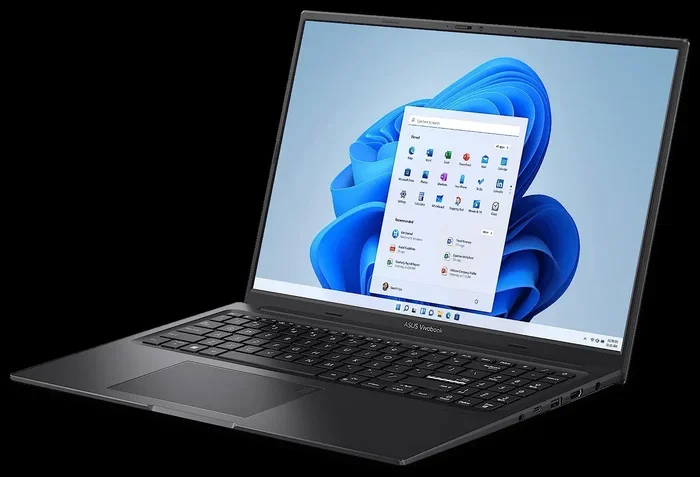
If you are building a site to showcase products or reviews, you might also want to explore options like the best laptop brands to ensure your hardware can handle the tools you choose. A reliable computer makes the entire website building process smoother and more enjoyable.
Frequently Asked Questions
What is the difference between a web authoring tool and a website builder?
A website builder is a type of web authoring tool that focuses on ease of use, often with drag-and-drop features. A web authoring tool is a broader term that includes website builders, code editors, and content management systems. All website builders are authoring tools, but not all authoring tools are website builders.
Do I need to know how to code to use web authoring tools?
No, many web authoring tools require zero coding knowledge. WYSIWYG editors and website builders let you create sites visually. However, if you want more control and customization, learning basic HTML and CSS can be very helpful. It all depends on your goals and how much control you want over your site.
Are free web authoring tools any good?
Yes, many free web authoring tools are excellent for beginners and small projects. They often include enough features to build a professional-looking site. The trade-offs are usually fewer templates, limited storage, or ads on your site. For personal projects or testing, free tools are a great starting point.
Can I switch web authoring tools after I build my site?
Switching can be possible but it depends on the platform. Some web authoring tools export your content, making migration easier. Others lock your content into their system. It is always a good idea to check export options before you commit. Planning ahead saves you time and effort if you ever need to move your site.
What is the best web authoring tool for beginners?
Wix, Squarespace, and WordPress are widely considered the best web authoring tools for beginners. They offer intuitive interfaces, pre-built templates, and helpful support resources. Wix is great for drag-and-drop simplicity. WordPress offers more flexibility for growth. Choose the one that matches your comfort level and goals.
Do web authoring tools support e-commerce?
Many modern web authoring tools include e-commerce features. You can add product pages, shopping carts, and payment processing directly through the platform. Tools like Squarespace and Shopify are built specifically for online stores. WordPress with WooCommerce is another popular option for selling products online. Check the features of any tool before you commit if e-commerce is part of your plan.