What Does a Restricted Number Mean
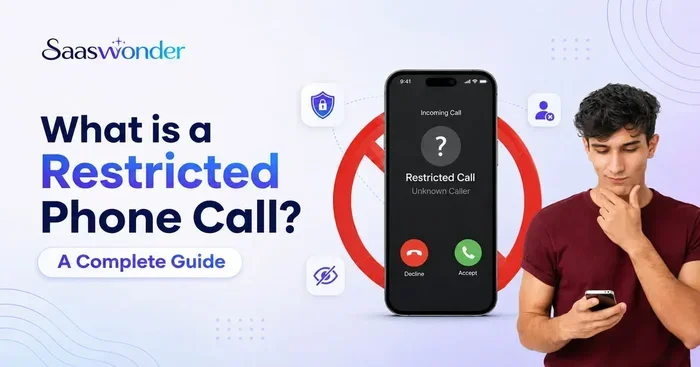
A restricted number means the caller has blocked their phone number from appearing on your caller ID display. When you receive a call, you typically see labels like “Restricted,” “Private,” “Unknown,” or “No Caller ID” instead of a phone number. This simple feature gives people control over their privacy, but it can also be used by unwanted callers to hide their identity. Understanding what a restricted number means helps you decide whether to answer, block, or trace the call.
Have you ever picked up the phone and seen the word “Restricted” staring back at you? It can feel confusing, frustrating, or even a little spooky. You wonder who is on the other end and whether you should even answer. A restricted number is one of the most common caller ID labels people encounter, yet few understand what it really means or how it works.
This guide breaks down everything you need to know about restricted numbers in plain, simple terms. We will cover what a restricted number means, why people use this feature, how to trace or block these calls, and what you can do to protect yourself. Whether you are dealing with annoying spam or just curious about privacy settings, this article has you covered.
Key Takeaways
- A restricted number hides the caller’s identity: The phone network blocks the caller’s number from being displayed on your device.
- People restrict numbers for privacy and safety: Many legitimate callers use this feature to protect their personal information.
- Restricted calls can sometimes be traced: Law enforcement and certain services can unmask restricted numbers, but everyday users have limited options.
- You can make your own number restricted: Most phones and carriers let you block your number before placing a call.
- Not all restricted calls are spam: While some are legitimate, scammers also use number restriction to avoid detection.
- Your carrier can help manage restricted calls: Most phone companies offer tools to screen or block unknown callers.
📑 Table of Contents
- What Is a Restricted Number?
- Why Do People Use Restricted Numbers?
- How to Identify a Restricted Number
- Can You Trace a Restricted Number?
- How to Make Your Own Number Restricted
- How to Deal with Unwanted Restricted Calls
- Common Myths About Restricted Numbers
- Expert Tips for Handling Restricted Numbers
What Is a Restricted Number?
A restricted number is a phone call where the caller has intentionally blocked their phone number from being sent to your device. Instead of seeing a ten-digit number, your screen shows labels like “Restricted,” “Private,” “Unknown,” or “No Caller ID.” The call still comes through normally. The only thing hidden is the identity of the person calling.
Think of it like knocking on a door with a mask on. The person is definitely there, and they want to talk to you. But they do not want you to know who they are before you open the door. The restricted incoming call feature works the same way. It is a built-in setting on the phone network that strips away the caller’s identifying information before the call reaches you.
How Restricted Numbers Work on the Network
Every time you make a phone call, your carrier sends a set of data along with the call. This data includes your phone number, the time of the call, and routing information. When a caller activates the call restriction feature, their carrier removes the caller ID data from that transmission. Your phone receives the call but has no number to display.
This process happens at the network level. It is not something your phone generates on its own. The carrier handles the restriction before the signal ever reaches your device. That is why even caller ID apps sometimes cannot identify a restricted phone number. The information simply is not available in the call data.
The Difference Between Restricted, Unknown, and Private
People often use these terms interchangeably, but there are subtle differences:
- Restricted: The carrier has actively blocked the number from being displayed. This is the most common label.
- Unknown: Your phone could not read the number for technical reasons, or the number is from an area your carrier does not recognize.
- Private: Similar to restricted, but sometimes used when the caller has set their number to private on their own device rather than through their carrier.
- No Caller ID: The call has no caller identification data at all. This can happen with certain VoIP services or internet-based calls.
All of these labels mean the same thing from your perspective. You cannot see the caller’s number. The restricted number label is just the most widely recognized term across different carriers and phone models.
Why Do People Use Restricted Numbers?
There are many valid reasons someone might hide their phone number. Not all restricted calls are suspicious or unwanted. Understanding the motivations behind number restriction can help you decide how to respond when you see that label on your screen.
Privacy and Personal Safety
Many people value their privacy and do not want their number shared with strangers. A job seeker, for example, might hide their number when calling a company they have not researched yet. A single person dating online might use a restricted number to protect their identity until they feel comfortable. Parents calling schools or other parents sometimes prefer to keep their number private.
Safety is another big factor. Domestic abuse survivors, whistleblowers, and people in sensitive situations often rely on number restriction to stay safe. The ability to make a private call without revealing their identity can be a lifeline in dangerous circumstances.
Business and Professional Use
Businesses also use restricted numbers for legitimate reasons. A company calling multiple clients might block their main line to avoid cluttering the recipient’s call log. Sales teams, delivery services, and field workers sometimes use restricted calling to manage their communication more efficiently.
In fleet management, for example, drivers use company phones to stay in contact while on the road. The fleet manager may set up the system so that outgoing calls display as restricted to maintain a consistent professional image. You can learn more about how fleet communication systems work in our guide on fleet safety cameras, which often integrate with communication networks that use similar restrictions.
Avoiding Call-Back and Spam Filters
Some callers restrict their number to avoid being added to call-back lists or spam databases. Telemarketers and scammers also use this tactic, which is why restricted numbers have developed a bad reputation. The same feature that protects privacy also gives bad actors a way to avoid accountability.
How to Identify a Restricted Number
Identifying a restricted number is straightforward because your phone tells you directly. When a restricted call comes in, your screen will display one of the following:
- “Restricted”
- “Private Number”
- “Unknown Caller”
- “No Caller ID”
- A blank or empty caller name field
On most phones, you will also notice that the call log shows the same label instead of a phone number. Some caller ID apps attempt to guess the identity of unknown callers, but they usually cannot identify a truly restricted incoming call because the data is not there to analyze.
If you see a missed call labeled “Restricted” and you do not recognize it, be cautious. You can check the time of the call and cross-reference it with your own activities. If you were expecting a call from a specific source, the restricted label might mean that person has their number blocked for privacy reasons.
Can You Trace a Restricted Number?
This is one of the most common questions people ask. The short answer is: it depends. Tracing a restricted phone number is possible in some situations, but it is not always easy or available to everyday users.
Methods for Tracing Restricted Calls
Here are the most common ways people try to trace a restricted number:
- Call your carrier: Your phone company may be able to provide call logs that include restricted numbers, especially if the calls are frequent or threatening.
- Use call tracing services: Some carriers offer a call trace feature. You dial a code (like 57 in the US) after receiving a restricted call, and the carrier logs the number for a set period.
- Contact law enforcement: If a restricted call involves harassment or threats, police can request tracing information from the carrier through legal channels.
- Use call recording apps: Some apps record incoming calls and may capture metadata that reveals the restricted number, though results vary.
- Check your voicemail: If the restricted caller leaves a voicemail, some services can analyze the audio to identify the caller, though this is not always reliable.
Limitations of Tracing
It is important to understand that tracing a restricted number has real limits. Most carriers will not release caller information to everyday users due to privacy laws. The call trace service (57) only works for a limited number of calls and typically requires a police report to access the logged data. VoIP and internet-based calls are especially hard to trace because they can originate from anywhere in the world.
In security camera setups, restricted access is a different concept but equally important. For instance, a PoE camera system may restrict network access to protect recorded footage. Similarly, tracing a restricted phone number requires the right tools and, often, legal authority. You can also read about how backup cameras handle recording in our guide on does a backup camera record for a related look at access and recording controls.
How to Make Your Own Number Restricted
If you want to hide your number when making calls, you can do so easily on most phones. The process varies slightly depending on your device and carrier, but the general steps are similar.
On iPhone
- Open the Settings app.
- Tap on Phone.
- Select Show My Caller ID.
- Toggle the switch to off.
Your outgoing calls will now display as restricted or private on the recipient’s phone. You can turn this setting back on anytime if you want your number to show again.
On Android
- Open the Phone app.
- Tap the three-dot menu in the top right corner.
- Go to Settings and then Supplementary Services.
- Tap on Caller ID.
- Select Hide Number.
Some Android phones may have slightly different menu paths, but the general steps are the same. Look for Caller ID or Show My Caller ID in your phone settings.
Using Carrier Codes
You can also use carrier-specific codes to block your number on a per-call basis:
- US: Dial 67 before the number you are calling.
- UK: Dial 141 before the number.
- Canada: Dial 31# before the number.
This method works temporarily. Your next call will show your number normally unless you dial the code again. It is a quick and easy way to make a single call without revealing your phone number.
Can You Permanently Restrict Your Number?
Yes. Both iPhone and Android let you set your number to hidden permanently through the settings described above. You can also contact your carrier and ask them to block your number on all outgoing calls. Keep in mind that some people and businesses automatically reject calls from restricted numbers, so you may miss calls from people who do not recognize you.
How to Deal with Unwanted Restricted Calls
If you are getting a lot of unwanted restricted calls, you are not alone. Scammers and robocallers love using restricted numbers because it makes them harder to block. Here are some effective strategies to manage these calls.
Use Your Phone’s Built-In Block Features
Both iPhone and Android let you block unknown callers. When you turn this on, calls from numbers not in your contacts go straight to voicemail. You can still see who called and return the call if it was legitimate.
Enable Spam Detection
Most modern phones have built-in spam detection. Google Phone and Apple FaceTime both offer features that flag potential spam calls, including those from restricted numbers. Third-party apps like Truecaller and Hiya can also help identify and block unwanted calls.
Register with the Do Not Call List
In the US, you can register your number on the National Do Not Call Registry. While this will not stop all restricted calls (especially from scammers), it does reduce legitimate telemarketing calls. You can report restricted calls that violate the registry rules to the FTC.
Contact Your Carrier for Call Screening
Many carriers now offer call screening services. AT&T, Verizon, T-Mobile, and others provide tools that automatically filter out suspected spam and unknown callers. Some of these services are free, while others require a small monthly fee. Check with your carrier to see what options are available.
Common Myths About Restricted Numbers
There are several misconceptions floating around about restricted numbers. Let’s clear up a few of the most common ones.
Myth 1: All restricted calls are scams. This is not true. Many legitimate callers use the restriction feature for privacy. A doctor’s office, a school, or a friend concerned about their privacy might all appear as restricted.
Myth 2: You cannot answer a restricted call safely. Answering a restricted call is not dangerous. The caller cannot access your phone or data just because you picked up. The risk comes from what you say or whether you share personal information.
Myth 3: Restricted numbers cannot be traced at all. While tracing is difficult for everyday users, law enforcement has tools and legal authority to trace restricted incoming calls when necessary. The information exists; it just requires the right process to access it.
Myth 4: Turning off caller ID makes your phone untraceable. This is false. Your carrier still has your number and call records. The restriction only hides your number from the person you are calling. It does not make you anonymous to the network.
Expert Tips for Handling Restricted Numbers
Here are some practical tips from telecom experts to help you manage restricted numbers like a pro:
- Let unknown calls go to voicemail. If it is important, the caller will leave a message. This filters out most spam and unwanted restricted calls.
- Do not call back immediately. If a restricted number calls and does not leave a voicemail, wait. Scammers often use one-ring calls to trick you into calling back, which can result in premium rate charges.
- Use a second phone number. Apps like Google Voice give you a separate number for online transactions, dating, and other situations where you want privacy.
- Keep your do-not-call list up to date. Review your registration annually and report any violations.
- Educate family members. Make sure everyone in your household knows not to share personal information with unknown or restricted callers.
Understanding how restricted numbers work gives you more control over your phone experience. You can make informed decisions about which calls to answer, which to block, and which to let ring. Privacy is a valuable tool, and knowing how to use it wisely keeps you safe and connected.
For more tech-related explanations, check out our articles on topics like WDR cameras and other technology concepts that help you understand how modern devices work.
Frequently Asked Questions
Can a restricted number be traced by the police?
Yes, law enforcement agencies can trace restricted numbers through your phone carrier with a valid court order or warrant. Carriers maintain call records that include restricted numbers, even though those numbers are not displayed on the recipient’s phone. If you are experiencing harassment or threats from a restricted caller, contact your local police department for assistance.
Why do telemarketers use restricted numbers?
Telemarketers use restricted numbers to avoid being blocked or identified. Once a number is flagged as spam, the telemarketer cannot use it again. By hiding their number, they can keep calling from different sources without being easily traced or blocked by consumers.
Will blocking my number affect my calls?
Blocking your number may cause some people or businesses to reject your calls automatically. Many individuals and organizations have settings that send unknown or restricted calls straight to voicemail or block them entirely. You can unblock your number anytime if you notice this happening.
Is it illegal to make a restricted call?
No, making a restricted call is perfectly legal. Hiding your caller ID is a feature built into phone networks for privacy purposes. However, using a restricted number to harass, threaten, or defraud someone is illegal and can result in serious penalties.
Can I see a restricted number in my call log?
No, your call log will show the call as “Restricted,” “Private,” or “Unknown” instead of a phone number. The actual number is not stored on your device because the carrier did not transmit it. Only your carrier’s internal records may contain the restricted number.
What is the difference between a restricted number and a blocked number?
A restricted number means the caller has hidden their identity from you. A blocked number means you have prevented a specific caller from reaching you. They are opposite actions. One hides the caller’s number, and the other stops a known number from calling you.
=== CONCLUSION ===
A restricted number is simply a phone call where the caller has chosen to hide their identity. It is a useful privacy tool that serves legitimate purposes, from personal safety to professional communication. At the same time, it is a feature that scammers and spammers exploit to avoid accountability.
Now that you understand what a restricted number means, you are better equipped to handle these calls with confidence. You can trace them when necessary, block them when unwanted, and even use the feature yourself when privacy matters. Stay informed, stay cautious, and remember that you have more control over your phone than you might think.