What to Do If a Cell Phone Falls in the Toilet
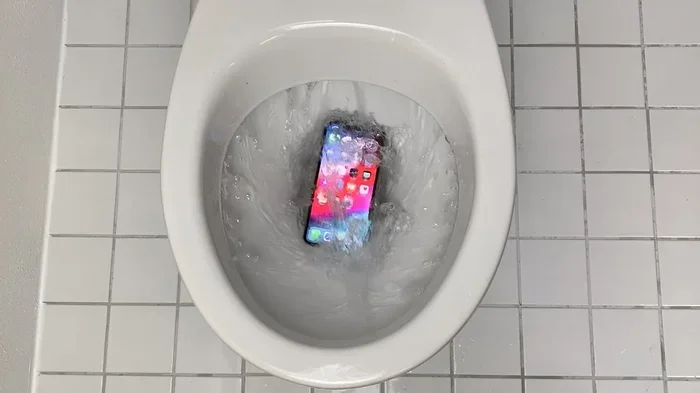
If your cell phone takes an unexpected swim in the toilet, act fast. The first minutes matter most when it comes to saving your device from permanent water damage. This guide walks you through every step, from immediate action to long-term care, so you can rescue your phone and protect your data.
It happens to the best of us. You are multitasking in the bathroom, and suddenly your phone slips from your hand and plunges into the toilet. Panic sets in. Your heart races. But here is the good news. Most phones can survive a toilet fall if you act quickly and follow the right steps.
Water damage is one of the leading causes of phone failure. Yet many people make the mistake of freezing, doing the wrong thing, or simply giving up too soon. This guide gives you a clear, step-by-step plan to rescue your device. Whether your phone is brand new or a few years old, these tips apply.
We will cover everything from the first few seconds after the fall to long-term care strategies. You will learn what to do, what to avoid, and when to call in the pros. Let us get started and save your phone.
Key Takeaways
- Act immediately: The faster you respond, the better your chances of saving the phone.
- Power it off right away: This prevents short circuits that can destroy internal components.
- Skip the rice myth: Modern experts recommend silica gel or air drying instead.
- Avoid heat sources: Hair dryers and microwaves can cause more harm than good.
- Seek professional help: If the phone won’t turn on after drying, a technician may still save it.
- Prevent future accidents: Simple habits like keeping phones away from bathrooms reduce risk.
- Back up your data regularly: This ensures you never lose important files, even if the phone is lost.
📑 Table of Contents
- Immediate Steps to Take Right After the Fall
- How to Properly Dry Your Water-Damaged Phone
- What NOT to Do When Your Phone Falls in the Toilet
- When to Seek Professional Help
- Preventing Future Bathroom Accidents
- Long-Term Phone Care After a Water Incident
- Final Thoughts on Rescuing a Phone From the Toilet
Immediate Steps to Take Right After the Fall
The first few seconds are critical. Every moment your phone sits in water increases the risk of damage. Here is exactly what you should do the moment it happens.
1. Retrieve the Phone Quickly
Do not hesitate. Reach in and grab the phone as fast as you can. The longer it stays submerged, the more water seeps into the ports, speakers, and internal circuits. Most modern phones have some level of water resistance, but no phone is fully waterproof in a toilet. Toilet water contains chemicals and bacteria that are worse than clean tap water.
2. Do Not Press Any Buttons
Resist the urge to press the power button or any other keys. Pressing buttons while the phone is wet can trigger a short circuit. This is one of the biggest mistakes people make. A short circuit can fry the motherboard beyond repair. Keep the phone still and dry the exterior first.
3. Turn the Phone Off Immediately
If the phone is still on, power it down right away. Hold the power button and select “Power Off.” If the screen is unresponsive, try a forced shutdown. On most phones, you hold the power button and the volume down button together for about ten seconds. This cuts the electrical current and reduces the risk of internal damage.
4. Remove the Phone Case
Take the case off immediately. Cases can trap moisture against the phone body. They also hide water that has already entered the gaps around buttons and ports. Removing the case lets the phone breathe and makes the next drying steps more effective.
5. Remove the SIM Card and SD Card
Pop out the SIM tray and any memory cards. These small components can trap water inside your phone. By removing them, you protect your data and allow better airflow. Use a SIM ejector tool or a paperclip to open the tray gently. Dry each card separately with a soft cloth.
Quick Tip: If you also want to protect other tech devices in your home, learning about proper device maintenance helps. For example, understanding how much RAM do you need in a laptop can help you keep your computing devices running smoothly and avoid similar panic moments with other electronics.
How to Properly Dry Your Water-Damaged Phone
Once you have removed the phone from the toilet and powered it off, the drying process begins. How you dry the phone matters just as much as how fast you act.
Step 1: Shake Off Excess Water
Gently shake the phone to remove as much surface water as possible. Do not shake it violently. You do not want to push water deeper into the openings. A few gentle taps and shakes should do the trick. Hold the phone with the charging port facing down to let gravity help drain the water.
Step 2: Pat Dry with a Soft Cloth
Use a clean, lint-free cloth or paper towel to pat the phone dry. Do not rub the phone aggressively. Rubbing can push water into the speaker grills and charging port. Instead, gently dab and blot all surfaces. Pay special attention to the areas around the buttons, camera lenses, and the bottom edge where the charging port sits.
Step 3: Use Silica Gel Packets
Silica gel is the gold standard for drying electronics. You have probably seen those small packets packed in shoeboxes or new electronics. They absorb moisture incredibly well. Place your phone in a sealed bag or container with several silica gel packets. Leave it there for at least 24 to 48 hours.
Step 4: Try the Air Drying Method
If you do not have silica gel, air drying works too. Place the phone on a dry surface in a well-ventilated room. Keep the charging port facing down so gravity pulls moisture out. A fan pointed at the phone can speed up the process. Just make sure the fan is not too strong or too close.
Expert Insight: Many people swear by the rice method. They bury the phone in a bowl of uncooked rice and wait. However, modern tech experts have largely moved away from this advice. Rice does not absorb moisture fast enough, and rice starch can actually get inside the ports and cause more problems. Stick with silica gel or plain air drying.
Step 5: Use a Vacuum Carefully (Optional)
A small handheld vacuum can help pull moisture out of the charging port and speaker holes. Use the smallest nozzle attachment and hold it near the openings. Do not press the vacuum nozzle directly against the phone. Keep a small gap to avoid static electricity damage. This method works best within the first few hours after the fall.
What NOT to Do When Your Phone Falls in the Toilet
Knowing what to avoid is just as important as knowing what to do. Many well-meaning people accidentally make things worse by following bad advice or panicking.
Do Not Use a Hair Dryer on High Heat
A hair dryer might seem like a quick fix. But the hot air can damage the internal components of your phone. The heat can warp delicate parts and melt adhesive seals that keep your phone water-resistant. If you must use a hair dryer, use the cool or low heat setting only. Even better, let the phone air dry naturally.
Do Not Stick Anything Into the Ports
Avoid using cotton swabs, toothpicks, or any sharp objects to clean the charging port. These can push debris deeper or damage the delicate connectors inside. If you need to clear the port, use a dry, soft-bristled brush very gently or let the air drying do the work.
Do Not Turn the Phone On to Check
It is tempting to press the power button every few minutes to see if the phone works. Do not do this. Every time you power on a wet phone, you risk triggering a short circuit. Wait at least 24 hours before even attempting to turn it on. Patience is your best friend here.
Do Not Charge the Phone Right Away
Plugging in a wet phone to charge is a recipe for disaster. Water and electricity do not mix. Charging a wet phone can cause a short circuit, fry the battery, or even start a fire. Wait until the phone is completely dry, and even then, inspect the charging port carefully before connecting the cable.
Do Not Shake the Phone Vigorously
While gentle shaking helps remove surface water, violent shaking can spread water to dry internal areas. Be calm and gentle. Treat your phone like a fragile piece of glass because, at this point, it very much is.
Common Mistake: Some people try to blow into the charging port to force water out. This only pushes the moisture further inside. Always let gravity and absorption do the work for you.
When to Seek Professional Help
Not every phone can be saved with home remedies. Knowing when to call a professional can mean the difference between a repaired phone and a replacement.
Signs You Need Professional Help
- The phone will not turn on after 24 hours of drying.
- You see water inside the screen or under the display.
- The phone turns on but has a distorted display or strange lines.
- You notice a burning smell or the phone feels unusually hot.
- The charging port does not work even after thorough drying.
- The phone makes unusual sounds like crackling or buzzing.
What a Professional Can Do
A trained technician has the tools and expertise to disassemble your phone safely. They can clean internal components with specialized solutions that remove water and corrosion. They can also test each part individually to identify exactly what is damaged. This level of inspection is impossible to do at home without the right equipment.
Quick Tip: Before you visit a repair shop, back up any data you can still access. If the phone still turns on, transfer your photos, contacts, and important files to a computer or cloud storage right away. You never know how long the phone will survive.
Related Tech Tip: Just as you would protect your phone from water damage, maintaining your other devices is equally important. For instance, if you are dealing with a non-functional laptop, understanding how to remove the RAM from a laptop can help you troubleshoot hardware issues safely and avoid further damage to your device.
Preventing Future Bathroom Accidents
The best way to deal with a phone-in-toilet situation is to prevent it from happening in the first place. A few simple habits can save you a lot of stress and money.
Use a Phone Lanyard or Strap
A phone lanyard or wrist strap keeps your phone attached to you at all times. You can still use your phone in the bathroom without worrying about dropping it. These straps are inexpensive and come in many styles. Some even look like fashionable accessories.
Keep Your Phone on a Shelf or Hook
If you do not like wearing a strap, try placing your phone on a small shelf or hook in the bathroom. This keeps it off the floor and away from the toilet. Just make sure the spot is not too close to the sink where it could fall in.
Invest in a Waterproof Pouch
Waterproof pouches are cheap and effective. They create a barrier between your phone and water. You can still use the touch screen through the pouch. These are especially useful if you like to take your phone into the bathroom or shower.
Build Better Bathroom Habits
Try to keep your phone out of the bathroom entirely if possible. Use a smart speaker or a small radio for music or entertainment while you get ready. If you must bring your phone in, set it down somewhere safe before you start using the toilet.
Related Device Care: Just as preventing water damage keeps your phone alive, keeping your laptop in good shape involves similar care. Understanding whether you can upgrade the RAM in a laptop helps you extend the life of your other tech devices and get the most out of your investment.
Long-Term Phone Care After a Water Incident
Even if your phone seems fine after a toilet fall, it may have suffered hidden damage. Water can cause corrosion that builds up over time and leads to problems weeks or months later.
Monitor Your Phone for Days After the Incident
Watch for warning signs in the days following the accident. Check the speaker quality, the touchscreen responsiveness, and the charging speed. If anything feels off, take the phone to a repair shop immediately. Early detection of corrosion can prevent total device failure.
Consider a Waterproof Phone Case Going Forward
If your phone is not already water-resistant, a good waterproof case adds a layer of protection. Look for cases rated with an IP67 or IP68 certification. These ratings mean the case can handle submersion in water for a certain period. No case is perfect, but they significantly reduce the risk of water damage.
Back Up Your Data Regularly
This cannot be stressed enough. Back up your phone data to the cloud or a computer every single day. If your phone is ever lost, stolen, or damaged beyond repair, you will not lose your photos, messages, or important files. Set up automatic backups so you never have to think about it.
Know Your Phone’s Water Resistance Rating
Many modern phones come with an IP rating that tells you how resistant they are to water. For example, IP67 means the phone can survive submersion in up to one meter of water for 30 minutes. IP68 goes even deeper. However, these ratings are tested with clean fresh water, not toilet water. Toilet water contains cleaning chemicals and bacteria that can be more corrosive. Never rely on water resistance alone to protect your phone.
Expert Insight: Think of your phone like any other valuable electronic device. Just as you would not throw a laptop in a pool, you should not expose your phone to unnecessary water risks. Proper care and a little caution go a long way toward extending your device’s lifespan.
Final Thoughts on Rescuing a Phone From the Toilet
Dropping your phone in the toilet is scary. But it does not have to be the end of your device. By staying calm and following the steps in this guide, you give your phone the best chance of survival. The key is speed. Power off the phone, remove the case and cards, and dry it thoroughly using silica gel or air drying.
Avoid common mistakes like using heat, charging a wet phone, or turning it on too soon. If home remedies do not work, do not hesitate to seek professional help. And most importantly, take steps to prevent future accidents. A phone lanyard, a safe spot in the bathroom, or simply leaving the phone outside can save you from this stressful situation.
Your phone holds your memories, your contacts, and your daily life. Treat it with care, back up your data often, and keep it away from water hazards. With the right approach, you can overcome even the most embarrassing tech accidents. Stay calm, act fast, and your phone just might make it through.
For more tech tips and device care advice, explore our other articles on phone maintenance and troubleshooting. Keeping your devices in top shape is always better than fixing them after an accident.
Frequently Asked Questions
Can a phone survive falling in the toilet?
Yes, many phones can survive a toilet fall if you act quickly. The key is to power off the device immediately and dry it thoroughly. Modern phones often have some water resistance, but toilet water is harsher than clean water, so speed matters most.
How long should I wait before turning my phone back on?
Wait at least 24 to 48 hours before attempting to turn on a wet phone. Rushing this step can cause a short circuit. Use silica gel packets or air drying during this waiting period for the best results.
Is the rice method really effective for drying a wet phone?
Most tech experts no longer recommend the rice method. Rice does not absorb moisture quickly enough, and rice starch can enter the phone’s ports and cause additional problems. Silica gel packets or simple air drying are much better alternatives.
Should I take my phone to a repair shop even if it seems fine?
Yes, it is a good idea. Water can cause hidden corrosion that shows up days or weeks later. A professional can inspect the internal components and clean any residue before it causes permanent damage. Early inspection can save you from a future phone failure.
What should I do if my phone turns on but the screen is flickering?
Flickering after water exposure suggests internal damage. Power the phone off immediately and do not try to use it. Take it to a certified repair technician as soon as possible. Continuing to use a water-damaged phone can make the problem worse.
How can I prevent my phone from falling in the toilet again?
Use a phone lanyard or wrist strap, keep the phone on a shelf or hook, or invest in a waterproof pouch. The simplest habit is to leave your phone outside the bathroom entirely. Building a few small habits can save you from repeated accidents and costly repairs.
=== FAQS END ===