Good Shutter Count for Used Camera
Wondering how many clicks are too many? A good shutter count for a used camera depends on the model, its rated lifespan, and how you plan to use it. Read on for easy guidelines, real‑world examples, and smart buying tips.
Key Takeaways
- Know the rating: Most DSLR and mirrorless cameras are rated for 100,000‑300,000 shutter actuations.
- Model matters: Pro‑grade bodies often exceed 400,000 clicks, while entry‑level may falter earlier.
- Check the EXIF: Use free tools to read the exact shutter count before purchasing.
- Consider usage type: Sports shooters need higher counts than casual hobbyists.
- Inspect wear: Physical signs can confirm a low or high shutter count.
- Budget balance: A slightly higher count on a newer model can be better value than a low‑count older camera.
- Plan for the future: Factor in expected lifespan after purchase to avoid surprise repairs.
📑 Table of Contents
- Introduction: Why Shutter Count Matters
- 1. Understanding Shutter Ratings and Lifespan
- 2. What Is a “Good” Shutter Count?
- 3. How to Check Shutter Count on a Used Camera
- 4. Factors That Influence Shutter Wear
- 5. Buying Tips: Getting the Best Value
- 6. When to Walk Away
- Conclusion: Making an Informed Decision
Introduction: Why Shutter Count Matters
When you’re hunting for a used camera, the first thing that pops up on a seller’s listing is often the price. But hidden behind that number is a silent workhorse: the shutter. Every time you press the button, a tiny mechanical part moves, and over time it wears out. Knowing what a good shutter count for used camera looks like helps you avoid buying a “ticking time bomb” that will need a costly repair soon after you bring it home.
Think of shutter count like mileage on a car. A 2015 sedan with 30,000 miles is usually in better shape than the same model with 150,000 miles. The same principle applies to cameras, except the “miles” are measured in clicks. In this guide we’ll break down the numbers, explain how to check them, and give you practical tips so you can buy with confidence.
1. Understanding Shutter Ratings and Lifespan
What manufacturers promise
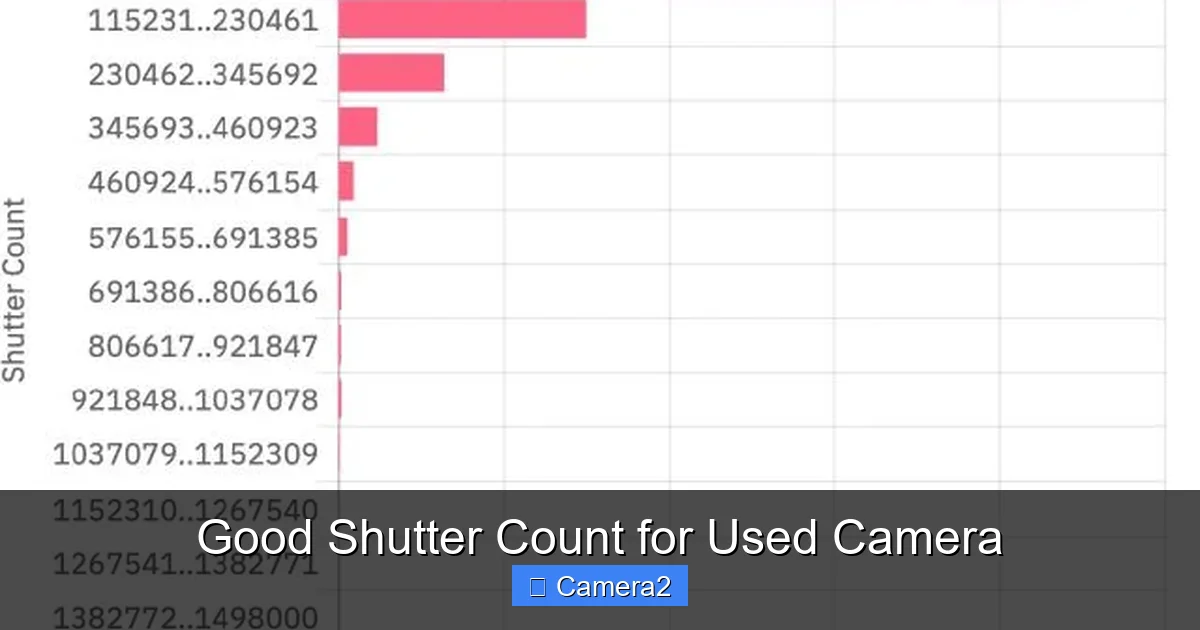
Camera makers publish a “rated shutter life” for each model. This figure is the number of actuations the shutter is expected to survive before performance may degrade. For example:
Visual guide about Good Shutter Count for Used Camera
Image source: shuttercheck.app
- Canon EOS 5D Mark IV: ~200,000 clicks
- Nikon D850: ~200,000 clicks
- Sony A7 III: ~200,000 clicks (electronic first‑curtain helps longevity)
These numbers are not hard limits; many bodies exceed them, but they give a solid benchmark.
Pro vs. consumer bodies
Professional‑grade cameras (Canon 5D series, Nikon Z9, Sony A9) are built with sturdier shutters and often have ratings of 400,000‑500,000 clicks. Entry‑level models (Canon Rebel series, Nikon D3500) may be rated around 100,000‑150,000. Knowing where your target camera sits on this spectrum tells you what a good shutter count for used camera looks like for that specific model.
2. What Is a “Good” Shutter Count?
Rule of thumb by percentage
A simple way to judge is to compare the current count to the rated life:

Visual guide about Good Shutter Count for Used Camera
Image source: lunch-trip.com
- 0‑25% of rated life: Excellent condition. Expect many years of use.
- 25‑50% of rated life: Good condition. Still plenty of life left.
- 50‑75% of rated life: Fair. May need a shutter replacement in a few years.
- 75%+ of rated life: High risk. Consider the cost of repair before buying.
So, if a camera is rated for 200,000 clicks, a count under 50,000 is excellent, while 150,000 would be approaching the end of its useful life.
Real‑world examples
Let’s look at three popular models:
| Camera | Rated Life | Good Shutter Count (≤25%) | Acceptable (≤50%) |
|---|---|---|---|
| Canon EOS 80D | 100,000 | ≤25,000 | ≤50,000 |
| Nikon Z6 | 200,000 | ≤50,000 | ≤100,000 |
| Sony A6400 | 150,000 | ≤37,500 | ≤75,000 |
3. How to Check Shutter Count on a Used Camera
EXIF data tools
Most cameras embed the shutter actuation number in the EXIF metadata of a JPEG or RAW file. Free online services like CameraShutterCount.com or desktop apps such as ExifTool can read it. Here’s a quick step‑by‑step:
- Take a fresh photo with the camera you’re evaluating.
- Transfer the image to your computer.
- Upload to an EXIF reader or run
exiftool image.jpg. - Look for “Image Count” or “Shutter Count” in the results.
Built‑in service menus
Some manufacturers hide the count in a service menu. For example, Nikon DSLRs can display it by holding the “Info” button while turning the power on. Search the specific model for “shutter count service menu” to avoid bricking the camera.
Ask the seller
Reputable sellers will provide the exact count in the listing. If it’s missing, request a screenshot of the EXIF data. Transparency is a good sign of trustworthiness.
4. Factors That Influence Shutter Wear
Type of shooting
Sports and wildlife photographers fire the shutter thousands of times per session, accelerating wear. A camera used mainly for portrait work may have a lower count despite being the same age.
Environmental conditions
Dust, humidity, and extreme temperatures can cause premature shutter fatigue. If the camera has been stored in a harsh environment, a lower count may still hide hidden damage.
Electronic vs. mechanical shutters
Mirrorless cameras often use electronic first‑curtain or fully electronic shutters, which reduce mechanical wear. That means a slightly higher count on a mirrorless body may still be “good” compared to an older DSLR.
5. Buying Tips: Getting the Best Value
Set a realistic budget
Don’t automatically chase the lowest count. A newer model with a 70,000‑click count may outperform an older body with 30,000 clicks, especially if lens compatibility, sensor technology, and features are better.
Combine count with overall condition
Inspect the camera physically: look for worn mirror boxes, loose buttons, or sensor dust. Pair this with the shutter count to get the full picture.
Factor in future costs
Shutter replacement can cost $150‑$300 for most DSLR bodies. If a camera is near the end of its rated life, add that potential expense to your budget.
Leverage related gear
If you’re buying a used camera for travel or outdoor shoots, consider pairing it with a good camera backpack for hiking to protect your investment. And don’t forget a reliable SD card for trail camera to keep your files safe on long outings.
Test before you buy
Ask the seller to demonstrate the camera in real time. Check autofocus speed, viewfinder clarity, and menu navigation. A smooth operation suggests the internal mechanisms, including the shutter, are still healthy.
6. When to Walk Away
Red flags
- Shutter count exceeds 90% of the rated life.
- No EXIF data or the seller refuses to provide it.
- Visible wear on the shutter button or mirror box.
- Inconsistent stories about usage (e.g., “only used for vacation” but count is extremely high).
Alternative options
If the numbers don’t add up, consider looking at a refurbished model from the manufacturer’s official store. These often come with a limited warranty and a verified shutter count.
Conclusion: Making an Informed Decision
Finding a good shutter count for used camera isn’t about chasing the lowest number; it’s about matching the count to the camera’s rated life, intended use, and overall condition. By checking the EXIF data, understanding model‑specific ratings, and weighing future repair costs, you can turn a used purchase into a reliable tool for years to come. Remember, a well‑maintained camera with a moderate count can outshine a pristine‑looking body that’s already on its last legs. Happy hunting, and may your next click be just the beginning of great shots!
Frequently Asked Questions
What is a typical shutter count for a used DSLR?
Most entry‑level DSLRs are rated for about 100,000 clicks, so a “good” count is usually under 25,000‑50,000. Pro models often have higher ratings, making 50,000‑100,000 clicks acceptable.
Can I rely only on the seller’s description of shutter count?
No. Always verify the count yourself using EXIF tools or a service menu screenshot. Sellers may unintentionally give outdated information.
Do mirrorless cameras need a shutter count check?
Yes, but many mirrorless bodies use electronic shutters that reduce mechanical wear. Still, the count gives insight into overall usage.
How much does a shutter replacement cost?
Replacement typically ranges from $150 to $300 for most DSLR bodies, plus labor. Prices can be higher for premium models.
Is a high shutter count always a deal‑breaker?
Not necessarily. If the camera is a newer model with a high rated life and is in excellent physical condition, a higher count may still be a good value.
Where can I find a reliable used camera marketplace?
Look for platforms that offer seller verification, return policies, and the ability to view EXIF data. Specialty photography stores often have certified pre‑owned sections.