HubSpot isn’t just software; it’s a complete methodology for modern growth. It flips traditional marketing on its head by focusing on attracting the right people with valuable content, rather than interrupting them with ads. By unifying marketing, sales, and service tools around a free CRM, HubSpot creates a seamless “flywheel” that turns customers into promoters. This powerful, integrated approach drives sustainable, predictable revenue for businesses of all sizes.
Remember the days of shouting into a megaphone, hoping someone, anyone, would listen? That was outbound marketing. You bought lists, interrupted people with ads during their favorite show, and hoped a small percentage would bite. It was expensive, often annoying, and felt increasingly ineffective. Then, a seismic shift occurred. The internet gave power to the consumer. They learned to ignore the megaphone, turning instead to search engines and social media to solve their own problems. The brands that thrived weren’t the loudest; they were the most helpful. This is the world of inbound marketing, and HubSpot built the engine to power it.
HubSpot, founded in 2006, didn’t just create another software tool. It codified a philosophy. Its co-founders, Brian Halligan and Dharmesh Shah, famously coined the term “inbound” and built a platform to make it accessible to everyone. At its heart, HubSpot’s power lies in its ability to systematically attract the right people, deeply engage them, and delight them so much they become loyal advocates. It’s a growth system, not a collection of disparate apps. In this guide, we’ll unpack exactly how HubSpot leverages the power of inbound marketing to transform businesses.
Key Takeaways
- Inbound vs. Outbound: HubSpot champions “inbound,” a customer-centric strategy that attracts qualified leads through helpful content, unlike interruptive “outbound” tactics like cold calls and ads.
- All-in-One Platform: HubSpot integrates Marketing Hub, Sales Hub, Service Hub, and CMS Hub with a central free CRM, eliminating data silos and creating a unified customer journey.
- The Flywheel Model: HubSpot replaces the traditional sales funnel with the “flywheel,” a continuous cycle where attracting customers fuels engaging and delighting them, which in turn accelerates growth through referrals.
- CRM as the Single Source of Truth: The free HubSpot CRM is the foundational database that stores every interaction, empowering personalized, contextual engagement across all teams.
- Content is the Core Engine: Success hinges on creating exceptional, SEO-optimized content (blogs, videos, guides) that answers target audience questions and builds trust.
- Automation with a Human Touch: HubSpot’s workflows automate repetitive tasks (like lead nurturing emails) but are designed to facilitate, not replace, genuine human relationships at scale.
- Data-Driven Decisions: With comprehensive analytics and reporting, HubSpot provides clear visibility into what’s working, allowing for constant optimization of marketing, sales, and service efforts.
📑 Table of Contents
- The Inbound Philosophy: Attract, Don’t Interrupt
- HubSpot’s All-in-One Platform: Breaking Down the Silos
- The Flywheel: Replacing the Leaky Funnel
- Practical Implementation: How to Get Started with HubSpot
- Measuring What Matters: HubSpot Analytics & ROI
- Who is HubSpot For? The Scalability Factor
- Conclusion: The Inbound Future is Integrated
The Inbound Philosophy: Attract, Don’t Interrupt
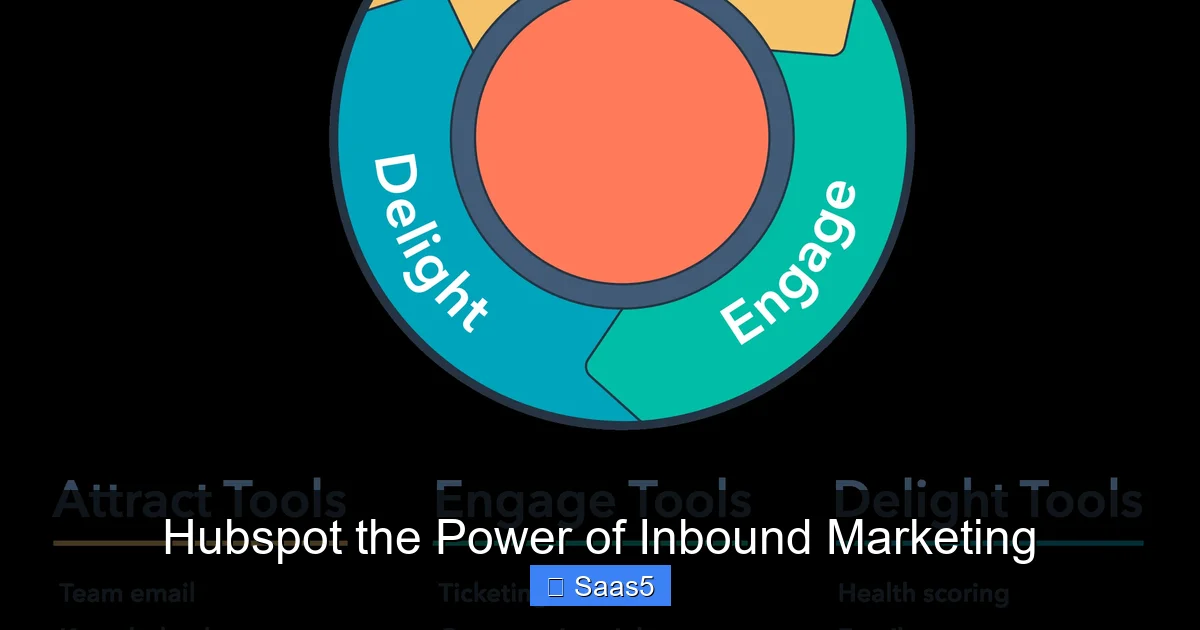
To understand HubSpot, you must first grasp inbound. It’s a simple but profound reversal of the traditional sales paradigm. Outbound is a monologue. Inbound is a dialogue. Instead of seeking an audience, you create an audience by providing immense value first. This methodology is built on three core stages: Attract, Engage, and Delight.
Attract: Drawing in the Right People
You don’t want just any website visitor; you want your ideal customer. The “Attract” stage is about drawing in strangers who are most likely to become valuable customers. This is done almost exclusively through strategic content and SEO. You create blog posts, videos, podcasts, and social media content that directly answers the questions your buyer personas are asking. For example, a company selling project management software wouldn’t just write about their features. They’d create a blog post titled “How to Run a Remote Team Meeting That Doesn’t Suck” or a video series on “Agile Methodologies for Beginners.” By solving real problems, you position your brand as a trusted expert. HubSpot’s Marketing Hub provides the tools: a powerful SEO recommendations tool, a blog editor optimized for search, and social media publishing to distribute that content widely.
Engage: Turning Visitors into Relationships
Once you’ve attracted someone, the goal is to engage them in a meaningful way. This often means offering additional value in exchange for their contact information—a classic “lead magnet.” This could be an ebook, a whitepaper, a webinar, or a free tool (like a website grader). The key is the value exchange is fair and highly relevant. A visitor who downloads your “2024 State of Remote Work Report” is signaling a strong interest. HubSpot’s forms, landing pages, and lead flows make capturing this information seamless. Once you have their email, you can begin a personalized nurturing sequence via email marketing, delivering more targeted content that guides them toward a purchasing decision. This is where marketing automation shines, but only when built on a foundation of relevance.
Delight: Creating Promoters, Not Just Customers
The journey doesn’t stop at the sale. The final, and perhaps most powerful, stage is Delight. Here, you ensure your customers are so successful with your product or service that they can’t help but sing your praises. This involves exceptional support, proactive customer education (like HubSpot Academy’s free certifications), helpful onboarding, and unexpected moments of “wow.” A delighted customer becomes a repeat buyer, provides powerful testimonials, and refers new business—the most credible marketing there is. HubSpot’s Service Hub is built for this, with ticketing systems, knowledge bases, customer feedback surveys (NPS, CSAT), and live chat tools. This stage closes the loop, feeding happy customers back into the top of the flywheel as promoters.
HubSpot’s All-in-One Platform: Breaking Down the Silos
What truly sets HubSpot apart is its integration. Many companies use a patchwork of tools: a separate email service, a disjointed CRM, a standalone help desk, and a generic website builder. Data gets stuck. A salesperson has no visibility into what marketing content a lead downloaded. Customer support doesn’t know about a support ticket a salesperson is already handling. HubSpot’s genius is in its “one platform, one database” approach. Every tool—Marketing Hub, Sales Hub, Service Hub, and CMS Hub—natively plugs into the central, free HubSpot CRM. This is the single source of truth.
Visual guide about Hubspot the Power of Inbound Marketing
Image source: hubspot.com
The Free CRM: The Foundation of Everything
Let’s start here because it’s the most important piece. The HubSpot CRM is completely free, unlimited, and forever for users. It’s not a crippled version; it’s a full-fledged contact, company, deal, and activity database. Every interaction—a website visit, an email open, a support ticket, a call log—is automatically recorded against the contact’s timeline in the CRM. This creates a 360-degree view of every person interacting with your business. A marketer can see that a lead not only downloaded an ebook but also had a support chat about pricing. A salesperson can see the blog posts that lead read before booking a demo. This context is everything. It allows for hyper-personalized outreach that feels consultative, not spammy.
Marketing Hub: The Attract & Engage Engine
This is where most people start. The Marketing Hub is a powerhouse for attracting and nurturing leads. Key tools include:
- SEO & Content Strategy: Analyzes your website and competitors, suggests topic clusters, and tracks keyword rankings.
- Social Media Management: Schedule posts, monitor mentions, and track engagement across platforms.
- Email Marketing: Design beautiful, personalized email campaigns with a drag-and-drop editor and advanced segmentation.
- Marketing Automation: Build sophisticated workflows that trigger actions based on contact behavior (e.g., “If someone visits the pricing page 3 times but doesn’t convert, send them a case study”).
- Lead Management: Automatically score leads (based on fit and activity) and route hot leads to sales in real-time.
- Analytics & Reporting: Track ROI on every channel, see which blogs drive the most customers, and understand the full attribution path.
Sales Hub: The Engagement & Closing Suite
Sales Hub empowers reps to work smarter, not harder, with all the context from the CRM.
- Email Tracking & Templates: Know when a prospect opens your email and use personalized templates to save time.
- Meeting Scheduling: Eliminate the “what’s your availability?” email chain with a personalized scheduling link that syncs to your calendar.
- Sequences: Automate a series of personalized follow-up emails and tasks for leads.
- Deal Pipeline: Visually manage sales stages with customizable pipelines and forecast with confidence.
- Quotes & Proposals: Create professional, trackable quotes directly within HubSpot.
The magic happens when a sales rep gets a notification: “Lead X just read your case study and visited the pricing page.” That’s a hot lead, primed for a call. The rep has full context before even picking up the phone.
Service Hub & CMS Hub: Completing the Cycle
The Service Hub provides tools to retain and delight customers: ticket tracking, a knowledge base, customer feedback tools, and live chat. The CMS Hub is a flexible, secure website and blog platform built on HubSpot’s CRM, meaning every visitor is tracked, and every page can be personalized. A visitor from a specific company could see a custom banner with their logo. Together, these hubs ensure the entire customer lifecycle is managed on one platform.
The Flywheel: Replacing the Leaky Funnel
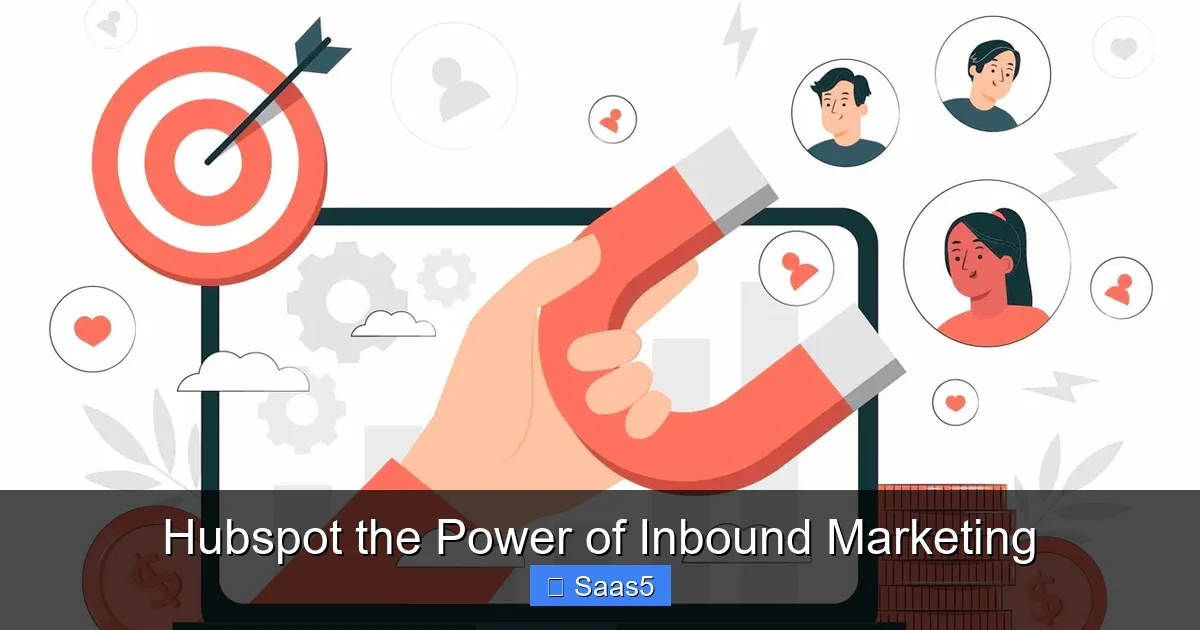
HubSpot famously moved away from the traditional “sales and marketing funnel” model. Why? Because a funnel implies a linear, one-way process that ends at the purchase. It also suggests you lose momentum (and customers) at each stage—hence “leaky funnel.” HubSpot’s model is the flywheel. A flywheel is a heavy wheel that stores rotational energy. It takes effort to start spinning, but once it’s moving, it maintains its momentum and even accelerates. In the inbound flywheel, the energy comes from your happy customers.
Visual guide about Hubspot the Power of Inbound Marketing
Image source: ialab.co
How the Flywheel Works
The flywheel has the same three stages—Attract, Engage, Delight—but they form a continuous, reinforcing cycle.
- Attract brings in strangers who become leads.
- Engage turns those leads into customers.
- Delight makes those customers so successful they provide referrals and positive reviews (promoters).
- These promoters then fuel the Attract stage by referring new prospects, writing reviews, and creating user-generated content. This creates a self-sustaining growth loop.
The critical insight? Friction kills momentum. In a funnel, friction between marketing and sales (handoffs) and poor post-sale experiences create massive energy loss. HubSpot’s integrated platform is designed to eliminate that friction. Marketing passes a lead to sales with full context. Sales hands a customer to service with the complete history. Service identifies upsell opportunities and feeds insights back to marketing. The entire organization is aligned around the flywheel, and the CRM is the central axle that holds it all together.
Practical Implementation: How to Get Started with HubSpot
Understanding the theory is one thing; implementing it is another. Here’s a practical, phased approach to leveraging HubSpot for inbound success.
Visual guide about Hubspot the Power of Inbound Marketing
Image source: nidish.com
Phase 1: Foundation & Strategy (First 30 Days)
Don’t just start blogging randomly. Begin with strategy.
- Define Your Buyer Personas: Who are you trying to attract? HubSpot’s persona template helps you detail their demographics, goals, challenges, and where they get information. This is non-negotiable.
- Audit Your Current Assets: Use HubSpot’s website and SEO tools to audit your existing site. What content do you have? What are your top-performing pages? Where are the gaps?
- Set Up Your CRM & Tracking: Install the HubSpot tracking code on your website. Connect your email domain. Set up basic contact properties. Ensure every team member understands the CRM is the single source of truth.
- Choose Your First Battle: Don’t try to use every tool at once. Maybe you start with the blog and email marketing. Or you focus on building your first lead magnet and landing page. Momentum is key.
Phase 2: Content Creation & SEO (Ongoing)
This is the engine.
- Build a Topic Cluster: Identify a core “pillar” page that broadly covers a topic your persona cares about (e.g., “Inbound Marketing”). Then, create 10-15 supporting “cluster” blog posts that dive into specific subtopics (e.g., “How to Create a Lead Magnet,” “SEO for Bloggers”). Link all cluster content to the pillar page. HubSpot’s SEO tool helps you plan this.
- Optimize Relentlessly: Use HubSpot’s on-page SEO recommendations for every blog post and page. Optimize meta descriptions, headers, image alt text, and internal linking.
- Repurpose Content: Turn a blog post into a LinkedIn carousel, a webinar, an infographic, and a podcast episode. HubSpot’s social tools make distribution easy.
Phase 3: Lead Capture & Nurturing
Convert visitors into leads.
- Create High-Value Lead Magnets: Offer something truly useful for your persona’s stage in the buyer’s journey (Awareness, Consideration, Decision). A top-of-funnel “beginner’s guide” captures awareness. A bottom-of-funnel “product comparison template” captures decision-makers.
- Build Smart Forms & Landing Pages: Use HubSpot’s drag-and-drop builder. Use progressive profiling—ask fewer questions on early forms and more as the relationship deepens.
- Build Automated Workflows: Create a simple welcome email series for new subscribers. Build a more complex nurture sequence for leads who downloaded a specific ebook. The goal is to deliver the right content at the right time based on their behavior.
Phase 4: Sales & Service Alignment
This is where many fail. Marketing and sales must be tightly aligned on definitions and process.
- Agree on SLAs: Marketing defines what a “Marketing Qualified Lead” (MQL) is. Sales defines what a “Sales Qualified Lead” (SQL) is. They agree on how quickly marketing will pass MQLs and how quickly sales will follow up.
- Use Deal Stages & Pipelines: Set up your sales pipeline in HubSpot to mirror your actual process. Use the “Deal Stages” report to see where deals are getting stuck.
- Implement Closed-Loop Reporting: This is the holy grail. With HubSpot’s attribution reporting, you can see exactly which marketing activities (blog posts, emails, social campaigns) generated closed deals and revenue. This proves marketing’s ROI and guides future strategy.
- Service Handoff: Create a seamless process when a deal is won. Automatically create a ticket in Service Hub, enroll the customer in an onboarding sequence, and trigger a satisfaction survey at key milestones.
Measuring What Matters: HubSpot Analytics & ROI
HubSpot’s power is meaningless if you can’t measure it. The platform provides deep analytics, but you must focus on the metrics that tie to business outcomes, not just vanity metrics.
Marketing Metrics: Beyond Clicks and Likes
Look past website sessions and social followers. Focus on:
- Contacts Created: The lifeblood of your funnel.
- Marketing Qualified Leads (MQLs) & Sales Qualified Leads (SQLs): Track volume and conversion rates between stages.
- Customer Acquisition Cost (CAC): Total marketing & sales spend divided by new customers acquired.
- Influenced Revenue: The total revenue from deals where marketing touched the contact at any point. HubSpot’s multi-touch attribution models (first touch, last touch, linear) show this clearly.
- Content Performance: Which blog posts, ebooks, or videos are actually generating customers? HubSpot’s “Blog Posts” report can show you this.
Sales Metrics: Activity & Outcome
- Sales Activity: Calls, emails, meetings logged. Are reps doing the right activities?
- Pipeline Velocity: How long does it take for a deal to move from creation to close? Can you shorten it?
- Win Rate: Percentage of deals won. Segment by rep, deal type, or source.
- Average Deal Size: Are you selling more valuable solutions over time?
Service Metrics: Retention & Advocacy
- Customer Satisfaction (CSAT) & Net Promoter Score (NPS): Direct measures of delight.
- Ticket Volume & Resolution Time: Are you efficiently solving problems?
- Customer Health Score: HubSpot allows you to build a custom score based on product usage, support interactions, and NPS to identify at-risk customers before they churn.
- Expansion Revenue: Revenue from upsells/cross-sells to existing customers. A sign of true delight.
The ultimate HubSpot report is the “Revenue” report, which ties marketing, sales, and service activities directly to closed revenue. This is how you prove the power of inbound.
Who is HubSpot For? The Scalability Factor
A common misconception is that HubSpot is only for large enterprises. This couldn’t be further from the truth. Its scalability is one of its greatest strengths.
- Small Businesses & Startups: Can start with the incredibly powerful free CRM and free marketing tools (email marketing, forms, live chat). As they grow, they can add paid tiers of Marketing, Sales, or Service Hub, unlocking more advanced features and automation. The pay-as-you-grow model is perfect for scaling startups.
- Mid-Market Companies: This is HubSpot’s sweet spot. They typically use the full suite of Professional or Enterprise Hubs. The integration and automation capabilities help a lean team operate like a much larger one, managing complex buyer journeys and aligning sales and marketing for the first time.
- Enterprise Organizations: HubSpot Enterprise offers advanced features like custom reporting objects, predictive lead scoring, sophisticated account-based marketing (ABM) tools, and dedicated support. Large companies use it to power global inbound strategies while maintaining brand consistency and deep personalization.
The key is that the core philosophy and CRM are the same for a 5-person startup and a 5,000-person corporation. The complexity of implementation and the depth of feature usage scale with the business.
Conclusion: The Inbound Future is Integrated
HubSpot’s power isn’t in any single feature; it’s in the orchestration. It’s the magical combination of a proven methodology (inbound), a central nervous system (the free CRM), and a fully integrated suite of tools that speak the same language. It forces alignment by making data and context unavoidable. A marketer can’t ignore what’s happening in sales. A service agent can’t miss a sales opportunity brewing in a support ticket.
Choosing HubSpot is choosing to believe that the customer is in control. It’s a commitment to being helpful, to building trust, and to creating a business where growth is a natural byproduct of delighted customers. The software is merely the enabler for that cultural shift. The companies that win with HubSpot are those that embrace the inbound philosophy wholeheartedly, use the data to constantly learn and improve, and understand that the flywheel only spins when every team—marketing, sales, and service—is pushing in the same direction. The power of inbound marketing, when powered by HubSpot, is the power of predictable, sustainable, and human-centric growth.
Frequently Asked Questions
Is HubSpot only for big companies?
No. HubSpot is built for businesses of all sizes. Its free CRM and tiered pricing (Starter, Professional, Enterprise) allow a small business to start with essential tools and add powerful features as they grow. Many startups and small businesses begin with the free tools and scale up seamlessly.
How long does it take to see results from HubSpot inbound marketing?
Inbound marketing is a marathon, not a sprint. You can see initial lead generation within 3-6 months of consistent content creation and SEO work. However, building true authority and a predictable revenue flywheel typically takes 12-18 months of dedicated effort. The key is consistency and focusing on quality content that serves your audience.
Can HubSpot integrate with other tools I already use?
Yes, extensively. HubSpot has a massive marketplace with over 1,000 integrations for tools like Salesforce, Shopify, Slack, Zoom, and many others. Its API is also robust for custom connections. The goal is to have HubSpot as the central CRM, but it can connect to specialized tools when needed.
What makes HubSpot different from other marketing automation tools?
The fundamental difference is the unified CRM. Tools like Mailchimp or Marketo are often point solutions focused on one area (email, or advanced automation). HubSpot’s core is the free, powerful CRM that connects marketing, sales, and service data from day one. This creates unparalleled context and alignment, eliminating the handoff problems that plague other platforms.
Do I need a dedicated person to run HubSpot?
While a dedicated operator (like a HubSpot admin or marketing ops specialist) is ideal for larger teams, a small business owner or a savvy marketing manager can absolutely manage the platform. HubSpot is designed to be user-friendly. Start by mastering one hub (e.g., Marketing Hub) before expanding. The key is having someone own the strategy and data hygiene.
Is the HubSpot CRM really free forever?
Yes, the core HubSpot CRM is free for unlimited users, with core features like contact management, deal tracking, email marketing (with limits), live chat, forms, and basic reporting. The paid “Hubs” (Marketing, Sales, Service, CMS) are add-ons that unlock advanced features, higher limits, and automation within their specific domains. The free CRM is a fully functional database that the paid tools enhance.