Calendly the Best Appointment Scheduling Software
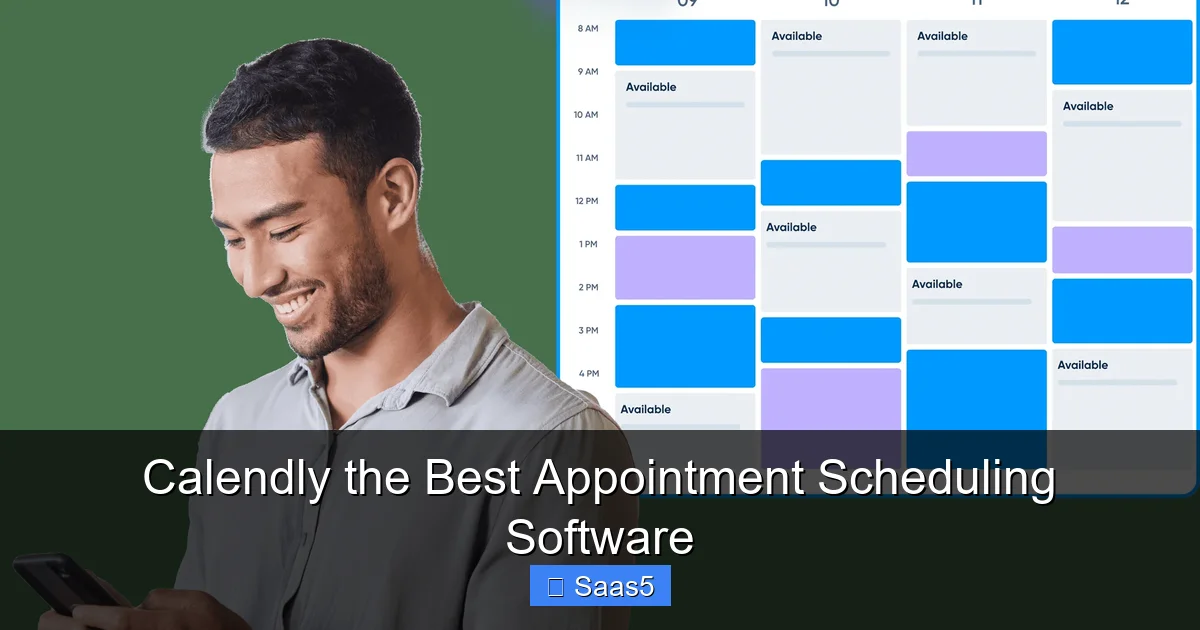
Calendly eliminates the frustrating back-and-forth of scheduling by letting others book your availability instantly. It automates reminders, syncs with your calendar, and offers powerful integrations, making it the best appointment scheduling software for individuals and teams. Its simplicity, reliability, and robust features save countless hours and professionalize your booking process.
Remember the days of sending a “What time works for you?” email, then waiting for a reply that says “Maybe Tuesday?” followed by your counter-offer of “Wednesday afternoon?” and then… silence? Or the frantic last-minute scramble to find a meeting link? That cycle is a productivity black hole. It drains time, creates friction, and makes you look less professional. Enter Calendly, the appointment scheduling software that quietly revolutionized how we book meetings. It’s not just a tool; it’s a universal translator for time. This article dives deep into why, for millions of users worldwide, Calendly isn’t just a good option—it’s the undisputed best appointment scheduling software available today.
Key Takeaways
- Automation is Core: Calendly automates the entire scheduling workflow, from sharing availability to sending reminders, freeing you from manual coordination.
- Seamless Integrations: It connects with your existing tools (Google/Outlook Calendar, Zoom, Salesforce, etc.), creating a unified scheduling ecosystem.
- User Experience is Unmatched: Both the scheduler and invitee experience is famously simple, requiring no account creation for guests.
- Customization for Branding: You can tailor booking pages, email templates, and workflows to match your professional brand.
- Data-Driven Insights: Built-in analytics help you understand booking trends, no-show rates, and team performance.
- Scalable for Teams: Features like round-robin scheduling, collective events, and admin controls make it perfect for teams of any size.
- Mobile-First Design: Full-featured mobile apps ensure you can manage and schedule on the go.
📑 Table of Contents
The Evolution of Scheduling: From Paper to Pixel
To understand Calendly‘s dominance, we must first acknowledge the problem it solved. Scheduling was historically a game of telephone and paper calendars. Then came digital calendars like Outlook and Google Calendar, which solved *personal* organization but not *shared* coordination. The early 2010s saw a surge in “find a time” tools, but many were clunky, required account creation, or lacked polish.
The “Aha!” Moment: Sharing Your True Availability
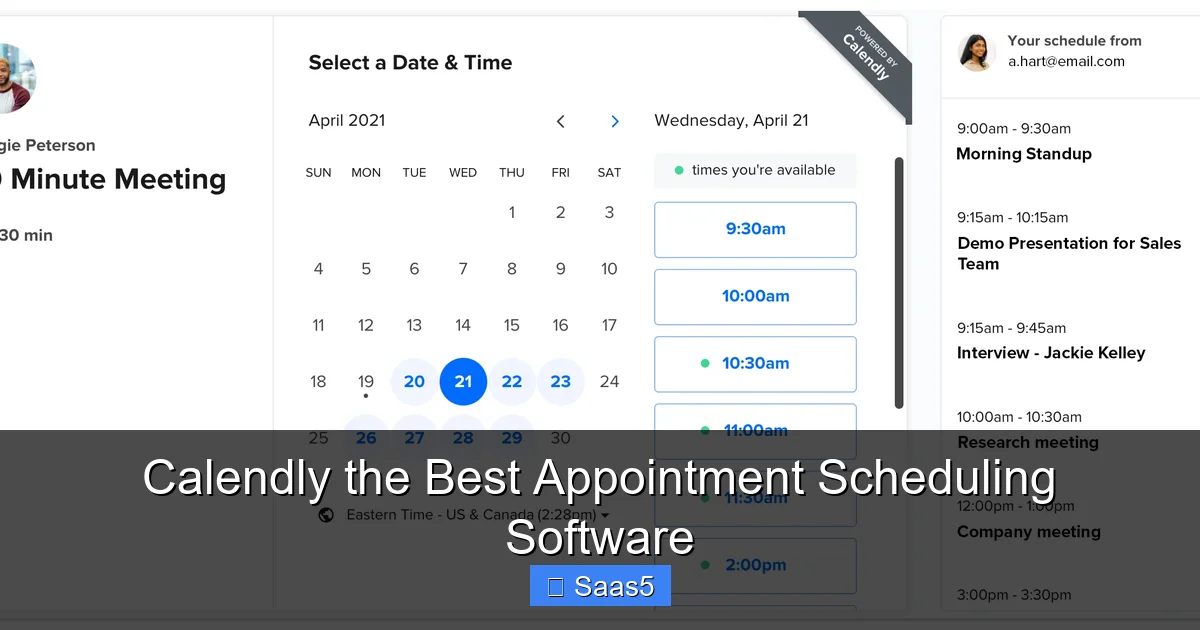
Calendly‘s genius lies in a deceptively simple concept: instead of asking someone when they’re free, you show them when you are free. The founder, Tope Awotona, experienced the scheduling pain firsthand in sales. His insight was to create a link that dynamically blocked your busy times from your connected calendar and presented only your pre-defined “available” slots. The invitee simply clicks a time, enters their name/email (and optionally, a pre-meeting questionnaire), and it’s booked. No more “Can you do 2 PM?” “No, but 3 PM works.” It’s a one-and-done transaction. This paradigm shift from negotiation to selection is the bedrock of its user love.
Deep Dive: The Powerhouse Features That Define Calendly
While the core booking concept is simple, Calendly has layered on a sophisticated suite of features that cater to nearly every use case, from solo freelancers to large enterprises. Its strength is in how these features work together in a cohesive, intuitive package.
Visual guide about Calendly the Best Appointment Scheduling Software
Image source: uploads-ssl.webflow.com
1. Intelligent, Multi-Layered Availability
It’s not just about free/busy. You can set incredibly granular rules:
- Buffer Times: Automatically add 10 or 15 minutes between meetings to avoid back-to-back stress.
- Advance Notice: Require bookings to be made at least 4 hours (or 2 days) in advance, protecting your calendar from last-minute requests.
- Daily/weekly limits: Set a maximum number of meetings per day or per event type.
- Time Zone Intelligence: This is critical. Calendly automatically displays times in the invitee’s local time zone. You set your hours in your time zone, and a client in London sees 9 AM their time, correctly mapped to your 2 PM EST. It eliminates all time-zone confusion.
- Recurring Meetings: Easily set up daily, weekly, or monthly recurring slots (e.g., “Every Tuesday at 10 AM for the next 6 weeks”).
2. Automated, Customizable Communications
Every touchpoint is automated and brandable:
- Confirmation & Reminder Emails: Instantly sent upon booking. Reminders can be set for 24 hours, 1 hour, or 15 minutes before. This drastically reduces no-shows.
- Follow-up Emails: Automatically send a “Thanks!” email with a recap or next steps after the meeting ends.
- Reschedule & Cancellation Links: Polished, one-click options are included in every email, empowering invitees to manage their own bookings without emailing you.
- SMS Reminders: Available on paid plans, SMS has the highest open rate and is a powerful no-show deterrent.
3. Workflow Automation & Routing
This is where Calendly moves from a simple scheduler to an intelligent assistant:
- Round-Robin Scheduling: Distribute incoming meetings evenly across a team (e.g., sales or support reps). Perfect for lead assignment.
- Collective Events: Require invitees to select a time when all required team members are available. Great for panel interviews.
- Conditional Routing: Use questions on your booking page to route meetings. For example, “Are you a new or existing client?” can direct them to different team members or event types.
Unbeatable Integrations: The Hub of Your Tech Stack
A scheduling tool doesn’t exist in a vacuum. Calendly‘s killer feature is its vast and deep integration ecosystem. It acts as the central nervous system for your appointment-based workflows.
Visual guide about Calendly the Best Appointment Scheduling Software
Image source: assets-global.website-files.com
The Essential Calendar Sync
It’s a given that it syncs bidirectionally with Google Calendar, Outlook/Office 365, and iCloud. This real-time sync is the engine that makes everything else possible. A meeting added in Calendly blocks that time on your calendar immediately. An event moved or deleted in your calendar updates Calendly‘s availability.
Video Conferencing on Autopilot
When a meeting is booked, Calendly can automatically generate and insert a unique video conferencing link from Zoom, Google Meet, Microsoft Teams, or Webex into the calendar event and confirmation email. No more “Here’s the Zoom link” emails. The link is created, shared, and ready to go.
CRM and Business Tool Synergy
This is where business value skyrockets. Integrating with tools like:
- Salesforce/HubSpot: Automatically create or update a lead/contact record when a meeting is booked. Attach the meeting to the record. This closes the loop between sales activity and CRM data.
- Mailchimp/ActiveCampaign: Add new contacts to email lists automatically. Trigger nurture sequences based on the meeting type booked.
- Stripe/PayPal: Require payment at the time of booking for paid consultations or services. The payment is processed before the calendar event is even created.
- Google Sheets/Excel Online: Log every booking to a master spreadsheet for custom reporting.
- Zapier/Make: For thousands of other apps, these automation platforms let you connect Calendly to virtually anything, creating “if this, then that” workflows (e.g., “When a discovery call is booked, create a task in Asana”).
Real-World Scenarios: Who Uses Calendly and How?
The theory is great, but the proof is in the application. Calendly adapts to countless professions.
For the Solopreneur & Freelancer
A freelance writer sets up separate event types: “30-Minute Project Consultation,” “60-Minute Deep Dive,” and “Paid Editing Session” (with Stripe payment). Each has different buffer times and preparation questions. She embeds the “Project Consultation” link on her website’s contact page. A potential client visits, picks a time, answers “What’s your project about?” and the meeting is on her calendar. She gets a prep email with their answer. Professional, efficient, zero back-and-forth.
For Sales & Customer Success Teams
A SaaS company uses Calendly with Salesforce integration. A lead fills out a “Request a Demo” form on the website. A Zapier automation creates a lead in Salesforce and assigns it to a rep. The rep’s Calendly link is sent in the automated follow-up email. The lead clicks, books a time (seeing only the rep’s available slots), and the meeting is instantly logged on the lead’s Salesforce record. The rep gets a notification. The lead gets automated reminder emails. The entire process is seamless and trackable.
For Recruiters & Hiring Managers
Using “Collective Events,” a recruiter sets up a “Final Interview Panel” event that requires the candidate, the hiring manager, and the team lead to be available. The candidate sees only times that work for all three. The interview details and Zoom link are automatically sent to everyone. Post-interview, a follow-up email can be sent to the panel with a link to a feedback form (via a Google Forms integration).
Pricing and Plans: Finding Your Fit
Calendly offers a tiered model that scales with your needs.
Free: The Irresistible Starter
The free plan is remarkably robust for an individual. You get one event type, basic integrations (Google/Outlook/iCloud Calendar, Zoom, Google Meet), and all the core booking/automation features. It’s perfect for someone just starting out or with very basic needs. The main limitation is only one event type and no custom branding (your page has a Calendly logo).
Premium ($10/month): The Sweet Spot for Professionals
This is where Calendly shines for most power users. You get unlimited event types, custom branding (remove Calendly logo, add your logo/colors), advanced features like buffer times and advance notice, SMS reminders, and integrations with key tools like Stripe and Zapier. For a freelancer or consultant, this is the minimum to look professional and automate payments.
Teams ($14/user/month): Built for Collaboration
Adds team-centric features: round-robin scheduling, collective events, admin controls to manage team settings and event types, and reporting on team activity. Essential for any business with more than one person taking bookings.
Enterprise (Custom): The Full Suite
Includes everything in Teams, plus: dedicated support, SAML-based single sign-on (SSO), advanced security and admin controls, custom contracts/SLAs, and volume pricing. For large organizations with compliance and security requirements.
Why Calendly Is Simply The Best: The Verdict
Competitors like Acuity Scheduling, Doodle, or Setmore exist, and some have niche strengths. But Calendly consistently wins on the combination of factors that matter most to the mainstream user.
Unparalleled User Experience (UX) & Onboarding
From the moment you sign up, Calendly feels intuitive. Setting up your first event type is a 2-minute process. The dashboard is clean. The learning curve is near-zero. For your *clients*, the booking page is fast, mobile-optimized, and requires no login. This frictionless experience for both sides is its most powerful advantage. A complicated tool, no matter how powerful, loses bookings because people abandon the process.
Reliability and Performance
It just works. The sync is fast and accurate. The system is uptime is excellent. In the world of scheduling, reliability is everything. A missed booking because of a bug is a lost customer. Calendly has built a reputation for rock-solid performance.
The Network Effect and Brand Recognition
Because it’s so widely used, people *recognize* and *trust* a Calendly link. They know what to do. You don’t have to explain the process. This brand familiarity reduces anxiety and increases booking conversion rates. Saying “You can book a time on my Calendly” is now a standard part of professional lexicon.
Aggressive, Smart Development
Calendly doesn’t rest. It continuously adds meaningful features (like workflows, SMS, and routing) and deepens its integrations. It listens to user feedback and evolves. This commitment to innovation keeps it ahead of the curve.
In the final analysis, Calendly is the best because it masterfully balances simplicity with power. It removes the universal headache of scheduling with a tool so elegant and easy that it becomes invisible. You stop thinking about scheduling and start thinking about the meaningful work the meetings enable. That is the hallmark of a perfect software solution.
Frequently Asked Questions
Is Calendly secure and compliant with data privacy laws like GDPR?
Yes. Calendly takes security seriously, employing industry-standard encryption, regular security audits, and is fully compliant with GDPR, CCPA, and SOC 2 Type II. They provide Data Processing Agreements (DPAs) for business customers and allow you to control data retention and deletion settings.
Can I block out specific dates or holidays so no one can book me?
Absolutely. You can manually block out specific dates and times on your connected calendar, and Calendly will respect those blocks. You can also create “Out of Office” events in your Google/Outlook calendar, and those times will automatically be hidden from your Calendly availability.
What’s the main limitation of the free Calendly plan?
The free plan’s primary limitations are: you can only create one event type (one kind of meeting), you cannot remove Calendly’s branding from your booking page, and you lack advanced features like buffer times, advance notice requirements, and integrations with payment or automation tools like Zapier.
How does Calendly handle time zones so accurately?
When you set up your account, you define your primary time zone and your working hours in that zone. When someone visits your booking link, Calendly detects their device’s time zone (or they can manually select one) and dynamically converts your available slots to their local time. All calendar invites are sent in the time zone of the meeting creator (you) and include a time zone link for clarity.
Can I use Calendly on my phone?
Yes, Calendly offers full-featured iOS and Android apps. You can view your schedule, manage bookings, create and edit event types, and even share your scheduling link directly from your phone. The mobile experience is excellent and mirrors the desktop functionality.
What happens if someone books a meeting but then cancels or reschedules?
When an invitee uses the reschedule or cancel link in their confirmation/reminder email, the original calendar event is automatically canceled or rescheduled in both your calendar and theirs. You are immediately notified via email, and the time slot becomes available again in your Calendly schedule according to your rules.