Envato Elements is a game-changing subscription service for print-on-demand sellers. It provides unlimited access to a massive library of legally licensed graphics, fonts, and templates for a flat monthly fee. This eliminates the per-design cost and copyright risks that plague many POD entrepreneurs. By leveraging this vast creative toolkit, you can rapidly populate your store with unique, high-quality designs across countless niches, significantly boosting your product variety and profit potential without breaking the bank.
So, you’ve dipped your toes into the world of print on demand. You’ve set up your Shopify store, connected it to a supplier like Printful, and you’re ready to sell. Then hits the realization: you need hundreds, maybe thousands, of designs. Where do they all come from? Hiring a designer for every idea is impossible on a budget. Freebie sites are a legal minefield. Buying one-off licenses gets outrageously expensive, fast. This is the universal content crunch every POD seller faces. But what if I told you there’s a secret weapon used by top sellers? A single subscription that acts like your in-house design team, forever? That’s the promise of Envato Elements for print on demand. Let’s unpack exactly how this service can be the engine that scales your business.
Key Takeaways
- Unlimited Legal License: Every download from Envato Elements comes with a simple, broad commercial license that covers print-on-demand, meaning no per-product royalties or hidden fees.
- Massive, Diverse Library: Access over 100 million+ creative assets including vector graphics, illustrations, photos, fonts, and design templates, updated constantly.
- Predictable, Low Cost: For a single monthly or annual fee, you can download as many assets as you need, making it vastly more cost-effective than buying individual licenses for multiple designs.
- Seamless Integration: Assets are easily downloaded and used with popular POD platforms like Printful, Printify, and Shopify, and design tools like Canva and Adobe Suite.
- Focus on Customization: The real power lies in modifying and combining elements to create truly unique designs that stand out in a crowded market, not just using files as-is.
- Scalability Engine: It solves the “content problem,” allowing you to quickly test new niches, expand product lines (t-shirts, mugs, posters), and scale your store without design bottlenecks.
- Quality & Consistency: Assets are professionally created and curated, ensuring a high standard of visual quality that builds customer trust and brand consistency.
📑 Table of Contents
- What Exactly is Envato Elements?
- Why Envato Elements is a Print-on-Demand Power Tool
- How to Use Envato Elements for Print on Demand: A Practical Guide
- Legal Clarity: The License Deep Dive
- Cost Analysis: Elements vs. Other Design Options
- Pro Tips & Common Pitfalls for POD Sellers
- The Bottom Line: Is Envato Elements Worth It for Your POD Business?
What Exactly is Envato Elements?
At its core, Envato Elements is a subscription-based digital asset library. Think of it as the Netflix for creatives. For one flat monthly fee (around $16.50/month if billed annually), you get unlimited downloads from a colossal collection. We’re talking about over 100 million items: vectors, illustrations, stock photos, icons, fonts, graphics templates, video templates, and even music tracks and video footage.
The All-Important License: Why It’s Perfect for POD
This is the most critical part. Every single asset on Envato Elements comes with a standard license. This license grants you, the subscriber, the right to use those assets in “end products for sale”. That phrase is your golden ticket. It explicitly covers items you create and sell, like printed t-shirts, mugs, posters, and phone cases. You don’t pay extra per sale. You don’t have to attribute the creator (though it’s often appreciated). The license is valid as long as your subscription is active. If you cancel, you can’t use new downloads, but you can continue to sell any products you created with assets downloaded while subscribed. This clarity is what separates it from “free” sites or restrictive stock photo licenses that forbid merchandise.
What’s Inside the Library? A POD Seller’s Treasure Trove
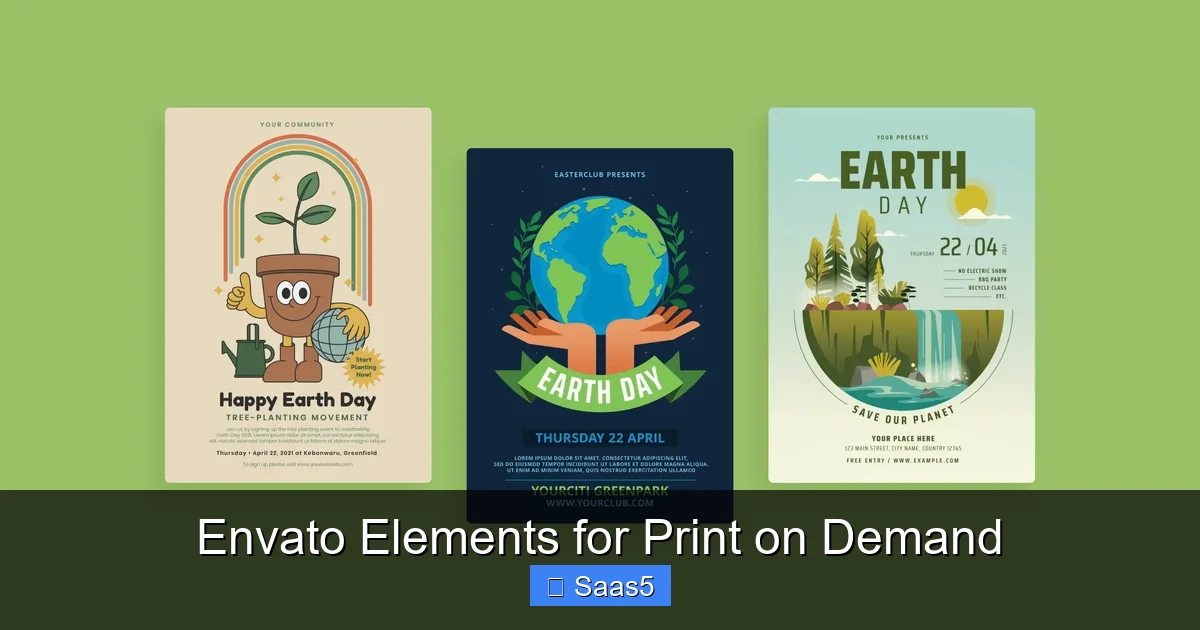
The variety is staggering. For a t-shirt business, you’ll live in the Graphics & Vector section. Search for “cat illustration” and you’ll find thousands of styles—line art, watercolor, geometric, cartoon. Need a specific phrase with a cool font? The Fonts section has tens of thousands of typefaces. Want a background texture or pattern for a tote bag? That’s in Patterns & Textures. You can also find pre-made design templates for apparel mockups, poster layouts, and social media graphics that you can simply slot your text into. This breadth means you can cater to any niche: from funny quotes for gym rats to elegant botanicals for home decor.
Why Envato Elements is a Print-on-Demand Power Tool
Now, let’s connect the dots. How does this translate from a “cool resource” to a “business-scaler”?
Visual guide about Envato Elements for Print on Demand
Image source: blog-frontend.envato.com
1. Slashing Your Design Costs to Near Zero
Let’s do a quick, sobering math exercise. If you buy a single premium vector graphic from a marketplace like Creative Market, you might pay $10-$30 for a standard license. To build a store with 100 designs, that’s $1,000-$3,000 upfront. With Envato Elements, that same 100 designs cost you one month’s subscription (~$16.50). The cost per design plummets. This financial efficiency means you can experiment with more designs, enter more niches, and fail faster without a huge capital loss. Your main investment becomes your time, not your cash.
2. Solving the “Niche Content” Problem Instantly
The most successful POD stores are hyper-specific. “Cat lovers” is okay. “People who own grumpy Persian cats named Mochi” is better. Finding unique, non-generic art for that ultra-specific niche is hard. Envato Elements’ search and filter system is your best friend. You can search by style (e.g., “minimalist line art”), color (e.g., “navy blue”), subject (“fishing rod”), and even orientation. This allows you to quickly find assets that resonate with a specific audience’s aesthetic, making your products feel personalized and curated, not generic.
3. Rapid Prototyping and Store Population
Speed is everything. You see a trending meme on TikTok? You can have a related t-shirt design in your store within an hour. You want to test a new niche for the holiday season? You can create 20 mockups in an afternoon. With Envato Elements, you’re not waiting for a designer’s turnaround or struggling to create something from scratch in Illustrator. You download a vector, change the text in a program like Canva or Affinity Designer, and you’re done. This agility lets you ride trends and populate your catalog at a pace competitors without a subscription simply cannot match.
How to Use Envato Elements for Print on Demand: A Practical Guide
Having the tool is one thing; using it effectively is another. Here’s a step-by-step workflow to avoid common pitfalls.
Visual guide about Envato Elements for Print on Demand
Image source: blog-frontend.envato.com
Step 1: Search with Strategy, Not Just Keywords
Don’t just type “funny t-shirt.” Be surgical. Use the filters on the left sidebar. Select Vector for scalable graphics. Choose a style (e.g., “hand-drawn,” “vintage badge”). Pick a color palette. Search for elements that are easily separable—a single illustration on a transparent background is a gift. Avoid complex, multi-layered scenes that will be a nightmare to edit. Look for assets labeled as “print ready” or “isolated.”
Step 2: Customize, Don’t Just Copy (The Golden Rule)
This is the most important advice. If you download a graphic of a mountain and slap the text “Adventure Awaits” on it and sell it, you’re selling a product anyone else with an Elements subscription can also sell. You’ve created zero unique value. Instead:
- Combine elements: Take a mountain vector from one file, a sun from another, and a font from a third. Combine them into a new composition.
- Recolor everything: Change every element’s color to match your brand or niche aesthetic. Don’t use the default colors.
- Add your own text in a unique way: Use a font from Elements, but warp it, place it within a shape, or integrate it into the illustration.
- Modify the graphic: Use the pen tool to slightly alter a shape, add a texture overlay, or crop an element in a new way.
The goal is to create a derivative work that is substantially different from the source material. This is not only good business (you stand out) but also aligns with the spirit of the license and reduces the chance of someone else selling the exact same design.
Step 3: Prepare for Your POD Partner
Once your design is finalized in your editing software (Canva, Photoshop, Illustrator), you need to export it correctly.
- File Format: Use high-resolution PNG (for transparency) or TIFF. For all-over print, you’ll need a large, seamless pattern file, which you can create by tiling a small pattern from Envato Elements.
- Color Mode: Always use CMYK for print. RGB colors can look drastically different when printed. Most POD suppliers have guides on their color profiles—match them.
- Dimensions: Follow your supplier’s template exactly. A design that’s too small will look pixelated; too large may be wasteful. Printful, for example, provides specific template sizes for each product.
- Bleed and Safety Margins: Understand these concepts. Keep critical text and elements within the “safe zone” so they don’t get cut off.
Legal Clarity: The License Deep Dive
I can’t stress this enough: the license is everything. Let’s clear up the fog.
Visual guide about Envato Elements for Print on Demand
Image source: blog-frontend.envato.com
What the Standard License Covers (Your POD Use)
The Envato Elements license explicitly allows you to use assets in “end products for sale.” An end product is a final item you sell to a customer. A printed t-shirt is an end product. A mug with a graphic on it is an end product. You can sell an unlimited number of physical items featuring that asset. This is non-negotiable and the core of its value for POD.
What You CANNOT Do (Critical Restrictions)
The license has boundaries. You cannot:
- Resell or redistribute the asset as-is: You can’t take a vector graphic of a tree, package it, and sell it on Etsy as a digital file. That’s competing with Envato.
- Use it in a competing product: You can’t use the assets to create a competing design subscription service or a template you sell for others to use.
- Claim the asset as your own creation: You cannot copyright the original asset itself. You can only copyright your unique combination and modifications (the final design).
- Use it in an app or software: The standard license does not cover SaaS or app use. There’s a separate “Extended License” for that, which Elements does not offer on its standard plan.
For 99% of POD sellers, the standard license is all you’ll ever need. Just remember: you are selling the physical product, not the digital file.
What About Exclusivity?
Here’s the reality check: because everyone with an Elements subscription can download the same asset, there is no exclusivity. That mountain vector you used? Thousands of other sellers might have used it too. This is why customization (Step 2 above) is not a suggestion; it’s a survival skill. Your differentiation comes from how you remix, recolor, and combine elements. Your brand’s overall aesthetic and your ability to target specific audiences matter more than any single graphic being “yours.”
Cost Analysis: Elements vs. Other Design Options
Let’s compare the subscription model to the alternatives most POD sellers consider.
Envato Elements vs. Hiring a Designer
Hiring a freelance designer for a single, custom t-shirt graphic can cost $50-$200+. For a unique, high-quality design, that’s fair. But if you need 50 designs a month, that’s $2,500-$10,000. Envato Elements is less than $200/year. The trade-off is uniqueness vs. cost & speed. A smart strategy: use Elements for the bulk of your testing and catalog, and occasionally hire a designer for a flagship, hero design for your main niche or to create a unique character/mascot for your brand.
Envato Elements vs. Buying One-Off Licenses (Marketplaces)
Sites like Creative Market, Design Bundles, or Etsy sell individual graphic packs. A “bundle” of 50 vectors might cost $15-$30. That seems cheap! But that’s for one bundle, one style, one artist. To build variety, you’d need dozens of these bundles, quickly costing hundreds or thousands. With Elements, you get access to the styles of thousands of artists for one price. The per-asset cost becomes pennies. One-off buying is ideal for a very specific, one-time need. Subscription is for scalable, ongoing business growth.
Envato Elements vs. “Free” Sites (Pixabay, Unsplash, etc.)
Free is tempting. But “free” often comes with ambiguous licenses. Some require attribution (awkward on a product tag). Some have restrictions on commercial use. The quality is wildly inconsistent. The search is poor. You waste hours sifting through mediocre options. Envato Elements is a curated, professional library. The time you save in finding a high-quality, legally safe asset in 2 minutes versus 20 minutes of hunting on free sites pays for the subscription many times over. Time is your most valuable resource.
Pro Tips & Common Pitfalls for POD Sellers
Maximize your ROI and avoid headaches with these insider strategies.
Pro Tip 1: Build a “Design System” with Elements
Don’t treat each download as a one-off. Find 2-3 core illustration styles you love and a handful of complementary fonts. Use these as your “toolkit” for a specific store or niche. If you sell “cottagecore” products, find a set of floral line-art vectors and a few serif fonts. Every design you make for that brand will feel cohesive because you’re reusing the same visual “DNA.” This builds brand recognition faster than using a random new style for every product.
Pro Tip 2: Master the Art of the Pattern
All-over print (AOP) products—like all-over print leggings, dresses, or shower curtains—are high-margin and popular. Creating a seamless pattern is a skill. Envato Elements is packed with seamless patterns. Download one you like, open it in a pattern-making tool (many free online ones exist), and adjust the scale and color. You now have a unique, professional AOP design in minutes. This is a huge shortcut to entering a lucrative product category.
Pitfall to Avoid: Ignoring the Subscription Clock
Because you can download so much, it’s easy to amass a giant folder of unused assets. This is wasted potential. Have a project in mind before you search. Download only what you will use in the next week. Use a clear folder structure on your computer (e.g., /POD_Store/Category_Niche/Design_Name/). This keeps you organized and focused on creating, not just collecting.
Pitfall to Avoid: Forgetting Your Target Audience’s Taste
Just because you think a gothic, ornate font is cool doesn’t mean it fits the “funny dad joke” niche. Always search and select with your specific customer avatar in mind. What do they see on Instagram? What’s in their favorite stores? Use Envato’s “Trending” or “Popular” filters to see what’s currently resonating in the broader design world, but always filter that through your niche’s lens.
The Bottom Line: Is Envato Elements Worth It for Your POD Business?
If you are serious about building a scalable print-on-demand business, absolutely yes. It directly attacks the two biggest barriers to growth: cost of content and speed of creation. For less than the price of a single pizza party per month, you get a professional, legally safe design department at your fingertips.
It is not a magic button. Success still requires you to do the work: researching niches, understanding your audience, customizing designs intelligently, and marketing your products. But Envato Elements removes the excuse of “I can’t find/make/afford designs.” It puts the power of a massive creative studio in your hands. You can test ideas with minimal risk, populate your store with diverse products, and maintain a consistent visual brand. In the hyper-competitive world of POD, where your product images are your only salesperson, having a relentless stream of high-quality, customizable visuals isn’t just an advantage—it’s a necessity. Envato Elements is the tool that makes that necessity affordable and achievable.
Frequently Asked Questions
Is the Envato Elements license really safe for print-on-demand?
Yes. The standard license explicitly covers using assets in “end products for sale,” which includes physical merchandise like t-shirts and mugs. You do not need to pay royalties per sale or obtain any additional license as long as you are selling the final physical product and your subscription is active when you create the design.
Will my designs be unique? Can other sellers use the same graphics?
No, your designs will not be automatically unique. Every subscriber has access to the same library. Uniqueness comes from your customization—combining different elements, recoloring, adding your own text and layout. If you use a downloaded graphic with minimal changes, other sellers can and likely will create very similar products. Your value is in your creative remixing and niche targeting.
What file formats should I download for POD?
For most apparel and hard goods, download vector EPS or SVG files—they are infinitely scalable without losing quality. For complex illustrations or photos, high-resolution PNG (with transparency) or JPEG is suitable. Always check your specific POD supplier’s guidelines for preferred formats and dimensions.
What happens to my products if I cancel my Envato Elements subscription?
You may continue to sell any physical products you created using assets downloaded while your subscription was active. However, you cannot download new assets or use any previously downloaded assets for new projects after cancellation. Your existing product listings remain legally covered.
How do I ensure the print quality is good? The assets look small on screen.
Always download the highest resolution/vector version available. Vectors (EPS/SVG) are resolution-independent—you can size them up as large as you need. For raster images (PNG/JPEG), look for files that are at least 300 DPI at the intended print size. Envato lists dimensions; a 4000x4000px image is generally safe for a standard t-shirt print.
Is Envato Elements better than a competitor like Creative All Access or a single marketplace?
For a POD seller needing volume and variety, Envato Elements is generally superior. Its library is vastly larger and more diverse than most competitors’ all-access plans. Single-marketplace subscriptions (like a specific font foundry) are too narrow. One-off marketplaces (Creative Market) become prohibitively expensive for bulk needs. Elements offers the best balance of unlimited downloads, broad asset types, and a clear commercial license for a flat fee.