16 Gb Ram for Laptops
16 GB RAM for laptops is the sweet spot for most users. It delivers smooth multitasking, solid gaming performance, and reliable speed for everyday tasks. Whether you are a student, professional, or gamer, 16 GB of laptop RAM gives you the headroom you need without overspending. This guide covers everything you need to know.
If you are shopping for a new laptop or thinking about upgrading your current one, you have probably seen 16 GB RAM listed as a standard option. And for good reason. 16 GB RAM for laptops has become the go-to choice for most people. It strikes the perfect balance between speed, capability, and cost. In this guide, we will walk you through everything you need to know about 16 GB of laptop memory. We will cover who needs it, how it compares to other options, and what to look for when buying.
RAM, or random access memory, is the short-term memory your laptop uses to handle tasks. Think of it as your computer’s workspace. The more space you have, the more things you can open at once without slowdowns. 16 GB of RAM gives you plenty of that workspace. It is enough for browsing, streaming, working from home, and even gaming. Let us dive deeper into why this amount of memory has become so popular.
Key Takeaways
- 16 GB RAM is the ideal balance between performance and price for most laptop users.
- It handles multitasking, gaming, and creative work with ease, making it a versatile choice.
- DDR4 and DDR5 are the two main types of RAM available in modern laptops today.
- Upgrading to 16 GB can breathe new life into an older or slower laptop.
- Not everyone needs 16 GB — your usage determines the right amount for you.
- Check compatibility before buying — not all laptops support RAM upgrades.
📑 Table of Contents
What Is 16 GB RAM for Laptops?
RAM is a key part of your laptop’s performance. It stores data temporarily while your computer is running. When you open apps, browse the web, or play games, they all use RAM. 16 GB RAM for laptops means your machine has 16 gigabytes of this short-term memory available.
Here is a simple way to think about it. If your laptop’s processor is the brain, then RAM is the desk it works on. A bigger desk means you can spread out more papers, open more apps, and work faster. With 16 GB of system memory, most users will never run out of desk space.
Most modern laptops come with either 8 GB or 16 GB of RAM pre-installed. Some higher-end models go up to 32 GB or even 64 GB. But for the average user, 16 GB hits the sweet spot. It handles everyday tasks smoothly and leaves room for heavier workloads when needed.
Types of RAM Used in Laptops
Not all RAM is the same. There are two main types you will see in laptops today:
- DDR4 RAM: This is the most common type found in laptops. It is reliable, widely available, and affordable. Most 16 GB RAM laptops on the market use DDR4 memory.
- DDR5 RAM: This is the newer standard. It is faster and more efficient than DDR4. Some premium laptops now come with DDR5 16 GB memory modules, and the price is dropping.
Both types work great for most tasks. DDR5 offers a slight edge in speed and power efficiency, but DDR4 is still more than capable for everyday use. When choosing a laptop, check which type of RAM it uses. This matters if you plan to upgrade later.
Who Benefits Most from 16 GB of RAM?
16 GB of laptop RAM is not just for one type of user. It serves a wide range of people well. Here is a breakdown of who gets the most benefit from this amount of memory.
Students and Remote Workers
If you are a student juggling multiple tabs, video calls, and document editing at the same time, 16 GB RAM for laptops is a game-changer. You can have your browser open with dozens of tabs, a Zoom call running, and a Word document side by side — all without lag. It makes remote work and online learning much smoother.
Gamers
Gamers need fast, responsive systems. A gaming laptop with 16 GB RAM handles modern titles very well. Most current games recommend 16 GB as the minimum for a good experience. With this much memory, you can run games at higher settings and keep background apps running without stuttering.
Creative Professionals
Video editors, graphic designers, and music producers work with large files. These tasks eat up memory fast. 16 GB of RAM gives creative professionals enough headroom to edit videos in HD, work with Photoshop layers, or mix audio tracks without crashing or slowing down.
Casual and Everyday Users
Even if you just browse the web, watch videos, and use office apps, 16 GB RAM for laptops makes everything feel snappier. You will notice faster app launches, smoother scrolling, and fewer moments where your laptop freezes or waits.
16 GB RAM vs. Other Configurations
How does 16 GB of laptop RAM stack up against other options? Let us compare the most common configurations so you can see where 16 GB fits in.
8 GB vs. 16 GB RAM
8 GB used to be the standard. It still works fine for basic tasks like web browsing and document editing. But modern apps use more memory than they used to. With 8 GB, you may notice slowdowns when you have many tabs or apps open. 16 GB doubles your capacity, giving you a much smoother experience, especially when multitasking.
16 GB vs. 32 GB RAM
32 GB is great for heavy workloads like 4K video editing, 3D rendering, or running virtual machines. But for most users, it is overkill. 16 GB RAM for laptops covers 90% of use cases. Unless you are doing professional-level creative work or running data-intensive applications, 32 GB is usually unnecessary.
Quick Comparison Table
| RAM Amount | Best For | Price Range | Performance Level |
|---|---|---|---|
| 8 GB | Basic tasks, web browsing | Low | Entry-level |
| 16 GB | Multitasking, gaming, creative work | Mid-range | Balanced |
| 32 GB | Professional editing, 3D work | High | Power user |
| 64 GB | Data science, server tasks | Very High | Enterprise |
As you can see, 16 GB of RAM offers the best value for most people. It gives you room to grow without paying for power you do not need.
How to Choose the Right 16 GB RAM Laptop
Not all laptops with 16 GB RAM are created equal. Here are the key factors to consider before you buy.
Check the RAM Type and Speed
Look at whether the laptop uses DDR4 or DDR5 RAM. Also check the speed rating, measured in MHz. Higher speed means faster data transfer. For 16 GB RAM laptops, look for speeds of at least 3200 MHz for DDR4 or 4800 MHz for DDR5. These numbers ensure you get the most out of your memory.
Consider Upgradability
Some laptops have soldered RAM, meaning you cannot upgrade them later. Others have open slots where you can add or swap memory modules. If you are buying now but might want more RAM in the future, choose a laptop with upgradeable memory. Check the manufacturer’s specs or look for models that explicitly state “user-upgradeable RAM.”
Look at the Whole System
RAM does not work alone. Your processor, storage, and graphics card all play a role. A laptop with 16 GB RAM and a weak processor will still feel slow. A great processor paired with 16 GB of memory delivers excellent performance. When shopping, look at the full picture, not just one component.
Find Great Deals
If you are on a budget, keep an eye out for 16 GB RAM laptop deals. Sales events, seasonal discounts, and refurbished options can save you a lot of money. You do not always need to pay full price to get a quality machine with 16 GB of memory.
Brand-Specific Options
Different brands offer different strengths. For example, if you prefer a certain brand, you can find great options like Lenovo laptops with 16 GB RAM or HP laptops with 16 GB RAM. Each brand has its own build quality, customer support, and feature sets. Read reviews and compare models before deciding.
Upgrading Your Laptop to 16 GB RAM
If your current laptop has less than 16 GB of RAM, you might be able to upgrade it yourself. This is one of the easiest and most cost-effective ways to boost performance.
Steps to Upgrade Your Laptop RAM
- Check compatibility: Look up your laptop model online. Confirm the maximum RAM it supports and the type of RAM it uses (DDR4 or DDR5).
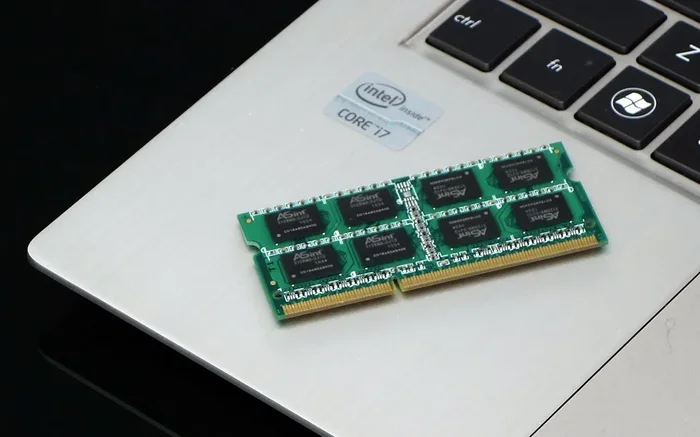
- Purchase the right module: Buy a 16 GB RAM stick that matches your laptop’s specifications. You can also buy two 8 GB sticks for dual-channel performance, which is faster.
- Back up your data: Always save your important files before opening your laptop.
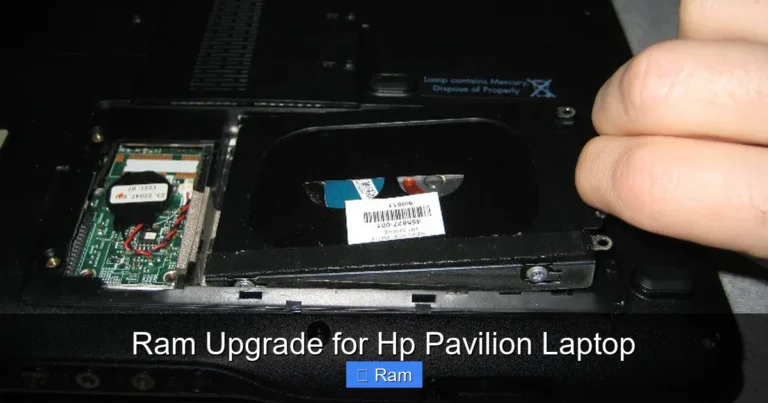
- Open the back panel: Use a screwdriver to remove the bottom cover of your laptop. Be gentle and keep track of the screws.
- Install the RAM: Find the RAM slots. Remove the old stick by pushing the side clips outward. Insert the new stick at a 45-degree angle and press it down until it clicks.
- Test your system: Close the panel, power on your laptop, and check that the new RAM is recognized. You can do this by going to your system settings or using a tool like Task Manager.
When Upgrading Does Not Make Sense
Some laptops have RAM that is built into the motherboard and cannot be replaced. In those cases, upgrading is not an option. You will need to buy a new laptop if you want more memory. This is why it is so important to check upgradability before purchasing. If you are unsure, search for your specific laptop model and check the RAM specifications online.
Common Mistakes to Avoid When Choosing RAM
Buying RAM or a laptop with the wrong memory can be a costly mistake. Here are some common pitfalls to watch out for.
- Assuming all 16 GB RAM is the same: DDR4 and DDR5 are not interchangeable. Make sure you buy the right type for your laptop.
- Ignoring dual-channel setups: Two 8 GB sticks in dual-channel mode perform better than one 16 GB stick in some cases. Check your laptop’s manual.
- Overlooking speed ratings: Faster RAM gives a noticeable boost in certain tasks. Do not just look at the capacity — check the speed too.
- Buying more than you need: If you only browse the web and check email, 16 GB is more than enough. Do not pay extra for 32 GB unless you truly need it.
- Skipping the warranty check: Some RAM upgrades can void your laptop’s warranty. Check with the manufacturer before opening your device.
Avoiding these mistakes saves you time, money, and frustration. Take a few minutes to research your specific model before making a purchase.
Is 16 GB RAM the Right Choice for You?
The answer depends on what you use your laptop for. For most people, 16 GB RAM for laptops is the ideal choice. It handles everyday tasks with ease, supports multitasking, and runs modern games and creative software without issues. It is future-proof enough to last you several years as apps become more demanding.
If you are still unsure, ask yourself a few questions. Do you regularly have more than five or six apps open at once? Do you play games or edit photos and videos? Do you work from home with video calls and large files? If you answered yes to any of these, 16 GB of laptop RAM is a smart investment.
On the other hand, if you only use your laptop for light tasks like reading emails and browsing simple websites, 8 GB might be enough for now. And if you are a professional working with heavy data or 3D modeling, you might want to look at what is a good RAM size for a laptop to see if 32 GB would be a better fit.
No matter what you choose, understanding your memory needs helps you make a confident decision. 16 GB of RAM continues to be the most popular and versatile option in the laptop market today. It delivers excellent performance at a reasonable price point. Whether you are buying a new laptop or upgrading an existing one, this amount of memory will serve you well for years to come.
The bottom line is simple. 16 GB RAM for laptops offers the best combination of performance, value, and future-readiness. It is the choice that most users will be happy with. Do your research, check your needs, and you will find the perfect setup for your workflow.
Frequently Asked Questions
Is 16 GB RAM enough for gaming?
Yes, 16 GB of RAM is the recommended minimum for most modern games. It handles current titles well and leaves enough memory for background apps. For competitive gaming at high settings, some players prefer 32 GB, but 16 GB is more than sufficient for the majority of gamers.
Can I upgrade my laptop to 16 GB RAM?
It depends on your laptop model. Some laptops have upgradeable RAM slots, while others have soldered memory that cannot be changed. Check your laptop’s specifications online or in the user manual to confirm whether an upgrade is possible.
Does 16 GB RAM make a laptop faster?
Yes, having enough RAM makes a noticeable difference in speed. With 16 GB of laptop memory, your system can handle more tasks at once without slowing down. It reduces lag when multitasking, browsing, and running demanding applications.
How much does 16 GB RAM cost?
The price varies depending on the type and brand. DDR4 16 GB modules typically cost between $40 and $80. DDR5 modules are slightly more expensive but getting more affordable. Many laptops with 16 GB RAM pre-installed range from $600 to $1,200 depending on the overall specs.
Is 16 GB RAM overkill for everyday use?
For most everyday users, 16 GB is not overkill. It provides a smooth experience for web browsing, video streaming, office work, and light creative tasks. It gives you headroom for future software updates that may require more memory.
What is the difference between 16 GB and 32 GB RAM?
The main difference is capacity. 32 GB allows you to run more demanding tasks simultaneously, such as 4K video editing or running virtual machines. For most users, 16 GB RAM for laptops covers all their needs. 32 GB is best for professionals with very heavy workloads.