32 Gigs of Ram Laptop
A 32 gigs of RAM laptop is a powerhouse designed for demanding professional work, heavy multitasking, and future-proofing. It dramatically improves performance in video editing, 3D rendering, software development, and running virtual machines compared to standard 16GB setups. While overkill for casual browsing, it’s a critical investment for creators and engineers who refuse to compromise on speed and efficiency.
Let’s be real. When you’re shopping for a new laptop, the spec sheet can feel like alphabet soup. CPU, GPU, SSD, and then RAM—often listed as something like “16GB” or “32GB.” You know more RAM is “better,” but what does that actually mean for you? Is a laptop with 32 gigs of RAM a brilliant investment or just an expensive way to show off? That’s exactly what we’re going to unpack. Think of this as your friendly, no-nonsense guide to understanding whether that shiny 32GB RAM laptop is the right tool for your job, your hobbies, and your wallet.
We’ll move beyond the marketing buzzwords. We’ll talk in real-world terms about what 32 gigabytes of memory actually enables you to do that you can’t do (or would struggle with) on a machine with less. Whether you’re a video editor hunting for smoother playback, a software developer running a local server farm, or just someone who hates seeing the spinning beach ball of death, this article is for you. By the end, you’ll have a crystal-clear picture of the true power, and the true purpose, of a 32 gigs of RAM laptop.
Key Takeaways
- Target Audience: 32GB RAM is essential for professional content creators, engineers, data scientists, and developers, not the average user.
- Performance Leap: It eliminates slowdowns when working with massive files, multiple high-resolution projects, or numerous applications simultaneously.
- Future-Proofing: As software and operating systems become more memory-intensive, 32GB provides a significant longevity buffer over 16GB.
- Cost vs. Need: The price premium is only justified if your specific workflow consistently maxes out 16GB; otherwise, it’s an unnecessary expense.
- System Balance: A 32GB RAM laptop must be paired with a powerful CPU (like an Intel i7/i9 or AMD Ryzen 7/9) and a fast SSD to avoid other bottlenecks.
- Upgradeability: Many modern laptops solder RAM, so buying a 32GB model often means you’re locked into that capacity forever—plan ahead.
- Gaming Nuance: For modern gaming at high resolutions, 32GB is becoming more relevant for smooth multitasking while gaming, but 16GB still suffices for the game itself.
📑 Table of Contents
- What Does 32GB RAM Actually Mean? The “Workspace” Analogy
- Who Actually Needs a 32GB RAM Laptop? (It’s Probably Not Everyone)
- The Tangible Performance Benefits: What Can You Actually Do?
- Choosing the Right 32GB RAM Laptop: It’s Not Just About the RAM
- Common Misconceptions and Pitfalls
- Is a 32GB RAM Laptop Right for YOU? The Decision Framework
- The Verdict: Power, Price, and Purpose
What Does 32GB RAM Actually Mean? The “Workspace” Analogy
Before we dive into who needs it, let’s get the basics straight. RAM, or Random Access Memory, is your computer’s short-term, ultra-fast workspace. It’s where your active programs, files, and data live while you’re using them. Think of it like the physical desk you work on. A bigger desk (more RAM) means you can spread out all your current projects—multiple documents, browser tabs with complex web apps, your photo editor, a music player, and a chat app—without having to constantly shuffle things into and out of drawers (the much slower hard drive or SSD).
From 8GB to 16GB to 32GB: The Capacity Spectrum
For years, 8GB was the baseline for basic computing. Then, 16GB became the sweet spot for most power users and gamers. It comfortably handles modern operating systems, dozens of browser tabs, and a couple of heavy applications. But 32GB? That’s a different league. It’s a workspace designed for professionals who treat their laptop as a mobile workstation. It’s the difference between a cozy home office and a sprawling corporate floor with room for an entire team to work side-by-side. That extra space doesn’t just make things a little faster; for the right tasks, it transforms the workflow from constant waiting to seamless, uninterrupted creation.
Who Actually Needs a 32GB RAM Laptop? (It’s Probably Not Everyone)
This is the most important question. The shortest answer is: if you have to ask, you might not need it. But let’s get specific. A 32 gigs of RAM laptop is a specialized tool. Here’s a breakdown of the people for whom it’s not a luxury, but a necessity.
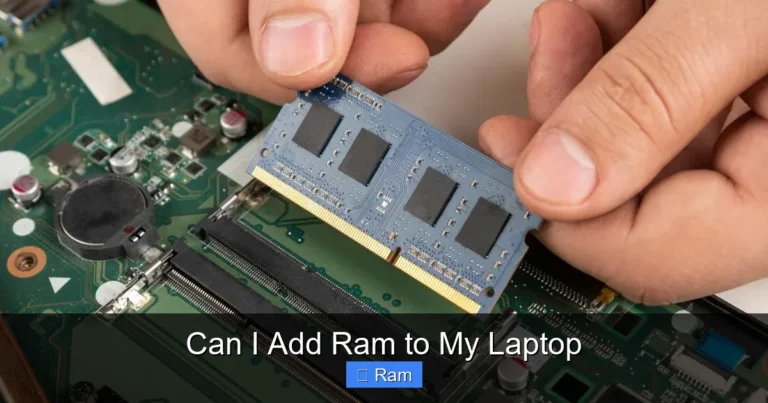
Visual guide about 32 Gigs of Ram Laptop
Image source: steamdeckhq.com
The Professional Content Creator
If you work with high-resolution video (4K, 6K, or even 8K), large Photoshop files with hundreds of layers, or complex 3D scenes in Blender or Maya, 16GB will quickly become a bottleneck. Your software needs to keep the entire project, or large chunks of it, in RAM for smooth scrubbing, real-time effects, and quick rendering. With 32GB, you can have your full-resolution video timeline, a browser with reference materials, your music or sound effects app, and communication tools all open and responsive at the same time. The time saved on rendering previews and waiting for filters to apply adds up to hours over a week.
The Software Developer & IT Professional
For a developer, RAM is your sandbox. Running a local development environment often means having a code editor, a local web server, a database (like MySQL or PostgreSQL), a Docker container with multiple services, and several browser tabs for testing and documentation. Each of these eats RAM. Virtual machines (VMs) and emulators for testing software on different operating systems are famously RAM-hungry. A developer running an Android emulator alongside a full IDE and a backend server can easily consume 12-16GB. With 32GB, you can run multiple VMs or emulators without your system grinding to a halt, drastically improving productivity.
The Data Scientist & Analyst
Working with large datasets in Python (Pandas), R, or SQL often means loading millions of rows of data into memory for analysis and manipulation. If your dataset is 10GB, you need more than 10GB of free RAM for the software to operate efficiently. While techniques exist for out-of-core processing, having 32GB allows you to work with massive datasets in-memory, which is exponentially faster. You can also keep your Jupyter notebooks, data visualization tools, and a browser full of research papers open without swapping.
The Engineer & CAD Designer
Architectural plans, mechanical assemblies with thousands of parts, and civil engineering models are incredibly demanding. Software like AutoCAD, SolidWorks, Revit, and CATIA relies heavily on RAM to hold complex geometry, textures, and simulation data. Working on a large assembly in SolidWorks with 16GB might lead to frustrating slowdowns when rotating the model or running simulations. 32GB provides the headroom needed for these monolithic projects to flow smoothly.
The “Power User” & Extreme Multitasker
This isn’t just about having 50 browser tabs open (though you can do that easily). This is about a workflow that genuinely requires multiple heavy applications at once. Imagine a music producer with their DAW (Digital Audio Workstation) loaded with dozens of virtual instrument tracks, a video editor rendering in the background, and a project management tool. Or a financial analyst with multiple Excel workbooks full of complex macros, several Bloomberg terminals or trading platforms, and a PowerPoint deck being built. For these users, 32GB isn’t a spec; it’s the foundation of their daily workflow.
The Tangible Performance Benefits: What Can You Actually Do?
Okay, but what does this translate to in real life? It’s not about a higher “score” in a benchmark; it’s about the absence of frustration. Here’s what you’ll experience day-to-day with a 32GB RAM laptop versus a 16GB one for the workloads we discussed.
Visual guide about 32 Gigs of Ram Laptop
Image source: murdockcruz.com
Buttery-Smooth Multitasking Without Compromise
With 16GB, you learn to manage your workflow. You close apps to open others. You save and restart your browser. With 32GB, you simply don’t have to think about it. You can have your main application (say, Premiere Pro) active, with a full 4K timeline, and then Alt+Tab to a browser with 30 tabs open (including YouTube for reference), a Slack conversation, Spotify, and a PDF viewer—and everything is instantly responsive. There is no “warm-up” period where the system feels sluggish after you switch back to your main app. This fluidity keeps you in a state of flow, which is where real productivity happens.
Faster Rendering & Preview Generation
Many creative applications use RAM as a cache for rendered previews. In After Effects, for example, a larger RAM cache means it can store more frames of your composition in memory, so when you scrub the timeline, it plays back instantly from RAM instead of having to re-render or read from the slower SSD. In video editing, background rendering and generating proxy files happen faster because the system has more memory to allocate to those background tasks without starving the foreground application. The result? Less waiting, more creating.
Handling “Impossible” Projects
Some projects are just too big for 16GB. A 3D artist might want to work on a full architectural visualization with high-poly models and 8K texture maps. A data scientist might need to load a 15GB CSV file for cleaning. A video editor might need to work with a 2-hour 8K RAW timeline. These are not edge cases in professional environments; they are common, billable work. A 32GB RAM laptop makes these projects feasible on a single machine without needing to resort to cloud workstations or external solutions, saving both time and money.
Future-Proofing for the Inevitable
Software gets more demanding. Operating systems update. File sizes grow. What runs beautifully on 16GB today might feel cramped in 3-4 years. By investing in 32GB now, you’re buying yourself significant runway. Your laptop will feel fast and capable for longer, protecting your investment. This is especially crucial if you’re spending $2,000+ on a machine you plan to use for 5+ years. The extra $200-$300 for a RAM upgrade at purchase is almost always cheaper and more practical than trying to upgrade it later (if it’s even possible).
Choosing the Right 32GB RAM Laptop: It’s Not Just About the RAM
So you’ve decided 32GB is for you. Great! But a laptop is a system, and every part must work in harmony. Buying a 32GB RAM laptop with a weak processor or a slow hard drive is like putting a Formula 1 engine in a minivan with flat tires. You’ll still be disappointed. Here’s what else you must scrutinize.
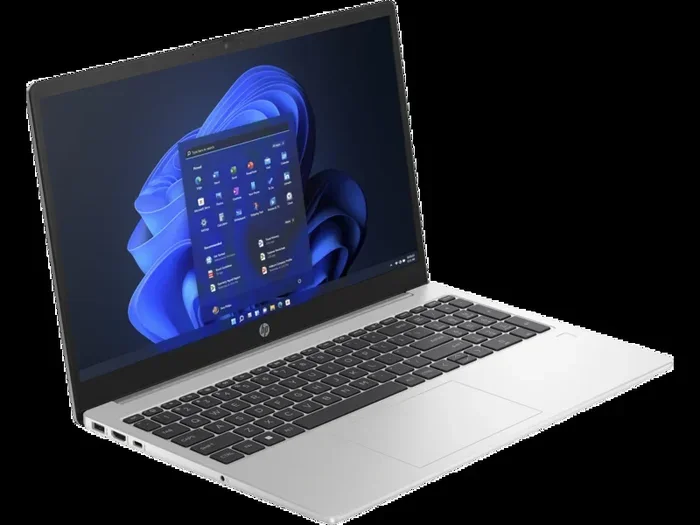
Visual guide about 32 Gigs of Ram Laptop
Image source: m.media-amazon.com
The CPU Must Be Worthy
RAM is a supporting actor; the CPU is the lead. If you pair 32GB of RAM with a low-power Intel Core i3 or a base-model AMD Ryzen 3, the processor will be the constant bottleneck. The RAM will sit there mostly idle because the CPU can’t feed it data fast enough. For a 32GB RAM laptop to make sense, you need at least an Intel Core i7 or AMD Ryzen 7 of the current or previous generation. For the heaviest workloads (8K video, complex simulations), aim for an i9 or Ryzen 9. These processors have more cores and higher clock speeds to actually utilize that abundant memory.
Storage Speed Matters: NVMe SSD is Non-Negotiable
When your RAM fills up, the system uses your SSD as “virtual memory” (a page file). This is thousands of times slower than actual RAM. A slow SATA SSD will make this “swapping” process a painfully sluggish experience. You must get a laptop with a fast NVMe PCIe SSD (Gen 3 or, preferably, Gen 4). This ensures that even in worst-case scenarios, the fallback is as quick as possible. Also, consider capacity. With large projects, you’ll want at least 1TB of fast storage, often 2TB or more.
GPU: Integrated vs. Dedicated
For many professional apps (video editing, 3D rendering, CAD), the GPU is critical for acceleration. RAM capacity doesn’t replace a good GPU. If your work uses GPU acceleration (most modern creative suites do), you need a dedicated graphics card—an NVIDIA RTX or AMD Radeon Pro. The GPU has its own dedicated memory (VRAM), but it also uses system RAM for certain tasks. Having ample system RAM (32GB) ensures the GPU isn’t starved for resources during complex operations. For pure CPU-bound tasks like some types of coding or data analysis, a powerful CPU is more important than a top-tier GPU.
Upgradeability: The Critical, Often-Overlooked Factor
This is huge. In the quest for thinner, lighter laptops, manufacturers are soldering RAM directly onto the motherboard. This means you cannot upgrade it after purchase. If you buy a laptop with 16GB soldered, you’re stuck with 16GB forever. If you buy one with 32GB soldered, you’re stuck with 32GB. You must decide at checkout. Before you buy, research the specific model. Look for teardown videos or manufacturer specs that state “user-upgradable” or “accessible SODIMM slots.” If upgradeability is important to you, you may have to choose a slightly thicker, older, or business-class laptop (like some Dell Precision, Lenovo ThinkPad P-series, or Framework Laptop) that still allows access. For most modern ultrabooks and gaming laptops, RAM is soldered.
Cooling and Power Delivery
A high-performance CPU and GPU paired with 32GB of RAM generate a lot of heat. A laptop with inadequate cooling (thin chassis, single fan) will throttle performance under sustained load to avoid overheating. Your expensive 32GB/ i9/ RTX 4080 combo will run slower than a better-cooled machine with lesser specs. Read reviews that specifically test thermals and sustained performance. Look for laptops with robust cooling solutions: dual fans, large heat pipes, and vapor chambers. Also, ensure the power adapter is sufficiently powerful (e.g., 200W+) to feed the components without throttling.
Common Misconceptions and Pitfalls
Let’s clear the air. There are some persistent myths around RAM, especially high-capacity RAM, that lead people to make bad purchasing decisions.
Myth 1: “More RAM Always Means a Faster Computer”
False. RAM only makes your computer faster if you were actually running out of it before. If you were using 8GB out of 16GB, adding more RAM (to 32GB) will do absolutely nothing for speed. It’s like adding more lanes to a highway that’s already half-empty. The bottleneck was elsewhere, or there was no bottleneck at all. Use a tool like Windows Task Manager or Activity Monitor to check your RAM usage. If you’re consistently above 90% usage during your normal work, more RAM will help. If you’re at 50%, it won’t.
Myth 2: “32GB is Necessary for Modern Gaming”
Mostly false. For running the game itself, 16GB is still the clear sweet spot in 2024. Very few games utilize more than 12-14GB on their own. However, the context has changed. Many gamers stream (using OBS), run Discord, have a browser with guides and music, and sometimes a secondary application. In this *multitasking* scenario, 32GB becomes valuable to keep everything smooth without closing background apps. So for a pure gaming PC that only runs the game, 16GB is fine. For a gaming *laptop* that is also your primary computer for other tasks, 32GB is a very comfortable luxury that prevents any chance of stutters caused by RAM pressure.
Myth 3: “RAM Speed (MHz) is More Important Than Capacity”
This is a tricky one. For most professional applications that are memory-bandwidth intensive (like some scientific computing or specific gaming scenarios on desktop), faster RAM (higher MHz) can provide a measurable boost. However, for the vast majority of creative and development workloads, **capacity is king**. Having 32GB of relatively standard 3200MHz or 4800MHz RAM will be a far bigger performance boost than having 16GB of the fastest 6000MHz RAM. The ability to hold all your data in memory outweighs the minor speed benefit of faster modules. Always prioritize capacity first, then speed if budget allows and your CPU supports it.
The “Bottleneck” Trap
I mentioned this before, but it’s the #1 mistake. People see “32GB RAM” and think they’re getting a ultimate machine, not realizing the laptop also has a 4-core, 12W low-power CPU and a slow integrated GPU. That RAM will sit there, woefully underutilized. The performance you experience is dictated by the slowest major component in the chain for your specific task. Always evaluate the CPU and GPU first for your workload, then ensure the RAM capacity is sufficient to support them. A balanced, high-spec 16GB laptop will often destroy an unbalanced 32GB laptop for most tasks.
Is a 32GB RAM Laptop Right for YOU? The Decision Framework
Let’s boil this all down into a simple decision-making process. Grab a pen and answer these questions honestly.
Step 1: Diagnose Your Current Pain Points
Open your Task Manager (Ctrl+Shift+Esc) right now. Look at the Memory section. What is your “Committed” or “In use” number during your *heaviest* typical work session? If it’s consistently over 14GB, you are a prime candidate for 32GB. If it’s hovering around 8-10GB, 16GB is plenty. Also, think about how often you close applications to free up memory. If you do this daily as part of your workflow, that’s a sign you need more RAM.
Step 2: Match Your Workflow to the Use Cases
Go back to the “Who Needs It” section. Do you see your job or hobby listed? Video editor? Developer? Data scientist? Engineer? If yes, lean strongly toward 32GB. If you’re a gamer who also streams and does schoolwork or office work on the same machine, 32GB is a smart comfort choice. If you primarily browse the web, use Office, watch videos, and play casual games, 16GB is more than enough for the next 5 years.
Step 3: Check Your Budget and the Laptop’s Balance
Look at the total price of the 32GB configuration versus the 16GB one. Is the price jump $200? $500? Sometimes manufacturers charge a huge premium for the 32GB option. Is that premium justified by your need? Also, scrutinize the rest of the specs on that 32GB model. Is the CPU the same powerful model as in the 16GB version, or have they downgraded it to hit a price point? Never sacrifice CPU/GPU power for more RAM.
Step 4: Consider the Upgrade Path (or Lack Thereof)
If the laptop has soldered RAM, you are making a 3-5 year commitment with this purchase. If you’re on the fence, the inability to upgrade later is a strong argument to err on the side of more RAM. If the laptop has user-upgradable slots, you could buy the 16GB model now and add another 16GB stick later when prices drop or your needs grow. This provides flexibility but requires you to do the upgrade yourself.
If you ran through these steps and the answer is a clear “yes” to needing 32GB for your work, and you’ve found a well-balanced laptop with a powerful CPU/GPU and fast storage, then congratulations. You’re looking at a machine that will be a reliable, frustration-free workhorse for years to come.
The Verdict: Power, Price, and Purpose
A 32 gigs of RAM laptop is not a casual purchase. It’s a statement. It says, “My work is important, my time is valuable, and I refuse to let my tools hold me back.” It is the definitive solution for professionals whose workflows are memory-bound. The feeling of opening a 50-layer Photoshop file or a 4K video project and having it respond instantly, all while your other apps remain lively, is a productivity game-changer.
However, it is not a magic bullet. It is one component in a complex system. Throwing 32GB of RAM at a weak processor is a waste of money. Its benefits are invisible to anyone who doesn’t regularly push against the limits of 16GB. For them, it’s an expensive spec sheet checkbox with zero real-world payoff.
So, do your homework. Look at your actual usage. Be honest about your needs. If the data—and your own frustration with slowdowns—points to a memory shortage, then investing in a 32GB RAM laptop is one of the smartest upgrades you can make. It buys you speed, headroom, and peace of mind. If not, save that money and put it toward a better CPU, GPU, or a larger SSD. The right tool for the job is always the most powerful one, but only if you’re using it to its full potential.
Frequently Asked Questions
Is 32GB of RAM overkill for a laptop in 2024?
For general web browsing, office work, and 1080p gaming, yes, 16GB is still the sweet spot. 32GB is targeted at professionals in content creation, engineering, software development, and data science who work with large files and heavy multitasking.
Will a 32GB RAM laptop last longer before becoming obsolete?
Yes, significantly. As software and operating systems become more memory-intensive over time, 32GB provides a much larger buffer than 16GB. It’s a key factor in future-proofing your investment for 4-5 years or more.
Can I upgrade the RAM in a laptop that comes with 32GB?
Often, no. Many manufacturers solder the RAM in high-capacity configurations to save space and improve performance. You must check the specific model’s specifications or teardowns to see if it has user-accessible RAM slots. If it’s soldered, you’re locked into that capacity forever.
Does having 32GB of RAM drain the laptop battery faster?
The impact is negligible in everyday use. RAM itself uses very little power. Any minor increase would be far outweighed by the power draw of the CPU and GPU, which you’re likely using more intensively with a 32GB machine. The battery life difference is not a meaningful factor in the decision.
What’s more important for video editing: 32GB RAM or a better GPU?
Both are important, but for most professional video editing (especially with effects and color grading), a powerful dedicated GPU (like an NVIDIA RTX series) is often the primary accelerator for real-time playback and rendering. However, 32GB of RAM is crucial for holding large 4K/8K timelines, multiple high-res sources, and other applications open simultaneously. They work best together.
Should I get 32GB RAM for gaming and streaming?
For gaming alone, 16GB is sufficient. But if you plan to stream (using OBS), run a Discord server, have multiple browser tabs with guides, and possibly a music player, 32GB provides a comfortable safety net. It prevents any potential stutters or hiccups caused by running out of system memory while juggling all these background tasks alongside your game.