8gb Ram Vs 16gb Ram Laptop
The 8GB RAM vs 16GB RAM laptop debate is one of the most common questions buyers face today. Eight gigabytes works fine for basic tasks like browsing and office work, but 16GB delivers a major boost for multitasking, gaming, and creative projects. Choosing the right amount of memory depends on how you use your laptop every day.
When you are shopping for a new laptop, one of the first specs you will see listed is the amount of RAM. It is a number that can make a big difference in how your machine feels every single day. But the question remains: should you go with 8GB or 16GB?
The answer is not always straightforward. It depends on what you do on your laptop, what software you run, and how long you want the machine to last. In this guide, we break down the 8GB RAM vs 16GB RAM laptop comparison in plain language. You will learn what each option offers, who benefits most, and how to make the right call for your needs.
RAM stands for Random Access Memory. Think of it as your laptop’s short-term workspace. When you open a browser tab, a photo, or a video game, the laptop pulls data from your storage drive and places it into RAM. The more RAM you have, the more apps you can keep open at once without your system slowing down. This is exactly what RAM does on a laptop, and understanding it helps you pick the right amount.
So let us dive into the details. We will walk through what 8GB can handle, what 16GB unlocks, and how to decide which one is the better fit for you.
Key Takeaways
- 8GB RAM is enough for: web browsing, email, document editing, and light streaming.
- 16GB RAM is ideal for: multitasking, photo editing, video work, casual gaming, and programming.
- RAM type matters: DDR4 and DDR5 speeds affect overall laptop performance.
- Upgrading is often possible: many laptops let you add or swap memory modules.
- Future-proofing: 16GB gives you more headroom as software gets heavier over time.
- Price difference is shrinking: 16GB laptops are becoming more affordable every year.
- Your usage pattern is the best guide: match your RAM to what you actually do on the laptop.
📑 Table of Contents
- What Does RAM Do on Your Laptop?
- 8GB RAM: Who Is It For?
- 16GB RAM: Who Is It For?
- 8GB vs 16GB RAM: Head-to-Head Comparison
- How to Choose the Right RAM for Your Needs
- Can You Upgrade from 8GB to 16GB?
- Quick Tips for Getting the Most Out of Your RAM
- Common Mistakes People Make When Choosing RAM
- Expert Insights: What the Pros Recommend
- Conclusion
What Does RAM Do on Your Laptop?
Before comparing numbers, it helps to understand the role RAM plays. Every app you open uses memory. Your web browser, your word processor, your music player, and even your operating system all consume RAM. When you run out of space, the laptop starts using your hard drive as a substitute. This is called virtual memory, and it is much slower.
Here is a simple way to think about it. Imagine RAM as your desk. A bigger desk lets you spread out more papers, books, and tools at the same time. A smaller desk works fine if you only need a few things open. But the moment you pile on too much, things get messy and slow.
When you shop for a laptop, you will see different memory capacities and RAM types like DDR4 and DDR5. DDR5 is the newer standard and offers faster speeds. But the amount of gigabytes matters just as much as the type. More gigabytes mean more room for your apps to breathe.
8GB RAM: Who Is It For?
Eight gigabytes of RAM has been the standard for budget and mid-range laptops for many years. It still handles a lot of everyday tasks just fine. But it has clear limits when pushed harder.
What 8GB RAM Handles Well
If your laptop use falls into any of these categories, 8GB should serve you well:
- Web browsing with a handful of tabs open
- Email and calendar apps
- Word processing and spreadsheets
- Streaming videos on YouTube or Netflix
- Light photo editing
- Video calls through Zoom or Teams
For students who mainly write papers and do research online, 8GB is often plenty. Office workers who stick to email and documents will also find it sufficient. Is 8GB RAM enough for a laptop? For these basic tasks, the answer is yes.
Where 8GB Falls Short
But there are situations where 8GB starts to struggle. If you try to open many browser tabs while running a music app and a document at the same time, you may notice lag. Heavy websites with lots of scripts eat up memory fast.
Creative work like video editing or running Photoshop with large files will push 8GB to its limits. Gaming is another area where 8GB can hold you back. Many modern games list 16GB as the recommended requirement. Laptop performance drops when memory is maxed out, leading to stuttering and long load times.
Who Should Choose 8GB?
Pick 8GB if you are on a tight budget or if your laptop tasks are light and straightforward. It is a solid choice for students, casual users, and anyone who mainly does basic computing. Just know that you may feel the squeeze as software continues to grow heavier.
16GB RAM: Who Is It For?
Sixteen gigabytes of RAM has become the sweet spot for most laptop buyers today. It gives you room to work comfortably without worrying about running out of space. And it handles demanding tasks with much more ease.
What 16GB RAM Handles Well
Here is what a 16GB RAM laptop can do without breaking a sweat:
- Running multiple apps and dozens of browser tabs
- Photo editing in Lightroom or Photoshop
- Video editing in Premiere Pro or DaVinci Resolve
- Casual to mid-range gaming
- Programming and running virtual machines
- Music production with multiple tracks
- Working from home with video calls and heavy apps open
If you are a freelancer, a creative professional, or a developer, 16GB gives you the headroom you need. It also makes a huge difference for multitasking. You can switch between apps quickly and keep everything running smoothly.
Who Should Choose 16GB?
Choose 16GB if you want a laptop that will stay fast for years. It is a great investment for anyone who runs memory-intensive tasks regularly. Gamers, designers, programmers, and business professionals will all benefit from the extra memory. A 16GB RAM laptop for sale is now more accessible than ever, with many options at reasonable prices.
Is 16GB Overkill for Basic Users?
Some people wonder if 16GB is too much for simple tasks. The honest answer is no. Even if you only browse the web and check email today, having extra RAM means your laptop stays responsive as software updates add new features over time. It is a form of future-proofing your purchase.
8GB vs 16GB RAM: Head-to-Head Comparison
Let us put the two options side by side so you can see the differences clearly.
| Feature | 8GB RAM | 16GB RAM |
|---|---|---|
| Price Range | Lower cost, budget-friendly | Slightly higher, still affordable |
| Multitasking | Limited with many apps open | Smooth with many apps open |
| Gaming | Struggles with modern titles | Handles most games well |
| Creative Work | Fine for light editing | Great for editing and rendering |
| Future-Proofing | May feel outdated in 2-3 years | Stays relevant longer |
| Battery Impact | Slightly less memory use | More memory use but negligible |
| Best For | Basic users, students on budget | Professionals, gamers, multitaskers |
As you can see, 16GB offers clear advantages in almost every category. The main reason people still choose 8GB is the lower price. But the gap in cost between the two has been narrowing. For just a little more money, you get a much better experience.
Performance in Real-World Use
In real-world testing, the difference shows up fast. Open 15 browser tabs with music playing and a document running on both laptops. The 8GB machine will likely start to lag. The 16GB machine will keep humming along. This is because 16GB gives your laptop the space it needs to keep everything active without swapping to the slower storage drive.
RAM Speed and Type Matter Too
When comparing laptops, pay attention to more than just the gigabyte number. The RAM speed and type also play a role. DDR5 RAM is faster than DDR4 and can improve overall performance. Some laptops allow dual-channel memory, which means using two sticks instead of one for better speed. If you are comparing two laptops with the same RAM amount, check the speed and configuration as well.
How to Choose the Right RAM for Your Needs
Now that you know the differences, how do you decide? Follow these steps to find the right fit.
Step 1: List Your Daily Tasks
Write down everything you do on your laptop during a typical day. Do you mostly write emails and browse the web? Or do you edit videos and run heavy software? Your daily tasks are the best guide for how much memory you need.
Step 2: Check Software Requirements
Look at the system requirements for the apps you use most. Many programs list both minimum and recommended RAM. If the recommended amount is 16GB and you only have 8GB, you will not get the best experience.
Step 3: Think About the Future
Software keeps getting more demanding. The app you use today might need more memory in a year or two. Choosing a higher RAM now saves you from an early upgrade. 16GB RAM is enough for most users now and in the near future.
Step 4: Set a Budget
Budget matters, and there is no shame in starting with 8GB. Many laptops let you upgrade later. If you are on a tight budget today, get 8GB and plan to add more when you can. Just make sure the laptop has an accessible memory slot.
Can You Upgrade from 8GB to 16GB?
One of the best things about laptops is that many of them allow memory upgrades. If you buy an 8GB laptop now and later decide you need more, you can often add a second RAM stick.
However, not all laptops are upgradeable. Some modern thin laptops have memory soldered to the motherboard. Before you buy, check whether the laptop has a removable RAM slot. You can usually find this information in the product specs or on the manufacturer’s website.
If your laptop does allow upgrades, adding a second 8GB stick to your existing 4GB stick is a common path to 16GB total. This can be a cost-effective way to boost laptop performance without buying a whole new machine. Upgrading from 4GB to 16GB is a popular choice for users who want more power on a budget.
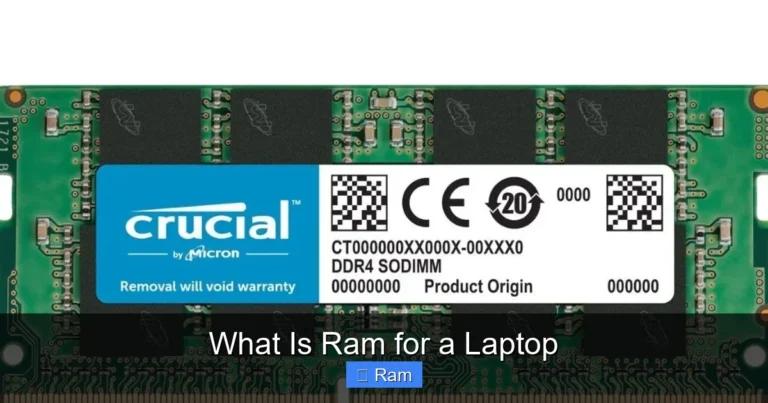
When you upgrade, make sure the new RAM matches your existing type. Mixing DDR4 with DDR5 will not work. Check the speed and form factor too. Most laptops use SO-DIMM modules, which are smaller than desktop RAM sticks.
Quick Tips for Getting the Most Out of Your RAM
No matter which option you choose, these tips will help you squeeze the best performance out of your laptop memory:
- Close apps you are not using. Every open app uses memory, even in the background.
- Limit browser tabs. Modern browsers are memory hogs. Keep only the tabs you need.
- Restart your laptop regularly. This clears out temporary memory and refreshes the system.
- Check for memory-heavy startup apps. Disable programs that launch automatically when you turn on your laptop.
- Keep your operating system updated. Updates often include memory management improvements.
- Use lightweight apps when possible. Some apps use far less memory than others. Choose wisely.
Common Mistakes People Make When Choosing RAM
Avoid these common pitfalls when deciding between 8GB and 16GB:
- Assuming more RAM is always better: If you only browse the web, 16GB is wasted money. Match RAM to your actual needs.
- Ignoring the RAM type: 8GB of DDR5 is faster than 8GB of DDR4. Always check the generation.
- Forgetting about the processor: A fast processor paired with low RAM still feels slow. Both components work together.
- Not checking upgrade options: Buy a laptop that lets you add memory later if you are unsure.
- Overlooking storage: RAM and storage are different. More RAM does not mean more file space.
Expert Insights: What the Pros Recommend
Tech professionals and reviewers generally agree on one thing: 16GB is the current sweet spot for most laptop buyers. It balances cost and performance in a way that satisfies a wide range of users. For anyone who wants a laptop that will feel fast and capable for several years, 16GB is the safest bet.
That said, 8GB still has a place in the market. Budget-conscious buyers and users with very light needs will find it perfectly adequate. The key is to be honest about what you actually do on your laptop. If your tasks are simple, there is no reason to overspend on 16GB.
For those who game, create content, or run professional software, the extra investment in 16GB pays for itself quickly through smoother performance and fewer frustrating slowdowns.
Conclusion
The 8GB RAM vs 16GB RAM laptop comparison comes down to your personal needs and budget. Eight gigabytes works well for basic tasks and tight budgets. Sixteen gigabytes delivers a smoother, more capable experience for multitasking, creative work, and gaming.
If you can afford it, 16GB is the smarter long-term choice. It gives you room to grow, handles heavier workloads, and keeps your laptop feeling fast as software evolves. But if 8GB fits your situation better, there is no shame in that either. Just know the limits and plan accordingly.
Take a moment to think about how you use your laptop today and how you might use it in a year or two. That honest assessment will guide you to the right choice. And remember, many laptops allow upgrades later, so you are never completely locked in.
Whichever you pick, make sure the rest of the laptop specs match your needs too. A great processor, fast storage, and a good display all work together with RAM to give you the best possible experience.
Frequently Asked Questions
Is 8GB RAM enough for a laptop in 2024?
For basic tasks like browsing, email, and document editing, 8GB is still enough. But if you run heavier apps, game, or do creative work, 16GB will give you a much better experience. Software keeps getting heavier, so 8GB may feel limiting sooner.
Can I upgrade my laptop RAM from 8GB to 16GB?
Many laptops allow RAM upgrades if they have a removable memory slot. Check your laptop specs to see if it supports adding a second RAM stick. Some thin and light laptops have soldered RAM that cannot be upgraded.
Does more RAM improve laptop speed?
More RAM helps when you run many apps at once. It prevents slowdowns caused by running out of memory. But RAM alone does not make a laptop fast. The processor, storage type, and software all play a role too.
Is 16GB RAM overkill for students?
It depends on what the student does. For writing papers and browsing, 8GB is fine. But if the student edits videos, runs design software, or games, 16GB is a smart investment that will last through their studies.
What happens when laptop RAM is full?
When RAM is full, the laptop uses your storage drive as virtual memory. This is much slower and causes lag, stuttering, and long load times. You may also notice apps crashing or freezing when memory runs out.
How long will 8GB RAM last before it feels outdated?
For light users, 8GB can feel fine for 3 to 4 years. For power users, it may feel limiting within 1 to 2 years as apps and operating systems grow more demanding. 16GB generally stays relevant longer.