Is 16gb Ram Enough for Laptop
For the vast majority of laptop users in 2024, 16GB of RAM is the ideal sweet spot. It provides more than enough memory for everyday multitasking, office productivity, web browsing with dozens of tabs, and even most modern gaming. However, for professional content creation, heavy data science work, engineering simulations, or future-proofing against increasingly demanding software, 32GB or more may be a wiser investment. Your specific needs, budget, and the laptop’s upgradeability are the final deciding factors.
Key Takeaways
- 16GB is the modern mainstream sweet spot: It comfortably handles the operating system, numerous browser tabs, office applications, and casual to moderate gaming without slowdowns for 90% of users.
- Gaming is generally fine, but with caveats: 16GB is sufficient for current games at 1080p/1440p, but streaming while gaming or playing the latest AAA titles at max settings with mods can push it to its limit.
- Professional work demands more: Video editing (4K+), 3D rendering, large dataset analysis, virtual machines, and software development often benefit significantly from 32GB or more to avoid constant swapping to the slower SSD.
- Future-proofing costs more upfront: While 16GB is enough today, software and operating systems become more memory-hungry over time. Choosing 32GB now can extend your laptop’s useful life by 1-2 years.
- Upgradeability is critical: Many modern laptops solder RAM to the motherboard. If your laptop allows upgrades, starting with 16GB and adding another 16GB stick later is a cost-effective strategy. If it’s soldered, you must choose correctly at purchase.
- RAM speed matters less than capacity for most: After a certain threshold (DDR4-2666/DDR5-4800), the performance difference from faster RAM is marginal compared to the massive impact of having insufficient capacity.
- Your workflow dictates the answer: There is no one-size-fits-all. Honestly audit your daily tasks: running virtual machines, editing large Photoshop files, or having 100+ Chrome tabs will quickly exhaust 16GB.
📑 Table of Contents
- Introduction: The Eternal Question of Laptop Memory
- Demystifying RAM: What It Is and Why It Matters
- The 16GB Sweet Spot: Perfect for Everyday Users and Students
- Gaming: Is 16GB RAM Enough in 2024?
- Professional & Creative Workloads: Where 16GB Starts to Strain
- When 16GB Isn’t Enough: Identifying the Bottleneck
- Future-Proofing and the RAM Arms Race
- Making the Right Choice: A Practical Decision Framework
- Conclusion: The Verdict, Personalized
Introduction: The Eternal Question of Laptop Memory
You’re shopping for a new laptop, and you see it: the dreaded RAM spec. 8GB? 16GB? 32GB? The numbers swirl before your eyes, promising power or warning of inadequacy. It’s 2024, and the question “Is 16GB RAM enough for a laptop?” feels more pressing than ever. With operating systems bloating, browsers becoming digital landfills of open tabs, and games and creative apps demanding more resources, is the once-generous 16GB still the champion it used to be?
The short, reassuring answer for most people is: yes, 16GB is still excellent and plenty. But that “most people” is the key. Your specific use case—whether you’re a student writing essays, a competitive gamer, a video editor, or a data analyst—pulls that answer in different directions. This guide will cut through the marketing hype and technical jargon. We’ll explore what RAM actually does, break down exactly what 16GB can handle, identify the workflows that will break it, and give you a clear, actionable framework to decide if 16GB is your laptop’s perfect match or if you need to aim higher. Think of this not as a simple yes/no, but as a personalized roadmap to your perfect memory configuration.
Demystifying RAM: What It Is and Why It Matters
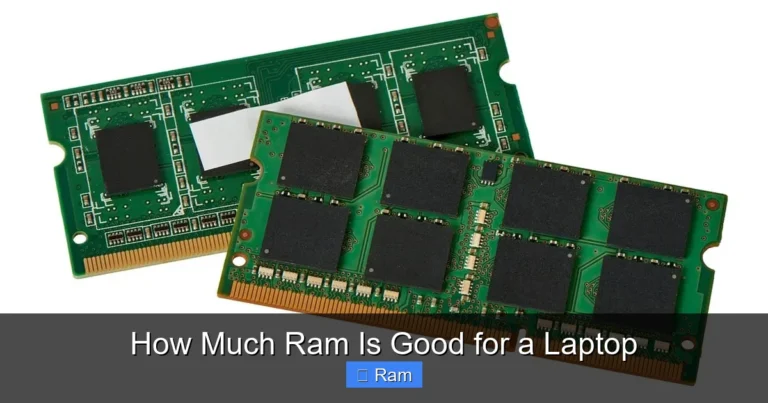
Before we judge 16GB, we must understand what we’re judging. RAM, or Random Access Memory, is your laptop’s short-term, high-speed workspace. Imagine your laptop’s SSD or hard drive as a massive, organized warehouse. It stores everything permanently—your operating system, games, documents, photos. But when you want to *use* something, like opening a game or a spreadsheet, that data gets loaded from the slow warehouse into the RAM, which is like a huge, clear desktop where your CPU can work on it instantly.
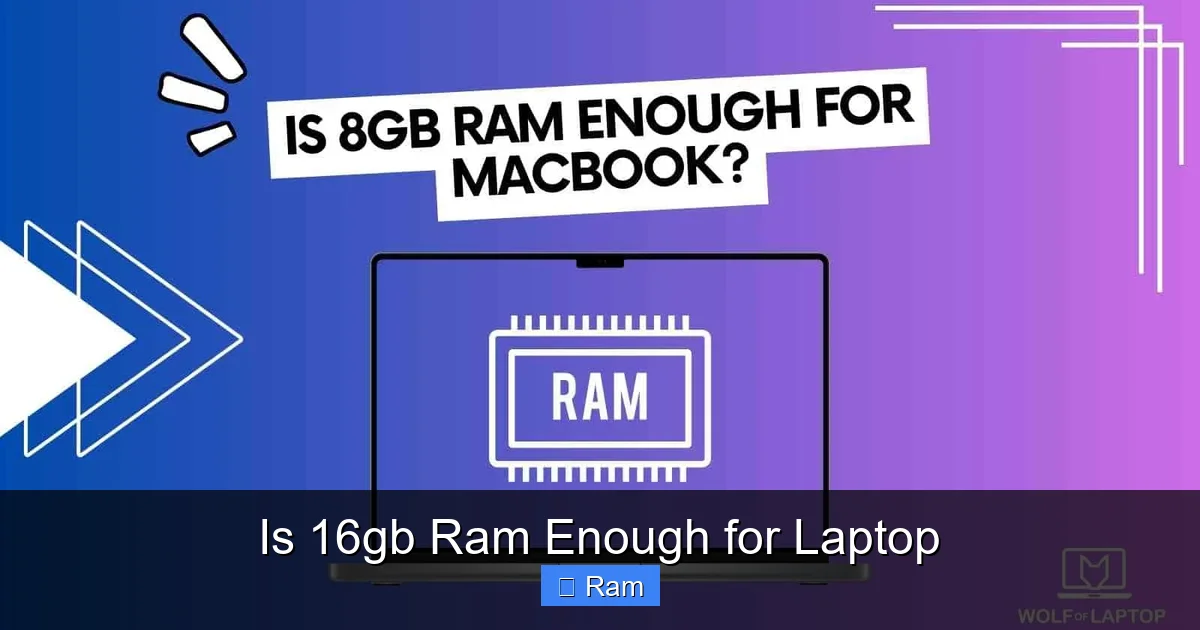
Visual guide about Is 16gb Ram Enough for Laptop
Image source: wolfoflaptop.com
RAM vs. Storage: The Critical Difference
This is the most common point of confusion. More storage (512GB, 1TB SSD) means you can install more programs and files. More RAM (16GB, 32GB) means you can have more of those programs and files actively running and accessible at the same time without slowdowns. When your RAM fills up, your system starts using a portion of your SSD as “virtual memory” or a swap file. This is incredibly slow compared to real RAM and is the primary cause of that frustrating lag, stutter, or “spinning beach ball of death” when your laptop feels like it’s crawling. The goal is to have enough RAM so your active workload fits comfortably, leaving headroom for the operating system and background processes.
How Much RAM Does Your System Actually Use?
It might shock you. A modern Windows 11 or macOS system, sitting idle with just the OS and a few background apps, can easily use 4-8GB of RAM. Open a web browser with 10 tabs? Add another 1-3GB. A standard office suite like Microsoft Office? Maybe 500MB to 1GB. This “baseline” consumption is always there. The rest of your RAM is for the applications you actively use. So, a 16GB system only has about 8-12GB of truly available memory for your core tasks after the system settles. Understanding this baseline is crucial to evaluating if 16GB gives you enough “desktop space.”
The 16GB Sweet Spot: Perfect for Everyday Users and Students
Let’s start with the good news. For a huge segment of laptop buyers, 16GB is not just enough—it’s a luxurious amount of memory that guarantees a silky-smooth experience for years. This is the “sweet spot” user profile.
Visual guide about Is 16gb Ram Enough for Laptop
Image source: laptopmates.co.uk
Web Browsing, Office Work, and Casual Multitasking
If your laptop life revolves around web browsing (even with 50+ tabs across Chrome, Firefox, and Edge), Microsoft Office or Google Workspace, video conferencing on Zoom/Teams, streaming music or video, and light photo viewing, 16GB is overkill in the best way possible. You will never, under normal circumstances, see a memory-related slowdown. You can have a Word document, an Excel sheet with thousands of rows, 30 browser tabs, a Spotify playlist, and a Slack window open simultaneously, and your system will breeze through it. This is the quintessential 16GB win.
The Modern Student’s Ideal Companion
Students are power multitaskers. They research with dozens of browser tabs, write lengthy papers, create presentations, run statistical software like SPSS or JMP, and often have Discord or messaging apps running in the background. 16GB provides a comfortable buffer for all this. Even with a few heavier apps like basic MATLAB or CAD software for engineering students, 16GB will typically handle it without issue. It eliminates the anxiety of closing tabs to save memory, allowing for a seamless, focused study session.
General Entertainment and Media Consumption
For users who primarily stream Netflix, browse social media, manage personal photos, and read emails, 16GB is a vast, unused ocean of memory. There is no scenario where this use case would even scratch the surface of 16GB. The benefit here is indirect: this abundance of RAM ensures the system feels responsive and fast because it never has to struggle with memory pressure, contributing to an overall sense of quality and fluidity.
Gaming: Is 16GB RAM Enough in 2024?
This is where the first major crack in the 16GB armor appears for some users. The answer is nuanced: for single-player gaming at standard resolutions, 16GB is still the recommended and sufficient target. For competitive streaming or future-proofing, you might want more.
Visual guide about Is 16gb Ram Enough for Laptop
Image source: techdiy.info
The Current Gaming Landscape (2024)
Most modern, well-optimized AAA titles (like Hogwarts Legacy, Cyberpunk 2077, Elden Ring) list 16GB as their recommended system requirement. At 1080p and even 1440p, these games will run perfectly fine with 16GB of system RAM, assuming you have a capable GPU. The RAM’s job here is to hold the game’s assets (textures, models, world data) that are currently in play. 16GB provides a comfortable buffer for the game itself, the game launcher (Steam, Epic), and a reasonable number of background applications like Discord or a web browser.
The Streaming and Multitasking Gamer’s Dilemma
Here’s where 16GB can get tight. If you are a streamer using OBS or Streamlabs to capture and encode your gameplay while also having a browser open for alerts, a chat application, and perhaps a music player, your memory usage can spike dangerously close to or even exceed 16GB. The system may start to stutter, and encoding performance can suffer as the system scrambles for resources. Similarly, playing a very new, unoptimized game at max settings with HD texture packs (like some modded versions of Starfield or Cyberpunk) can alone consume 12-14GB of RAM. Adding anything else on top is a recipe for memory pressure.
Future-Proofing for Next-Gen Games
Game developers are constantly pushing boundaries. While 16GB is the standard now, the next generation of consoles (with 16GB+ of unified memory) and PC games will inevitably target higher memory totals. Games like Alan Wake 2 already push the envelope, recommending 16GB but showing benefits with 32GB in some scenarios. If you want your gaming laptop to remain a capable machine for the next 3-4 years without thinking about RAM, 32GB provides a significant peace-of-mind buffer.
Professional & Creative Workloads: Where 16GB Starts to Strain
This is the domain where 16GB often transitions from “plenty” to “a serious bottleneck.” If your laptop is a primary tool for income or serious project work, you need to assess your specific software suite.
Video Editing and Motion Graphics
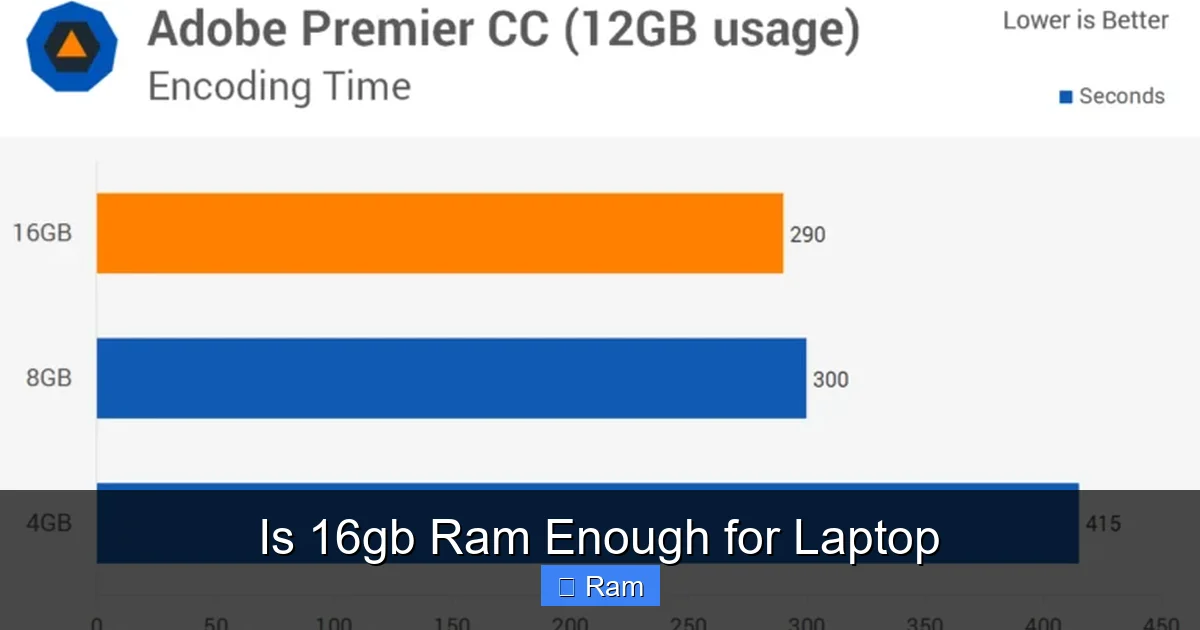
Editing 1080p video in a program like DaVinci Resolve or Adobe Premiere Pro can *sometimes* run on 16GB, but it’s not ideal. The moment you move to 4K footage, work with multiple video tracks, add color grades, use effects, or have After Effects comps in your timeline, 16GB will feel cramped. You’ll experience constant background rendering pauses, sluggish timeline scrubbing, and long render times as your system runs out of fast RAM and starts swapping cache files to the SSD. For any serious video work, 32GB is the new professional starting point. 64GB is common for 4K/6K/8K workflows or when working with heavy After Effects compositions.
3D Modeling, Rendering, and CAD
Software like Blender, 3ds Max, SolidWorks, and AutoCAD are absolute RAM hogs. Complex 3D scenes with high-poly models, intricate textures, and multiple light sources can easily consume 12-18GB of RAM just for the viewport. Attempting to render a scene or simulate physics (like fluid dynamics in Blender) with only 16GB total system RAM will lead to crashes or renders that take exponentially longer because the system is thrashing. For 3D professionals, 32GB is a minimum, with 64GB+ being standard for larger projects.
Data Science, Software Development, and Virtualization
This is where 16GB absolutely wilts. A data scientist running a large pandas DataFrame in Python, a machine learning model training in TensorFlow, or a developer running a local server stack (database, cache, app server) plus their IDE (like Visual Studio Code or IntelliJ) and a browser for documentation—this easily exceeds 16GB. Similarly, running a virtual machine (VM) for testing, using a different OS, or cybersecurity work requires dedicating a large chunk of RAM (e.g., 4-8GB) to that VM alone, leaving little for the host system. For these power-user tasks, 32GB is the responsible baseline, with 64GB+ being common for heavy datasets or multiple concurrent VMs.
When 16GB Isn’t Enough: Identifying the Bottleneck
Even outside of explicitly “professional” titles, certain patterns of use will expose 16GB as insufficient. Recognizing these signs is key.
The “Too Many Tabs” and Heavy Multitasking User
You know who you are. You have a Chrome window with 50+ tabs (each a memory-hungry site like Gmail, Twitter, YouTube), a few VS Code windows, a PDF, Spotify, and Slack. Your laptop’s fan is whirring, and moving between windows feels sluggish. Your RAM usage in Task Manager or Activity Monitor is consistently at 90-100%. This is classic memory pressure. While 16GB can handle a *lot*, there is a breaking point for extreme multitaskers, and it’s often lower than you’d think.
Large File Handling in “Prosumer” Apps
You might not be a full-time video editor, but you occasionally edit GoPro 4K footage for a vacation video. You might dabble in photo editing with 100-megapixel panoramas in Photoshop. You might work with very large Excel databases or complex GIS maps. These “prosumer” activities on large files can temporarily spike RAM usage far beyond normal browsing. If you do this type of work even semi-regularly, 16GB will lead to frustrating slowdowns during those specific tasks.
The Unseen Culprit: Browser Tab Bloat
Modern web apps (Google Docs, Figma, complex web-based dashboards) are not simple text pages. They are full-blown applications running in your browser and can each use 500MB to 2GB of RAM. Ten of these tabs can consume the same memory as a lightweight game. If your workflow is deeply embedded in the browser (SaaS tools, web-based IDEs, etc.), your RAM can vanish without you even launching a traditional “heavy” application.
Future-Proofing and the RAM Arms Race
Buying a laptop is a bet on the future. Technology trends point in one direction: more memory consumption.
Why Software Gets Hungrier
Operating systems add features. Applications add AI-powered tools (like Photoshop’s Generative Fill, which is a memory-intensive process). Games add higher-resolution texture packs and more complex worlds. Browsers get more efficient, but the websites we visit become more complex. This is an inexorable trend. A laptop with 16GB that feels fast today will feel the strain 3-4 years from now not because it’s broken, but because the baseline for what “normal” software uses has shifted upward. 8GB was the sweet spot 5-7 years ago. Today, it’s a minimum for a new Windows machine. The same trajectory suggests 16GB will become the “minimum acceptable” in the next half-decade for power users.
The Upgradeability Lifeline
This is the most critical practical consideration. Can you upgrade the RAM later? An alarming number of modern ultrabooks, gaming laptops, and especially Apple Silicon MacBooks solder the RAM directly to the motherboard, making it impossible to upgrade after purchase. If you buy a laptop with soldered 16GB, that is your forever amount. If the laptop has user-accessible SO-DIMM slots (common in many business laptops, some gaming laptops like certain Dell G-series or Lenovo Legion models, and most Framework laptops), you can often buy a second 16GB stick later and double your memory for a fraction of the cost of buying 32GB upfront. This makes starting with 16GB a smart, cost-effective choice if upgradeability exists. If it doesn’t, you must future-proof at the point of sale.
The Cost-Benefit Analysis of Buying More Now
The price difference between a 16GB and 32GB configuration at purchase varies wildly. For some brands, it’s a reasonable $100-$200 upgrade. For others (like Apple), it’s a crippling $200-$400+ jump. You must weigh this cost against your expected lifespan for the device and your tolerance for slowdowns. If you plan to keep the laptop for 5+ years and it has soldered RAM, spending more now is a long-term investment in usability. If you upgrade laptops every 2-3 years or have an upgradeable model, the premium for 32GB is harder to justify for a general user.
Making the Right Choice: A Practical Decision Framework
Forget the generic advice. Answer these questions for yourself.
Step 1: Honestly Audit Your Current Workflow
Open your current computer’s Task Manager (Windows) or Activity Monitor (Mac). Look at the “Memory” tab. What is your typical “In Use” or “Compressed” memory when you are doing your normal, heavy work? If you’re consistently above 12GB used, 16GB on a new laptop will feel like no upgrade at all. If you’re typically at 6-10GB, 16GB is a massive, comfortable leap. Be brutally honest about your peak usage, not your average.
Step 2: Research Your Specific Software
Go to the official website for your key applications (Adobe, Autodesk, your game, your IDE) and look at their official recommended specifications, not the minimums. For video editing, look at the recommended RAM for your typical resolution (4K = 32GB rec.). For gaming, check the recommended specs for the most demanding game you own or plan to buy. This is your most reliable data point.
Step 3: Check Your Laptop’s Upgradeability
Before you buy, search for “[Laptop Model] RAM upgrade” or “teardown” on YouTube or iFixit. Can you open the back panel and see RAM sticks? Or is everything soldered? This single fact might be the most important in your decision. Upgradeable = Lean towards 16GB now. Soldered = Seriously consider 32GB if budget allows and you’re a power user.
Step 4: Define Your “Future-Proofing” Horizon
How long do you realistically plan to use this laptop? 2 years? 4 years? 6 years? The longer the horizon, the more you should lean toward higher RAM, especially if it’s soldered. A 16GB laptop bought today for light use will likely be fine in 2028. A 16GB laptop bought today for professional 4K editing will be obsolete for that task in 2026.
Step 5: The Budget Reality Check
Finally, be realistic. If your budget for a laptop is $700 and the only model that fits has 16GB, that’s a fantastic machine for the price. Don’t let the “perfect” be the enemy of the “great.” A fast SSD, a good CPU, and a quality screen often make a bigger perceptible difference to everyday use than going from 16GB to 32GB for a casual user. Allocate your budget where it provides the biggest return for your experience.
Conclusion: The Verdict, Personalized
So, is 16GB RAM enough for a laptop? The definitive, personalized answer is this: For students, general home users, office workers, and mainstream gamers playing at 1080p/1440p without streaming, 16GB is not just enough—it’s an excellent, future-resistant amount of memory that will provide a flawless experience for the typical 3-5 year ownership cycle.
For competitive streamers, enthusiasts chasing max settings in the latest AAA games, and anyone regularly working with high-resolution video (4K+), 3D models, large datasets, or virtual machines, 16GB is the minimum you should consider today, and 32GB is the smarter, more professional investment. It’s the difference between a tool that works and a tool that works without making you wait.
The final command comes down to three pillars: your specific software needs, the laptop’s upgradeability, and your intended lifespan for the device. Use the framework above, look at your actual memory usage, and make an informed choice. In the landscape of 2024 laptop buying, 16GB remains a powerful and capable standard, but knowing its limits is the key to ensuring your new machine stays powerful and capable for you.
Frequently Asked Questions
Is 16GB RAM enough for a college student?
Yes, for the vast majority of students, 16GB is excellent. It comfortably handles research with dozens of browser tabs, office suites, video calls, and even light creative or statistical software. Only students in specialized fields like engineering (with complex CAD), film production, or data science may need 32GB.
Should I get 16GB now and upgrade later, or buy 32GB upfront?
This depends entirely on your laptop model. If it has user-accessible RAM slots, buying 16GB now and adding another 16GB stick in 2-3 years is a very cost-effective strategy. If the RAM is soldered to the motherboard (common in thin-and-lights and all MacBooks), you must choose your final amount at purchase. For soldered systems, power users should strongly consider 32GB upfront for future-proofing.
Does RAM speed (MHz) matter more than capacity?
No. For the vast majority of users, capacity is orders of magnitude more important than speed. Having 16GB of slower RAM (e.g., DDR4-3200) will always result in a smoother, faster experience than having 8GB of the fastest RAM (DDR5-6400) because the system won’t need to swap to the SSD. Speed differences within the same generation (e.g., DDR4-2666 vs. DDR4-3200) provide minimal real-world gains (1-5%) compared to the massive penalty of insufficient capacity.
How do I know if my current laptop needs more than 16GB?
Open Task Manager (Ctrl+Shift+Esc on Windows) or Activity Monitor (Mac) and check your Memory tab. If your “In Use” or “Memory Pressure” graph is consistently at 80% or higher during your normal, heavy workloads, and you notice slowdowns when switching apps or loading new data, you are RAM-limited and would benefit from more memory.
Will Windows 11 or macOS use up all my 16GB just by being open?
No, but they use a significant chunk. A modern OS with background services and a browser with a few tabs will typically use 4-8GB of RAM. The remaining 8-12GB is what’s available for your applications. The OS is designed to use “free” RAM for caching files to speed up access, which is a good thing. It only becomes a problem when your active apps need more than the available space, forcing the system to swap.
Is 16GB RAM enough for a MacBook (Apple Silicon M-series)?
For most Mac users, 16GB is the sweet spot and highly recommended over the base 8GB. The unified memory architecture in Apple Silicon is very efficient. 16GB on an M-series Mac will feel like 24GB on a traditional PC for many tasks. However, for professional video editing (especially 4K+ ProRes), 3D work in Blender, or heavy development with multiple Docker containers/VMs, 32GB or 64GB is still necessary on a Mac to avoid memory pressure. The same use-case rules apply; the architecture just makes the memory usage slightly more efficient.