Which Is Better Usb or Bluetooth Keyboard

Choosing between a USB keyboard and a Bluetooth keyboard depends on your needs. USB keyboards offer faster response times and zero latency, making them ideal for gaming and heavy typing. Bluetooth keyboards provide wireless freedom and portability, perfect for laptop users and minimalists. This guide breaks down speed, battery life, compatibility, and more to help you decide.
Key Takeaways
- USB Keyboards: Faster response times, no battery needed, and more reliable for competitive gaming and intensive typing.
- Bluetooth Keyboards: Better portability, wireless freedom, and cleaner desk setups with fewer cables.
- Battery Life: Bluetooth keyboards need charging, while USB keyboards draw power directly from the device.
- Latency Matters: USB connections have virtually zero input lag, while Bluetooth adds a small but noticeable delay.
- Compatibility: Both options work with most modern devices, but USB offers broader plug-and-play support.
- Hybrid Options Exist: Some keyboards support both USB and Bluetooth, giving you the best of both worlds.
📑 Table of Contents
- USB vs Bluetooth Keyboard: Which One Wins for Your Setup?
- Understanding USB Keyboards
- Understanding Bluetooth Keyboards
- Head-to-Head Comparison
- Who Should Choose a USB Keyboard?
- Who Should Choose a Bluetooth Keyboard?
- Hybrid Keyboards: Best of Both Worlds
- Common Mistakes When Choosing Between USB and Bluetooth Keyboards
- Quick Tips for Getting the Most Out of Your Keyboard
- Final Verdict
- Final Thoughts
USB vs Bluetooth Keyboard: Which One Wins for Your Setup?
If you are shopping for a new keyboard, you have probably wondered whether to go with a USB keyboard or a Bluetooth keyboard. Both options have strong benefits, and both have trade-offs. The right choice depends on how you use your keyboard, where you use it, and what matters most to you.
A USB keyboard connects directly to your computer with a cable. This gives you instant, lag-free input. A Bluetooth keyboard connects wirelessly, which means no cables and more freedom to move around. In this guide, we will compare both options across speed, portability, battery life, and more so you can make a confident choice.
Whether you are a gamer, a writer, a student, or someone who just wants a better setup, this article covers everything you need. We will also look at hybrid keyboards that support both connections, so you do not have to pick just one. Let us dive in.
Understanding USB Keyboards
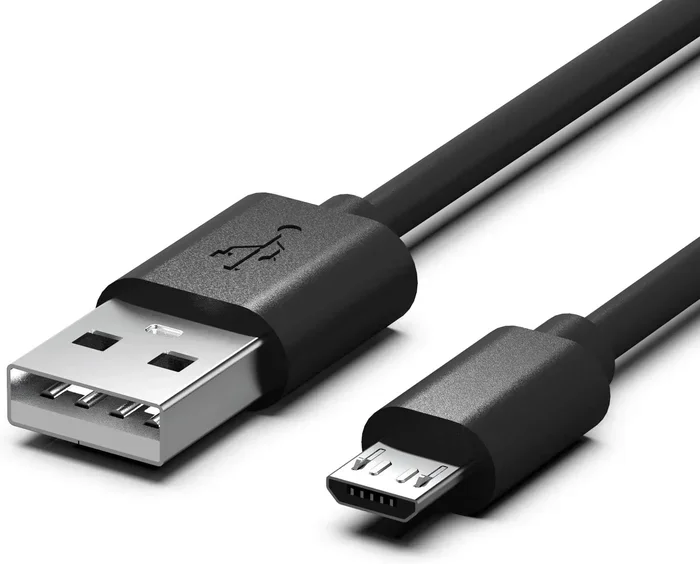
A USB keyboard plugs directly into your computer using a USB cable. Most modern keyboards use a USB Type-A connector, but some newer models use USB-C. The connection is simple, direct, and extremely reliable.
How USB Keyboards Work
When you press a key on a USB keyboard, the signal travels through the cable to your computer almost instantly. There is no wireless transmission involved. This means the input latency is as close to zero as it gets. For fast typists and competitive gamers, this is a huge advantage.
USB keyboards also draw power directly from the USB port. You never need to charge them or replace batteries. This makes them maintenance-free in most cases. Just plug in and type.
Pros of USB Keyboards
- Zero latency: Signals transfer instantly with no delay.
- No batteries needed: Power comes directly from the USB port.
- Stable connection: No dropouts or interference issues.
- Plug and play: Works on almost any device with a USB port.
- Affordable: USB keyboards tend to cost less than wireless options.
Cons of USB Keyboards
- Limited mobility: The cable restricts how far you can move.
- Cable clutter: Extra wires on your desk can look messy.
- Cable damage: Frequent bending can wear out the cable over time.
- Port usage: Takes up a USB port on your computer.
Understanding Bluetooth Keyboards
A Bluetooth keyboard connects to your device without a cable. It uses wireless Bluetooth technology to send signals. This type of keyboard has become very popular for laptop users, tablet owners, and anyone who values a clean desk.
How Bluetooth Keyboards Work
Bluetooth keyboards pair with your device using a wireless connection. Once paired, every keystroke sends a signal through the air to your computer or tablet. Most Bluetooth keyboards use Bluetooth 5.0 or newer, which provides a stable range of about 30 feet.
Since Bluetooth keyboards are wireless, they need a built-in battery. Depending on the model, a full charge can last anywhere from a few weeks to several months. Some keyboards use replaceable batteries, which adds convenience.
Pros of Bluetooth Keyboards
- Wireless freedom: Move freely around your room or office.
- Clean desk setup: No cables cluttering your workspace.
- Portable: Easy to carry in a bag for travel or work on the go.
- Multi-device support: Many models can switch between laptops, tablets, and phones.
- Aesthetic appeal: Sleeker and more modern looking.
Cons of Bluetooth Keyboards
- Battery dependency: You need to charge or replace batteries regularly.
- Slight input lag: Wireless transmission adds a small delay compared to USB.
- Connection issues: Bluetooth can sometimes interfere with other wireless devices.
- Higher cost: Wireless keyboards often cost more than their wired counterparts.
Head-to-Head Comparison
Let us put the two options side by side. This comparison will help you see the differences clearly.
| Feature | USB Keyboard | Bluetooth Keyboard |
|---|---|---|
| Connection Type | Wired (USB cable) | Wireless (Bluetooth) |
| Input Lag | Virtually zero | Small but noticeable |
| Battery Required | No | Yes (rechargeable or replaceable) |
| Portability | Less portable (cable attached) | Very portable |
| Desk Aesthetics | More cables | Clean and minimal |
| Multi-Device Support | Usually one device | |
| Price Range | Generally lower | Generally higher |
| Reliability | Very high | High, but can have interference |
As you can see, neither option is perfect in every category. Your choice should depend on what matters most to your workflow. A USB keyboard is the clear winner for speed and reliability. A Bluetooth keyboard is better for portability and a tidy workspace.
Who Should Choose a USB Keyboard?
A USB keyboard is the best choice for several types of users. If any of these sound like you, a wired keyboard is probably the way to go.
Gamers
In competitive gaming, every millisecond counts. A USB keyboard delivers instant input with no wireless delay. Players who need precise and immediate keystrokes will benefit greatly from a wired connection. Many professional gamers stick with USB keyboards for this reason.
When you are in the middle of a tight match, you do not want to worry about battery levels or connection drops. A USB keyboard just works, every single time.
Heavy Typists and Programmers
If you type for hours every day, a USB keyboard provides a consistent and reliable experience. There is no lag, no delay, and no need to charge. For coding marathons or long writing sessions, the stability of a wired connection is a big plus.
Many programmers also prefer the tactile feel of USB mechanical keyboards, which tend to have better build quality at lower price points.
Desktop Users with Limited Mobility Needs
If your keyboard stays on your desk and does not move around much, a USB connection makes perfect sense. You get reliable performance without worrying about batteries or Bluetooth pairing issues.
Who Should Choose a Bluetooth Keyboard?
Bluetooth keyboards shine for users who value wireless freedom and portability. Here are the groups that benefit most from a Bluetooth keyboard.
Laptop and Tablet Users
If you use a laptop or tablet as your primary device, a Bluetooth keyboard is a natural fit. You can type from across the room, on the couch, or at a coffee shop. The wireless connection gives you flexibility that a USB cable simply cannot match.
Many people pair their Bluetooth keyboard with a tablet for a lightweight workstation setup. This is especially popular with digital nomads and remote workers.
Travelers and Commuters
A Bluetooth keyboard is much easier to carry around. Without a cable, the keyboard is lighter and more compact. You can slip it into a bag and use it with your phone, tablet, or laptop on the go.
For people who travel frequently, the portability of a Bluetooth keyboard is a game-changer. You can set up a comfortable typing station anywhere.
Minimalists Who Want a Clean Desk
If you hate cable clutter, a Bluetooth keyboard keeps your desk looking clean and organized. There are no wires running across your workspace. This can make a big difference in how pleasant your work environment feels.
Some people also find that a wireless setup reduces stress and creates a more calming workspace. Fewer cables mean fewer things to manage and tangle.
Hybrid Keyboards: Best of Both Worlds
Here is something many people do not know: some keyboards support both USB and Bluetooth connections. These hybrid models let you switch between wired and wireless modes depending on your needs.
When you are at your desk and need maximum speed, you plug in the USB cable. When you want to move around or travel, you switch to Bluetooth. This flexibility is incredibly convenient.
Hybrid keyboards usually come with a small USB dongle for wired mode and also support Bluetooth pairing. They tend to cost a bit more than single-connection models, but the added versatility is worth it for many users. If you cannot decide between USB and Bluetooth, a hybrid keyboard solves the dilemma entirely.
When looking at accessories and connectivity options, it is also worth exploring how different USB setups work. For example, if you are connecting external storage or other peripherals, understanding USB connectivity helps you make better choices across your entire setup.
Common Mistakes When Choosing Between USB and Bluetooth Keyboards
Avoid these common pitfalls when deciding between a USB keyboard and a Bluetooth keyboard.
- Ignoring latency for gaming: Some people buy a Bluetooth keyboard for gaming without realizing the input lag can affect performance. Stick with USB for competitive games.
- Forgetting about battery life: Bluetooth keyboards need power. If you forget to charge yours, you could be left without a keyboard when you need it most.
- Overlooking compatibility: Not all Bluetooth keyboards work with every device. Check compatibility before you buy.
- Choosing style over function: A sleek Bluetooth keyboard might look great, but if you need fast and reliable input, a USB model might serve you better.
- Not considering a hybrid option: Many people do not know that hybrid keyboards exist. They end up picking one connection type when they could have both.
Quick Tips for Getting the Most Out of Your Keyboard
- For USB keyboards: Use a quality USB cable and avoid bending it sharply to extend its lifespan.
- For Bluetooth keyboards: Turn off Bluetooth when not in use to save battery life.
- For both: Keep your keyboard clean by wiping it down regularly with a soft cloth.
- For both: Update firmware if your keyboard supports it for the best performance.
- For hybrid models: Try both modes and see which one fits your daily routine better.
Final Verdict
So, which is better: a USB keyboard or a Bluetooth keyboard? The honest answer is that it depends on your use case.
If you need speed, reliability, and zero input lag, go with a USB keyboard. It is the better choice for gaming, heavy typing, and desktop setups where portability does not matter.
If you value wireless freedom, portability, and a clean desk, choose a Bluetooth keyboard. It is ideal for laptop users, travelers, and anyone who wants flexibility in how and where they type.
And if you want the best of both worlds, look into hybrid keyboards that support both USB and Bluetooth. These give you the freedom to switch between connections whenever you need to.
Take some time to think about how you use your keyboard every day. Consider your setup, your workflow, and your priorities. With the right information, you can confidently pick the keyboard that fits your life perfectly.
Final Thoughts
The debate between a USB keyboard and a Bluetooth keyboard is not about which one is universally better. It is about which one is better for you. Both technologies have matured significantly, and both offer excellent options at various price points.
Think about what you value most. Is it speed and reliability? Go USB. Is it portability and a clean workspace? Go Bluetooth. Cannot decide? Get a hybrid keyboard and enjoy the best of both worlds.
Whichever you choose, investing in a good keyboard will improve your daily computing experience. Happy typing.
Frequently Asked Questions
Is a USB keyboard faster than a Bluetooth keyboard?
Yes, a USB keyboard is faster. The wired connection has virtually zero input lag, while Bluetooth adds a small delay. For most everyday tasks, this difference is barely noticeable. But for gaming or fast typing, USB has the clear advantage.
Can I use a Bluetooth keyboard with any device?
Most Bluetooth keyboards work with any device that supports Bluetooth, including laptops, tablets, and smartphones. However, some older devices may not have Bluetooth capability. Always check your device specifications before buying.
Do Bluetooth keyboards need batteries?
Yes, Bluetooth keyboards need batteries since they are wireless. Most modern models use rechargeable lithium-ion batteries that can last several weeks or even months on a single charge. Some models use replaceable AAA or AA batteries.
Are USB keyboards more reliable than Bluetooth keyboards?
Generally, yes. USB keyboards have a direct wired connection that does not suffer from interference or signal drops. Bluetooth keyboards are reliable but can occasionally experience interference from other wireless devices in the same area.
Can I use both USB and Bluetooth at the same time?
Most keyboards only use one connection at a time. However, hybrid keyboards allow you to switch between USB and Bluetooth modes. You cannot use both simultaneously on a single keyboard unless it has a specific dual-mode feature.
Which keyboard is better for travel?
A Bluetooth keyboard is much better for travel. It is lighter, cable-free, and easy to pack. You can use it with your laptop, tablet, or phone on the go. Some compact Bluetooth keyboards are small enough to fit in a jacket pocket.