Is Usb 3 2 Faster Than Ethernet
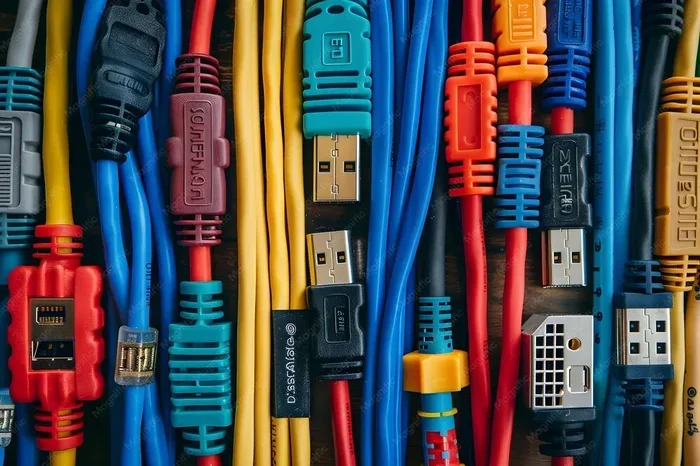
Is USB 3.2 faster than Ethernet? The answer depends on the type of Ethernet connection and what you are transferring. USB 3.2 Gen 2×2 can reach speeds up to 20 Gbps, while standard Gigabit Ethernet tops out at 1 Gbps. However, real-world performance varies based on your hardware, cables, and network setup.
When you plug in a flash drive or connect an external hard drive, speed matters. You want your files to copy fast. You do not want to wait around. That is where the question comes up: Is USB 3.2 faster than Ethernet? It sounds simple, but the real answer has some layers to it.
USB 3.2 and Ethernet serve different purposes. One is built for direct device-to-device transfers. The other is built for networking and internet access. Both have their strengths. Both have their limits. In this guide, we break down the real numbers, the real-world use cases, and help you figure out which one wins for your needs.
We will look at raw speeds, practical performance, and the situations where each connection shines. Whether you are moving huge video files or sharing folders across a home network, this article has you covered. Let us dive in.
Key Takeaways
- USB 3.2 is significantly faster than standard Gigabit Ethernet in pure transfer speed, reaching up to 20 Gbps compared to Ethernet’s 1 Gbps limit.
- Real-world speeds depend on many factors, including cable quality, device compatibility, and network congestion.
- USB 3.2 excels for local file transfers between devices, while Ethernet is better suited for network sharing and internet access.
- USB-C and Thunderbolt connections can further boost USB 3.2 performance beyond standard expectations.
- For most home users, USB 3.2 offers faster bulk transfer of large files like videos and backups.
- Etherbeat remains the better choice for stable, low-latency network tasks such as streaming and online gaming.
📑 Table of Contents
Understanding USB 3.2 Speeds
USB 3.2 is the latest mainstream USB standard you will find on most modern laptops and desktops. It comes in different generations, and each one offers different speeds. Understanding these variations is key to knowing how USB 3.2 stacks up against Ethernet.
USB 3.2 Generations Explained
USB 3.2 actually has two main versions that people confuse all the time. Here is the simple breakdown:
- USB 3.2 Gen 1: This is the same as USB 3.0. It maxes out at 5 Gbps. That is about 625 MB per second in theory.
- USB 3.2 Gen 2: This doubles the speed to 10 Gbps, or roughly 1.2 GB per second. Most modern USB-C ports use this standard.
- USB 3.2 Gen 2×2: This is the fastest USB 3.2 option. It hits 20 Gbps, or about 2.4 GB per second. You will find this on newer devices with USB 3.2 Gen 2×2 ports.
So when people ask, “Is USB 3.2 faster than Ethernet,” they are usually thinking about Gen 2 or Gen 2×2. Those numbers look impressive on paper. But real-world speeds are always lower than the theoretical maximum.
What Affects USB 3.2 Transfer Speeds?
Several factors can slow down your USB 3.2 transfers. Here are the big ones to keep in mind:
- Cable quality: A cheap or short cable can bottleneck your speeds. Always use certified USB 3.2 cables.
- Device compatibility: Both the host and the device must support USB 3.2 for full speeds.
- File size and type: Small files transfer slower due to overhead. Large files benefit most from high-speed connections.
- Storage medium: Even with a fast USB connection, a slow hard drive will hold you back.
- Adapter usage: If you are using an M.2 NVMe SSD to USB 3.1 adapter, the adapter itself can limit speeds.
Keep these factors in mind when you run your own speed tests. The numbers you see in real life may not match the specs on the box.
Understanding Ethernet Speeds
Ethernet has been the backbone of wired networking for decades. It connects your computer to your router, your router to the internet, and your devices to each other on a local network. But how fast is it really?
Common Ethernet Speed Tiers
Not all Ethernet connections are the same. Here are the most common speed tiers you will encounter:
- Fast Ethernet (100 Mbps): This is the older standard. It tops out at about 12.5 MB per second. You rarely see this in modern setups.
- Gigabit Ethernet (1 Gbps): This is the standard for most home networks. It delivers up to 125 MB per second. Most routers and modern computers support this.
- 2.5 Gigabit Ethernet: A newer option that hits 2.5 Gbps or about 312 MB per second. It is gaining popularity in home offices.
- 10 Gigabit Ethernet: This is for serious setups. It reaches 1.25 GB per second. You will mostly find this in business environments.
For most home users, Gigabit Ethernet is the standard. And when you compare 1 Gbps to USB 3.2 Gen 2’s 10 Gbps, the difference is clear. USB 3.2 wins on raw speed by a wide margin.
Real-World Ethernet Performance
Here is something people often overlook. Ethernet speeds in real life are never the same as the advertised maximum. Network congestion, router quality, cable length, and even the time of day can affect your speeds. A Gigabit Ethernet connection might only deliver 800 Mbps to 950 Mbps in practice.
Also, Ethernet is designed for network tasks, not direct device-to-device transfers. If you want to move a file from your laptop to a desktop on the same network, Ethernet handles that. But it was not built for plugging in a single external drive and copying files at top speed.
Head-to-Head: USB 3.2 vs Ethernet
Now let us get to the heart of the comparison. When you ask, “Is USB 3.2 faster than Ethernet,” you want a straight answer. Let us put the two side by side.
Speed Comparison Table
| Feature | USB 3.2 Gen 2 | Gigabit Ethernet | USB 3.2 Gen 2×2 |
|---|---|---|---|
| Theoretical Max Speed | 10 Gbps | 1 Gbps | 20 Gbps |
| Real-World Transfer Speed | 800 Mbps to 1 Gbps | 800 Mbps to 950 Mbps | 1.5 Gbps to 2 Gbps |
| Best Use Case | Local file transfers | Network sharing and internet | Large file transfers |
| Latency | Very low | Low and stable | Very low |
| Distance Limit | About 3 meters (cable) | Up to 100 meters | About 3 meters (cable) |
| Device Compatibility | Most modern devices | Nearly all networked devices | Newer devices only |
As you can see, USB 3.2 is faster in almost every scenario for direct transfers. Ethernet has the advantage when it comes to distance and network stability. But pure speed? USB 3.2 takes the lead.
When USB 3.2 Wins
USB 3.2 is the clear winner in these situations:
- Moving large files between devices: Copying a 50 GB video folder from an external SSD to your laptop happens much faster over USB 3.2.
- Backing up your system: A full system backup to an external drive completes in a fraction of the time over USB.
- Working with media files: Video editors benefit from the fast read/write speeds of USB 3.2 when accessing footage stored on external drives.
- Using an external enclosure: An M.2 NVMe SSD enclosure adapter USB 3.1 can deliver speeds close to the SSD’s native performance.
When Ethernet Wins
Ethernet still holds the edge in these areas:
- Network file sharing: If multiple devices need to access the same server or NAS, Ethernet provides the stable connection you need.
- Internet access: USB 3.2 does not connect you to the internet directly. Ethernet does.
- Long-distance connections: Ethernet cables can run up to 100 meters. USB cables are limited to about 3 meters without active repeaters.
- Low-latency tasks: Online gaming and video calls benefit from Ethernet’s consistent, stable connection.
USB 3.2 and External Storage: The Real-World Impact
One of the biggest reasons people compare USB 3.2 and Ethernet is external storage. If you have a fast NVMe SSD in a USB enclosure, how fast can you actually go?
The answer depends on the enclosure and the connection. A quality M.2 NVMe to USB-C SSD enclosure can push your SSD speeds to their limits. You can see read speeds of 1,000 MB per second or more. That is way faster than any Ethernet connection for a single device.
But here is the catch. Not all enclosures are created equal. Cheap enclosures with poor chipsets can bottleneck your drive. You might pay for a 10 Gbps connection but only get 400 MB per second because the enclosure cannot handle the speed.
For the best results, look for enclosures that support the full USB 3.2 Gen 2 standard. Brands like Sabrent offer reliable options, including their Sabrent Thunderbolt 3 certified M.2 NVMe SSD enclosures that deliver top-tier performance.
Can You Use Both at the Same Time?
Yes, you absolutely can. In fact, many people use USB 3.2 and Ethernet simultaneously without any issues. Your laptop might be connected to a fast external drive via USB 3.2 while also staying online through Ethernet.
This dual setup is great for professionals who need both fast local access and stable network connectivity. Video editors, for example, often store project files on a USB 3.2 connected SSD while uploading renders to a cloud server over Ethernet.
The two connections do not interfere with each other. They use different hardware, different protocols, and different purposes. So you do not have to choose one over the other. You can have both working for you at the same time.
Common Mistakes People Make
When comparing USB 3.2 and Ethernet speeds, people often make mistakes that lead to misleading results. Here are a few to watch out for:
- Comparing theoretical speeds to real-world speeds: USB 3.2 can reach 20 Gbps on paper, but you will never see that in real life. Ethernet also never hits its theoretical max. Compare real-world numbers only.
- Ignoring the storage device: A fast USB connection will not make a slow hard drive faster. The drive itself is the bottleneck.
- Using the wrong cable: A USB 2.0 cable plugged into a USB 3.2 port will limit your speed to USB 2.0 levels. Always check your cables.
- Testing over a congested network: If your Ethernet network has many devices downloading at once, your speeds will drop. This does not mean Ethernet is slow.
- Confusing USB 3.2 with USB-C: USB-C is a connector type, not a speed standard. A USB-C port can be USB 3.2, USB 2.0, or even Thunderbolt. Always check the specifications.
Avoiding these mistakes will help you get accurate results when you test your own setup.
Which Should You Choose?
So, is USB 3.2 faster than Ethernet? Yes, for direct transfers and local file copying. But that does not mean you should replace your Ethernet connection. The two technologies serve different needs, and the best choice depends on what you are doing.
Choose USB 3.2 if: You need to move large files quickly between devices, you are using external storage, or you want the fastest possible transfer for backups and media work.
Choose Ethernet if: You need a stable network connection, you are sharing files across multiple devices on a network, or you need internet access with low latency.
For most power users, the answer is both. Use USB 3.2 for your external drives and fast local transfers. Use Ethernet for your network and internet connection. You get the best of both worlds.
Quick Tips to Maximize USB 3.2 Speeds
- Always use the cable that came with your device or a certified USB 3.2 cable.
- Plug directly into your computer’s port. Avoid USB hubs when possible.
- Make sure your device drivers are up to date.
- Format your external drive as NTFS (Windows) or APFS (Mac) for best performance.
- Close other programs that might be using the USB connection during transfers.
These small steps can make a big difference in your actual transfer speeds.
Conclusion
So, is USB 3.2 faster than Ethernet? In a direct comparison for local file transfers, USB 3.2 wins by a wide margin. It delivers speeds that Gigabit Ethernet simply cannot match. But Ethernet has its own strengths, especially for network stability, long-distance connections, and internet access.
The best approach is to use both where they shine. Connect your external drives and SSDs via USB 3.2 for blazing-fast transfers. Rely on Ethernet for your network and online activities. Understanding the strengths of each connection helps you build a setup that works fast and works well.
Next time someone asks you about USB 3.2 versus Ethernet, you will have the full picture. You will know the numbers, the real-world performance, and the best use cases for each. That is knowledge that pays off every time you transfer a file or connect to a network.
Frequently Asked Questions
Can USB 3.2 replace Ethernet for home networking?
No, USB 3.2 is not designed for networking. It connects devices directly to your computer. Ethernet connects devices to a network and the internet. They serve different purposes, and you still need Ethernet for network access.
Is USB 3.2 faster than 2.5 Gigabit Ethernet?
USB 3.2 Gen 2×2 can reach 20 Gbps, which is faster than 2.5 Gigabit Ethernet’s 2.5 Gbps. For direct device transfers, USB 3.2 is significantly faster. But for network tasks, Ethernet provides the stability you need.
Do I need special cables for USB 3.2?
Yes, you need a USB 3.2 certified cable to get the full speeds. Using an older USB 2.0 or USB 3.0 cable will limit your transfer rate. Always check the cable specifications before purchasing.
Can I connect an Ethernet device through USB?
Yes, you can use a USB-to-Ethernet adapter to add a wired network connection to your computer. This works well but adds a small amount of overhead, which may slightly reduce speeds compared to a built-in Ethernet port.
Why is my USB 3.2 transfer slower than expected?
Several factors can slow things down, including cable quality, device limitations, file size, and the storage medium itself. Small files transfer slower due to overhead, and older hardware may not support the full USB 3.2 speed standard.
Is Thunderbolt 3 or 4 faster than USB 3.2?
Thunderbolt 3 and 4 use the USB-C connector but offer much higher speeds. Thunderbolt 3 supports up to 40 Gbps, and Thunderbolt 4 supports up to 40 Gbps as well. Both are significantly faster than standard USB 3.2 for data transfers and display output.