Why Do I Need Hdmi

You need HDMI because it delivers high-quality audio and video through a single cable, making it the simplest way to connect devices like TVs, laptops, and gaming consoles. HDMI supports 4K resolution, deep bass, and surround sound without extra wires. Whether you are streaming, gaming, or building a home theater, HDMI is the go-to connection that saves time and reduces cable clutter.
You plug something into your TV and suddenly the screen lights up with clear sound and sharp pictures. That simple moment happens because of HDMI. But have you ever stopped to think about why you need it? HDMI has become the standard way to connect almost every entertainment device in your home. From your laptop to your gaming console, this little port does a lot of heavy lifting.
If you have ever wondered whether you really need an HDMI cable or if you can get by with something else, this guide is for you. We will break down exactly why you need HDMI, what it does better than other connections, and how to pick the right one for your setup. Let us dive in.
Key Takeaways
- Single Cable Solution: HDMI carries both audio and video in one cable, cutting down on wire mess.
- Superior Display Quality: HDMI supports 4K and even 8K resolution for sharp, vibrant visuals.
- Wide Device Compatibility: Most modern devices like smart TVs, laptops, and gaming consoles use HDMI.
- Easy Plug and Play: No special drivers or software needed — just plug in and go.
- HDMI ARC Simplifies Audio: You can send sound from your TV to a soundbar or receiver using one cable.
- Different Versions Exist: HDMI 2.0 and 2.1 offer higher bandwidth for gaming and ultra HD content.
- Affordable and Widely Available: HDMI cables are cheap and easy to find anywhere.
📑 Table of Contents
What Is HDMI and Why Does It Matter?
HDMI stands for High Definition Multimedia Interface. It is a digital connection that sends both audio and video signals through one cable. Before HDMI existed, you needed separate cables for sound and picture. That meant more wires, more ports, and more confusion. HDMI changed all of that.
The reason HDMI matters so much is simplicity. You get one cable that handles everything. It carries uncompressed digital signals, which means your picture and sound stay crisp from start to finish. This is why most TVs, laptops, and streaming boxes come with at least one HDMI port built in.
How HDMI Works in Plain Terms
Think of HDMI like a highway for your audio and video data. When you press play on your streaming device, the data travels through the cable to your TV. Because it is digital, there is no loss in quality along the way. You get the same sharp image and clear sound that the source device intended.
The digital signal used by HDMI is much more reliable than older analog connections. You do not get static, interference, or fuzzy pictures. Everything stays clean and clear. That is why HDMI has become the default choice for home entertainment setups around the world.
Common Devices That Need HDMI
Almost every modern entertainment device relies on HDMI in some way. Here are the most common devices where you will need this connection:
- Smart TVs: Your TV likely has multiple HDMI ports for connecting different devices.
- Laptops and Computers: Many laptops use HDMI to hook up to external monitors or projectors.
- Gaming Consoles: PlayStation, Xbox, and Nintendo Switch all use HDMI for display output.
- Streaming Devices: Roku, Amazon Fire Stick, Apple TV, and Chromecast rely on HDMI.
- Blu-ray Players: For the best picture quality from your movies, HDMI is essential.
- Soundbars and Receivers: Many audio devices use HDMI ARC to receive sound from your TV.
If you have a home theater setup, HDMI becomes even more important. It connects your source devices to your receiver and then to your display. One cable chain can handle everything from video to multi-channel audio. Without HDMI, you would need many more cables and adapters.
HDMI vs Other Connection Types
You might wonder how HDMI compares to other cables. Let us look at the main alternatives and see why HDMI usually wins.
HDMI vs VGA
VGA is an older analog connection that only carries video. You need a separate audio cable on top of that. VGA also loses quality over distance and cannot support modern resolutions. HDMI, on the other hand, handles audio and video in one go with no quality loss.
HDMI vs USB-C
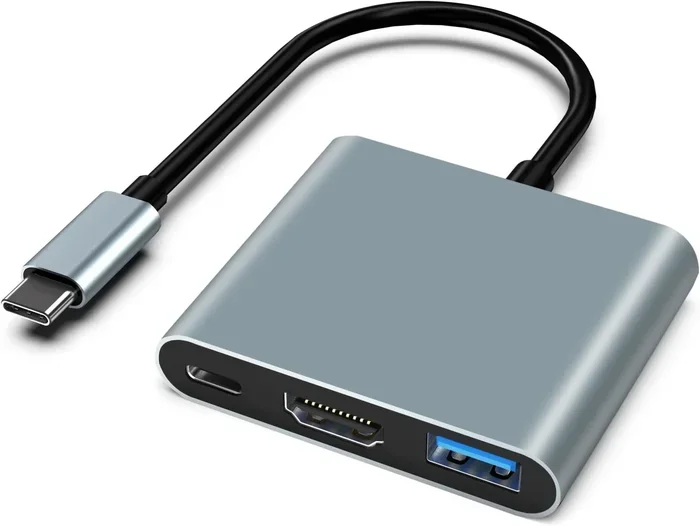
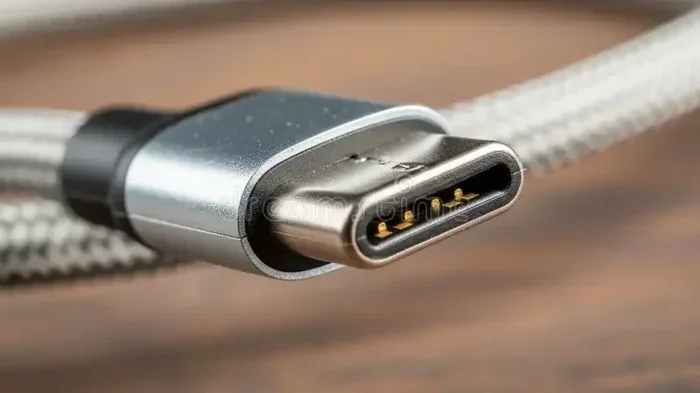
USB-C is versatile and can carry video signals, but it often requires adapters or docks to connect to a TV. HDMI provides a direct, reliable connection without extra hardware. For a simple setup, HDMI is faster and more straightforward.
HDMI vs DisplayPort
DisplayPort is great for computer monitors, especially for high refresh rates. But it is not widely supported on TVs and entertainment devices. HDMI is the universal choice for connecting anything to a television or projector.
| Feature | HDMI | VGA | USB-C |
|---|---|---|---|
| Carries Audio | Yes | No | Sometimes |
| Carries Video | Yes | Yes | Yes |
| Supports 4K | Yes | No | Yes |
| Plug and Play | Yes | Yes | Sometimes |
| Common on TVs | Yes | No | Rarely |
As you can see, HDMI offers the best balance of features for most users. It is the most compatible connection across devices of all kinds.
How to Choose the Right HDMI Cable
Not all HDMI cables are the same. Choosing the right one depends on what you want to do. Here is a simple guide to help you decide.
Standard HDMI Cable
This is the basic cable that works for most everyday tasks. It handles 1080p video and stereo audio just fine. If you are connecting a laptop to a monitor or a cable box to a TV, a standard cable will do the job.
High Speed HDMI Cable
High speed cables support 4K resolution and deeper color. If you have a 4K TV or a gaming console that outputs at higher resolutions, you need this type. Most modern cables sold today are high speed by default.
Ultra High Speed HDMI Cable
This is the top-tier cable for HDMI 2.1 features. It supports 8K resolution, higher refresh rates, and dynamic HDR. Gamers and home theater enthusiasts will benefit most from this cable. It is ideal if you own a next-gen console or a premium 4K TV.
Quick Tip: Always check the HDMI version on your device before buying a cable. A cable that supports HDMI 2.1 will not improve a device that only has HDMI 2.0 ports.
Consider Cable Length Carefully
The cable length matters more than most people think. A cable that is too long can weaken the signal. For most setups, a 6-foot or 10-foot cable works perfectly. If you need something longer, look for a cable with a built-in signal booster.
HDMI Versions Explained
HDMI has gone through several updates over the years. Each version brings better features and higher performance. Here is a quick look at the most important versions you should know about.
HDMI 1.4
This version introduced 4K support at 30Hz and HDMI ARC, which lets your TV send audio back to a soundbar or receiver. HDMI 1.4 is still common in many devices and handles most basic needs well.
HDMI 2.0
HDMI 2.0 brought 4K at 60Hz and wider bandwidth. This means smoother motion and better picture quality for fast-moving content. Most 4K TVs and streaming devices today use HDMI 2.0 or higher.
HDMI 2.1
This is the latest version and it is a game changer. HDMI 2.1 supports 8K resolution, 4K at 120Hz, and features like Variable Refresh Rate (VRR) and Auto Low Latency Mode (ALLM). These are critical for serious gamers who want the smoothest experience possible.
When shopping for cables or devices, always check which HDMI version they support. The higher the version, the better the display quality and features you get.
Common HDMI Problems and How to Fix Them
Even though HDMI is reliable, you can run into issues from time to time. Here are the most common problems and simple fixes.
No Signal on the Screen
This is the most common HDMI issue. Try unplugging the cable and plugging it back in firmly. Sometimes the port needs a gentle push to make proper contact. If that does not work, try a different HDMI port on your TV.
Flickering or Intermittent Picture
A loose connection often causes flickering. Check that the cable is secure at both ends. If the problem continues, the cable itself may be damaged. Replacing it with a new one usually solves this quickly.
No Sound Through HDMI
If your picture is fine but there is no sound, check your TV audio settings. Make sure HDMI is set as the audio output device. Also verify that the cable supports audio transmission, which all standard HDMI cables do.
EDID Errors
Sometimes devices cannot agree on the best resolution or refresh rate. This causes a blank screen or low-quality output. Unplugging both devices, waiting 30 seconds, and plugging them back in usually fixes this. It resets the plug and play handshake between devices.
Most HDMI problems have simple solutions. You do not need to be a tech expert to troubleshoot them. A little patience and the right cable go a long way.
Why HDMI Is Still the Best Choice for Home Entertainment
Despite all the wireless options available today, HDMI remains the gold standard for audio and video connections. Here is why it continues to dominate.
First, HDMI provides the best quality. Wireless connections like Bluetooth or Wi-Fi can compress audio and video, which reduces quality. HDMI sends uncompressed signals for the sharpest picture and richest sound. If you care about display quality, there is no better option.
Second, HDMI is universal. Nearly every entertainment device uses it. Your TV, console, laptop, and streaming box all speak the same language through HDMI. This universal compatibility means fewer adapters and less frustration.
Third, HDMI is affordable. A good quality cable costs just a few dollars. You do not need to spend a fortune on premium brands for most setups. Save your money for the devices themselves and grab a reliable HDMI cable from any electronics store or online shop.
Finally, HDMI keeps getting better. Each new version brings higher bandwidth, better resolution support, and smarter features. HDMI 2.1 is already pushing the limits with 8K and advanced gaming features. This technology will continue to evolve and stay relevant for years to come.
So the next time you reach for that cable to connect your devices, remember that HDMI makes it all possible. It is the quiet hero behind every great picture and clear sound in your home entertainment setup.
If you are setting up a new audio system and wondering about other connections, check out whether you need an amplifier for your speakers or if your current setup is enough. Understanding your full audio chain helps you get the most out of every HDMI connection.
Similarly, if you are building a music setup with vinyl records, you might wonder about whether speakers are needed with a turntable. While that is a different type of connection, the same principle applies — choosing the right cables and ports makes all the difference in your setup quality.
Conclusion
HDMI is essential for anyone who wants a simple, high-quality connection between their devices. It carries both audio and video through one cable, supports the latest 4K and 8K resolutions, and works with almost every modern device. Whether you are gaming, streaming movies, or building a full home theater, HDMI gives you the best experience with minimal hassle.
Choosing the right HDMI cable and understanding its versions can make a real difference in your setup. From standard cables to ultra high speed options, there is an HDMI solution for every need. Keep your cables in good condition, check your device compatibility, and enjoy the clear picture and sound that HDMI delivers every single time.
The bottom line is simple: you need HDMI because it is the most reliable, versatile, and affordable way to connect your entertainment devices. Do not overcomplicate your setup. A single HDMI cable can do what used to take five or six different connections. Embrace the simplicity and quality that HDMI brings to your home.
Frequently Asked Questions
Do I need a special HDMI cable for 4K TV?
Yes, you need a high speed or ultra high speed HDMI cable to get the full 4K experience. Standard cables may work but might not support the best resolution and refresh rates. Look for cables labeled “High Speed” or “Premium High Speed” for reliable 4K performance.
Can I use HDMI to connect my laptop to a TV?
Absolutely. Most laptops have an HDMI output port. Just connect one end to your laptop and the other to your TV. Your TV will display your laptop screen, and you can even play audio through your TV speakers. It is one of the easiest ways to share your screen on a bigger display.
What is the difference between HDMI and HDMI ARC?
HDMI ARC stands for Audio Return Channel. It allows your TV to send audio back to a soundbar or receiver through the same HDMI cable. This means you only need one cable for both video input and audio output, making your setup cleaner and simpler.
How long can an HDMI cable be before signal quality drops?
For most standard cables, 15 feet is the safe limit before signal degradation starts. If you need a longer run, look for active HDMI cables or cables with built-in signal boosters. These are designed to maintain quality over longer distances without losing picture or sound.
Do all gaming consoles need HDMI?
Most modern gaming consoles use HDMI as their primary connection. The PlayStation 5, Xbox Series X, and even the Nintendo Switch all rely on HDMI for video output. A few older models may have alternative ports, but HDMI is the standard for current-generation gaming hardware.
Is HDMI better than wireless connections like Chromecast?
HDMI provides a direct, wired connection with no compression or lag. Wireless options like Chromecast are convenient but can experience slight delays or quality loss. For the best picture and sound quality, especially for gaming and movies, HDMI is the superior choice.
=== CONCLUSION ===
HDMI is the backbone of modern home entertainment. It connects your devices seamlessly and delivers outstanding audio and video quality through a single cable. From choosing the right cable version to troubleshooting common issues, understanding HDMI helps you get the most from your setup. Keep this guide handy for reference and enjoy a cleaner, better-connected entertainment experience every day.