What Is a Good Internet Speed for Gaming
A good internet speed for gaming starts at 25 Mbps download, but 50 Mbps or higher gives you a smoother experience. Your ping rate matters just as much as raw speed, with anything under 50ms considered excellent for most games. Whether you play on a console or a gaming PC, understanding your connection helps you avoid lag, disconnections, and frustration.
Nothing kills a gaming session faster than lag. Your character freezes mid-action. Your teammates call you out for being “afk.” And you know deep down it is not your skill — it is your internet connection. If you have ever wondered what a good internet speed for gaming really is, you are in the right place.
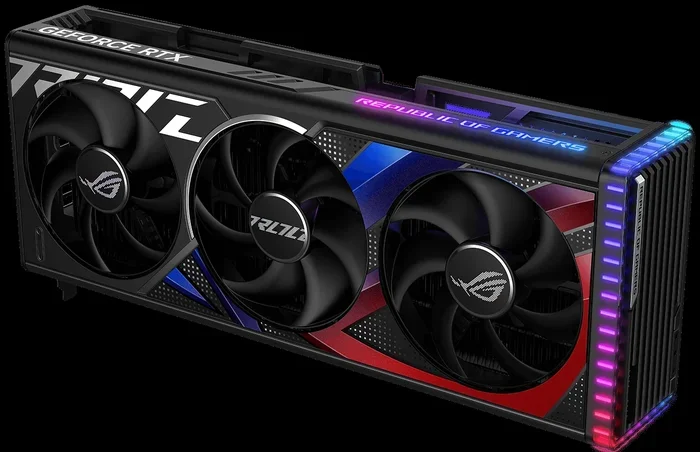
Online gaming has exploded in popularity. Millions of players compete daily in games like Fortnite, Call of Duty, Valorant, and League of Legends. But playing online is not just about your graphics card or your good RAM for a laptop. It is about your connection. A fast processor means nothing if your data cannot travel to the server and back quickly.
In this guide, we break down everything you need to know about internet speeds for gaming. We cover download speed, upload speed, ping, jitter, and more. By the end, you will know exactly what speed you need and how to get the best performance from your setup.
Key Takeaways
- Minimum Speed: 25 Mbps download is the baseline for casual online gaming.
- Ideal Speed: 50-100 Mbps ensures smooth gameplay even with other devices online.
- Ping Rate Matters: Aim for under 50ms for competitive gaming and under 100ms for casual play.
- Wired Connections Win: Ethernet cables reduce lag compared to Wi-Fi.
- Upload Speed Counts Too: At least 5 Mbps upload helps with streaming and voice chat.
- Router Placement Matters: A gaming router in the right spot can improve your connection significantly.
📑 Table of Contents
What Does Internet Speed Mean for Gaming?
Internet speed has two main parts: download and upload. Download speed determines how fast data travels from the internet to your device. Upload speed determines how fast your device sends data back to the internet. Both matter for gaming, but in different ways.
Download Speed
Download speed is what most people talk about. It affects how quickly game updates download, how fast maps load, and how smoothly your game receives data from the server. For casual gaming, a download speed of 25 Mbps is usually enough. But if you play competitive games or share your connection with others, you will want more.
Upload Speed
Upload speed often gets overlooked. Yet it is critical for voice chat, streaming your gameplay, and sending your actions to the game server in real time. Most games need at least 1 Mbps upload. But if you stream on Twitch or YouTube, aim for 5-10 Mbps upload minimum.
Ping and Latency
Ping, also called latency, measures the time it takes for data to travel from your device to the game server and back. It is measured in milliseconds (ms). A lower ping means faster response. If your ping is high, you will experience delays between pressing a button and seeing the action on screen.
Here is a simple breakdown:
- Under 20ms: Excellent. You are in the top tier for competitive play.
- 20-50ms: Good. Most players will not notice any delay.
- 50-100ms: Acceptable for casual gaming.
- Over 100ms: Noticeable lag. Competitive play will be difficult.
How Much Speed Do You Actually Need?
The answer depends on what kind of games you play and how many people share your connection. Let us look at different scenarios.
| Gaming Type | Min Download | Min Upload | Max Ping |
|---|---|---|---|
| Casual Single Player | 3 Mbps | 1 Mbps | No limit |
| Casual Online Multiplayer | 10 Mbps | 3 Mbps | 100ms |
| Competitive Online Gaming | 25 Mbps | 5 Mbps | 50ms |
| Game Streaming (Twitch/YouTube) | 50 Mbps | 10 Mbps | 30ms |
| Cloud Gaming (GeForce Now, Xbox Cloud) | 25 Mbps | 3 Mbps | 60ms |
As you can see, the numbers add up fast if you do more than just play. If someone else in your house is watching Netflix while you game, you need even more bandwidth. This is why many serious gamers look at their how much RAM for a gaming laptop and their internet plan together — both affect overall performance.
Wi-Fi vs Ethernet: Which Is Better for Gaming?
This is one of the most debated topics in gaming. The short answer? Ethernet is almost always better. The longer answer depends on your setup.
Why Ethernet Wins
An Ethernet cable gives you a direct, wired connection to your router. This means:
- Lower latency: Wired connections have less interference.
- Stable speeds: No drops or fluctuations during intense matches.
- Better upload speeds: Consistency matters when you are in a heated game.
If you play competitive games like CS2, Valorant, or Apex Legends, a wired connection can give you a real edge. Even a few milliseconds of extra latency can mean the difference between winning and losing.
When Wi-Fi Is Fine
Wi-Fi has come a long way. Modern Wi-Fi 6 and Wi-Fi 6E routers offer speeds that rival Ethernet for most gaming needs. Wi-Fi is perfectly fine if:
- You play casual or single-player games.
- Your router is in the same room as your setup.
- You use a wired connection for your PC but connect consoles via Wi-Fi.
- Running an Ethernet cable is simply not possible in your setup.
Just keep in mind that walls, other devices, and distance from the router can weaken your signal. If you must use Wi-Fi, position your router as close to your gaming setup as possible.
What Makes Your Internet Speed Slow?
Sometimes your speed test looks great, but your gaming experience is terrible. Several factors can cause this.
Network Congestion
If multiple devices are using your internet at the same time, your bandwidth gets shared. Someone streaming 4K video or downloading a huge file can eat up your speed. This is especially common in households with several people.
ISP Throttling
Some internet service providers slow down certain types of traffic. Gaming data is usually small, so it should not be throttled. But if your ISP detects heavy usage, they might reduce your speeds temporarily.
Old Hardware
An old router or a cheap modem can bottleneck your connection. Even if you pay for gigabit internet, old hardware may not handle it well. Upgrading to a best specs for a gaming PC setup means nothing if your router cannot keep up.
Distance from the Server
The farther you are from the game server, the higher your ping will be. If you live in Asia and connect to a server in Europe, expect higher latency no matter how fast your internet is. Always try to connect to servers closest to your location.
How to Test and Improve Your Gaming Internet Speed
Testing your speed is easy and free. Websites like Speedtest.net and Fast.com give you instant results for download, upload, and ping. Run a test before you start gaming and again during a session if things feel off.
Quick Tips to Boost Your Speed
- Restart your router regularly. A simple reboot can clear cache and improve performance.
- Use a wired connection whenever possible. Plug in that Ethernet cable.
- Close background apps. Programs running in the background use bandwidth without you knowing.
- Update your router firmware. Manufacturers often release updates that improve speed and stability.
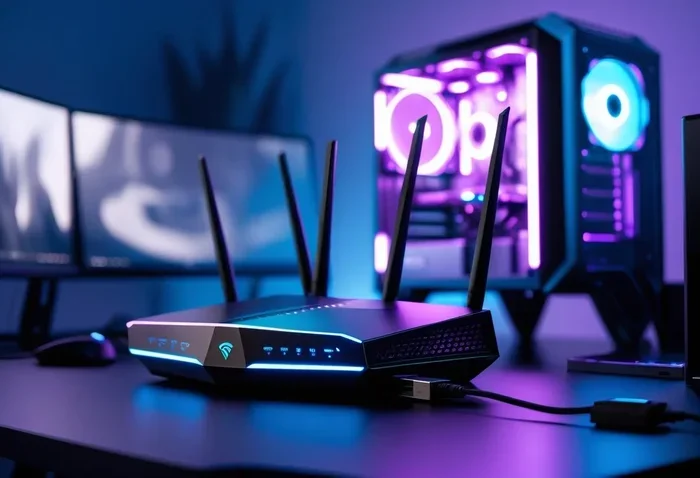
- Consider a gaming router. These routers prioritize gaming traffic over other data.
- Use a VPN designed for gaming. In some cases, a VPN can reduce ping by finding faster routes to servers.
- Check your data cap. Some ISPs limit your data, which can slow things down after a certain usage level.
Common Mistakes Gamers Make About Internet Speed
Even experienced gamers make mistakes when it comes to their connection. Here are a few to avoid.
Focusing Only on Download Speed
Download speed gets all the attention. But upload speed and ping matter just as much for a smooth gaming experience. A 100 Mbps download with a 200ms ping will feel worse than a 25 Mbps download with a 15ms ping.
Ignoring Your Wi-Fi Band
Most modern routers use two bands: 2.4GHz and 5GHz. The 5GHz band is faster and less congested. If your gaming device supports it, always connect to the 5GHz network.
Not Checking Your Actual Speed
Many people assume they are getting the speeds their ISP promises. But advertised speeds are often “up to” numbers. Run a speed test regularly to see what you are actually getting.
Overlooking the Need for Good Hardware
Your internet speed is only as good as the device handling it. Having 8GB of RAM enough for a laptop is important for game performance, but so is having a decent network card. Do not overlook the hardware side of your connection.
Final Thoughts
So, what is a good internet speed for gaming? For most players, 25-50 Mbps download with under 50ms ping is the sweet spot. Competitive gamers and streamers should aim higher. The key is understanding that speed is not just about one number — it is about the combination of download, upload, ping, and stability.
Take the time to test your connection, optimize your setup, and invest in the right hardware. A great gaming experience comes from the whole package: a powerful machine with enough RAM for your laptop, a solid graphics card, and a reliable internet connection. Get all three working together, and you will notice the difference immediately.
Do not let a slow connection hold you back. Take action today. Run a speed test, check your setup, and make the adjustments you need. Your gaming sessions will be smoother, your wins will come faster, and your frustration will fade away.
Frequently Asked Questions
Is 100 Mbps good for gaming?
Yes, 100 Mbps is more than enough for gaming. It handles online multiplayer, game downloads, and even streaming simultaneously without any issues. Most gamers will find this speed more than sufficient for their needs.
Does internet speed affect FPS in games?
Internet speed does not directly affect FPS. FPS is determined by your hardware like your GPU and CPU. However, a poor connection can cause lag spikes that make your game feel choppy even if your FPS is high.
What is a good ping for gaming?
A good ping for gaming is under 50ms for competitive play. For casual gaming, anything under 100ms is acceptable. Lower ping means faster response times and a smoother experience in fast-paced games.
Can I game on satellite internet?
Satellite internet has very high latency, usually over 500ms. This makes it difficult for most online games. It works for turn-based or slow-paced games but is not recommended for competitive or fast-action gaming.
How much upload speed do I need for gaming and streaming?
For gaming alone, 1-3 Mbps upload is fine. If you also stream on Twitch or YouTube, aim for 5-10 Mbps upload. Streaming sends video data in real time, so higher upload speeds give you a much better broadcast quality.
Is 5G home internet good for gaming?
5G home internet can be excellent for gaming if you get good signal strength. It offers low latency and fast speeds in many areas. However, performance varies by location and provider, so always check reviews and run speed tests before committing.