Does Usb Still Exist
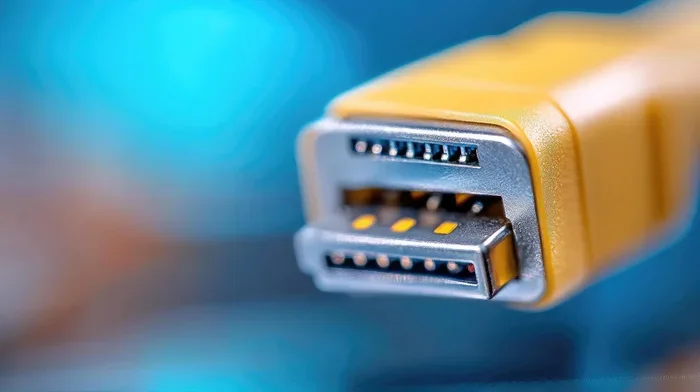
Does USB Still Exist? Yes, USB is alive and thriving in modern technology. USB ports power everything from data transfer to device charging across laptops, phones, and peripherals. The connector has evolved from USB-A to USB-C, but the core purpose remains unchanged. This guide covers the history, current state, and future of USB connections.
Key Takeaways
- USB is not going away: USB ports remain essential in virtually all modern devices, from laptops to cars.
- USB-C is the new standard: The reversible connector has become the dominant USB shape for data transfer and charging.
- USB speeds have improved dramatically: USB4 and Thunderbolt USB offer speeds up to 40 Gbps and beyond.
- Wireless alternatives exist but USB remains superior: For reliability and speed, a wired USB connection still wins.
- USB adapters keep legacy devices relevant: You can still use older USB-A devices with the right USB adapter.
- USB power delivery is a game changer: Modern USB can charge laptops and power peripherals through a single cable.
- The future is USB4: USB4 builds on Thunderbolt technology and promises even faster speeds and better compatibility.
📑 Table of Contents
The Evolution of USB Technology
USB stands for Universal Serial Bus. It was introduced in the mid-1990s to standardize how devices connect to computers. Before USB, you needed a dozen different cables for different devices. The Universal Serial Bus changed all of that.
USB made life simpler. One cable type could handle printers, keyboards, cameras, and storage devices. The USB connection became the universal language of peripherals. And for over two decades, it has remained the backbone of device connectivity.
But technology never stands still. The USB standards have gone through multiple revisions. Each version brought faster speeds, more power, and better compatibility. Today, we are on USB4, and the connector shape has shifted from the familiar USB-A to the sleek USB-C design.
A Brief History of USB
USB 1.0 launched in 1996 with a speed of 12 Mbps. That sounds slow today, but it was revolutionary back then. USB 2.0 came in 2000 and pushed speeds to 480 Mbps. This is when USB really took off in everyday devices.
USB 3.0 arrived in 2008 with speeds up to 5 Gbps. It introduced the blue insert inside the port to help you identify it. Then USB 3.1 and USB 3.2 pushed speeds even higher. Each step forward made the USB port more capable and more essential.
From USB-A to USB-C: The Connector Shift
For years, the rectangular USB-A connector dominated. You found it on desktops, laptops, chargers, and hubs. It was reliable but annoying because it only fits one way.
Then USB-C came along. This small, reversible connector changed everything. It is compact, fast, and works for both data and power. Today, most new laptops, tablets, and phones use USB-C as the primary charging port and data connection.
The shift was not instant. Many devices still include USB-A ports alongside USB-C. But the trend is clear. USB-C is becoming the universal connector for the USB legacy era.
Does USB Still Exist in Modern Devices?
The answer is a resounding yes. Does USB Still Exist as a relevant technology in 2024 and beyond? Without question. USB ports are everywhere. You will find them on laptops, desktops, monitors, keyboards, mice, external drives, and even cars.
USB peripherals still rely on USB connections for power and data. Wireless alternatives exist, but they cannot match the reliability and speed of a wired USB cable. For professionals, gamers, and everyday users, USB remains the go-to connection method.
Where You Will Find USB Ports Today
USB ports are more common than ever. Here are the places you will encounter them:
- Laptops and desktops: Most computers have at least one or two USB ports, often a mix of USB-A and USB-C.
- Smartphones and tablets: Many Android devices use USB-C for charging and data transfer.
- External storage: External hard drives and SSDs, including M.2 NVMe to USB-C SSD enclosures, depend on USB for connectivity.
- Cars and dashboards: Modern vehicles use USB ports for charging and media playback.
- Gaming consoles: Controllers, headsets, and storage all connect via USB.
- Smart home devices: Cameras, sensors, and hubs often use USB for power and data.
The Truth About USB’s Relevance
Some people wonder if wireless technology will replace USB entirely. Bluetooth and Wi-Fi have grown enormously. But USB offers something wireless cannot: consistent, high-speed data transfer and reliable power delivery.
For tasks like backing up large files or connecting an external GPU, a wired USB connection is far superior. Wireless alternatives introduce latency and bandwidth limits. USB remains the gold standard for serious work and everyday convenience.
USB-C: The Connector That Changed Everything
USB-C is arguably the most important advancement in USB history. This tiny, reversible connector delivers incredible speed and power through a single cable. It has become the face of modern USB technology.
Why USB-C Won the Race
USB-C won for several reasons. First, it is reversible. You never flip the cable trying to find the right orientation. Second, it supports high speeds. USB 3.2 Gen 2 over USB-C delivers up to 10 Gbps. And USB4 pushes that to 40 Gbps.
Third, USB-C supports USB Power Delivery, which can charge devices up to 100 watts. This means your laptop, phone, and tablet can all share the same charger. The USB power delivery standard has simplified our lives in a big way.
Many users now rely on USB-C for everything. If you use an external SSD, you might connect it through a M.2 NVMe SSD to USB 3.1 adapter for fast, portable storage on the go.
USB Speed and Power Delivery Explained
Understanding USB speed can feel confusing. Let us break it down simply.
- USB 2.0: Up to 480 Mbps. Fine for keyboards and mice.
- USB 3.0 (USB 3.2 Gen 1): Up to 5 Gbps. Great for flash drives and basic external storage.
- USB 3.1 (USB 3.2 Gen 2): Up to 10 Gbps. Handles large file transfers with ease.
- USB 3.2 Gen 2×2: Up to 20 Gbps. For heavy-duty professional work.
- USB4: Up to 40 Gbps. The fastest USB standard available today.
As for power, USB Power Delivery (PD) can supply anywhere from 5 watts to 240 watts depending on the device and cable. This versatility is a huge reason why USB remains so relevant.
Common USB Devices and Their Uses
USB connects a massive range of devices. Let us look at the most common ones and how they fit into daily life.
USB Flash Drives and External Storage
USB flash drives are still incredibly popular. They are portable, affordable, and perfect for moving files between computers. A typical USB flash drive offers 16 GB to 256 GB of storage.
For bigger needs, external SSDs and hard drives connect via USB. These are essential for backups, media storage, and expanding laptop storage. Devices like M.2 NVMe SSD in USB enclosures give you blazing-fast speeds in a portable package.
When choosing storage, consider the USB speed your port supports. A fast NVMe drive connected through a slow USB 2.0 port will not reach its full potential. Always match your drive speed with your port speed for the best results.
USB Hubs and Adapters for Everyday Use
Modern laptops often have only two or three USB-C ports. That is not enough for most users. This is where a USB hub comes in handy.
A USB hub expands your connection options. You can add USB-A ports, HDMI outputs, SD card readers, and Ethernet jacks. Many hubs also support USB power delivery, so they can charge your laptop while you work.
Adapters are equally useful. Need to connect an older USB-A device to a new USB-C laptop? A simple adapter solves the problem. These small accessories keep your USB compatibility intact across generations of devices.
| USB Device | Common Use | Typical Speed |
|---|---|---|
| USB Flash Drive | File transfer, portable storage | Up to 10 Gbps (USB 3.0+) |
| External SSD | Backups, media storage | Up to 20 Gbps (USB 3.2) |
| USB Hub | Expanding ports, charging | Varies by hub |
| USB-C Adapter | Connecting legacy devices | Varies by adapter |
| USB-C Enclosure | Portable NVMe storage | Up to 20 Gbps |
The Future of USB Technology
USB is not standing still. The technology continues to evolve. USB4 represents the biggest leap forward in USB history. It builds on the Thunderbolt protocol and brings incredible speed and versatility.
USB4 and What Comes Next
USB4 supports speeds up to 40 Gbps and can handle two 4K displays or one 8K display. It also maintains backward compatibility with older USB devices. This means your existing USB cables and peripherals will still work with USB4 ports.
USB4 also improves how bandwidth is shared between devices. If you are charging your laptop while transferring files and connecting a display, USB4 manages all of this efficiently. The USB protocol has become smarter and more capable with each generation.
Thunderbolt USB technology is now integrated into the USB4 standard. This means you get the best of both worlds: the universal compatibility of USB and the blazing performance of Thunderbolt.
Wireless Alternatives to USB
Wireless technologies like Wi-Fi Direct and Bluetooth continue to improve. Some devices now offer wireless charging and wireless data transfer. But these alternatives have limitations.
Wireless connections share bandwidth with other devices, which can slow things down. They also introduce latency, which matters for real-time applications like gaming or video editing. For critical tasks, a wired USB cable still delivers the best performance.
That said, wireless USB technology is being developed. It aims to combine the convenience of wireless with the speed of USB. However, this technology is still in its early stages and is not yet ready to replace traditional USB connections.
Quick Tips for Getting the Most from USB
Here are some practical tips to help you get the best experience from your USB devices:
- Use the right cable: Not all USB cables are equal. A USB 3.0 cable will not deliver USB 3.2 speeds. Always check the cable specifications before buying.
- Invest in quality adapters: Cheap adapters can cause connection drops and slow speeds. Look for adapters from reputable brands.
- Keep your ports clean: Dust and debris in USB ports can cause connection issues. Use a soft brush or compressed air to clean them gently.
- Check for USB power delivery support: Not all USB-C cables support USB PD. Look for cables rated for the wattage you need.
- Update your drivers: Outdated USB drivers can cause compatibility issues. Keep your system updated for the best USB compatibility.
- Avoid daisy-chaining too many devices: Connecting too many peripherals through a single hub can reduce performance. Use a powered hub for heavy-duty setups.
Common Mistakes with USB Devices
Here are some mistakes to avoid:
- Using damaged cables: Frayed or bent cables can damage your ports and devices. Replace them promptly.
- Ignoring speed ratings: Plugging a fast SSD into a slow USB port wastes its potential. Always match speeds.
- Forcing connectors: If a cable does not fit, do not force it. Check the orientation and try again.
- Overloading hubs: Connecting too many power-hungry devices to an unpowered hub can cause failures.
Expert Insight: Why USB Remains Indispensable
Industry experts agree that USB is far from obsolete. The universal nature of USB, combined with continuous improvements in speed and power, keeps it at the center of device connectivity. Even as wireless technology advances, USB fills a niche that wireless simply cannot replicate: reliable, high-speed, low-latency wired connections.
The introduction of USB4 and the widespread adoption of USB-C ensure that USB will remain relevant for years to come. The USB legacy is strong, and its future looks bright.
Conclusion
Does USB Still Exist? Absolutely, and it is thriving more than ever. USB technology has evolved from a simple connector into a powerful, versatile standard that powers our digital lives. Whether you are transferring files with a flash drive, charging your phone, or connecting an external SSD through a USB 3.1 enclosure adapter, USB is the reliable backbone you depend on.
The shift to USB-C and the arrival of USB4 have only strengthened USB’s position. Wireless alternatives will continue to grow, but they will not replace USB. The speed, reliability, and universal compatibility of USB make it irreplaceable.
So the next time you plug in a cable, remember: USB is not just surviving. It is evolving, improving, and staying at the heart of how we connect our devices. Embrace the technology, invest in quality cables and adapters, and enjoy the seamless connectivity that USB provides.
Frequently Asked Questions
Is USB going away anytime soon?
No. USB remains the most widely used connectivity standard in the world. New versions like USB4 continue to improve speed and power. Wireless technologies are growing, but they cannot match USB for reliability and speed.
Can I use USB-A devices with USB-C ports?
Yes. You can use a simple USB-A to USB-C adapter or cable. This lets you connect older peripherals to modern USB-C laptops and devices without any issues.
What is the difference between USB 3.0 and USB 3.1?
The names can be confusing. USB 3.0 was renamed USB 3.2 Gen 1 and offers speeds up to 5 Gbps. USB 3.1 was renamed USB 3.2 Gen 2 and delivers up to 10 Gbps. The physical connector shape is the same, but the speeds differ.
Do all USB-C cables support fast charging?
No. Not all USB-C cables support USB Power Delivery or high data speeds. Look for cables that are rated for the wattage and speed you need. Quality cables from reputable brands are always a safe choice.
Can USB replace Thunderbolt entirely?
USB4 now incorporates Thunderbolt technology, so the line between them is blurring. USB4 supports Thunderbolt speeds and features, making it a universal replacement for most use cases.
How do I know if my device supports USB 3.0 or higher?
Look for the SS (SuperSpeed) logo next to the port. USB 3.0 and higher ports usually have a blue insert inside. You can also check your device specifications in the manual or on the manufacturer’s website.