What Are Cuda Cores
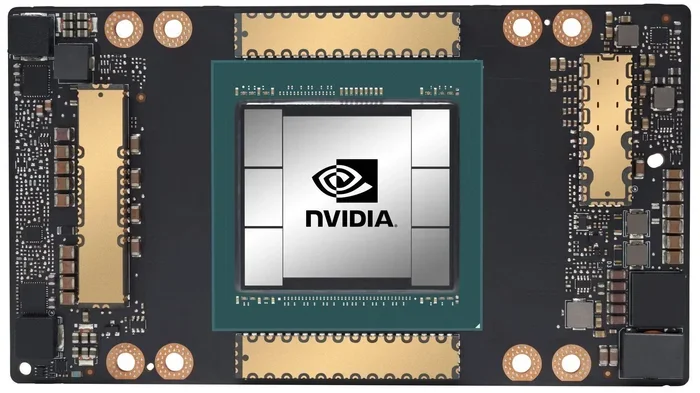
Cuda cores are the small processing units inside NVIDIA GPUs that handle parallel computing tasks. They work together to speed up graphics rendering, video editing, deep learning, and more. Understanding cuda cores helps you choose the right GPU for your needs and get the most from your setup.
If you have ever looked at a graphics card spec sheet, you probably saw the term cuda cores and wondered what it actually means. These tiny processing units are at the heart of every NVIDIA GPU. They are the reason your games look stunning, your videos render quickly, and your AI projects run smoothly.
In simple terms, cuda cores are the individual workers inside your graphics card. Each one handles a small piece of a larger job. When thousands of them work together, amazing things happen. This guide breaks down everything you need to know about cuda cores, from the basics to real-world performance.
Key Takeaways
- CUDA cores are the building blocks of NVIDIA GPU performance: More cores generally mean faster processing for graphics and compute tasks.
- They work through parallel computing: CUDA cores handle thousands of simple tasks at the same time, making them ideal for rendering and AI workloads.
- CUDA core count is not the only factor: Clock speed, architecture, and memory also play huge roles in overall GPU performance.
- CUDA cores power real-world applications: From video editing to machine learning, they are essential for modern computing tasks.
- More cores do not always mean better: The generation and architecture of the GPU matter just as much as raw core numbers.
📑 Table of Contents
What Are Cuda Cores?
Cuda cores stand for Compute Unified Device Architecture cores. They are the fundamental processing units found in NVIDIA graphics cards. Each core is a small, independent processor that can handle its own set of instructions. Think of them like individual workers on a factory floor. One worker alone can only do so much. But when hundreds or thousands work together, the output skyrockets.
NVIDIA introduced the CUDA platform back in 2006. It opened up the GPU for more than just graphics. Suddenly, these processors could handle general computing tasks too. Today, cuda cores are used in gaming, professional rendering, scientific research, and artificial intelligence. They are one of the main reasons NVIDIA GPUs dominate the market.
How Cuda Cores Work
Each cuda core is a scalar processor. It performs basic mathematical operations very quickly. These operations include addition, multiplication, and floating point calculations. On their own, each core is simple. But they are designed to work in parallel. This means they all execute the same instruction on different data at the same time.
This approach is called parallel computing. Instead of one powerful core doing everything step by step, thousands of cuda cores split the work. For example, when rendering a single frame in a game, each core might handle a different pixel or texture. The result is a complete image drawn in milliseconds.
The way cuda cores are grouped also matters. They are organized into groups called Streaming Multiprocessors, or SMs. Each SM contains a set of cuda cores that share resources like memory caches. This design allows for efficient GPU acceleration across many different types of workloads.
Why Cuda Cores Matter for GPU Performance
The number of cuda cores on a GPU is one of the most talked-about specs. But why does it matter so much? More cores mean more parallel tasks can be processed at once. This directly affects how fast your GPU can handle complex workloads.
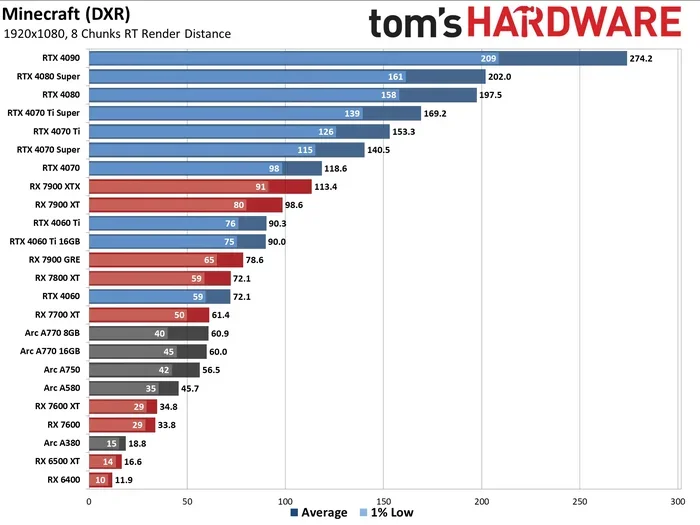
However, core count is not the whole story. The architecture of the GPU, the clock speed, and the memory bandwidth all play important roles. A newer GPU with fewer cores can still outperform an older card with more cores. This is because NVIDIA constantly improves how each cuda core is designed and how they communicate with each other.
CUDA Cores vs Stream Processors
You might hear people compare cuda cores to stream processors. Stream processors are AMD’s version of the same concept. Both are designed for parallel computing. But they differ in architecture and how they are optimized. NVIDIA’s cuda cores are part of a unified computing platform. This means they can handle graphics tasks and general compute tasks using the same architecture.
AMD stream processors serve a similar purpose but work within AMD’s own Compute Units. For most users, the exact label matters less than the overall performance. What matters is how well the GPU processing handles your specific tasks. Whether it is gaming, rendering, or machine learning, the core design and software ecosystem both count.
CUDA Cores vs Tensor Cores
Modern NVIDIA GPUs also include something called tensor cores. These are specialized units designed specifically for AI and deep learning workloads. While cuda cores are general-purpose processors, tensor cores are optimized for matrix operations. These operations are at the heart of neural networks and AI training.
So when you see a GPU spec sheet listing both cuda cores and tensor cores, they serve different purposes. The cuda cores handle the broader workload. The tensor cores accelerate specific AI tasks. Together, they make modern GPUs incredibly versatile. This is why deep learning and AI workloads have become so much faster in recent years.
What Do Cuda Cores Do in Real-World Applications?
Cuda cores are not just for gaming. Their parallel computing ability makes them useful in a wide range of applications. Let us look at some of the most common uses.
Gaming and Graphics Rendering
Gaming is the most obvious use for cuda cores. Every frame you see on your monitor is rendered by these cores. They calculate lighting, shadows, textures, and physics for every object in the scene. The more cuda cores your GPU has, the more detail it can handle at once.
Modern games use GPU acceleration for features like ray tracing and real-time reflections. These effects require massive amounts of parallel computation. Cuda cores handle this workload efficiently. They also power upscaler technologies like NVIDIA DLSS, which uses AI to boost frame rates without sacrificing image quality.
Video Editing and Content Creation
If you edit videos or work with 3D models, cuda cores are your best friend. Rendering a video timeline or exporting a 3D animation takes huge processing power. Cuda cores split this work across thousands of threads. What might take hours on a CPU can be done in minutes on a powerful GPU.
Software like Adobe Premiere Pro, DaVinci Resolve, and Blender all take advantage of GPU acceleration. They use the CUDA toolkit to offload heavy tasks to the GPU. This includes color grading, effects rendering, and encoding. For content creators, having a strong GPU with plenty of cuda cores can cut production time dramatically.
Machine Learning and Scientific Computing
Machine learning workloads depend heavily on cuda cores. Training neural networks requires billions of simple mathematical operations. These operations are perfect for parallel processing. Each cuda core handles a small piece of the calculation, and they all work simultaneously.
Beyond AI, scientists use cuda cores for simulations and data analysis. Weather modeling, drug discovery, and physics simulations all benefit from parallel threads running on NVIDIA GPUs. The compute capability of a GPU determines what kinds of scientific workloads it can handle effectively.
How Many Cuda Cores Do You Actually Need?
The right number of cuda cores depends on what you plan to do. Different tasks have different demands. Here is a simple breakdown to help you decide.
For Casual Gaming
If you play games at 1080p with medium to high settings, a mid-range GPU with a few thousand cuda cores is usually enough. Cards in the NVIDIA GeForce GTX or RTX 30-series range offer solid performance for most modern titles. You do not need the highest core count to enjoy smooth gameplay.
For Content Creation and Streaming
Video editing, 3D rendering, and live streaming benefit from more cuda cores. Look for GPUs with at least 5,000 to 8,000 cores. This gives you enough parallel processing power to handle complex timelines and effects without long render waits.
For AI and Deep Learning
If you are working with deep learning models or training neural networks, you want as many cuda cores as possible. More cores mean faster training times and the ability to handle larger datasets. Professional GPUs like the NVIDIA RTX A-series or data center cards are built for this kind of heavy lifting.
Quick Tips for Choosing a GPU Based on Cuda Cores
- Do not chase core count alone: Always consider the GPU generation and architecture alongside the number of cuda cores.
- Match the GPU to your workload: Gaming needs differ greatly from AI training or video rendering.
- Check the memory too: VRAM works hand in hand with cuda cores. Without enough memory, even the most powerful cores will bottleneck.
- Consider cooling and power: High-core-count GPUs generate more heat and draw more power. Make sure your system can handle it.
- Look at real benchmarks: Core count is a spec, not a guarantee. Always check benchmark results for the specific tasks you care about.
Common Mistakes People Make With Cuda Cores
There are a few misconceptions about cuda cores that trip up many buyers. Avoiding these mistakes can save you money and frustration.
Mistake 1: More cores always mean better performance. This is simply not true. A GPU with 8,000 cores on an older architecture may be slower than one with 5,000 cores on a newer architecture. The design and efficiency of each core matter just as much as the raw count.
Mistake 2: Ignoring other specs. Clock speed, memory bandwidth, and VRAM all affect how well your GPU performs. A card with tons of cuda cores but slow memory will still struggle with demanding tasks. Always look at the full picture.
Mistake 3: Assuming all cores are equal across brands. NVIDIA cuda cores are not the same as AMD stream processors. They are designed differently and optimized for different software ecosystems. Comparing core counts directly between brands does not give you an accurate picture.
Mistake 4: Overlooking driver and software support. The CUDA toolkit and NVIDIA drivers play a big role in how well your GPU performs. Keeping your drivers updated ensures you get the best GPU acceleration and compatibility with the latest applications.
Expert Insights on Cuda Cores and Future GPU Trends
The world of GPU processing is always evolving. NVIDIA continues to push the boundaries of what cuda cores can do. Each new generation brings more cores, better efficiency, and new specialized units like tensor cores and RT cores.
One trend to watch is the growing importance of AI in everyday computing. Deep learning and AI are no longer just research tools. They are built into everything from photo editing to game upscaling. As these technologies grow, the role of cuda cores in handling machine learning workloads will only become more critical.
Another trend is the shift toward hybrid computing. Modern GPUs are not just graphics processors. They are general-purpose parallel computers. This means cuda cores are increasingly used for tasks that have nothing to do with rendering images. From cryptocurrency mining to scientific research, the versatility of these cores continues to expand.
If you are building or upgrading a PC, understanding cuda cores gives you a real advantage. It helps you make informed decisions and get the best value for your money. Whether you are a gamer, a creator, or a researcher, the right GPU can transform your workflow.
Conclusion
Cuda cores are the engine behind every NVIDIA GPU. They handle the massive parallel workloads that modern computing demands. From gaming and video editing to AI and scientific research, they are the reason your graphics card can do so much. Understanding what cuda cores are and how they work helps you choose the right hardware and get the most from your investment.
Remember that core count is just one piece of the puzzle. Architecture, clock speed, memory, and software all work together to determine real-world performance. Take the time to research and compare GPUs based on your specific needs. With the right knowledge, you can build a system that delivers exactly the performance you want.
If you have recently upgraded your GPU, make sure to check what to do after installing a new GPU to get the best performance and stability from your setup.
Frequently Asked Questions
What is the difference between cuda cores and regular CPU cores?
Cuda cores are designed for parallel processing, meaning they handle many small tasks at the same time. CPU cores are designed for sequential processing, handling complex tasks one after another. A GPU has thousands of cuda cores, while a CPU typically has between 4 and 24 cores. This makes GPUs far better at tasks like graphics rendering and parallel computation.
Can I use cuda cores for anything other than gaming?
Absolutely. Cuda cores are used in video editing, 3D rendering, machine learning, scientific simulations, and even cryptocurrency mining. The CUDA toolkit allows developers to use these cores for general-purpose computing. This is why they are so valuable beyond just gaming.
Do more cuda cores always mean a better GPU?
Not necessarily. The architecture, clock speed, and memory bandwidth all matter. A newer GPU with fewer cores can outperform an older GPU with more cores. Always look at overall performance benchmarks and real-world tests, not just the core count alone.
What is the CUDA toolkit and why does it matter?
The CUDA toolkit is a software platform developed by NVIDIA that allows developers to write programs that use GPU acceleration. It gives software direct access to cuda cores for parallel computing. This is why many professional applications like Adobe Premiere Pro and Blender rely on NVIDIA GPUs for faster performance.
How do cuda cores affect video editing performance?
More cuda cores mean faster rendering and smoother playback of high-resolution video. Video editing software offloads heavy tasks like effects rendering and color grading to the GPU. The parallel processing power of cuda cores handles these tasks much faster than a CPU alone.
Are cuda cores the same as tensor cores?
No. Cuda cores are general-purpose processors that handle a wide range of tasks. Tensor cores are specialized units designed specifically for AI and deep learning operations. Modern NVIDIA GPUs include both types, with cuda cores handling general workloads and tensor cores accelerating AI-specific calculations.