What Is Intel Core Ultra 7
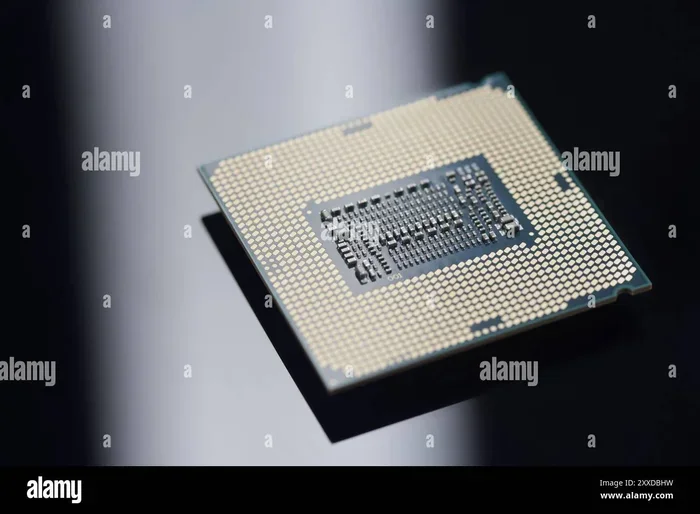
The Intel Core Ultra 7 is a powerful laptop processor built for AI tasks, multitasking, and everyday productivity. It combines new hybrid architecture, integrated graphics, and an NPU to deliver fast and efficient performance. If you are shopping for a new laptop, this chip is worth a close look.
Key Takeaways
- Hybrid Architecture: The Intel Core Ultra 7 uses a mix of performance and efficiency cores for smart multitasking.
- AI Engine: A built-in NPU helps with AI tasks like video calls and photo editing.
- Integrated Graphics: You do not always need a separate GPU for light gaming and creative work.
- Power Efficiency: Great battery life makes it ideal for on-the-go laptop users.
- Thunderbolt Support: Fast connectivity with external devices and displays is built in.
- Solid for Productivity: It handles office work, browsing, and light gaming with ease.
📑 Table of Contents
- What Is Intel Core Ultra 7?
- Intel Core Ultra 7 Processor Specs and Architecture
- AI and NPU Features
- Integrated Graphics and Gaming
- Power Efficiency and Battery Life
- Connectivity and Ports
- Who Should Buy a Laptop with Intel Core Ultra 7?
- Common Mistakes When Choosing a Laptop with Intel Core Ultra 7
- Final Thoughts
What Is Intel Core Ultra 7?
The Intel Core Ultra 7 is a laptop processor from Intel’s newest generation of chips. It belongs to the Intel Core Ultra family, which was first launched in late 2023. This processor is designed to handle everyday tasks, creative work, and even some light gaming. It brings together several new technologies in one single chip.
If you are in the market for a new laptop, you have probably seen the Intel Core Ultra 7 name thrown around. But what makes it different from older Intel chips? The answer lies in its design, its AI capabilities, and the way it balances speed with power savings. This guide breaks it all down in simple terms.
The chip is built using Intel’s latest manufacturing process, which packs more transistors into a smaller space. This leads to better performance and improved energy efficiency. Whether you are a student, a remote worker, or a casual gamer, the Intel Core Ultra 7 has something to offer.
Intel Core Ultra 7 Processor Specs and Architecture
Hybrid Core Design
The Intel Core Ultra 7 uses a hybrid architecture. This means it combines different types of cores on the same chip. There are performance cores for heavy tasks and efficiency cores for lighter background work. This design helps your laptop stay fast while also saving battery.
Here is how the core setup typically works:
- Performance Cores (P-cores): These handle demanding tasks like video editing and multitasking.
- Efficiency Cores (E-cores): These manage background tasks and help extend battery life.
- Thread Count: Most Intel Core Ultra 7 models offer 8 to 16 threads, which is great for multi-tasking.
The P-cores and E-cores work together seamlessly. Your laptop automatically shifts tasks between them based on what you are doing. This means you get speed when you need it and efficiency when you do not.
Clock Speed and Performance
The Intel Core Ultra 7 offers solid clock speeds. The boost clock can reach high frequencies, which helps with single-threaded tasks like opening apps or loading web pages. The base clock stays low enough to keep power usage in check during light workloads.
For comparison, the Intel Core Ultra 7 sits above the Intel Core i5 and Intel Core i7 laptop processors from older generations. It is designed to compete with AMD’s Ryzen 7 and Ryzen 9 chips in the laptop space. If you want a processor that handles laptop performance well across the board, the Intel Core Ultra 7 is a strong contender.
AI and NPU Features
What Is the NPU?
One of the standout features of the Intel Core Ultra 7 is its Neural Processing Unit, or NPU. The NPU is a dedicated chip inside the processor that handles AI tasks. It takes over jobs like background blur in video calls, noise reduction, and AI-based photo enhancements.
Because the NPU handles these tasks separately, it does not slow down your main CPU. This means your laptop stays responsive even when AI features are running in the background. The Intel Core Ultra 7 was one of the first laptop chips to include this kind of dedicated AI engine.
Real-World AI Benefits
So what does AI computing mean for you in everyday use? Here are some practical examples:
- Video Calls: The NPU powers background blur and eye contact features on apps like Zoom and Microsoft Teams.
- Photo Editing: AI-based tools can remove backgrounds and enhance photos faster.
- Voice Assistants: Commands are processed faster with lower power draw.
- Windows Studio Effects: These features run smoothly without draining your battery.
The NPU is a big reason why the Intel Core Ultra 7 feels modern and future-ready. As more apps add AI features, having a dedicated NPU will only become more valuable.
Integrated Graphics and Gaming
Intel Arc Graphics
The Intel Core Ultra 7 comes with Intel Arc integrated graphics built right into the processor. This is a big step up from older Intel UHD and Iris Xe graphics. The Intel Arc GPU can handle light gaming, video editing, and 3D rendering without needing a separate graphics card.
If you are not a hardcore gamer, the integrated graphics on the Intel Core Ultra 7 are more than enough. You can play casual games, indie titles, and older AAA games at medium settings. For esports titles like Fortnite and Valorant, you can expect smooth frame rates at 1080p.
Do You Need a Separate GPU?
For most users, the answer is no. The integrated graphics on the Intel Core Ultra 7 handle everyday tasks with ease. However, if you are into heavy 3D rendering, video production, or the latest AAA games at max settings, you may still want a dedicated GPU. In those cases, pairing the Intel Core Ultra 7 with a discrete graphics card gives you the best of both worlds.
Think of the Intel Core Ultra 7 as a chip that covers the basics very well. It frees you from needing a separate GPU for most tasks, which keeps your laptop thinner, lighter, and cooler.
Power Efficiency and Battery Life
Efficiency Cores at Work
One of the biggest advantages of the Intel Core Ultra 7 is its power efficiency. The efficiency cores handle light tasks like browsing, word processing, and streaming video while using very little energy. This translates into longer battery life on your laptop.
In real-world use, laptops with the Intel Core Ultra 7 can easily last 8 to 12 hours on a single charge for normal workloads. Of course, battery life depends on screen brightness, apps running, and workload intensity. But compared to older Intel chips, the Intel Core Ultra 7 offers a noticeable improvement.
Thermal Design
Because the Intel Core Ultra 7 is efficient, it also runs cooler. This means your laptop fan does not spin up as often, which keeps things quiet. A cooler running chip also contributes to a longer laptop lifespan. If you want to keep your laptop in top shape, pairing a good CPU cooler with proper ventilation goes a long way.
For laptops that prioritize thin and light designs, the Intel Core Ultra 7 is an excellent fit. Its low power draw allows manufacturers to build slimmer machines without sacrificing performance.
Connectivity and Ports
Thunderbolt and USB-C
The Intel Core Ultra 7 supports Thunderbolt 4 natively. This means you can connect to external monitors, storage drives, and docking stations with ease. Thunderbolt 4 offers speeds up to 40 Gbps, which is incredibly fast for data transfer and video output.
Most laptops with the Intel Core Ultra 7 also include USB-C ports that support charging and data transfer. This gives you a clean and simple setup with fewer cables. You can connect one cable to charge your laptop and link to an external display at the same time.
Wi-Fi 6E and Bluetooth
Wireless connectivity is also top-notch. The Intel Core Ultra 7 supports Wi-Fi 6E, which offers faster and more stable wireless connections. Bluetooth 5.3 ensures smooth pairing with wireless accessories like mice, keyboards, and headphones.
For anyone who works from home or relies on wireless peripherals, these connectivity features are a real plus. They keep your setup clean and your connections reliable.
Who Should Buy a Laptop with Intel Core Ultra 7?
The Intel Core Ultra 7 is a versatile chip that suits many types of users. Here is a quick look at who will benefit most:
- Students: It handles note-taking, research, video calls, and light gaming with ease. For students looking for a reliable machine, checking out options with good RAM for laptop use alongside the Intel Core Ultra 7 is a smart move.
- Remote Workers: The NPU and integrated graphics make video calls and presentations smooth. Multitasking between apps is seamless.
- Content Creators: Photo and video editing tasks benefit from the extra cores and the Intel Arc graphics.
- Casual Gamers: You can enjoy many games without needing a separate GPU.
- Business Professionals: Security features and strong performance make it ideal for office work and presentations.
If you are shopping for a laptop, the Intel Core Ultra 7 gives you a lot of value. It balances performance, efficiency, and modern features in one package. You do not need to spend extra on a separate GPU or cooler for most use cases.
Keep in mind that the right laptop also depends on other factors like RAM and storage. A laptop with 16 GB RAM and a fast SSD will make the most of the Intel Core Ultra 7. If you are unsure about RAM choices, check out our guide on what is good RAM for laptop to make an informed decision.
Common Mistakes When Choosing a Laptop with Intel Core Ultra 7
Here are a few pitfalls to avoid when buying a laptop with this processor:
- Skipping RAM: Even the best processor will feel slow with too little RAM. Aim for at least 16 GB for a smooth experience.
- Ignoring Cooling: Thin laptops can get hot under heavy load. Good thermal design matters as much as the chip itself.
- Overlooking Storage: A fast NVMe SSD makes a huge difference in boot times and app loading. Pair the Intel Core Ultra 7 with an SSD for the best results.
- Expecting Flagship Gaming: The integrated graphics are great for casual gaming but cannot replace a dedicated GPU for heavy titles.
Avoiding these mistakes will help you get the most out of your Intel Core Ultra 7 laptop.
Final Thoughts
The Intel Core Ultra 7 is a well-rounded laptop processor that delivers on modern demands. Its hybrid architecture, AI engine, and integrated graphics make it a strong choice for a wide range of users. Whether you are working, learning, or entertaining yourself, this chip handles it all with confidence.
It strikes a great balance between performance and efficiency. You get fast speeds when you need them and long battery life when you do not. The NPU also future-proofs your laptop for the growing world of AI-powered applications.
If you are looking for a laptop that will last for years and handle whatever you throw at it, the Intel Core Ultra 7 is a fantastic option. It is one of the best choices in the laptop processor market right now.
For more tips on keeping your laptop running at its best, check out our article on what is a good idle GPU temperature to make sure your system stays cool and performs well over time.
Frequently Asked Questions
Is the Intel Core Ultra 7 good for gaming?
The Intel Core Ultra 7 has integrated Intel Arc graphics that can handle casual and indie games well. You can play many titles at 1080p on medium settings. However, for the latest AAA games at high settings, a dedicated GPU is still recommended.
How does the Intel Core Ultra 7 compare to the Intel Core i7?
The Intel Core Ultra 7 is a newer generation chip with a hybrid architecture and an NPU. It generally offers better multi-tasking and AI performance than older Intel Core i7 processors. It also tends to be more power efficient.
Does the Intel Core Ultra 7 need a separate GPU?
For most everyday tasks, no. The integrated Intel Arc graphics are sufficient for browsing, office work, video calls, and light gaming. A separate GPU is only needed for heavy 3D rendering or modern AAA gaming at high settings.
What RAM works best with the Intel Core Ultra 7?
16 GB of RAM is the sweet spot for most users with the Intel Core Ultra 7. If you do heavy multitasking or creative work, 32 GB can offer extra headroom. Check out our guide on what amount of RAM is good on a laptop for more details.
How long does a laptop with Intel Core Ultra 7 last on battery?
Most laptops with the Intel Core Ultra 7 last between 8 and 12 hours on normal workloads. The efficiency cores help conserve power during light tasks. Heavy use like gaming or video editing will drain the battery faster.
Can I use the Intel Core Ultra 7 for video editing?
Yes, the Intel Core Ultra 7 handles video editing very well. The multiple cores and integrated Intel Arc graphics speed up rendering and playback. For 4K editing, you may still benefit from a dedicated GPU, but 1080p and 1440p editing run smoothly.